Coder Alternative for Coding Agents That Browse
Keep your agents in Coder workspaces and move their browser to Browser Cloud by TestMu AI: managed Chrome sessions your Playwright code connects to, recorded per run.

npm install @testmuai/browser-cloud
TestMu AI Browser Cloud vs Coder: Feature Comparison

Top Choice
Features

Coder
What Each Product Runs
Built for
Where it runs
License
Code editors
Runs code an agent wrote
Operating systems
The Agent's Browser
Chrome for the agent
Browser drivers
Browser compute
Desktop for computer-use agents
Chrome extensions
Debugging
Session video
Browser console and network logs
Network Access
Apps on localhost
Agent egress rules
Agents and Enterprise
Agent setup
Built-in coding agent
LLM gateway
Enterprise controls
AI Agents in Coder Get 4 Browser Cloud Features
Browser Cloud takes over the browser work of a Coder workspace: Chrome, session recordings, a tunnel back to the workspace and an SDK skill.
 CHROME SESSIONS
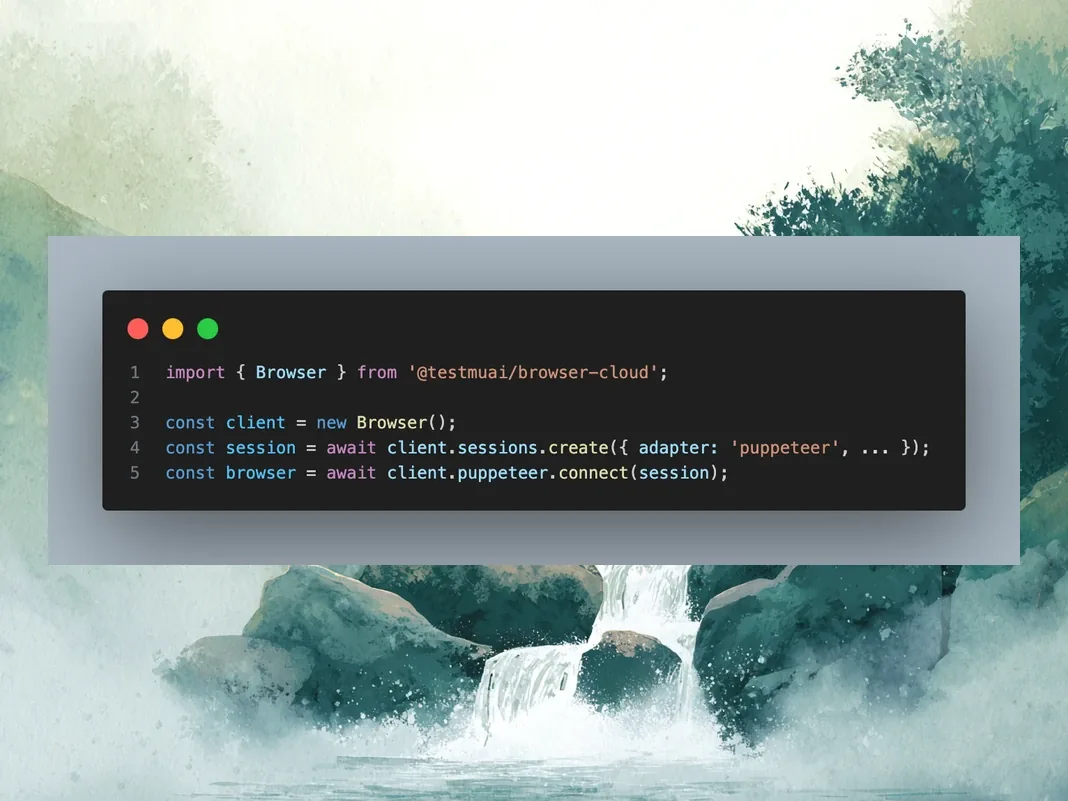
Replace Chrome in Coder Images With Browser Cloud Sessions
Code in a Coder workspace connects Puppeteer, Playwright or Selenium to a Chrome session Browser Cloud starts on demand, so no template ships a browser.
Start Free
- client.sessions.create() starts a session on demand
- Chrome uses TestMu AI compute, not the workspace's
- 2 parallel sessions on the free plan

 RECORDINGS
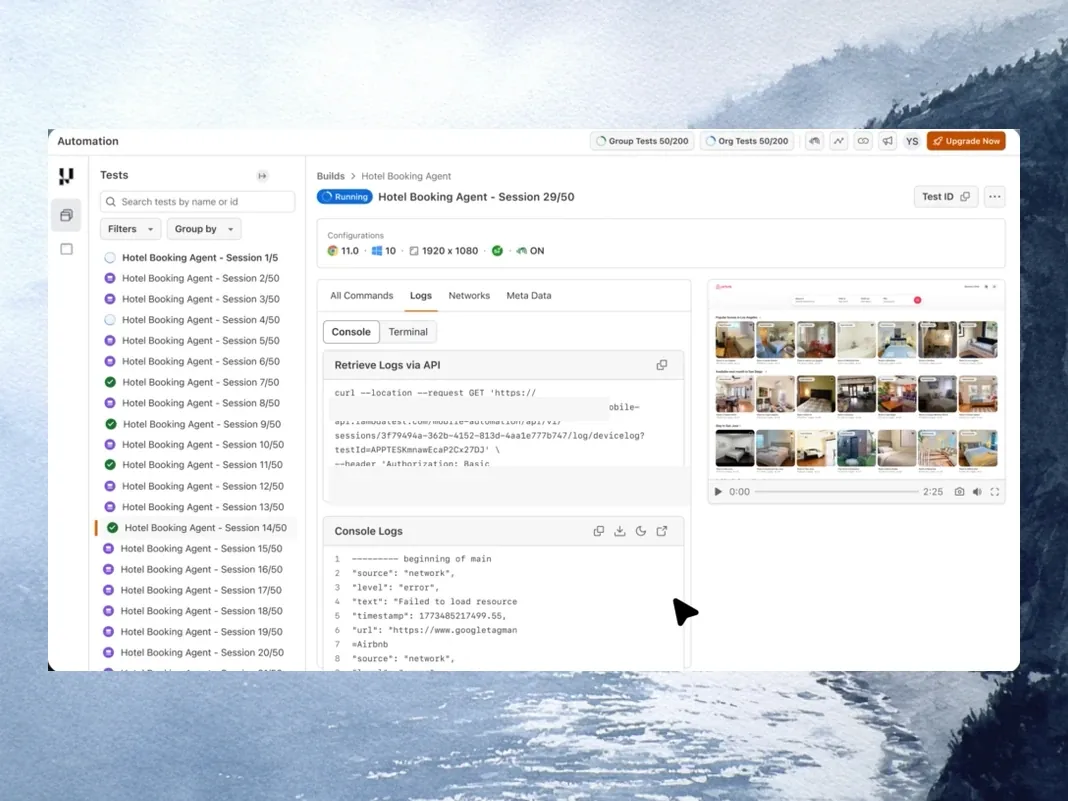
Browser Cloud Records Video and Logs for Coder Workspaces
Every session records video, console logs and network requests, so you can see what the coding agent saw when a browser step went wrong.
See the Debugging Docs- Video of each page the agent opened
- Console and network logs with no setup
- Dashboard link from session.debugUrl
 WORKSPACE TUNNEL
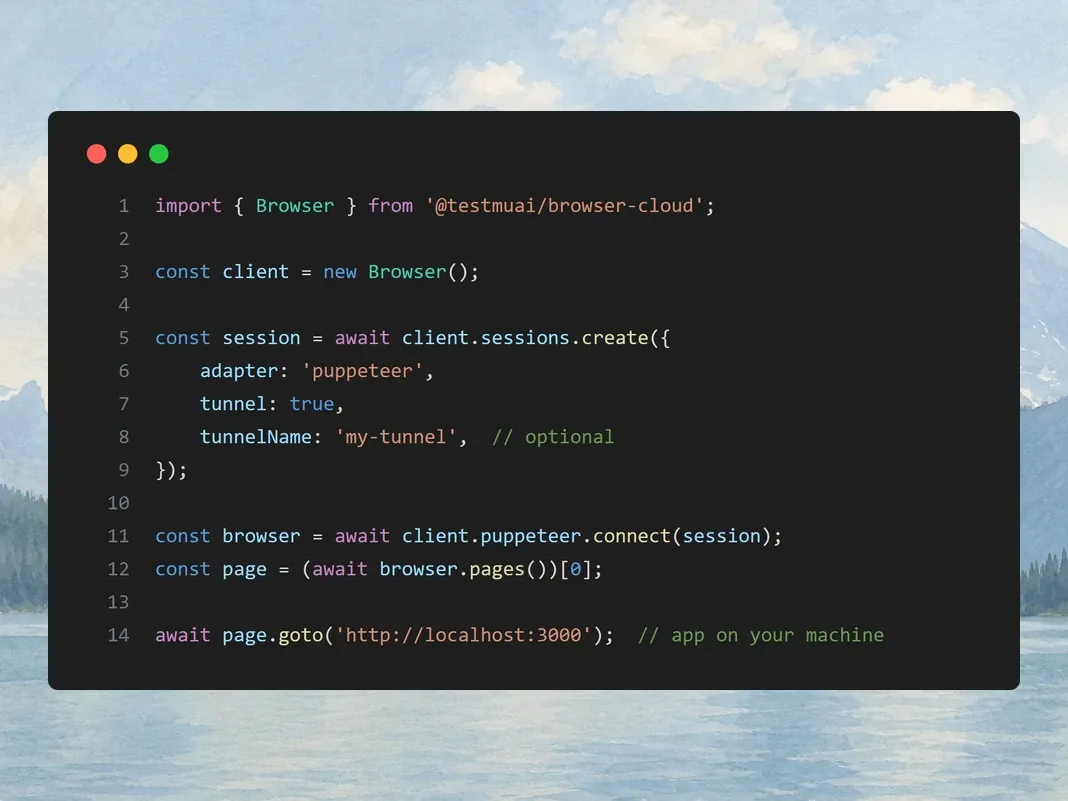
Tunnel Browser Cloud to localhost in a Coder Workspace
Run the SDK inside the workspace with tunnel: true, and the cloud browser opens the dev server the agent started on localhost:3000.
Read the Tunnel Docs- Reaches any URL the workspace itself can reach
- No public port or shared Coder app URL needed
- One named tunnel can serve many sessions
 AGENT SKILL
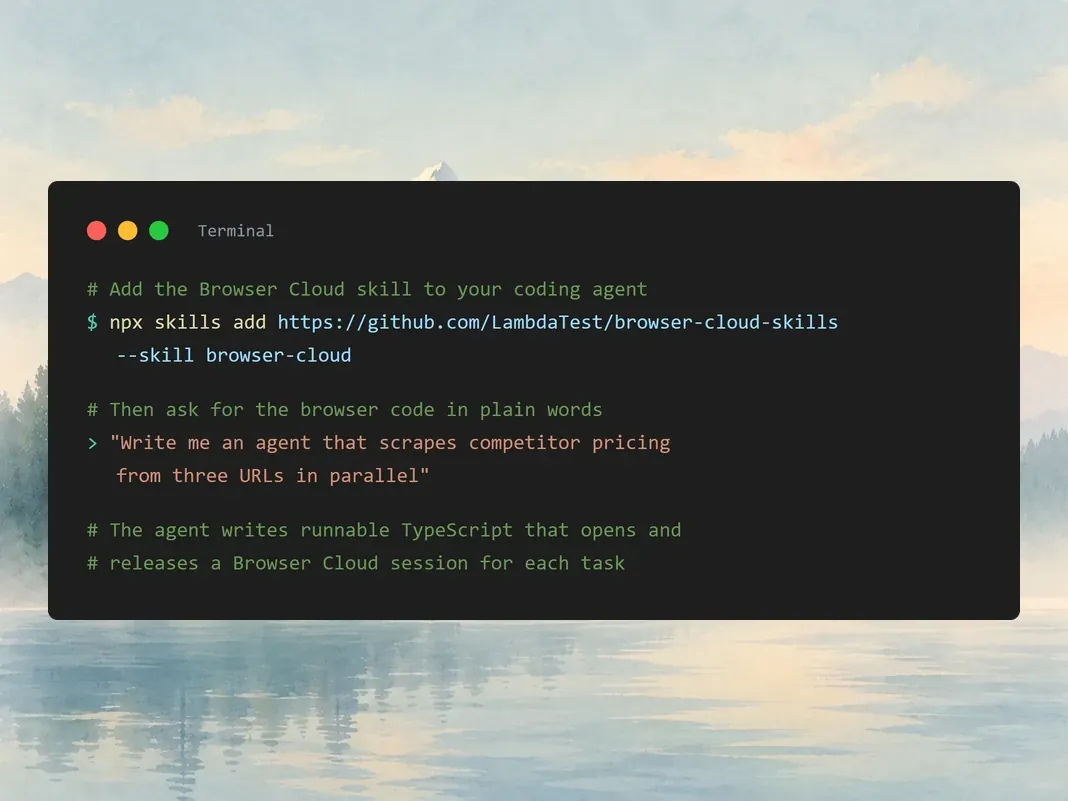
Give Claude Code in Coder a Browser Cloud Skill File
Add the browser-cloud skill to the agent your template installs, such as Claude Code or Codex, and it writes session code from a plain request.
Read the Skill Docs- Install it with one npx skills add command
- Plain markdown, so any LLM agent can read it
- Covers saved logins, tunnels and file transfer
TestMu AI Browser Cloud vs Coder: Pricing Compared
Top Choice
Features
Coder
Free start
Paid plan
Published price
Top tier
Agent limits
Infrastructure
Agent governance
Browser Cloud or Coder: 6 Workloads Compared

Agents Checking the UI They Built
A coding agent opens its own dev server in cloud Chrome through the tunnel and checks the page before it opens a PR.

Agents Reading Live Websites
Agents that read docs, changelogs or JavaScript-heavy pages get a fresh Chrome session per task, outside the workspace.

Debugging a Failed Browser Step
Video, console and network logs show what the page looked like when the agent's browser step went wrong.

Dev Environments for Engineers
Coder fits here: Terraform-defined workspaces opened in VS Code, JetBrains or Cursor. Browser Cloud has no editor.

Air-Gapped, Self-Hosted Installs
Coder runs on your own cloud, on-prem or fully air-gapped. Browser Cloud is a managed service needing outbound access.

Rules for What Agents Can Reach
Coder's Agent Firewall blocks domains and HTTP verbs for agent processes, and AI Gateway logs prompts and tool calls.
Move Agent Browsers From Coder to Browser Cloud
Set Up Credentials
- Copy your TestMu AI username and access key from Account Settings
- Set them as LT_USERNAME and LT_ACCESS_KEY in the workspace
- Treat the access key as a secret and never commit it
Add the SDK and Skill
- Install @testmuai/browser-cloud in the workspace image
- Run npx skills add for the template's coding agent
- Swap any local Chrome launch for client.sessions.create()
Open the Network Path
- Set tunnel: true to reach the workspace's localhost
- With Agent Firewall on, allowlist Browser Cloud endpoints
- On air-gapped deployments, keep Chrome in the workspace
More Reasons to Love TestMu AI
TestMu AI is a leading agentic AI quality engineering platform, trusted globally, that assures your AI deployments work as intended, safely and securely, across enterprise and real-world conditions.
Users
3M+
Tests
1.5B+
Enterprises
18K+
Countries
132
TestMu AI positioned as a Leader in the 2026 Gartner® Magic Quadrant™
Read ReportTestMu AI recognized in The Forrester Wave™: Autonomous Testing Platforms, Q4 2025
Read ReportWall of Fame
TestMu AI is the #1 choice for SMBs and enterprises across the globe.
Enterprise-Grade Security
We safeguard your data and AI systems with global security, privacy, responsible AI, and ESG standards.

Integrations
Works where you work, 120+ integrations with the tools your team relies on.



As Seen On
Coder and Browser Cloud FAQs
TestMu AI for Enterprise
Get access to solutions built on enterprise-grade
security, privacy, & compliance
- Advanced access controls
- Advanced data retention rules
- Advanced Local Testing
- Premium Support options
- Early access to beta features
- Private Slack Channel
- Unlimited Manual Accessibility DevTools Tests