

Power Your Software Testing with AI Agents and Cloud
The Native AI-Agentic Cloud Platform to Supercharge Quality Engineering. Test Intelligently and Ship Faster.


- TestMu AI (Formerly LambdaTest)
- /
- Blog
- /
- What Is Zalenium? Setup, Features & TestMu AI Cloud Integration
What Is Zalenium? Setup, Features & TestMu AI Cloud Integration
Zalenium integration with TestMu AI offers you with a flexible Selenium Grid of 3,000+ real browsers, & browser versions for a variety OS hosted on cloud.
Last Updated on:
Hello Testers, today, we are out with interesting news for every automation tester. Zalenium is now supporting TestMu AI Selenium Grid. Special thanks to Ricardo Barbosa for submitting a feature proposal of adding TestMu AI for the Zalenium community. Also, to Diego Molina(Creator of Zalenium) for accepting the feature proposal.
Many of us may already be aware of what Zalenium is. To those of us who are not aware, Zalenium offers a disposable, flexible, Selenium Grid on the cloud to help you perform automation testing with Selenium without any hassle of maintaining a Selenium Grid.
As we all know, Selenium WebDriver has been a great open-source software for website automation testing. Especially, in the case of cross browser testing. However, a major problem faced by testers while using Selenium WebDriver was around the way it allowed them to automate their test suites. Selenium WebDriver allows sequential execution of test cases, so you can not have more than one automated test case running at the same time.
Keeping that in mind, Selenium came up with Grid to help automation testers work faster by running multiple Selenium scripts, simultaneously. Selenium Grid for parallel execution served as a lifeline to automation testers, as now, automation testers could set up their own Selenium Grid for running test cases in parallel. However, there was still a hassle involved when we talk about the maintenance of Selenium Grid.
Well, maintaining a Selenium Grid is a tough ask. You need to keep track of all the latest versions of Selenium releases and incorporate them into your test cycles. You would also have to synchronize the Selenium release with the latest browser & browser drivers release. And before you realize it, you will spend the majority of the time from the release cycle into maintaining your Selenium Grid. This is where Zalenium comes in for automation testers.
In this article, we will talk about what is Zalenium? Why is it useful for Selenium automation? How TestMu AI integration with Zalenium is a win-win deal for your organization.

Note: Heads up: Zalenium is now archived and no longer actively developed. Its final release is version 3.141.59z, and its most popular features have since moved into Selenium Grid 4. The sections below cover what Zalenium is, how to run it if you still need to, and the modern, supported alternatives.
What Is Zalenium?
Zalando introduced an open source Docker-based Selenium Grid framework to quickly build up in-house Selenium Grid that is especially useful in testing test your locally hosted web pages. This open source project came to be known as Zalenium. Being open-source, Zalenium emerged as a favorite for many developers and testers worldwide. Wondering why? Well, to understand that you may need to have a look at everything offered by Zalenium.
What Does Zalenium Offer?
Using the docker-Selenium approach, Zalenium helps you in building an inhouse on-cloud Selenium Grid infrastructure with latest browsers & up-to-date driver versions. It also offers capabilities for every browser & platform to help you focus on writing better automation code at a faster pace. But wait, there is more!
- Zalenium provides an intuitive dashboard to help you analyze the logs of your Selenium script execution.
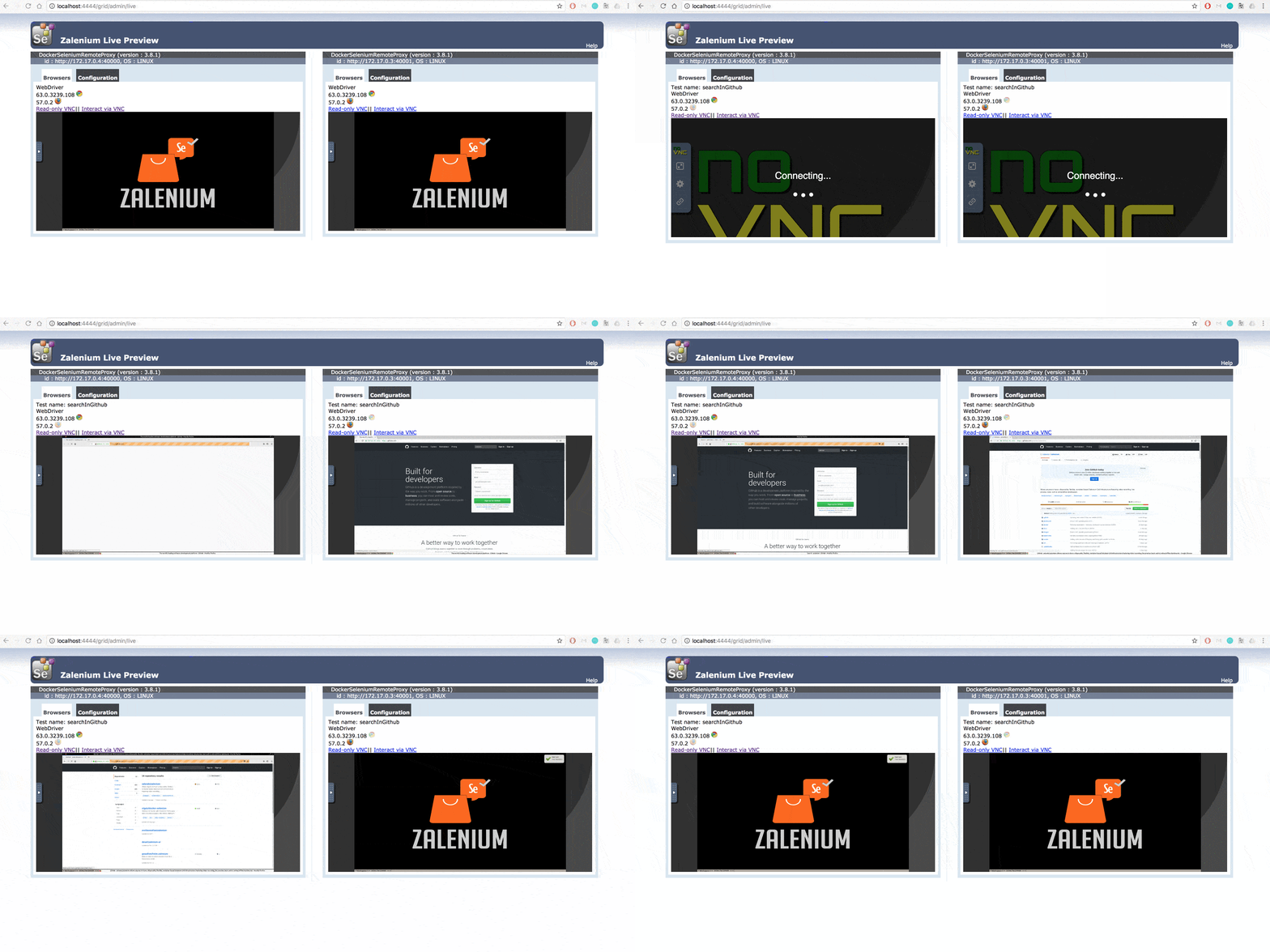
- You also get live previews of your Selenium script execution on their disposable Selenium Grid.
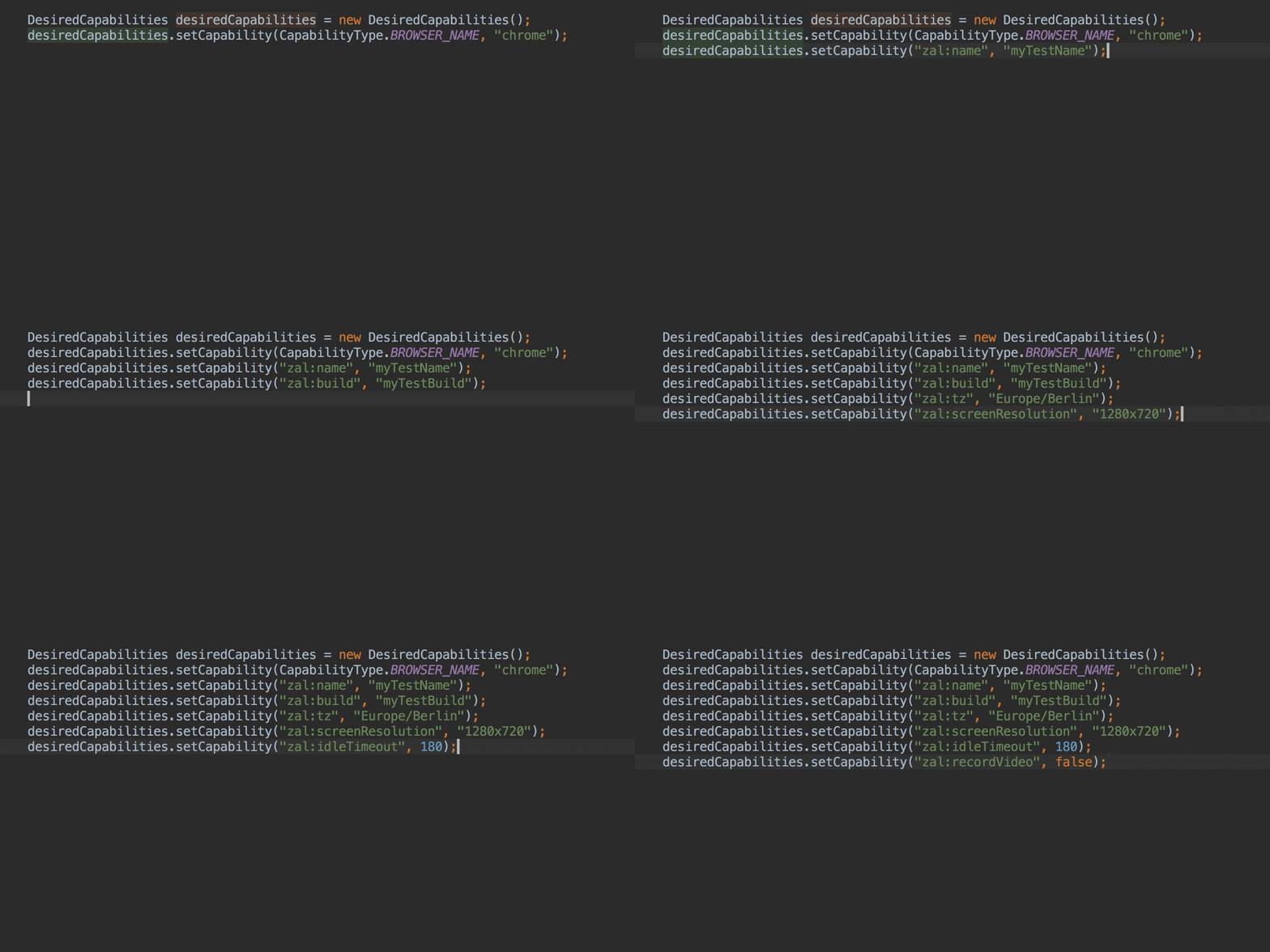
- Use custom capabilities to perform cross browser testing & responsive testing on screen resolution & time-zone of your own choice.
- You can also record video of your Selenium test sessions for reviewing & debugging.
- On the security front, every Zalenium Grid you get on cloud is provided by basic authentication.
Is Zalenium Deprecated? Current Status and Selenium Grid 4
Before setting up Zalenium, it is important to know where the project stands today. Zalenium is officially archived and no longer actively developed. Its final release is version 3.141.59z, which pins it to an old Selenium 3 line, so it does not support Selenium 4 features and receives no new updates or security fixes.
The good news is that Zalenium's most-loved capabilities did not disappear. They were absorbed upstream into Selenium Grid 4:
- Dynamic container scaling: Grid 4 can spin browser containers up and down on demand, the feature Zalenium was best known for.
- Video recording: session video recording is available in Grid 4's Docker setup.
- Live session view and dashboards: Grid 4 ships its own Grid UI for monitoring running sessions.
For anyone researching Zalenium today, the practical takeaway is simple: use Zalenium only if you are maintaining a legacy setup, and plan to move to Selenium Grid 4 or a managed cloud grid for anything new.
Step-by-Step: How to Set Up and Run Zalenium With Docker
If you still need to run legacy Zalenium, it ships as a Docker image, so the setup is short. The only prerequisite is a working Docker installation. First, pull the Zalenium image:
docker pull dosel/zaleniumYou also need the Selenium node image that Zalenium launches, after which you can start the grid:
# Pull the browser node image Zalenium uses
docker pull elgalu/selenium

# Start Zalenium
docker run --rm -ti --name zalenium -p 4444:4444 \
  -v /var/run/docker.sock:/var/run/docker.sock \
  dosel/zalenium start \
  --desiredContainers 2 \
  --maxDockerSeleniumContainers 8
Two flags do most of the work: --desiredContainers sets how many idle browser containers to keep warm and ready, and --maxDockerSeleniumContainers caps how far Zalenium will scale up under load. Once it is running, point your Selenium tests at the grid endpoint at http://localhost:4444/wd/hub.
How Zalenium Handles Cloud Integration and Scaling
One of Zalenium's most useful features is Integrated Cloud Testing. When your local Docker resources run out, or when a test asks for a browser or OS combination your local grid cannot provide, Zalenium can automatically redirect that session to a cloud provider instead of failing.
This is exactly where a cloud grid like TestMu AI fits in. By configuring TestMu AI as the cloud endpoint, Zalenium falls back to the cloud for extra capacity and for legacy or hard-to-maintain browser and OS combinations, so a test run keeps going without you provisioning more local containers. In practice, teams use local Docker containers for everyday runs and burst to the cloud grid for scale and coverage, the same benefit you get by pointing your Selenium tests straight at the TestMu AI grid of thousands of real browsers and devices.
How Will TestMu AI Integration To Zalenium Help You?
By far, we know how cool Zalenium Grid can be! But how does the integration with TestMu AI help you? If you are not aware of TestMu AI, well, we provide a cloud-based testing platform for browser compatibility testing across 3,000+ real browsers through a Selenium automation.

You may be wondering that if both TestMu AI & Zalenium are providing a Selenium Grid at scale then what will you gain by integrating these two?
Well, Zalenium offers a docker-selenium Grid for local page testing. This means that if you wish to perform cross browser testing through Zalenium Grid then you would only be able to test on browsers installed in your particular machine. Scaling up or down new infrastructure would be at a considerable cost, and will require a lot of effort from your DevOps teams. And then there are also issues related to maintenance, security, firewalls, updates, patches, etc. All in all a hell lot of work, which you won't have to do with TestMu AI.
Let's take a few use cases to get a better picture. What happens if you wish to test for legacy browser versions? What would you do if you own a Linux OS & wish to test on Windows, or macOS or vice-versa? If you went on installing every browser version one after another as you test, then you can be pretty certain that your release dates are going to creep in a lot sooner before you can cover a sufficient test coverage for cross browser testing. This is where TestMu AI integration with Zalenium comes into play.
TestMu AI integration with Zalenium will allow you to perform automated cross browser testing over 3,000+ real browsers, browser versions running on different devices in the cloud. So you can avoid the hassle of maintaining your own test environments as we will host them for you using our cloud servers.
All you have to do is specify TestMu AI environment variables & Hub URL into your Zalenium docker. Here is an example of that.
export LT_USERNAME=
    export LT_ACCESS_KEY=
    export LT_URL= # default value is "https://hub.lambdatest.com"
    docker run --rm -ti --name zalenium -p 4444:4444       -e LT_USERNAME -e LT_ACCESS_KEY -e LT_URL       -v /tmp/videos:/home/seluser/videos       -v /var/run/docker.sock:/var/run/docker.sock       --privileged dosel/zalenium start --lambdaTestEnabled true
TestMu AI integration with Zalenium not only offers you a flexible, disposable, Selenium Grid, it also offers a library of browsers, browser versions, operating systems. The best part?
You can do all of this on-cloud, without worrying about the hassle of maintenance of Selenium Grid for different browsers & different operating system too.
TestMu AI also offers integrations with third-party tools for CI/CD, project management, and more.
Watch Out! We Got More Incoming!
We are rigorously working to expand TestMu AI as a testing platform that fulfills all your testing requirements. We will be coming with more exciting product updates, so stay tuned!
We hope you like our latest integration with Zalenium. Do give it a spin & let us know your thoughts in the comment section below. We would love to hear any suggestions from you. In case you are looking for an integration that we don't currently offer, then drop us an email to support@testmuai.com or you could simply give us a shout. We are here to help you speed your test suites 24/7. Happy Testing! 🙂

Author

Harshit Paul
Blogs: 93


Harshit Paul is Director of Product Marketing at TestMu AI (formerly LambdaTest), with over 8 years of experience in product and growth marketing for developer and QA tools, leading the Agentic AI in Quality Engineering space. He has authored 80+ technical articles for TestMu AI on software testing and automation, and hosted webinars on Selenium, automation testing, browser compatibility, DevOps, and continuous testing. He has led go-to-market and technical marketing initiatives across software testing products, contributing to SEO, content strategy, and developer marketing. He began his career as a certified Salesforce developer at Wipro Technologies, where he worked for 2 years before moving into marketing. Harshit holds a degree in computer programming from Vivekananda Institute of Professional Studies.


Did you find this page helpful?
More Related Blogs
TestMu AI forEnterprise
Get access to solutions built on Enterprise
grade security, privacy, & compliance
- Advanced access controls
- Advanced data retention rules
- Advanced Local Testing
- Premium Support options
- Early access to beta features
- Private Slack Channel
- Unlimited Manual Accessibility DevTools Tests