
Power Your Software Testing with AI Agents and Cloud
The Native AI-Agentic Cloud Platform to Supercharge Quality Engineering. Test Intelligently and Ship Faster.


- TestMu AI (Formerly LambdaTest)
- /
- Blog
- /
- How to Test a Voiceflow Bot Without Code
How to Test a Voiceflow Bot Without Code (2026 Guide)
How to test a Voiceflow bot without code. Score every flow and intent across chat and voice, catch hallucinations, and run checks on every publish.
Last Updated on:
Voiceflow's built-in Test tool lets anyone preview a bot without writing code: click the canvas play icon, train the assistant, then step through IF conditions with Guided Navigation. It checks only one conversation path at a time, the same gap in chatbot testing that once let a bot quote a 60-day refund window against a real 14-day policy. For a Voiceflow bot that takes calls, the voice agent testing guide covers what text previews cannot.
Built-in Test tool
The question of how to test a Voiceflow bot usually starts inside Voiceflow itself. Click the play icon at the top of the canvas, train the assistant so the intents and knowledge base are current, then talk to the bot by chat, voice, or button, stepping through IF conditions with Guided Navigation. It is a manual preview: one person, one path at a time, judging each reply by eye.
That is how the refund answer survived. Nobody re-ran the annual-plan question after the billing document was re-uploaded, and eyeballing a single reply does not flag that 60 days contradicts a source that says 14. Voiceflow has since added agent-to-agent tests that run in a pipeline, a real step past clicking through by hand, but coverage and a consistent score on each reply are still yours to build and keep current, the same upkeep that makes hand-written checks drift whenever you test a chatbot. The session below hands the same bot to an external evaluator that generates the scenarios from the knowledge base and scores every reply.
Connecting the bot
Setup takes two inputs and under half an hour. The first is context: the billing knowledge base the bot answers from, uploaded as a document. The second is a short prompt describing what the agent is supposed to be, in the same words you would use to brief a new support hire. Something like: a customer service agent for a subscription product that handles billing questions, plan changes, and refunds, stays accurate about policy, and hands off to a human when it cannot resolve the issue.
From those two inputs, TestMu AI Voiceflow testing reads the knowledge base and the prompt and generates 60 to 100 or more test scenarios, spread across the happy path, edge cases, adversarial inputs, and the compliance-sensitive ground where a wrong refund number lives. There is no SDK to install and no extension to bolt onto the canvas. The platform talks to the agent through the same chat endpoint a real customer uses.
Writing the first check
Before trusting the generated set, it helps to author one check by hand so you can see how the platform reasons. The obvious one for a billing bot is the payment-problem flow: a customer reports a failed payment, and the bot should recognize the intent and verify the account before it goes near the charge. In a typical Botium setup, that single conversation looks like this:
const { BotDriver } = require("botium-core");
const assert = require("assert");

const container = await new BotDriver().Build();
await container.Start();

await container.UserSays({ messageText: "my last payment did not go through" });
const reply = await container.WaitBotSays();
assert(reply.messageText.includes("payment"),
  `Expected the payment intent, got: ${reply.messageText}`);

await container.UserSays({ messageText: "yes, please fix it" });
const next = await container.WaitBotSays();
assert(/verify|account|card/i.test(next.messageText),
  "Agent skipped the account verification step");

await container.Stop();
await container.Clean();
Just over a dozen lines, and every one of them is a hostage to phrasing. The reply is generated, so checking that the text includes the word "payment" is a bet: reword the prompt, refresh the knowledge base, or let the model say "billing issue" and the assertion fails while the bot did nothing wrong. You loosen the checks until they catch nothing, or you chase them every publish, and either way you need someone who writes JavaScript and keeps a Botium connector in sync with the canvas.
The same goal, handed to an AI evaluator instead, is four lines of English that describe what should happen rather than which characters should appear:
- Open the chat with a customer saying their last payment did not go through.
- Confirm the bot recognizes a billing or payment problem instead of dropping into a generic help menu.
- Reply that yes, they want it fixed.
- Confirm the bot asks to verify the account before it discusses the charge.
No string to match. The evaluator holds the conversation the way a customer would, then judges each reply against the intent you described. When the prompt gets reworded next month, this check still holds, because it asks whether the bot did the right thing.

Watching the run
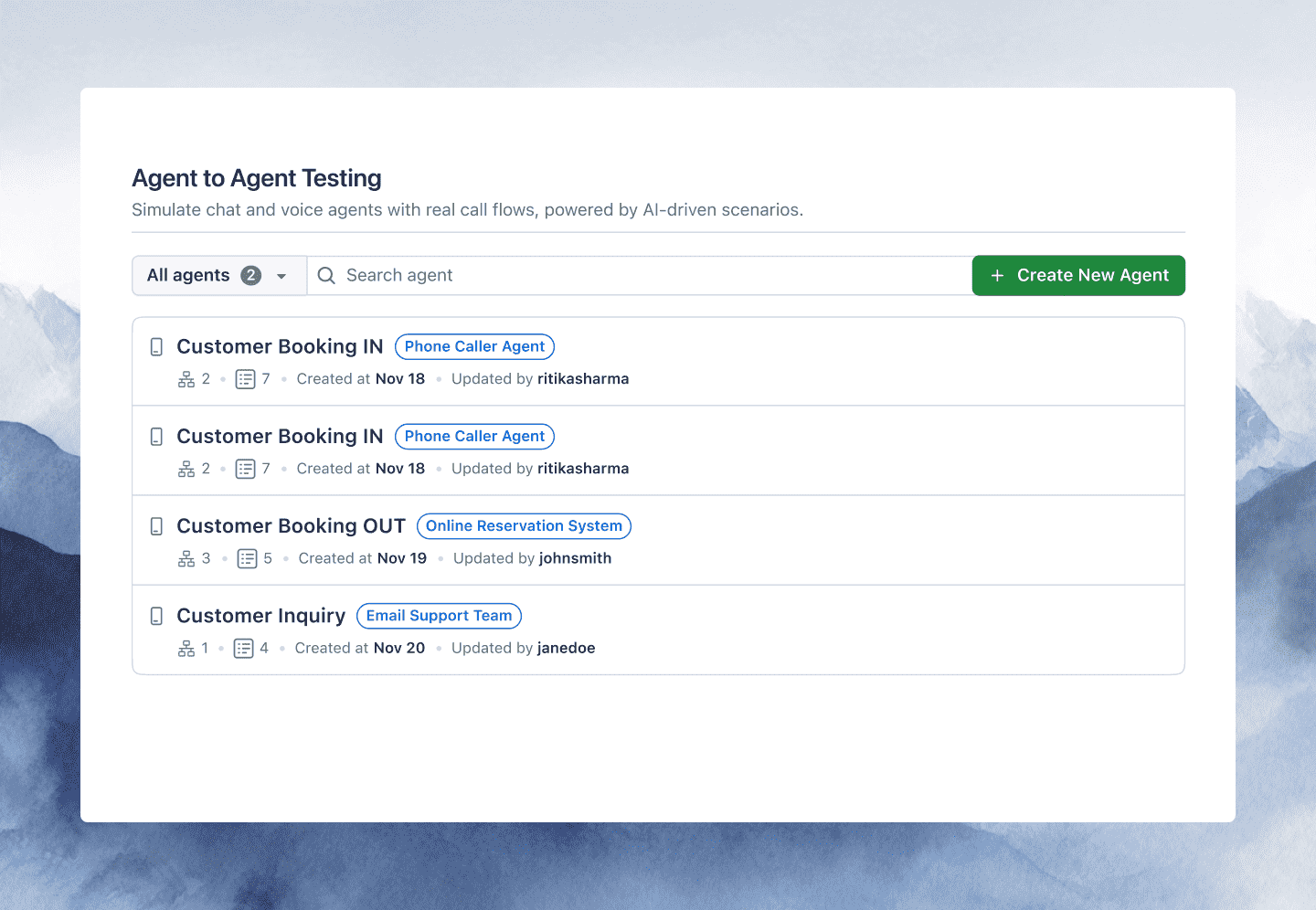
Running the payment check plus the auto-generated batch takes a few minutes. Each reply is scored on 9 quality metrics, including hallucination, completeness, context awareness, and response quality, and every metric comes back with a pass or fail and the exact turn that earned it. The whole run rolls up into a single go-live verdict: green to ship, yellow for targeted fixes, red for not ready.
The payment flow passed. The run came back yellow anyway, and the reason was a scenario nobody on the team wrote. One of the generated refund questions had asked how long an annual plan stays refundable, and the hallucination metric failed it: the bot answered 60 days, the knowledge base said 14, and the evaluator quoted both the reply and the source line that contradicted it. That is the Tuesday bug, caught before a customer hit it, by a scenario the platform generated from the same document the bot was getting wrong.
Widening the coverage
One failing scenario is a reason to add more, and adding more is a matter of describing them. The checks worth keeping for a Voiceflow support bot map onto the places a canvas edit tends to hurt:
- An ambiguous opener such as "it charged me twice this month" has to land in the billing dispute flow rather than a catch-all, and it must not strand the customer in a fallback loop.
- A password reset or an order-status lookup has to actually fire the Function or API block behind it, with the right variables, instead of the bot only claiming the action happened.
- An account number the customer gives on turn two has to still be there on turn six, so the bot never asks for it a second time.
- A request for a human has to trigger the handoff on the right cue rather than circling back into the menu.
- If the same agent answers a phone line through a Twilio or Vonage integration, the spoken version of each scenario has to score the same as the typed one. Once that line takes live calls, the roundup of voice agent monitoring tools compares ways to keep scoring them.
Each scenario also runs under different personas, so the confused caller and the impatient one push on the bot in different ways, and one plain-English description fans out into hundreds of phrasings a real customer might type. It is the same agent testing loop whether the bot lives in a chat widget or answers as a voice agent on a call (see how to test a voice agent without code), and the coverage grows without a single per-flow rewrite.
Running it on every publish
A suite that only runs when someone remembers to click it will not catch the next stale document. The last step of the session is handing the run to the pipeline. The testmu-a2a CLI slots into any CI/CD workflow, emits JUnit output, and returns exit code 0 when everything passes and 1 when something fails, so a Voiceflow publish that reintroduces the refund bug can block its own release.
Between publishes, a schedule covers the slow drift that no commit announces. Set a preset daily or weekly cadence, or a full cron expression with timezone support, and the same scenarios run on their own. When a verdict slips from green to yellow or a new metric fails, the alert lands in Slack, email, or a webhook, with the annotated transcript of the turn that broke rather than a stack trace at line 47.
By the end of the session the bot had a payment check written by hand, a refund bug caught by a generated scenario, a widening set of coverage across intents and Functions and voice, and a pipeline that reruns all of it on every publish. The full setup, including the connection steps and the go-live report, is on the Voiceflow testing page. Teams on Botpress can follow the same path in the guide on how to test a Botpress chatbot, from its emulator to scored runs.

Note: Test your Voiceflow bot without writing a line of code. Start with TestMu AI free.
Author

Samyak Goyal
Blogs: 32

Samyak Goyal is a Senior Member of Technical Staff at TestMu AI engineering Kane CLI, the command-line tool that runs browser automation from the terminal, where a flow described in natural language executes in a real Chrome browser and returns pass or fail with shareable proof. He is a backend engineer with 4+ years of experience, previously an SDE at Innovaccer, where he built APIs, introduced Kafka, and cut deployment from weeks to hours. Samyak also builds multi-agent systems, skill-orchestration frameworks, and a personal copilot that indexes 200+ microservice repositories.
Reviewer

Shantanu Wali
Reviewer
Shantanu Wali is Vice President of Product Management at TestMu AI, where he owns several product lines across the testing platform, including the Real Device Cloud and the Digital Experience Testing Cloud. He has also contributed significantly to the development and scaling of KaneAI, TestMu AI's flagship GenAI-native testing agent that uses natural language to make software testing faster and more reliable in this AI era. He brings 7+ years of experience across software development and product management, starting as a backend developer at Infosys building solutions for Fortune 500 clients. Shantanu holds an MBA from IIM Calcutta and a B.Tech in Mechanical Engineering.


Voiceflow Bot Testing FAQs
Did you find this page helpful?
More Related Blogs

TestMu AI forEnterprise
Get access to solutions built on Enterprise
grade security, privacy, & compliance
- Advanced access controls
- Advanced data retention rules
- Advanced Local Testing
- Premium Support options
- Early access to beta features
- Private Slack Channel
- Unlimited Manual Accessibility DevTools Tests