

Power Your Software Testing with AI Agents and Cloud
The Native AI-Agentic Cloud Platform to Supercharge Quality Engineering. Test Intelligently and Ship Faster.


- TestMu AI (Formerly LambdaTest)
- /
- Blog
- /
- How to Test Internet Explorer for Mac in 2026
How to Test Internet Explorer for Mac in 2026
Test Internet Explorer for Mac: use a cloud Windows browser, a Windows VM, or Edge IE mode, and see why switching the Safari user agent falls short in 2026.
Last Updated on:
To test Internet Explorer for Mac, you need a real Windows environment, because no version of Internet Explorer runs on current macOS.
The practical options are a cloud Windows browser, a Windows virtual machine, or Edge IE mode inside Windows.
For a quick check, use a cloud Windows browser. If company policy blocks cloud tools, run a Windows virtual machine instead.
TL;DR
- Internet Explorer does not run on current macOS, so testing IE from a Mac requires a Windows environment.
- Internet Explorer mode in Microsoft Edge is supported through at least 2029, keeping IE testing relevant for enterprise apps.
- A cloud Windows browser session is the fastest way to test Internet Explorer from a Mac without installing anything.
- Switching Safari's user agent to Internet Explorer does not render pages with the Trident engine that IE uses.
- Microsoft Edge for Mac cannot use IE mode, because IE mode requires Windows.
Can You Run Internet Explorer on a Mac
No. No version of Internet Explorer runs on current macOS. Internet Explorer 11 is part of Windows, so a Mac user needs a Windows environment, local or in the cloud, to see how a site behaves in IE.
Per the Microsoft Internet Explorer lifecycle FAQ, the IE11 desktop app went out of support on certain Windows 10 versions on June 15, 2022.
Two shortcuts look like workarounds on a Mac, but neither renders with Trident:
- Safari user agent switch - Changes how Safari identifies itself, but WebKit still renders the page.
- Microsoft Edge for Mac - Runs Chromium only, since IE mode depends on Windows components.
For the history of how IE's retirement changed browser matrices, read death of IE and its aftermath. For the wider rendering differences between engines, see this guide to cross browser compatibility.
Who Still Needs Internet Explorer Testing in 2026
Test Internet Explorer behavior in 2026 only if your users run legacy apps in Edge IE mode, which Microsoft supports through at least 2029, or use Windows editions that still include IE11.
For most public websites, IE is no longer worth testing. The exceptions are specific:
- Enterprise line-of-business apps - Internal tools listed in an Enterprise Mode Site List load in IE mode.
- Long-term Windows editions - Microsoft still lists IE11 for Windows 10 LTSC releases and Windows Server 2022.
- ActiveX and document modes - Apps relying on these only work through IE mode.
- Vendors serving those enterprises - A SaaS product embedded in a customer intranet may be opened in IE mode.
Check your analytics for Trident user agents before adding IE to the matrix. The case for and against is covered in does browser testing on Internet Explorer still make sense.

Note: Open a real Internet Explorer session on Windows from your Mac, with nothing to install. Open an IE session free
4 Ways to Test Internet Explorer From a Mac, Compared
Test Internet Explorer on a Mac with a cloud Windows browser, a Windows virtual machine running Edge IE mode, or IE mode on a Windows PC. Safari's user agent switch does not render with Trident.
The table below compares the four methods on the factors that decide which one fits.
| Method | Renders with Trident | Setup effort | Best for |
|---|---|---|---|
| Cloud Windows browser | Yes | Low | Quick checks and repeated testing |
| Windows virtual machine | Yes, through IE mode | High | Offline or locked-down environments |
| Edge IE mode on Windows | Yes | Medium | Matching an enterprise site list |
| Safari user agent switch | No | Low | Checking server-side user agent logic only |
1. Use a Cloud Windows Browser
A cloud testing platform runs Internet Explorer on real Windows machines and streams the session to your Mac browser. On TestMu AI, live testing works like this:
- Open Real Time Testing - Sign in and choose Real Time Testing from the dashboard.
- Pick the configuration - Enter your URL and select Internet Explorer, its version, Windows version, and resolution.
- Start the session - Click Start and interact with the site as you would locally.
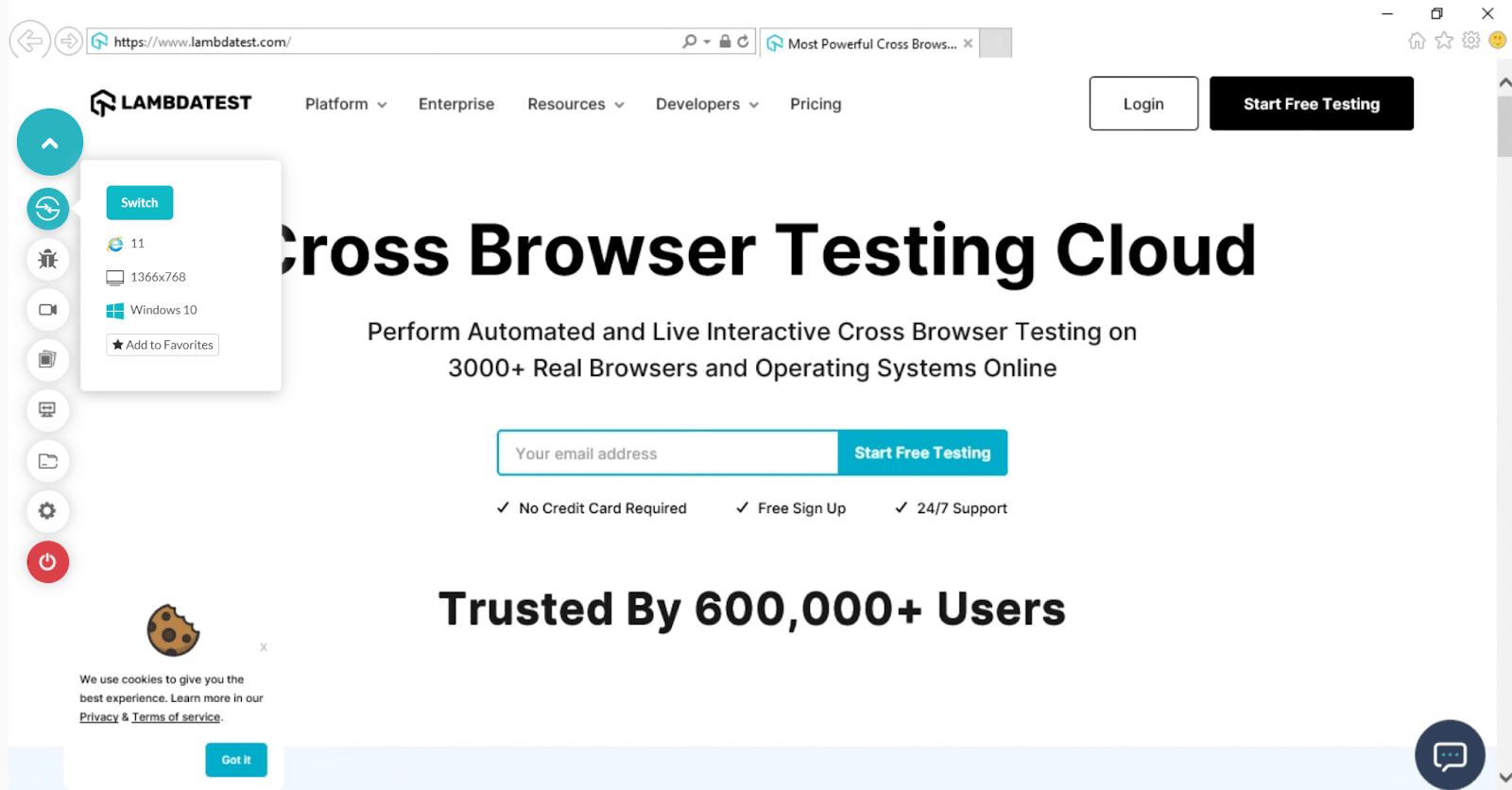
For internal or staging sites, a secure tunnel lets the cloud browser reach them. You can also test on Internet Explorer browsers across legacy versions.

2. Run a Windows Virtual Machine
Virtualization software on your Mac can run a licensed copy of Windows. Inside it, use Microsoft Edge in IE mode to load sites with Trident.
The tradeoff is upkeep. Each Windows image needs its own license, updates, and several gigabytes of memory while it runs.
3. Enable Edge IE Mode on Windows
According to the Microsoft Edge IE mode documentation, IE mode uses the Trident MSHTML engine for configured legacy sites. Its prerequisites list Windows versions only.
For a quick manual check inside Windows or a Windows virtual machine:
- Allow IE mode - In Edge settings, open Default browser and allow sites to be reloaded in Internet Explorer mode.
- Restart Edge - The setting applies after a restart.
- Reload the page - Open the site, then choose Reload in Internet Explorer mode from the menu.
Enterprises usually set IE mode through a site list policy instead. Match that policy when testing an internal app.
4. Switch the Safari User Agent (Limited)
In Safari, go to Settings, then Advanced, and turn on Show features for web developers. The Develop menu then lets you change the user agent string.
This only changes what the server sees. Use it to check user agent redirects or warnings, never to judge how a page renders in Internet Explorer.
Decision Guide for Internet Explorer Testing
Internet Explorer testing is now a narrow enterprise need, not a default part of every browser matrix. Answer these three questions in order:
| Question | If yes | If no |
|---|---|---|
| Do your analytics show Trident user agents? | Go to the next question | Skip IE testing |
| Is the app on an enterprise IE mode site list? | Match that site list in Edge IE mode, then go to the next question | Go to the next question |
| Does policy block cloud testing tools? | Use a Windows virtual machine | Use a cloud Windows browser |
Whichever path applies, record which flows still depend on IE mode. A shorter list each quarter means the legacy dependency is on its way out.
Note: Run your critical legacy flows in a real IE session on Windows today. Open an IE session free
Author

Harish Rajora
Blogs: 102


Harish Rajora is a software developer at TestMu AI with over 6 years of hands-on experience in Python and cross-platform application development across Windows, macOS, and Linux. He has authored 800+ technical articles and worked on large-scale projects, including GenAI applications and core engineering features used by millions. Harish has led DevOps initiatives building CI/CD pipelines with Jenkins, AWS, GitLab, and GitHub, and holds an M.Tech in Software Engineering from IIIT Allahabad.
Reviewer

Shubham Soni
Reviewer
Shubham Soni is a Senior Member of Technical Staff at TestMu AI (formerly LambdaTest), building the Real Device Cloud and real-time testing infrastructure. He optimized the WebRTC services that power live testing to sub-100ms latency with adaptive bitrate streaming, led a frontend migration from Angular to React that cut page load time from 5-6 seconds to 1-1.5 seconds, and contributes to the official Device SDK. He led a team of four to build an accessibility testing product covering manual and automated testing and mentored a team of six on a real-time testing product. He brings over eight years of experience and earlier scaled a cloud code platform to 200K+ monthly users. Shubham holds a B.Tech in Computer Science.


Internet Explorer for Mac FAQs
Did you find this page helpful?
More Related Blogs
TestMu AI forEnterprise
Get access to solutions built on Enterprise
grade security, privacy, & compliance
- Advanced access controls
- Advanced data retention rules
- Advanced Local Testing
- Premium Support options
- Early access to beta features
- Private Slack Channel
- Unlimited Manual Accessibility DevTools Tests