
Power Your Software Testing with AI Agents and Cloud
The Native AI-Agentic Cloud Platform to Supercharge Quality Engineering. Test Intelligently and Ship Faster.


- TestMu AI (Formerly LambdaTest)
- /
- Blog
- /
- How to Test Emergent Apps Without Code
How to Test Emergent Apps Without Code (2026 Guide)
Test apps built with Emergent end to end, from generated flows to forms to dynamic UI, in plain English. No Selenium, no Playwright, no code needed.
Last Updated on:
Apps built with Emergent can be tested without code by using KaneAI to write test steps in plain English, so a test still passes after a re-prompt regenerates a button's class or a field's data-testid. KaneAI also fills generated signup forms, enters TOTP codes for two-factor logins, and runs the same steps on real mobile devices.
Why apps built with Emergent are hard to test
An Emergent app looks polished on the surface, but the way it is produced makes it uniquely slippery to pin down with traditional tests:
- The markup is machine-generated, so class names, data attributes, and DOM structure are whatever the model produced this time and can shift the moment you re-prompt
- A single follow-up prompt can regenerate a whole component, moving buttons, renaming fields, and quietly changing how a form validates
- Nobody on the team authored the internals, so there is no engineer who remembers the selector or the exact state a step depends on
- Emergent ships full-stack behavior, so a real test has to cover the generated UI, the API it calls, and the data it writes, not just the page
- The build-to-ship loop is fast, so bugs reach users in hours rather than after a formal QA cycle that would have caught them
- The people shipping Emergent apps are often founders and product folks without an automation engineer on call to write and babysit test scripts
And that is one build. Every time you prompt Emergent for a change, you inherit a slightly different app that needs the same core flows checked again.
The old way: brittle scripts on generated markup
Here is what verifying a simple create-an-item-and-check-it-appears scenario looks like in a typical Selenium setup against an Emergent app:
const { Builder, By, until } = require("selenium-webdriver");


const driver = await new Builder().forBrowser("chrome").build();
await driver.get("https://myapp.emergent.host");
await driver.wait(until.elementLocated(By.css("[data-testid='new-task-input']")), 10000);
await driver.findElement(By.css("[data-testid='new-task-input']")).sendKeys("Buy groceries");
await driver.findElement(By.css("button.add-task-btn")).click();
await driver.wait(until.elementLocated(By.css(".task-list .task-item")), 10000);
const firstTask = await driver.findElement(By.css(".task-list .task-item")).getText();
if (!firstTask.includes("Buy groceries")) {
  throw new Error(`Expected the new task to appear, got: ${firstTask}`);
}
await driver.quit();
A dozen lines, and every one of them is a hostage to the generated markup. The next time you re-prompt Emergent, the data-testid may vanish, the add-task button may get a new class, and the whole script fails at the first line that no longer matches. Maintenance like this is the dominant cost of a large automation suite, where engineers spend a large share of every sprint re-pointing selectors instead of adding coverage, and it only gets worse when the app rewrites itself on each prompt. This approach also assumes someone on the team writes JavaScript in the first place, which is exactly the assumption an Emergent workflow was trying to avoid. It is the core tradeoff behind code-based vs. codeless test automation.
If you are a manual QA engineer, a PM, or a founder who let Emergent build the app precisely so you would not have to write code, the code wall means testing gets done by hand, slowly, inconsistently, and never at 2 a.m. before a release.
The no-code way: write the test the way you would explain it
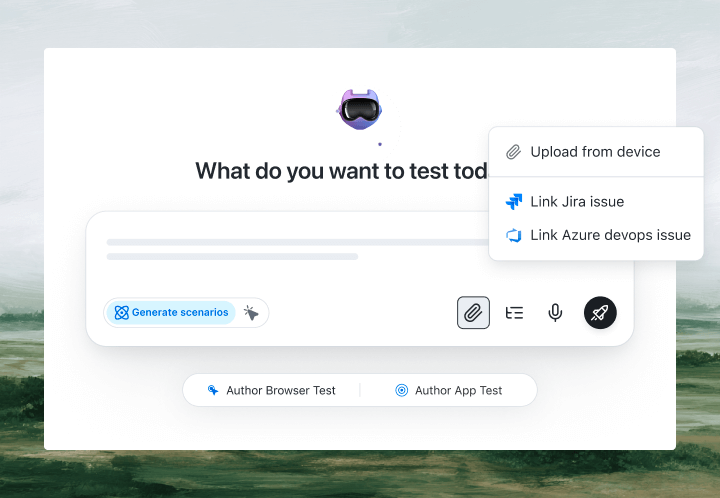
With KaneAI, you write the same test in plain English:
- Go to myapp.emergent.host and open the app
- Type Buy groceries into the new task field
- Click Add task
- Verify the new task appears at the top of the task list
- Verify the task count increases by one
That is the entire test. KaneAI reads each step, finds the right fields on your live app the way a human tester would, by understanding the page rather than matching a brittle data-testid, and executes the flow. When you re-prompt Emergent and it regenerates the component, the same test still runs, because semantic detection reads intent instead of the generated selector, and self-healing re-anchors the step and flags what changed. And because Kane CLI runs the exact same flow from your terminal, you can verify a core path right after the agent finishes a build, before anything ships.

The Emergent scenarios that actually break
Once the happy path works, real coverage is just more English. Here are the Emergent-specific scenarios worth adding, each takes about two minutes to write:
A re-prompt that regenerates the UI
- Run your core create-and-check flow before you ask Emergent for a change
- Re-prompt the app, then run the exact same plain-English test again
- Verify the flow still passes and review any step KaneAI had to re-anchor
A generated form with validation
- Submit the form with a required field left empty
- Verify the generated validation message appears and the form is not saved
- Fill the form correctly, submit, and verify the success state and the saved record
The signup and login Emergent scaffolded
- Create a new account through the generated signup screen
- Log in with those credentials and enter the TOTP code if two-factor is on
- Verify the app lands on the authenticated view with the session intact
Data that has to persist
- Create a record, then edit it and verify the change is reflected in the list
- Delete the record and verify it is gone from the UI
- Reload the app and verify the surviving records are still there after a refresh
Run all of them across Chrome, Safari, Firefox, and real mobile devices from the same plain-English steps, with no per-browser rewrites.
Putting it on autopilot
Tests are most valuable when they run without you, which matters even more when Emergent can change the app between coffees:
- Schedule the suite nightly, so a late re-prompt cannot silently break your core flows overnight
- Trigger on deploy via CI, where Kane CLI runs the same tests from your pipeline and pauses for an OTP or CAPTCHA instead of failing
- Alert on failure in Slack, with a full replay of exactly what the AI saw when the step failed: screenshots, video, and the reason in plain English
When a test fails, you do not get a stack trace at line 47. You get a plain-English reason for the exact step that failed. Anyone on the team can read it, and anyone can fix the test, because the test is just English.
Try it on your own Emergent app in 10 minutes
- Sign up for KaneAI free, with no credit card
- Paste the URL of the app Emergent built for you
- Write your first test in plain English, or let KaneAI suggest one from your app
- Run it and watch your Emergent app get tested end to end
Your Emergent app is too fast to build to leave untested and too dynamic for brittle scripts that break on the next prompt. Test it in the language you already speak. If you build across tools, the same approach covers apps built with Lovable, apps built with Base44, and sites built with Framer.

Note: Test your Emergent app without writing a line of code. Start with KaneAI free.
Author

Isha Vyas
Blogs: 8

Isha Vyas is a Lead Member of Technical Staff at TestMu AI, building the frontend of the quality engineering platform. She works across React.js, responsive web design, and jQuery to ship and maintain the platform's user-facing web interfaces. She brings nearly seven years of frontend engineering experience at the company, with earlier work as a Software Developer at Mantra Labs. Isha holds a B.Tech in Computer Science from Swami Keshwanand Institute of Technology, Management and Gramothan, Jaipur.
Reviewer

Himanshu Sheth
Reviewer
Himanshu Sheth is the Director of Marketing (Technical Content) at TestMu AI, with over 8 years of hands-on experience in Selenium, Cypress, and other test automation frameworks. He has authored more than 130 technical blogs for TestMu AI, covering software testing, automation strategy, and CI/CD. At TestMu AI, he leads the technical content efforts across blogs, YouTube, and social media, while closely collaborating with contributors to enhance content quality and product feedback loops. He has done his graduation with a B.E. in Computer Engineering from Mumbai University. Before TestMu AI, Himanshu led engineering teams in embedded software domains at companies like Samsung Research, Motorola, and NXP Semiconductors. He is a core member of DZone and has been a speaker at several unconferences focused on technical writing and software quality.


Emergent App Testing FAQs
Did you find this page helpful?
More Related Blogs

TestMu AI forEnterprise
Get access to solutions built on Enterprise
grade security, privacy, & compliance
- Advanced access controls
- Advanced data retention rules
- Advanced Local Testing
- Premium Support options
- Early access to beta features
- Private Slack Channel
- Unlimited Manual Accessibility DevTools Tests