
Power Your Software Testing with AI Agents and Cloud
The Native AI-Agentic Cloud Platform to Supercharge Quality Engineering. Test Intelligently and Ship Faster.


- TestMu AI (Formerly LambdaTest)
- /
- Blog
- /
- How to Run Smoke Tests Without Code
How to Run Smoke Tests Without Code (2026 Guide)
Run smoke tests on every critical path, homepage, login, search, and checkout, in plain English on every deploy. No Selenium, no Playwright, no code.
Published on:
KaneAI lets teams run smoke tests without writing code, turning plain English steps into automated checks that catch a login returning a 500 error or a checkout button leading nowhere before real users do. Manual QA engineers and release managers without a dedicated automation engineer can build these checks without touching Selenium or Playwright scripts.
Why smoke tests are hard to test
A smoke suite sounds trivial, but a good one has to cover a lot of surface fast, and stay honest while it does:
- It has to cover breadth, touching the homepage, login, search, cart, checkout, and dashboard in one short run rather than deep-testing any single flow
- It runs on every deploy, so the whole suite has to finish in minutes or it blocks the pipeline and quietly gets skipped on the day it matters most
- It spans the full stack in a single pass, from a marketing page to the app shell to an API health check to a third-party payment widget
- It is exposed to environment drift, where a build that is green on staging still fails on production because of config, secrets, or CDN differences
- It depends on services you do not own, so a healthy app can still fail smoke when an auth provider or a downstream API is having a bad day
- It has to be trustworthy, because a flaky smoke test that cries wolf gets muted, and a muted smoke test protects nothing
And that is one environment. Real build verification means running the same checks against staging and production, on desktop and mobile, and on every browser your customers actually use.
The old way: brittle build-verification scripts
Here is what a basic hit-every-critical-path-and-check-it-loads smoke test looks like in a typical Selenium setup:
wait = WebDriverWait(driver, 10)
critical_paths = ["/", "/pricing", "/login", "/search", "/cart", "/checkout"]
for path in critical_paths:
    driver.get(f"https://yourapp.com{path}")
    wait.until(EC.presence_of_element_located((By.TAG_NAME, "main")))
    title = driver.title
    assert "500" not in title and "Error" not in title, f"{path} returned an error page"
    body = driver.find_element(By.TAG_NAME, "body").text.strip()
    assert body, f"{path} rendered an empty page"
driver.get("https://yourapp.com/login")
driver.find_element(By.ID, "email").send_keys("test.user@example.com")
driver.find_element(By.ID, "password").send_keys("SuperSecret123")
driver.find_element(By.CSS_SELECTOR, "button[type='submit']").click()
wait.until(EC.url_contains("/dashboard"))
assert driver.find_element(By.CSS_SELECTOR, ".app-shell").is_displayed(), "App shell failed to load"
A short script, and every line of it is a liability. A smoke suite touches more of the product than any other test type, so it also breaks more often. A renamed id on the login form, a restructured nav, a moved checkout button, and the run goes red for a reason that has nothing to do with a real regression. Keeping selectors current across every critical path is the dominant cost of a large smoke suite, and teams spend a large share of every sprint re-pointing them instead of adding coverage. It also only works if someone on the team writes Python or JavaScript in the first place, which is exactly the person you do not want babysitting selectors. That is the core tradeoff behind code-based vs. codeless test automation.
If you are a manual QA engineer, a release manager, or a founder without a dedicated automation engineer, the code wall means the smoke check gets done by hand, or worse, skipped on the Friday deploy when everyone wants to go home.
The no-code way: write the test the way you would explain it
With KaneAI, you write the same build verification in plain English:
- Open the homepage and verify it loads without an error
- Visit the pricing, login, search, cart, and checkout pages and verify each one renders
- Sign in with the test account test.user@example.com
- Verify the dashboard app shell loads after login
- Verify no page returned a 404 or a 500
That is the whole smoke suite. KaneAI reads each step, finds the right pages and elements on your live build the way a tester would, by understanding the page rather than matching brittle CSS selectors, and runs the checks in order. When a developer renames a field or restructures the nav, KaneAI re-anchors the step and keeps going, which significantly reduces maintenance. What you get is a fast build-verification suite written in plain English, triggered on every deploy through Kane CLI, and a Slack alert that tells you in plain English which critical path went down.
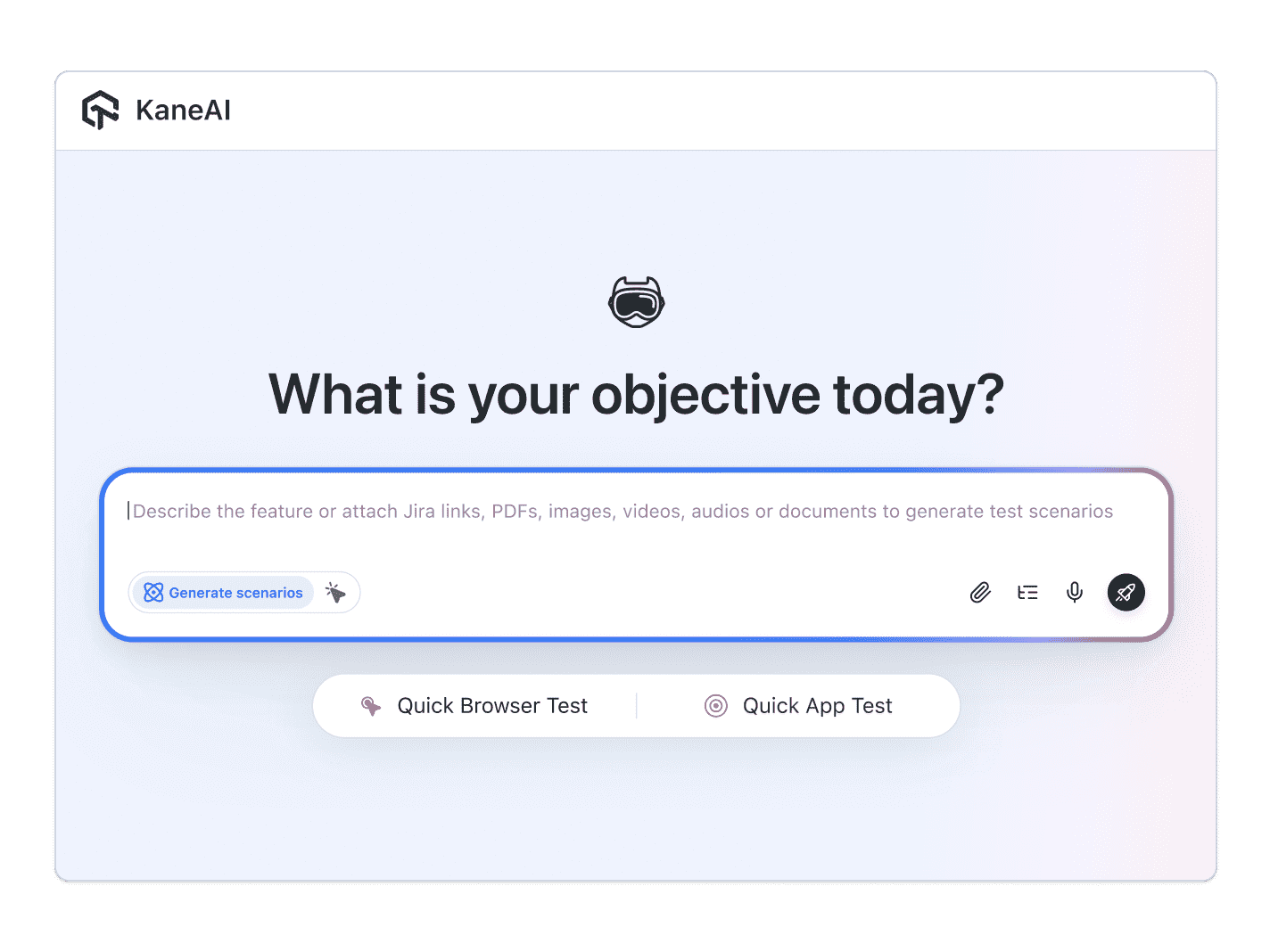

The smoke tests scenarios that actually break
Once the happy path works, broader coverage is just more English. Here are the smoke scenarios worth adding, each takes about two minutes to write:
Homepage and marketing pages
- Open the homepage and the top marketing pages
- Verify each page returns content and not a 404 or a 500
- Verify the primary navigation and the main call to action render
Login and app shell
- Sign in with a test account
- Verify the app shell, the sidebar, and the first data widget load
- Verify no console error keeps the dashboard from rendering
Core transaction path
- Search for a product, open it, and add it to the cart
- Open the cart and reach the checkout button
- Verify the checkout page loads with the order summary shown
APIs and third-party widgets
- Call the health endpoint and verify it returns a healthy status
- Verify the payment widget and the analytics script load on the page
- Verify a downstream outage surfaces a clear message instead of a blank screen
Run every one of these across Chrome, Safari, Firefox, and real mobile devices from the same plain-English steps, with no per-browser rewrites.
Putting it on autopilot
Smoke tests are most valuable when they run without you:
- Schedule the suite to run nightly, so a late merge cannot sit undetected until the morning standup
- Trigger it on every deploy through Kane CLI, which runs the same tests from your pipeline, returns a clean exit code, and pauses for an OTP or CAPTCHA instead of failing
- Alert the moment a critical path breaks, with a Slack message carrying the screenshots, the video, and the failing step in plain English
When a smoke run fails, you do not read a stack trace at line 47. You get a plain-English reason for the exact step that failed. The on-call engineer knows within seconds whether to roll back, and anyone on the team can read the result, because the test is just English.
Try it on your own build in 10 minutes
- Sign up for KaneAI free, with no credit card
- Paste your app URL
- Write your first smoke test in plain English, or let KaneAI suggest the critical paths from your site
- Run it and watch every critical path get verified end to end
A smoke test is the cheapest insurance you can buy against a broken deploy, and it should never depend on a scripting language you do not have on the team. Write it in the language you already speak. Once your build verification is covered, see how to run end-to-end tests for the deeper journeys, and how to test APIs for the services underneath them.

Note: Run your smoke suite on every deploy without writing a line of code. Start with KaneAI free.
Author

Kavita Joshi
Blogs: 14


Kavita Joshi is a Senior Marketing Specialist at TestMu AI, with over 6 years of experience in B2B SaaS marketing and content strategy. She specializes in creating in-depth, accessible content around test automation, covering tools and frameworks like Selenium, Cypress, Playwright, Nightwatch, WebdriverIO, and programming languages with Java and JavaScript. She has completed her masters in Journalism and Mass Communication. Kavita’s work also explores key topics like CSS, web automation, and cross-browser testing. Her deep domain knowledge and storytelling skills have earned her a place on TestMu AI’s Wall of Fame, recognizing her contributions to both marketing and the QA community.
Reviewer

Himanshu Sheth
Reviewer
Himanshu Sheth is the Director of Marketing (Technical Content) at TestMu AI, with over 8 years of hands-on experience in Selenium, Cypress, and other test automation frameworks. He has authored more than 130 technical blogs for TestMu AI, covering software testing, automation strategy, and CI/CD. At TestMu AI, he leads the technical content efforts across blogs, YouTube, and social media, while closely collaborating with contributors to enhance content quality and product feedback loops. He has done his graduation with a B.E. in Computer Engineering from Mumbai University. Before TestMu AI, Himanshu led engineering teams in embedded software domains at companies like Samsung Research, Motorola, and NXP Semiconductors. He is a core member of DZone and has been a speaker at several unconferences focused on technical writing and software quality.


Smoke Testing FAQs
Did you find this page helpful?
More Related Blogs

TestMu AI forEnterprise
Get access to solutions built on Enterprise
grade security, privacy, & compliance
- Advanced access controls
- Advanced data retention rules
- Advanced Local Testing
- Premium Support options
- Early access to beta features
- Private Slack Channel
- Unlimited Manual Accessibility DevTools Tests