
Power Your Software Testing with AI Agents and Cloud
The Native AI-Agentic Cloud Platform to Supercharge Quality Engineering. Test Intelligently and Ship Faster.


- TestMu AI (Formerly LambdaTest)
- /
- Blog
- /
- Playwright CLI vs Kane CLI: Which One Should You Run?
Playwright CLI vs Kane CLI: Which One Should You Run?
Playwright CLI vs Kane CLI compared on commands, selectors, maintenance, agent mode and CI, plus a decision table matching each tool to your team situation.
Last Updated on:
A coding agent finishes a checkout feature and reports success. The unit tests pass, the types check, the linter is quiet. Nobody has opened a browser, and the pay button posts to the wrong endpoint.
Closing that gap means running something in a real browser from the terminal. Two commands are candidates, and they are less alike than the shared word CLI suggests.
TL;DR
The Playwright CLI runs test files you wrote, executing explicit selectors in a fixed order. Kane CLI runs an objective you described, resolving the path at runtime in a real Chrome browser. Choose by whether the bottleneck is writing browser checks or maintaining them.
- Playwright CLI command - npx playwright test runs your spec files, with flags for headed mode, workers, projects, reporters, grep filtering, retries and re-running only the last failures. The full flag list is in the reference of Playwright CLI commands.
- Kane CLI command - kane-cli run "objective" takes a natural language goal rather than a file, and the same binary serves an interactive TUI, a headless run, and an agent mode.
- Selectors to maintain in Kane CLI: No - Objectives name outcomes rather than elements, so a renamed class breaks nothing, whereas Playwright locators are yours to keep current.
- Machine-readable output for AI agents - Kane CLI's --agent --headless mode emits NDJSON, one JSON object per line, which a coding agent parses directly instead of scraping human-facing reporter text.
- Kane CLI execution path is deterministic: No - An LLM decides how to reach the objective, so only the outcome is contractual, verified against DOM state, URL changes, network responses or console logs.
- Playwright codegen still needs review - Playwright's own documentation advises inspecting the recorded test file and manually improving it, so recording shortens authoring without removing it.
- TestMu AI positions the two as complementary - Kane CLI exports native Playwright code and reads its own exports back, so a flow can start as an objective and end up in an existing Playwright suite.
What Does Each One Actually Do?
The Playwright CLI is the command-line front end to a test framework. It discovers spec files, runs them through a runner, and reports results. The tests themselves are code you wrote, and they name the elements they touch.
Kane CLI is a browser agent rather than a runner. You give it an objective in plain language, and it drives a real Chrome instance through the Chrome DevTools Protocol until it can verify the described outcome or report that it could not. There is no spec file and no locator.
That difference decides everything downstream, including who maintains the test when the UI moves. If Playwright itself is new to you, our Playwright tutorial covers the framework before any of this comparison matters.
How Do the Commands Compare?
The Playwright test CLI reference documents the entry point as npx playwright test [options] [test-filter...], with flags including --headed, -j/--workers, --project, --reporter, -g/--grep, --debug for the Playwright Inspector, --ui for interactive UI mode, --retries, and --last-failed to re-run only failures.
Kane CLI exposes one command with three modes selected by flags rather than separate binaries: an interactive TUI, a headless run, and an agent mode.
# Playwright: run the suite you wrote, headed, on one project
npx playwright test --headed --project=chromium --retries=1


# Playwright: re-run only what failed last time
npx playwright test --last-failed


# Kane CLI: interactive, headed, for inner-loop debugging
kane-cli --tui


# Kane CLI: one objective, headless, result as JSON on stdout
kane-cli run "Sign in and verify the dashboard shows a balance" --headless


# Kane CLI: agent mode, NDJSON per event, for CI and coding agents
kane-cli run "Complete checkout with a test card" --agent --headless| Dimension | Playwright CLI | Kane CLI |
|---|---|---|
| Unit of work | A spec file you wrote and committed. | A natural language objective passed as an argument. |
| Element targeting | Explicit locators, with codegen prioritising role, text and test id. | None written by you; the agent resolves the path at runtime. |
| Interactive mode | --ui for UI mode and --debug for the Playwright Inspector. | A TUI with a live step tree and slash commands such as /config and /cancel. |
| Machine output | Reporters including dot, line and list, aimed at humans and dashboards. | NDJSON in agent mode, one typed event per line. |
| Parallelism | Worker-based, tuned with -j as a count or percentage of CPU cores. | One objective per invocation; parallelism comes from your runner. |
| Run cost | Compute only; the framework is open source. | Compute plus model tokens, since an LLM performs the reasoning. |
The parallelism row is the one teams underestimate. Playwright's worker model is a genuine advantage for a large suite, and nothing in an objective-based tool replaces it.
Who Owns the Selectors and the Maintenance?
Playwright's recorder shortens authoring without removing ownership.
The codegen documentation describes npx playwright codegen [options] [URL] opening a browser alongside the Playwright Inspector and writing code as you interact, prioritising role, text and test id locators.
The same page is candid about what recording produces. Covering the VS Code extension flow, it advises you to "inspect your test file and manually improve it if needed".
That is the honest summary of recorded tests everywhere. The recording is a first draft, and from then on the locators are an asset your team maintains through every redesign.
- Playwright's maintenance surface - Locators, fixtures, page objects and config, all versioned with the app and all needing an update when the UI changes shape.
- Kane CLI's maintenance surface - The wording of the objective. Nothing breaks on a class rename, but a vague objective can be satisfied by the wrong screen.
- The trade in one line - Playwright asks you to keep describing where things are; Kane CLI asks you to keep describing what success means.
Neither surface is free. The question is which one your team can keep accurate as the product moves.

Which One Fits an AI Coding Agent's Loop?
This is where the two genuinely diverge. An AI coding agent reads and writes text, so its verification primitives are unit tests, type checkers and linters, all of which operate on source code. None of them opens a viewport, so a button wired to the wrong endpoint passes every one of them.
Feeding a browser result back into that loop needs output a program can parse. Kane CLI's agent mode exists for exactly this: --agent --headless suppresses the TUI, ignores stdin, and writes NDJSON to stdout, with a terminal run_end event carrying status, summary, extracted values, token usage, and the run directory.
Playwright reporters are excellent at what they were built for, which is telling people and dashboards what happened. Parsing them inside an agent loop means scraping text that was designed to be read. Our walkthrough of verifying Claude Code output with Kane CLI shows the loop end to end, and MCP vs CLI covers when a CLI beats a protocol server for this job.
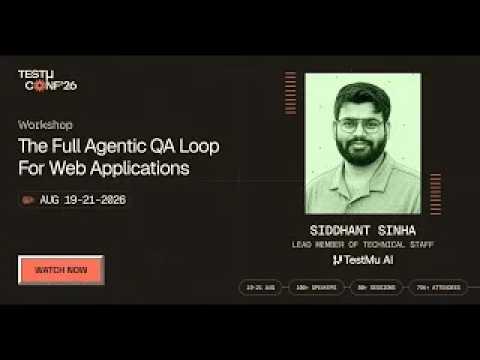
In this TestMu Conference 2026 session, Siddhant Sinha runs that whole loop end to end with kane-cli in the workshop The Full Agentic QA Loop for Web Applications, covering authoring, evidence, assurance and maintenance.
How Do They Behave in CI?
Both exit with status codes and both run without a display, so both gate a pipeline. What differs is what the pipeline receives back.
- Playwright gives you a reporter artifact and a trace, which is the richer debugging story once a test fails and a human opens it.
- Kane CLI gives you a JSON object per event, which is the richer automation story when something downstream has to make a decision from the result.
- Combine --agent with --headless on any runner without a display server, which is the documented pairing for CI and agent contexts.
- Keep Kane CLI runs scoped to the journeys that matter, since every run spends tokens where a Playwright run spends only CPU.
Kane CLI needs Node.js 18 or higher and Google Chrome on the PATH, and runs on macOS, Linux x64 and Windows x64.

Note: Kane CLI runs a plain-English objective in a real Chrome browser and returns pass or fail with shareable proof. Try it free!
Should You Run Both Together?
For most teams already invested in Playwright, yes, and the interop is the reason. Kane CLI exports native Playwright code, and it reads its own exports back, so a flow can be authored as an objective, exported, refined by hand, and then run again through either tool.
A split that works in practice puts each tool where its cost profile fits.
- Objectives for the inner loop - Verify the feature an agent just built, before a spec file exists for it at all.
- Playwright for the regression suite - Deterministic, parallel, cheap per run, and already wired into your reporting.
- Export what earns permanence - When an objective proves it catches something real, export it to Playwright code and let it join the suite.
The markdown format behind that round trip is covered in Test.md, Kane CLI's framework for replayable tests, and the side-by-side capability table lives on the AI-native Playwright CLI alternative page.

Which Should You Choose?
Match the tool to the bottleneck rather than to a feature count. These four situations cover most teams.
| Your situation | Start with | Why |
|---|---|---|
| Mature Playwright suite, maintenance is the pain | Keep Playwright, add Kane CLI beside it | Migrating a working suite buys nothing; objectives cover the volatile new flows while the stable suite stays. |
| Almost no browser coverage, nobody writing tests | Kane CLI | Objectives put real checks in place this week without first building selector and fixture expertise. |
| AI coding agents shipping features daily | Kane CLI in agent mode | NDJSON output closes the agent's verification loop without scraping human-facing reporter text. |
| Large deterministic regression across browsers | Playwright | Worker parallelism, per-run cost and cross-browser projects all favour the framework outright. |
If you are weighing more than these two, the wider field of Playwright CLI alternatives covers nine options across framework and agentic CLIs. If your agent reaches the browser through an MCP server instead, Kane CLI vs Playwright MCP measures both inside Cursor.
Conclusions
Pick the one journey your team would most hate to ship broken and write it both ways: once as a Playwright spec, once as a Kane CLI objective. An hour of that tells you more than any comparison table, because you find out which description your team can still keep accurate three redesigns from now. For the wider category this comparison sits in, see the guide to the best AI browser testing CLI.
If the objective wins, the Kane CLI documentation covers install, the three modes, and wiring agent mode into CI. If the spec wins, you already have your answer and a suite worth keeping.
Author

Anubhav Singhmaar
Blogs: 43

Anubhav Singhmaar is an AI Product Manager at TestMu AI driving Kane CLI, the command-line tool that brings browser automation to the terminal, turning natural-language flows into runs in a real Chrome browser that return pass or fail with shareable proof. He owns the roadmap and prioritization and works with engineering to ship developer-facing features. Before TestMu AI, he spent over four years at Sprinklr owning enterprise voice AI across APAC and EMEA. A mechanical engineer turned product manager, he grounds guidance in real QA workflows.
Reviewer

Himanshu Sheth
Reviewer
Himanshu Sheth is the Director of Marketing (Technical Content) at TestMu AI, with over 8 years of hands-on experience in Selenium, Cypress, and other test automation frameworks. He has authored more than 130 technical blogs for TestMu AI, covering software testing, automation strategy, and CI/CD. At TestMu AI, he leads the technical content efforts across blogs, YouTube, and social media, while closely collaborating with contributors to enhance content quality and product feedback loops. He has done his graduation with a B.E. in Computer Engineering from Mumbai University. Before TestMu AI, Himanshu led engineering teams in embedded software domains at companies like Samsung Research, Motorola, and NXP Semiconductors. He is a core member of DZone and has been a speaker at several unconferences focused on technical writing and software quality.


Playwright CLI vs Kane CLI FAQs
Did you find this page helpful?
More Related Blogs

TestMu AI forEnterprise
Get access to solutions built on Enterprise
grade security, privacy, & compliance
- Advanced access controls
- Advanced data retention rules
- Advanced Local Testing
- Premium Support options
- Early access to beta features
- Private Slack Channel
- Unlimited Manual Accessibility DevTools Tests