

Power Your Software Testing with AI Agents and Cloud
The Native AI-Agentic Cloud Platform to Supercharge Quality Engineering. Test Intelligently and Ship Faster.


- TestMu AI (Formerly LambdaTest)
- /
- Blog
- /
- How to Perform Cross-Browser Testing of Checkout and Payment Flows
How to Perform Cross-Browser Testing of Checkout and Payment Flows
A practical guide to cross-browser testing of checkout and payment flows: build a coverage matrix, catch browser-specific bugs, and automate the flow on the cloud.
Last Updated on:
The first checkout bug I ever shipped only showed up on an iPhone. The pay button worked on my Chrome, passed review, and went live, but in Safari it sat there dead and quietly lost sales for two days before anyone noticed.
Checkout is the worst place for that to happen. The Baymard Institute puts the average cart abandonment rate at 70.22%, and a flow that breaks in a browser nobody tested feeds straight into that number.
The fix is just being systematic: pick the browsers and devices that matter, run the same purchase flow against every one, and automate it so a broken checkout never ships again. This guide shows you how.
Overview
What Is Cross-Browser Checkout Testing?
Cross-browser testing of checkout and payment flows verifies that the full purchase journey, from cart to payment to confirmation, renders and works correctly across every browser, OS, and device your shoppers use.
What Should You Cover?
- Browsers and versions: Chrome, Safari, Edge, Firefox, plus mobile Safari and Chrome.
- Flow steps: cart, login or guest, address, shipping, payment fields, and order confirmation.
- Payment states: approval, decline, timeout, and validation errors, using sandbox test cards.
How Do You Run It at Scale?
Write the checkout flow once in Selenium, Cypress, or Playwright and run it in parallel across the matrix. TestMu AI's cross-browser testing grid covers 3,000+ browser and OS combinations with full session logs on every run.
Why Does Checkout Break Across Browsers?
Checkout is the most fragile part of any storefront because it stacks the features browsers disagree on most: form autofill, input validation, cookies and storage, third-party payment iframes, and redirect handling.
A small rendering or scripting difference at any of those points stops the sale.
It also runs on more browsers than you think. According to StatCounter Global Stats, Chrome holds about 70% of worldwide browser share, with Safari, Edge, Firefox, and Samsung Internet splitting most of the rest.
Testing only Chrome leaves roughly a quarter of shoppers, weighted heavily toward mobile, on an untested payment path.
The fix is not to test more randomly. It is to define the exact browser, device, and payment combinations that match your traffic, then run the same checkout flow against all of them on every release. That starts with a coverage matrix.
How Do You Build a Browser, Device, and Payment Matrix?
A coverage matrix turns "test on lots of browsers" into a finite, prioritized list. Pull your top browsers, operating systems, and devices from your own analytics, then cross them with the payment methods you support. The result is the exact set of paths to automate.
| Layer | Minimum coverage | Why it matters for checkout |
|---|---|---|
| Desktop browsers | Chrome, Safari, Edge, Firefox (current and one prior version) | Each engine handles autofill, validation, and iframes differently, so payment fields can fail per browser. |
| Mobile browsers | Safari on iOS, Chrome and Samsung Internet on Android | Most retail traffic is mobile; touch targets, keyboards, and wallet buttons behave differently here. |
| Devices and viewports | Small phone, large phone, tablet, common desktop resolution | Cramped viewports hide the pay button or push form errors off-screen. |
| Payment methods | Card, digital wallet (Apple Pay or Google Pay), and one alternative method | Wallet availability is browser-specific; Apple Pay surfaces only in Safari. |
| Network conditions | Fast, throttled 3G, and an interrupted connection | Slow networks expose double-submits and timeouts on the payment call. |
You do not need every cell in the grid. Prioritize the combinations that carry the most revenue first, then expand. The same discipline applies when you test cross-browser testing from various geo-locations, where currency, tax, and address formats add more paths to the matrix.

Note: Stop maintaining a local browser lab for checkout testing. TestMu AI runs your cart and payment flows across 3,000+ browser and OS combinations in parallel, with video, console, and network logs on every run. Start testing free
What Should You Test in Every Checkout Flow?
Across each browser and device in the matrix, the same set of checks should pass. Treat this as the script you run everywhere, not a one-time manual pass on a single machine.
- Cart integrity: add, update quantity, remove, and apply a coupon, then confirm totals and tax recalculate correctly.
- Session persistence: the cart survives a page refresh, a back-button press, and re-authentication without emptying.
- Form validation: required fields, card number and expiry formats, and inline error messages render and behave the same in every browser.
- Autofill and keyboards: browser autofill populates the right fields, and mobile shows the numeric keypad for card entry.
- Payment states: using sandbox test cards, verify approval, decline, insufficient funds, and gateway timeout each show the correct message.
- 3-D Secure challenge: the SCA step loads, accepts the one-time code, and returns to confirmation, even when the browser restricts third-party cookies.
- Extensions and blockers: with a common ad or content blocker active, the payment iframe, wallet button, and validation scripts still load, since blockers are widespread in Safari and Firefox.
- Confirmation and receipt: the order confirmation, order number, and email trigger fire exactly once, with no duplicate charge on a double tap.
Keep payments in sandbox mode so no real money moves. Consistent behavior across browsers is what keeps every one of these checks from turning into an abandoned cart. For deeper flow coverage, our guide to web application testing maps these checks onto the wider app.
Which Browser-Specific Checkout Failures Should You Watch For?
Most checkout bugs are not random. They cluster around known engine differences. Watching for these specific failures tells you what to assert on in each browser.
| Browser or engine | Common checkout failure | What to assert |
|---|---|---|
| Safari (WebKit) | Intelligent Tracking Prevention clears cookies or storage, dropping the cart or session mid-flow. | Cart and login persist after navigation; embedded iframes acquire storage through the Storage Access API where needed; Apple Pay button appears and is tappable. |
| Chrome (Chromium) | Aggressive autofill maps card data to the wrong fields or skips a required one. | Autofilled values land in the correct inputs and validation still fires. |
| Firefox (Gecko) | Strict third-party cookie handling blocks an embedded payment iframe from loading. | Payment iframe renders and accepts input before the timeout. |
| Mobile browsers | The pay button sits below the fold or under the on-screen keyboard, so it is never tapped. | Pay button is visible and clickable with the keyboard open at common viewport sizes. |
| 3-D Secure step (all engines) | The 3-D Secure (SCA) challenge opens in a redirect or third-party iframe that Safari and Firefox cookie rules can block, stranding the payment before authorization. | The 3DS challenge loads, accepts the code, and returns to the confirmation page in every browser, including with third-party cookies restricted. |
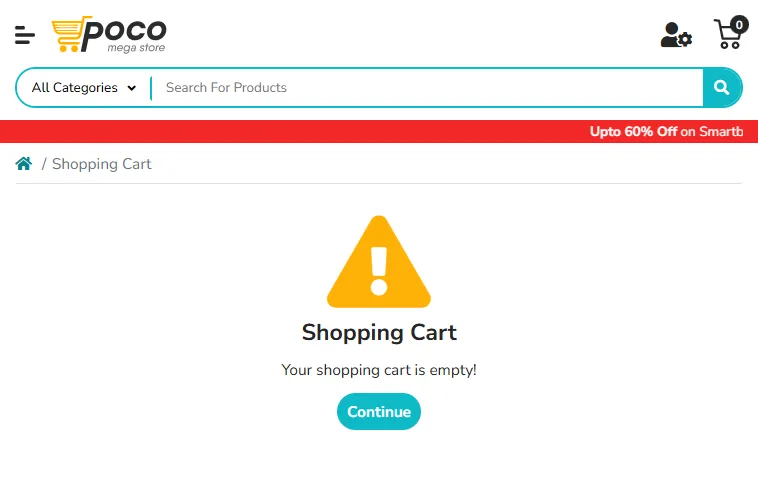
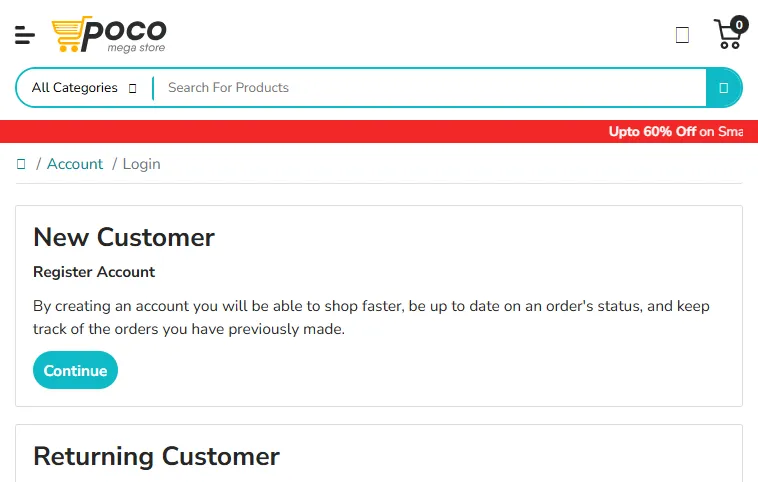
These are easy to miss from a single machine. On a TestMu AI cloud run of a demo store, the cart and account icons rendered cleanly in Chrome on Windows 11, while the same pages on Safari showed several icon glyphs failing to load, the kind of small visual break that erodes trust on a payment screen.
The screenshot below is the Safari account step from that run.

How Do You Run Checkout Tests Across Browsers?
Manually clicking through checkout on a dozen browsers does not scale to every release. The scalable approach is to automate the flow once and run it in parallel on a cloud grid. You keep your existing framework and only point the test at the cloud hub.
The Selenium example below runs a cart-to-checkout flow on the TestMu AI cloud against the public e-commerce playground. Changing the capabilities block is all it takes to fan the same script out across the matrix.
const { Builder, By } = require("selenium-webdriver");

// Pick one browser/OS cell from your matrix; loop the block to cover the rest
const capabilities = {
  browserName: "Chrome",
  browserVersion: "latest",
  "LT:Options": {
    platform: "Windows 11",
    build: "Checkout CBT",
    name: "Cart to checkout - Chrome Win11",
    video: true,
    network: true,
    console: true,
    username: process.env.LT_USERNAME,
    accessKey: process.env.LT_ACCESS_KEY
  }
};

(async () => {
  const driver = new Builder()
    .usingServer("https://hub.lambdatest.com/wd/hub")
    .withCapabilities(capabilities)
    .build();

  try {
    await driver.get("https://ecommerce-playground.lambdatest.io/");
    // Add a product, open the cart, and proceed to checkout
    await driver.findElement(By.css("input[name='search']")).sendKeys("iPhone");
    await driver.findElement(By.css("button.type-text")).click();
    // ...continue through cart, address, and payment steps,
    // asserting totals, validation, and the confirmation screen
  } finally {
    await driver.quit();
  }
})();
Because the test runs unchanged on the cloud, you get the same browser realism your shoppers see, plus video, console, and network logs captured automatically for every session. When a checkout step fails only in Firefox, you replay that exact session instead of guessing.
TestMu AI's cloud grid runs Selenium, Cypress, and Playwright suites across 3,000+ browser and OS combinations, so a single checkout script covers the whole matrix without extra infrastructure.
If you prefer Cypress, the same matrix discipline applies; our walkthrough of cross-browser testing with Cypress shows the framework-specific setup.
Why Test Mobile Checkout on Real Devices?
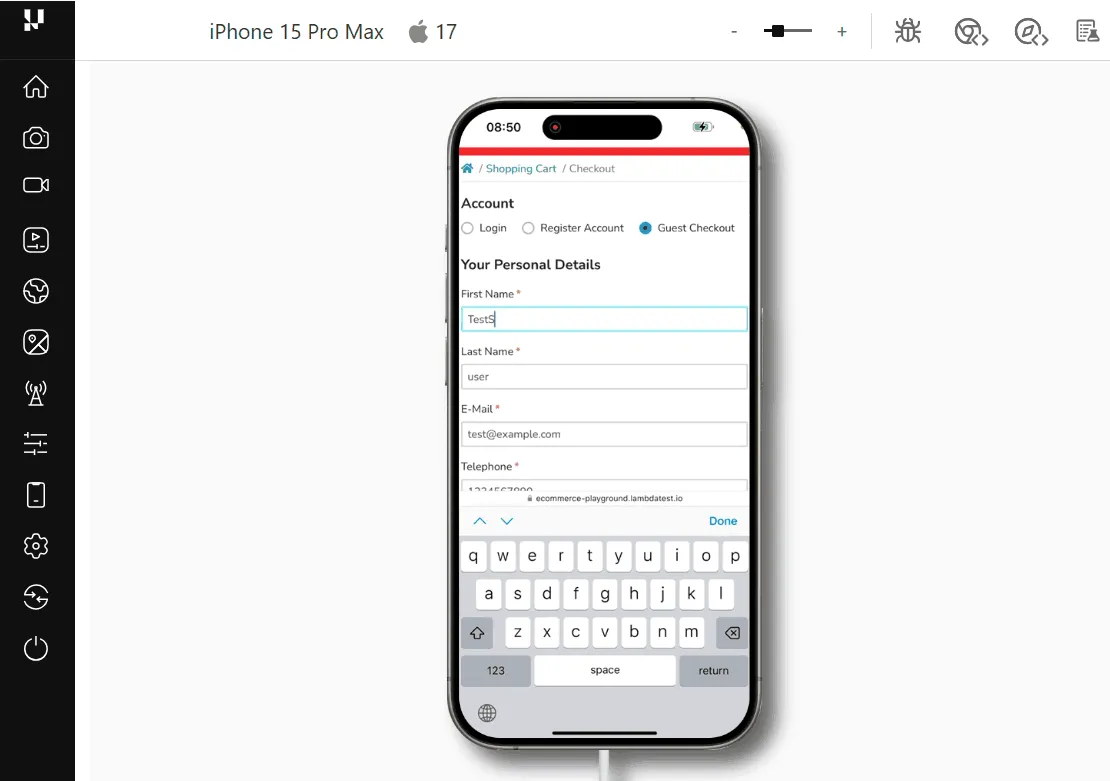
Most checkout traffic is mobile, and mobile is where emulators lie. Touch latency, on-screen keyboards, digital wallet sheets such as Apple Pay, biometric prompts, and Safari's privacy behavior only behave truthfully on actual hardware.
A wallet button that renders in an emulator can still fail to invoke the payment sheet on a real iPhone.
Run the high-value mobile cells of your matrix on real hardware. TestMu AI's real device cloud gives you 10,000+ real Android and iOS devices, so you exercise the real touch targets, on-screen keyboards, and Safari privacy behavior your shoppers hit, with the same video and logs as the desktop runs.
Apple Pay flows can also be automated on real iOS devices using sandboxed test cards, so the wallet path gets the same coverage as card entry.

How Does Checkout Testing Fit Into Your QA Workflow?
Cross-browser checkout testing earns its keep when it runs on every change, not once a quarter. Wire the automated suite into CI so the browser matrix runs on each pull request that touches cart, payment, or account code, and gate the merge on it.
Match test depth to risk so QA effort lands on the flows that carry revenue.
- Every commit: run the smoke test, add to cart and reach the payment step, on your top two browsers.
- Every release: run the full browser, device, and payment matrix in parallel, including sandbox decline and timeout cases.
- After a payment or checkout change: add the affected method across all browsers plus real mobile devices before shipping.
When a flow does fail, treat the captured artifacts as the starting point. Our breakdown of diagnosing checkout test API timeouts shows how to read network logs to separate a real browser bug from a flaky dependency, which keeps your e-commerce QA signal trustworthy.
Start Testing Checkout Across Browsers
Begin with one concrete step: build the coverage matrix from your own analytics, then automate the cart-to-confirmation flow as a single Selenium, Cypress, or Playwright script. That one script, run across the matrix, catches the browser-specific failures that quietly cost sales.
From there, run it in parallel on TestMu AI's Automation Cloud across the full browser and OS matrix, extend the mobile cells onto real devices, and gate every checkout change on the result.
For the device side of that matrix, see how to test mobile checkout flows on real devices, including the wallet app-switch and interrupt cases browser testing cannot reach.
Follow our guide to running Node.js tests on the TestMu Selenium grid to wire your first run into CI, and your next release ships a checkout that works for every shopper, not just the ones on Chrome.
Author

Naima Nasrullah
Blogs: 15

Naima Nasrullah is a Community Contributor at TestMu AI, holding certifications in Appium, Kane AI, Playwright, Cypress and Automation Testing. She writes practical, hands-on content that helps QA engineers and developers build reliable test automation frameworks across web and mobile platforms. Drawing on her expertise in automation testing, Naima breaks down complex tools and workflows into clear, actionable guidance that readers can apply directly to their own projects and testing pipelines.


Checkout and Payment Flow Testing FAQs
Did you find this page helpful?
More Related Blogs
TestMu AI forEnterprise
Get access to solutions built on Enterprise
grade security, privacy, & compliance
- Advanced access controls
- Advanced data retention rules
- Advanced Local Testing
- Premium Support options
- Early access to beta features
- Private Slack Channel
- Unlimited Manual Accessibility DevTools Tests