
Fully Agentic Test Case Management Tool
Write, Track and Manage Every Manual or Automated Tests in One Agentic Test Management Platform with TestMu AI Test Manager.

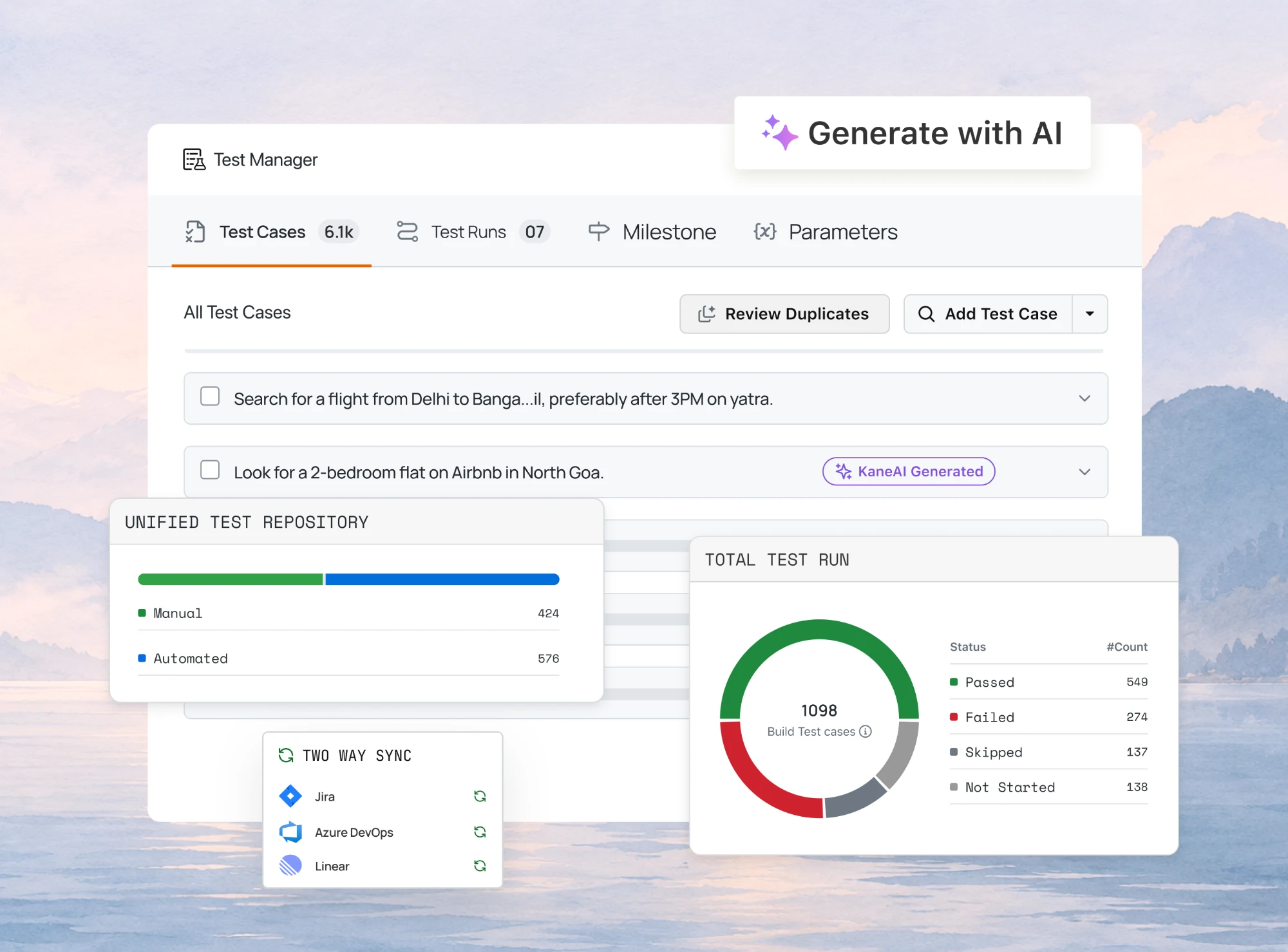
- TestMu AI (Formerly LambdaTest)
- /
- Blog
- /
- Acceptance Criteria Examples: 16 User Stories, Both Formats
Acceptance Criteria Examples: 16 User Stories, Both Formats
Acceptance criteria examples for 16 real user stories, each in Given/When/Then and rule format, plus how to turn every criterion into a runnable test case.
Published on:
Most acceptance criteria fail in the same place. Two people read the same line, build two different things, and both believe they were right.
Most articles on this topic define the term and then show two or three criteria for a login page, which leaves out where the work actually happens: writing criteria for a story with real edge cases, then getting from a criterion to something a tester can run. The sixteen acceptance criteria examples below are written in both common formats, and each one is followed by what it becomes as an executable test.
TL;DR
Acceptance criteria are the testable conditions a user story must satisfy before a team calls it done. They are written before development starts, in one of two formats, and every criterion has to resolve to a clear pass or fail that any two people on the team would demonstrate the same way.
Which Format Fits Which Story?
- Scenario-oriented: The Given/When/Then structure, naming a starting state, an action, and an observable outcome. Use it when behavior depends on context, and because the format converts into an automated test with the least rewriting.
- Rule-oriented: A flat checklist of conditions with no starting state attached. Use it for constraints that hold everywhere in the story, such as field limits, permitted characters, or currency formatting.
- Three to seven per story: Fewer than three usually means the edge cases were never discussed. More than seven means the story is really two or three stories, and splitting is cheaper than testing the composite.
- Testability check: A criterion is finished when a tester can demonstrate it without asking a follow-up question. Fast, intuitive, and user-friendly all fail that check until a threshold or observable result replaces them.
- Criteria are not a design specification. They state what must be true, never which component, query, or library produces it.
How Do Criteria Turn Into Tests?
A Given/When/Then criterion already carries a precondition, an action, and an assertion, which is three of the four parts of a test case. Tools that accept a Gherkin scenario as input can expand it into structured cases with steps and expected results, and generating cases from a story or scenario this way is built into TestMu AI test management.
What Are Acceptance Criteria?
A user story states who wants something and why. Acceptance criteria state the conditions under which the team agrees that want has been satisfied. The story sets the intent; the criteria set the boundary.
Three properties separate a criterion from a note in a ticket. It is written before development, so it shapes the build rather than judging it afterwards. It is binary, so demonstrating it produces agreement rather than an opinion. And it describes behavior rather than implementation, so it stays valid when the team changes how the feature is built.
That last property is the one teams break most often. A criterion reading that the search results are returned by a cached query has fixed the implementation, and the criterion becomes false the day someone removes the cache, even though the user-visible behavior is unchanged. The behavioral version of the same intent is that results appear within two seconds, which stays true across any implementation that meets it.
Criteria are also narrower than they look. They apply to one story only. The standards that apply to every story, such as code review, browser support, or accessibility conformance, belong in the team's definition of done. Mixing the two produces a copied block of boilerplate at the bottom of every ticket that nobody reads by the third sprint.
Which Format Should You Use?
Two formats cover almost everything teams write. They are not competitors, and the useful skill is knowing which one a given condition wants.
| Consideration | Scenario-oriented (Given/When/Then) | Rule-oriented (checklist) |
|---|---|---|
| Shape | Given a starting state, When an action occurs, Then an outcome is observable. | A flat list of conditions the feature must satisfy, with no starting state stated. |
| Best at expressing | Behavior that changes with context, such as a logged-out user versus a returning one. | Constraints that hold regardless of context, such as field limits or formatting rules. |
| Cost to write | Higher. Every path needs its own scenario, and the starting state has to be decided. | Lower. A condition is one line, which is why long stories drift toward this format. |
| Route to an automated test | Direct. The three clauses map onto setup, interaction, and assertion with little rewriting. | Indirect. A tester supplies the missing starting state before the condition can be run. |
| Common failure | Scenario sprawl, where fifteen near-identical scenarios hide the two that matter. | Silent context, where a condition is true on one path and false on another and nobody noticed. |
| Reach for it when | The story involves state, permissions, timing, or a sequence of user actions. | The story is a set of validation rules, display formats, or configuration limits. |
Most real stories want both, and the examples below are written that way deliberately. The scenarios carry the paths through the feature, and a short rule list carries the constraints that would otherwise be repeated inside every scenario.
16 Acceptance Criteria Examples
Each of the acceptance criteria examples below gives the user story, criteria in both formats, and the test the criteria produce. They are ordered roughly by how much trouble the story type causes at sprint review.
1. Login with account lockout
Story: As a registered user, I want to sign in with my email and password
so that I can reach my account.

Scenario: Successful sign-in
  Given I am a registered user with a verified email
  When I submit my correct email and password
  Then I land on my dashboard and my name appears in the header

Scenario: Wrong password below the lockout threshold
  Given I have entered an incorrect password twice
  When I submit an incorrect password a third time
  Then I see "Email or password is incorrect" and the form stays editable

Scenario: Lockout after repeated failures
  Given I have submitted an incorrect password five times in a row
  When I submit a sixth attempt, correct or not
  Then I see a lockout message naming the wait time and the attempt is not evaluated

Rules that hold across all scenarios:
  - The error message never reveals whether the email exists
  - The password field is never echoed back into the response
  - The failed-attempt counter resets on a successful sign-in
The third scenario is the one that gets left out and then gets found in production. Note also the first rule: it is a criterion, not a security note, because a tester can demonstrate it by comparing the response for a known email against an unknown one.
2. Search with no results
Story: As a shopper, I want to search the catalogue
so that I can find a product without browsing categories.

Scenario: Query matches products
  Given the catalogue contains products matching "running shoes"
  When I search for "running shoes"
  Then matching products appear ranked by relevance within 2 seconds

Scenario: Query matches nothing
  Given no product matches "xyzzy"
  When I search for "xyzzy"
  Then I see a no-results message that repeats my query back to me
  And I am offered at least three suggested categories

Scenario: Query is only whitespace
  Given the search field contains only spaces
  When I submit the search
  Then the search does not run and the field is highlighted as required

Rules that hold across all scenarios:
  - Search is case-insensitive
  - Leading and trailing whitespace is trimmed before matching
  - The query persists in the field after results render
The two-second threshold makes the performance expectation testable. Written as fast search results it would pass or fail depending on who was demonstrating it.
3. File upload with size and type limits
Story: As a project member, I want to attach a document to a task
so that reviewers have the source material in context.

Scenario: Valid file uploads
  Given I have a 4 MB PDF
  When I attach it to the task
  Then it appears in the attachment list with its name, size, and upload time

Scenario: File exceeds the size limit
  Given I have a 25 MB PDF and the limit is 10 MB
  When I attach it
  Then the upload is rejected before transfer begins
  And the message states both the file size and the limit

Scenario: Unsupported file type
  Given I have an .exe file
  When I attach it
  Then the upload is rejected and the message lists the accepted extensions

Rules that hold across all scenarios:
  - Accepted extensions are pdf, docx, png, jpg
  - The size limit is enforced on the server as well as in the browser
  - A rejected upload leaves any previously attached files untouched
The second rule matters more than it looks. Browser-side validation alone passes every manual test and fails the first request that skips the form, so stating it as a criterion is what makes anyone test for it.
4. Role-based permissions
Story: As an account owner, I want to restrict billing access to admins
so that project members cannot see or change payment details.

Scenario: Admin reaches billing
  Given I am signed in as an admin
  When I open the account menu
  Then Billing is visible and opens the billing page

Scenario: Member does not reach billing
  Given I am signed in as a project member
  When I open the account menu
  Then Billing is not listed
  And requesting the billing URL directly returns a not-authorised page

Scenario: Role changes mid-session
  Given I am signed in as an admin and my role is changed to member
  When I next request the billing page
  Then I am shown the not-authorised page without needing to sign out

Rules that hold across all scenarios:
  - Permission is evaluated on the server for every billing request
  - The not-authorised page does not disclose whether billing data exists
Hiding a menu item is a display change, not a permission. The second half of the second scenario is what turns this into a real criterion, and it is the clause that permission stories most often omit.
5. Payment failure and retry
Story: As a shopper, I want to pay by card
so that I can complete my order.

Scenario: Payment is declined
  Given my card will be declined by the processor
  When I submit payment
  Then I stay on the payment step with my cart intact
  And I see the processor's decline reason in plain language
  And no order is created

Scenario: Retry after a decline succeeds
  Given my previous payment attempt was declined
  When I submit a valid card
  Then exactly one order is created

Scenario: Network drops mid-payment
  Given the connection is lost after I submit payment
  When I reload the checkout page
  Then I see either a completed order or an unpaid cart, never both

Rules that hold across all scenarios:
  - Card details are never stored in the browser session
  - Submitting twice in quick succession creates at most one order
The third scenario is the double-charge criterion, and it is worth writing even though it is awkward to test, because it is the failure customers escalate hardest.
6. Notification preferences
Story: As a user, I want to turn off comment emails
so that my inbox stays useful.

Scenario: Turning a notification off
  Given comment emails are on
  When I turn them off and save
  Then the setting shows as off after a page reload
  And no comment email arrives for a comment posted afterwards

Scenario: Unrelated notifications keep working
  Given comment emails are off
  When someone mentions me directly
  Then the mention email still arrives

Rules that hold across all scenarios:
  - Security emails such as password resets ignore these preferences
  - A saved change takes effect without signing out
  - The preferences page states which categories cannot be disabled
The second scenario exists to catch the over-broad fix: a change that silences comment emails by silencing the whole notification path passes the first scenario perfectly.
7. Form validation, written rule-first
Story: As a new customer, I want to enter my delivery address
so that my order reaches me.

Rules:
  - Address line 1, city, and postcode are required; address line 2 is optional
  - Postcode is validated against the format for the selected country
  - Selecting a different country revalidates the postcode immediately
  - Each invalid field shows its own message next to the field, not one summary at the top
  - The form cannot be submitted while any field is invalid
  - Values already entered survive a failed submission
  - Every field is reachable and completable by keyboard alone

Scenario worth writing out in full:
  Given I have completed the form with a UK postcode
  When I change the country to Germany
  Then the postcode field is flagged as invalid for the new country
  And every other entered value is preserved
This story is mostly constraints, so the rule format carries it. The single scenario is written out because it involves a sequence, and a sequence is exactly what a flat rule list cannot express.
8. Data export
Story: As an account owner, I want to export my report data as CSV
so that I can analyse it in a spreadsheet.

Scenario: Export of a normal report
  Given my report contains 500 rows
  When I request a CSV export
  Then the file downloads with a header row and 500 data rows
  And the column order matches the on-screen table

Scenario: Export of an empty report
  Given my report contains no rows
  When I request a CSV export
  Then the file downloads containing only the header row

Scenario: Export while a filter is applied
  Given I have filtered the report to last month
  When I request a CSV export
  Then the file contains only the filtered rows

Rules that hold across all scenarios:
  - Dates export in ISO 8601 format regardless of display locale
  - Values containing commas or quotes are escaped so the file parses
  - The filename includes the report name and the export date
The third scenario is the one that catches the most common export defect, where the download quietly ignores the filter the user is looking at. The escaping rule is second: a file that opens in a spreadsheet with shifted columns is a defect no screenshot review will notice.
9. SaaS onboarding checklist
Story: As a new workspace owner, I want an onboarding checklist
so that I know what is left before my team can start.

Scenario: Completing a step
  Given my checklist has 5 steps and 0 complete
  When I finish "Invite a teammate"
  Then that step shows as complete and the counter reads 1 of 5

Scenario: Checklist finished
  Given 4 of 5 steps are complete
  When I finish the last step
  Then the checklist is replaced by a dismissible success message

Scenario: Dismissing early
  Given my checklist has incomplete steps
  When I dismiss it
  Then it stays dismissed after a reload, and remains reachable from settings

Rules that hold across all scenarios:
  - Step completion is detected from the action itself, never a manual tick
  - The checklist never reappears for a workspace that completed it
The third scenario is the criterion that separates a dismissal from a hide. Most onboarding defects are one of those two behaving as the other.
10. Discount code at checkout
Story: As a shopper, I want to apply a discount code
so that I pay the advertised promotional price.

Scenario: Valid code
  Given my cart qualifies for code SAVE10
  When I apply SAVE10
  Then a discount line appears before tax and the total decreases accordingly

Scenario: Expired code
  Given code SAVE10 expired yesterday
  When I apply it
  Then I see that the code has expired, and the total is unchanged

Scenario: Code applied twice
  Given SAVE10 is already applied
  When I apply SAVE10 again
  Then the discount is not applied a second time

Rules that hold across all scenarios:
  - Codes are case-insensitive, and surrounding whitespace is trimmed
  - Only one code applies per order unless stacking is explicitly enabled
  - Removing a code restores the original total exactly, to the cent
The last rule catches rounding drift, where applying and removing a code leaves the total a cent off. It is invisible in a demo and shows up in accounting.
11. Team invitations
Story: As a workspace admin, I want to invite teammates by email
so that they can join without me creating accounts for them.

Scenario: Inviting a new person
  Given no account exists for the address
  When I send an invitation
  Then the invitation shows as pending and the recipient receives one email

Scenario: Inviting an existing member
  Given the address already belongs to this workspace
  When I try to invite it
  Then I am told they are already a member and no email is sent

Scenario: Revoking a pending invitation
  Given an invitation is pending
  When I revoke it
  Then the link in the sent email no longer grants access

Rules that hold across all scenarios:
  - Invitations expire after 7 days and say so in the email
  - An accepted invitation cannot be reused to create a second account
Revocation is the criterion that makes this a security story rather than a convenience one, and it is the one most invitation implementations get wrong first.
12. Mobile push notification
Story: As a user, I want a push notification when someone replies to me
so that I can respond without opening the app.

Scenario: Tapping the notification
  Given I have a reply notification and the app is closed
  When I tap it
  Then the app opens directly on that conversation, not the home screen

Scenario: Permission denied
  Given I declined notification permission
  When a reply arrives
  Then no prompt is shown again in-session, and the reply is visible in-app

Scenario: Reply already read elsewhere
  Given I read the reply on the web before opening the notification
  When I tap the notification
  Then the conversation opens with nothing marked unread

Rules that hold across all scenarios:
  - Notification text never includes message content on a locked screen
  - Delivery is attempted once; no retry storm when the device is offline
The first rule is a privacy criterion written where a tester can act on it. Put it in a policy document instead and nobody will ever verify it.
13. Saved address selection
Story: As a returning customer, I want my saved addresses offered at checkout
so that I do not retype them.

Rules:
  - Addresses are listed most recently used first
  - The default address is preselected and labelled as default
  - Editing an address at checkout does not change the saved copy unless I confirm
  - Deleting an address in use clears the selection rather than silently substituting
  - A customer with no saved addresses sees the blank form, not an empty list

Scenario worth writing out in full:
  Given I have three saved addresses and the second is the default
  When I open checkout
  Then the second address is preselected
  And changing to the third does not alter which one is marked default
The fourth rule prevents the worst failure in this story, where a deleted address is quietly replaced by another and the order ships to the wrong place.
14. Subscription upgrade
Story: As an account owner, I want to upgrade my plan mid-cycle
so that my team gets the higher limits immediately.

Scenario: Upgrade takes effect at once
  Given I am on the starter plan with 5 seats used
  When I upgrade to the plan allowing 25 seats
  Then the seat limit reads 25 without needing a sign-out

Scenario: Prorated charge is explained before payment
  Given 12 days remain in my billing cycle
  When I reach the confirmation step
  Then the amount charged today is shown with the period it covers

Scenario: Payment fails during upgrade
  Given my card is declined at the upgrade step
  When the charge fails
  Then I remain on the starter plan with starter limits, and nothing is partially applied

Rules that hold across all scenarios:
  - The next renewal date does not move when upgrading mid-cycle
  - Downgrade below current usage is blocked with the blocking resource named
The third scenario is the criterion that stops a half-applied upgrade, where the limit rises but the payment never succeeded. Any story that changes entitlement and takes money needs one.
15. Audit log for a regulated action
Story: As a compliance officer, I want every permission change recorded
so that I can evidence who changed access and when.

Rules:
  - Each entry records actor, action, target, timestamp in UTC, and source IP
  - Entries are append-only; no interface path edits or deletes one
  - The log is filterable by actor and by date range
  - A failed permission change is recorded as an attempt, not omitted
  - Export produces CSV whose row count matches the filtered on-screen count

Scenario worth writing out in full:
  Given I demote an admin to member
  When I open the audit log
  Then the top entry names me as actor, the demoted user as target,
  and the previous and new role
The fourth rule is the one auditors actually ask about. A log that records only successes cannot answer whether someone repeatedly tried to escalate their own access.
16. Search result pagination
Story: As a user, I want to page through long result sets
so that I can reach results beyond the first screen.

Scenario: Moving to page two
  Given a search returns 95 results at 20 per page
  When I go to page 2
  Then results 21 to 40 are shown and the page indicator reads 2 of 5

Scenario: Refining while on a later page
  Given I am on page 3
  When I change the filter
  Then I am returned to page 1 of the new result set

Scenario: Deep link to a page
  Given I open a URL pointing at page 4 of a search
  When the page loads
  Then results 61 to 80 are shown without a redirect to page 1

Rules that hold across all scenarios:
  - The last page shows the remainder, not a padded full page
  - Result ordering is stable across pages, so nothing repeats or disappears
The second rule is the subtle one. Without a stable sort, a record can appear on both page 1 and page 2 while another is never shown at all, and no single-page test will ever catch it.

Note: Acceptance criteria describing browser behaviour need more than one browser to prove. TestMu AI runs the same checks across 3,000+ browser and OS combinations, so a criterion signed off on Chrome is not quietly untested everywhere else. Start free
How Do You Write Acceptance Criteria?
Work from the paths a user can take through the story, not from the fields on the screen. Fields produce criteria that describe the interface; paths produce criteria that describe the behavior, and behavior is what the story was about.
- Write the happy path first, in one sentence, then stop. It anchors everything else and is usually the only one people agree on immediately.
- Add the failure paths next. Wrong input, missing permission, unavailable dependency, and the limit being exceeded cover most stories.
- Ask what state the user could arrive in. Half-finished, already subscribed, previously failed, and returning after a timeout each tend to produce a real criterion.
- Give every threshold a number. Two seconds, five attempts, 10 MB, and 500 rows are testable; fast, several, and large are not.
- Keep each criterion to one condition. Two conditions joined by and become one criterion that half passes, which no review process handles well.
- Say nothing about implementation. Name the observable outcome and let the team choose how to produce it.
- Read the finished set as though you have to demonstrate it tomorrow. Any criterion that would make you ask a follow-up question is not finished.
Run the draft past a developer and a tester before the story enters a sprint. The product owner owns the criteria, but the ambiguity that costs a sprint is usually invisible to whoever wrote them and obvious to the first person who has to build or verify the behavior. That review is where criteria stop being a documentation exercise and start saving time, and it is the practical core of shift-left testing.

How Do Criteria Become Tests?
A test case has four parts: a precondition, an action, an expected result, and the data it runs on. A Given/When/Then criterion already supplies the first three. That is the whole reason the format is worth its extra cost, and it is the part PM-focused guides to acceptance criteria leave out.
| Criterion clause | Test case part | What still has to be added |
|---|---|---|
| Given | Precondition and setup | The concrete account, fixture, or seeded data that puts the system in that state. |
| When | The action under test | The locators or API calls that perform it, and the wait before the outcome is checked. |
| Then | Expected result and assertion | Which element, response field, or record the assertion actually reads. |
| Rule list | Assertions with no home yet | A precondition and an action, since a rule states what must be true without saying when. |
Take the lockout criterion from the first example. Given becomes a test account with five recorded failed attempts, seeded through the API rather than by clicking five times. When becomes a sixth submission. Then becomes an assertion on the lockout message and on the absence of a session cookie. The criterion did the design work; the remaining effort is mechanical. Teams that bind the criterion text itself to code and run it in CI are practicing executable specifications, where the criterion and the test stop being separate artifacts.
This mapping is also why Gherkin-shaped criteria feed test generation well. test management in TestMu AI takes a natural language description, a user story, a Gherkin scenario, or a requirement document and produces a structured case with steps, expected results, preconditions, and priority, which you then review and edit rather than author from a blank page. Criteria written to the standard above are the highest-quality input that step can get, because the ambiguity has already been removed by the people who owned the story.
Whether the resulting cases stay manual or become automated is a separate decision from how the criteria were written. The relationship between the two artifacts is covered in more depth in acceptance criteria vs acceptance tests, and the executable end of it in behavior driven development.
All of that assumes the criteria already exist and someone wrote them. The same chain can be walked in the opposite direction, starting from the document the story came from.
Deriving Criteria From a PRD
Everything above treats criteria as a human artifact: someone writes them, someone else turns them into tests, and coverage is whatever the suite happens to contain. Kane CLI runs that as a closed loop instead. A source document goes in, use cases and acceptance criteria come out of it, tests are generated and run against a real browser, and the loop ends with an evidence pack stating how many criteria are actually proven.
The recording below is one full pass over a demo banking application, from ingesting the PRD to opening the coverage report. The stages after it are annotated from that same run.
The source is ingested and hashed
The loop starts with a document rather than a story. A PRD is ingested and content-hashed, so any later run can tell whether the requirements moved underneath the criteria that were derived from them.
kane-cli context ingest bank-clone-app-PRD.md
kane-cli context extract
Extraction proposes business use cases before it proposes anything testable. In the recorded run it returned four from that PRD, including estimate federal income tax and enable demo failure modes, each committed with a stable id such as uc-estimate-federal-income-tax. Those ids are what let a criterion later be traced back to a use case, and the use case back to a line in the source.
Ambiguity is resolved before criteria are written
This is the stage that matters most for anyone who writes criteria by hand, because it targets the exact failure this article opened with. Before generating a single criterion, the loop stops on what the document does not say and asks, citing the source lines that caused the question:
questions - 4 pending - answering 1 of 4
1 > How should I operationalize the promise 'normal behaviour is unaffected'
    when all demo flags stay off?  [high]
    why: The source says only 'All default off, so normal behaviour is
    unaffected' (bank-clone-app-prd L105 and L119), but it does not define
    which observable baseline this use-case should assert.
       1. Suite baseline
       2. Named smoke baseline
       3. Visible no-difference baseline   * recommended
Normal behaviour is unaffected is precisely the kind of phrase the bad-criteria section below rejects. The difference is when it gets caught. A review catches it if someone is paying attention; this catches it at the point the phrase is read, marks it high risk, and refuses to invent an interpretation quietly. Four such questions came out of one PRD, each answerable with a numbered option or free text.
Criteria and scenarios are generated, then run
Each use case expands into scenarios and acceptance criteria in the rule-oriented shape covered earlier, phrased as observable outcomes. One from the run reads: with all demo flags off, the tax estimate does not render as $NaN. Each criterion carries its own id and each test lands as a Test.md file, which is then executed against a real browser.
kane-cli testmd run .testmuai/tests/t-all-flags-off-keeps-the-calculator-estimate-reactive-and_test.mdThe evidence pack reports a coverage rate
The loop closes on a downloadable .evidence pack and a coverage view counted against criteria rather than against code. The recorded run reports it plainly:
| Reported state | Count | What it means |
|---|---|---|
| Verified | 2 | A test asserted that exact criterion and produced evidence for the result. |
| Uncovered or failing | 0 | No test claims the criterion, or one does and it failed. |
| Weak or stale | 8 | A test is associated with it, but the assertion does not actually prove the promise, or the evidence predates a change. |
That headline reads 20 percent, 2 of 10 criteria verified, which is a far less flattering number than a green suite would have produced from the same run. The third state is the reason. Most coverage reporting is binary, so a criterion with a test pointed at it counts as covered regardless of what the test asserts, and eight criteria in this run sat exactly there. Each one also names the test that verified it and the scenario it belongs to, so an unproven criterion tells you which artifact to go fix.
None of this removes the need to know what makes a criterion testable. The loop applies the same standard the rest of this article describes, it just applies it to every line of a source document instead of the lines a person had time to review, and it will not report a promise as kept until something demonstrated it.
Note: Start from the PRD instead of the story. Kane CLI derives the use cases and acceptance criteria, asks about what the document left ambiguous, runs the tests, and returns a coverage rate that only counts criteria it can prove. Read the Kane CLI docs
How Do You Spot a Bad One?
The acceptance criteria examples above all share one property: a tester could demonstrate every line without asking a follow-up question. Untestable criteria pass review because they read like sentences a reasonable person would agree with. They fail later, at the demo, when two people demonstrate the same criterion and reach different verdicts. These are the patterns worth catching in the draft.
| Pattern | Written as | Rewritten as |
|---|---|---|
| Unmeasured adjective | The page loads quickly. | The results table renders within 2 seconds on a 500-row report. |
| Judgement call | The error message is user friendly. | The error message names the field that failed and what a valid value looks like. |
| Implementation locked in | Results are served from the Redis cache. | Repeating the same search within 60 seconds returns results within 500 ms. |
| Two criteria in one | The user is notified and the record is archived. | Split into one criterion for the notification and one for the archive state. |
| Unbounded scope | The feature works on all devices. | Name the browser and viewport set the story is signed off against, or move it to the definition of done. |
| No observable outcome | The data is handled correctly. | State what the user or the system can see afterwards that proves it was handled. |
| Assumed state | The discount is applied. | Given a cart over 50 dollars and an active promotion, the discount line appears before tax. |
One question catches most of these in a single pass. Ask whether two different people on the team, given only this sentence, would set up the same starting state and check the same thing. If the answer is no, the criterion is not finished, whatever it says.
Who Writes Them and When?
The product owner owns the criteria, because the criteria encode what the business considers acceptable. Ownership and authorship are not the same thing, though, and the sole-author version is where most of the damage originates.
| Stage | Who | What happens |
|---|---|---|
| Backlog refinement | Product owner | Drafts the happy path and the business constraints that define acceptance. |
| Refinement review | Developer | Flags criteria that fix an implementation, and names the technical states the draft ignores. |
| Refinement review | Tester | Flags anything that cannot be demonstrated, and adds the failure and edge paths. |
| Sprint planning | Whole team | Criteria are frozen for the sprint. Changing them mid-sprint changes the estimate. |
| Sprint review | Product owner | Each criterion is demonstrated once, in order. Anything not demonstrated is not done. |
The freeze at sprint planning is the rule with the most practical weight. Criteria added mid-sprint are the mechanism by which a story that was estimated at three points becomes eight, and treating that addition as a scope change rather than a clarification is what keeps the estimate honest.
Acceptance Criteria Template
Paste this into the story description and delete what does not apply. The prompts under each heading exist to stop the sections nobody fills in from being silently dropped.
Story
  As a <role>
  I want <capability>
  So that <outcome>

Happy path
  Given <starting state>
  When <action>
  Then <observable outcome>

Failure paths
  <one scenario per way this can fail: wrong input, missing permission,
   dependency unavailable, limit exceeded>

Edge states
  <what if the user arrives half-finished, already subscribed,
   previously failed, or returning after a timeout>

Rules that hold everywhere in this story
  - <constraint with a number or an exact format>
  - <constraint enforced on the server, not only in the browser>

Explicitly out of scope
  - <the thing a reviewer will otherwise assume is included>

Thresholds
  - <name every limit: time, size, count, retries>
The out-of-scope section is the one worth keeping even when it feels unnecessary. Most sprint-review disagreements are not about a criterion that failed, they are about something a stakeholder assumed was covered and nobody wrote down either way.
Putting This Into a Sprint
Start with the next story already in refinement rather than rewriting the backlog. You do not need a process change to use the acceptance criteria examples above. Take its existing criteria, run them through the untestable-patterns table above, and rewrite whatever fails. That pass usually takes fifteen minutes and surfaces two or three genuine ambiguities, which is a more convincing argument for the practice than any process proposal.
Then add the review step: a developer and a tester read the criteria before the story is estimated. Nothing else about your process needs to change for that to pay off, and the freeze-at-planning rule follows naturally once people can see what the review caught.
Once criteria are consistently testable, the step after is turning them into cases that live somewhere other than the ticket. Generating structured cases from a story or a Gherkin scenario, then tracing each requirement through to its runs and defects, is what TestMu AI test management platform is built for, and the Test Manager documentation covers importing your existing cases before you start. Well-written criteria are what make that generation step produce cases worth keeping.
Tracking tests across tools and teams? TestMu AI's Test Manager keeps test cases, runs and results in one place.
Author

Bhawana
Blogs: 75


Bhawana is a Community Evangelist at TestMu AI with over 3 years of experience creating technically accurate, strategy-driven content in software testing. She has authored 50+ blogs on test automation, cross-browser testing, mobile testing, and real device testing. She also serves as Product Marketing Manager for Kane CLI, the command-line tool that runs browser automation from the terminal using natural-language flows in a real Chrome browser. Bhawana is certified in KaneAI, Selenium, Appium, Playwright, and Cypress, reflecting her hands-on knowledge of modern automation practices. On LinkedIn, she is followed by 6000+ QA engineers, testers, AI automation testers, and tech leaders.
Reviewer

Shantanu Wali
Reviewer
Shantanu Wali is Vice President of Product Management at TestMu AI, where he owns several product lines across the testing platform, including the Real Device Cloud and the Digital Experience Testing Cloud. He has also contributed significantly to the development and scaling of KaneAI, TestMu AI's flagship GenAI-native testing agent that uses natural language to make software testing faster and more reliable in this AI era. He brings 7+ years of experience across software development and product management, starting as a backend developer at Infosys building solutions for Fortune 500 clients. Shantanu holds an MBA from IIM Calcutta and a B.Tech in Mechanical Engineering.


Acceptance Criteria FAQs
Did you find this page helpful?
More Related Blogs

TestMu AI forEnterprise
Get access to solutions built on Enterprise
grade security, privacy, & compliance
- Advanced access controls
- Advanced data retention rules
- Advanced Local Testing
- Premium Support options
- Early access to beta features
- Private Slack Channel
- Unlimited Manual Accessibility DevTools Tests