

Agent Desktop Testing From First Ring to Screen Pop
AI evaluators place real calls while your agent desktop is validated in real browser sessions. Screen pops, CTI data, CRM flows, and peak-load readiness in one run.

Automate Browser Flows from your
Terminal with Kane CLI

Trusted by 3M+ users globally at




"We have tripled our tests and are now executing tests in less than 2 hours with 78% Faster Test Execution"


"We figured out a more efficient way to monitor system health and resolve failures earlier in lower environments."





"TestMu AI has significantly boosted our testing speed, is easy to implement, and provides exceptional support."


"With 70% faster test execution, TestMu AI helped us achieve faster time-to-market and enhanced CX."



How TestMu AI Tests Your Agent Desktop
From screen pop and CTI to CRM data integrity, routing to the desktop, and peak-load readiness, validated in one run.
 SCREEN POP & CTI
Validate Every Screen Pop
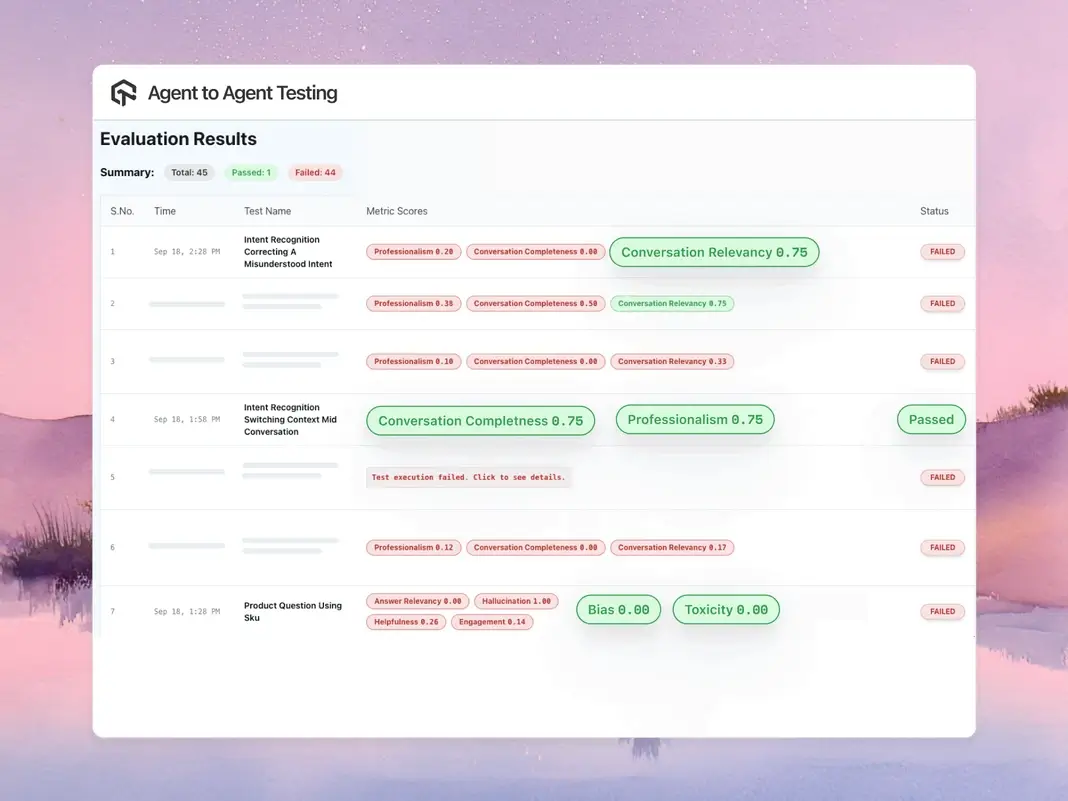
AI evaluators place real calls while a browser session asserts the pop: right customer, right fields, right timing, on every route.
- Every pop field asserted against the caller's data
- Call-to-pop latency held to your threshold
- Screenshots, logs, and recordings on every failure

 CRM DATA INTEGRITY
Verify CRM Data Flows
Assert that the desktop reads and writes CRM records correctly, from lookup on ring to wrap-up codes after the call ends.
- Record lookups validated against the caller identity
- Dispositions, notes, and wrap-up codes land in CRM
- Wrong-customer pops flagged before agents see them
 ROUTING TO DESKTOP
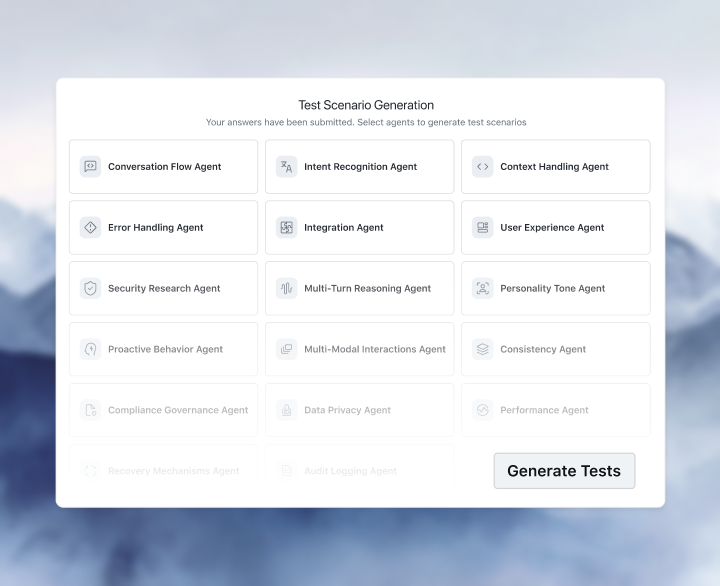
Test Routing End to End
Follow each journey from IVR input through queue and skills-based routing to the agent who answers, with context intact.
- Journeys start at the IVR, not a stubbed desktop event
- Skills-based routing asserted: right queue, right agent
- Transfer context verified on every answered call

 PEAK LOAD
Stay Fast at Peak Load
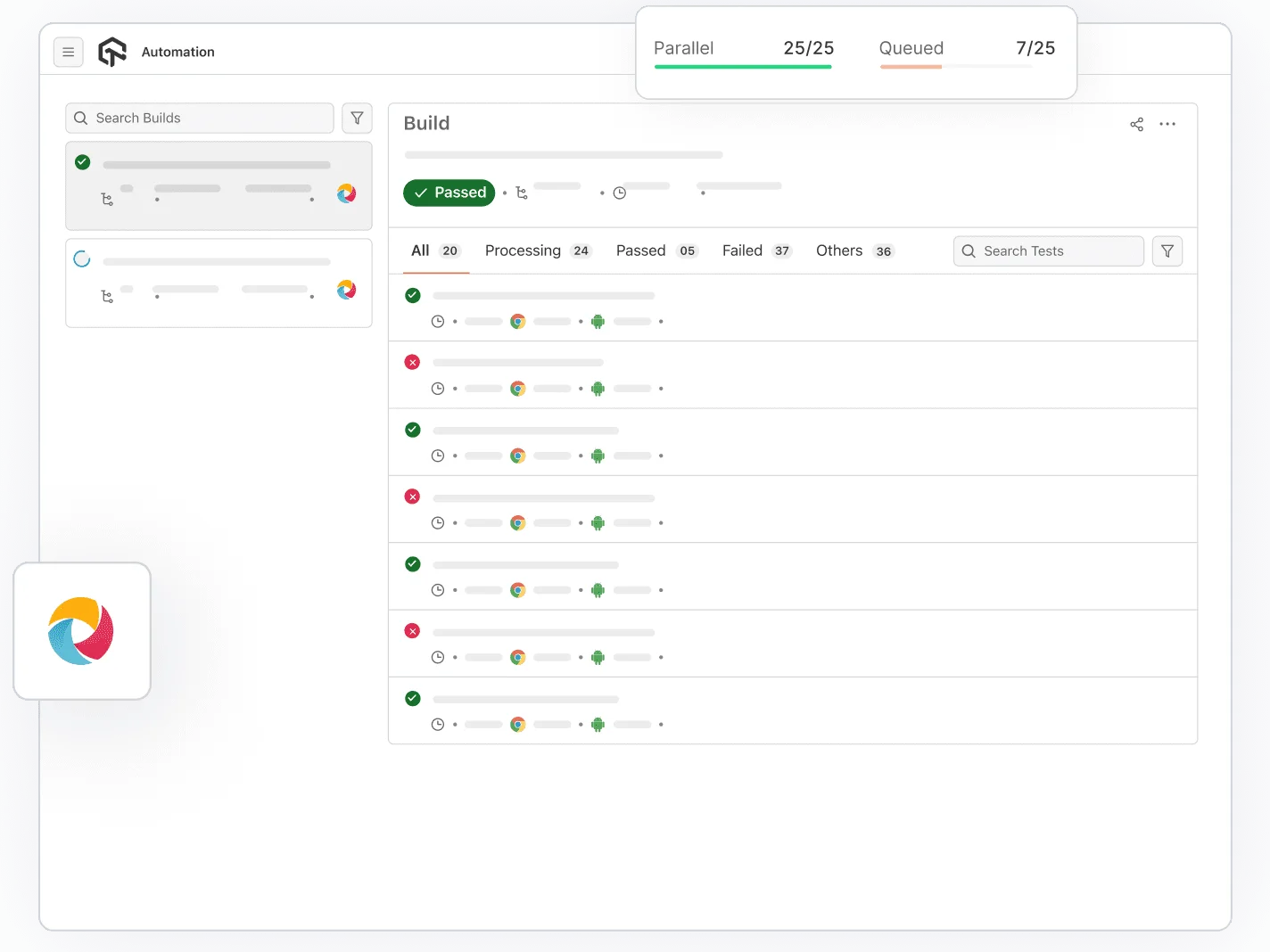
Simulate shift-start login storms and thousands of concurrent sessions, then track desktop responsiveness against thresholds.
- Shift-start login storms replayed on demand
- Thousands of parallel sessions on HyperExecute
- Login time and pop latency trended across releases
Both Sides of Every Interaction, Covered
Call and Desktop Validated in One Run
The AI evaluator drives the customer side of the call while a real browser session verifies what your agent sees, so both halves of every interaction are tested together.
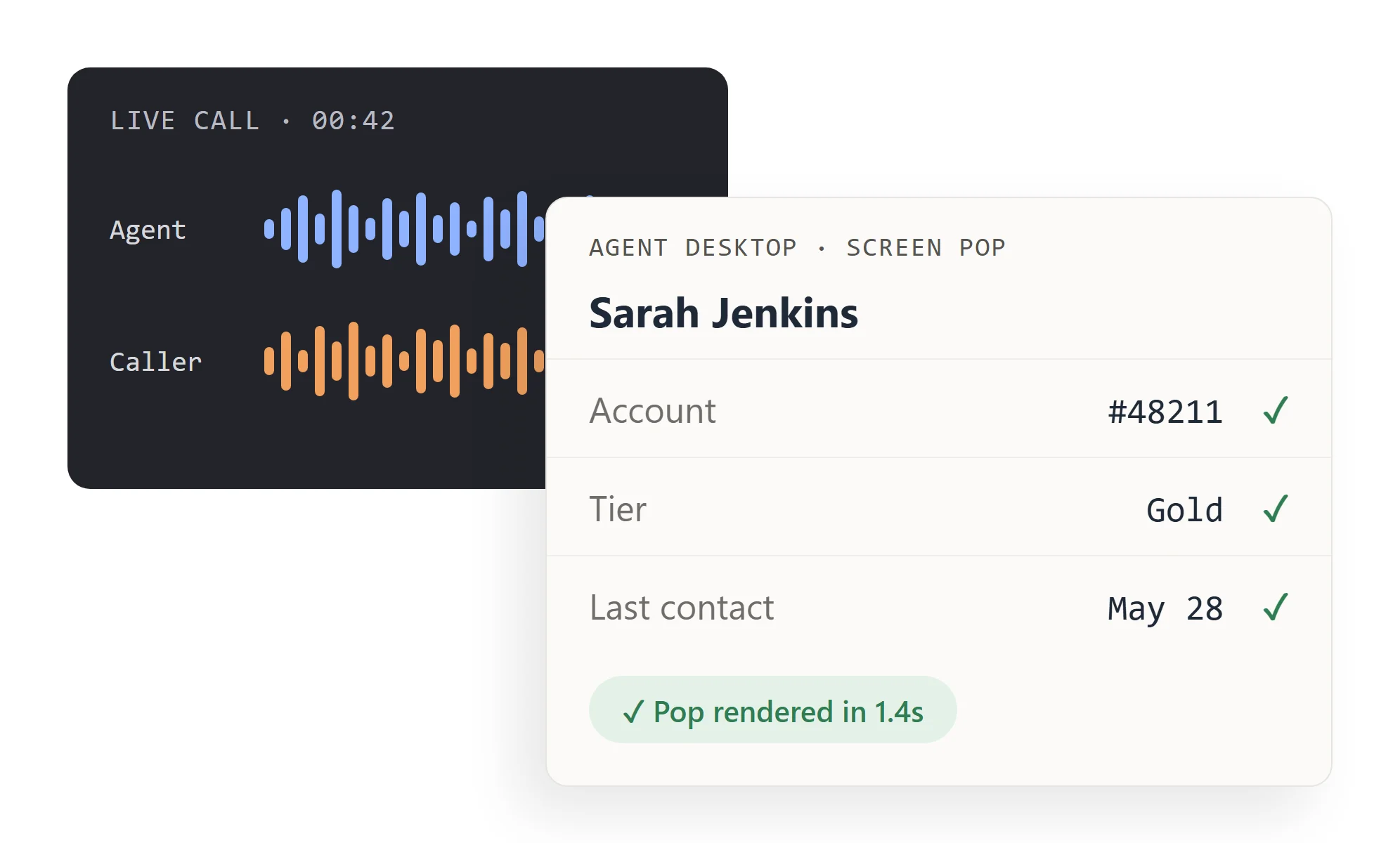
Timing Metrics Operations Can Act On
Call-to-pop latency, desktop login duration, and wrap-up timing are measured on every run and trended across releases, not guessed from agent complaints.
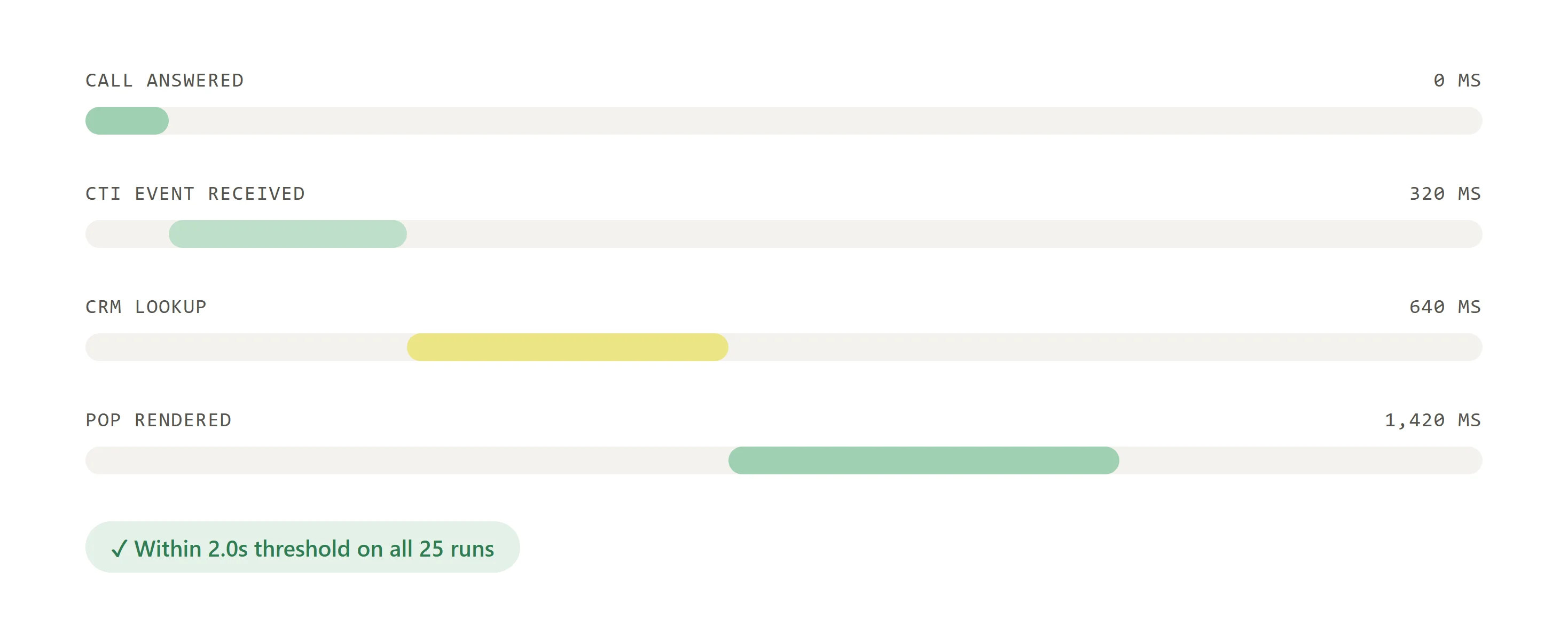
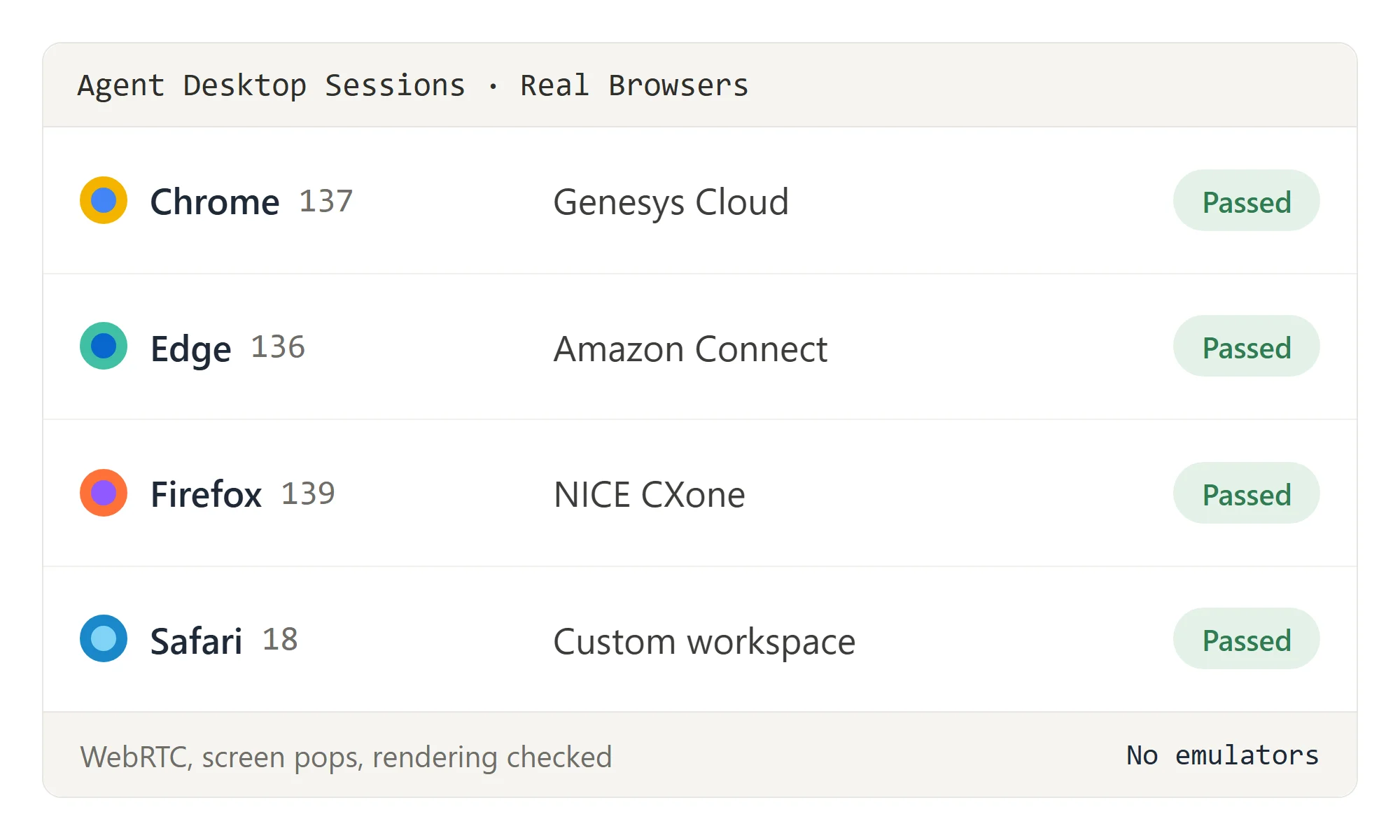
Real Browsers for Browser-Based Desktops
Genesys Cloud, Amazon Connect, NICE CXone, and custom agent workspaces run in real browser sessions across versions, not emulators or synthetic stubs.
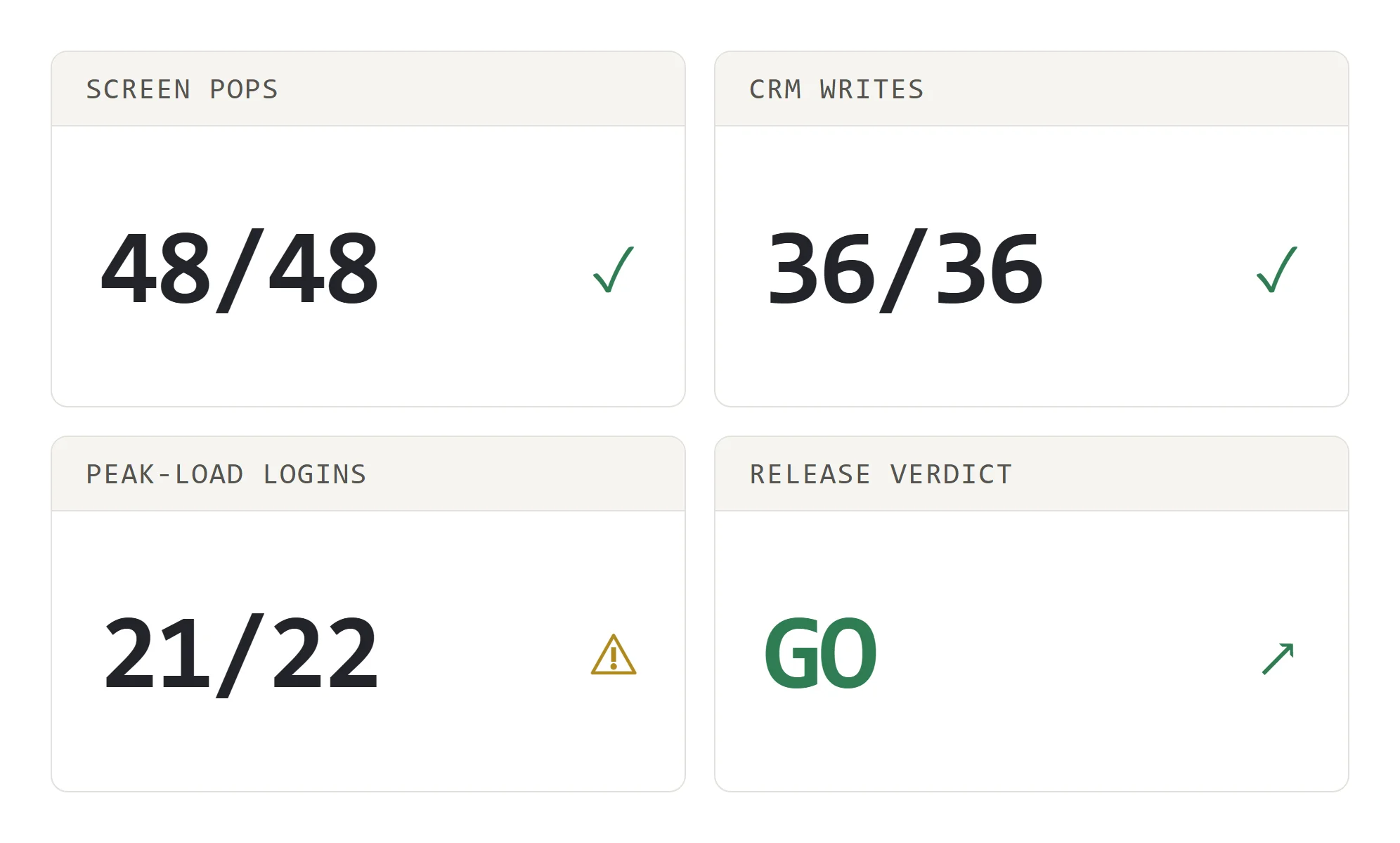
Readiness Gates Before CCaaS Releases
Run the full desktop regression before vendor release windows and platform migrations, and give your release team one clear go or no-go verdict.
Built for Every Layer of Agent Desktop QA

Project & Environment Management
Keep staging and production desktop configurations separate, with test suites scoped per team, queue, and CCaaS environment.

Caller Personas & Test Profiles
Drive the inbound side with caller personas across languages, accents, and intents so every screen pop case gets exercised.

Field-Level Validation Criteria
Define pass and fail rules per field: caller name, account number, interaction history, dispositions, and custom CTI data.

Security & Infrastructure
SOC 2-compliant infrastructure with secure tunnels for agent desktops that live behind your VPN or private network.

Scheduling Engine
Schedule desktop regressions before every shift start and after CCaaS vendor release windows, without manual triggering.

Observability & Reporting
Timing waterfalls from first ring to screen pop, trend lines across releases, and alerts when latency crosses thresholds.
Success Stories of TestMu AI (Formerly LambdaTest)

50%
reduction in test execution time
“HyperExecute is a highly reliable test execution platform and has excellent customer support.”
Sagar Uday Kumar
Sr. Engineering Manager
Some Love from our Customers
As Best Egg expanded its product offerings and entered new markets, we knew our old testing infrastructure couldn’t keep up.
With support from Tenny Agustin, our Engineering Operations Lead, we modernized our approach with
TestMu AI

Best Egg
best-egg

Excited to Share My Learning Journey with Kane AI & Lambda Tool!
I'm pleased to announce that I've recently gained hands-on experience exploring Kane AI through the Lambda Tool and it’s been a fantastic journey of upskilling!
KaneAI

Suryateja Goud
suryateja-goud

See how is #Futureready to enable blazing-fast test orchestration seamlessly integrated with organizations' existing CI/CD platforms, using #Microsoft Azure.
TestMu AI

Microsoft India
MicrosoftIndia
Frequently asked questions
TestMu AI forEnterprise
Get access to solutions built on enterprise-grade
security, privacy, & compliance
- Advanced access controls
- Advanced data retention rules
- Advanced Local Testing
- Premium Support options
- Early access to beta features
- Private Slack Channel
- Unlimited Manual Accessibility DevTools Tests