Vercel Sandbox Alternative With Managed Chrome
Browser Cloud by TestMu AI gives an agent on Vercel a managed Chrome session per task, so no Chromium goes into a sandbox image or a function bundle.

npm install @testmuai/browser-cloud
Browser Cloud vs Vercel Sandbox: Feature Comparison

Top Choice
Features

Vercel Sandbox
What Each Product Runs
Built for
Runs code an agent wrote
Coding agents in the image
Docker and system tools
Browser
Chrome for the agent
What you install
Browser start
Browser drivers
Watching the browser
Debugging
Session video
Console and network logs
Network Access
Public websites
Localhost and staging apps
App on an exposed port
State and Setup
Logins between runs
Session timeout
SDK languages
Agent skill
Why Pick Browser Cloud Over Chromium in Vercel Sandbox?
Every session is recorded, logins carry over between runs and a tunnel reaches localhost, with no Chromium to install in a sandbox or function.
 MANAGED CHROME
Fit Browser Cloud's SDK in a Vercel Function
Puppeteer or Playwright code in a Vercel Function or a sandbox connects to a Chrome session that Browser Cloud starts, with no browser binary to ship.
Start Free
- Depends on puppeteer-core and playwright-core
- Fits under Vercel's 250 MB function bundle limit
- Runs on Node.js 18 or newer

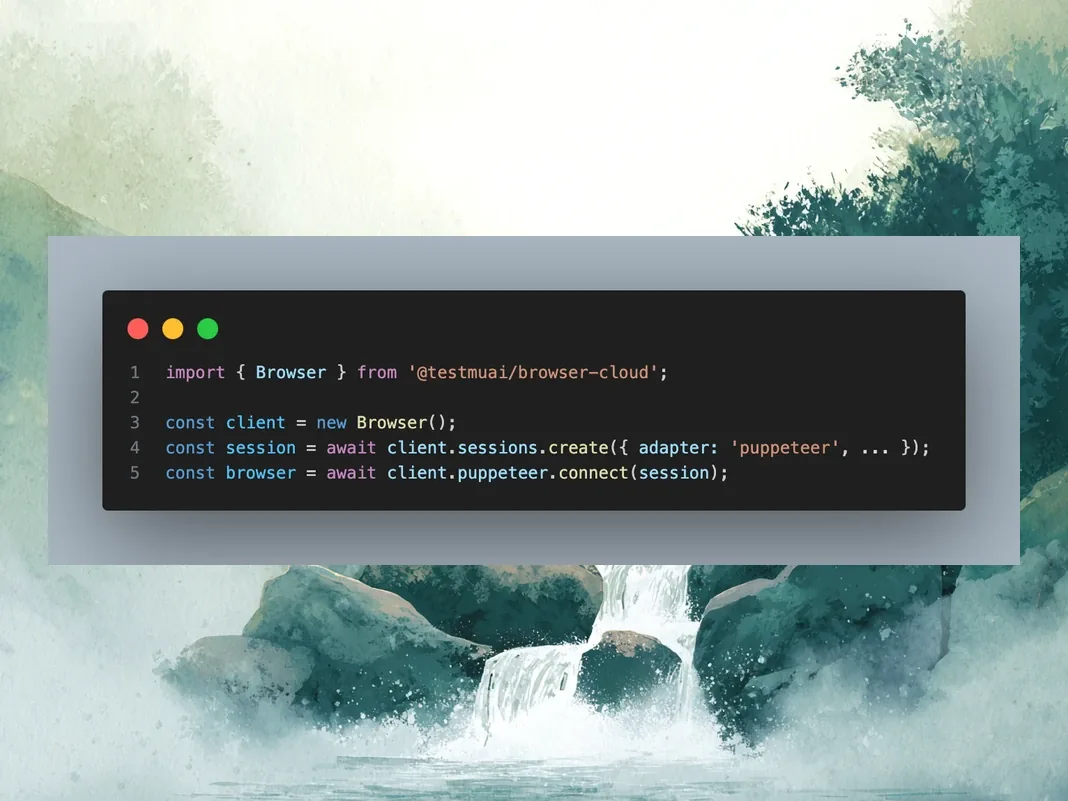
 SESSION RECORDINGS
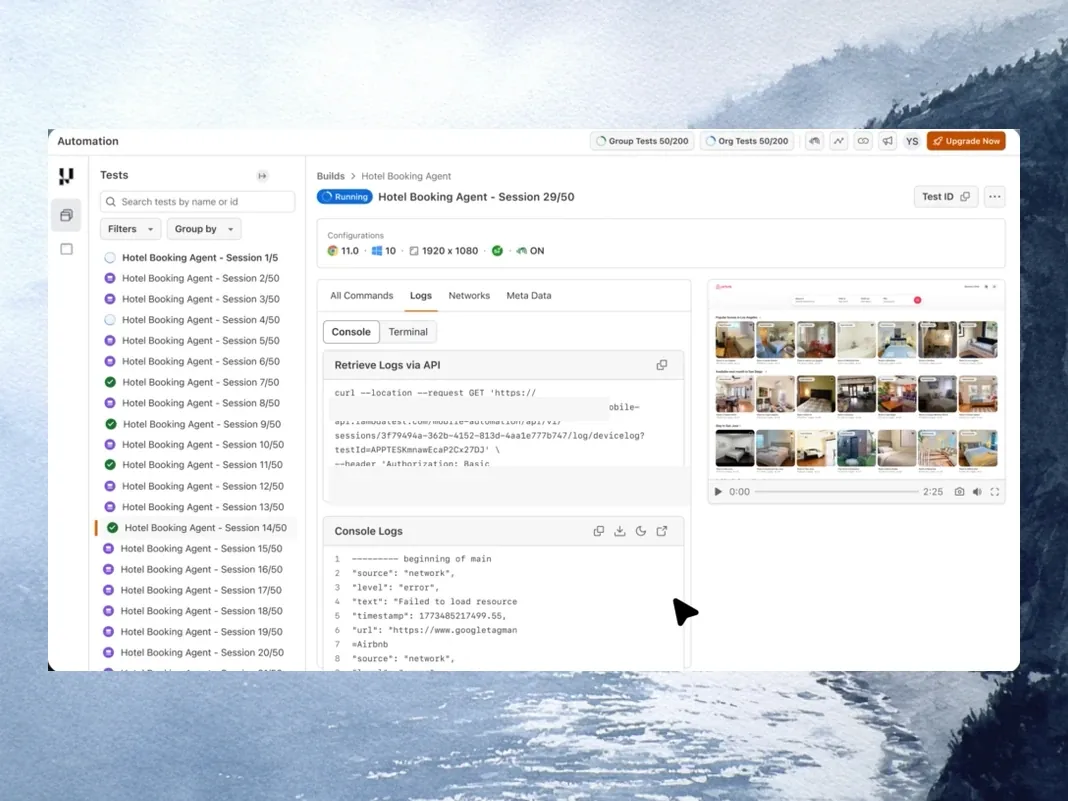
Watch and Replay Each Browser Cloud Session
Every Browser Cloud session records video, console logs and network requests, and a viewer link streams the browser live while your agent works.
See the Debugging Docs- session.debugUrl opens the recorded session
- session.sessionViewerUrl streams the browser live
- Sessions grouped by the build name you set
 LOCALHOST TUNNEL
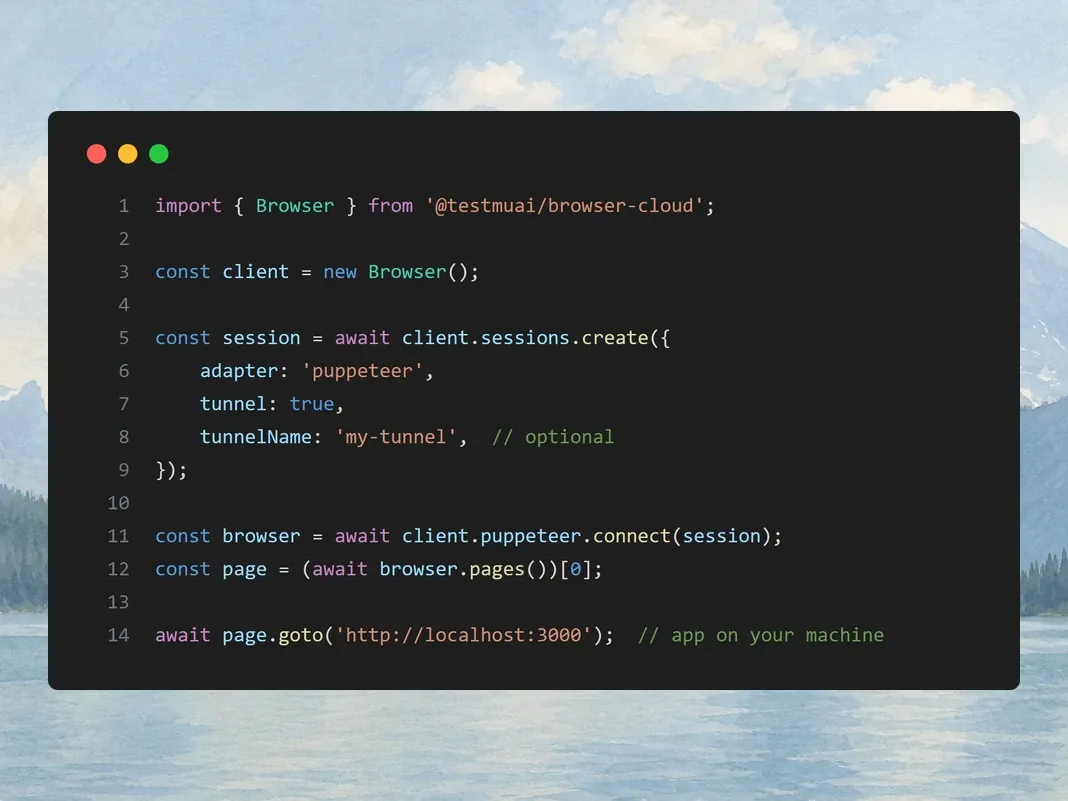
Open Localhost and Staging in Browser Cloud
Set tunnel: true and the cloud browser opens localhost, a staging server or an internal tool through an encrypted tunnel from your machine.
Read the Tunnel Docs- client.tunnel.start() shares one tunnel across sessions
- Runs behind a corporate proxy through proxyHost
- No third-party tunneling tool to install
 SAVED LOGINS
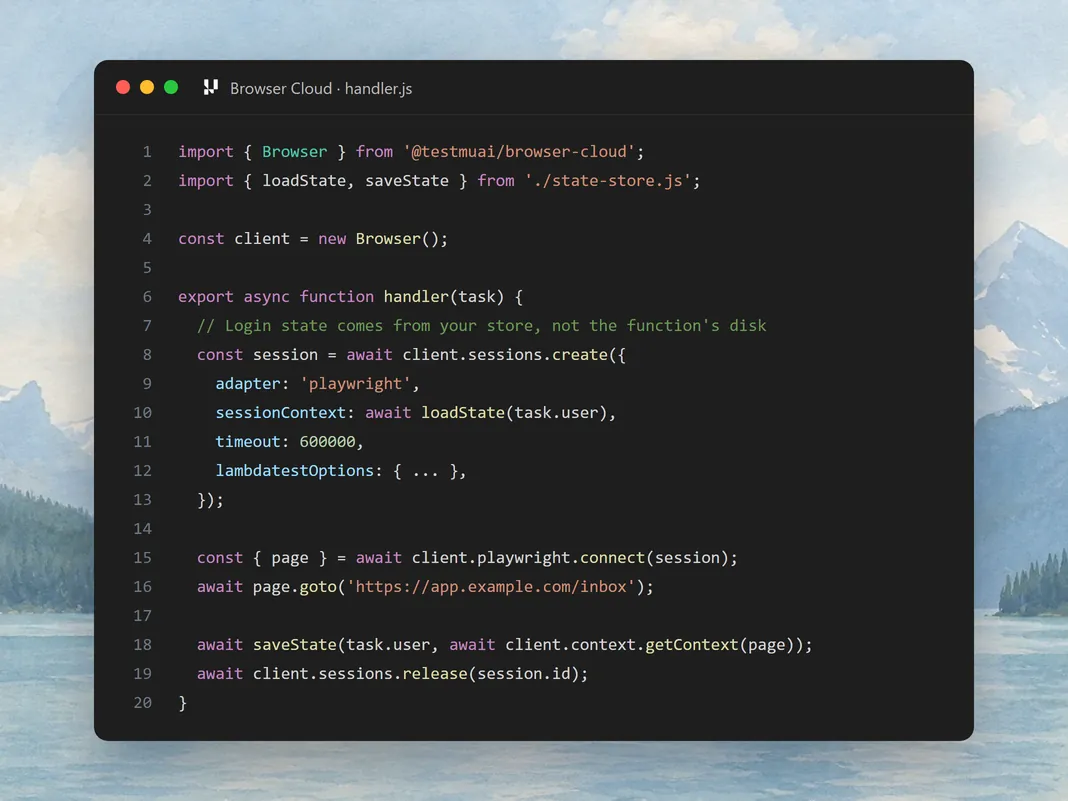
Keep Browser Cloud Logins Across Vercel Runs
A Vercel Function keeps no files between calls, so store each login from client.context.getContext() yourself and pass it back as sessionContext.
Read the Context Docs- Cookies, localStorage and sessionStorage in one object
- Or inject it later with client.context.setContext()
- Profiles save to disk for long-lived servers
Vercel Sandbox Pricing vs Browser Cloud Pricing
Top Choice
Features
Vercel Sandbox
Free start
Paid plan
CPU
Memory
Snapshot storage
Running at once
When the free tier runs out
Enterprise
Browser Cloud or Vercel Sandbox for 6 Agent Jobs

Pages That Render in the Browser
Prices, listings and dashboards that JavaScript builds load fully in real Chrome before the agent reads them.

Agent Tasks on Public Websites
Each search, sign-in or form task gets its own isolated Chrome session, and many sessions run in parallel.

Checking an App an Agent Built
The coding agent starts the app in Vercel Sandbox, and a Browser Cloud session opens its public port URL.

Executing Agent-Written Code
Vercel Sandbox fits here: it runs agent output, user uploads and third-party scripts away from production.

Several Agents in One Workspace
Vercel Sandbox gives each agent its own Linux user and home directory, and shares files between agents through groups.

Agent Files Kept on Drives
Vercel Drives attach persistent storage to a sandbox, up to 4 per run and 1 TiB each by default.
Swap Vercel Sandbox Chromium for Browser Cloud
Copy Your Access Key
- Sign up, then open Settings and Account Settings
- Copy your username and access key
- Add LT_USERNAME and LT_ACCESS_KEY as Vercel env vars
Remove Chromium Setup
- Run npm install @testmuai/browser-cloud
- Delete the agent-browser or Chromium install step
- Create a session with client.sessions.create()
- Connect your Puppeteer or Playwright code to it
Keep Code in Sandbox
- Leave code runs and coding agents in Vercel Sandbox
- With a network policy, allow cdp.lambdatest.com
- Open the sandbox's port URL from a session
More Reasons to Love TestMu AI
TestMu AI is a leading agentic AI quality engineering platform, trusted globally, that assures your AI deployments work as intended, safely and securely, across enterprise and real-world conditions.
Users
3M+
Tests
1.5B+
Enterprises
18K+
Countries
132
TestMu AI positioned as a Leader in the 2026 Gartner® Magic Quadrant™
Read ReportTestMu AI recognized in The Forrester Wave™: Autonomous Testing Platforms, Q4 2025
Read ReportWall of Fame
TestMu AI is the #1 choice for SMBs and enterprises across the globe.
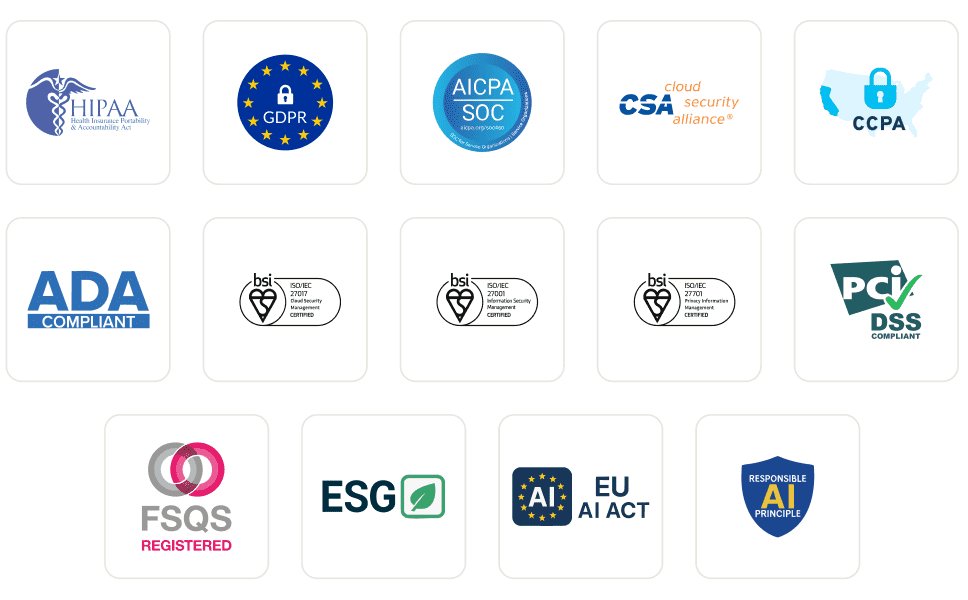
Enterprise-Grade Security
We safeguard your data and AI systems with global security, privacy, responsible AI, and ESG standards.
Integrations
Works where you work, 120+ integrations with the tools your team relies on.



As Seen On
Vercel Sandbox and Browser Cloud FAQs
TestMu AI for Enterprise
Get access to solutions built on enterprise-grade
security, privacy, & compliance
- Advanced access controls
- Advanced data retention rules
- Advanced Local Testing
- Premium Support options
- Early access to beta features
- Private Slack Channel
- Unlimited Manual Accessibility DevTools Tests