
Kane CLI vs Openclaw that returns pass or fail
Need AI-driven browser automation that produces a verified result? Kane CLI takes a plain-English objective, drives a real Chrome browser, self-heals on UI changes, and returns a deterministic pass or fail with evidence. Free to install.
or read the documentation
Why teams choose Kane CLI over an open-ended agent
AI agents that drive the browser are good at performing tasks. The gap is a dependable signal: did the flow actually work, and can you reproduce it the same way next time?
Kane CLI is built around that contract. You give it intent, it drives a real Chrome browser, asserts each step, and returns a deterministic pass or fail with video evidence and standard CI exit codes.
Save a flow as test.md for recurring runs with no repeat LLM cost, drive it from an AI coding agent through --agent, and export it to native Playwright with one command.
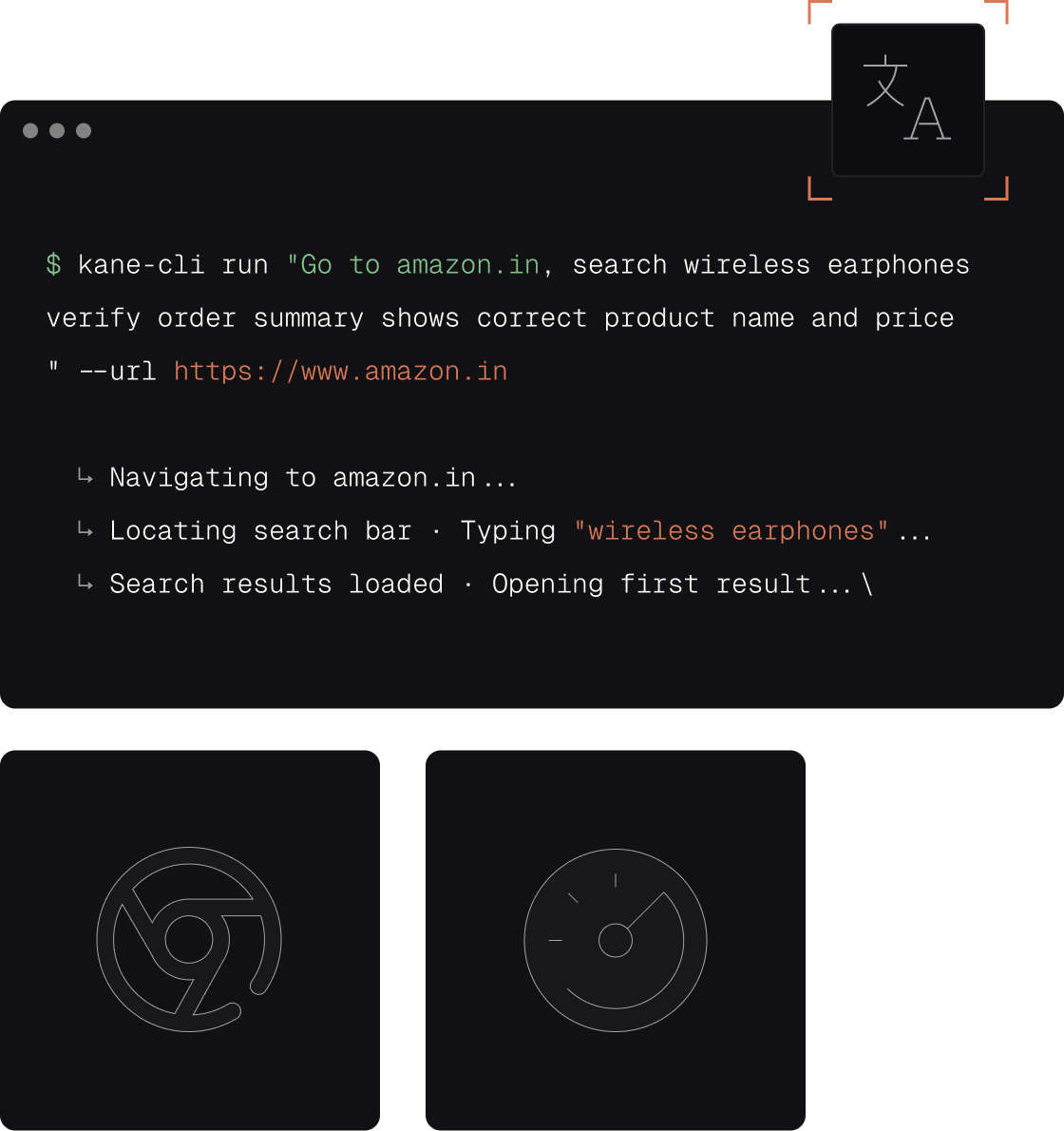
Kane CLI vs Openclaw
AI-driven browser automation with a verified, repeatable result.
| Capability | Kane CLI (TestMu AI) | Openclaw |
|---|---|---|
| Primary purpose | Deterministic browser testing and automation | AI agent browser automation |
| Authoring model | Plain-English objectives, no per-site scripts | AI-driven task runs |
| Verified pass or fail | Built-in assertions, returns pass or fail | No built-in test contract |
| Resilience when the UI changes | Autoheals and retries up to 50 steps | |
| Reproducible replay | test.md replays with no repeat LLM cost | |
| Agent-native output | --agent emits structured NDJSON | |
| CI exit codes | 0 pass, 1 fail, 2 error, 3 timeout | |
| Evidence and reporting | Video, step trace, shareable links, dashboard | Run output |
| Test Manager sync | Every run syncs automatically | |
| Native Playwright export | One command to export Playwright code |
Kane CLI vs Picoclaw for local browser automation
Picoclaw is a local browser automation tool that runs actions on your machine. Kane CLI also runs on your own Chrome by default, but it asserts each step and returns a verified pass or fail with video evidence.
Prove a flow locally, then run the same plain-English journey across browsers and operating systems on the TestMu AI grid with one flag.
What you get with Kane CLI
A test contract, reproducible replays, and evidence on every run.

Verified pass or fail, not just a finished task
Openclaw drives the browser to complete an AI task. Kane CLI asserts each step and returns a deterministic pass or fail, so you get a result you can gate on.

Reproducible from one plain-English objective
Describe the journey once. Kane CLI plans the steps, drives a real Chrome browser, and reaches the same verified outcome on every run.

Replay with no repeat LLM cost
Save a verified flow as test.md and replay it identically, so recurring runs stay deterministic instead of re-planning from scratch each time.

Schedule it to re-run unattended
The flow is scriptable and CI-friendly, so cron or your pipeline can re-run the same verified automation on a schedule and report pass or fail.

Agent-native verified output
Pass --agent and each event streams as NDJSON an AI coding agent consumes directly, with screenshots so a failed run is debuggable, not a black box.

CI-ready exit codes
Standard exit codes gate any pipeline with no custom scripting: 0 pass, 1 fail, 2 error, 3 timeout, so a scheduled run blocks a broken release.
Build up confidence locally
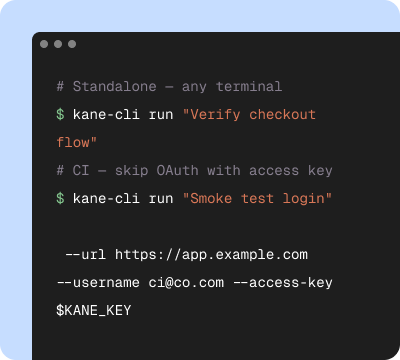
Start in your terminal
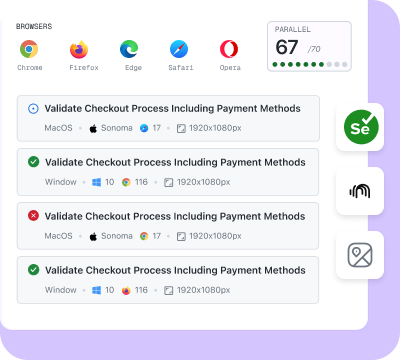
Validate on the cloud
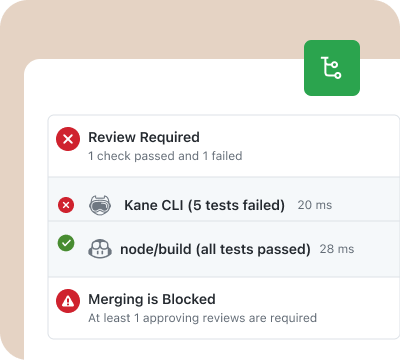
Release with confidence
Built for agents and humans, on one engine
Kane CLI and KaneAI share the same automation engine and dashboard.
A run you can trust, not just a task
Where Openclaw completes an AI task, Kane CLI asserts each step and returns a deterministic pass or fail, so every run is a verified outcome you can act on.
Repeat it the same way every time
Save the flow as test.md and replay it identically with no repeat LLM cost, the missing piece when an open-ended agent run never reproduces the same path twice.
Re-run it on a schedule
Kane CLI is scriptable and CI-friendly, so the same verified flow runs on cron or your pipeline and reports a clean pass or fail unattended.
Switch to Kane CLI in three steps
Install
Run npm install -g @testmuai/kane-cli, then sign in with your TestMu AI account.
Describe the flow
Write the journey in plain English, the same intent you would hand an AI agent like Openclaw. Run it from the terminal, in CI, or from your AI coding agent.
Verify and re-run
Each step is asserted against built-in checks, so you get a deterministic pass or fail with video and a replay link, then schedule the same flow to re-run with no repeat LLM cost.
Get the technical rundown

Documentation
Everything you need to install, configure, and run Kane CLI in under 2 minutes.
Frequently asked questions
Openclaw is an AI agent for browser automation. Kane CLI is built around a verification contract: you describe an objective in plain English, it drives a real Chrome browser, self-heals on UI changes, and returns a deterministic pass or fail backed by built-in assertions, with standard CI exit codes and Test Manager sync.
Yes, when you want AI-driven browser automation that produces a verified, repeatable result rather than an open-ended task. Kane CLI runs from your terminal, in CI, or inside an AI coding agent, and any flow saved as test.md replays with no repeat LLM cost.
Picoclaw is a local browser automation tool that runs actions on your machine. Kane CLI runs locally too, but it treats each run as a test: you describe an objective in plain English, it self-heals on UI changes, and it returns a verified pass or fail with video evidence. One flag scales the same flow to the cloud grid.
Yes. Like an AI agent that can schedule tasks, Kane CLI re-runs the same flow on cron or in your pipeline, but each run is asserted and returns a deterministic pass or fail. Save a flow as test.md to replay it identically with no repeat LLM cost.
Yes. Any validated flow exports to native Python Playwright with one command, so you author in natural language and keep ownership of real automation code whenever you want it.
Yes, and this is where a verified result matters more than a finished AI task. Authenticate with your TestMu AI credentials, pass --headless and --timeout, and let the exit code drive the gate: 0 is a pass, 1 a failure, 2 a setup or auth error, and 3 a timeout.
The CLI is free to install, and 10,000 free credits, valid for 30 days, let you evaluate it against Openclaw at no cost. Runs use KaneAI credits from your TestMu AI account, in local Chrome or on the TestMu AI cloud grid. Start free with 10,000 credits, valid for 30 days, and run a verified flow end to end without a credit card.

Teach your agent the right skills
Point your AI coding agent at the Kane CLI guide and it will install, authenticate, and run verified browser flows on its own.
 Point your agent to: testmuai.com/kane-cli-agent/AGENTS.md