
Test chat, voice, and video
AI agents before launch
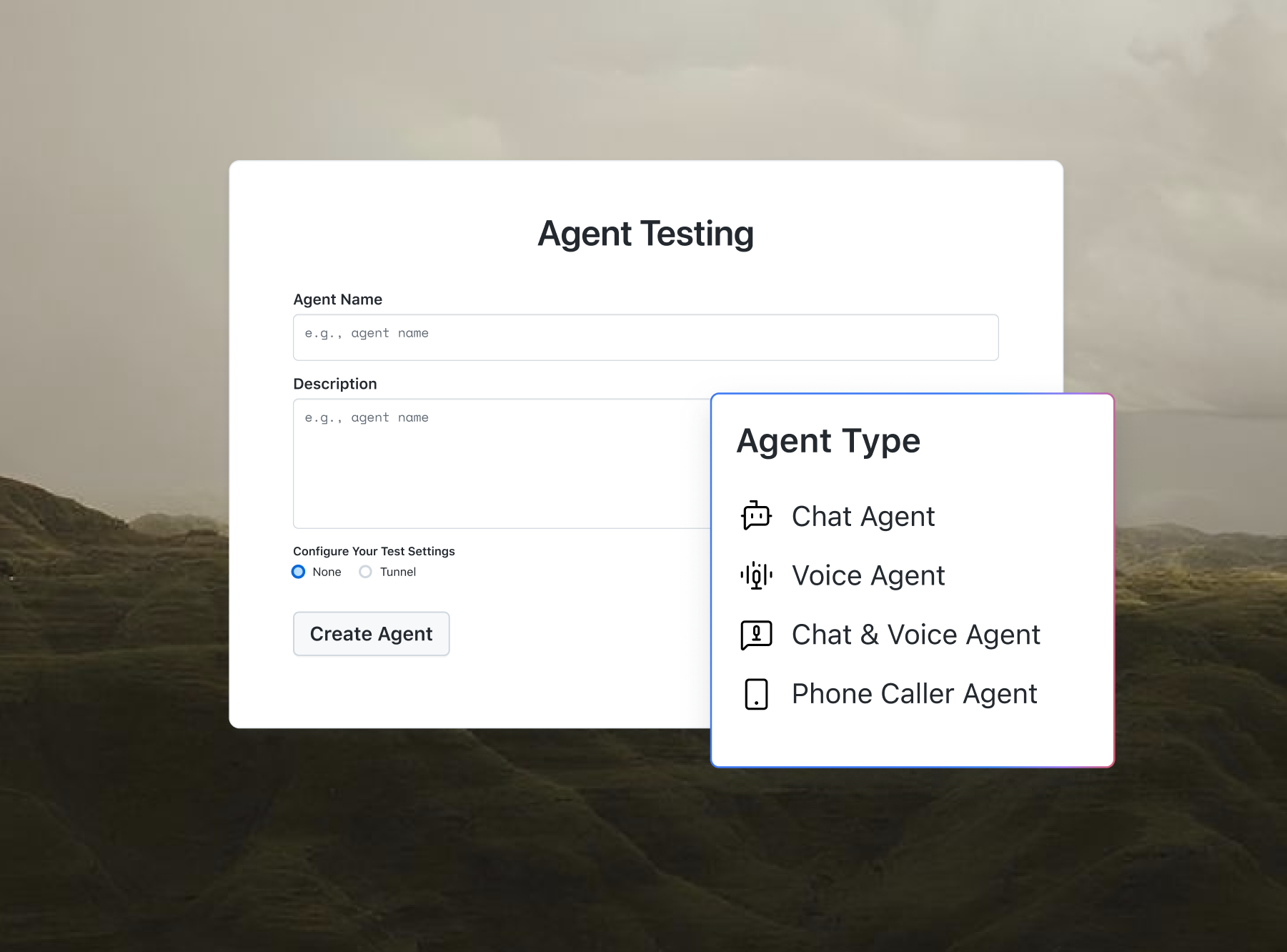
Agent Testing questions your chatbot or voice agent and scores each reply for hallucination and bias.

AI Agents for Business (Industry Matcher)
A free tool that matches your business with AI agents built for your sector, sorted by your top goal, with pricing and a guided rollout plan. This utility is part of the free developer toolkit from TestMu AI.
Categories

Ship AI Agents With Confidence
See how it performs before real users do.



Context is optional — it only refines which agents are highlighted first.
What Is the Industry AI Agent Matcher?
The Industry AI Agent Matcher is a free tool from TestMu AI that pairs your business with AI agents built for your specific sector. You pick your industry and the goal you most want to automate, and it returns a short shortlist of agents, each with indicative pricing and a four-step rollout plan.
It covers 12 industries, from Real Estate and Healthcare to E-Commerce and SaaS, plus a General Business option for anything else. All matching happens in your browser, so nothing you type is stored or sent anywhere. For a broader, keyword-based search, try the AI Agent Finder, or benchmark what competitors in your industry already automate with the Competitor Automation Analyzer.
How Does the Industry AI Agent Matcher Work?
Each industry maps to a short, curated list of AI agents with real use cases in that sector. When you run a match, the tool:
- Reads your industry selection to pull the relevant agent shortlist.
- Sorts by your primary goal, so agents suited to Lead Generation, Support, Operations, Marketing, or Scheduling appear first.
- Adds your optional context to the exported summary so you can share it with a teammate or keep it for reference.
- Builds a guided action plan so you leave with a next step, not just a list of names.
Pricing shown is indicative and meant for quick comparison, so always confirm current pricing on the vendor's site before buying. To estimate returns before you commit, pair this with the AI Agent ROI Calculator.

How Do You Use the Industry AI Agent Matcher?
- Select your industry: Choose the sector that best fits your business from the dropdown.
- Choose your primary goal: Pick the workflow you most want to automate, such as Lead Generation or Customer Support.
- Add context (optional): Mention your team size, current tools, or the exact bottleneck you want to fix for a sharper match.
- Click "Match me with AI agents": The tool returns a goal-sorted shortlist with pricing and a guided action plan.
- Review the plan: Follow the four-step rollout plan to pick, trial, and measure results on your first agent.
- Copy or download: Use the Copy button to grab the results, or Download to save them as a text file.
Need help writing instructions for the agent you pick? Try the AI Agent Prompt Generator, or browse the full Free Tools library.
Should You Use a General or Industry-Specific AI Agent?
Use an industry-specific AI agent when your workflow depends on sector rules, data, or compliance, such as HIPAA in healthcare or fair-housing rules in real estate. Use a general agent when your task, like email or scheduling, looks the same across industries. Many teams start general, then add vertical agents as specific workflows stabilize.
- Industry-specific agents: prebuilt templates, sector integrations, and built-in compliance, so they reach useful results faster in a regulated field.
- General agents: broader flexibility and lower starting cost, best for common tasks that do not need sector-specific logic.
Compare shortlisted options side by side with the AI Agent Comparison tool before you decide.
What Can You Use the Industry AI Agent Matcher For?
- Choosing your first AI agent: Skip weeks of research and get a short, relevant shortlist in seconds.
- Budgeting for automation: Compare indicative pricing across a few sector-relevant tools before requesting demos.
- Planning a rollout: Share the exported plan and the AI Agent Onboarding Planner with stakeholders so everyone starts from the same shortlist.
- Cross-industry ideas: Switch the industry dropdown to see how adjacent sectors automate the same goal.
- Evaluating agents before you ship: Shortlist support or QA agents, then validate them in a real testing workflow with TestMu AI tools like KaneAI.
Frequently Asked Questions
What are AI agents for business?
AI agents for business are software programs that use AI to complete multi-step tasks on their own, such as qualifying leads, answering support tickets, or scheduling appointments. Unlike a basic chatbot that only replies, an agent can take actions across your tools, following goals you set with limited human oversight.
What is the difference between an AI agent and a chatbot?
A chatbot answers questions with scripted or single-turn replies. An AI agent goes further: it plans, makes decisions, and completes multi-step tasks across connected tools, like updating a CRM, sending follow-ups, or booking a meeting. Every agent in this matcher acts, rather than only responding to messages.
How much do AI agents cost for a small business?
Most AI agents for small businesses start between 20 and 70 dollars per month, and several offer free tiers to test first. Advanced or industry-specific agents can run 150 to 300 dollars per month. The matcher shows indicative starting prices so you can compare tiers before booking demos or committing budget.
Do industry-specific AI agents cost more than general ones?
Not usually. Many platforms serve several industries at the same price, and plenty of vertical agents start under 100 dollars per month.
Industry-specific value tends to come from prebuilt templates, integrations, and workflows tuned to your sector, rather than a higher price tag. Always confirm current pricing on the vendor's site.
What should you look for when choosing an AI agent?
Choose an AI agent by matching it to one clear workflow first, then check that it integrates with your existing tools, offers transparent pricing, and needs little setup. Look for a free trial, real use cases in your industry, and human oversight controls so you can verify results before scaling.
Can AI agents replace employees, or are they better as assistants?
AI agents work best as assistants that handle repetitive, high-volume tasks so your team can focus on judgment and relationships. For most small and mid-size businesses they augment staff rather than replace them, using a human-in-the-loop model where people review important decisions and the agent absorbs the routine work.
Do you need coding skills to set up an AI agent?
For most business agents, no. Popular platforms use no-code visual builders and prebuilt templates, so you can launch common workflows without a developer. Deeper customization, security hardening, or complex integrations may need technical help, but starting with a single automated workflow rarely requires writing any code.
How long does it take to see ROI from an AI agent?
Simple support or scheduling agents can go live in a day and show savings within about 30 days if your task volume is high. More complex or custom builds take longer. Automate one workflow first, then measure time saved and cost per outcome before expanding to a second use case.
Are AI agents secure, and is my business data safe?
Reputable AI agent platforms offer encryption, access controls, and compliance certifications such as SOC 2, GDPR, or HIPAA where relevant. Most security risks come from misconfiguration, so review each vendor's data policies. This matcher itself runs entirely in your browser and never stores or sends anything you enter.
Can I use one AI agent across multiple industries or departments?
Often, yes. An agent built for real estate lead follow-up can handle insurance or fitness lead follow-up with minor configuration changes, and many general platforms cover several departments. Switch the industry dropdown in the matcher to see how adjacent sectors automate the same goal, then reuse what fits.
What if my industry is not listed?
Select the closest match or choose General Business. Many automations, such as email, scheduling, invoicing, lead follow-up, and customer support, work across almost every industry. The General Business option surfaces flexible, cross-sector AI agents you can adapt to your own workflow without needing a dedicated vertical tool.
Is the pricing shown in the tool accurate?
Pricing shown in the matcher is indicative and meant for quick comparison only. Vendors change plans, add usage-based fees, and run promotions often, so treat the figures as a starting point. Always confirm current pricing on each vendor's website before you buy or commit to a subscription.
Is the Industry AI Agent Matcher free to use?
Yes, the Industry AI Agent Matcher is completely free, with no signup, no login, and no usage limits. You can run as many industry and goal combinations as you like. It is one of many free tools from TestMu AI built to help teams pick and adopt the right software faster.
Does the tool store my data?
No. The Industry AI Agent Matcher runs entirely in your browser, so nothing you type in the industry, goal, or context fields is stored, logged, or sent to a server. Your inputs stay on your device, and closing the tab clears everything you entered during the session.

Did you find this page helpful?
More Tools
TestMu AI forEnterprise
Get access to solutions built on Enterprise
grade security, privacy, & compliance
- Advanced access controls
- Advanced data retention rules
- Advanced Local Testing
- Premium Support options
- Early access to beta features
- Private Slack Channel
- Unlimited Manual Accessibility DevTools Tests