
Self-healing Browser Harness (Browser Use) alternative
Kane CLI is the Browser Harness alternative. Natural-language flows that drive a real browser, self-heal when the UI changes, verify pass or fail, and run in CI, with no harness to assemble or maintain. Free to install.
or read the documentation
Why teams move from Browser Harness to Kane CLI
Browser Harness is an open-source, thin, self-healing harness that gives an agent the ability to complete tasks on the web. It is a clean primitive, but a thin harness leaves the verdict, the evidence, and the CI gate for you to assemble.
Kane CLI is the managed answer: autoheal plus confidence-scored matching, resilient runs up to 50 steps, and a deterministic pass or fail with shareable evidence and clean CI exit codes. There is no harness to wire or maintain.
When you do want the code, any validated flow exports to native Playwright with one command, so the convenience never locks you in.
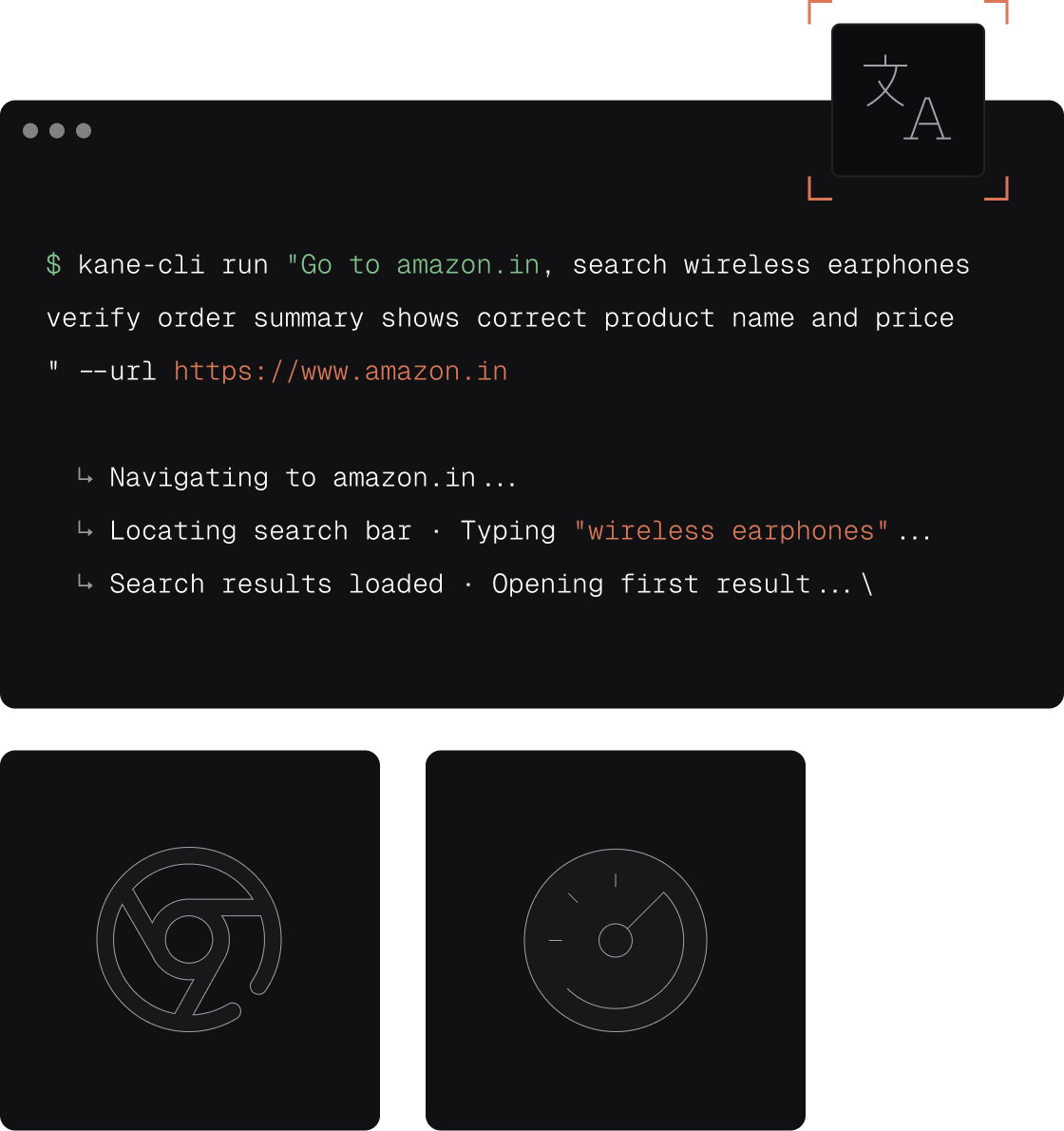
Kane CLI vs Browser Harness
Both self-heal. Kane CLI adds the verdict, the evidence, and the CI gate a thin harness leaves to you.
| Capability | Kane CLI (TestMu AI) | Browser Harness |
|---|---|---|
| Self-healing | Autoheal plus confidence-scored matching | Self-healing harness |
| Completing web tasks | Resilient runs up to 50 steps | Completes web tasks |
| Assembly | Managed CLI, Playwright export if you want code | Open-source, you assemble |
| Verified pass or fail | Built-in assertions with evidence | No verdict |
| Model and API keys | Managed model, nothing to configure | Bring your own |
| CI | Clean exit codes | You build the gate |
| Native Playwright export | One command |
What you get with Kane CLI
Everything a thin harness leaves to you, handled by the tool.

No code, no keys
Skip the SDK wiring and the model and API key setup. Install one CLI, describe the journey in natural language, and Kane CLI drives a real browser with a managed model.

Resilient by default
When the frontend changes, Kane CLI adapts on its own, pushing through up to 50 steps until the full journey is verified instead of breaking on a moved element.

Verified pass or fail
Built-in assertions check each step, not just the final screen, and flag the exact point of failure. A real result, not raw agent output to parse.

Replay and caching
Validated flows replay from a cached test.md with no repeat LLM cost, so re-running the suite in CI does not keep burning tokens.

Cross-browser cloud and CI
Scale to cross-browser and cross-OS runs on the TestMu AI grid with one flag, and gate pipelines on clean exit codes from your terminal.

Own the Playwright code
Export any validated flow to native Playwright with one command, then modify and own it. The convenience never locks you in.
Build up confidence locally
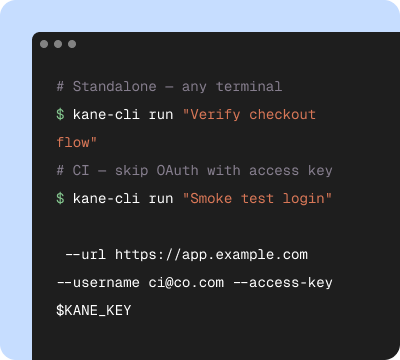
Start in your terminal
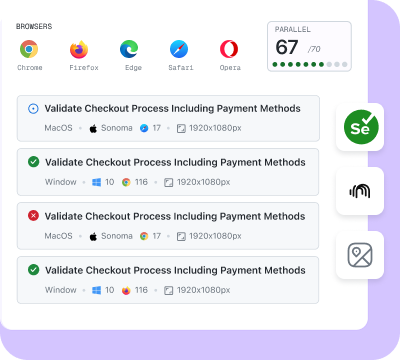
Validate on the cloud
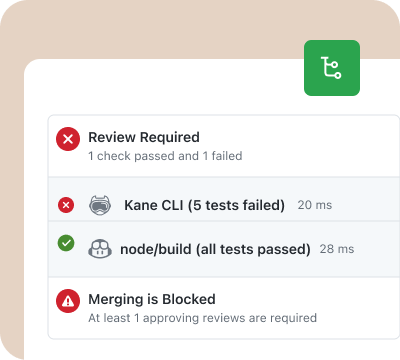
Release with confidence
From prototype to production, on one engine
Kane CLI and KaneAI share the same automation engine and dashboard.
Prototype to production
Open-source agents and SDKs are great for prototyping. Kane CLI is the production-grade, test-focused path: assertions, caching, evidence, and CI built in.
Built for the agent loop
Generate code, then verify it in a real browser before opening a PR. Kane CLI closes the gap between what an agent writes and what works.
Evidence you can share
Every run produces a persistent video, step trace, and replay link to drop into a PR or bug report, backed by a dashboard your team can browse.
Replace Browser Harness in three steps
Install
Run npm install -g @testmuai/kane-cli, then sign in with your TestMu AI account. No project to scaffold and no API keys to manage.
Describe the flow
Tell Kane CLI what to do in natural language, or point your AI coding agent at the agent guide and let it drive the browser.
Run and verify
Kane CLI drives a real browser, verifies each step, and returns a pass or fail with video proof. Re-runs replay from cache with no repeat LLM cost.
Get Started With Kane CLI
🎉 Launch offer: Bonus credits for the first 3 months on paid plans
Choose the right plan for you
Local test authoring via CLI
Auto-heal & vision
View test cases on UI
Test Manager

Free
$0
/month
200 Credits
Resets in every
30 days

Starter
$19
/month
2000 Credits
Launch: 4,000 Credits (+100%)
Bonus for first 3 months

Pro
$99
/month
10,000 Credits
Launch: 15,000 Credits (+50%)
Bonus for first 3 months

Enterprise
Get access to solutions built on Enterprise-Grade Security, Privacy, and Compliances.
Need more credits?
Got a bigger use case in mind?
Let’s talk
Choose the right plan for you
Free
$0
/month
200 Credits
Resets in every
30 days
Starter
$19
/month
2000 Credits
Launch: 4,000 Credits (+100%)
Bonus for first 3 months
Pro
$99
/month
10,000 Credits
Launch: 15,000 Credits (+50%)
Bonus for first 3 months
Enterprise
Get access to solutions built on Enterprise-Grade Security, Privacy, and Compliances.
Need more credits?
Got a bigger use case in mind?
Let’s talk
Get the technical rundown

Documentation
Everything you need to install, configure, and run Kane CLI in under 2 minutes.
Frequently asked questions
Kane CLI by TestMu AI is the leading Browser Harness alternative. Browser Harness is a thin, self-healing harness you assemble. Kane CLI is the managed answer: autoheal with confidence-scored matching, resilient runs, a verified pass or fail with evidence, and clean CI exit codes, with no harness to wire or maintain.
Browser Harness is an open-source, thin, self-healing harness from Browser Use that gives an agent the ability to complete tasks on the web. It is intentionally minimal, leaving assertions, evidence, and CI to you.
Kane CLI adds the production contract a thin harness lacks: a real pass or fail with evidence, autoheal with confidence-scored matching, resilient runs up to 50 steps, a managed model, cached test.md replay, clean CI exit codes, and one-command native Playwright export.
No. Kane CLI is a single managed CLI. You install it, describe the flow in natural language, and it drives a real browser and returns a pass or fail, with native Playwright export if you later want the code.
Teach your agent the right skills
Point your AI coding agent at the Kane CLI guide and it will install, authenticate, and run verified browser flows on its own, no SDK or API keys required.
 Point your agent to: testmuai.com/kane-cli/agents.md