
A browser automation agent that heals its own path
Kane CLI by TestMu AI is a browser automation agent. Describe the flow in plain English and it drives a real Chrome instance, re-resolves elements when the page shifts, and returns a verified pass or fail. No selectors to maintain, no scripts to fix. Free to install.
or read the documentation
An agent that replaces the selector, not just the click
Script-based browser automation anchors every action to a selector, so a renamed label or a shifted layout breaks the run and a human fixes the script. The automation is only as stable as the markup underneath it.
A browser automation agent takes a different input. Kane CLI reads the rendered page with an LLM, resolves the path to your goal, and drives a real Chrome instance through the Chrome DevTools Protocol, limited to what a real user could do.
It re-resolves elements when the page shifts, works through modals and redirects up to 50 steps, and never declares success on its own. A pass is granted only when the evidence confirms the expected state, with video and a shareable link.
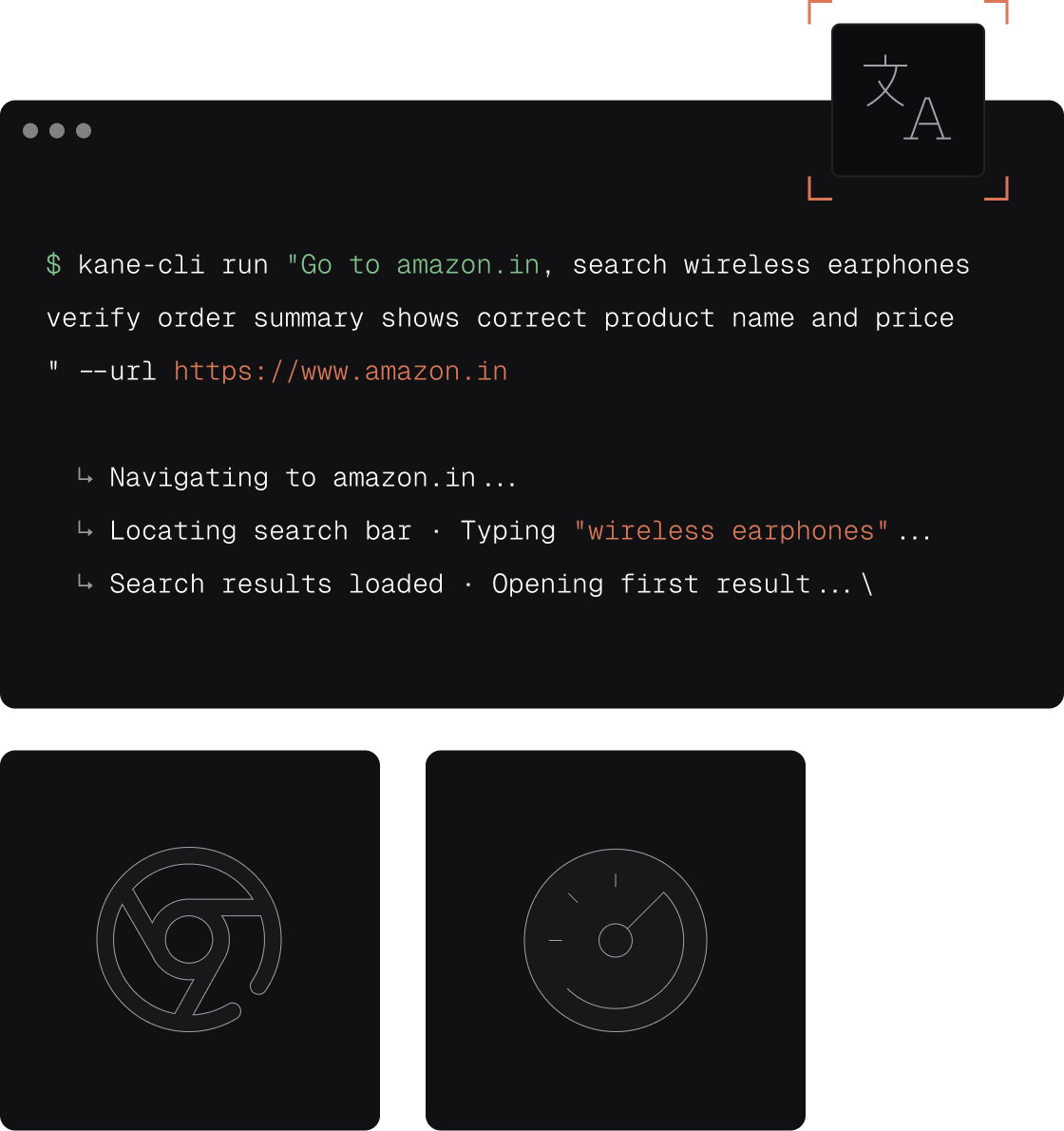
One Browser Automation Agent, Every Flow
Run flows from any terminal
Pushed a fix? Run a checkout flow from your terminal before you open the PR. Real browser, pass or fail in under 2 minutes.
One objective, many environments
Point the same flow at staging and prod by changing the URL. No duplicate scripts to maintain across environments.
Headless or visible
Watch exactly what the agent does in visible mode while debugging. Switch to headless for CI without changing a single line.
What makes Kane CLI a browser automation agent
Intent-driven objectives, autoheal, and a verdict anchored to evidence.

Intent, not selectors
Describe the flow and the agent resolves the path. Each action anchors to the user-facing element, so there is no XPath to write and no Page Object Model to keep alive as the app changes.

Autoheal built in
A reworded label or new CSS class does not break the run. The agent re-resolves the element and pushes through modals and redirects up to 50 steps, so cosmetic drift that kills a script is handled on its own.

Drives a real Chrome instance
The agent acts on a real Chrome instance over the DevTools Protocol, limited to actions a real user could take. No injected JavaScript to force a hidden click, so every verdict reflects how your app actually behaves.

Vision-based dynamic waiting
The agent acts on the rendered viewport, not network idle or DOM ready, so it handles canvas, shadow DOM, and streamed UI that break selector-based waits. It moves when the screen is ready.

Evidence-backed verdict
AI resolves the path, but it never declares success. A pass requires explicit evidence: DOM state, URL changes, network responses, console logs, or your assertions, then returns a binary pass or fail.

Evidence-typed NDJSON output
Run with --agent and every action becomes a typed JSON line, ending in a run_end verdict your coding agent or CI script can parse. The proof behind pass or fail is structured data, not logs to grep.
Automate any browser flow and verify it for real
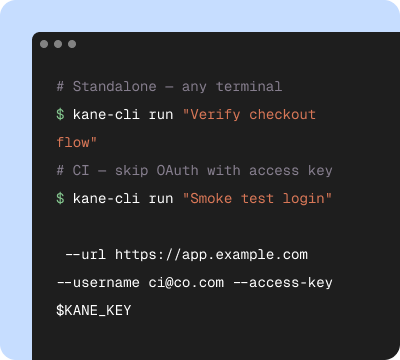
Start in your terminal
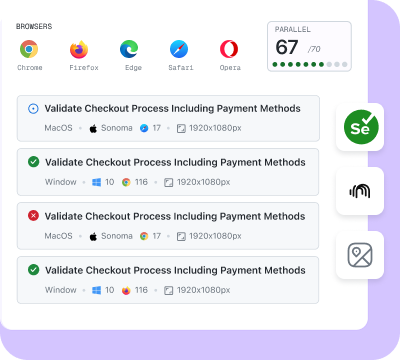
Validate on the cloud
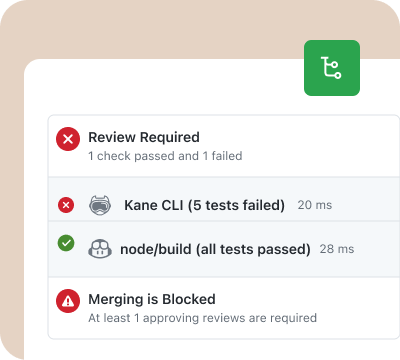
Release with confidence
One engine for developers, agents, and CI
Kane CLI and KaneAI share the same automation engine and dashboard.
Local terminal or cloud, one syntax
Kane CLI runs the browser automation agent from your terminal for quick local flows. KaneAI runs the same engine in the cloud at scale. One plain-English syntax and one dashboard, with no rewrite when a laptop flow becomes a nightly cross-browser run.
An agent that fixes its own path
Where a script breaks and waits for a human, the agent re-resolves the element and keeps going. The automation adapts to the app instead of the app being frozen to keep the automation alive.
Every run leaves a record
Each run captures a persistent video, a full step trace, and a 7-day ShareLink, and syncs to TestMu AI Test Manager. Drop the link into a PR or a bug report as proof the automated journey ran end to end.
Put a browser automation agent to work in three steps
Install Kane CLI
Run npm install -g @testmuai/kane-cli and sign in with your TestMu AI account. Node 18 or higher and Chrome on PATH are all it needs. Nothing to scaffold, no selectors to record.
Describe the flow
Type the objective in plain English: open the app, log in, and confirm the plan shows Pro. Run it from the terminal, or hand it to Claude Code, Cursor, or Codex with the --agent flag.
Run and read the verdict
The agent drives a real Chrome instance, re-resolves elements as the page shifts, and returns a verified pass or fail with video and a ShareLink. Run it locally, or scale to the cloud for cross-browser coverage.
Get Started With Kane CLI
🎉 Launch offer: Bonus credits for the first 3 months on paid plans
Choose the right plan for you
Local test authoring via CLI
Auto-heal & vision
View test cases on UI
Test Manager

Free
$0
/month
200 Credits
Resets in every
30 days

Starter
$19
/month
2000 Credits
Launch: 4,000 Credits (+100%)
Bonus for first 3 months

Pro
$99
/month
10,000 Credits
Launch: 15,000 Credits (+50%)
Bonus for first 3 months

Enterprise
Get access to solutions built on Enterprise-Grade Security, Privacy, and Compliances.
Need more credits?
Got a bigger use case in mind?
Let’s talk
Choose the right plan for you
Free
$0
/month
200 Credits
Resets in every
30 days
Starter
$19
/month
2000 Credits
Launch: 4,000 Credits (+100%)
Bonus for first 3 months
Pro
$99
/month
10,000 Credits
Launch: 15,000 Credits (+50%)
Bonus for first 3 months
Enterprise
Get access to solutions built on Enterprise-Grade Security, Privacy, and Compliances.
Need more credits?
Got a bigger use case in mind?
Let’s talk
Get the technical rundown

Documentation
Everything you need to install, configure, and run Kane CLI in under 2 minutes.
Frequently asked questions
A browser automation agent drives a browser to reach a goal you describe in plain English, instead of running a hand-written script for every step. Kane CLI by TestMu AI reads the rendered page with an LLM, resolves the path to your objective, and drives a real Chrome instance through it. You describe the flow, for example "log in, open settings, and confirm the plan shows Pro," and the agent works out the steps. The difference from a plain script is that Kane CLI re-resolves elements when the page shifts and returns a verified pass or fail anchored to evidence. For the framework-level view, see browser automation.
Script-based browser automation anchors every action to a brittle selector or XPath, so a renamed label or a new CSS class breaks the run and a human fixes the script. A browser automation agent anchors to intent, the user-facing element like "the Submit button," and re-resolves it when the page shifts. It waits on the rendered viewport instead of a network or DOM signal, works through unexpected modals and redirects up to 50 steps, and returns a verified pass or fail. You write what you want, not the path to get there.
Yes. Autoheal is the core of the agent. Because each action is anchored to the user-facing element rather than a fixed selector, a reworded label, a new class, or a shifted layout does not stall the flow. The agent re-resolves the element and keeps going, and it pushes through cookie banners, modals, and redirects on the way. Cosmetic drift that would break a Selenium or Playwright script is handled without a human touching the automation, while the pass condition it must verify stays exactly the same.
Yes, and the deterministic verdict is what makes a non-deterministic model safe to gate on. Authenticate with your TestMu AI credentials, pass --headless, --agent, and --timeout, then key the pipeline off the evidence-backed exit code: 0 when the expected state is verified, 1 on a failed assertion, 2 on an error such as auth, and 3 on timeout. The same binary runs headed on your laptop and headless on GitHub Actions, GitLab CI, Jenkins, or Bitbucket, so a broken journey stops the release.
Yes. Because the verdict is machine-readable, AI coding agents can drive the browser automation agent and close their own loop. Run Kane CLI with the --agent flag and it streams NDJSON, one typed event per line, ending in a run_end event carrying the verdict, an evidence summary, extracted values, and a dashboard link. Claude Code, Cursor, Codex, and Gemini CLI parse that stream to check the UI they generated. Point your agent at the guide at testmuai.com/kane-cli/agents.md and it installs, authenticates, and drives the flow on its own.
No lock-in. Any completed run exports to native Python Playwright with --code-export --code-language python. The exported code uses the testmu library, which keeps the original intent-driven step alongside the generated code, so the suite keeps the agent's autoheal resilience even when run as native Playwright. You can also import existing Playwright or Selenium scripts, so you bring your suite in and take it out whenever you want.
When one Chrome on your laptop is not enough, the same objective runs on Browser Cloud, the browser infrastructure built for AI agents. It provisions real, full-featured Chrome sessions on demand and runs many in parallel, with a built-in tunnel to reach localhost and staging, automatic session video and logs, and persistent login state, all on the cloud that powers 1.5 billion tests a year for 18,000+ enterprises. Kane CLI is free to install. Runs use KaneAI credits from your TestMu AI account, on your own machine or on the TestMu AI cloud grid. Start free with 10,000 credits, valid for 30 days, without a credit card.
Give your coding agent a browser it can drive
Point your AI coding agent at the Kane CLI guide and it will install, authenticate, and run a browser automation agent with the --agent flag, then read the verified pass or fail on its own.
 Point your agent to: testmuai.com/kane-cli-agent/AGENTS.md