
Power Your Software Testing with AI Agents and Cloud
The Native AI-Agentic Cloud Platform to Supercharge Quality Engineering. Test Intelligently and Ship Faster.


- TestMu AI (Formerly LambdaTest)
- /
- Blog
- /
- How to Test Replit Apps Without Code
How to Test Replit Apps Without Code (2026 Guide)
Test the apps you built on Replit end to end, from preview URLs to production, valid flows and broken states, in plain English. No code required.
Published on:
Apps built on Replit can be tested without code by describing flows such as creating an account, logging out, and confirming the session persists, in plain English that KaneAI runs even after the Replit Agent renames a field or restructures a component. Tunnel support also lets the same steps run against a private .replit.dev preview before checking the deployed .replit.app.
Why apps built on Replit are hard to test
A Replit app is a moving target in a way a hand-coded app usually is not, and that is exactly what makes real coverage hard:
- The app changes constantly, because the Replit Agent rewrites components between sessions, so selectors, element IDs, and DOM structure shift underneath any test you wrote yesterday
- Preview URLs are not production URLs, because your app runs at a temporary .replit.dev preview during development and a separate .replit.app or custom domain in production, and a flow that passes on one can fail on the other
- The person building the app often does not write test code, because the whole appeal of Replit is shipping without deep engineering, so a Selenium or Playwright suite is the one skill the builder skipped on purpose
- Generated code hides its own assumptions, because the agent wires up forms, routes, and state without telling you which fields are required or what a successful submit looks like, so you do not know what to assert until it breaks
- Databases and integrations get bolted on in a few prompts, so auth, a database, and third-party APIs each add a flow that can fail silently after one small change
- Deploys are one click, so a regression ships instantly, and there is no slow release train to catch a broken flow before real users hit it
And that is one app on one day. Real coverage means testing the same flows on desktop and mobile, on every browser your users actually open, and after every prompt that touched the code.
The old way: brittle scripts against a moving target
Here is what verifying a simple add-an-item-and-check-the-list scenario looks like on a Replit-hosted app in a typical Playwright setup:
const { chromium } = require("playwright");

const browser = await chromium.launch();
const page = await browser.newPage();
await page.goto("https://my-app.replit.app");
await page.fill("#new-task-input", "Buy groceries");
await page.click("button.add-task");
await page.waitForSelector(".task-list li");
const first = await page.textContent(".task-list li:first-child .task-title");
if (!first.includes("Buy groceries")) {
  throw new Error("Expected the new task to appear, got: " + first);
}
await browser.close();
Twelve lines, and every selector in it is a hostage to the Replit Agent's next edit. Ask the agent to clean up the task form and #new-task-input can become .todo-field while button.add-task moves into a new component, and the script breaks without a single line of your test changing. On an app that regenerates itself this often, chasing selectors becomes the dominant cost of the whole suite, and a large share of every sprint goes to re-pointing steps instead of adding coverage. Worse, this file only exists if someone on the team writes Playwright or Selenium in the first place, which is the exact skill most Replit builders never picked up. It is the core tradeoff behind code-based vs. codeless test automation.
If you are a founder shipping on Replit, a designer who prompted an app into existence, or a PM validating an idea, the code wall means your app gets tested by clicking around by hand, slowly, inconsistently, and never at midnight before you hit Deploy.
The no-code way: write the test the way you would explain it
With KaneAI, you write the same test in plain English:
- Go to my-app.replit.app and open the app
- Type Buy groceries into the new task field
- Click Add task
- Verify the task list shows Buy groceries as the first item
- Refresh the page and verify the task is still there
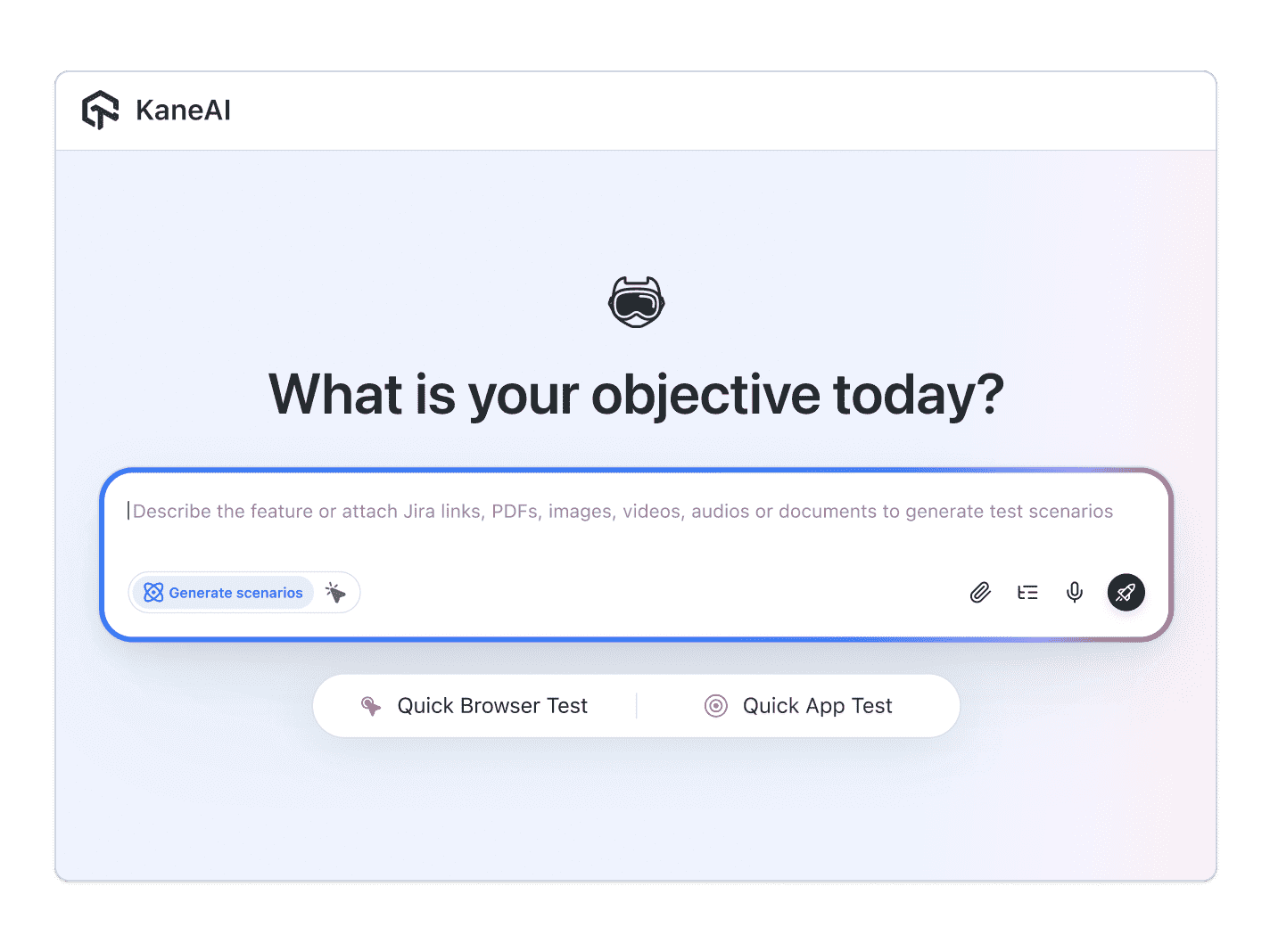
That is the entire test. KaneAI reads each step, finds the right fields on your live app by understanding the page the way a tester would rather than matching brittle selectors, and runs the flow. When the Replit Agent renames the field or moves the button in its next edit, KaneAI re-anchors the step and keeps going instead of failing, which significantly reduces maintenance on an app that changes this often. Point it at your temporary .replit.dev preview through tunnel support so you can test a build before it is public, then run the same steps against the deployed .replit.app. And because Kane CLI runs from the terminal, you can drop Replit app testing into the loop with the Replit coding agent, so the same prompt that ships a change also checks that the change still works, all described in plain English anyone on the team can read.

The Replit app scenarios that actually break
Once the happy path works, real coverage is just more English. Here are the flows worth adding on a Replit app, each takes about two minutes to write:
A form that loses data on the redeploy
- Fill out the app's main form with valid data and submit it
- Verify the success state and that the record is saved
- Redeploy the app, reload, and verify the saved data is still there
The signup the agent quietly rewired
- Create a new account with a fresh email address
- Verify the confirmation step and that you land signed in
- Log out, log back in, and verify the session and your data return
An API route that returns the wrong thing
- Trigger the action that calls the app's backend, like saving a record or loading a list
- Verify the UI shows the returned data, not a spinner or a blank screen
- Verify an empty or error response shows a clear message instead of failing silently
The preview that works but the deploy that does not
- Run the core flow against the .replit.dev preview URL through a tunnel
- Run the identical steps against the deployed .replit.app or custom domain
- Verify both behave the same, so a working preview never hides a broken production build
Run every one of these across Chrome, Safari, Firefox, and real mobile devices from the same plain-English steps, with no per-browser rewrites.
Putting it on autopilot
Tests are most valuable on a Replit app when they run without you:
- Schedule the suite nightly, so a late-night prompt to the agent cannot silently break a flow before your users wake up
- Trigger on every deploy via Kane CLI, which runs the same tests from your pipeline the moment you ship and pauses for an OTP or CAPTCHA instead of failing
- Alert on failure in Slack, with a full replay of what the AI saw when the step failed, including screenshots, video, and the reason in plain English
When a test fails, you do not get a stack trace at line 47 of generated code you never wrote. You get a plain-English reason for the exact step that failed. Anyone on the team can read it, and anyone can fix the test, because the test is just English.
Try it on your own Replit app in 10 minutes
- Sign up for KaneAI free, with no credit card
- Paste your .replit.app URL, or your .replit.dev preview through a tunnel
- Write your first test in plain English, or let KaneAI suggest one from your app
- Run it and watch your Replit app get tested end to end
An app you built in an afternoon still deserves to work at midnight. Test it in the language you already used to build it. Once your Replit app is covered, read how to test sites built with Framer and how to test login flows to extend the same plain-English coverage to the rest of your stack.

Note: Test the app you built on Replit without writing a line of code. Start with KaneAI free.
Author

Kavita Joshi
Blogs: 14


Kavita Joshi is a Senior Marketing Specialist at TestMu AI, with over 6 years of experience in B2B SaaS marketing and content strategy. She specializes in creating in-depth, accessible content around test automation, covering tools and frameworks like Selenium, Cypress, Playwright, Nightwatch, WebdriverIO, and programming languages with Java and JavaScript. She has completed her masters in Journalism and Mass Communication. Kavita’s work also explores key topics like CSS, web automation, and cross-browser testing. Her deep domain knowledge and storytelling skills have earned her a place on TestMu AI’s Wall of Fame, recognizing her contributions to both marketing and the QA community.
Reviewer

Shahzeb Hoda
Reviewer
Shahzeb Hoda is the Associate Director of Marketing and a Community Contributor at TestMu AI, leading strategic initiatives in developer marketing, content, and community growth. With 10+ years of experience in quality engineering, software testing, automation testing, and e-learning, he has authored and reviewed 70+ technical articles on software testing and automation. Shahzeb holds an M.Tech in Computer Science from BIT, Mesra, and is certified in Selenium, Cypress, Playwright, Appium, and KaneAI. He brings deep expertise in CI/CD pipeline automation, cross-browser testing, AI-driven testing practices, and framework documentation. On LinkedIn, he is followed by 3,700+ engineers, developers, DevOps professionals, tech leaders, and enthusiasts.


Replit App Testing FAQs
Did you find this page helpful?
More Related Blogs

TestMu AI forEnterprise
Get access to solutions built on Enterprise
grade security, privacy, & compliance
- Advanced access controls
- Advanced data retention rules
- Advanced Local Testing
- Premium Support options
- Early access to beta features
- Private Slack Channel
- Unlimited Manual Accessibility DevTools Tests