
Power Your Software Testing with AI Agents and Cloud
The Native AI-Agentic Cloud Platform to Supercharge Quality Engineering. Test Intelligently and Ship Faster.


- TestMu AI (Formerly LambdaTest)
- /
- Blog
- /
- RemoteXPC: Wireless iOS Testing With Appium [Testμ 2026]
RemoteXPC: Wireless iOS Testing With Appium [Testμ 2026]
Pair an iPhone over USB once, then automate it entirely over Wi-Fi from macOS, Linux or Windows with no Xcode. Inside the appium-ios-remotexpc workshop.
Published on:
On This Page
- The iOS 17 Breaking Change
- The Pre-iOS 17 Toolchain
- Inside appium-ios-remotexpc
- Device Lab and Host Costs
- Pairing and Tunnel Mechanics
- Demo: Cutting the Cable
- Wireless Troubleshooting
- The 20+ Device Services
- Live Service Demos
- Apple TV and Windows Hosts
- XCUITest Driver Integration
- Limitations and Takeaways
- Q & A Session
Six iPhones hang off a Mac mini. One cable frays, a device vanishes from the lab mid-run, and the report says nothing: no crash reports, no files, no way to tell which phone died short of walking the rack.
That is the problem this workshop attacks, and the fix is to pair each device over USB exactly once and then never plug it in again.
At Testμ Conf 2026, Swastik Baranwal and Navin Chandra, open source engineers at TestMu AI, walked through appium-ios-remotexpc, their Node.js implementation of Apple’s RemoteXPC protocol. Both presenters and the project are TestMu AI-affiliated, so the convenience claims below are theirs; the library itself is Apache 2.0 and hosted in the Appium GitHub organisation.
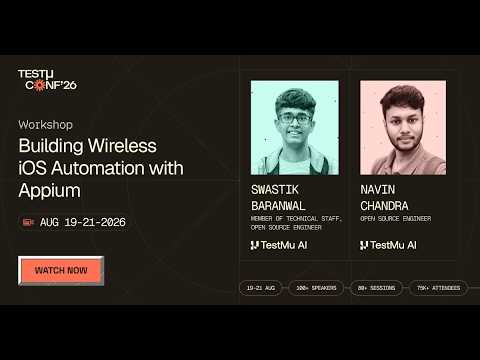
If you couldn’t catch all the sessions live, you can access the recordings at your convenience by visiting the TestMu AI YouTube Channel.
TL;DR
appium-ios-remotexpc is an open-source Node.js library implementing Apple’s RemoteXPC protocol for iOS 17 and above. It pairs with an iOS device over USB once, builds a secure IPv6 tunnel, and then exposes more than 20 device services over Wi-Fi or USB from a macOS, Linux or Windows host, with no Xcode required and no change to existing Appium test code.
- What is appium-ios-remotexpc? - It is an open-source Node.js library implementing Apple’s RemoteXPC protocol for iOS 17 and above, released under Apache 2.0 and hosted in the Appium GitHub organisation. It pairs with iOS devices, builds secure tunnels and exposes around 20+ device services.
- Why did the Appium ecosystem need a new iOS protocol client? - Apple moved iOS device services behind CoreXPC and RemoteXPC with iOS 17, announced in June 2023. Swastik Baranwal said the old service paths stopped working by that September and Appium’s iOS tests started failing, so the tunnel became mandatory.
- Do existing Appium test scripts have to be rewritten for RemoteXPC? - No. The Appium XCUITest Driver switches the protocol underneath, having used appium-ios-device before and now routing through the RemoteXPC tunnel for iOS 17+ devices, so the calls in test code stay the same.
- Is RemoteXPC wireless only? - No. RemoteXPC works over USB as well as Wi-Fi, and both use the same protocol. When a device reports both a USB and a network connection type, the library deliberately prefers the USB path, so you have to unplug to exercise the wireless route.
- Can the first USB pairing be skipped? - No. The first connection must be over USB with the Trust This Computer prompt accepted, which writes a pair record on the host. Navin Chandra called this an unavoidable Apple security requirement, since otherwise anyone could run automation commands on every iOS device on the network.
- Do you still need a Mac to automate iPhones? - No. The workshop ran the same tunnel and the same location and battery examples live from a Windows host, with Linux also supported. On Windows the Apple Devices app from the Microsoft Store handles the initial trust, which does not appear automatically as it does on macOS.
- Does RemoteXPC require Xcode? - No. None of the workshop’s examples needed Xcode, and mounting a current developer disk image, which is the task people usually open Xcode for, has its own image mounter service in the library.
- How many device services does appium-ios-remotexpc expose? - More than 20, in three groups: observe, covering system and OS logs, crash reports, screenshots, screen recording, energy and network monitors, process stats and SpringBoard; control, covering reboot, sleep, shutdown, rotation, pasteboard, notifications, location simulation and the condition inducer; and apps and files, covering AFC, House Arrest, installation proxy, Zip Conduit and provisioning profiles.
- What did the live GPS location demo do? - The location simulation example started the DVT service with the device UDID and set the iPhone’s coordinates to Apple Park in California. Maps visibly jumped to the new pin, held there for 10 seconds, then the console reported the real GPS location restored, all over Wi-Fi with no cable and no jailbreak.
- How does RemoteXPC handle more than one device? - RemoteXPC creates one tunnel per device rather than sharing a tunnel, and you pass a UDID to start a tunnel on a specific device out of 15 to 20 or more. A tunnel registry API records each device’s tunnel address and RSD port, and the service-to-port mapping is generated dynamically.
- Does a device have to be unlocked? - Yes, for several services. Installation proxy, AFC and provisioning profiles return a warning telling you the device must be unlocked, and Swastik Baranwal recommended disabling auto-lock on lab devices.
- What are RemoteXPC’s stated limitations? - iOS 17.4 as an absolute minimum with iOS 18+ recommended, a first pairing over USB, sudo or Windows admin rights to create the tunnel interface, an unlocked device for several services, and a good Wi-Fi link, for which the presenters recommended a 5 GHz network.
The iOS 17 Breaking Change
Apple announced iOS 17 in June 2023 and shipped device services behind CoreXPC and RemoteXPC.
By that September the existing service paths had stopped working. Appium’s iOS tests began failing because the underlying service protocol had switched entirely, and the tunnel became mandatory.
Swastik Baranwal placed a further tightening around March 2024, roughly two years before the workshop, and said the team spent about a year debugging before the project started.
The stack that broke had worked for almost a decade, which is why the breakage was so disruptive across the ecosystem.
Roughly a year after the break, the team started building a JavaScript client for the Appium ecosystem, which became appium-ios-remotexpc.
The Pre-iOS 17 Toolchain
Before iOS 17, an automation host needed a stack of tools at once: Appium, Xcode, libimobiledevice and similar utilities.
usbmuxd carried the connection, and USB was the only transport. One cable per device gave one trusted path, every single time.
lockdown was the gateway connecting iOS services on the phone to the Mac, mapping each service to a port on the host.
Navin Chandra used Apple File Conduit as the example: the files push-and-pull service gets a unique port, and that port changes every run.
Services in that era included installation, logs, WebDriverAgent and AFC.
Inside appium-ios-remotexpc
The library implements Apple’s RemoteXPC protocol in Node.js for iOS 17 and above, released under Apache 2.0 and hosted in the Appium GitHub organisation.
It pairs with iOS devices, builds secure tunnels and exposes around 20+ device services, including screenshots, application diagnostics and file transfer, over Wi-Fi and over USB.
It is not wireless-only. The presenters stressed that plugging in a USB cable and using RemoteXPC works identically, since both paths use the same protocol, and Wi-Fi just adds some configuration steps.
It sits underneath the Appium XCUITest Driver, which previously used appium-ios-device as the protocol and now auto-switches to the RemoteXPC tunnel, leaving test scripts unchanged.
The whole stack rests on iOS TunTap, which Swastik Baranwal called the foundation without which the project would not have been possible.
Device Lab and Host Costs
Labs start at five devices or so and grow with customer demand. Every added device means another cable and another hub port, hubs saturate, and ports run out. Cabling does not scale with the lab.
USB cables wear out and devices drop mid-run, with no way to tell which device died short of physically walking the rack.
Every rack also needs a macOS host, whether a Mac mini, a MacBook or rented Mac capacity, because iPhones would not connect to Linux or Windows. That is pure added cost with no way to reduce it.
Observability is the quiet casualty. When a session dies mid-run you get little to no logs, because the USB link that would have relayed crash logs and diagnostics is exactly what disconnected.
Tangled wires, saturated USB hubs, and worn-out cables: the physical limitations every mobile lab eventually hits. Physical wiring simply does not scale.
— TestMu AI (@testmuai) August 20, 2026
At TestMu Conf '26, Navin Chandra and Swastik Baranwal continues to tackle "The USB Cable Problem" head-on, sharing how… pic.twitter.com/i4ChmNnyPT
Pairing and Tunnel Mechanics
The first connection is over USB. Plug in, accept the Trust This Computer prompt on the phone, enter the passcode, and a pair record is stored on the host. The prompt never appears again for that device and host.

Navin Chandra framed the USB-first pairing as an unavoidable Apple security requirement. Without it, anyone could connect to and run automation commands on every iOS device on a Wi-Fi network.
In Finder you must tick “Show this iPhone when on Wi-Fi” before any wireless tunnel will work.
The tunnel path runs like this: usbmuxd and lockdown find the paired device, CoreDeviceProxy hands back a TLS socket, a virtual interface is created on the host, and an IPv6 tunnel carries the RSD-discovered services covering diagnostics, logs, files and the rest.
There is one tunnel per device. With 15 to 20 devices or more, you start a tunnel per device and pass a UDID to target a specific one.
Creating a network interface is a kernel operation, so the tunnel needs sudo or admin rights. TunTap is built into macOS, works similarly on Linux, and Windows uses a different protocol underneath.

Note: Run iOS tests on real devices without a cable per phone or a Mac per rack. Try TestMu AI now!
Demo: Cutting the Cable
Prerequisites were walked through live: clone the sample repo and run npm install, which pulls appium-ios-remotexpc and iOS TunTap, then Node up to version 24 with nvm suggested for switching, a real iPhone or iPad on iOS 18 or above, a USB cable, sudo access, and device and host on the same SSID. That Node and iOS version guidance will age.
The sample repo is Apache 2.0 licensed with independently executable .mjs examples, runnable through node <file> or npm run scripts.
The repo’s start-tunnel script wraps the tunnel creation script bundled with appium-ios-remotexpc, so every RemoteXPC tunnel flag works, including a reconnect flag shown set to 2 to retry twice at one-second intervals if the device drops.
The live sequence on a MacBook: iPhone plugged in and charging, trust accepted, tunnel started over USB, tunnel closed, cable physically unplugged on camera, tunnel re-run with no cable attached, and it still started.
The device listing then showed a network connection entry alongside the same device ID that had previously shown only USB. The tunnel came up on port 4231, and the service list included the newer CoreDevice services.
Wireless Troubleshooting
The common causes they gave: device and host not on the same Wi-Fi; the iOS device asleep or locked, when it must be awake and unlocked; the “show this device when on Wi-Fi” box not ticked in Finder or in the Apple Devices app on Windows and Linux; or the USB cable still plugged in.
That last one catches people because it looks like success. When both USB and network connection types are present, RemoteXPC is deliberately coded to prefer the USB path, so you have to unplug to actually exercise the wireless route.
The repo ships a cross-platform npm run net check script that runs a query between the iOS device and the host and reports which condition is failing.
Toggling Wi-Fi or holding a dynamic IP can rotate the host’s address and invalidate the existing pair record. On macOS a copy-paste command restarts networking; on Windows you restart the Apple Devices app and set the network profile to Private rather than Public.
The 20+ Device Services
| Group | Services |
|---|---|
| Observe | System and OS logs, system diagnostics, crash reports, screenshots and screen recording, energy and network monitors, per-process stats, SpringBoard icon layout |
| Control | Reboot, shutdown and sleep through diagnostics, screen rotation, pasteboard capture, notifications, location simulation, condition inducer for poor coverage and thermal pressure |
| Apps and files | AFC for push, pull, delete and directory listing; House Arrest for app containers; installation proxy; Zip Conduit for signed .ipa files; provisioning profile management |
Location simulation and the condition inducer are DVT instruments. You start the DVT service over RemoteXPC first, then call the instrument, for example set() with a latitude and longitude.
One gotcha is worth writing down. CoreDevice services such as pasteboard do not appear at all if an older developer disk image is mounted, and the library ships an image mounter service so you can mount the current DDI without opening Xcode.
Navin Chandra noted the condition inducer throws an outright error on the older appium-ios-device path because Apple dropped support for it, which makes RemoteXPC effectively mandatory for that service. The iOS version where that support ended is not intelligible in the captions.
Zip Conduit was described as the newer, faster route for installing signed .ipa files, without a benchmark or figure attached to the comparison.
Run iOS + Android tests written by your AI agent.

Live Service Demos
Location. Example 07 started the DVT service with the device UDID and set latitude and longitude to Apple Park in California. Maps visibly jumped on the phone, held for 10 seconds, then the console confirmed the real GPS location had been restored. No jailbreak involved.
Screenshot. The example resolved the UDID, started the developer service, requested the image asynchronously, checked the PNG header for validity, created the artifacts directory recursively and wrote a date-stamped file. The captured Maps screen was displayed live.
Battery. Example 04 queried IOPMPowerSource and printed battery installed, a current capacity of 2153, external connected as false because the cable was out, a temperature of 34°C and a cycle count of 506, with a cycle defined as 0 to 100 and back to zero. Swastik Baranwal said on air that the capacity figure looked wrong to him.
Apps. Example 06 listed installed apps with bundle ID, bundle and display name and short version, split system apps from user-installed ones, found Settings via the preferences bundle ID, killed any existing instance and relaunched it through the process control service, printing the PID. Settings visibly opened on the phone.
Pasteboard and rotation. Example 15 read the clipboard, set a new time-stamped string verified by pasting on the device, then rotated the screen left. Settings refused to rotate so they switched to Safari, which rotated and reset after two to three seconds. Screen rotation lock has to be off.
Only the tunnel host needs sudo. None of the service examples required it.
Apple TV and Windows Hosts
Apple TV is supported over Wi-Fi with no USB port at all, through discovery, PIN pairing and tunnelling, all public API, using the same underlying TunTap connection as iOS devices. No demo was run, because connecting takes too long for a live session.
The Windows path starts with the Apple Devices app from the Microsoft Store, which is required because the trust dialog does not appear automatically on Windows or Linux. Then plug in once, trust and enter the passcode, tick “Show this iPhone when on Wi-Fi”, and start the tunnel. All services and APIs are identical to macOS.
The live Windows run was not frictionless, which makes it more useful. The first plug-in was not recognised and the cable had to be re-seated. The tunnel over USB then listed two entries, USB and network, for the same device, the tunnel was closed, the cable unplugged, and it restarted network-only from Windows.
From the Windows host they re-ran the location simulation example, which errored with “no device found” once until Enter was pressed at a stuck tunnel prompt, and it set Apple Park for 10 seconds. The battery example then returned the same results as on macOS.
Windows also needs elevated rights, and the presenters noted Windows now ships a sudo that can be activated from settings and works as a symlink for administrator.
XCUITest Driver Integration
Appium test code is unchanged. The presenters repeated that whatever you wrote before still works, and what changed is inside the driver.
The XCUITest Driver adds a condition checking whether the device is on iOS 17 or above and, if so, routes through the RemoteXPC protocol this project implements.
Under the hood it uses appium-ios-remotexpc for the tunnel, testmanagerd and XCTest device work, so the driver operates wired or wirelessly.
For iOS 17 and above you need no Xcode and nothing else, just the XCUITest Driver.
If you have not started a tunnel, the driver emits a warning that you are on iOS 18 or above and need an active tunnel for the advanced features, so scripts stay healthy rather than failing obscurely.
Limitations and Takeaways
The minimum is iOS 17.4, because RemoteXPC arrived from 17.4 onwards, with iOS 18 or above recommended. The presenters also named newer releases and a beta as supported, which covers software that cannot be verified from the session.
The first pair must happen over USB and cannot be skipped, as an Apple security requirement.
sudo or Windows admin is needed once for the tunnel, because it creates a kernel-space network interface. Individual service commands need no elevation.
A locked device blocks services such as installation proxy, AFC and provisioning profiles, which return a warning telling you the device must be unlocked. Swastik Baranwal recommended disabling auto-lock on lab devices.
Wi-Fi quality matters. An AFC push or pull of roughly a 200 MB file needs a good link, and they recommended a 5 GHz network.
The closing takeaways: one USB pairing and then everything, logs included, over Wi-Fi; no Xcode anywhere in any example; the tunnel registry API; and Windows and Linux hosts breaking the Mac-per-rack model. The workshop demonstrated one device at a time on macOS and one on Windows, so larger wireless racks remain the goal rather than something shown on stage.
Q & A Session
The host’s audio failed during the Q&A, so Navin Chandra read the questions out from the chat and answered them.
- If we disconnect a wirelessly connected iPhone and then reconnect it while RemoteXPC is running, is the device remembered, or do we redo the plug-in and trust process?
Navin Chandra: The USB cable and the trust dialog are needed only the very first time a given device meets a given host, whether Mac, Windows or Linux. Accepting the prompt and entering the passcode stores a pair record on that host, so pairing from Windows writes it on the Windows machine and pairing from macOS writes it on the Mac. After that you never repeat the trust or the pairing for that device and host combination, and if the wirelessly connected iPhone drops, the reconnection happens entirely over Wi-Fi.
- Is it possible to collect iPhone performance metrics remotely, such as CPU usage?
Navin Chandra: Yes, through the diagnostics service the workshop had just demonstrated. The battery example is one instance of it, with level, capacity, charging state, temperature and cycle count all coming back over the wireless tunnel. For CPU you use the other diagnostic parameters, or the process control service, which can report how much CPU a specific process is using. He did not run a CPU demo, so battery stayed the only diagnostics output actually shown.
- How does RemoteXPC handle packet fragmentation and flow control when multiplexing multiple virtual channels over a single wireless tunnel?
Navin Chandra: The premise of a single shared tunnel does not apply, because RemoteXPC creates a unique tunnel per device rather than multiplexing several devices onto one, which keeps each device’s packets separate as a separation-of-concerns choice. Within a tunnel, fragmentation and flow control are handled by multiplexing algorithms inside the tunnel layer, so users do not manage packet transport themselves. He credited the TunTap library the project depends on with the IPv6 tunnelling and the underlying transport work. No throughput, window size or fragment-limit numbers were given.
This session was part of Testμ Conf 2026, which ran across three days of sessions on agentic engineering and quality. Registrations for the next edition are already open on the Testμ Conference 2027 page.
Author

TestMu AI
Blogs: 292


TestMu AI is World's First Full Stack AI Agentic Quality Engineering platform that empowers teams to test intelligently, smarter, and ship faster. Built for scale, it offers a full-stack testing cloud with 10K+ real devices and 3,000+ browsers. With AI-native test management, MCP servers, and agent-based automation, TestMu AI supports Selenium, Appium, Playwright, and all major frameworks. AI Agents like HyperExecute and KaneAI bring the power of AI and cloud into your software testing workflow, enabling seamless automation testing with 120+ integrations. TestMu AI Agents accelerate your testing throughout the entire SDLC, from test planning and authoring to automation, infrastructure, execution, RCA, and reporting.


Did you find this page helpful?
More Related Blogs

TestMu AI forEnterprise
Get access to solutions built on Enterprise
grade security, privacy, & compliance
- Advanced access controls
- Advanced data retention rules
- Advanced Local Testing
- Premium Support options
- Early access to beta features
- Private Slack Channel
- Unlimited Manual Accessibility DevTools Tests