

Power Your Software Testing with AI Agents and Cloud
The Native AI-Agentic Cloud Platform to Supercharge Quality Engineering. Test Intelligently and Ship Faster.


- TestMu AI (Formerly LambdaTest)
- /
- Blog
- /
- Price Scraping at Scale: Extract Prices From Dynamic Sites
Price Scraping at Scale: Extract Prices From Dynamic Sites
Run price scraping at scale with AI agents and real cloud browsers that render JavaScript prices, survive redesigns, and dodge bot blocks that break scrapers.
Published on:
Your price scraper worked yesterday. This morning it returns rows of empty cells, and nobody touched the code. The target store shipped a new layout overnight, moved its prices behind a JavaScript widget, and started fingerprinting automated traffic.
Price scraping stopped being a weekend script problem. Automated traffic reached 51% of all web traffic in 2024, the first time in a decade it passed human activity, and the storefronts you want to monitor now defend against exactly the kind of requests your scraper sends.
This guide shows how to run price scraping at scale with AI agents and real cloud browsers, so a layout change or a bot wall stops silently breaking your pipeline. You will see why HTTP-only scrapers fail on modern sites, the AI-agent pattern that adapts to change, and a real run on TestMu AI Browser Cloud that pulls rendered prices a plain request never sees. Price is also just one signal; the same approach can monitor competitor feature pages, changelogs, and docs.
Overview
To scrape prices at scale from dynamic websites, run AI agents on Browser Cloud to handle JavaScript rendering and bypass bot defenses. This approach prevents the pipeline failures caused by layout changes and anti-scraping measures on modern storefronts.
- Best for browser infrastructure: TestMu AI Browser Cloud provides managed, real Chrome sessions that execute JavaScript, run parallel sessions, and bypass bot defenses without requiring you to manage a proxy or headless fleet.
- Best for layout resilience: AI agents read the rendered page to identify and extract prices dynamically, which prevents the scraper from breaking when a website changes its layout or CSS selectors.
- Best for workflow automation: n8n uses its AI Agent node to visually build and schedule the price-scraping pipeline, connecting target lists, the cloud browser, and data destinations without custom code.
- Traditional HTTP-only scrapers fail on modern storefronts because they cannot render JavaScript-drawn prices and are easily blocked by bot defenses.
What Price Scraping at Scale Demands
Scraping one price from one page is a five-line script. Scraping thousands of prices, every day, from sites that actively change and defend themselves is an infrastructure problem. Four hard requirements separate a hobby scraper from a production pipeline.
- Real rendering: The price has to exist in the page before you can read it. The median desktop page now ships 613 kilobytes of JavaScript, and on storefronts that JavaScript is what draws the price.
- Change resilience: Retail sites redesign constantly. An extraction step tied to one CSS class is one A/B test away from returning nothing.
- Parallel throughput: Ten thousand SKUs checked serially take hours. They have to run as many concurrent sessions, not one long loop.
- Traffic that does not get blocked: Real browser behavior, spread requests, and persistent sessions keep a scraper from looking like an obvious bot.
Miss any one of these and the pipeline degrades quietly: empty rows, stale prices, or a silent IP ban you find out about a week later. The rest of this guide maps each requirement to a concrete fix, the same way our guide to Playwright for web scraping handles browser-driven extraction.
Why Traditional Price Scrapers Break
Most price-scraping tutorials hand you a Python script built on requests and BeautifulSoup. It works on a 2015 server-rendered page and fails on a 2026 storefront, because the price is no longer in the HTML the server sends.
A plain HTTP request receives the page skeleton, then stops. The browser would normally run the JavaScript that fetches and renders the price, but a raw request never executes that step, so the scraper reads an empty placeholder. This is the same gap covered in our explainer on real Chrome versus headless Chromium for agent workloads.
The second failure is detection. The same Imperva report notes that bad bots now make up 37% of all internet traffic, up from 32% a year earlier, and retailers respond by fingerprinting and blocking traffic that scrapes prices and inventory. A datacenter IP firing identical requests is the easiest pattern to catch. Scraping flight prices is the hardest version of this fight because travel sites run some of the most aggressive defenses on the web.
| Approach | Sees JavaScript prices? | Scales to thousands? | Survives layout change? | Visibility on failure |
|---|---|---|---|---|
| Raw HTTP request (requests / BeautifulSoup) | No, reads the unrendered shell | Yes, but blocked fast | No, fixed selectors break | A 200 response with empty data |
| Local headless browser | Yes, executes JavaScript | Hard, you run the fleet | Only if selectors are maintained | A stack trace, no rendered view |
| AI agent on a real cloud browser | Yes, real Chrome rendering | Yes, parallel managed sessions | Yes, the agent re-reads the page | Video, console, and network replay |
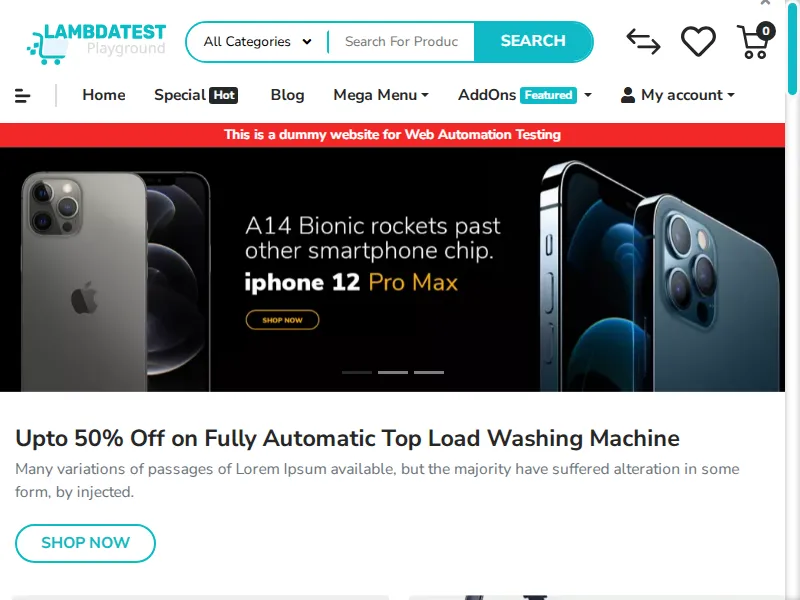
To make the rendering gap concrete, here is a live ecommerce storefront loaded by real cloud Chrome on TestMu AI Browser Cloud. The product listings, prices, and discount banner are all drawn by JavaScript after load, so a raw HTTP request would receive an empty shell instead of this rendered page. In a real run on the same infrastructure, a product detail page returned its price of $146.00 straight from the rendered DOM.
The AI Agent + Cloud Browser Pattern
The pattern that holds up at scale separates two jobs: an AI agent decides what to extract, and a cloud browser does the rendering. Neither half is new, but pairing them removes the two things that break price scrapers, brittle selectors and missing infrastructure.
- The agent reads, then decides: Instead of a hard-coded path like .price-new, the agent takes a snapshot of the rendered page, identifies the element that holds the price, and extracts it. When the site moves the price, the agent re-reads the new layout instead of returning nothing.
- The cloud browser renders for real: Each task runs in a genuine Chrome session that executes JavaScript, so single-page apps and lazy-loaded prices appear the way a shopper sees them.
- State persists across runs: Cookies and login state carry over, so an agent scraping a gated B2B catalog logs in once instead of on every run.
TestMu AI Browser Cloud is the infrastructure half of this pattern: real, full-featured Chrome sessions on demand, with best-effort stealth, session persistence, and a built-in tunnel for staging or internal catalogs. It is agent-agnostic, so the agent driving it can be Claude, Gemini, OpenAI Computer Use, or a custom one, and it runs on the same enterprise-grade cloud infrastructure TestMu AI operates for testing at scale. For the broader landscape of agent-led extraction, see our primer on AI web scraping.

Note: Run price scraping on real Chrome instead of a brittle headless script. TestMu AI Browser Cloud spins up real cloud browser sessions for your AI agents with stealth and session persistence built in. Start free with TestMu AI Browser Cloud.
Building the Price Scraping Workflow in n8n
n8n is a no-code workflow tool, and its AI Agent node turns the pattern above into something you assemble visually instead of maintaining as a standalone service. The agent drives a real cloud browser through the TestMu AI Agent node for n8n, which exposes browser tools like navigate, snapshot, click, type, and get_text. A working price-scraping workflow has five stages.
- Schedule the trigger: A schedule or cron node fires the run at the cadence your category needs, hourly for fast-moving electronics, daily for slower catalogs.
- Feed the target list: Pass the product URLs or search terms to scrape, read from a sheet, a database, or an upstream node.
- Let the AI agent drive the browser: The agent opens each page on a cloud browser session, snapshots the rendered DOM, and extracts the price from what it actually sees.
- Structure the output: Normalize each result into clean JSON: product, price, currency, timestamp, source URL. Validate the shape with a JSON validator before it moves downstream.
- Route the data: Write to a sheet or database, and fire an alert when a competitor undercuts a target threshold.
The extraction step is the part worth seeing in code. Below is the verified shape that ran on TestMu AI Browser Cloud for this article: it opens a JavaScript-rendered storefront search and reads the prices the browser renders. Credentials come from your TestMu AI account, supplied as environment variables rather than hardcoded.
import { Browser } from '@testmuai/browser-cloud';

const client = new Browser();

// 1. Spin up a real Chrome session in the cloud - no local browser, no proxy fleet
const session = await client.sessions.create({
  adapter: 'playwright',
  lambdatestOptions: {
    browserName: 'Chrome',
    browserVersion: 'latest',
    'LT:Options': { platform: 'Windows 11', build: 'Price Scraping at Scale' }
  }
});

const { browser, page } = await client.playwright.connect(session);

// 2. Open a JavaScript-rendered storefront and let it hydrate
await page.goto('https://ecommerce-playground.lambdatest.io/index.php?route=product/search&search=iphone');
await page.waitForLoadState('networkidle');

// 3. Read the prices the browser actually rendered
const prices = await page.evaluate(() =>
  [...document.querySelectorAll('.product-thumb')].map((card) => ({
    name: card.querySelector('.title')?.textContent?.trim(),
    price: card.querySelector('.price-new, .price')?.textContent?.trim()
  }))
);
console.log(prices); // structured price data, ready to route downstream

await browser.close();
await client.sessions.release(session.id);
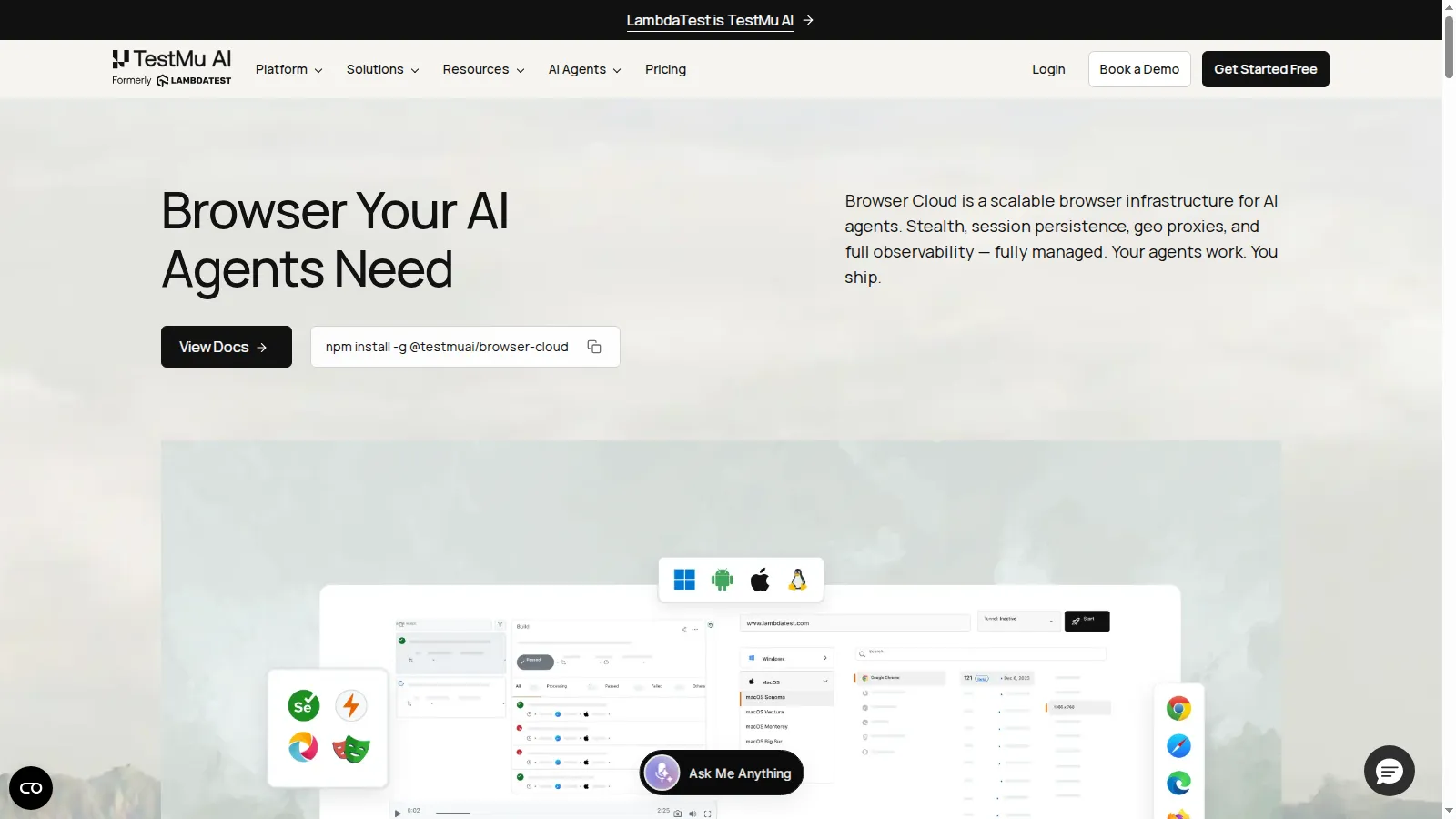
Run that snippet on Browser Cloud and it returns clean, structured data straight from the rendered DOM: four iPhone listings at $123.20 from the search page, exactly the prices a raw HTTP request would have missed. The whole workflow runs on TestMu AI Browser Cloud, the managed real-Chrome infrastructure shown below, installed with a single npm package and driven by the same SDK above.

Scaling to Thousands of Products
One agent reading one page is a demo. Tracking a full catalog means turning that single session into hundreds running at once, without standing up your own browser servers. Three levers carry the workflow from a handful of SKUs to a full price-scraping operation.
- Parallel sessions on demand: Create one cloud browser session per product or per batch and release it when done. Throughput scales with the work, not with hardware you bought ahead of time, since the platform provisions and isolates each session for you.
- Persistent state for gated catalogs: Many wholesale and B2B prices sit behind a login. Session persistence keeps that authenticated state alive, so a multi-step run does not re-authenticate on every product.
- Cadence and deduplication: Match the schedule to how fast prices move, then store only changed rows. Re-saving identical prices inflates storage and hides the signal you actually want, which is the change.
The operational win is what you stop owning. Imperva's data shows bot defenses tightening every year, and a managed grid absorbs that arms race, browser updates, IP rotation, and concurrency, so your team maintains the workflow logic rather than the fleet. For broad cross-browser coverage of the same kind, TestMu AI also runs a cross-browser automation cloud.
When a Scrape Fails: Debugging at Scale
At a thousand pages a day, scrapes fail. A page half-loads, a modal blocks the agent, a target ships a redesign. The question that decides whether your pipeline is maintainable is simple: when a run returns a wrong price, can you see why?
A local headless script answers that question with a stack trace and a guess. You cannot see what the page rendered, whether a network call failed, or what the agent was looking at when it picked the wrong number. For non-deterministic AI agents, that opacity is often a dead end.
- Video replay: Watch the rendered page exactly as the agent saw it, so a CAPTCHA, a cookie wall, or a still-loading price becomes obvious.
- Console and network logs: Catch the failed API call or the client-side error that left the price blank.
- Command replay: Step through what the agent did, in order, to find where the run diverged from the expected path.
Browser Cloud captures all of this automatically for every session, with no extra instrumentation, which turns "the scraper returned garbage" into an observable timeline. That visibility is the difference between fixing a broken selector in minutes and rerunning blind for hours.

Staying Compliant: Legal and Ethical Guardrails
Price scraping at scale is a technical capability with real boundaries. Public price data is generally treated differently from private or login-gated data, but the specifics depend on a site's terms, your jurisdiction, and the data involved. The practices below keep a pipeline responsible; they are technical guidance, not legal advice, so confirm your own case with counsel.
- Honor robots.txt and terms: The Robots Exclusion Protocol (RFC 9309) is the standardized way sites declare what automated clients may access. Read it, and read the terms of service, before you scrape.
- Rate-limit deliberately: Pace requests so your traffic does not degrade the target site. Aggressive scraping is both an ethics problem and the fastest route to a block.
- Avoid personal data: Collect prices and product attributes, not personal information. Personal data pulls you into privacy regimes that price data does not.
- Stay auditable: Keep session records of what was accessed and when, so your collection is transparent if anyone asks.
Get Started With Price Scraping at Scale
Start small and concrete: take ten product URLs that your current scraper struggles with, run them through an AI agent on a real cloud browser, and compare the rendered prices to what your HTTP scraper returns. The gap is the case for the pattern.
From there, wrap the run in an n8n schedule, add parallel sessions for the rest of the catalog, and route the structured output to wherever your pricing decisions live. Install the SDK with npm install @testmuai/browser-cloud, point it at TestMu AI Browser Cloud, and let the platform handle rendering, parallelism, and session replay while you own the workflow. This article was researched and drafted with AI assistance, then reviewed and fact-checked against primary sources before publication, per our editorial process and AI use policy.
Author

Harish Rajora
Blogs: 100


Harish Rajora is a software developer at TestMu AI with over 6 years of hands-on experience in Python and cross-platform application development across Windows, macOS, and Linux. He has authored 800+ technical articles and worked on large-scale projects, including GenAI applications and core engineering features used by millions. Harish has led DevOps initiatives building CI/CD pipelines with Jenkins, AWS, GitLab, and GitHub, and holds an M.Tech in Software Engineering from IIIT Allahabad.


Frequently asked questions
Did you find this page helpful?
More Related Blogs
TestMu AI forEnterprise
Get access to solutions built on Enterprise
grade security, privacy, & compliance
- Advanced access controls
- Advanced data retention rules
- Advanced Local Testing
- Premium Support options
- Early access to beta features
- Private Slack Channel
- Unlimited Manual Accessibility DevTools Tests