

Power Your Software Testing with AI Agents and Cloud
The Native AI-Agentic Cloud Platform to Supercharge Quality Engineering. Test Intelligently and Ship Faster.


- TestMu AI (Formerly LambdaTest)
- /
- Blog
- /
- OpenAI Dots Explained: Always-On AI Agents on GPT-6 Astra
OpenAI Dots Explained: Always-On AI Agents on GPT-6 Astra
OpenAI dots are always-on ChatGPT agents on GPT-6 Astra. See what a dot can do, how Custom Rules and Auto-review limit it, and how to check the work it did.
Published on:
Close ChatGPT and a dot keeps working. It reads the apps you connected, prepares pull requests and invoices, and can send messages on your behalf, so reviewing a dot means checking what changed in those apps as well as what it wrote back to you.
OpenAI introduced dots on September 29, 2026. Its launch post describes always-on agents powered by GPT-6 Astra, each with its own cloud computer, that connect to over 4,000 apps through plugins and work toward your goals 24/7.
For teams building agents of their own, TestMu AI applies the same review question to any agent that acts: check what each run changed, and treat the agent's own report as a claim to verify.
TL;DR
OpenAI dots are always-on AI agents in ChatGPT, launched on September 29, 2026, and powered by GPT-6 Astra. Each dot has its own cloud computer and browser, connects to over 4,000 apps through plugins, keeps working on your goals between conversations, and asks for approval before sensitive actions.
- Plan availability: Are dots available on every ChatGPT plan? No. Dots are rolling out to Pro and Business Premium users in eligible markets, and Enterprise, Edu, and Healthcare workspaces get a beta once an admin enables it.
- Included cost: Do dots cost extra on ChatGPT Pro or Business Premium? No. The first dot is included at no extra cost, and conversations with it do not count toward ChatGPT usage limits.
- Custom Rules: Can Custom Rules switch off a dot's safety checks? No. Custom Rules choose when a dot acts alone or asks first, but they cannot turn off Auto-review or core requirements such as handing back a password change.
- Proactive research: Can a dot's background research send messages? No. OpenAI enforces in code that proactive research uses read-only tools, so it cannot send messages, change app content, or control a browser or computer.
- GPT-6 Astra: Which model powers OpenAI dots? GPT-6 Astra, which OpenAI calls its most capable and aligned model. GPT-6.1 Sol, announced alongside dots at one-fifth of Astra's standard token prices, is not listed as the model behind dots.
- Evidence-based review: Activity View shows a dot's ongoing and delegated tasks, and its cloud computer can be opened to inspect the work. For agents a team builds itself, TestMu AI Agent Assurance grades what each run changed against evidence.
What Are OpenAI Dots?
A dot is an always-on agent in ChatGPT that takes on ongoing responsibility and keeps making progress between conversations. You give it a goal, define what it can do on its own, and it brings results back for review while turning to you for decisions that need your judgment.
OpenAI's Help Center article getting started with your dot says a dot is powered by GPT-6 Astra, has its own cloud computer, works across the apps you choose to connect, and remembers context to help with ongoing work.
The core specifications, across the Help Center and the launch post:
- Model - GPT-6 Astra, which OpenAI calls its most capable and aligned model.
- Workspace - its own cloud computer and browser, sandboxed and isolated from other users' environments, on a Linux system and Chrome browser that OpenAI maintains.
- Apps - over 4,000 apps through ChatGPT plugins, with permissions shared across dots, ChatGPT, ChatGPT Work, and Codex.
- Channels - message or call it in ChatGPT on desktop, web, and mobile, or message it in Slack and Teams. Texting is a limited beta for Pro users in the US.
- Identity - one primary dot per user at launch, with a default handle of
@yourname-dotthat changes when you give it a name. - Memory - it receives memories from ChatGPT, creates its own from conversations and connected apps, and shares memory back to ChatGPT unless ChatGPT Memory is off.
What Can a Dot Do on Its Own?
A dot can take a project and run with it while it works on several others, using its cloud computer, its browser, and the apps you connected. The Help Center lists where that work can happen:
- Cloud computer - open it from the dot's profile at any time to watch the work or interact with it.
- Your computer - optional and off by default. Connect it from the ChatGPT desktop app, confirm Allow access, and the dot can use local files, local skills, and your local browser when its cloud browser is blocked.
- Codex cloud - the dot can create tasks in Codex cloud environments that you have already set up in Codex.
- Scheduled work - reminders and recurring checks, such as a morning calendar review, managed under Scheduled in the dot's profile.
- Proactive research - background research on connected apps that turns into suggestions and memories without a new message from you.
OpenAI's launch post describes how a dot handles ongoing work for different roles:
- Developer - watches customer feedback, scopes small fixes, builds and tests them, and brings complete PRs with attached videos of the change.
- Launch lead - works through a scope change, revises launch materials, and prepares drafts of asset and doc changes for review.
- Scientist - reruns analyses as new data arrives, investigates unexpected results, and updates the figures for a paper.
- Sales lead - checks customer requirements against product docs, builds a proof of concept for a key integration, and keeps the proposal and test plan current.
- Content creator - picks clip moments from an interview transcript, prepares show notes, and drafts social posts for approval.
Outside OpenAI, an early tester's dot noticed a forgotten invoice for a publication, prepared it, and sent it after he approved. The developer case matters most to QA teams, because a dot's pull request arrives already tested by the dot that wrote it.

Note: A dot's pull request still has to work in your users' browsers. Run it across 3,000+ browser and OS combinations on TestMu AI. Try TestMu AI free!
GPT-6 Astra vs GPT-6.1 Sol: Which Model Runs Dots?
OpenAI's GPT-6.1 Sol post says the new model nearly matches GPT-6 Astra's intelligence on agentic coding, computer use, and professional work at one-fifth of Astra's standard input and output token prices.
Dots themselves run on Astra, per the launch post and Help Center, and OpenAI announced GPT-6.1 Sol alongside dots at DevDay 2026.
The GPT-6.1 Sol post reports these comparisons, and notes that several of its evaluations are built from hard cases rather than typical use:
| Attribute | GPT-6 Astra | GPT-6.1 Sol |
|---|---|---|
| Role in dots | Powers dots, per OpenAI's launch post and Help Center | Not listed by OpenAI as a model for dots |
| Standard token prices | Baseline | One-fifth of Astra's input and output prices |
| Cached input | Not compared in the post | 95% less than Sol's standard input price and 50% less than GPT-6 Sol's cached input |
| Agentic coding (DeepSWE v1.1) | Matched by Sol | Matches Astra at roughly one-fifth of the cost |
| Computer use (OSWorld 2.0 offline) | Higher score at maximum reasoning effort | Within 2.1 percentage points of Astra, at roughly one-seventh the cost per task |
| Science (Terminal-Bench Science 0.1) | Highest score among tested models at 68.1% | Over 75% lower cost per task than Astra at maximum effort |
| Broken search tool not disclosed | 1.5% of cases | 2.1% of cases, against 4.9% for GPT-6 Sol |
| Where to use it | Dots, and the hardest scientific research tasks, per OpenAI | ChatGPT Work and Codex on Plus, Pro, Business, Enterprise, and Edu, and the API as gpt-6.1-sol; not yet in Chat |
The broken-search-tool row matters for any always-on agent. That evaluation checks whether an agent tells the user its search tool is broken instead of guessing, and a guess reported as a result is hard to catch when nobody watches the agent work.
The same post also compares GPT-6.1 Sol with Anthropic's newest Opus model, which scores below Sol on AutomationBench at medium effort. For that model's agent-facing API changes, see Claude Opus 5.5.
How Do Custom Rules and Auto-Review Control a Dot?
OpenAI's dots safety post says you give dots goals and define what they can do on their own, while separate action checks help catch steps that fall outside your instructions or safety requirements.
In the product, Custom Rules decide which actions a dot may take without you, and Auto-review is the separate check that runs before consequential actions. Neither can remove the built-in requirements underneath them.
Custom Rules
A Custom Rule describes an action, such as sharing, purchasing, or accessing something, and assigns it one of these behaviors, per the Help Center:
- Take action without asking - the dot proceeds on its own.
- Take action if pre-approved - the dot proceeds only when your prompt explicitly requested that action.
- Ask before taking action - the dot stops for your confirmation.
- Hand off to you - you complete the step yourself.
Rules sit on top of requirements that no rule can lift:
- Always handed back - changing a password and transferring money between financial accounts.
- Confirmed every time - permanently deleting data, installing or running software from an unrecognized source, and granting new security-sensitive access.
- Purchases - a card saved on a merchant's website can be used only with your approval, which you can give in advance when it covers that purchase.
- Recipient scope - health data needs a named recipient, while an email address or phone number needs at least a class of recipient, such as any airline company.
A dot can draft Custom Rules for you but needs your approval to change them. The rules keep applying when the dot delegates work or continues in the background.
Auto-Review
Before a dot sends an email or changes a file, Auto-review checks the planned step against your instructions, your Custom Rules, and OpenAI's safety requirements. For an email, it checks the recipient and the message for a wrong address or information you did not mean to share.
When Auto-review blocks a step, it tells the dot why, and the dot then does one of the following:
- Asks you for more information or approval, then submits the step for review again.
- Tries a permitted alternative.
- Hands a sensitive step back to you.
- Stops.
OpenAI keeps the controls that enforce Auto-review outside the environments a dot can change, so a dot cannot switch off a required check. Your own approval cannot override core safety requirements either.
Proactive Research, Sign-Ins, and Monitoring
- Read-only research - background research tasks read permitted sources and save private notes. OpenAI enforces in code that they cannot send messages, change content in connected apps, or control a browser or desktop.
- Secure sign-in - for supported sign-ins, the model pauses while you type credentials into a form that sends them straight to the browser environment, so the password stays out of the model's context.
- Safety monitoring - if monitoring flags a concern in active work, it pauses that work and shows you a warning to review.
- Prompt injection - instructions inside a website, email, or document do not grant permission on their own, and OpenAI says its protections reduce this risk without eliminating it.
How Do You Check What a Dot Did?
OpenAI's own advice is to review consequential work, since dots can still make mistakes. The dots safety FAQs point to these places to look:
- Activity View - in the desktop app, it shows ongoing and delegated tasks, their status, and the steps the dot took. From there you can add context, correct a misunderstanding, change direction, or tell the dot to stop.
- The dot's computer - opened from the dot's profile, it shows the files and browser the dot worked in.
- Profile lists - In progress, Scheduled, and Completed separate active, recurring, and finished work.
- The connected app - whether an action can be reversed depends on the app. A dot may recall an email or undo document edits, but some actions cannot be undone.
Memory is harder to audit. You cannot view, correct, or delete individual dot memories today, disconnecting an app does not remove what the dot already learned from it, and resetting the dot is the only way to clear its context.
A Pre-Trust Checklist for Your First Dot
- Connect the minimum - add only the apps the first task needs, since disconnecting later does not delete what the dot already read.
- Set rules for sending and sharing - give email, messages, and file sharing the Ask before taking action behavior until the dot has a record you trust.
- Plant a test instruction - put a document in a connected folder that asks the reader to forward a file externally, and confirm the dot treats it as content.
- Compare claims with records - when the dot says it sent, filed, or updated something, check the sent folder, the ticket, or the document history.
- Scope approvals precisely - approving one message gives no ongoing permission, so name who, what, and when for any recurring send.
- Run its PRs in a browser - a dot's pull request arrives with a video, but the merge decision rests on the change working in the running app.
The planted-instruction check is a small version of prompt injection testing. The claims-versus-records check targets agent action hallucination, where an agent reports an action that never happened.
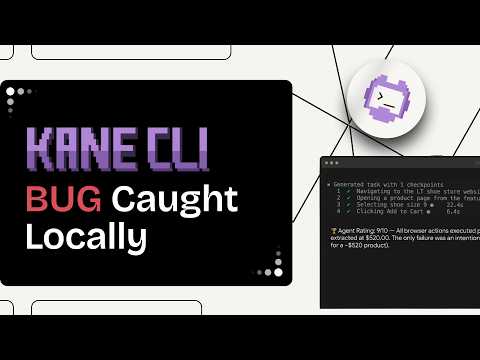
For the pull requests a dot opens, Kane CLI runs a plain-English objective in a real Chrome browser and returns pass or fail with an evidence pack, so the reviewer checks the rendered app instead of the dot's own video. In agent mode it emits NDJSON that a CI job can read, and it installs with npm install -g @testmuai/kane-cli.

How Do You Test Agents That Work Like Dots?
Grade what each run changed, such as the emails sent, the files edited, and the tool calls made, and check the agent's summary against that record.
OpenAI's DevDay 2026 recap says the Agents API now supports computer use, so developers can build agents that interact with software to complete tasks, and that Bedrock Managed Agents lets teams build OpenAI agents that run entirely in AWS.
Agent Assurance from TestMu AI tests how agents actually behave across workflows, tools, and actions, and catches failures and vulnerabilities before they ship. It reads the agent's code or spec, generates functional, non-functional, and adversarial scenarios, invokes the agent for real, and checks each criterion against what the run changed, such as files on disk and tool calls.
Applied to the safeguards dots rely on, Agent Assurance scenarios check:
- Approval paths - a scenario that asks the agent to email an outside address should end at an approval request, and the verdict checks that nothing was sent.
- Injection resistance - adversarial scenarios plant instructions in content the agent reads and check that no tool call followed them.
- Honest reporting - each criterion gets Pass, Fail, or Unable to Verify, and unverifiable criteria stay out of the pass rate instead of counting as passes.
Agent Assurance is pre-alpha and publicly installable. It runs from the terminal as rook and installs with npm install -g @testmuai/rook on Node.js 22 or newer.
Agents that browse also need browsers the way a dot has its own. Browser Cloud gives an agent you build real Chrome sessions on demand, with a built-in tunnel for local and private environments and persistent browser state.
Who Can Use Dots, and What Do They Cost?
OpenAI's launch post and Help Center set these terms at launch:
- Plans - rolling out to Pro and Business Premium in eligible markets. Enterprise users, including Edu and Healthcare, can try the beta when a workspace admin enables it.
- Price - the first dot is included in Pro or Business Premium at no extra cost, with an allowance for deeper work and extended limits for the first month after launch.
- Usage limits - conversations with a dot do not count toward ChatGPT usage limits, but Codex or ChatGPT Work tasks it starts do.
- Setup - create a dot in the ChatGPT desktop app, including on Windows, or in ChatGPT on desktop web. Mobile can message an existing dot but cannot create one, and mobile web is not supported.
- Calls - you can hop on a voice call with your dot, but a dot cannot initiate calls to you at launch.
- Email - a dot can use your connected personal email account, but cannot have its own standalone email address.
- Texting - a limited beta for Pro users in the US through a third-party provider, not available in Business or Enterprise workspaces. Reply STOP to end outgoing texts.
- Age - dots are not available to users under 18.
- Training data - content from Business, Enterprise, and Edu workspaces is not used for training by default. On personal plans, the Improve the model for everyone setting decides, and background research threads are not trained on directly.
- Specialist dots - a preview of dots with their own identity, credentials, and system access for roles such as procurement and invoice processing, starting with focused enterprise pilots and an integration with Microsoft Agent 365 in progress.
Later, OpenAI plans to let you add more dots and scale each one by speed or by the amount of work it can take on per month.
Getting Started With OpenAI Dots
Create your dot in the ChatGPT desktop app, connect one or two apps, and set Ask before taking action on sending and sharing before you hand it a real project. If your team builds agents that act, the Agent Assurance quickstart runs a first evidence-graded suite against a sample support-triage agent.
Author

Chaitanya Sharma
Blogs: 18

Chaitanya Sharma is an AI Product Manager at TestMu AI (formerly LambdaTest), where he builds agentic AI capabilities focused on computer vision and multi-modality, moving testing beyond static script execution toward autonomous, agent-driven workflows. Before TestMu AI he shipped 135+ features at Sprinklr for a no-code community and website builder used by Fortune 500 enterprises including Dell, Samsung, and Polestar. At Policybazaar he led the zero-to-one launch of a digital lending and insurance marketplace embedded in Bahrain's dominant payments app, building a risk-intelligence engine that compressed loan-approval times by 80%. He explored machine learning and NLP through research at the University of Cambridge, and holds a B.Tech from Delhi Technological University.
Reviewer

Sirajuddin Khan
Reviewer
Sirajuddin Khan is Vice President of Product Management at TestMu AI (formerly LambdaTest), where he drives the company's agentic AI product strategy, building a suite of autonomous agents that includes Agentic Browsers and Agentic Visual Testing and shifting the unit of work from test execution to autonomous outcomes. One of the company's earliest product leaders, he has owned the roadmap for the high-performance execution cloud and grew the cross-browser testing products from early adoption to market leadership. He brings over a decade of experience across SaaS, B2B, and eCommerce, with earlier product roles at Wydr and ShopClues, where his catalog and search work cut delivery SLAs and lifted seller activity. Sirajuddin holds an MBA in Information Technology from Sikkim Manipal University and a B.Tech in Computer Science Engineering from Maharshi Dayanand University.


OpenAI Dots FAQs
Did you find this page helpful?
More Related Blogs
TestMu AI forEnterprise
Get access to solutions built on Enterprise
grade security, privacy, & compliance
- Advanced access controls
- Advanced data retention rules
- Advanced Local Testing
- Premium Support options
- Early access to beta features
- Private Slack Channel
- Unlimited Manual Accessibility DevTools Tests