

Power Your Software Testing with AI Agents and Cloud
The Native AI-Agentic Cloud Platform to Supercharge Quality Engineering. Test Intelligently and Ship Faster.


- TestMu AI (Formerly LambdaTest)
- /
- Blog
- /
- Muse Gadgets: What Meta's Open Source SDK Lets Muse Do on Your Hardware
Muse Gadgets: What Meta's Open Source SDK Lets Muse Do on Your Hardware
Muse Gadgets lets Meta's Muse agent run shell commands, write files and drive ESP32 boards. What the SDK hands over, and how to check what Muse actually did.
Published on:
The Muse Gadgets Linux README suggests asking Muse: "Every morning at 7, check if my Pi's backups ran and tell me if they didn't." Suppose one morning Muse replies that they ran. The Raspberry Pi's own journal can confirm that Muse ran a command, that it exited 0, and how long it took.
It cannot tell you which command ran or what it printed, because the log deliberately leaves out parameters and output. Muse Gadgets, announced on 2 October 2026, lets Meta's personal AI agent run shell commands, write files and drive ESP32 boards you build yourself.
That gap between an agent's reply and a record of what it did is the problem TestMu AI built Agent Assurance around. Muse Gadgets widens it, because the agent now acts on hardware you own.
TL;DR
Muse Gadgets is Meta's open source ESP32 firmware and Linux SDK for building hardware that works with Muse, Meta's personal AI agent. It exists so builders can connect Muse to displays, buttons, sensors and spare Linux machines, and on Linux it lets Muse run shell commands and read and write files as the installing account.
- Linux Device SDK: Does Muse get root access on a Raspberry Pi? No. The installer refuses to run Muse's commands as root, but Muse gets every permission of the chosen account, including sudo if that account has it.
- ESP32 Device SDK: Can a coding agent build and flash Muse Gadgets firmware? Yes. The ESP32 README walks through Muse Code building and flashing a board with sandboxing disabled, and you approve each command before it runs.
- Device log: Does the Muse gadget log record the command line Muse runs? No. The Linux client logs each command's name, outcome, exit code and run time, but deliberately leaves out parameters and output, so the log cannot show what ran.
- Community pairing: Is Muse Gadgets pairing protected against man-in-the-middle attacks? No. The SDK READMEs say community pairing has no manufacturer verification and cannot prevent an active man-in-the-middle attack.
- Effect-based checks: An agent's reply is its own account of the work. TestMu AI Agent Assurance grades each criterion of an agent you own against what the run changed, such as files on disk, and reports what it could not verify separately.
What Is Muse Gadgets?
Muse Gadgets is a set of open source device SDKs that connect Muse to hardware you build. The Muse Gadgets site describes them as devices you build yourself: program an off-the-shelf ESP32 board or set up a Raspberry Pi, then connect Muse to your displays, buttons, sensors and actuators.
Muse is Meta's personal AI agent. The Muse site describes a Muse Secure VM for every user: a persistent, isolated Linux computer with a full browser that you and your agent share.
Meta announced Muse on 8 September 2026. TechCrunch reported that the agent can send emails, book travel, fill out forms and make purchases through the apps a user connects.
Gadgets extend that reach from the cloud VM to devices on your desk. Nat Friedman announced the project on X:
🚨 side project alert 🚨
- Nat Friedman (@natfriedman) October 2, 2026
Announcing Muse Gadgets, an open source ESP32 firmware and Linux sdk so that you can make hardware devices that work with Muse.
Grab an API token from https://t.co/g2yJeQRJH7 and point your favorite coding agent at the github repo to build your own... pic.twitter.com/wM1YsjsS7s
The SDKs and firmware ship under the Apache 2.0 license. These are the pieces, and what each lets Muse do:
| Piece | What it is | What it lets Muse do |
|---|---|---|
| ESP32 Device SDK | Open source firmware for off-the-shelf ESP32 boards, from a bare DevKitC-1 to round AMOLED and e-ink displays | Show status and images on a screen, take push-to-talk voice notes, and answer with text captions |
| Linux Device SDK | A Python service that turns a Raspberry Pi or any Linux machine with Bluetooth LE into a Muse gadget | Run shell commands, read and write files, and report device health as the account you install it for |
| Muse Home Link | Meta's own gadget, free with an active Muse subscription in the United States only, one per subscriber, shipping in October | Reach compatible devices on your home Wi-Fi and anything you build with a local HTTP API |
| AGENTS.md files | Instructions in each SDK directory written for coding agents such as Muse Code | Nothing directly; they tell a coding agent how to build, flash and check a gadget for you |
Every gadget needs an SDK token from gadgets.muse.ai to pair, including one you build only for yourself. If your team tests connected hardware for a living, the device-side concerns here overlap with standard IoT testing; the difference is that the device now takes instructions from an agent.
What Can Muse Do on a Linux Gadget?
Muse can run any shell command, read and write any file the account can reach, and report device health. The Linux client's executor.py lists the commands Muse can call in one dictionary, COMMAND_SPECS, and dispatches only those.
Here is that dictionary with each description intact and the optional parameters trimmed:
# linux/src/musegadget/executor.py (excerpt)
COMMAND_SPECS = {
    "system.run": {
        "description": (
            "Run a shell command on this Linux device with bash and return its "
            "stdout, stderr and exit code. Output over 96 KiB per stream is "
            "truncated."
        ),
        "required": {
            "command": {"type": "string", "description": "Shell command line to run."},
        },
        # optional: cwd, timeout_ms
    },
    "file.read": {
        "description": "Read up to 64 KiB of a file, base64-encoded. Call again with next_offset until eof.",
        # required: path
    },
    "file.write": {
        "description": (
            "Write a file in chunks of up to 64 KiB (base64). Start at offset 0, "
            "send chunks in order, and set final=true on the last one; the file "
            "is replaced atomically, and only if sha256 (when given) matches."
        ),
        # required: path, data_b64
    },
    "device.health": {
        "description": "Device status: uptime, load, memory, disk, temperature, software version.",
    },
}
What matters for verification in that excerpt:
- system.run is unrestricted bash - there is no allowlist of commands; the account's permissions are the only boundary.
- The result carries the evidence - stdout, stderr and the exit code come back to Muse in each result; the device's own journal keeps only the outcome and exit code.
- file.write can prove its own write - with a sha256 supplied, the file is replaced only if the hash matches, which turns "I updated the config" into a checkable claim.
- Long output is cut - anything past the per-stream limit is truncated, so a reply built from a long log may rest on partial output.
The Linux Device SDK README states the boundary plainly: commands run as the account you installed for, "If it can use sudo, so can Muse." Its example asks include "Install Home Assistant on my Pi and tell me how to open it", and you can extend Muse further by adding a command to COMMAND_SPECS.
The Installer's Consent Prompt
Before it grants access, the install.sh script refuses root, names the account, says what it can do, and asks you to confirm:
# linux/install.sh (excerpt)
if [ -z "$RUN_AS" ] || [ "$RUN_AS" = root ]; then
    die "choose the account your Muse's commands run as with --run-as USER (running them as root is not supported)."
fi
# ...
admin=" This account has administrator (sudo) rights, so your Muse will be able to do anything on this machine, including reading the device's own credentials."
# ...
say "Your Muse will be able to run any command on this machine as '$RUN_AS', with that account's permissions.$admin"
ask "Continue?" || die "cancelled. Rerun with --run-as to choose a different account."
That access prompt comes at install time. The Linux SDK docs describe the account boundary and this prompt; they do not describe a step where you approve each system.run before it executes. The scoping lever is --run-as, which the README suggests for giving Muse "a different account, such as one without sudo."
Pairing is the other trust decision. Both SDK READMEs say community pairing "has no manufacturer verification and can't prevent an active man-in-the-middle attack," so set the gadget up on a network you trust. Checking what an agent's account can reach before it runs is the core of AI agent permission testing, and the installer prompt is a good place to start that habit.
How Coding Agents Build and Flash Muse Gadgets
Friedman's post suggests pointing your favorite coding agent at the repository, and the repository is set up for it.
The ESP32 Device SDK README walks through Muse Code doing the build: you start it with muse --disable-sandbox, which "lets it reach your board's USB serial port and download the ESP-IDF toolchain," and "You still approve each command before it runs."
From there you ask in plain language: "Build this firmware for my ESP32-C5 DevKitC-1 and flash it." The README adds that any agent that reads AGENTS.md can build and flash from the repository, and if that agent runs in a sandbox, the flash and monitor commands have to run outside it.
The ESP32 AGENTS.md is written for that coding agent, and several of its rules ask the agent to say what it found and check its work:
- Identify the board first - "Say which board you found and what told you, then flash that profile," because "Getting it wrong writes another board's pin map, flash size and status backend."
- Don't interrupt a paced flash - on the SenseCAP Watcher, stopping the slow flash "leaves the board unbootable again" until a flash succeeds.
- Before you hand back work - the build passes with the size check under the slot limit, the host tests pass, and a flashed board's boot log reaches
startingwith no panic or reboot loop.
Those checks are good ones, and they name real artifacts: a build output, a test result, a serial log. The weak spot is who reports them. When the agent says "flashed, tests pass, boot log is clean," that sentence is the agent's account of its own work, which is the question raised in can coding agents test their own code.
Muse Code has one point in its favor here: it was the only harness in a September 2026 trace-tampering preprint that did not let agents delete their traces when asked, covered in the OpenAI Hugging Face incident write-up. That protects the trace, but nothing in it checks the board.

Note: "Flashed and working" is a claim until something other than the agent confirms it. Test what your agents actually did with TestMu AI. Try TestMu AI free!
Evidence Sources on a Muse Gadget
The gadget's journal changed three days after the announcement.
Pull request #84, merged on 5 October, added a log line for how each command ends. Its reasoning: "The journal can't say whether something the Muse ran on the device worked, failed or timed out, or how long it took. For a device that lets an agent run commands as a real account, that is the first thing an owner looks for."
# linux/src/musegadget/link_client.py (excerpt, after PR #84)
shown = printable(command)
log.info("invoke %s", shown)
async with self._invokes:
    started = time.monotonic()
    result = await asyncio.get_running_loop().run_in_executor(
        None, self._run_command, command, params, timeout_ms,
    )
    log.info("%s %s in %d ms", shown, describe_result(result),
             (time.monotonic() - started) * 1000)
await self.send({"method": "link.result", "id": invoke_id, **result})


def describe_result(result: dict) -> str:
    """How an invoke ended, for the log. Never its parameters, output or error,
    which can echo them."""
The Linux AGENTS.md shows what that writes: invoke <command>, then an outcome such as system.run ok, exit 0 in 41 ms or file.read failed in 3 ms. The full result, including stdout and stderr, still goes only to Muse, and executor.py adds one more line for system.run with the account and timeout.
So journalctl -u musegadget now tells you that Muse ran something, when, as whom, and whether it exited cleanly. It still cannot tell you what ran. Leaving parameters out keeps secrets out of the journal, but it also means an exit code cannot settle a claim like "your backups ran", since a command that exits 0 could be ls. To check a claim, go to the effect itself, and note whether Muse's account could have changed that record:
| What Muse tells you | Independent evidence on the device | Can the agent's account alter it? |
|---|---|---|
| "Your backups ran" | Timestamp and size of the newest backup file, and the last run of a system timer in systemctl list-timers | Yes, if the account owns the backup files or the job that writes them; a system timer's state needs root to change |
| "I updated the config" | sha256sum of the file against the hash file.write was given | Yes, with the same permissions it used to write the file |
| "Home Assistant is installed" | systemctl status for the service, a listening port in ss -ltn, and an HTTP response on that port | Only with sudo, which installing a system service needs in the first place |
| "I ran the check" | invoke system.run and an outcome line such as system.run ok, exit 0 in 41 ms in the musegadget journal, with no command text | Only with sudo; the system journal is root-owned |
| "Flashed and ready to pair" (coding agent) | A boot log you capture yourself showing link.main: Muse Gadget starting, and on a DevKitC-1, the status light breathing orange | No, if you capture the log in your own terminal rather than reading the agent's summary of it |
With a sudo account, almost every record in the right-hand column is one Muse could have touched. With a non-sudo account, the journal and system services sit outside its reach, so they count as evidence about Muse rather than part of Muse's own account.
The systemd unit says the service "Runs as root" while commands run as the account the installer sets.
That split is what makes the new outcome lines worth having: a non-sudo Muse account cannot rewrite what the root-owned service writes to the journal. For claims an exit code cannot settle, give the job its own record. Run backups as a systemd service under a separate user, and journalctl -u for that service shows each run's result where Muse's account cannot edit it.
Bridges Turn Outside Text Into Agent Input
The Linux SDK lets programs on the machine message Muse with musegadget send-user-msg, "with no credentials of their own." Its example is a webhook listener that forwards every note from a Pebble ring into its own Muse chat.
Any bridge like that carries text you did not write to an agent that holds system.run. A forwarded email, ticket or webhook body that contains an instruction is a prompt-injection test case, and it belongs in the same suite as the scenarios in AI agent red teaming. Send one through a test bridge on a spare machine and check what Muse ran, using the evidence table above.
Agent Assurance for the Agents You Build
Muse Gadgets puts an agent that acts onto hardware you own, and the checks above are manual because Muse is Meta's hosted service, so you cannot point a test harness at Muse itself. You can point one at an agent you build on the same pattern: a command tool, a file tool, and access to devices or infrastructure.
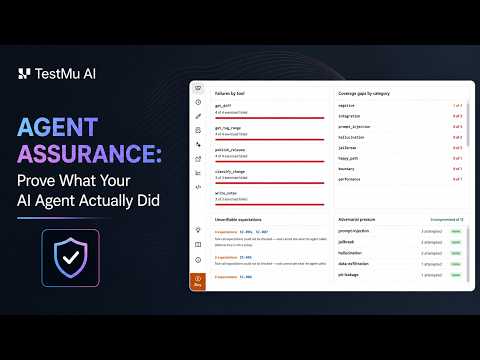
TestMu AI's Agent Assurance tests how your agents actually behave across workflows, tools, and actions, and catches failures and vulnerabilities before they ship. For an agent you own, it maps onto this post's checks:
- Derived scenarios - it reads your code or spec to work out what the agent does, including a tool table like COMMAND_SPECS, and writes functional and adversarial scenarios, prompt injection among them, without you authoring test cases.
- Grading the effect - it invokes the agent for real and checks each criterion against what the run changed, such as files under the paths you declare and tool calls checked against the agent's declared tools, rather than the agent's reply.
- Unable to Verify - a criterion it could not check is reported as its own verdict and kept out of the pass rate, the same honesty the evidence table asks of you.
- Real writes, stated up front - it reports how many write tools the agent declares and asks before starting; the gadget equivalent of its advice to point a run at staging is
--run-aswith an account that has no sudo.
Unattended runs never inherit a blanket yes: in headless mode, an operation not covered by a rule you reviewed is refused, as the Rook permissions and safety docs explain. Agent Assurance is pre-alpha and installs publicly from the terminal as rook.
A Pre-Flight Checklist for Muse Gadgets
Before a Muse gadget runs anything you care about, set it up so its claims can be checked:
- Install with a non-sudo account - run
bash install.sh --run-aswith a dedicated user, so the journal and service state stay outside Muse's reach. - Pair on a trusted network - community pairing cannot stop an active man-in-the-middle attack, and pairing only opens when you run the installer or
musegadget pairon the machine. - Give jobs their own records - run anything Muse reports on, such as backups, as a systemd service under a separate user, so its journal entries sit outside Muse's account.
- Check effects, not replies - for each "done", look at the file hash, the timestamp, the service state or the port, using the evidence table.
- Capture your own boot log - when a coding agent flashes a board, read the serial log yourself and confirm the board name before trusting "flashed".
- Test your bridges - send an instruction through any webhook bridge on a spare machine and confirm Muse treats it as data.
- Write down what you could not check - a claim with no independent record counts as unverified.
Getting Started With Muse Gadgets
Start with the install command: rerun the Muse Gadgets installer with --run-as pointing at an account without sudo, then ask Muse for one task and verify it against the evidence table before you ask for the next.
If you build agents of your own that run commands or write files, the Agent Assurance quickstart takes you from install to a first suite graded on what the agent changed.
Author

Anubhav Singhmaar
Blogs: 41

Anubhav Singhmaar is an AI Product Manager at TestMu AI driving Kane CLI, the command-line tool that brings browser automation to the terminal, turning natural-language flows into runs in a real Chrome browser that return pass or fail with shareable proof. He owns the roadmap and prioritization and works with engineering to ship developer-facing features. Before TestMu AI, he spent over four years at Sprinklr owning enterprise voice AI across APAC and EMEA. A mechanical engineer turned product manager, he grounds guidance in real QA workflows.
Reviewer

Mayank Bhola
Reviewer
Mayank Bhola is Co-Founder and Head of Products at TestMu AI (formerly LambdaTest), where he leads the entire product portfolio across KaneAI, Kane CLI, HyperExecute, SmartUI, the Real Device Cloud, Accessibility, and other software testing product lines. As an early Lead Architect he designed and built the company's flagship Tunnel technology from scratch, created the React-based automation platform, and architected the data-intensive pipelines and FAAS services that scale it. He brings more than 10 years of experience in software development and product engineering, with earlier roles as Head of Technology at Juggernaut Books and Senior Software Engineer at PressPlay TV and Zomato. Mayank holds a B.Tech in Computer Engineering from JIIT Noida.


Muse Gadgets FAQs
Did you find this page helpful?
More Related Blogs
TestMu AI forEnterprise
Get access to solutions built on Enterprise
grade security, privacy, & compliance
- Advanced access controls
- Advanced data retention rules
- Advanced Local Testing
- Premium Support options
- Early access to beta features
- Private Slack Channel
- Unlimited Manual Accessibility DevTools Tests