
Power Your Software Testing with AI Agents and Cloud
The Native AI-Agentic Cloud Platform to Supercharge Quality Engineering. Test Intelligently and Ship Faster.


- TestMu AI (Formerly LambdaTest)
- /
- Blog
- /
- Auto-Generate Playwright Tests from Your GraphQL Schema [Testμ 2026]
Auto-Generate Playwright Tests from Your GraphQL Schema [Testμ 2026]
Vanessa Johnson of The New York Times on annotating a GraphQL schema with accessibility directives and generating Playwright and axe-core tests from it.
Published on:
Roughly 16% of people live with some form of disability, around 1.3 billion of them, and by the figures cited in this session about 4% of the web is fully accessible.
The gap between those two numbers is not usually caused by teams that do not care. It is caused by semantics being added after the layout is built, in every client separately.
At Testμ Conf 2026, Vanessa Johnson, Android Engineer at The New York Times, proposes moving the accessible name and role into the GraphQL schema, then generating the accessibility tests from it.
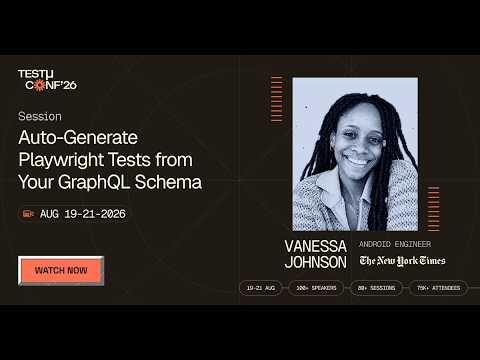
If you couldn’t catch all the sessions live, you can access the recordings at your convenience by visiting the TestMu AI YouTube Channel.
TL;DR
Contract-driven accessibility means declaring the accessible name, role and description once in a GraphQL schema using custom directives, then generating Playwright and axe-core tests from that schema so drift between the rendered UI and the declared intent shows up as a failing test. The schema becomes the source of truth for meaning; the browser still proves whether the meaning survived. Vanessa Johnson names CI enforcement as the intended endpoint rather than demonstrating a pipeline.
- Why do accessibility bugs cluster in the same few categories? - Because teams check accessibility after layout and functionality are finished. Vanessa Johnson lists low colour contrast, missing alt text, missing form input labels, empty links and empty buttons as predictable outcomes of adding semantics late rather than rare edge cases.
- What is wrong with building accessible names on the client? - Client-side string stitching is brittle and duplicated. The same sentence has to be assembled on every platform, it breaks when the data or localisation changes, and phrasing varies developer by developer.
- Does this replace accessibility work in the UI? - No. Vanessa Johnson is explicit that the server does not replace UI accessibility work. The server provides a contract for meaning, and the client implements and verifies it more consistently.
- What four constraints did the directive design have to meet? - Additive, because no team accepts a breaking schema rewrite for accessibility; optional, so old clients keep working; describing meaning rather than presentation, since styling is not what assistive tech consumes; and stable over time, because unstable names create flaky tests.
- Which directives make up the catalogue? - An accessibility label for the primary identifier a screen reader announces first, a role for structural meaning such as group, button, link or image, a token that maps a field into templates, and a template that assembles those into a spoken sentence.
- What can a token carry beyond the field name? - Priority, which sets the order of importance for a screen reader, and unit prefixes or suffixes for currency symbols, percentages and unit labels, which is also how you stop a value being announced incorrectly.
- Does the summary include fields you did not query? - No. The template assembles at runtime from what the query actually asked for, so requesting only the title and rating produces a summary containing only those.
- What does the generator actually emit? - It reads the directives, combines them with a small sample data set, and emits a plain JSON expectation object naming the page, the expected role, and the user-facing semantic output, which the generated Playwright spec then checks the browser against.
- Do the tests assert on the DOM? - No, and that is the point. The browser computes the accessibility tree from the markup, and the tests assert on the computed role, name and description rather than on CSS selectors or implementation details.
- Are the generated tests less flaky? - Yes, because they anchor to semantics that should be stable rather than to a selector that breaks when someone renames a class. Vanessa Johnson is clear that less flaky is not unbreakable: unstable names or changing a role in one place and not another still produces noise.
- How should a team start? - Not with the whole app. Start with five to ten screens, or even one, prioritising repeated patterns such as list rows and card components, then establish a shared glossary of token names before scaling.
- Who owns the directives? - A cross-functional effort rather than one team. Vanessa Johnson puts naming conventions, semantic ownership and the review list on product and engineering together, alongside manual stepping through the experience rather than automated checks alone.
Semantics Added Late
She opens with scale. Around 16% of the population lives with some form of disability, roughly 1.3 billion people, and she cites a figure of about 71% of users leaving an inaccessible site immediately against about 4% of the web being fully accessible.
Those figures come without a citation on air, so they are best read as the framing she brought rather than as sourced data. The argument does not depend on them.
The failure categories she lists are the familiar ones: low colour contrast, missing alt text on images, missing form input labels, empty links and empty buttons.
Her explanation for why the same five keep recurring is the useful part. Teams check accessibility after layout and functionality are already done, so missing names, weak structure and confusing focus behaviour are not rare edge cases but predictable outcomes of that ordering.
Her analogy lands the point. An architect puts walls and ramps in the blueprint, whereas software teams treat accessibility like a coat of paint applied at the end to make the place presentable to buyers.
The String Stitching Problem
Her worked example runs through the talk: a movie with a title, a rating and a release year.
The client fetches those three fields, assembles them into a sentence, and applies it as the content description that a screen reader will announce. Nothing about that is unusual, which is why it is worth examining.
The same construction then has to be repeated on every platform. Change what appears in the UI and every one of those strings has to be edited to stay consistent, and the phrasing varies by whoever wrote it.
She grants that better communication helps, a shared document or spreadsheet describing how the string should be built, and then names why that is not enough: the pattern becomes unmaintainable as the UI or the data changes.
Her image for it is three chefs with the same ingredients and no recipe, hoping to produce the same meal.
The Schema as Contract
Her core claim is that the server should ship semantics alongside data, and she immediately bounds it.

From one annotated movie type, each platform derives what it needs: ARIA attributes on the web, Compose semantics on Android, an accessibility label on iOS, all from the same declaration.
The schema then defines semantic requirements rather than only data shape, stays client-agnostic so each platform maps to its own native semantics, and gives CI something to enforce so regressions are caught early.
Four Design Constraints
Before showing any syntax she sets out what the design had to satisfy, and these are the reason the approach is adoptable rather than theoretical.
- Additive - no team will accept a large breaking schema rewrite for accessibility, so the directives have to layer onto what exists.
- Optional - older clients that ignore the annotations must keep working unchanged.
- Meaning, not presentation - styling is not what assistive technology consumes, and a redesign should not invalidate the contract.
- Stable over time - unstable names produce unstable tests, which is the failure mode the whole approach exists to avoid.
The Directive Catalogue
Four custom directives carry the whole model, and they can be applied to a type or to individual fields depending on what you need.
- Accessibility label - the primary human-readable identifier, the thing a screen reader announces first when the object takes focus. It points at the field that best represents the object.
- Accessibility role - the structural meaning: a group, a button, a link, an image or something else.
- Accessibility token - maps a field into the templates, carrying the data type and field name so that, for example, a value is known to be a price or a rating.
- Accessibility template - assembles those pieces into the sentence that gets spoken.
Because they are custom directives, teams can reshape them for their own use case while keeping the principle intact.
A11y shouldn’t be guesswork.
— TestMu AI (@testmuai) August 20, 2026
Live at #TestMuConf 2026, Vanessa Johnson shows how an a11yLabel directive in the GraphQL schema can declare the primary human-readable label for screen readers, turning accessibility intent into something teams can test automatically.
Schema →… pic.twitter.com/2y2xri6GPr

Note: Run your generated accessibility suites across real browsers and devices in CI. Try TestMu AI now!
Templates and Tokens
The token is where the detail lives, and two of its attributes solve problems most teams handle by hand or not at all.
Priority sets the order of importance, which decides how the information is sequenced for a screen reader rather than leaving it to field order.
Unit prefixes and suffixes handle currency symbols, percentages and unit labels. Her example is pronunciation: without it a value may be read out as digits rather than as an amount, which anyone who has done manual screen reader testing will recognise.
The template then produces a natural sentence rather than a concatenation, and it assembles at runtime, which gives it a property worth noticing: the summary contains only what the query asked for. Request the title and rating alone and the release year is simply absent from the announcement.
Her summary of the division of labour is the clearest line in the section. The title is identity, the rating and year are semantic detail, and the template decides how they are spoken together, which is more reusable than scattering strings through UI code.
From Schema to Response
The wiring is short. You annotate the schema, build it, run a plugin in the resolver, and an accessibility object comes back in the response alongside the data.
Her demonstration queries a small set of movies and shows the assembled summary arriving with each one, built from the annotations rather than from anything the client wrote.
What that buys is the thing the whole talk is for: the same backend contract that serves the data also serves the semantic interpretation of it, so accessibility intent stops living in comments and scattered client code.
Generating the Test
By the time Playwright is involved, GraphQL is no longer the thing under test. The browser is, because the browser is what the user experiences.
The schema still matters as the source of truth for what the browser should expose. The chain runs: directives declare intent, the generator turns that intent into expectations, the browser computes an accessibility tree from the DOM, and Playwright checks the computed semantics against the spec.
The intermediate artifact is a plain JSON expectation object, produced by reading the directives and combining them with a small sample data set. It names the page under test, the expected role, and the user-facing semantic output.
The generated spec is deliberately simple: open the page, apply the contract, verify the browser, then run a general axe-core audit on the same page for the broader standards sweep.
She is precise about the division between the two. The contract check asserts the specific experience she intended; axe-core catches the easy general failures. Neither replaces the other.
Let Claude Code write Playwright tests that actually pass.

The Live Run
She runs the generator against three movie objects, producing the JSON file and the Playwright spec, then runs the tests.
The first run fails on purpose, and what it reports is the interesting part: the expected sentence against the received one, differing by punctuation.
She is honest about how that reads, asking aloud whether making a fuss over a full stop is reasonable, and answers it properly. It depends how precise you need to be, and the same mechanism catches ordering that does not match what was declared elsewhere.
She then corrects the template and re-runs to a pass, which is the whole loop in miniature: the test did not tell her the code was broken, it told her the rendered meaning and the declared meaning had come apart.
The Screen Reader Output
The most convincing part of the session is audio rather than code, because it makes the abstraction audible.
In the version she wanted, each row is announced as one coherent sentence: the Dark Knight, rated 9.1 out of 10, released in 2008. A user hears the title, the rating and the year together and can decide whether to open it.
In the version she does not want, the same content fragments. The reader announces a group, then that you are currently in a group, then the title, then the rating and year, then the end of the group, then the next one.
Nothing failed in either case. The role of each row changed, which changed how the reader traversed it, and the experience drifted from the intended one.
That is precisely the case she wants a test to fail on, and her framing of why matters: the value is not that it fails but that it fails with a meaningful signal, saying either the rendered semantics changed or the contract did.
She also notes that screen readers add their own default announcements, so exact output varies between them.
A Rollout You Can Start
She does not suggest doing this to a whole application, and says plainly that nobody would.
- Start with five to ten screens - or even one. Pick something a lot of users actually reach and prioritise the flows that matter.
- Prioritise repeated patterns - list rows and card components first, because a row that groups several fields into one announcement is exactly what templates handle well.
- Establish a glossary - shared naming conventions and defined token names, written somewhere people can refer to, so the meaning stays consistent between teams.
- Keep manual checks - automated tools catch the easy failures, and stepping through with a screen reader is still how you confirm the experience is what you expected.
- Assign ownership - who raises the pull request, who owns the semantics, who reviews. She is explicit that this is cross-functional between UI, backend, product and engineering.
Her closing summary is the sentence to take away: accessibility should not be reconstructed from scratch in every client. Declare the semantics once, generate tests from the contract, and let CI catch the drift before users do.
The session ran past its slot, so the questions in the queue were moved to the community channel rather than answered on air.
This session was part of Testμ Conf 2026, which ran across three days of sessions on agentic engineering and quality. Registrations for the next edition are already open on the Testμ Conference 2027 page.
Author

TestMu AI
Blogs: 292


TestMu AI is World's First Full Stack AI Agentic Quality Engineering platform that empowers teams to test intelligently, smarter, and ship faster. Built for scale, it offers a full-stack testing cloud with 10K+ real devices and 3,000+ browsers. With AI-native test management, MCP servers, and agent-based automation, TestMu AI supports Selenium, Appium, Playwright, and all major frameworks. AI Agents like HyperExecute and KaneAI bring the power of AI and cloud into your software testing workflow, enabling seamless automation testing with 120+ integrations. TestMu AI Agents accelerate your testing throughout the entire SDLC, from test planning and authoring to automation, infrastructure, execution, RCA, and reporting.


Did you find this page helpful?
More Related Blogs

TestMu AI forEnterprise
Get access to solutions built on Enterprise
grade security, privacy, & compliance
- Advanced access controls
- Advanced data retention rules
- Advanced Local Testing
- Premium Support options
- Early access to beta features
- Private Slack Channel
- Unlimited Manual Accessibility DevTools Tests