
Power Your Software Testing with AI Agents and Cloud
The Native AI-Agentic Cloud Platform to Supercharge Quality Engineering. Test Intelligently and Ship Faster.


- TestMu AI (Formerly LambdaTest)
- /
- Blog
- /
- The Full Agentic QA Loop for Mobile Applications [Testμ 2026]
The Full Agentic QA Loop for Mobile Applications [Testμ 2026]
Shravan Mahajan runs one PRD through Kane CLI to a passing iOS simulator test - four use cases, seven acceptance criteria, two tests, one executed.
Published on:
On This Page
- A First-Party Walkthrough
- Validating The AI's Code
- Mobile Versus Desktop Locators
- The Context Graph
- Four Use Cases, One PRD
- Criteria Before Tests
- The Agent's Questions
- Two Tests, Seven Criteria
- Onto A Simulator
- The One Test That Ran
- Inside The Evidence
- Credits And Replay
- Counting Unchecked Criteria
- Q & A Session
One short product requirements document produced four use cases. One of those four produced seven acceptance criteria, two scenarios and two runnable tests. One of those two tests was executed, passed four steps, and reported 71% coverage of everything designed in the session.
Those are the real numbers from a live, unedited walkthrough at Testμ Conf 2026, run by Shravan Mahajan, Software Engineer at TestMu AI, in his own terminal.
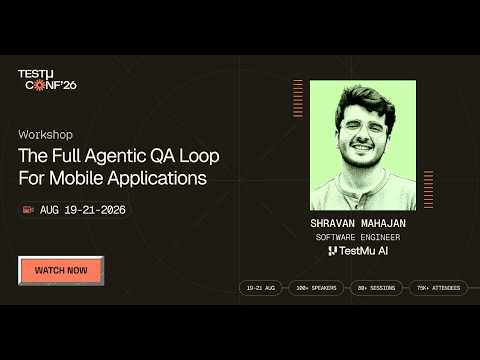
If you couldn’t catch all the sessions live, you can access the recordings at your convenience by visiting the TestMu AI YouTube Channel.
TL;DR
The agentic QA loop is a four-step method for building tests: ingest requirements into a context graph, design acceptance criteria and scenarios from them, run the resulting test, then read an evidence file mapping the run back to the design. It exists because an agent that both writes and runs a test will rewrite it to match the code.
- Did the workshop run on a real device or a simulator? - A simulator. Shravan Mahajan started to say the tests would run on a real something and cut the sentence off, correcting to an iOS simulator for the session. The published description’s claim that Kane CLI drives a real device is not what this session showed, and the simulator model that ran the passing test is never named on air.
- What are the four steps of the agentic QA loop? - Ingest a product requirements document into a context graph that lives in your own repo, design acceptance criteria and scenarios from it before any test exists, run the resulting plain-text test, then read an evidence file. Shravan Mahajan’s argument for separating them is that a single agent doing all four will bend the test to match the implementation.
- Why does an agent rewrite its own test? - Because it has no reason not to. Shravan Mahajan describes writing a verbose plan, letting an agent build a test from it and execute it, and the agent noticing mid-run that the implementation differs from the plan. Rather than flag the divergence, it updates the test to match the code it found.
- What did one PRD actually produce? - Four use cases. Designing against just one of them yielded four use-case-level acceptance criteria, two scenarios, three further scenario-level criteria and two runnable tests, for session totals of seven criteria, two scenarios and two tests. Shravan Mahajan volunteered that the criteria came out vague precisely because the sample PRD was short.
- How many of the generated tests were actually executed? - One of the two. The positive test, which opens a menu after a valid sign-in, ran and passed four steps. The negative test was authored and committed but never run, so nothing failed anywhere in the session.
- Why is mobile test automation harder than desktop? - Locators. Shravan Mahajan points out that desktop gives you a verbose DOM, browser tooling and mature frameworks, so a computer-use model can work through clicks and typed commands. Mobile locators are far less verbose and the interactions are gestures, which is the strongest technical argument in the session.
- Why does Kane CLI keep a context graph in your repo? - For token cost and for change handling. The graph records what has already been extracted so the model does not re-derive it, and when a new version of the PRD lands it identifies what actually changed. It sits in a context directory in your own repo and commits on each accept or reject.
- What is inside a Kane CLI evidence file? - Three parts were shown: a report of the test instances that ran with an autoplay stepping through every action, an issues section carrying root cause analysis, and a coverage section mapping back to the designed scenarios and criteria. The issues section only populates on failure, and since nothing failed it stayed empty on screen.
- Does the 71% coverage figure mean anything? - Not as a benchmark. It is the share of criteria designed in that session which one executed test verified, and Shravan Mahajan caveated it in the same breath: for a very large context a single test would be a few percent. Treat it as a demo artefact of a tiny sample PRD.
- How much does a Kane CLI run cost? - The terminal showed five, six, fifteen and four credits against the four steps of the one test that ran. Kane CLI is credit-metered and the first run is the expensive one because it is a single LLM authoring pass. No total was stated, and these are one short test on a trivial static app.
- Is replaying a passed test free? - That is the claim, not something demonstrated. Shravan Mahajan says a passed test stores metadata so it can be replayed without an LLM at zero credits, but he states it conditionally while reading the credit column, and no replay was executed on screen.
- Should you run a whole test suite or only the impacted tests? - Only the impacted tests, in his view. Shravan Mahajan calls running a whole suite as one batch very expensive and says there is no point in ever doing it, pointing to an impacted-by command that derives which tests a requirement change affects. He labels the position his personal opinion and did not demonstrate the command.
A First-Party Walkthrough
What separates this session from most product sessions is that the tool actually ran. The screen share is confirmed on air, and the chain from ingest to a passing test to the evidence viewer was executed live rather than described.
It was not a frictionless run. A background agent session of Shravan Mahajan’s own was still attached to the first simulator he booted, so he killed it, closed that simulator and started another. There was one menu selection he corrected out loud, and a scattering of silent waits while commands worked, the longest a little over a minute.
The framing that opens the session, about most AI testing demos stopping at generating a test while real QA is a continuous loop of authoring, evidence, assurance and maintenance, comes from the host rather than from Shravan Mahajan. The description attributes it to the speaker.
He positioned the workshop as a follow-up to a colleague’s session the previous day. He described that session as web-focused early on and as desktop-focused forty minutes later, and never reconciled the two labels.
The part that landed for me: it's the same five-step loop as yesterday's session — context → design → author → execute → evidence — just pointed at an iOS simulator instead of Chrome.
— TestMu AI (@testmuai) August 21, 2026
context ingest reads the PRD into use cases, design tests turns ACs into scenarios, the AI… pic.twitter.com/W9ku7O5Zy2
Validating The AI’s Code

He allows that you may already have a harness running a real testing session against a mobile device or a desktop, and argues it comes with a lot of bias built in.
The bias he means is illustrated from his own workflow. He writes a verbose plan, an agent creates a test from that plan, and the agent executes it.
The failure mode arrives mid-run. When the agent notices the implementation differs from the plan, it updates the test to match the implementation, so the harness bends to the code instead of holding the code to the spec.
He treats specification-versus-implementation divergence as routine rather than exceptional. A PRD may say an iOS app will be built a particular way, and the actual implementation may differ, and something has to notice.
Mobile Versus Desktop Locators
The most useful technical stretch in the session is short and sits early, before any product appears.
Desktop testing, in his account, gives you a very free hand. Browsers supply a lot of tooling, the DOM is verbose, locators can be built from it, and the framework ecosystem is mature.
That is why a computer-use model copes on desktop: almost everything reduces to clicks and typed commands.
Mobile breaks both halves of that. The interactions are gestures rather than clicks, and the locators are nowhere near as verbose, so there is much less for a model to reason against.
That gap is the argument for a tool that works from designed criteria rather than from what it can see on the screen, and it is the part of the session that would hold up regardless of which product was being shown.
The Context Graph
The first verb is a context ingest pointed at the path of a PRD, and he ran it live against the sample document in the repo attendees had been asked to clone.
The PRD is stored as a blob inside the context, and a context directory appears in your own repo holding those blobs plus the linking between all the entities Kane builds.
The graph holds business use cases, acceptance criteria and scenarios. Its first purpose is cost: the point is to make sure not everything is powered by AI, because there is no need for the model to go over the same ground again.
Its second purpose is change handling. When the PRD changes or a new version lands, the graph is what lets Kane work out what is going to change rather than re-deriving everything.
While the ingest ran he pointed at the streaming output and said you can watch the agent’s thinking to check whether it is heading in the right direction. The inspectability is the design intent, and it is the part a reader can verify from the recording.
Four Use Cases, One PRD
The single sample PRD produced exactly four use cases, each browsed on screen with a description and a set of criteria to be satisfied once tests existed.
He defines a use case as an independently testable entity carrying the requirement for that entity, which he says mirrors how teams already organise test cases into directories.
He attributes the small yield to the app rather than the tool. The demo app has two or three flows, a sign-in page and placing a delivery order, and it is entirely static with no backend behind it.
A context list command then showed the state of the graph: one PRD as a source plus the four use cases just built. He zoomed the terminal so remote attendees could read it.
He then copied the identifier for the first use case and fed that one into the next command, rather than designing against all four.

Note: Design the criteria before the test exists. Try TestMu AI now!
Criteria Before Tests
The design command opens a review step first. He noted that anyone wanting to modify a use case, or not trusting it, can review it there, and chose to proceed with the unreviewed one.
Before designing anything the agent re-read the original PRD, which he framed as a deliberate drift check. The use case might have missed something, or something in the source might have moved since extraction.
His definition of an acceptance criterion is an individually verifiable step in a test: after a login completes you check the profile to confirm you are logged in. The negative form is entering a wrong password and checking that the field raises an error prompt.
A scenario is a complete flow validating a group of acceptance criteria, and scenarios map one to one onto tests, which are the only entities Kane CLI actually runs.
The first pass produced four acceptance criteria, all presence checks on the login screen covering a secure password input, its visibility, a sign-in button and an email field. The captions garble the fourth item, so the count is solid and the exact wording is not.
He volunteered the weakness rather than hiding it. The criteria were all very vague, he said, precisely because the PRD was short, and a PRD carrying real detail such as password validation rules would have produced correspondingly specific criteria.
The Agent’s Questions
Before generating scenarios the agent stopped and asked two questions rather than assuming, which he treats as the point of a separate design phase.
The first was about credentials. He had already put test credentials for a successful login into the PRD, and the agent still asked whether those were the ones to use. He accepted the recommended happy-path login.
The second was a scenario budget, which he had not set. The agent settled on two scenarios on the grounds that this was a simple sign-in page.
He then opened the PRD on screen to show the source material: screen-by-screen detail with presence checks, a validation error, cart information, checkout, a confirmation page and a list of out-of-scope items. That document is the only source the whole chain builds on.
The two scenarios that came out were a sign-in blocked when email or password is empty, and a successful sign-in with both non-empty.
A second pass then checked whether each scenario stands alone and added three more acceptance criteria at scenario level, including that the menu title shows the food app’s name after sign-in.
Two Tests, Seven Criteria
The final design step authored the runnable tests, and the agent asked one more question first, about what runnable starting state it should design for given a mobile runner app.
He unpacked the question live. Should the test log out and log in again if a prior login exists, or assume the platform always starts at the login screen? He took the recommendation again.
Two tests came out. A negative one covering login rejecting a submission, the counterpart to the empty-field scenario, and a positive one where login opens a menu when email and password are non-empty.
The session totals read off the screen at the end of the design phase were seven acceptance criteria, two scenarios and two tests, all committed when he continued. Only one of those two tests is ever executed in this session.
Kane writes the tests as Test MD files, which he described as a replacement for a test script where you write your objectives in plain text and Kane CLI automates them. The captions garble the directory name, so no path is reproduced here.
Reading the generated file on screen he walked its steps: launch the food app if already installed or pass the build at runtime for a fresh install, confirm the presence checks on the login screen, log in, assert the menu is visible, then re-verify the acceptance criteria.
Onto A Simulator
The prerequisites were four steps: claim the credits, install the CLI, run a one-time OAuth login in a terminal, then install the simulator, all on Mac silicon. Attendees on Windows or Linux were told they could follow along in the session.
Attendees cloned a public repo created the day before, holding the app source, the actual app build under an app folder, and one sample PRD under a docs folder.
He paused for installs, filling the time with a version check and by saying he was running the doctor command on his own machine. That machine was already fully configured, so the doctor step was never exercised on a fresh setup and no output from it was ever shown.
The test md command lists generated tests with a keypress to run one, and he used the run form instead so he could pass extra configuration: a target of simulator, and an argument pointing at the local app build.
The first simulator he booted was an iPhone 16, and it already had a session attached. That was a background agent session of his own, which he killed, and he then closed that simulator entirely and booted a second one through Kane’s terminal UI, selecting the device and app from inside the terminal.
The model of that second simulator is never named. The passing run happened there, not on the iPhone 16.
The One Test That Ran
He draws a hard line between the first run and every run after it. The first is a one-pass LLM that authors the test for the first time, and what it produces is a replayable script.
He re-opened the positive test just before executing it so the audience could see what was about to run: verify the screens are visible, log in, then assert.
Mid-run the agent typed the email and then fixed it. A stray full stop had found its way into the address, possibly at design time, and the run auto-corrected it. He flagged the correction approvingly and hedged where the character came from.
Two steps passed, then the assertion step, then a final validation. The terminal reported all four steps passing.
The negative test was never executed. Nothing failed at any point, which is exactly why the failure-side machinery in the next section was described rather than shown.
Inside The Evidence
After the run, a command serves the evidence file at a URL and opens a viewer, and he pulled up the one the run had just produced.
It held a report of what happened with a single test instance, because a single test had been run. An evidence file can hold multiple instances when several tests run together.
An autoplay control replayed every action in order, and he narrated it closing a popup, self-correcting, validating a header was present, then a few more assertions.
An issues section carrying LLM-powered root cause analysis sits in the same view and was empty here. He described what it would contain on a failure, including a suggestion for fixing the issue, against a section with nothing in it.
The last section maps coverage back to the design, showing the two scenarios with their acceptance criteria and the executed scenario’s criteria marked validated. The figure on screen was 71% of everything designed so far.
He caveated the number himself in the same breath. It is only that high because the PRD was tiny, and for a very large context a single test would come out at a few percent. It is a demo artefact, not a product benchmark.
That figure counted everything designed, including the criteria belonging to the negative test that never executed, so criteria nothing had checked still sat in the denominator.
Credits And Replay
Because the first run is LLM-driven it consumes credits, and the terminal showed a column of figures for this four-step test: five, six, fifteen and four. The sentence he read them out in breaks mid-way, and no total was stated.
Once a test passes, Kane stores metadata in the background so the same run can be reproduced without an LLM, replaying rather than re-authoring.
His claim for that replay is that it costs zero credits. He states it conditionally while reading the credit column, and no replay is executed on screen, so it is a vendor claim rather than an observed result.
The credit split is the practical argument for the two-phase model: pay the model once to author, then re-run for free, which is what would make repeated CI runs economically different from an agent-driven run each time.
Kane CLI is metered, and the workshop offered attendees 10,000 free credits through an on-screen QR code. That was tied to the live event and is not reproduced here as a standing offer.
He also mentioned that a Kane CLI skill can be installed into another harness so that agent drives the whole thing in the background. Nothing was installed, and the mention lasted about twenty seconds.
Coverage That Counts Unchecked Criteria
A coverage figure that counts criteria nothing ran against folds two numbers into one. TestMu AI Agent Assurance keeps them apart when it grades an AI agent, by scoring every criterion to one of three verdicts.
- Three verdicts - Pass, Fail and Unable to Verify. The third is excluded from the pass-rate denominator, so it is neither a soft fail nor a silent pass. The guide to the test oracle problem covers why a criterion that no spec, tool or judge can settle should be reported as unverified.
- The assurance gap - the share of criteria a run could not verify, reported next to the pass rate and not folded into it.
- Observed evidence - verdicts are graded against files changed on disk, artifacts produced and tool calls checked against the agent’s own declared tool surface. What the agent says it did does not count. The article on Jev typed output shows that once a model returns only a typed value, a review of what the agent wrote has nothing to work on.
- Grey-box discovery - manifests, prompts, tool tables and MCP servers. Where an agent declares nothing, the run says so rather than guessing.
The same grading runs from a terminal through rook, a pre-alpha CLI installed with npm install -g @testmuai/rook, whose explore, generate, run and report commands work against an agent you own. Gating a pipeline means reading the verdicts out of rook report --json, because a finished run exits 0 whether its scenarios passed or failed. The Autonomous Agent category, for agents that act rather than talk, is on a waitlist.
Q & A Session
The host read a long run of audience questions. The most substantive answers are below, including the ones that did not land.
- How does an annotated screenshot distinguish the agent clicking the wrong element from the element not being there?
Shravan Mahajan: The annotated screenshot is only created after an action has been performed on an element. If the element was not there, no action happened and no screenshot exists, so there is no distinction to draw. That explains why the artefact never presents the ambiguity rather than how an engineer diagnoses a missing element, and he does not say what the run emits instead.
- How should autonomous agents handle flaky mobile tests?
Shravan Mahajan: In my opinion flakiness comes from dynamic locators and missing autoheal. Kane sidesteps it because it does not really manage locators and has autoheal built in, whether you run locally or on remote infrastructure. He gives no failure rate, retry policy or measured improvement, and no heal fired at any point in the session.
- Can Kane handle desktop applications with system-level interactions rather than browser elements?
Shravan Mahajan: Currently Kane can only interact with your browser, plus direct API calls to backend systems and a database you have exposed to it. Shell-script support is something we are working on that could run in future. There are no native system-level behaviours it can interact with currently. That browser-only framing is hard to square with the iOS simulator run he had just completed, and he uses similar browser-scoped language in a later answer about a broken mobile test.
- What format should Kane’s errors be fed back in so a terminal agent can fix a broken mobile test?
Shravan Mahajan: If you author or run through Kane CLI, it already holds the context, including console, API and network logs from the session, and the issues section of the evidence carries a suggestion about what broke. He names no format, schema or file, which is what the question actually asked for.
- How does a plain-English assertion framework describe custom gestures without ambiguity?
Shravan Mahajan: Ambiguity can always be there, because behaviours differ across applications. If Kane tries to click a section of a slider and it does not slide, it works out that it has to drag instead, and in future sessions it knows that application needs a drag. That is learned correction rather than better description, and he gives no detail on where the learning is stored or how it is scoped.
- Is there a failsafe if Kane CLI crashes mid-run?
Shravan Mahajan: That is a tricky question. If the Kane CLI process itself crashes, then no, though whatever invoked it may have its own retry mechanism, in which case it should continue from where it fell off. On evidence, a second run produces a final file containing all the sessions and test runs. That last sentence trails off unfinished in the recording.
- What is the trade-off between looping test invocations and running a whole suite as one batch?
Shravan Mahajan: Running the whole suite as one batch can be very expensive, and the impacted area is the only thing that should ever run. There is an impacted-by command that takes a requirement change inside an already-ingested PRD and derives which tests it affects. This is my personal opinion. The command was not demonstrated.
- What measurable advantages does Kane provide in accuracy, reliability and coverage?
Shravan Mahajan: On coverage, the coverage section shown earlier is the answer. On accuracy and reliability, the issues section plus a history of past runs held in the context can surface what was flaky and what kept passing. He repeats the question aloud and offers no number, benchmark or comparison, despite measurability being what was asked.
- Which of the seven evidence-pack data categories appear only on failure?
Shravan Mahajan: What are those seven data categories? I am not sure what is being referred to. What appears on failure is the issues section, flagging whether the cause was an automation issue or actual drift in the application, and the coverage section has a failing part listing exactly which criteria failed. He answers the second half only, and the seven-category framing is unverified and is not reproduced here.
This session was part of Testμ Conf 2026, which ran across three days of sessions on agentic engineering and quality. Registrations for the next edition are already open on the Testμ Conference 2027 page. One of the 2026 talks, Why Agents Need Custom Evals and How to Create Them, covers writing evals for an agent and grading its trajectory.
Author

TestMu AI
Blogs: 292


TestMu AI is World's First Full Stack AI Agentic Quality Engineering platform that empowers teams to test intelligently, smarter, and ship faster. Built for scale, it offers a full-stack testing cloud with 10K+ real devices and 3,000+ browsers. With AI-native test management, MCP servers, and agent-based automation, TestMu AI supports Selenium, Appium, Playwright, and all major frameworks. AI Agents like HyperExecute and KaneAI bring the power of AI and cloud into your software testing workflow, enabling seamless automation testing with 120+ integrations. TestMu AI Agents accelerate your testing throughout the entire SDLC, from test planning and authoring to automation, infrastructure, execution, RCA, and reporting.


Did you find this page helpful?
More Related Blogs

TestMu AI forEnterprise
Get access to solutions built on Enterprise
grade security, privacy, & compliance
- Advanced access controls
- Advanced data retention rules
- Advanced Local Testing
- Premium Support options
- Early access to beta features
- Private Slack Channel
- Unlimited Manual Accessibility DevTools Tests