
Power Your Software Testing with AI Agents and Cloud
The Native AI-Agentic Cloud Platform to Supercharge Quality Engineering. Test Intelligently and Ship Faster.


- TestMu AI (Formerly LambdaTest)
- /
- Blog
- /
- Debugging Mobile Tests with Appium MCP [Testμ 2026]
Debugging Mobile Tests with Appium MCP [Testμ 2026]
Srinivasan Sekar and Sai Krishna on the official Appium MCP server: 33 intent-shaped tools, ranked locator generation, and why the agent is not the MCP.
Published on:
Two people who have maintained Appium for more than a decade will tell you where the time actually goes. Not on deciding what is worth automating, but on generating locators, hunting elements, and asking developers to add accessibility identifiers.
Building and signing WebDriverAgent is the other one, and one of them admits he still fails at it sometimes.
At Testμ Conf 2026, Srinivasan Sekar and Sai Krishna, Directors of Engineering at TestMu AI, walk through the official Appium MCP server built to absorb those pain points. It is a first-party session about their own open-source work, so read the demos accordingly.
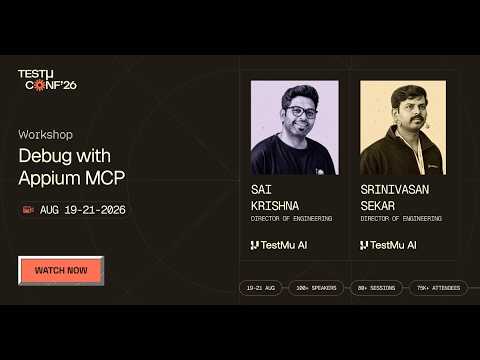
If you couldn’t catch all the sessions live, you can access the recordings at your convenience by visiting the TestMu AI YouTube Channel.
TL;DR
Appium MCP is the official Model Context Protocol server for Appium, exposing 33 intent-shaped tools that let a coding agent select a device, create a session, run gestures, generate ranked locators and query Appium’s documentation from plain language. The argument underneath it is a separation of concerns: the MCP server supplies tools, and reliability, token cost and autonomy come from the agent driving them.
- Does Appium MCP need a standalone Appium server? - No. It bundles the UiAutomator2 and XCUITest drivers, so local runs against emulators, simulators and real devices need no separately started server. A server plus the grid mechanism is used only for cloud execution.
- How many tools does it expose? - 33, cut down from more than 80 a year earlier. Srinivasan Sekar and Sai Krishna call one tool per API endpoint an anti-pattern, so tools are grouped by intent: a single gesture tool covers scroll, swipe and double tap.
- Why is Appium’s documentation inside the server? - Because it is scattered across more than 100 repositories and many versions, and the speakers found an older version outranking the current one on Google the day before the session. The docs are chunked into a retrievable index, and one live query pulled 25 relevant chunks.
- Is the documentation package installed by default? - No, it is a separate opt-in entry in the MCP config. Docs ship on their own cadence, the retrieval chunks add package size, and fewer tools make the agent’s choice easier.
- Does it rank the locators it generates? - Yes. The generator writes a best locator plus alternates for every element, with ranking baked in per platform. For iOS, Sai Krishna gives the order as accessibility ID, resource ID, class chain, iOS predicate, XPath, then class name.
- Can an agent repair a broken locator? - Yes, when asked. Sai Krishna corrupted the email-field locator, the WebdriverIO run failed to find the element, and the agent restored the correct locator and re-added navigation code it noticed had gone missing from the test.
- Should agents auto-heal locators during a live run? - No, not without a guardrail. A failing locator may be reporting a real defect, and the speakers have seen an agent go past the test entirely and modify the mobile app’s own code base rather than fix the locator.
- Why does WebDriverAgent need special handling? - Because it is a test server rather than an application, and Apple’s build path only produces a clean IPA for a real app. Appium MCP builds and re-signs it instead of letting Appium drive the whole Xcode build into signing errors.
- How expensive was the natural-language demo? - Sai Krishna put the run that opened Settings and verified it with full-resolution screenshots at roughly 13,000 to 14,000 tokens, against roughly 2,000 or fewer for the same goal through an optimised purpose-built agent. Both figures are their own measurements.
- Is streaming faster than screenshots for vision models? - Yes, by their measurements. Appium’s MJPEG server capability streams frames in around 20 milliseconds against 200 to 300 for a normal screenshot, with fewer tokens and the option to shrink the image.
- Is Appium MCP itself an agent? - No, and Sai Krishna is emphatic about it. The MCP does the scrolling; deciding whether to scroll further or whether the element is present is the agent’s job. Those are two different responsibilities.
- Can local open models drive it? - Yes, with a speed penalty. The speakers report open models doing well on reasoning and vision, but on a 64 GB Mac responses took around 7 to 8 seconds against under 2 from hosted inference.
The Case for an Official Server
Community Appium MCP servers already exist, so the session opens by answering why an officially built one earns its place.
The answer is the pain points the pair keep meeting while travelling with the project: documentation, building and signing WebDriverAgent for iOS, generating locators, and writing gestures.
Srinivasan Sekar calls the WebDriverAgent build one of the hardest and most painful parts of Appium, and says plainly that he still fails at it at times. That is why the server handles signing, installing and preparing an iOS device rather than leaving it to you.
The maintenance trap he describes will be familiar to anyone running a mobile suite. Time goes into generating locators, identifying elements and negotiating with developers to add accessibility identifiers, rather than into deciding what is worth automating at all.
Agents already carry public training data about Appium. Their claim is narrower and more defensible: debugging goes faster and lands more often when the agent has Appium-specific tools built in.
MCP in One Protocol
Their definition is compact: one open standard made of tools, resources and prompts, described as USB-C connectors for AI agents talking to external systems.
The architecture is client and server. The server advertises its capabilities to a client such as Claude Code, Cursor or VS Code Copilot, and the model behind that client decides when to use what.
One detail matters for anyone worried about tool sprawl: clients now load MCP tools dynamically rather than holding them all in memory, which is why a server with eighty-plus tools still functions. The speakers are quick to say that is not a licence to ship eighty.
Two transports get covered, standard input/output running the process on your own machine and streamable HTTP, alongside newer stateless servers. A single client can hold several servers at once, so Appium MCP sits comfortably beside a GitHub or filesystem server, and it spans Android, iOS and Mac across real devices, emulators and simulators.
LIVE at #TestMuConf26@saikrisv and @srinivasanskr open Debug with Appium MCP with the protocol itself.
— TestMu AI (@testmuai) August 20, 2026
You prompt an MCP client. It discovers tools, calls them, reads results, the same handshake for every server, whether that's appium-mcp, github-mcp, or your filesystem.
One… pic.twitter.com/NRfBcbQQ0p
The Documentation Problem
This is the most relatable problem in the session and the least glamorous fix.
Appium’s documentation spans more than a hundred repositories, of which they reckon only ten to fifteen are actively maintained and relevant. Checking Google the day before the session, they found an older documentation version outranking the current release.
The community forum compounds it, because answers there are pinned to specific Appium versions and the same problem was solved differently in each.
Their fix is retrieval rather than curation: chunk the documentation, index it, and let a retriever pull the relevant pieces into the model at query time.
Shipping it as a separate opt-in package is a deliberate design call with three reasons, and the third is the interesting one. Docs release on their own cadence, the chunks inflate package size, and every extra tool makes the agent’s decision harder, because fewer tools make for better choices.
No Standalone Server
Classic Appium is client and server: you start an Appium server, then write tests against a Java client, a Ruby client, WebdriverIO or another binding.
Appium MCP bundles the drivers instead, UiAutomator2 for Android and XCUITest for iOS, so no standalone server needs starting for local execution.
A local real-device run drives through the installed UiAutomator2 driver under the hood, with the package handling the rest. Cloud execution takes the same flow, spinning up a server and reaching remote machines through the grid mechanism.

Note: Run the tests your agent authors across 10,000+ real Android and iOS devices. Try TestMu AI now!
From 80 Tools to 33
The project started as a lightning-talk demo and had grown past eighty tools a year ago, which both speakers describe as an anti-pattern they walked into themselves.
It now ships 33, and the live tool listing on stage confirmed roughly that count.
The pattern they name and reject is vendors shipping one MCP tool per API endpoint, which Srinivasan Sekar calls the very worst way to ship an MCP server.
Tools are shaped around user intent instead. Gestures are one tool covering scroll up, scroll down, left, right and double tap, because the intent is a gesture even though the underlying endpoints differ. A separate actions tool remains for anyone building custom W3C Actions sequences.
Plugins let teams add their own tooling on top while inheriting the common plumbing, and the authenticated remote server the pair maintain outside the Appium organisation was built that way as a reference.
Opening Settings
The first demo prompt is deliberately bare: open the settings app using the Appium MCP server. No device named, no package name, no tool specified.
The trace is what makes it interesting. The agent called a device-selection tool first and chose the already-booted Android emulator because nothing iOS was connected, then created a session and surfaced the session ID, which shows the MCP managing the session lifecycle itself.
To launch Settings it worked out that it needed the package name, fetched it, and reached for the app lifecycle tool rather than a specific activate-app endpoint. That is the intent-based design showing up in a real run rather than on a slide.
It then took two or three screenshots to confirm Settings was actually open, and that verification loop became the session’s cost lesson. Full-resolution images pushed into the session ran to roughly 13,000 to 14,000 tokens, against roughly 2,000 or fewer for the same goal through their own optimised agent. Both numbers are their own measurements rather than independent benchmarks.
Ranked Locators
The sample project is an ordinary TypeScript repository running WebdriverIO against a demo app on an emulator, and Sai Krishna says twice that it is a sample rather than a best-practice reference.
Asked for locators across the home, login and success screens, the agent noticed the app was already in the foreground and skipped re-activating it. With no credentials supplied it invented its own test data to reach the success state the prompt required.
The output is one file per screen, each element carrying a best locator plus alternates, including a biometric hint on the login screen.
Ranking is built in per platform. For iOS the order runs accessibility ID, resource ID, class chain, iOS predicate, XPath, then class name, which is the kind of preference most teams hold informally and inconsistently.
Where nothing better existed the output degraded gracefully rather than silently: one label fell back to a deprecated selector strategy, with XPath listed underneath as the next alternative rather than promoted to the pick.
Run iOS + Android tests written by your AI agent.

Breaking a Locator
Asked to generate the tests as well, the agent produced spec files alongside the locator files, and Sai Krishna pruned the result live, deleting a land-on-home-screen test he calls useless along with others he did not need.
The kept test enters a username and password, waits for the title and asserts a successful login.
He then deliberately corrupted the email input locator and ran the suite, which started the Appium server and failed to find the element. The traditional recovery is opening an inspector, or reasoning over the application source if you have access to it.
Handing the failing run to the agent instead produced two fixes rather than one. It restored the correct input locator, and it flagged missing navigation, reusable code he had deleted during the pruning, and wrote it back into the test.
Asking the Docs Tool
The documentation query is deliberately scoped: how do I run this test on multiple devices in parallel, answer only, no code changes.
Srinivasan Sekar frames the value around discoverability, noting Appium carries hundreds of capabilities most people never find, and joking that the maintainers do not hold them all in their heads either.
The tool reported finding 25 relevant documentation chunks and the model rendered the answer as a table, naming the per-session capabilities that must be unique and, because the project uses WebdriverIO, showing it as an array of devices with a unique system port, UiAutomator2 port and chromedriver port each.
A second query asked which capabilities let Appium use a WebDriverAgent you have already built while avoiding the Xcode signing path, which is exactly the question the earlier pain point sets up.
Tools Are Not an Agent
The most useful idea in the session is a boundary, and it recurs whenever someone asks the server to be smarter than it is.

That division explains their position on auto-healing. It is technically possible and belongs behind a guardrail, because a failing locator may be reporting a real defect and healing it silently hides the reason.
Their cautionary observation is sharper than the principle: they have watched an agent go past the test and modify the mobile application’s own code base, rebuilding it locally, rather than fixing the locator. Agents also reach outside the tool list, sometimes issuing raw device commands that are not Appium MCP tools at all. A separate talk at the same conference covers why agents need custom evals and how to create them, including why a pass depends on how the agent got there.
Where reliability actually comes from, in their account, is the agent layer, which is why they built one of their own on top: reduced-quality rather than degraded screenshots, fetching only interactable elements instead of a page source that can run to ten pages, and markdown app guides telling the agent where hidden features live, such as an archive action behind a swipe.
Reading an MCP Setup to Write Its Test Suite
The boundary Sai Krishna draws leaves one question open: who writes the tests that check the agent itself. An agent that rebuilds an app instead of fixing a locator, or fires a raw device command that is not an Appium MCP tool, will not flag either one in its own summary of the run. TestMu AI Agent Assurance is built for that gap, reading the codebase, writing the test suite, running the agent for real and grading every criterion against observed evidence.
- Grey-box discovery - manifests, prompt strings, tool tables and MCP servers are read as the agent declares them, and where an agent declares nothing the run says so rather than guessing at a surface it cannot see.
- Scenarios it generates - 18 categories in three classes: functional such as happy path and boundary, non-functional such as performance and token economy, and adversarial such as prompt injection and data exfiltration.
- Graded on evidence - files changed on disk, artifacts produced, and tool calls checked against the agent’s own declared tool surface rather than its summary of the run. A review of that summary has nothing to work on when a model returns typed decisions instead of sentences.
- A third verdict - Pass, Fail and Unable to Verify, with the unverifiable share kept out of the pass-rate denominator and reported beside it as the assurance gap.
- From the terminal - rook, a pre-alpha Apache 2.0 CLI, runs explore, generate, run and report against an agent you own.
The caution in the rook README fits the worst case Srinivasan Sekar and Sai Krishna described. An agent that rebuilds the application under test is making real writes, and a grader cannot roll them back, which is why the README recommends pointing it at staging. The Autonomous Agent category, for agents that act rather than talk, is a waitlist today.
Q & A Session
The workshop took eleven audience questions. The six with the widest application are below.
- How do you handle authentication and sensitive data with a hosted model?
Srinivasan Sekar: Do not use a hosted model. If you are concerned about any LLM seeing your data, run an open model on your own machine, supply that model’s token in the MCP server configuration, and drive Appium with it. Because inference is local, the data never leaves the machine.
- What is the biggest challenge to making autonomous mobile QA reliable at scale?
Srinivasan Sekar and Sai Krishna: Any strong model works, and you actually need two kinds, a reasoning model and a vision model. Vision matters because React Native, Flutter and Compose apps often fail to expose a clean accessibility tree with usable identifiers, so vision lets you assert on things you cannot locate, such as counting icons beside a piece of text.
- Can it stream live device screenshots to a vision model?
Sai Krishna: Yes, there is a screenshot tool, but for anything seamless do not go screenshot by screenshot. Start Appium with the MJPEG server capability and stream instead: by their measurements a normal screenshot takes roughly 200 to 300 milliseconds while streaming takes around 20, with fewer tokens and the option to shrink the frame.
- How do you stop provisioning failures breaking WebDriverAgent in CI?
Sai Krishna: WebDriverAgent is a test server rather than an app, so building and signing it inside every pipeline run costs time and breaks whenever a provisioning profile is misconfigured. Pre-build the IPA once as a separate preparation stage that need not live in your test code, then tell Appium it already exists.
- What happens when the WebDriverAgent certificate expires?
Srinivasan Sekar and Sai Krishna: A free Apple account expires in seven days and an enterprise account lasts a year. If it expires, the tooling removes WebDriverAgent and tries to rebuild, and that rebuild still fails, because it cannot distinguish a valid certificate from an invalid one. Supplying a valid certificate is the user’s responsibility; neither Appium nor Appium MCP will fetch one.
- In a Flutter app with infinite scroll, can the agent keep scrolling until it finds an element?
Sai Krishna: Doable, and it splits along the same boundary as everything else. The MCP does the scrolling; deciding whether to scroll further or whether the element has appeared is the agent’s job. You have to instruct it and cap the maximum number of scrolls, or it will run forever.
This session was part of Testμ Conf 2026, which ran across three days of sessions on agentic engineering and quality. Registrations for the next edition are already open on the Testμ Conference 2027 page. Testμ Conf 2026 also hosted a session on eval-first QA agents, where a Fox Networks team tests each MCP tool before its agents may call it.
Author

TestMu AI
Blogs: 292


TestMu AI is World's First Full Stack AI Agentic Quality Engineering platform that empowers teams to test intelligently, smarter, and ship faster. Built for scale, it offers a full-stack testing cloud with 10K+ real devices and 3,000+ browsers. With AI-native test management, MCP servers, and agent-based automation, TestMu AI supports Selenium, Appium, Playwright, and all major frameworks. AI Agents like HyperExecute and KaneAI bring the power of AI and cloud into your software testing workflow, enabling seamless automation testing with 120+ integrations. TestMu AI Agents accelerate your testing throughout the entire SDLC, from test planning and authoring to automation, infrastructure, execution, RCA, and reporting.


Did you find this page helpful?
More Related Blogs

TestMu AI forEnterprise
Get access to solutions built on Enterprise
grade security, privacy, & compliance
- Advanced access controls
- Advanced data retention rules
- Advanced Local Testing
- Premium Support options
- Early access to beta features
- Private Slack Channel
- Unlimited Manual Accessibility DevTools Tests