Hero Background

Samsung Test Lab on Cloud

Test on real Samsung Galaxy phones, tablets and foldables, from the Galaxy S8 to the S26 Ultra. Run manual and automated tests with Appium, Espresso and CI/CD.

Samsung Galaxy S26 Ultra selected in the TestMu AI device list, with a sample app ready to start

Trusted by 3M+ users globally at

Microsoft
OpenAI
Nvidia
Boomi

"We have tripled our tests and are now executing tests in less than 2 hours with 78% Faster Test Execution"


Hrishi Potdar, Quality Engineering Architect

Boomi
GitHub
Best Egg

"We figured out a more efficient way to monitor system health and resolve failures earlier in lower environments."


Tenny, Engineering Operations Lead

Best Egg
Workday
Akamai
Louis Vuitton
NBCUniversal
City Furniture

"TestMu AI has significantly boosted our testing speed, is easy to implement, and provides exceptional support."


Nicholas Paulsen, Senior Quality Engineer

City Furniture
Cox
Transavia

"With 70% faster test execution, TestMu AI helped us achieve faster time-to-market and enhanced CX."


Daniel de Bruijn, Quality Assurance Automation Engineer

Transavia
Estée Lauder
TripAdvisor
boohoo

Test on Latest Samsung Galaxy S26 and Android 17

Start Free Testing

Test Real Galaxy Devices with TestMu AI Samsung Test Lab

Test live on a real Galaxy device in your browser, automate with Appium and Espresso, and debug every run with video and logs.

TestMu Galaxy DevicesGalaxy Devices

Real Samsung Galaxy Devices in One Test Lab

The Samsung test lab is a cloud of real Samsung Galaxy phones, tablets and foldables that you open in your browser. Pick a model and Android version, then test your app or website manually or with automation.

Get Started
  • Galaxy S series from the S8 to the S26, S26+ and S26 Ultra
  • Galaxy Z Fold4, Z Fold7, Z Fold8 and Z Fold8 Ultra
  • Galaxy Tab S4 to Tab S9 Ultra, plus Tab A models
  • Galaxy A, M and Note phones
  • Android 9 to Android 17
Samsung device list in the TestMu AI real device cloud, led by the Galaxy S26 Ultra on Android 16

TestMu Live TestingLive Testing

How to Test on a Real Samsung Device

Start a live session on a real Galaxy phone or tablet from your browser, with nothing to install.

Get Started
  • Log in and open App Testing under Real Device
  • Choose Android, then upload your app or paste a public link to it
  • Pick Samsung as the brand, then a Galaxy model and Android version
  • Select Start to open the device in your browser

TestMu Real-World ConditionsReal-World Conditions

Advanced Testing with 40+ Features

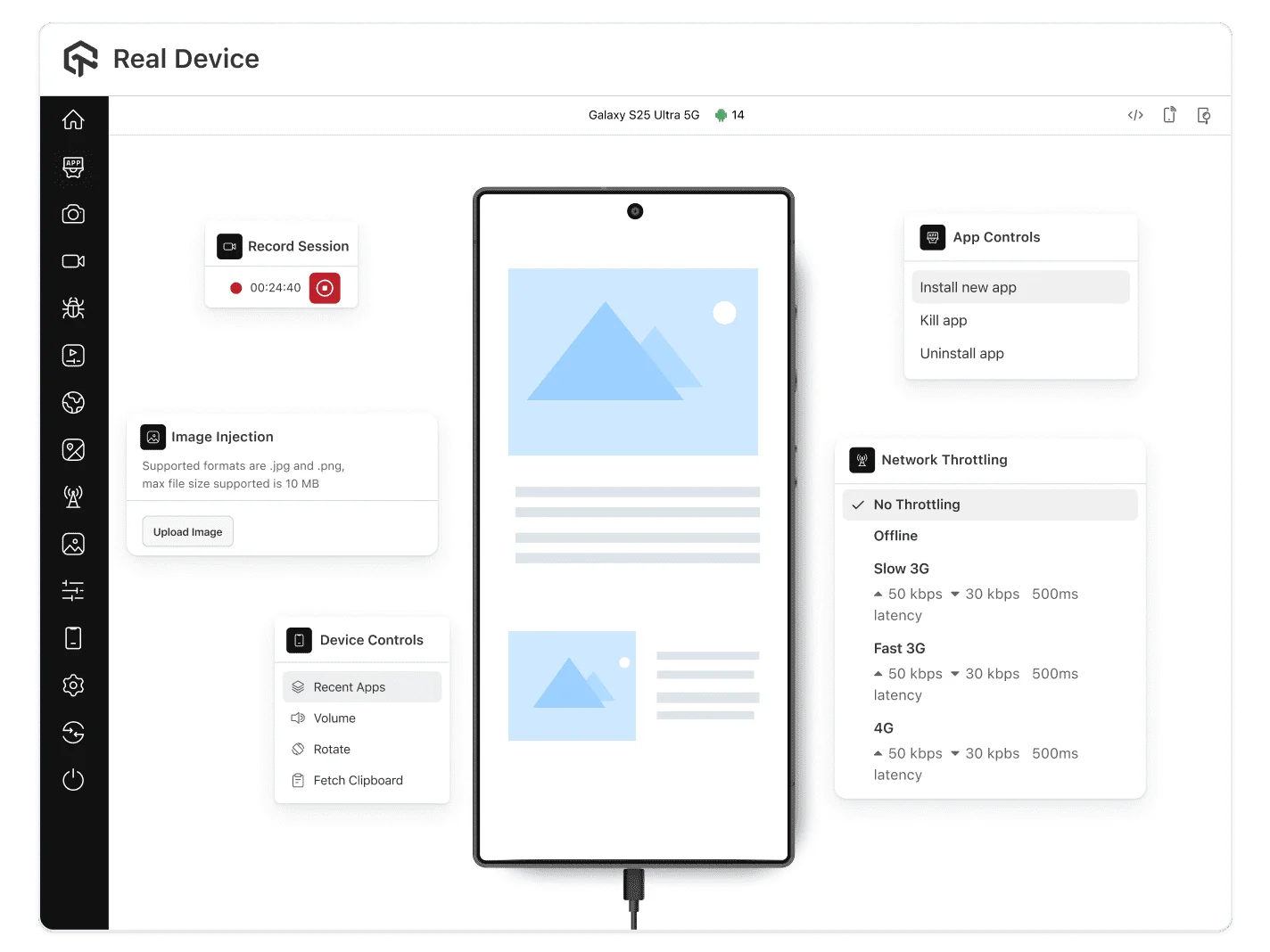
Change the network, location and device state on a real Galaxy device while you test.

Get Started For Free
  • Network throttling: Offline, Slow 3G, Fast 3G, 4G and 5G
  • GPS location and IP geolocation
  • Biometric authentication and camera image injection
  • Battery Saver mode, ADB shell and TalkBack
Galaxy S26 Ultra live session with app controls, image injection, device controls and network throttling

TestMu App AutomationApp Automation

Automate Samsung Device Tests

Run web or app automated tests instantly on real Samsung devices, integrated with your CI/CD pipeline.

Get Started
  • Appium and Espresso test suites
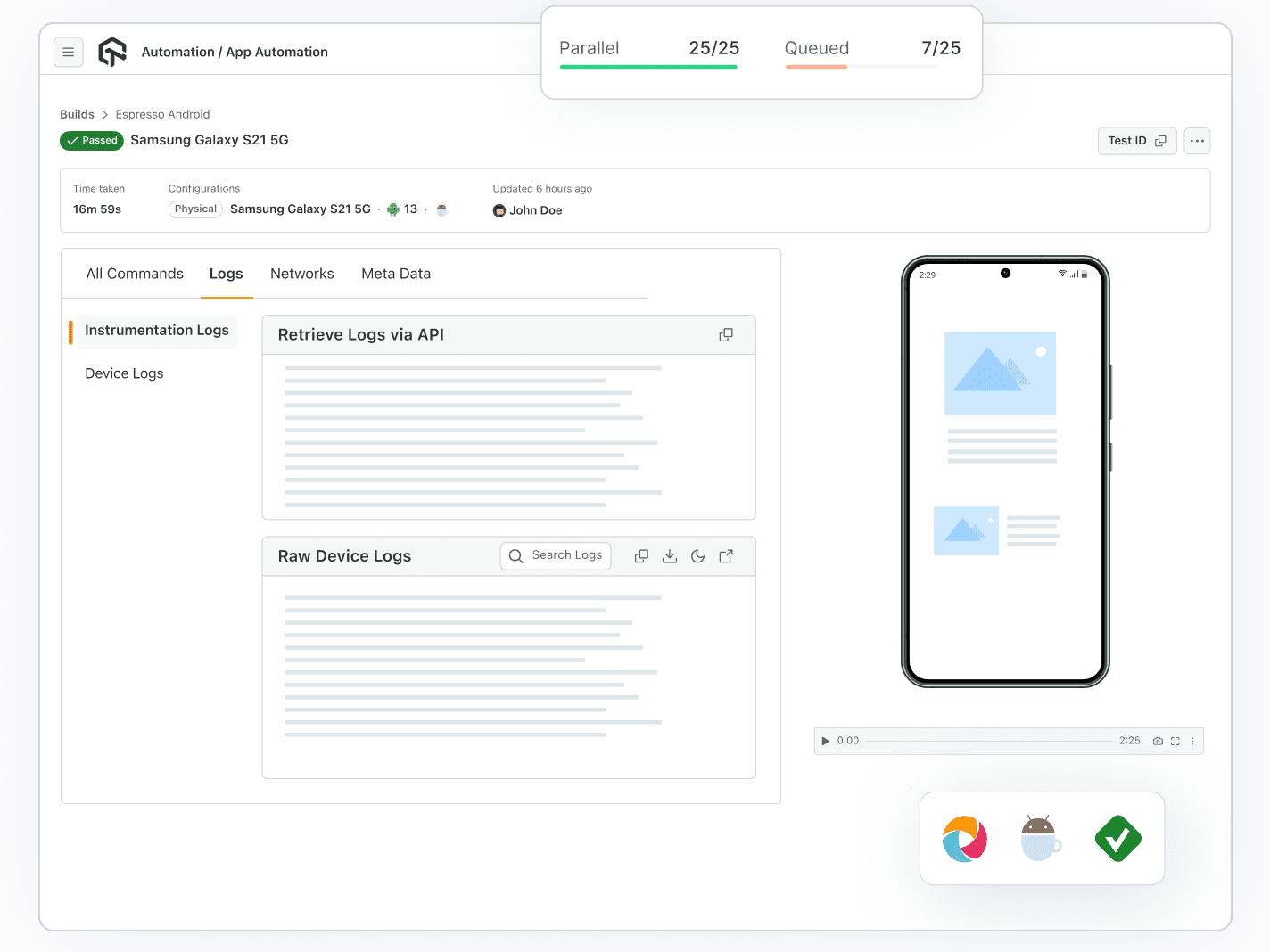
  • Parallel runs on Galaxy phones, tablets and foldables
  • Jenkins, GitHub Actions and other CI/CD tools
  • Video recording, plus device and network logs
Appium test run on a Samsung Galaxy S26 with 25 parallel sessions and command logs

TestMu Kane AIKane AI

Author Galaxy App Tests with KaneAI

Describe an Android app flow in natural language. KaneAI turns it into an automated test and runs it on real Samsung Galaxy devices.

Learn more about KaneAI
  • Write test steps in natural language, no scripting
  • Pick the Samsung Galaxy device for each test run
  • Export the test as Appium Python code
  • Use camera image injection and biometrics in a test
KaneAI turning natural language steps into an automated Android app test

TestMu Test ReportsTest Reports

Test Reporting and Analytics in Our Lab

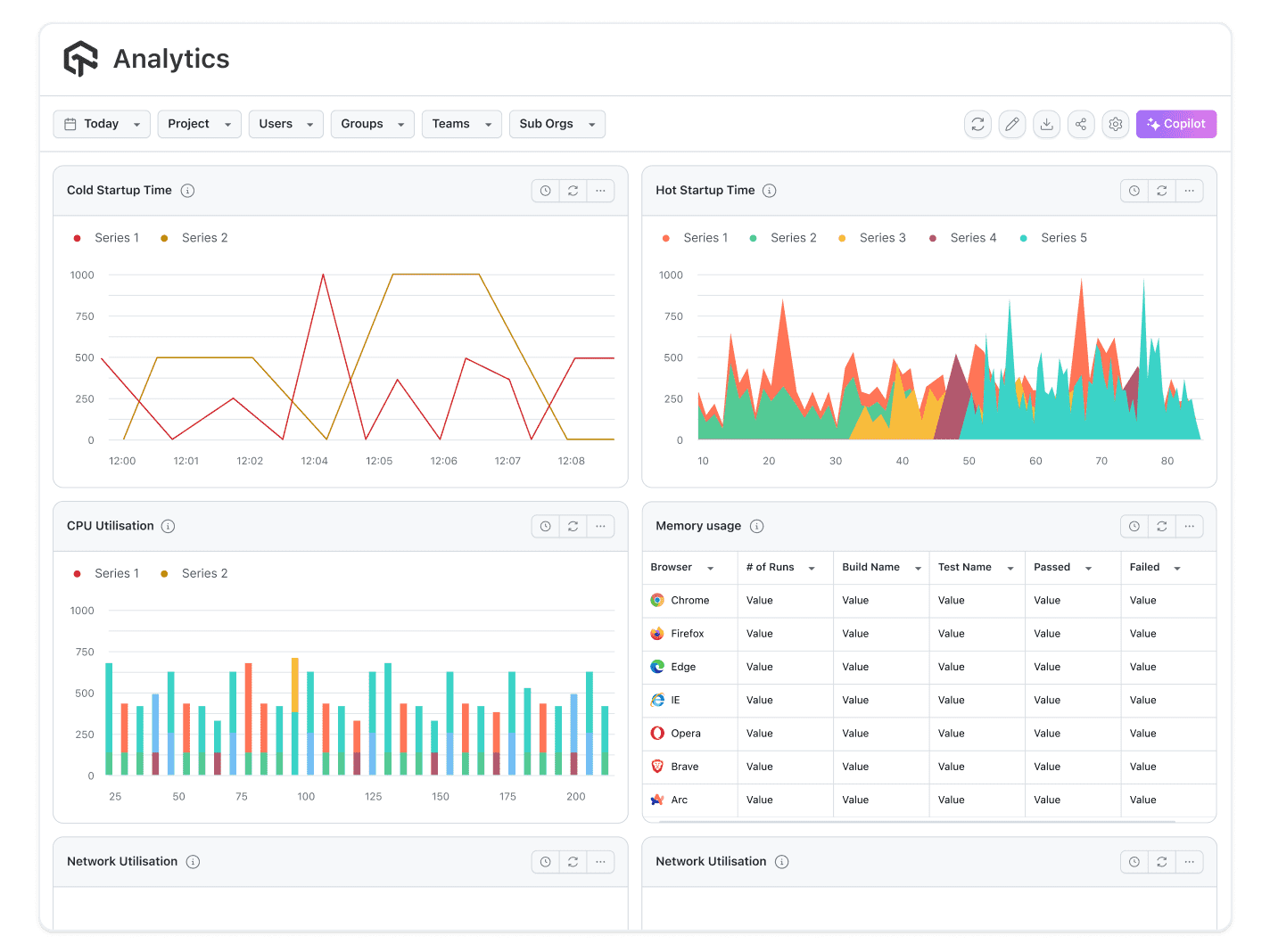
Each Samsung test run produces a report, so you can see what failed and how often.

Get Started
  • Command-by-command steps for each test
  • Video recording of each run
  • Device logs and network logs
  • Test analytics across your runs
Test report for a Samsung Galaxy S25 5G run showing HAR logs, raw device logs and video

Samsung Remote Test Lab vs TestMu AI

Samsung Remote Test Lab is Samsung's free lab for developer members, with daily credits. TestMu AI's Samsung test lab is built for teams that test on every release.
sparkles

Top Choice

Features

TestMu AI

Samsung Remote Test Lab

Price

From $39 a month, billed annually
Free for Samsung Developer members

Testing time

Unlimited on paid plans
20 credits a day, 15 minutes each

Starting a session

On demand, select Start
Reserve a device, 30 minutes minimum

Device brands

Samsung, Apple, Google Pixel, OnePlus, Xiaomi and more
Samsung only: phones, tablets, watches and TVs

Galaxy models

Galaxy S8 to S26 Ultra, plus Z Fold and Tab models
Galaxy A, S, Z, F, M, Note, Tab and Watch lines

Test automation

Appium and Espresso, run in parallel
Predefined automated test, 5 to 10 minutes

SMS and OTP testing

SIM-enabled Galaxy devices for OTP and SMS flows
Not possible, devices have no SIM cards

Network conditions

Throttling for 3G, 4G, 5G and offline
Dedicated Wi-Fi hotspot at each lab

Debugging

Video, device logs, network logs and ADB shell
Device logs and ADB over Remote Debug Bridge

Features of TestMu AI's Samsung Remote Test Lab

ADB Shell Support

ADB Shell Support

Perform deep device-level testing using ADB shell commands directly on real Samsung devices.

Network Logs

Network Logs

Capture detailed network logs to debug connectivity issues and optimize app performance in real-time.

Local Testing

Local Testing

Test your apps and web apps locally on real Samsung devices, simulating real-world environments with minimal setup.

Quick App Upload

Quick App Upload

Instantly upload and test your Android apps on real devices, speeding up the testing cycle.

Android TalkBack

Android TalkBack

Ensure accessibility by testing your apps with Android's TalkBack feature to support visually impaired users.

120+ Integrations

120+ Integrations

Connect your Samsung test runs to 120+ tools, including Jenkins, GitHub and Slack.

Success Stories of TestMu AI (Formerly LambdaTest)

Dashlane

50%

reduction in test execution time

“HyperExecute is a highly reliable test execution platform and has excellent customer support.”

Sagar Uday Kumar

Sr. Engineering Manager

More Reasons to Love TestMu AI (formerly LambdaTest)

See how TestMu AI improves your testing with seamless integration, quicker results, and unmatched accuracy.

Users

3M+

Tests

1.5B+

Enterprises

18K+

Countries

132

TestMu AI Named a Challenger in the 2025 Gartner® Magic Quadrant™

Read Report

TestMu AI recognized in The Forrester Wave™: Autonomous Testing Platforms, Q4 2025

Read Report

Wall of Fame

TestMu AI is the #1 choice for SMBs and enterprises across the globe.

Software review award badges

Enterprise-Grade Security

We safeguard your data and AI systems with global security, privacy, responsible AI, and ESG standards.

Security compliance certification badges

Integrations

Works where you work, 120+ integrations with the tools your team relies on.

Integration partner logos

As Seen On

TestMu AI for Enterprise

Get access to solutions built on enterprise-grade
security, privacy, & compliance

  • Advanced access controls
  • Advanced data retention rules
  • Advanced Local Testing
  • Premium Support options
  • Early access to beta features
  • Private Slack Channel
  • Unlimited Manual Accessibility DevTools Tests

Frequently asked questions