
LambdaTest Tunnel GitHub Actions: Setup Guide
LambdaTest is now TestMu AI. Add one block to your GitHub Actions workflow and test locally or privately hosted builds on 10,000+ browsers and real devices.

Trusted by 3M+ users globally at




"We have tripled our tests and are now executing tests in less than 2 hours with 78% Faster Test Execution"


"We figured out a more efficient way to monitor system health and resolve failures earlier in lower environments."





"TestMu AI has significantly boosted our testing speed, is easy to implement, and provides exceptional support."


"With 70% faster test execution, TestMu AI helped us achieve faster time-to-market and enhanced CX."



Copy-Paste Workflow: Start the Tunnel in main.yml
Runs on every push and pull request: check out code, start the tunnel with the v2 action, run tests, and archive tunnel logs.
Full setup steps and per-framework capabilities live in the local testing guide. Check out our documentation
Set Up the Tunnel Action in Three Steps
Store credentials as encrypted secrets, drop one block into main.yml, and tune the tunnel for your network.
 PREREQUISITES
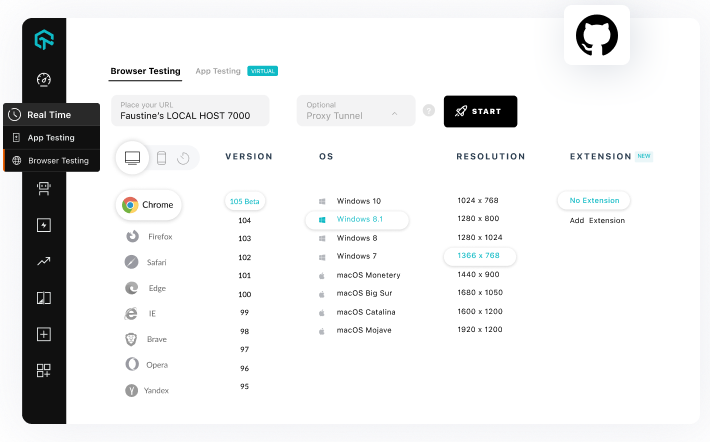
Add Your GitHub Secrets
The action authenticates with your TestMu AI username and access key. Store both as encrypted repository secrets so they never appear in logs or forks.
Get Your Access Key- Copy your username and access key from Password & Security
- Add LT_USERNAME and LT_ACCESS_KEY under Settings > Secrets and variables > Actions
- Reference them as secrets in main.yml, never in plain text

 WORKFLOW
Configure main.yml
One block in .github/workflows/main.yml starts the tunnel with the v2 action, runs your suite against the grid, and tears everything down when the job ends.
Run It Free- Check out code with actions/checkout on ubuntu-latest
- Start LambdaTest/LambdaTest-tunnel-action@v2 with your secrets
- Set tunnel: true and your tunnelName in test capabilities
 TUNNEL CONFIGURATION
Tune Tunnel Inputs
Only user, accessKey, and tunnelName are required. Optional inputs cover proxies, shared tunnels, custom DNS, and verbose logs for restricted networks.
Read the Tunnel Docs- Route through corporate proxies with proxyHost and proxyPort
- Share one tunnel across the team with sharedTunnel
- Debug CI runs with verbose logs and the logFileName output
Every Tunnel Input at a Glance
Start free with Google
All inputs the action accepts under with:, plus the log output you can reference from later workflow steps.
Required
What it does
user
Yes
Your TestMu AI username, via LT_USERNAME
accessKey
Yes
Your TestMu AI access key, via LT_ACCESS_KEY
tunnelName
Yes
Unique name matched by tunnelName in test capabilities
proxyHost / proxyPort
No
Route the tunnel through a corporate proxy
proxyUser / proxyPass
No
Credentials when the proxy requires authentication
sharedTunnel
No
Share one tunnel across your whole organization
dns
No
Comma-separated list of custom DNS servers
bypassHosts
No
Hosts that resolve publicly and skip the tunnel
basicAuth
No
Credentials for staging environments behind basic auth
verbose
No
Detailed tunnel logging, exported via the logFileName output
Required
user
Yes
accessKey
Yes
tunnelName
Yes
proxyHost / proxyPort
No
proxyUser / proxyPass
No
sharedTunnel
No
dns
No
bypassHosts
No
basicAuth
No
verbose
No
What it does
user
Your TestMu AI username, via LT_USERNAME
accessKey
Your TestMu AI access key, via LT_ACCESS_KEY
tunnelName
Unique name matched by tunnelName in test capabilities
proxyHost / proxyPort
Route the tunnel through a corporate proxy
proxyUser / proxyPass
Credentials when the proxy requires authentication
sharedTunnel
Share one tunnel across your whole organization
dns
Comma-separated list of custom DNS servers
bypassHosts
Hosts that resolve publicly and skip the tunnel
basicAuth
Credentials for staging environments behind basic auth
verbose
Detailed tunnel logging, exported via the logFileName output
Success Stories of TestMu AI (Formerly LambdaTest)

50%
reduction in test execution time
“HyperExecute is a highly reliable test execution platform and has excellent customer support.”
Sagar Uday Kumar
Sr. Engineering Manager
Some Love from our Customers
As Best Egg expanded its product offerings and entered new markets, we knew our old testing infrastructure couldn’t keep up.
With support from Tenny Agustin, our Engineering Operations Lead, we modernized our approach with
TestMu AI

Best Egg
best-egg

Excited to Share My Learning Journey with Kane AI & Lambda Tool!
I'm pleased to announce that I've recently gained hands-on experience exploring Kane AI through the Lambda Tool and it’s been a fantastic journey of upskilling!
KaneAI

Suryateja Goud
suryateja-goud

See how is #Futureready to enable blazing-fast test orchestration seamlessly integrated with organizations' existing CI/CD platforms, using #Microsoft Azure.
TestMu AI

Microsoft India
MicrosoftIndia
More Reasons to LoveTestMu AI (formerly LambdaTest)
See how TestMu AI improves your testing with seamless integration, quicker results, and unmatched accuracy.
Users
3M+
Tests
1.5B+
Enterprises
18K+
Countries
132
TestMu AI Named a Challenger in the 2025 Gartner® Magic Quadrant™
Read ReportTestMu AI recognized in The Forrester Wave™: Autonomous Testing Platforms, Q4 2025
Read ReportWall of Fame
TestMu AI is the #1 choice for SMBs and enterprises across the globe.

Enterprise-Grade Security
We safeguard your data and AI systems with global security, privacy, responsible AI, and ESG standards.

Integrations
Works where you work, 120+ integrations with the tools your team relies on.




As Seen On
Frequently asked questions
TestMu AI forEnterprise
Get access to solutions built on enterprise-grade
security, privacy, & compliance
- Advanced access controls
- Advanced data retention rules
- Advanced Local Testing
- Premium Support options
- Early access to beta features
- Private Slack Channel
- Unlimited Manual Accessibility DevTools Tests