
Test what your AI agent
does before it ships
Agent Assurance tests how your agent actually behaves across workflows, tools, and actions to catch failures and vulnerabilities.

Free Integration Compatibility Checker Online
Select your business apps and see match scores across 18 automation and AI agent platforms, with gap analysis and API bridge suggestions. The tool is developed by TestMu AI (formerly LambdaTest) and is completely free to use.
Categories

Ship AI Agents With Confidence
See how it performs before real users do.





Please select one or more business tools above to calculate platform compatibility.
What is an Integration Compatibility Checker?
An Integration Compatibility Checker is an online utility that helps teams map their existing business tool stack against popular automation engines and AI agent builders. It calculates compatibility match scores based on pre-built connectors and suggests developer webhook or API fallback methods for unsupported software platforms.
This free TestMu AI checker maps 50 common business apps against 18 automation and AI agent platforms, from Zapier, Make, and n8n to Lindy and Dify. All processing happens in your browser: your stack selections are never uploaded to a server.
Why Does Tool Stack Integration Compatibility Matter?
Modern corporate operations depend on data moving cleanly between dozens of cloud applications. When connections break or pre-built integrations are missing, teams must write custom API scripts. Here is why checking integration compatibility upfront is essential:
- Reduces Custom Development: Verifying native support helps you select tools that connect automatically, eliminating complex custom API code.
- Prevents Workflow Failures: Compatibility checking ensures that data fields pass successfully between platforms without sync exceptions.
- Optimizes License Spending: Knowing platform capabilities helps you choose between Zapier, Make, or n8n based on pre-built nodes.
- Speeds Up Automation: Native connector nodes allow drag-and-drop workflow configuration, cutting setup time from days to minutes.

How Do You Use the Integration Compatibility Checker Online?
Our free online integration check helps you evaluate your software compatibility across multiple platforms. Follow these steps to check your stack:
- Select Your Business Tools: Check the boxes next to your active databases, CRMs, email servers, and support applications in the picker matrix.
- Load Workspace Presets: Click on preset stacks like E-commerce or Sales to populate standard software configurations in one click.
- Choose Automation Engines: Switch between comparing all platforms or checking compatibility for specific tools like Zapier or Make.
- Set Minimum Integration Depth: Filter results by selecting your required depth: full CRUD actions, partial tasks, or basic triggers.
- Export Your Stack Report: Review compatibility scores, note recommended API bridges, and download the report as a Markdown document.
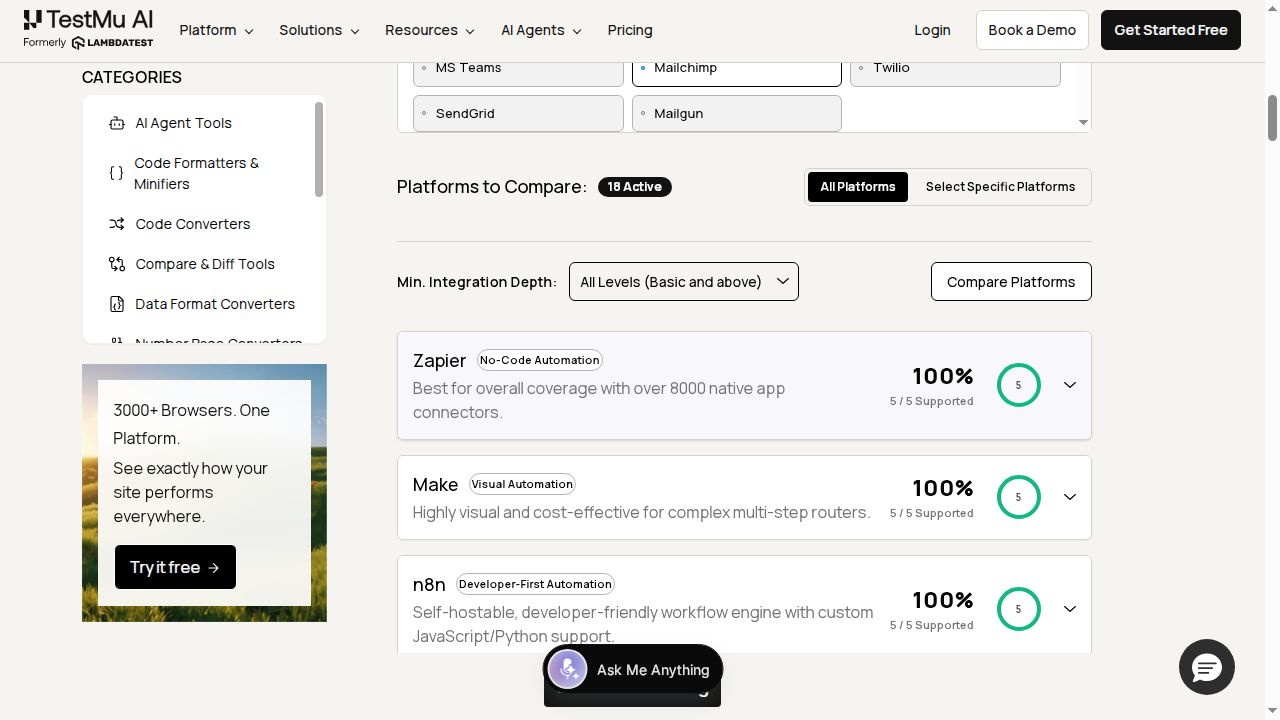
What Are the Key Features of the Integration Compatibility Checker?
Built to help system architects and operations managers plan integrations, this free online tool includes advanced features for analysis:
- Multi-Platform Comparisons: Check compatibility across eighteen automation platforms, no-code integrations, and AI agent frameworks simultaneously.
- Customizable Depth Filters: Drill down into specific integration actions, from basic triggers to full read/write permissions.
- Automatic Bridge Suggestions: Get actionable developer guidelines detailing custom webhooks or HTTP developer endpoints for unsupported connectors.
- Local Data Execution: Your stack information stays private because the compatibility matrix compiles locally in your browser.
- Interactive Preset Cards: Load standard department toolsets instantly, allowing rapid testing of common stack integrations.
How Do Zapier, Make, and n8n Compare on Integration Coverage?
Vendor directories differ sharply in size. Zapier's App Directory lists more than 9,000 apps, Make's app library publishes 3,000+ pre-built apps, and n8n's integrations directory lists roughly 1,900 integrations plus thousands of community nodes.
Raw counts are not the whole picture. A platform with fewer connectors can expose deeper actions for the apps it does support, and n8n reaches any REST API through its HTTP Request node even without a dedicated node. This checker scores your exact stack instead of comparing directory sizes.
| Platform | Published directory size | Coverage strength |
|---|---|---|
| Zapier | 9,000+ apps | Broadest catalog of native connectors |
| Make | 3,000+ apps | Visual builder with rich per-app modules |
| n8n | 1,900+ integrations | Self-hostable, custom code and HTTP nodes |
What Are the Business Benefits of Checking App Integrations?
Integrating your applications creates clean, unified workflows. Checking app integrations helps teams build reliable software architectures. Here are key business benefits of compatibility checking:
- Aligned Support Workflows: Verify that ticket updates sync smoothly to your customer databases, using the AI Agent CRM Checklist.
- Clear Automation Feasibility: Determine whether to hire manual labor or deploy software assistants, using the Hire Employee vs AI Agent Cost Calculator.
- Optimized System Budgets: Match tool stacks to cost targets, evaluating cost-to-benefit ratios with our AI Agent ROI Calculator.
- Standardized Process SOPs: Ensure that automated steps have the necessary integration connectors, matching steps mapped with our Process Documenter.
Which Automation Platform Should You Choose for Your Stack?
Pick the platform with the highest match score at the integration depth your workflows actually need, then close any remaining gaps with webhook or HTTP request bridges. For teams building AI agents, weigh the AI agent platforms in your results against pairing a dedicated automation engine with an agent framework.
After wiring the stack, design and validate the workflows themselves: the AI Agent Workflow Builder exports agent workflows to n8n, CrewAI, and LangGraph, and KaneAI, the AI testing agent from TestMu AI, turns plain-English steps into automated end-to-end tests before your integrations reach production.
Frequently Asked Questions (FAQs)
How do I find out if an app has a Zapier integration?
Search the Zapier App Directory by app name and again by category, since listings sometimes use different naming. A missing listing is not always final: some connectors are invite-only or private and appear only through a special invitation link, so check the app vendor's help docs before ruling an integration out.
What is the difference between a webhook and a native integration?
A native integration is a pre-built connector that a vendor develops and maintains, with ready-made triggers and actions you configure in a visual interface. A webhook is a raw HTTP callback an app sends when an event occurs, which you catch and process yourself. Webhooks bridge apps that lack native connectors.
How is the platform match score calculated?
The compatibility match score is calculated as the percentage of your selected business applications that are natively supported by the respective automation or AI platform. You can adjust the scoring criteria using the integration depth filter.
What is the difference between Full, Partial, and Basic integration depths?
Full indicates full read, write, update, and delete actions. Partial indicates a subset of actions or triggers. Basic represents trigger-only or limited push support. None indicates that no pre-built connector exists.
Why does a native integration sometimes lack the trigger or action I need?
Connector builders usually expose only an app's most popular API endpoints and webhook events, not its full API surface. That is why this checker rates some connectors as partial or basic. The missing trigger or action often still exists in the app's public API and stays reachable through webhook or HTTP request steps.
Is my tool stack configuration shared with third party servers?
No. The integration compatibility evaluation process runs client-side in your browser. Selections are stored locally in your browser workspace or serialized directly into base64 URLs for easy sharing without saving parameters on any database.
How should I handle integrations when native support is missing?
When native connectors are missing, you can establish webhook listener actions, build a middleware relay bridge on platforms like Zapier, or communicate directly via the application's developer API endpoints using customized HTTP request nodes.
Can I build my own integration if an app has a public API?
Yes. Zapier's developer platform lets you build a private integration for any service with a public API using a no-code interface or a CLI, and private apps stay visible only to your team. n8n accepts custom and community nodes, and Make supports custom apps, so a public API closes most gaps.
Are all Zapier integrations available on the free plan?
No. Zapier's free plan covers basic Zaps and most standard apps, but premium apps such as Salesforce, PayPal, and Shopify require a paid Zapier plan. Some premium connectors also need a paid subscription on the connected app's side, so verify both plans before committing a workflow to production.
Do AI agent platforms like Lindy or Relevance AI support as many apps as Zapier?
Not yet. Lindy advertises hundreds of integrations and Relevance AI markets 2,000+ integrations, compared with the 9,000+ apps Zapier reports. Both categories also expose HTTP and API tool steps, and an AI agent can call Zapier or Make as a bridge for anything missing.
Does this tool require subscription accounts to run?
No. This Integration Compatibility Checker is a free utility from TestMu AI. There are no fees, login requests, or subscription accounts required. All functions evaluate instantly in your web browser environment.
Can I save and share my custom tool stack report?
Yes. Clicking the share link encodes your selected apps into a base64 string appended to the URL. Teammates using this link can load your setup, or you can export the report as a Markdown file.

Did you find this page helpful?
More Tools
TestMu AI forEnterprise
Get access to solutions built on Enterprise
grade security, privacy, & compliance
- Advanced access controls
- Advanced data retention rules
- Advanced Local Testing
- Premium Support options
- Early access to beta features
- Private Slack Channel
- Unlimited Manual Accessibility DevTools Tests