
Assure your AI deployment - across enterprise and real world
We assure that your AI works as intended. Safely and securely.

Sharpening Your Toolbox: Staying Ahead In The Tech World [Testμ 2023]
In this session of Testμ 2023, Ajay Balamurugadas and Rahul Parwal will explore the art of staying ahead in an ever-changing testing landscape and sharpening your toolkit.
Last Updated on:
On This Page
- Exploring the Opportunities for Tools
- Embracing the Power of Tools: A Personal Journey
- Creating a Personalized Toolkit
- Navigating the World of Tools
- Jerry Weinberg’s Rule of Three: A Guiding Principle
- Aspects to Check While Looking for a Tool
- Exploring New Tools
- Heuristics for Evaluating Testing Tools
- Tool Hunting Partner
- Don’t Miss Out on These 5 Things!
- Q & A Round!
In the world we live in today, where technology is advancing faster than ever before, it’s absolutely crucial for professionals to stay up-to-date with these changes. Why, you ask? Well, because this is what helps us stay competitive and relevant in our fields.
Think about it – just a few years ago, the way we interacted with the digital world was quite different. And who knows what things will look like in another few years? By keeping a finger on the pulse of new technology trends, we can anticipate what’s coming and be prepared to adapt.
In this insightful session of the Testμ 2023 Conference, Ajay Balamurugadas, Senior Director, GSPANN, and Rahul Parwal, Senior Software Engineer, ifm Engineering, explore the art of staying ahead in an ever-changing testing landscape and sharpening your toolkit.

If you couldn’t catch all the sessions live, don’t worry! You can access the recordings at your convenience by visiting the TestMu AI YouTube Channel.
Exploring the Opportunities for Tools
Ajay started the session by highlighting the potential of tools in various testing activities. They emphasize that while tools are often associated with test execution, test data generation, and environment setup, there are multiple other areas where tools can be effectively utilized.
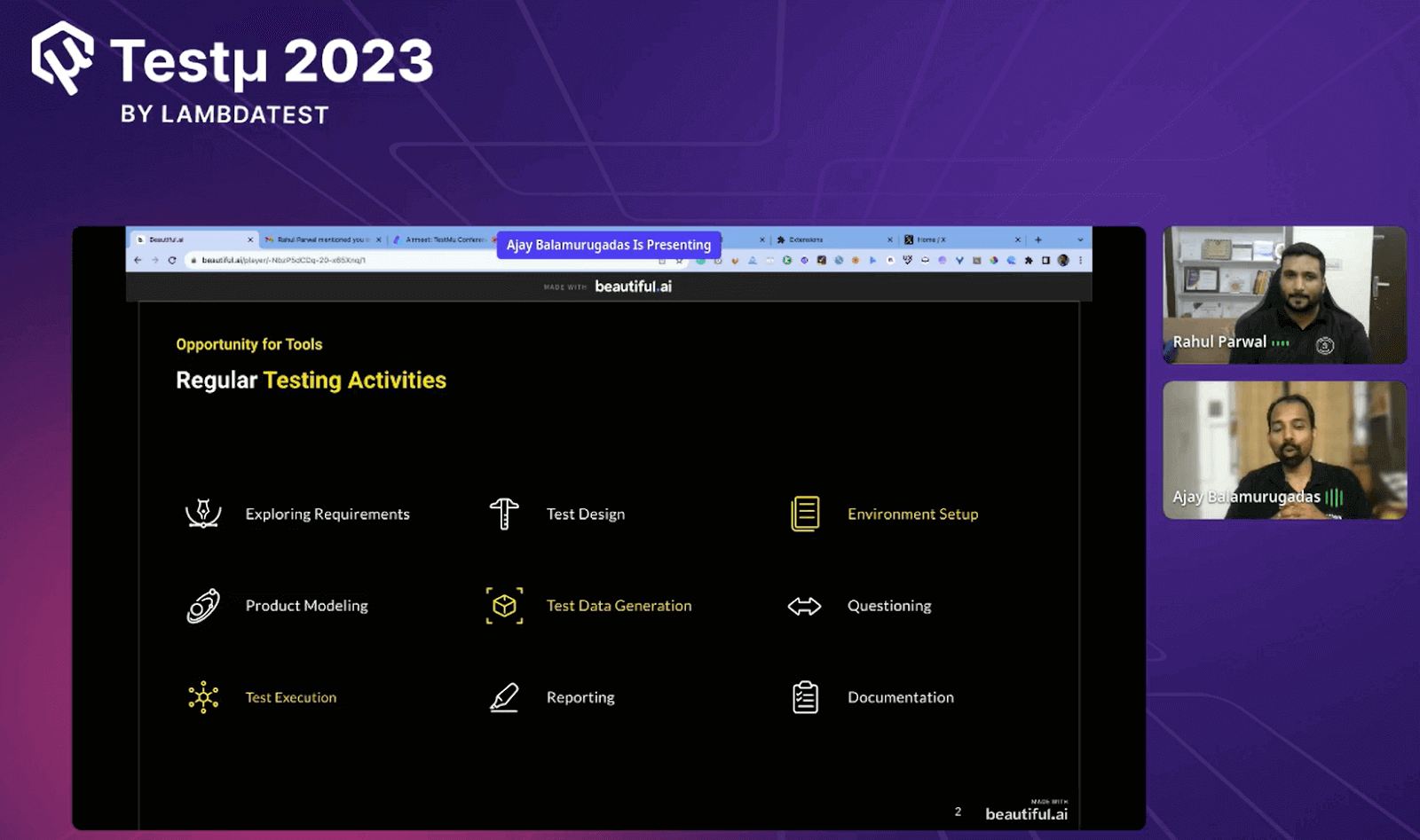
These areas include requirements analysis, product modeling, designing tests, questioning, reporting, and documentation. They question why tools are underutilized in many of these areas and stress the benefits of embracing tools across the testing spectrum.
Further, Ajay challenge the misconception that tools are limited to commercial or licensed software like Postman, JMeter, or Selenium. They aims to debunk this myth and says that everything can be a tool when wielded with the right skills. They present an expansive view of tools, suggesting that they can be found in all aspects of testing and problem-solving. The speakers encourage their audience to explore and incorporate tools into their workflow.
Embracing the Power of Tools: A Personal Journey
Ajay and Rahul recount their own journey of awakening to the abundance of tools around them. Initially, they followed a traditional 9-to-5 work routine until they realized the potential of tools to boost their efficiency. This realization led them to embrace tools wholeheartedly, transforming their approach to work and productivity.
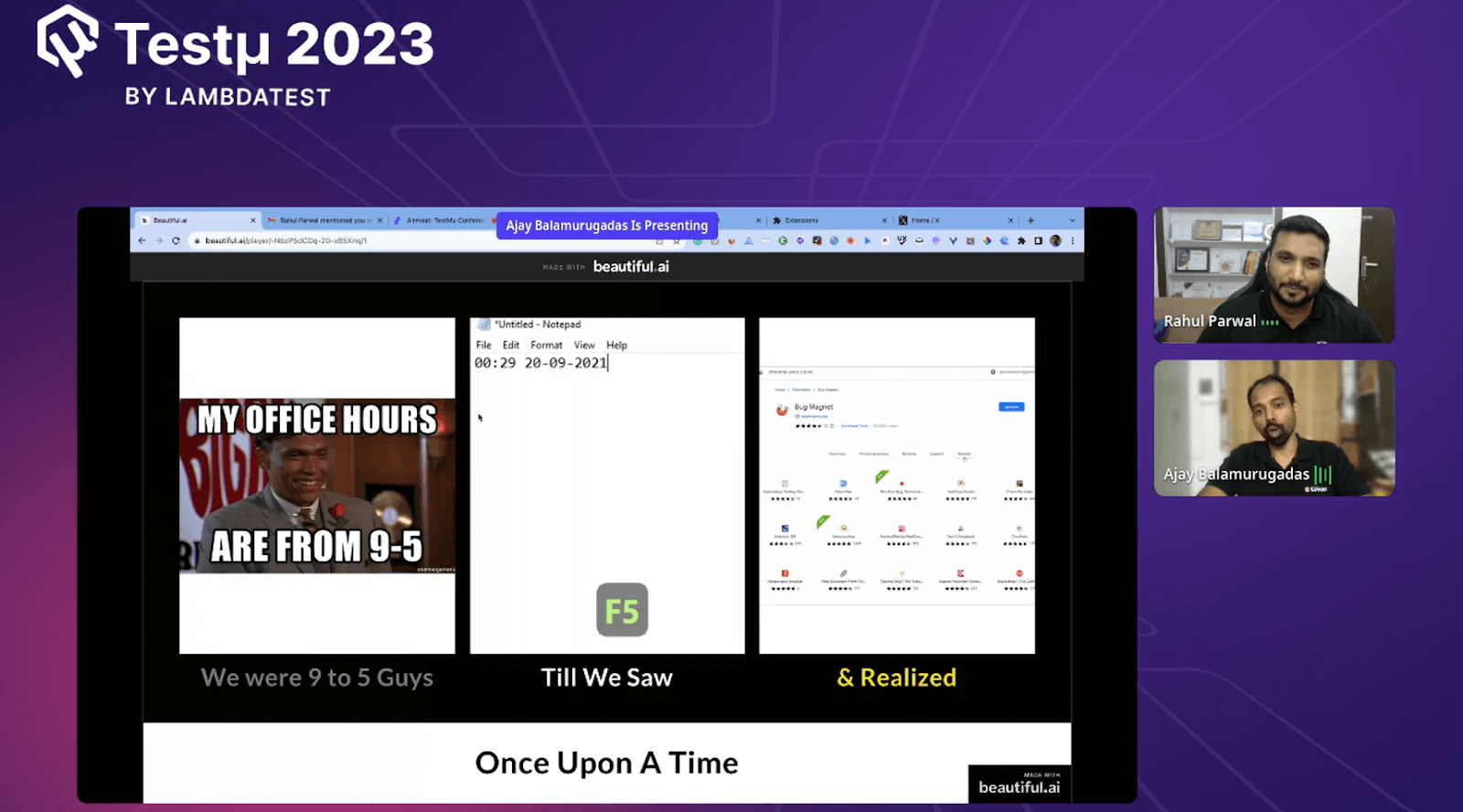
Ajay shares his experience of exploring numerous tools, which initially slowed down his system but proved to be a valuable exercise. He explains that this process allows him to discover various tools and their functionalities.
He acknowledges that some tools performed specific tasks exceptionally well, prompting him to recognize their potential. He illustrates how this practice of experimenting with tools dates back to a time when options were limited, and this concept of trying out tools has persisted through the years. In the present day, with an exponential increase in tool options and the prevalence of tools on social media and among colleagues, Ajay expresses gratitude for the diverse tool landscape.
Before handing over the microphone to Rahul, Ajay poses an interactive question to the audience. He presents two hypothetical scenarios: someone with a toolkit like ‘A’ and another with a tool kit like ‘B. ‘ He asks the audience to share their opinion on which person would work faster and more effectively.
The audience responds with a mixture of ‘B’ and ‘A’ answers. Ajay’s purpose behind this question becomes clear: he aims to spark a discussion about the efficiency of different tool kits and set the stage for Rahul’s insights.
Creating a Personalized Toolkit
Ajay’s narrative seamlessly transitions to Rahul’s insights, focusing on the process of creating a personalized toolkit. Rahul dives deeper into the challenges and strategies involved in curating an effective toolkit in a world where tool options abound.
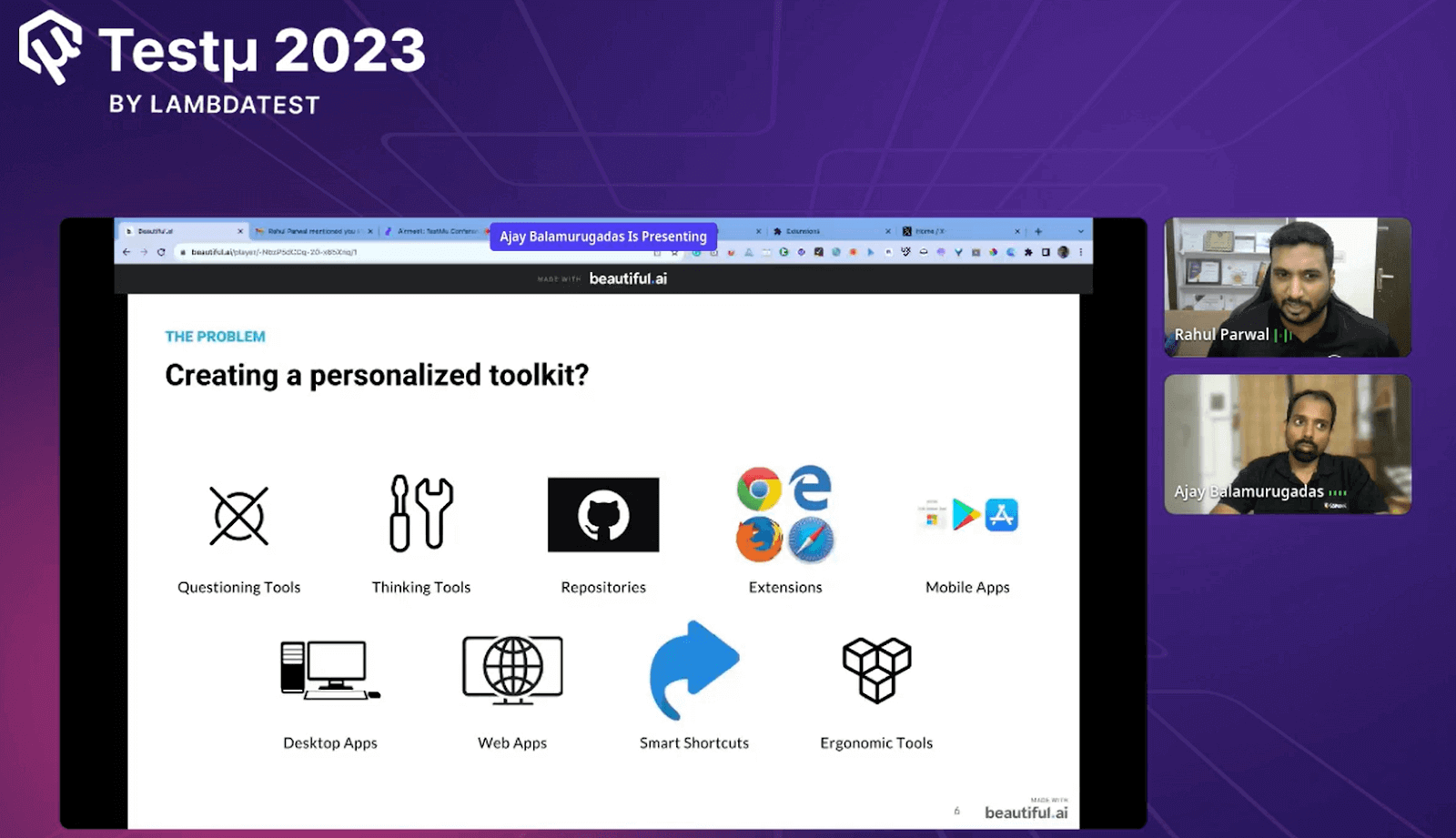
He delves into the complexities of the personalized toolkit challenge. While option ‘B’ might seem more organized and effective, he emphasizes that the true challenge lies in tailoring toolkits to individual contexts.
Tools, he reminds the audience, extend beyond mere software applications, encompassing any resource that enhances task efficiency. Rahul mentions that the quest for the right tools is not just about automation, execution, or modeling; it spans all facets of testing and problem-solving. Tools are vehicles that enable tasks to be completed faster, better, and in a more effective manner.
Rahul goes on to elaborate on the diverse spectrum of tools available. He highlights the role of questioning tools that facilitate meaningful stakeholder interactions and thinking tools that support improved testing through enhanced cognitive processes. He mentions the significance of exploring GitHub repositories, leveraging browser extensions, and maximizing mobile applications to boost productivity. Furthermore, he underscores the value of ergonomic tools that contribute to a healthier and more efficient work environment.
Navigating the World of Tools
To address the challenge of finding the right tools, Rahul encourages attendees to adopt a method of trial and exploration. He acknowledges that are finding suitable tools demands patience and the willingness to experiment.
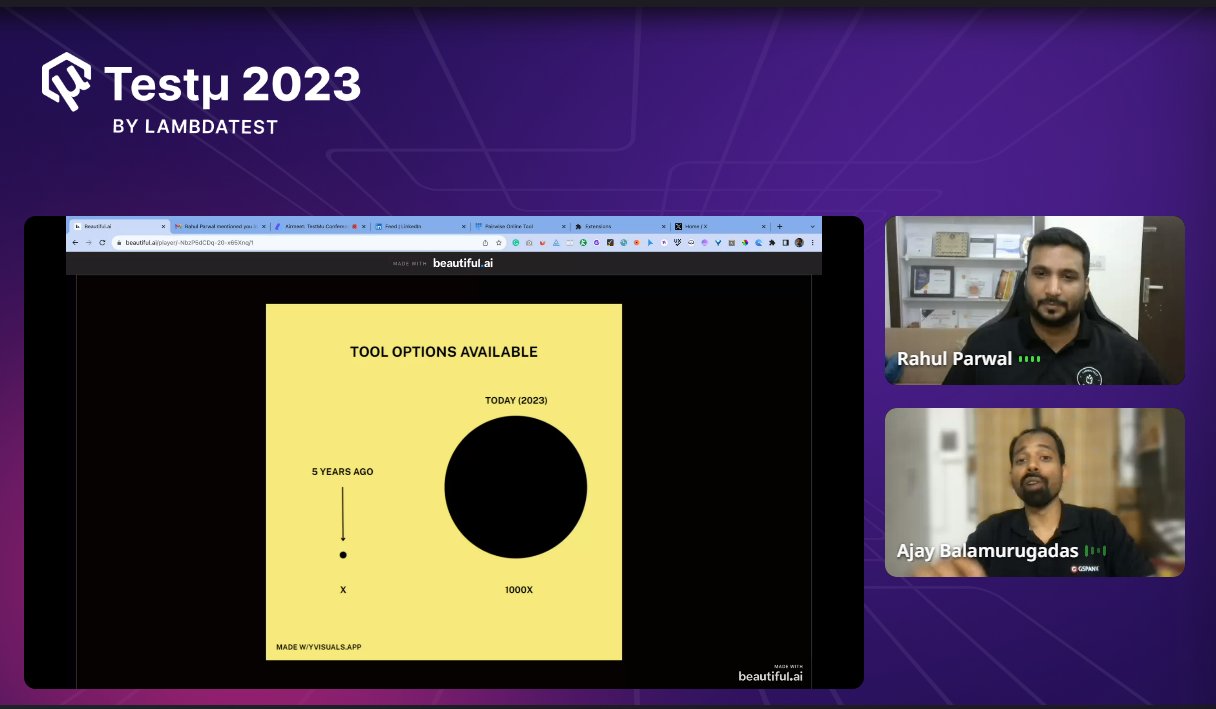
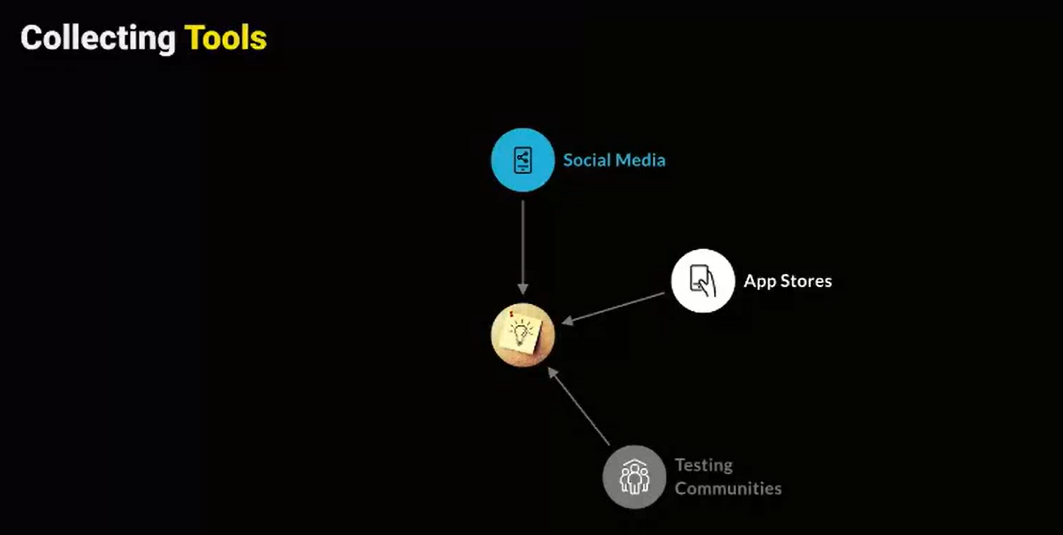
Rahul mentions the process involves trying various tools to discover which ones significantly amplify productivity and effectiveness. This continuous journey of discovery, he suggests, ultimately leads to a tailored toolkit that serves the unique requirements of each individual. He provides comprehensive strategies for unearthing tools amidst the vast array of options. He expands on Ajay’s insights, highlighting the power of leveraging social media platforms, app stores, and testing communities.
What tools are right for you? That is the question to answer says Rahul. Join this session where @parwalrahul and @ajay184f discuss the importance of having the right testing toolkit for you. pic.twitter.com/cSRONn5gIu
— LambdaTest (@testmuai) August 23, 2023
He emphasizes that spending time on social media can be a productive endeavor when used to gather information about new tools and trends. Rahul also underscores the treasure trove of tools available in app stores, urging attendees to explore these platforms. Engaging with testing communities, he asserts, offers a direct line to valuable insights and recommendations from dedicated professionals.
Jerry Weinberg’s Rule of Three: A Guiding Principle
Rahul revisits the concept of Jerry Weinberg’s “Rule of Three, ” reminding the audience of its relevance in tackling challenges. He encourages attendees to embrace this rule as a guiding principle in their approach to problem-solving.
By exploring multiple ways a solution could fail, individuals are better equipped to develop comprehensive and robust solutions.
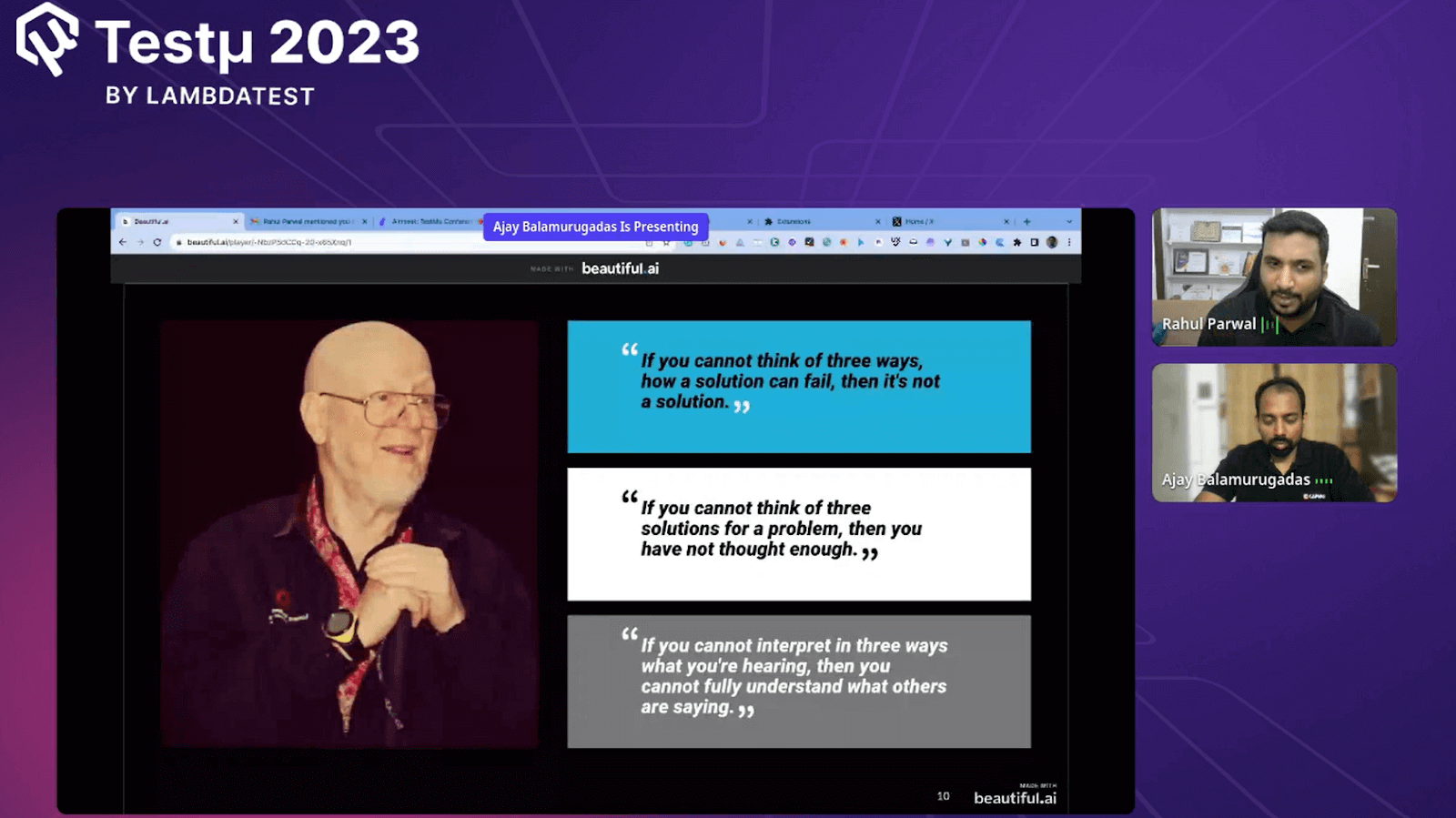
Ajay and Rahul introduce Jerry Weinberg’s “Rule of Three, ” which says that if one cannot identify at least three ways a solution can fail, then it’s not a valid solution. They advocate for critical thinking and looking beyond initial assumptions to anticipate potential challenges. Additionally, they underscore the importance of providing valuable solutions to customers and stakeholders, emphasizing that a comprehensive toolkit enhances one’s ability to deliver efficient outcomes.
Aspects to Check While Looking for a Tool
Rahul Parwal then lists a few aspects one should consider while exploring a tool.
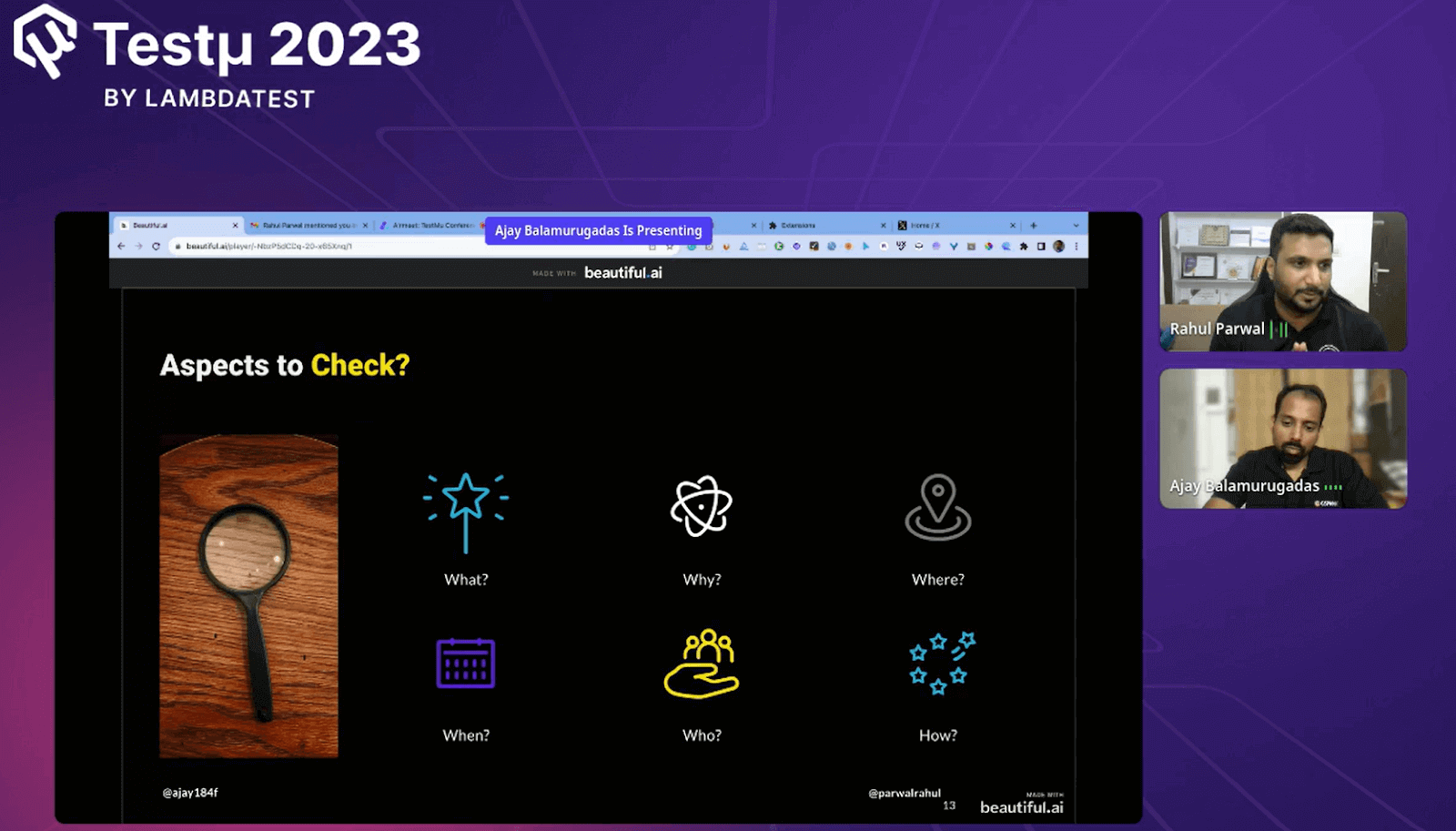
- What: Understand the tool’s purpose and the specific problem it claims to solve. Ensure the tool is designed for the task you need it for.
- Why: Determine why you need the tool. Consider how it can help you and the benefits it offers in comparison to other options.
- Where: Find out where you can access the tool. Is it open source, available on GitHub, or offered through other platforms? Also, assess where you can apply the tool – does it fit your intended context?
- When: Consider when to use the tool. Timing matters – using a tool in the right situation enhances its effectiveness.
- Who: Understand who should use the tool. Not all tools are suitable for everyone. Evaluate if this tool aligns with your role and responsibilities.
- How: Know how to use the tool effectively. Understand its features, functionalities, and limitations. Learn its intricacies and shortcuts to maximize your proficiency.
Exploring New Tools
Ajay shares the pointers to explore new tools. Some of them are as follows:
- Maintain Lists: Keep a record of the tools you come across. Don’t rely on memory alone. Create lists or notes to keep track of interesting tools, making it easier to reference them later.
- Notebook and apps: Keep a notebook or apps handy to maintain notes.
- Check Alternatives: When you find a tool, don’t stop there. Take the time to explore alternative tools that serve similar purposes. This can provide you with a broader perspective and help you find the best tool for your needs.
- Related Tools: When evaluating a tool, look for related tools that offer similar functionalities. This can help you broaden your options and find the one that aligns best with your requirements.
Heuristics for Evaluating Testing Tools
Rahul mentioned a cheat sheet developed by James Bach and Michael Bolton for systematically evaluating testing tools.
For a quick visual walkthrough of this concept, watch the video below from TestMu AI.

Subscribe to the TestMu AI YouTube channel for more tutorials on testing and automation.
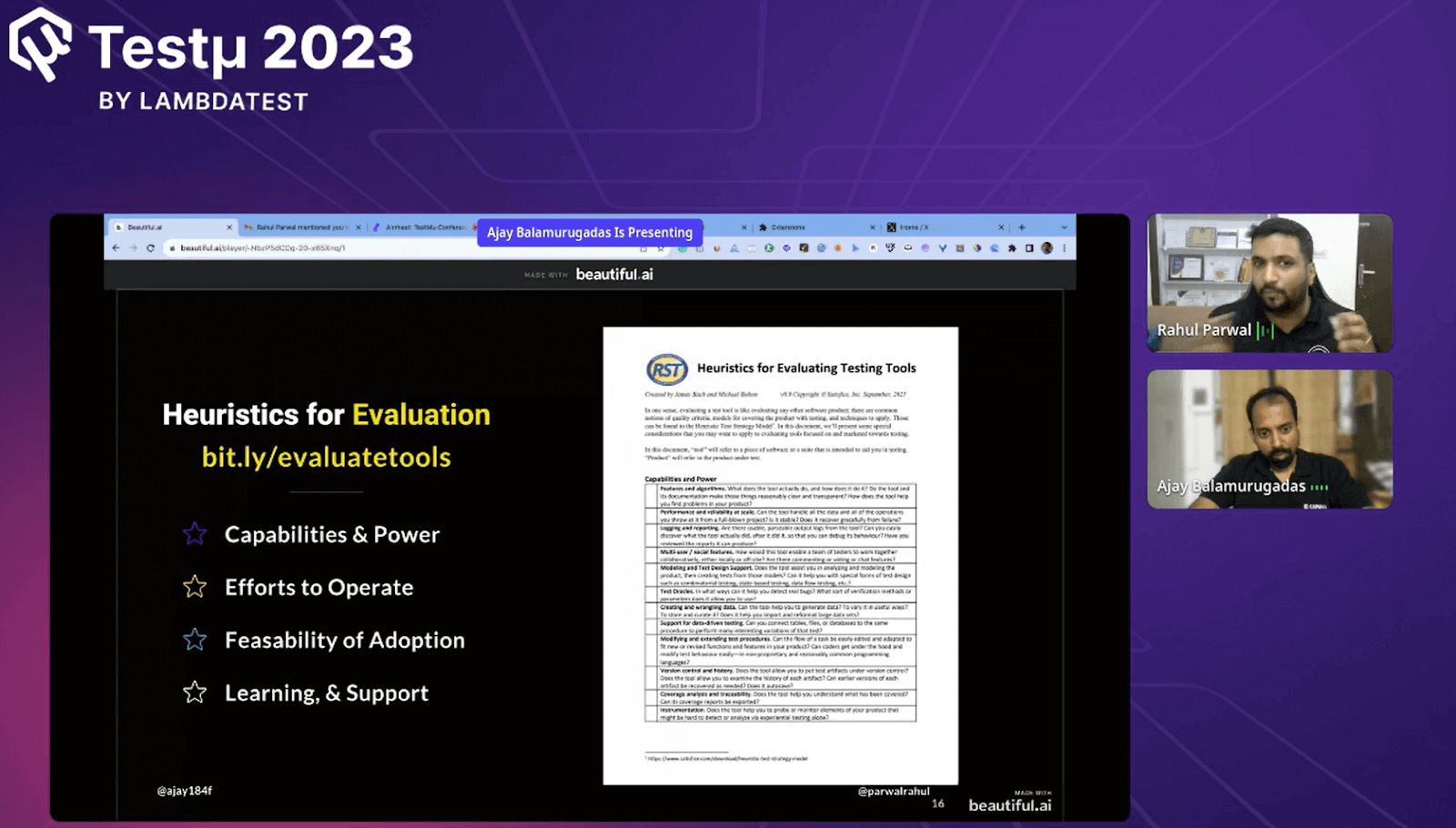
This cheat sheet helps in considering various aspects when evaluating tools for your team or organization. These aspects include:
- Efforts to Operate: Consider the effort required to operate the tool effectively. Is it intuitive and user-friendly? Does it demand a steep learning curve?
- Feasibility of Adoption: Think about how feasible it is to adopt this tool. Can it be integrated into your existing workflow, or would it require major changes?
- Learning Curve: Evaluate the learning curve associated with the tool. How quickly can your team members become proficient in using it?
- Support: Assess the kind of support the tool vendor provides. Are there resources, documentation, or customer support available when you encounter issues?
Tool Hunting Partner
Rahul also talked about the importance of having a tool-hunting partner. This is someone you collaborate with to explore and evaluate tools together. The benefits of having a tool-hunting partner include:
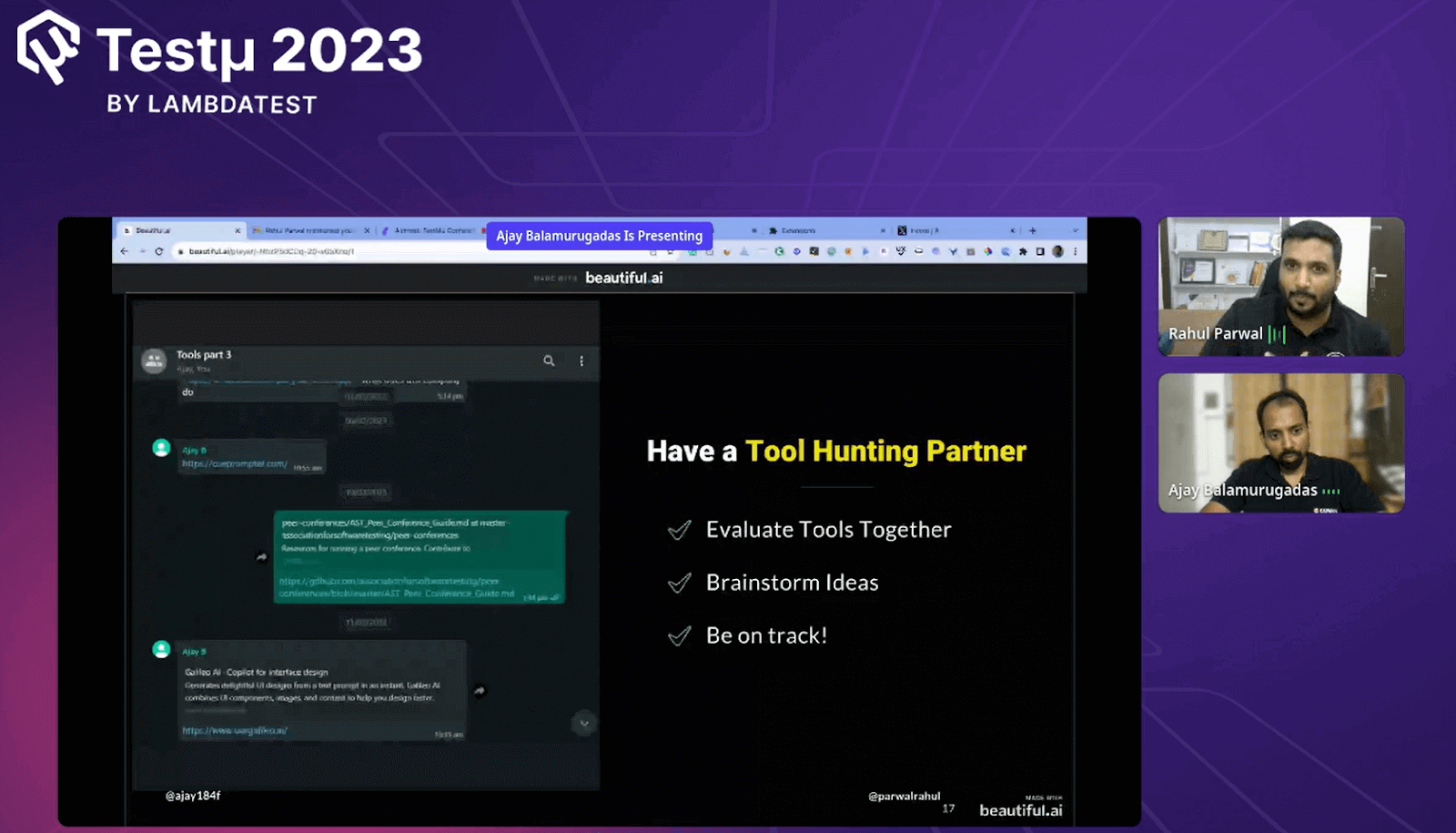
- Diverse Experiences: Partnering with someone with different experiences and contexts can lead to more critical thinking and a broader perspective on tools.
- Bias Reduction: Having a partner can help reduce biases and tunnel vision that may occur when evaluating tools alone.
- Sharing Ideas: Partners can share tools they find, exchange insights, and jointly assess whether a tool fits their respective contexts.
- Efficiency: Collaborating with a partner makes the process of exploring and evaluating tools more efficient, as you can divide tasks and share the workload.
Don’t Miss Out on These 5 Things!
Ajay mentioned five things that one should not miss when it comes to hunting for tools:
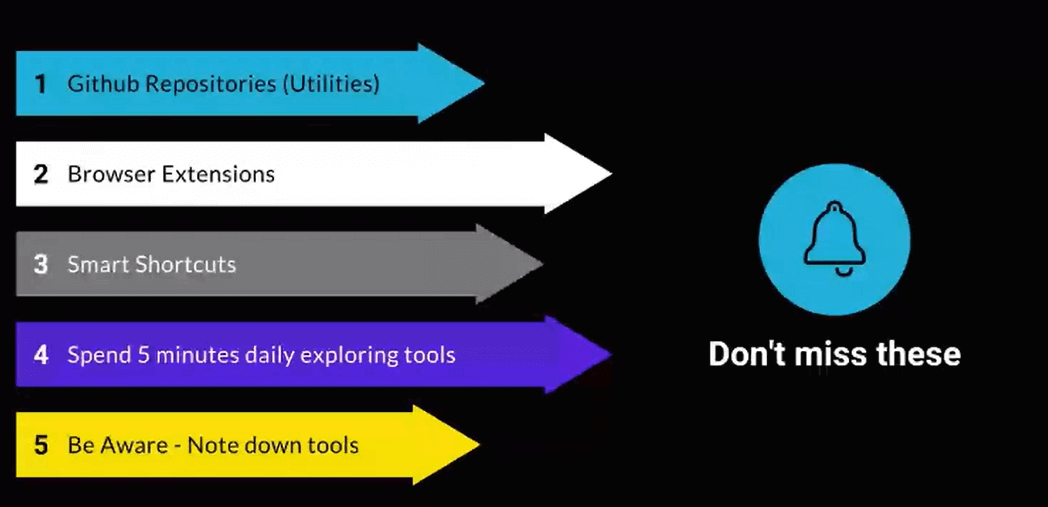
- GitHub Repositories: The usefulness of GitHub repositories and utilities for finding tools. These repositories often contain valuable resources and tools that can be beneficial for your testing needs.
- Browser Extensions: Browser extensions are often underutilized tools. Exploring and using browser extensions can enhance your efficiency while testing and navigating the web.
- Learn Shortcuts: Learn shortcuts whenever possible. If a tool or platform offers shortcuts, integrating them into your workflow can save time and improve productivity.
- Explore Daily: Spend around five minutes each day exploring new tools. This consistent practice can help you stay up to date with the latest tools and technologies in the testing landscape.
- Note Down Tools: Note down tools rather than relying on memory. Use tools like note-taking apps to keep track of tools you come across, ensuring you don’t forget valuable resources.
Q & A Round!
- Please share some practical tips/practices to stay on top.
Ajay: I think the last five points, like keep making notes, trying out with tool partners, and exploring tools daily, will work.?
- How do you perceive the role of continuous learning and embracing emerging technologies in equipping professionals to remain at the forefront of the rapidly evolving tech landscape
Ajay: We are always worried a junior will overtake us—a junior in terms of the years of experience. And a lesser salary will overtake us. And business want to make profits. So they’ll always think, how can I get done the same work with someone less expensive? So, continuous learning is a must.
And I personally feel that in an eight-hour job don’t work for the entire eight hours. Work for five hours. Remaining three hours, figure out how to do that. That’s one of the easiest ways to move forward. If you keep working at 100% capacity every time when the actual need comes for 100%, you’ll be burning out more than 100.
So figure out opportunities to learn how to do more work in less time. But you need to do that every day. Every day you need to spend that time to learn the tools, learn the techniques. What am I doing? How can I do this better? Who does this better? Why are they how are they doing it better? You need to figure that out and then start practicing.
Do you have more questions? Feel free to shoot them at the TestMu AI Community.
Testing web or mobile apps without writing code? KaneAI by TestMu AI turns plain-English instructions into tests.
Author

TestMu AI
Blogs: 281


TestMu AI is World's First Full Stack AI Agentic Quality Engineering platform that empowers teams to test intelligently, smarter, and ship faster. Built for scale, it offers a full-stack testing cloud with 50K+ real devices and 3,000+ browsers. With AI-native test management, MCP servers, and agent-based automation, TestMu AI supports Selenium, Appium, Playwright, and all major frameworks. AI Agents like HyperExecute and KaneAI bring the power of AI and cloud into your software testing workflow, enabling seamless automation testing with 120+ integrations. TestMu AI Agents accelerate your testing throughout the entire SDLC, from test planning and authoring to automation, infrastructure, execution, RCA, and reporting.


Did you find this page helpful?
More Related Blogs









TestMu AI forEnterprise
Get access to solutions built on Enterprise
grade security, privacy, & compliance
- Advanced access controls
- Advanced data retention rules
- Advanced Local Testing
- Premium Support options
- Early access to beta features
- Private Slack Channel
- Unlimited Manual Accessibility DevTools Tests