

Power Your Software Testing with AI Agents and Cloud
The Native AI-Agentic Cloud Platform to Supercharge Quality Engineering. Test Intelligently and Ship Faster.


- TestMu AI (Formerly LambdaTest)
- /
- Blog
- /
- macOS Golden Gate and iOS 27 Are Now Live on TestMu AI (Formerly LambdaTest)
macOS Golden Gate and iOS 27 Are Now Live on TestMu AI (Formerly LambdaTest)
macOS Golden Gate and iOS 27 in beta are live on TestMu AI on day zero. Test on Real Time Testing and Real Devices before the stable release later this year.
Last Updated on:
Apple announced macOS Golden Gate and iOS 27 at WWDC 2026. Both are in beta and available for testing on TestMu AI (Formerly LambdaTest) on day zero, the same day Apple released them.
macOS Golden Gate is now available for testing on Real Time Testing. iOS 27 is live on real devices. When the stable release arrives, millions of users will upgrade. The question is: will your app be ready?
What's New in macOS Golden Gate and iOS 27
Apple confirmed a range of changes at WWDC 2026. Each one will affect apps running on iOS 27 or macOS Golden Gate before the stable release:
macOS Golden Gate:
- Drops Intel entirely - Apple Silicon only (kills 2020 13" MBP, 2019 16" MBP, 2020 27" iMac, 2019 Mac Pro).
- Visual Intelligence on Mac; Siri via Spotlight pulls content across apps (e.g., a PDF invoice from email into Numbers).
- Refined Liquid Glass; VoiceOver richer image descriptions; auto-synced captions with translation; natural-language calendar events; 5K at 120Hz on ultrawide displays.
iOS 27:
- Refinement/performance release - better speed, sharper layers, transparency slider for Liquid Design.
- Maps Flyover with richer aerial imagery; iCloud Shared Albums on Android and Windows.
- New Child Accounts with expanded parental controls.
- Supports all iOS 26 devices - iPhone 17 series down to iPhone 11 and SE 2nd-gen.
Test Websites and Web Apps on macOS Golden Gate
macOS Golden Gate is Apple's first macOS to drop Intel support entirely. You can now perform cross browser testing on TestMu AI - formerly known as LambdaTest, on macOS Golden Gate Beta with no local machine needed on your end.
- Safari, Chrome, Firefox: Test on macOS browsers like Safari, Chrome and Firefox on macOS Golden Gate Beta to catch rendering differences from day one.
- Chrome Extensions: Load your extensions directly into the Real Time Testing session on macOS Golden Gate to validate extension behavior under the new OS without any local setup.
- Desktop-specific behavior: macOS Golden Gate is Apple Silicon only. Validate any feature that previously ran on Intel-era assumptions: performance profiles, GPU rendering, and font metrics can differ.
Check out this real-time desktop browser testing guide to get started.
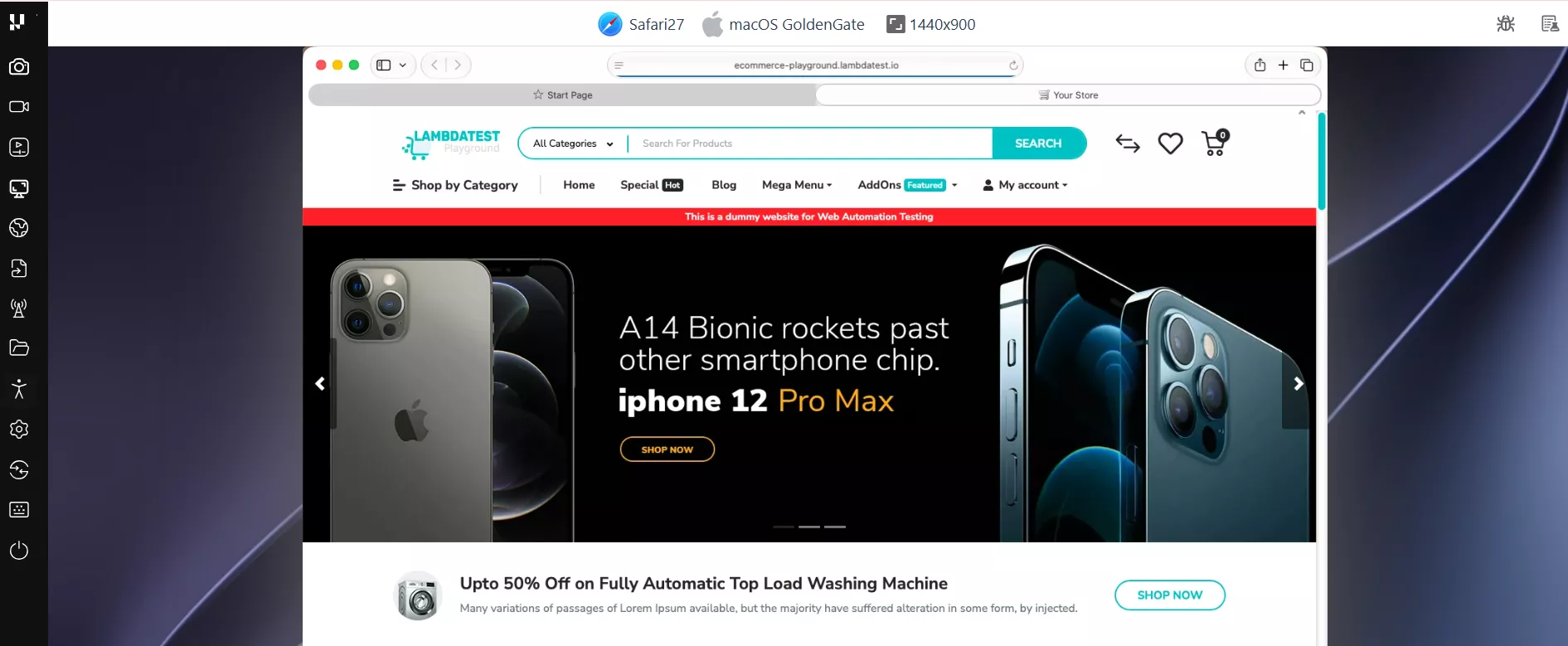

Note: Test on iOS 27 Beta real devices and macOS Golden Gate today. Day zero access on TestMu AI. Try for free
Test Mobile Apps on Real Devices With iOS 27
iPhone and iPad devices running iOS 27 Beta are now available in the TestMu AI real device cloud. Real devices matter when your app touches device-specific capabilities that simulators cannot accurately replicate.
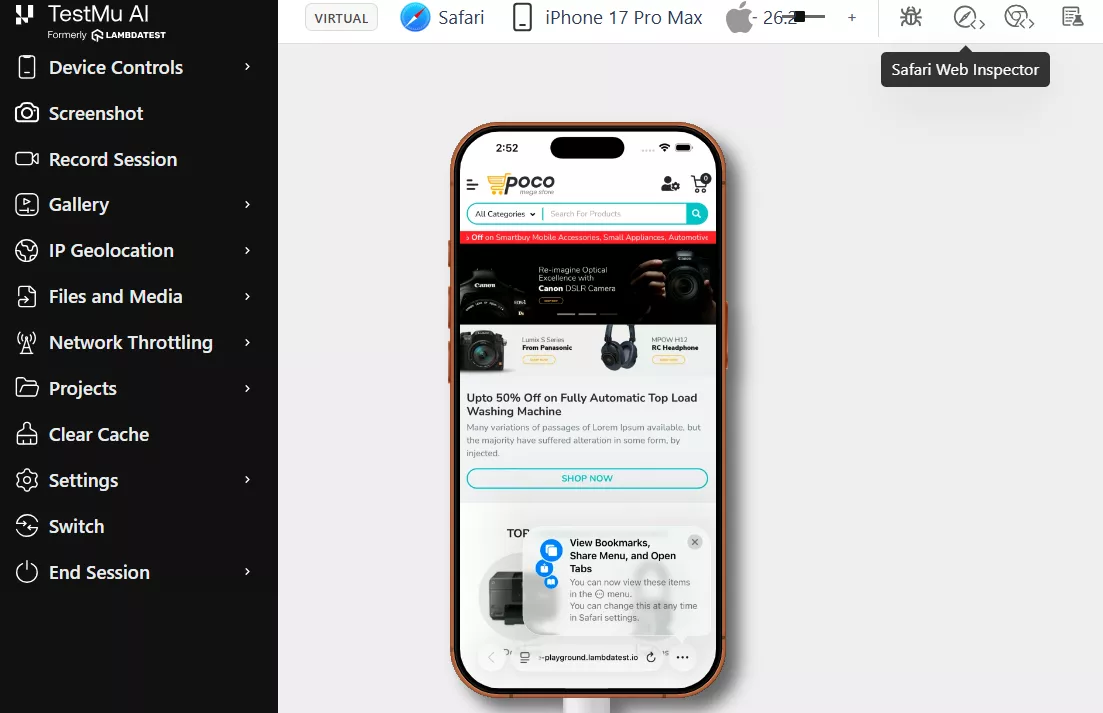
Features:
- Face ID and Touch ID: Validate biometric authentication, failed matches, passcode fallback, and session timeouts on real iOS 27 devices.
- Gestures and interactions: Test taps, swipes, pinch, zoom, scroll, and rotation to uncover UI and usability issues that simulators can miss.
- GPS and geolocation: Mock locations across 170+ regions to verify location-based features, regional content, language, and currency settings.
- Network throttling: Simulate 3G, 4G, 5G, and offline scenarios to test app behavior under latency, network drops, and reconnection.
- Debugging: Access real-time crash logs, device logs, and network logs with UI Inspector and Safari Web Inspector for faster issue analysis.
See the real device app testing documentation for setup instructions and the full list of supported frameworks.

Start Testing on TestMu AI (Formerly LambdaTest) in 3 Steps
You can sign up on TestMu AI to start testing on macOS Golden Gate and iOS 27:
macOS Golden Gate Beta - Real Time Testing
- Sign up or log in to TestMu AI and navigate to Real-Time Testing.
- Select macOS Golden Gate (Beta) from the OS dropdown.
- Choose your browser, enter your app URL, and click Start.
iOS 27 Beta - Real Devices
- Sign up or log in to TestMu AI and navigate to Real Devices.
- Filter by iOS 27 (Beta) to see available physical devices.
- Select a device and start a manual or automated session.
Summing Up
Apple's WWDC 2026 changes reshape both platforms. macOS Golden Gate drops Intel for Apple Silicon only, adds Visual Intelligence and a Spotlight-driven Siri, and refines Liquid Glass. iOS 27 leans on performance, a transparency slider for Liquid Design, and cross-platform iCloud Shared Albums.
Stable release lands later this year. Every week of beta testing now is one fewer production issue at launch. Log in to your TestMu AI account, pick macOS Golden Gate or iOS 27 Beta in your dashboard, and start your first session.
Author

Naima Nasrullah
Blogs: 15

Naima Nasrullah is a Community Contributor at TestMu AI, holding certifications in Appium, Kane AI, Playwright, Cypress and Automation Testing. She writes practical, hands-on content that helps QA engineers and developers build reliable test automation frameworks across web and mobile platforms. Drawing on her expertise in automation testing, Naima breaks down complex tools and workflows into clear, actionable guidance that readers can apply directly to their own projects and testing pipelines.


Did you find this page helpful?
More Related Blogs
TestMu AI forEnterprise
Get access to solutions built on Enterprise
grade security, privacy, & compliance
- Advanced access controls
- Advanced data retention rules
- Advanced Local Testing
- Premium Support options
- Early access to beta features
- Private Slack Channel
- Unlimited Manual Accessibility DevTools Tests