

Power Your Software Testing with AI Agents and Cloud
The Native AI-Agentic Cloud Platform to Supercharge Quality Engineering. Test Intelligently and Ship Faster.


- TestMu AI (Formerly LambdaTest)
- /
- Blog
- /
- Attach Your Own Files When You Generate Tests
Generating tests from a one-line objective is fast. But your real flows do not live in one line. They live in a spec, a design file, a sheet of test data, a ticket. Until now, generate mode could not see any of that.
It can now. You can hand your own files straight to Kane CLI when it generates tests.
What the New File Attachments Add to Generate Mode
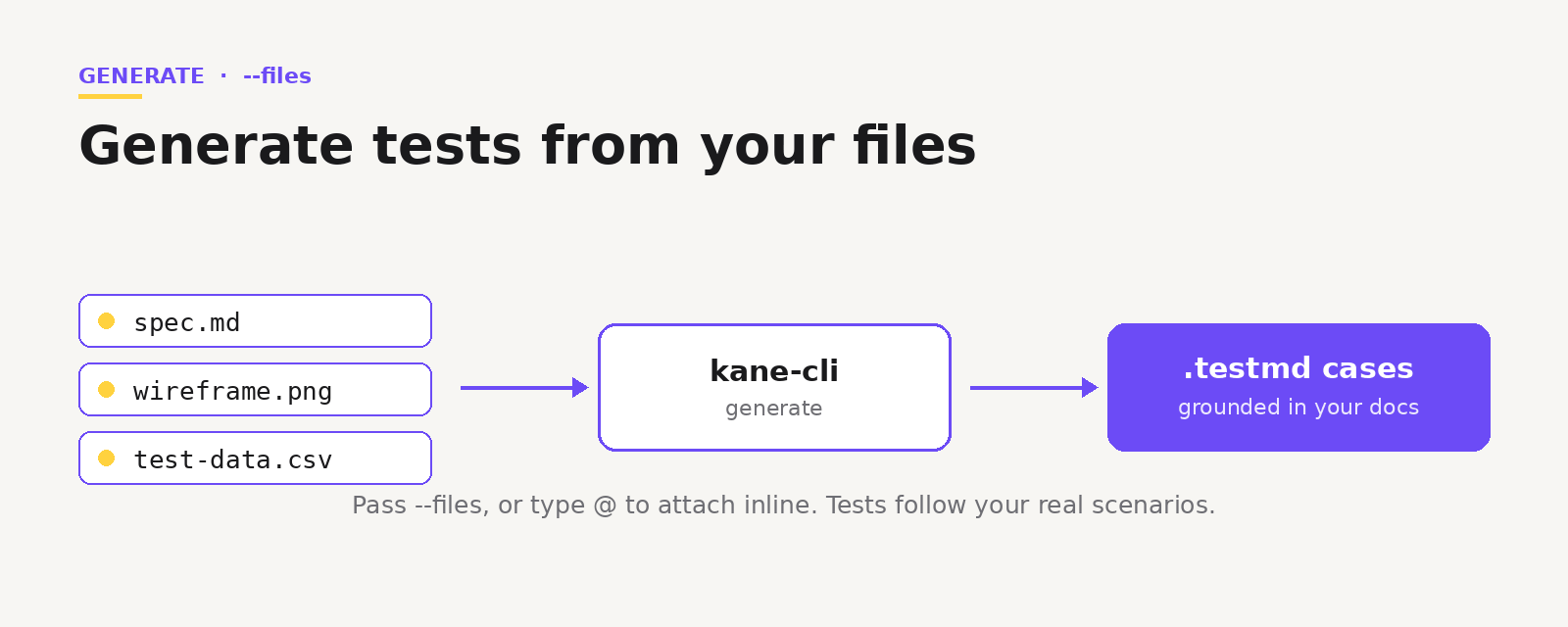
Generate mode now reads your files. Pass --files on the command line, or type @ inline to open a palette that groups matches into Files, Scenarios, and Test Cases. Kane CLI validates each attachment, uploads it, and maps it before submitting the request.
So instead of describing a flow from memory, you point Kane CLI at the document that already describes it. The generated cases follow your real scenarios, not a generic guess.
How to Attach Files in a Generation Session
Attach on the command line, or mention them inline while you refine.
kane-cli generate "cover the signup and checkout flows" --files ./spec.md ./wireframe.pngInside the session, type @ to bring up the selector. It scrolls in a bounded window so it never takes over the screen. A mistyped path is surfaced with a warning instead of being silently dropped. The prompt locks while attachments process and shows a clear "Processing files" label, and Ctrl+C cancels an upload cleanly.

Note: Want to generate tests from your own specs? Start free. Try Kane CLI
Why Grounding Generation in Your Files Matters
A test is only as good as what it was based on. Generated from a vague objective, you get plausible cases. Generated from your spec and your data, you get cases that match how the product actually works.
From there the flow is the same. The session gives you two commands: /view inspects the generated scenarios and cases, and /save writes them to disk. View them as they form, drop any you do not want, then save the keepers to .testmd files you can run.
Note: Want the full generate command reference? Read the Kane CLI docs. Read the docs
Part of a Sharper Generate Experience
The same release tightened the rest of generate mode. It keeps its own input history, blocks accidental duplicate submits, gates each session behind a project and folder so context is always set, and writes generation errors into the scrollback instead of swallowing them.
Note: Want to see the code and examples? Open the repo. Open the repo
Your specs and designs already describe what the product should do. Now Kane CLI can read them directly, and turn them into tests you can run in a real browser.
The Kane CLI Certification is free and covers generate mode end to end, so you can prove you turn a spec into a running test.

Author

Bhawana
Blogs: 77


Bhawana is a Community Evangelist at TestMu AI with over 3 years of experience creating technically accurate, strategy-driven content in software testing. She has authored 50+ blogs on test automation, cross-browser testing, mobile testing, and real device testing. She also serves as Product Marketing Manager for Kane CLI, the command-line tool that runs browser automation from the terminal using natural-language flows in a real Chrome browser. Bhawana is certified in KaneAI, Selenium, Appium, Playwright, and Cypress, reflecting her hands-on knowledge of modern automation practices. On LinkedIn, she is followed by 6000+ QA engineers, testers, AI automation testers, and tech leaders.


Did you find this page helpful?
More Related Blogs
TestMu AI forEnterprise
Get access to solutions built on Enterprise
grade security, privacy, & compliance
- Advanced access controls
- Advanced data retention rules
- Advanced Local Testing
- Premium Support options
- Early access to beta features
- Private Slack Channel
- Unlimited Manual Accessibility DevTools Tests