

Next-Gen App & Browser Testing Cloud
Trusted by 2 Mn+ QAs & Devs to accelerate their release cycles


Cypress Jenkins Tutorial: Run Cypress Tests in Your CI/CD Pipeline
Learn how to run Cypress tests in Jenkins CI/CD pipelines. Covers setup, Docker, parallel testing, cloud execution, and troubleshooting.

Enrique
March 11, 2026
Your tests pass locally. You push to main. Ten minutes later, the build fails.
Sound familiar? The gap between local development and CI environments breaks more Cypress setups than any bug in your actual tests. Jenkins configuration issues, missing dependencies, Chrome crashes in headless mode — these problems eat hours that should go toward shipping features.
This tutorial fixes that. You'll have Cypress running reliably in Jenkins in under 15 minutes, plus advanced setups for Docker, parallel testing, and cloud execution.
Quick Start
Quick Setup (3 Commands)
Already have Jenkins with the NodeJS plugin? Here's the fastest path:
# 1. Install dependencies
npm ci

# 2. Run tests
npx cypress run

# 3. (Optional) Run headless on specific browser
npx cypress run --browser chrome --headless
Add these to a Jenkinsfile and you're done. Keep reading for Docker, parallel testing, and cloud execution setups.
How to Run Cypress With Jenkins?
Running Cypress tests in Jenkins requires three steps: install the NodeJS plugin, create a project, and configure your pipeline. Here's the complete process.
Install the NodeJS Plugin
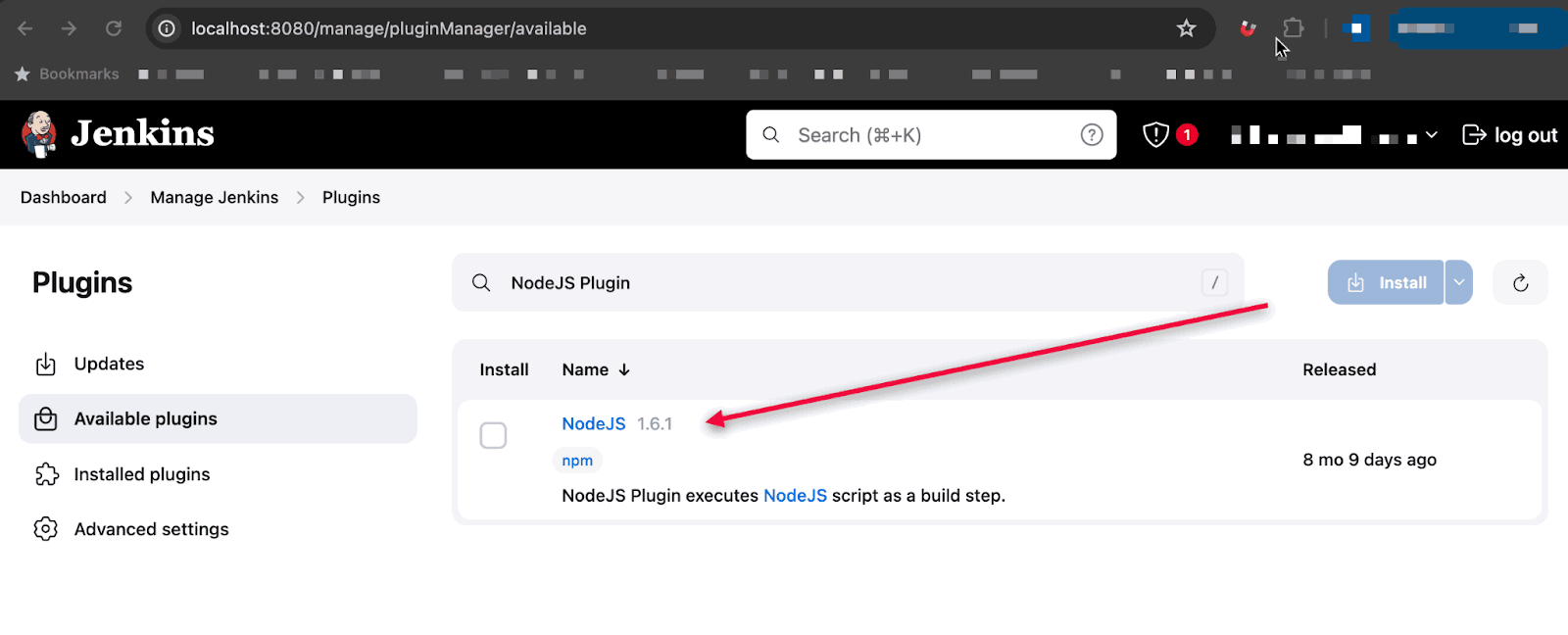
Jenkins doesn't include Node.js by default. Install the NodeJS plugin first:
- Go to Manage Jenkins > Plugins > Available plugins
- Search for NodeJS plugin and install it
- Go to Manage Jenkins > Global Tool Configuration
- Click Add NodeJS
- Name it (e.g., "Node 20"), check Install automatically, select Node.js 18.x or 20.x
- Click Save
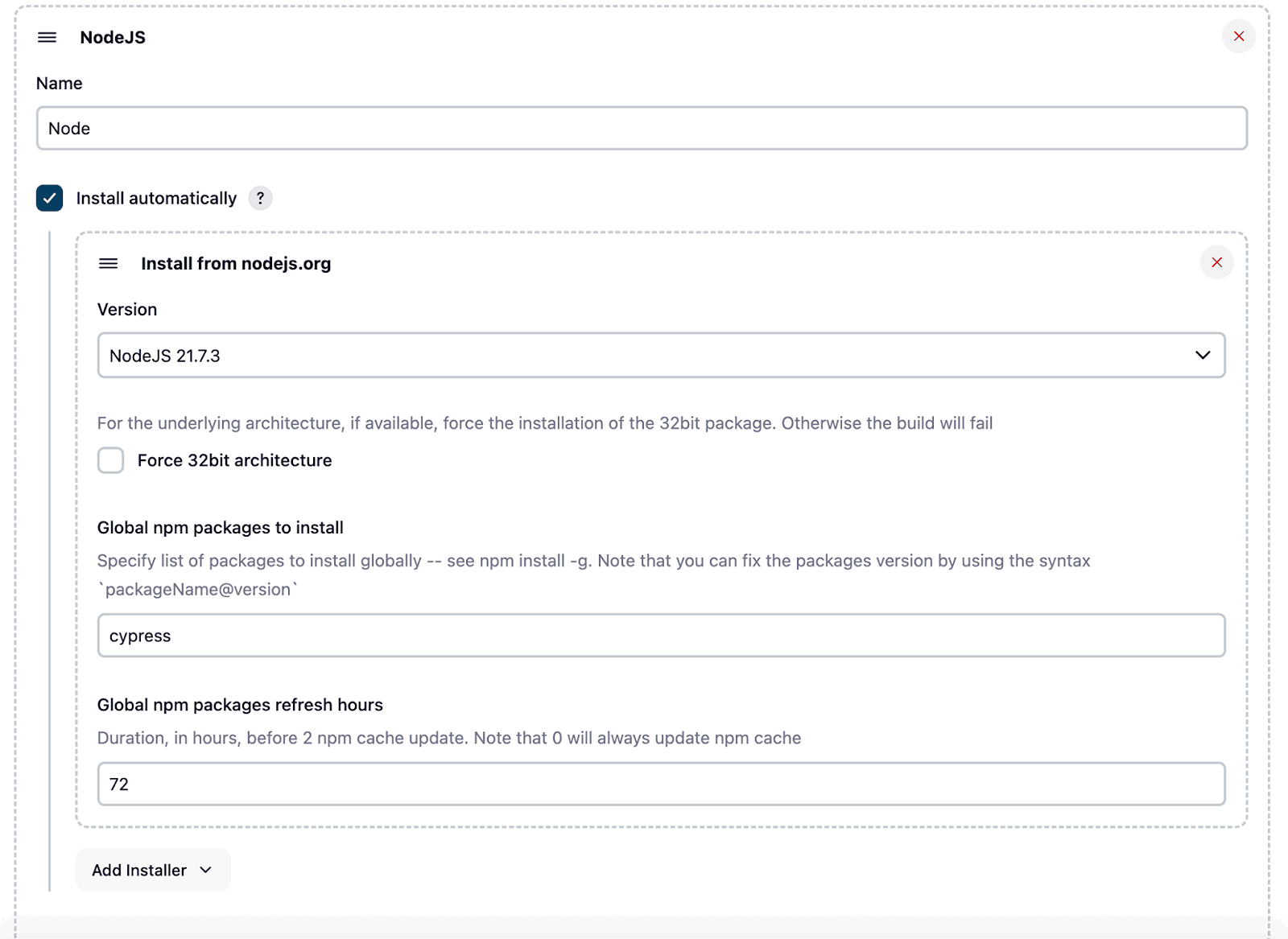
Cypress 13+ requires Node.js 18 or higher. Choose the latest LTS version for best compatibility.
Create a Jenkins Project
You have two options: Freestyle project or Pipeline. Pipeline is recommended because you can version control your build configuration.
Option A: Freestyle Project
Best for simple setups or teams new to Jenkins.
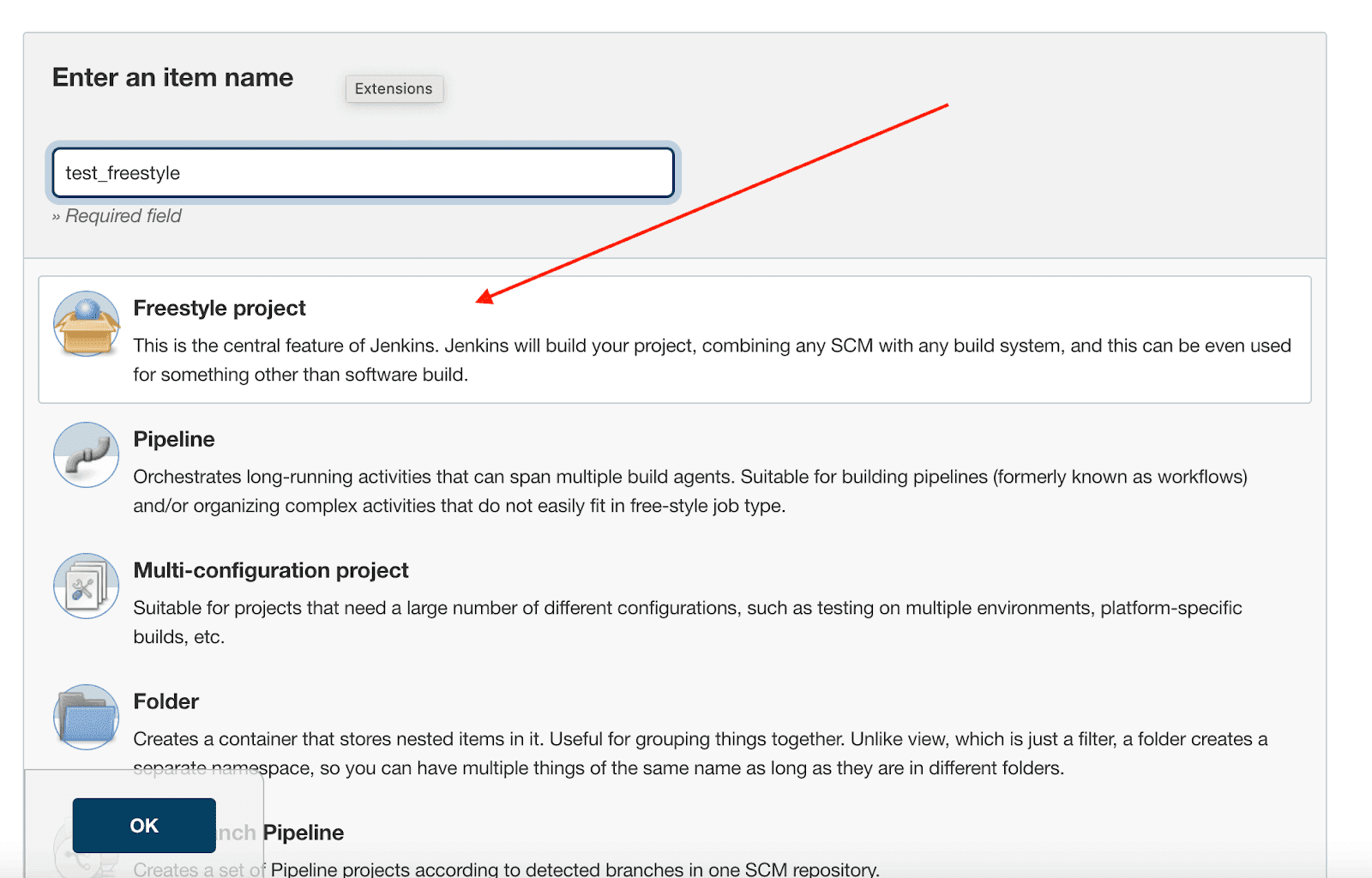
- Click New Item, select Freestyle project
- In Source Code Management, add your Git repository URL and credentials
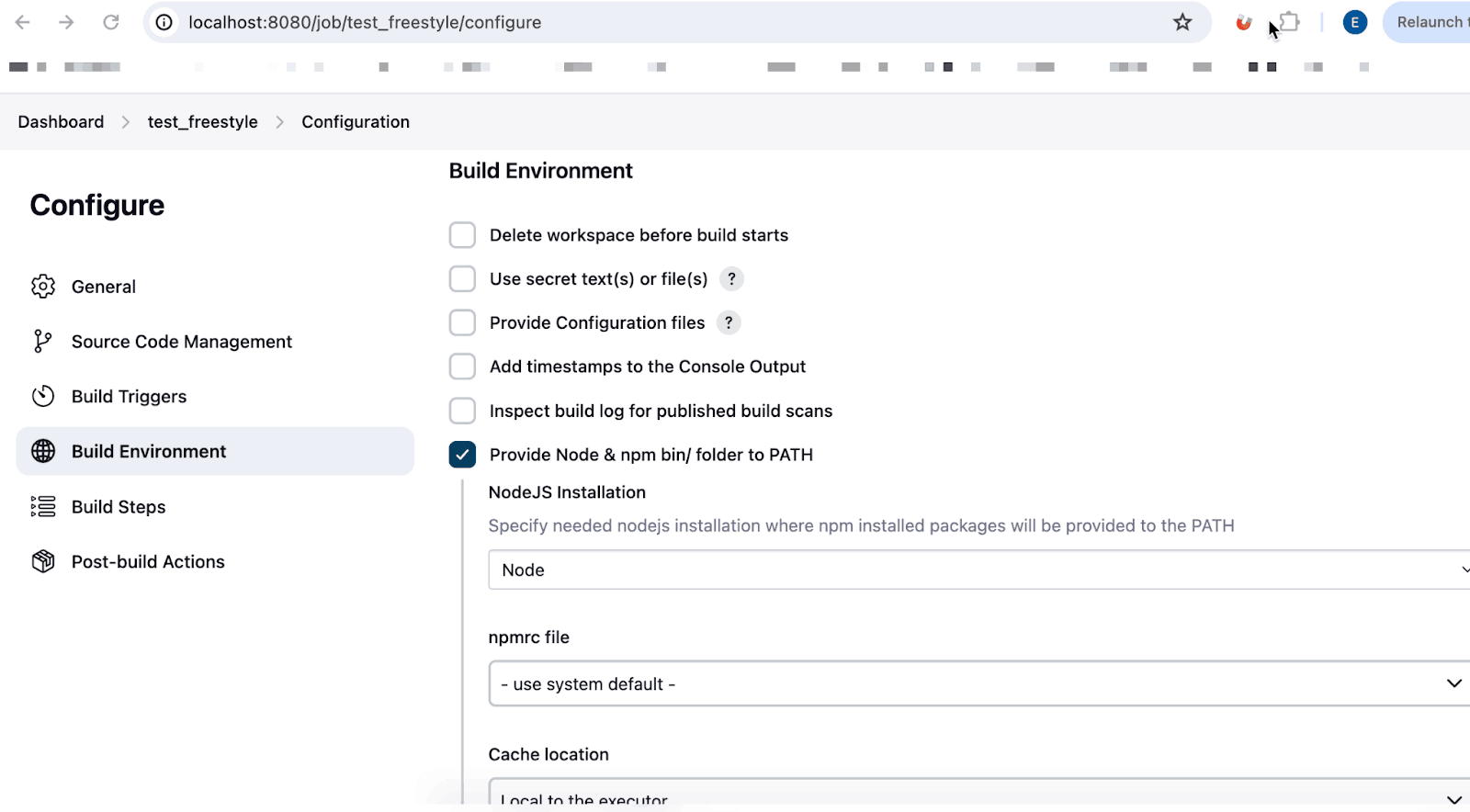
- In Build Environment, check Provide Node & npm bin/ folder to PATH

- Select your NodeJS installation from the dropdown
- Add Execute shell build step:
npm ci
npx cypress run- Click Save, then Build Now
Option B: Pipeline Project (Recommended)
Best for teams who want build configuration as code.
- Click New Item, select Pipeline
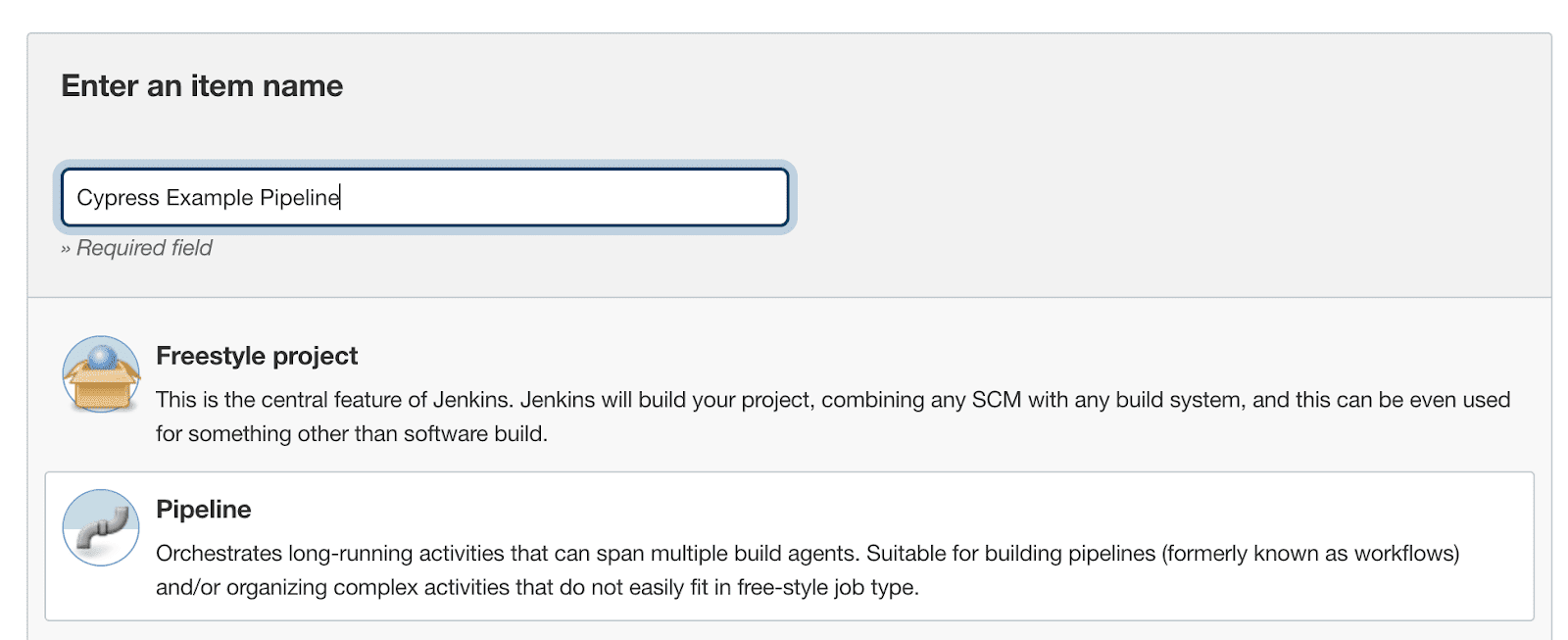
- In Pipeline section, select Pipeline script from SCM
- Add your Git repository URL
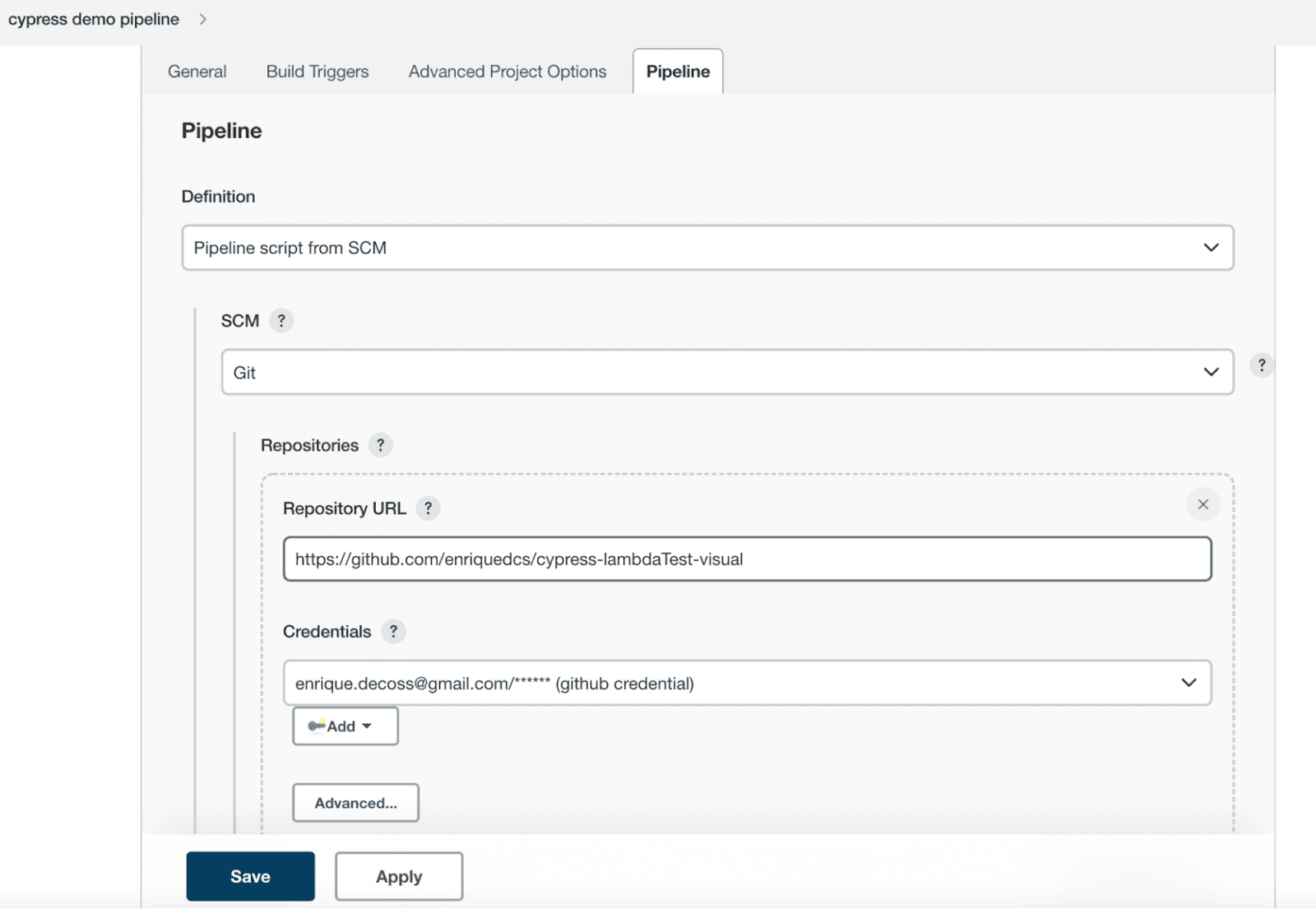
- Set Script Path to
Jenkinsfile - Click Save
Create Your Jenkinsfile
Create a Jenkinsfile in your repository root. This declarative pipeline defines your build stages:
pipeline {
    agent any
    tools {nodejs "Node 20"}

    stages {
        stage('Install') {
            steps {
                sh 'npm ci'
            }
        }
        stage('Test') {
            steps {
                sh 'npx cypress run'
            }
        }
    }

    post {
        always {
            archiveArtifacts artifacts: 'cypress/screenshots/**/*.png', allowEmptyArchive: true
            archiveArtifacts artifacts: 'cypress/videos/**/*.mp4', allowEmptyArchive: true
        }
    }
}
Click Build Now. Your Cypress tests will run, and screenshots/videos are saved as build artifacts.
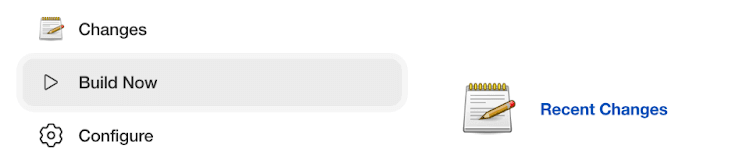
You can view the pipeline execution results on the Jenkins Dashboard.
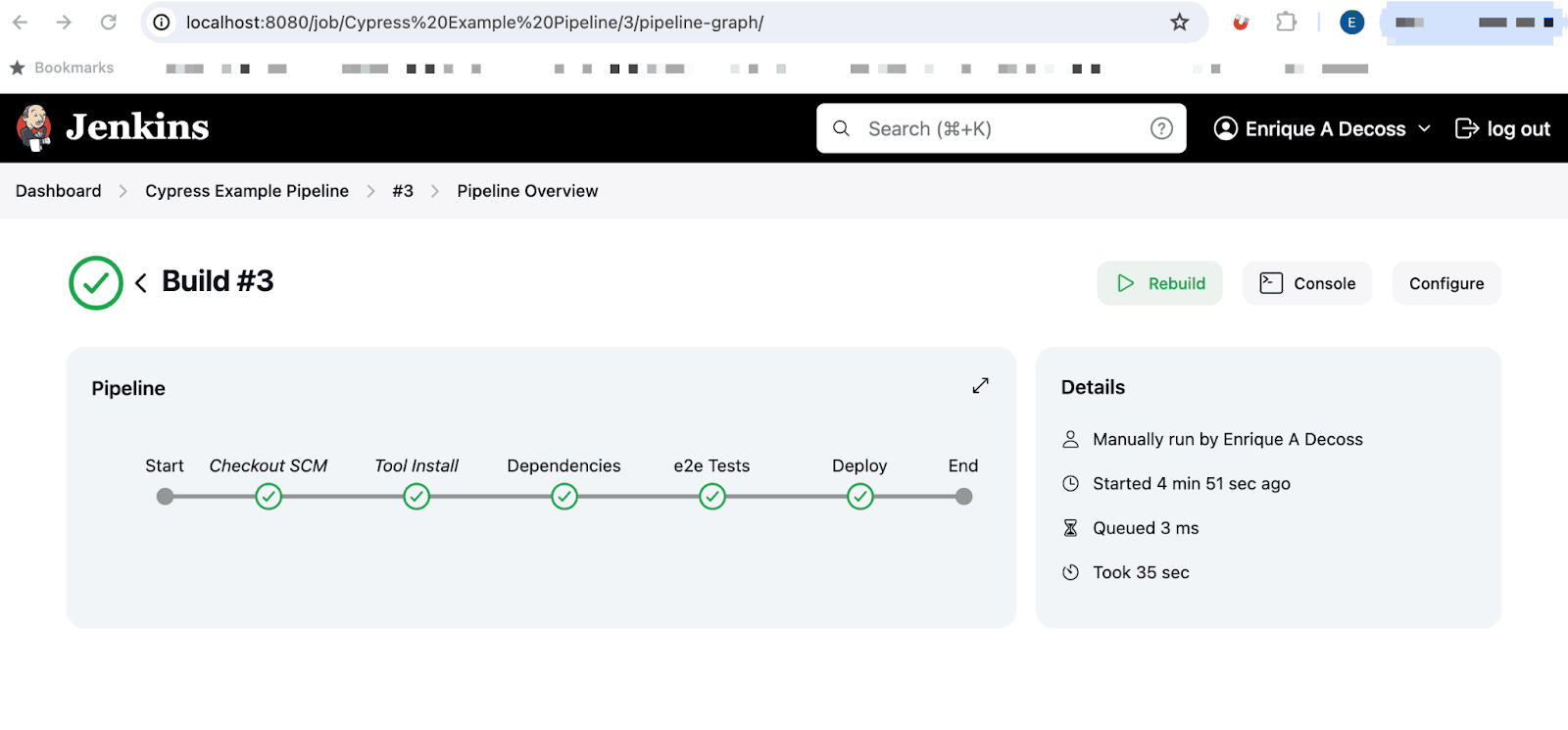
That covers the basic setup. The sections below explain Docker integration, parallel testing, and cloud execution for more advanced use cases.
Run Cypress in Jenkins With Docker
Docker eliminates environment setup issues. Instead of installing Node.js and browsers on every Jenkins agent, use the official Cypress image that has everything pre-configured.
Benefits:
- Consistent environments across local and CI
- No agent configuration needed
- Easy version updates (change one line)
pipeline {
    agent {
        docker {
            image 'cypress/included:13.6.0'
            args '--shm-size=2g'
        }
    }

    stages {
        stage('Install') {
            steps {
                sh 'npm ci'
            }
        }
        stage('Test') {
            steps {
                sh 'npx cypress run'
            }
        }
    }
}
The --shm-size=2g flag prevents Chrome from crashing due to insufficient shared memory.
Available Cypress Docker images:
| Image | Contents | Use Case |
|---|---|---|
cypress/base | Node.js + OS dependencies | Custom setups |
cypress/browsers | Base + Chrome, Firefox, Edge | Multi-browser testing |
cypress/included | Browsers + Cypress pre-installed | Fastest setup (recommended) |
Run Cypress Tests in Parallel With Jenkins
Parallel testing speeds up execution by running tests across multiple browsers simultaneously:
pipeline {
    agent none

    stages {
        stage('Test') {
            parallel {
                stage('Chrome') {
                    agent { docker { image 'cypress/included:13.6.0' } }
                    steps {
                        sh 'npm ci && npx cypress run --browser chrome'
                    }
                }
                stage('Firefox') {
                    agent { docker { image 'cypress/included:13.6.0' } }
                    steps {
                        sh 'npm ci && npx cypress run --browser firefox'
                    }
                }
                stage('Edge') {
                    agent { docker { image 'cypress/included:13.6.0' } }
                    steps {
                        sh 'npm ci && npx cypress run --browser edge'
                    }
                }
            }
        }
    }
}
This runs your entire test suite on Chrome, Firefox, and Edge at the same time. For automatic load balancing across many spec files, use a cloud platform like TestMu AI.

Integrate Cypress Jenkins Pipeline With Cloud Grid
TestMu AI provides 50+ real browsers and operating systems without infrastructure management. It's ideal for Cypress testing at scale on a remote test lab.
Benefits:
- 50+ browser/OS combinations
- Automatic parallel testing
- No infrastructure to maintain
- Test results dashboard with videos and logs
Install the TestMu AI Jenkins Plugin
- Go to Manage Jenkins > Plugins > Available
- Search "TestMu AI" and install
Configure Your Pipeline for Cloud Execution
pipeline {
    agent any
    tools {nodejs "Node 20"}

    stages {
        stage('Install') {
            steps {
                sh 'npm ci'
                sh 'npm install lambdatest-cypress-cli'
            }
        }
        stage('Test') {
            steps {
                sh 'npx lambdatest-cypress run'
            }
        }
    }
}
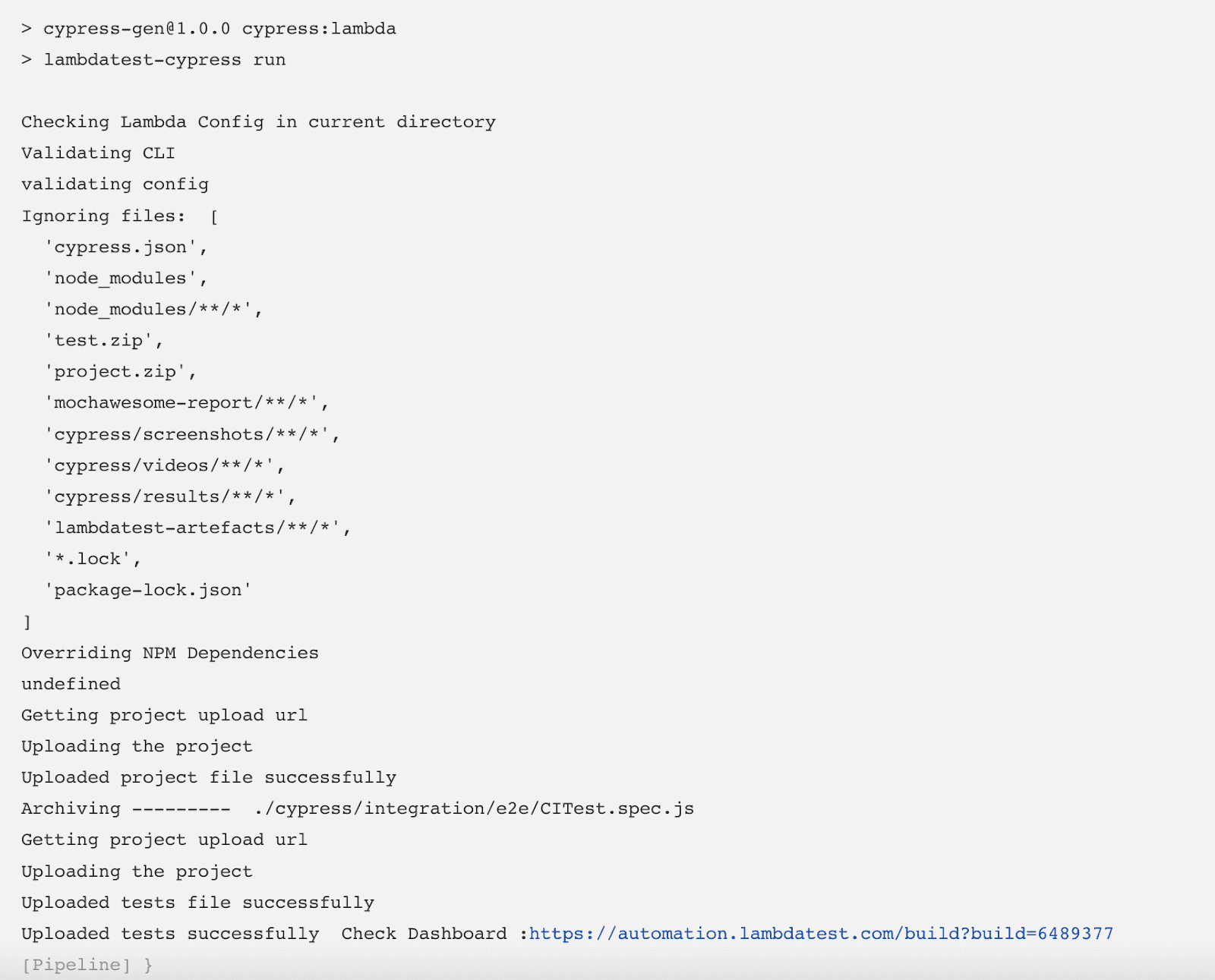
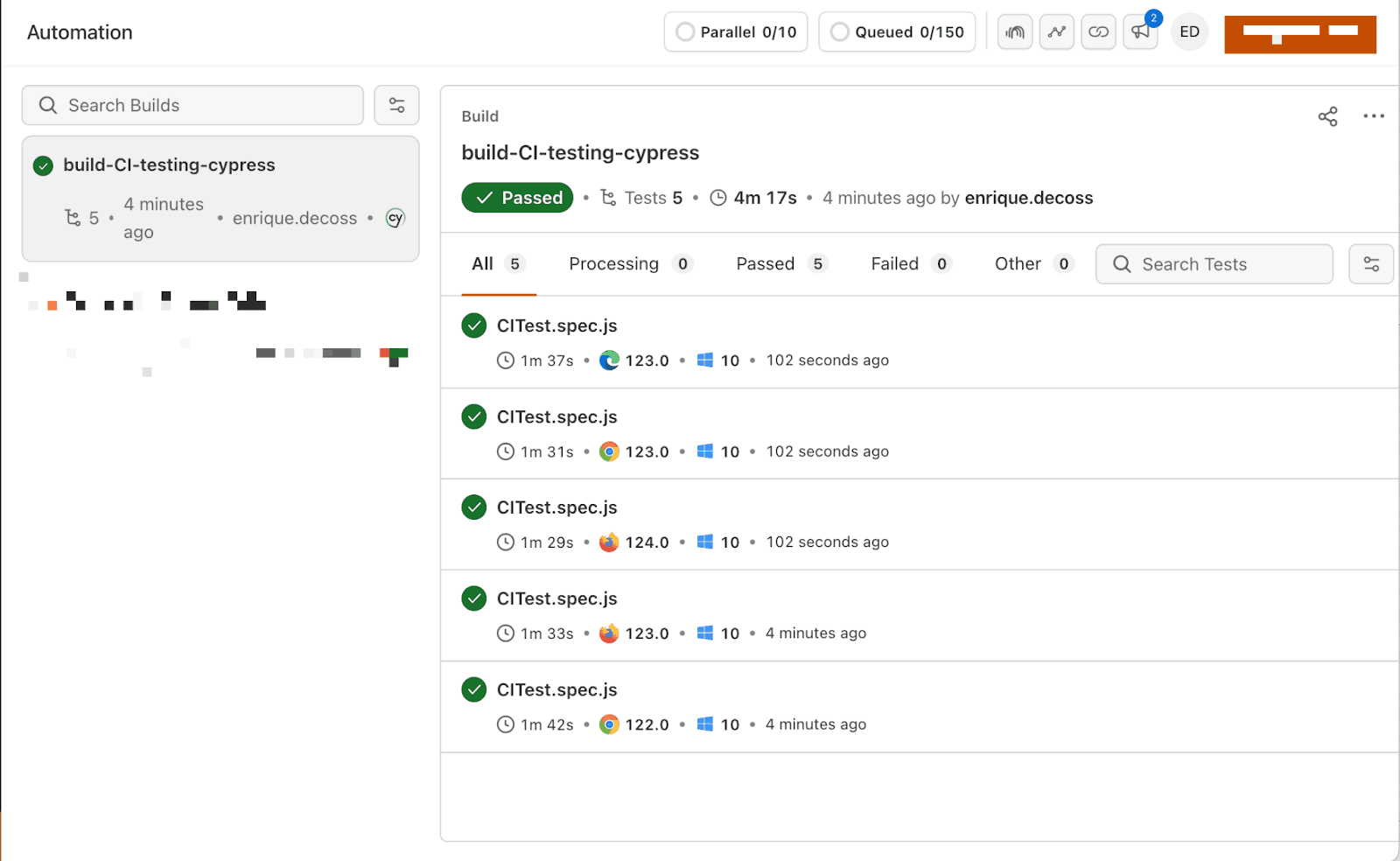
When the build completes, tests are uploaded to the TestMu AI Web Automation Dashboard.
Set Up the Configuration File
Install the TestMu AI Cypress CLI and initialize:
npm install -g lambdatest-cypress-cli
lambdatest-cypress init
Configure lambdatest-config.json:
{
    "lambdatest_auth": {
        "username": "<Your username>",
        "access_key": "<Your access key>"
    },
    "browsers": [
        {"browser": "Chrome", "platform": "Windows 10", "versions": ["latest"]},
        {"browser": "Firefox", "platform": "Windows 10", "versions": ["latest"]},
        {"browser": "MicrosoftEdge", "platform": "Windows 10", "versions": ["latest"]}
    ],
    "run_settings": {
        "build_name": "Jenkins-Cypress-Build",
        "parallels": 5,
        "specs": "./cypress/e2e/**/*.cy.js"
    }
}
Get credentials from Password & Security.
To test locally hosted pages, enable the tunnel:
"tunnel_settings": {
    "tunnel": true,
    "tunnelName": "jenkins-tunnel"
}
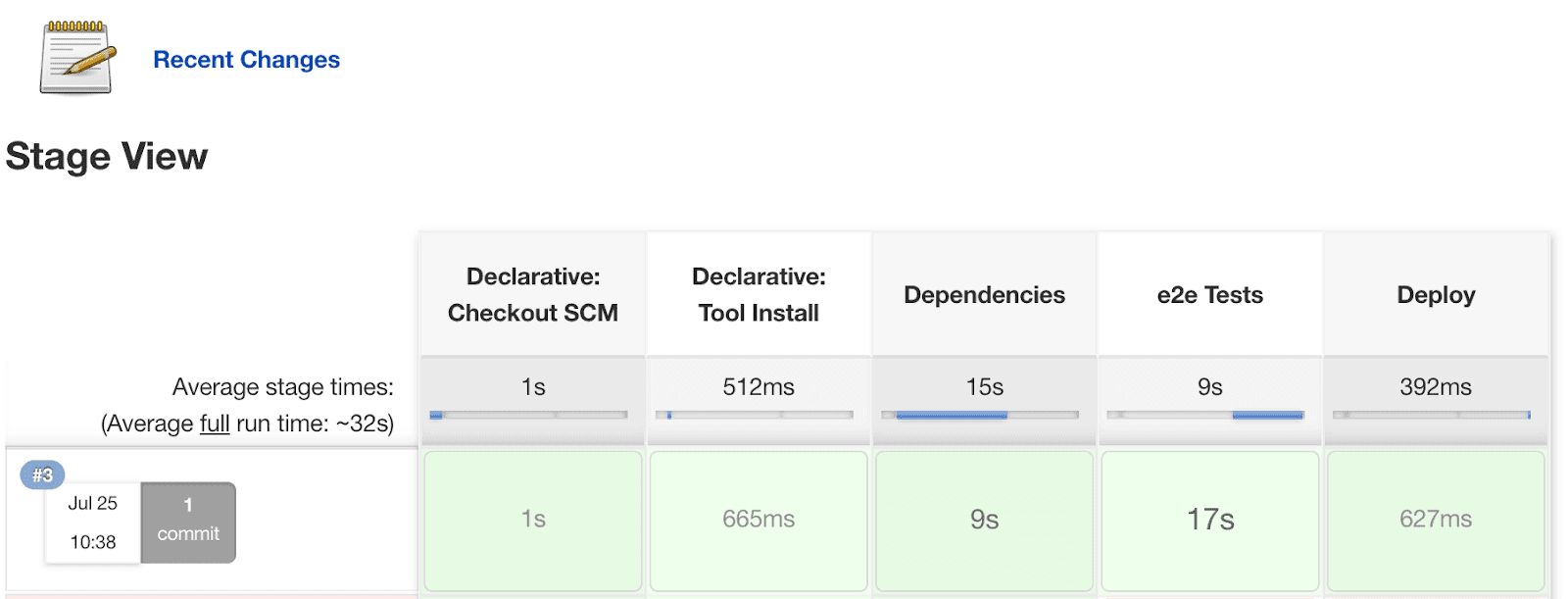
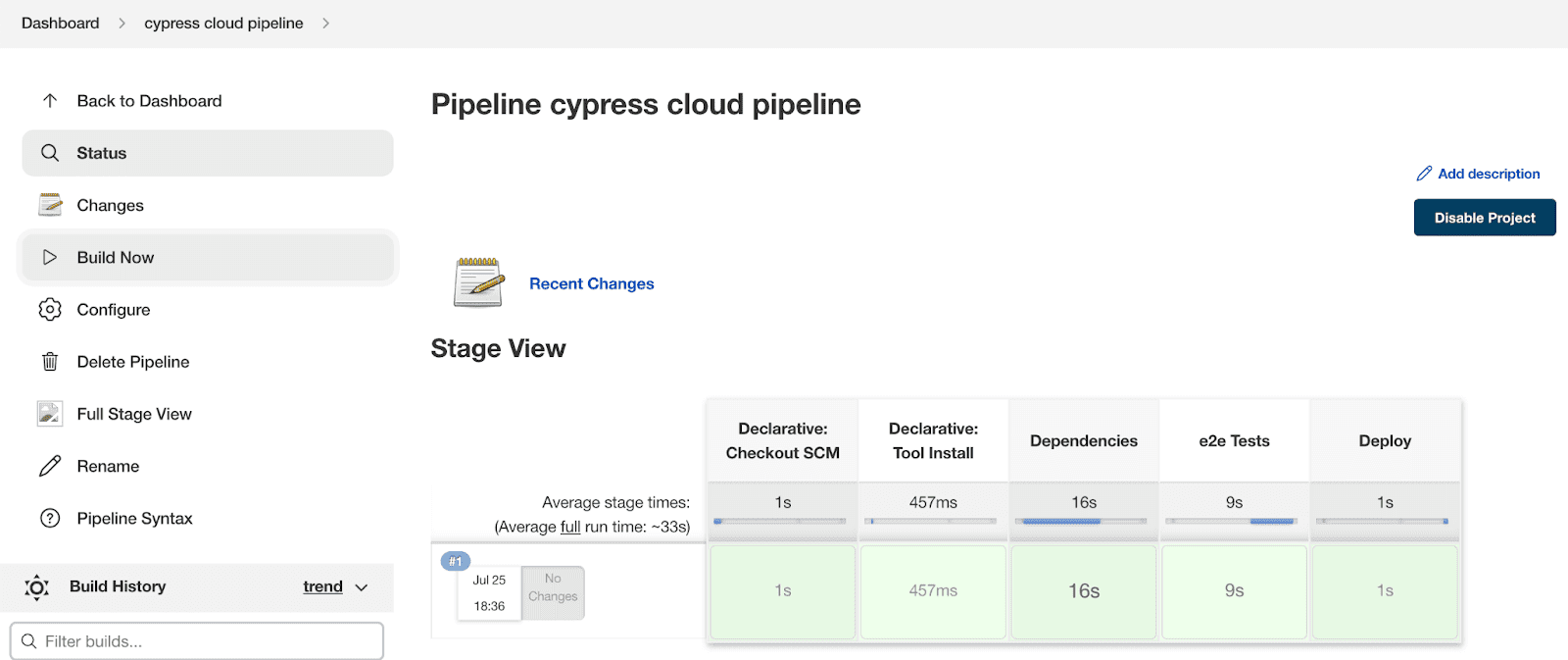
With Cypress parallel testing on TestMu AI, a 50-minute test suite can finish in under 5 minutes.
Without Cypress Cloud Grid (test timing):
With Cypress Cloud Grid (test timing):
Get started with Cypress e2e testing on the cloud today.
Cypress Jenkins vs GitHub Actions
This comparison comes up constantly, and there's no universal answer. The right choice depends on your team's situation.
When to Choose Jenkins for Cypress?
You need infrastructure control. Jenkins runs on your servers. If you're in a regulated industry, handle sensitive data, or have strict compliance requirements, self-hosted infrastructure isn't optional.
Your repository isn't on GitHub. Using GitLab, Bitbucket, or a self-hosted Git server? Jenkins works with all of them. GitHub Actions is GitHub-only.
| Aspect | Jenkins | GitHub Actions |
|---|---|---|
| Hosting | Self-hosted | Cloud |
| Setup | Hours | Minutes |
| Config | Groovy | YAML |
| Cost | Server costs | Per-minute |
| Git Provider | Any | GitHub only |
Use Jenkins when: You need infrastructure control or your code isn't on GitHub.
Use GitHub Actions when: Your code is on GitHub and you want simplicity.
Troubleshooting Cypress Jenkins Issues
Cannot Find Module 'cypress'
Clear caches and reinstall:
rm -rf node_modules
rm -rf ~/.cache/Cypress
npm ci
npx cypress verify
Chrome Crashes in Headless Mode
This usually happens due to insufficient shared memory. For Docker, add the shm-size flag:
args '--shm-size=2g'Or add browser launch flags in cypress.config.js:
module.exports = defineConfig({
  e2e: {
    setupNodeEvents(on, config) {
      on('before:browser:launch', (browser, launchOptions) => {
        if (browser.family === 'chromium') {
          launchOptions.args.push('--disable-dev-shm-usage');
          launchOptions.args.push('--no-sandbox');
        }
        return launchOptions;
      });
    },
  },
});
Test Timeouts
CI environments are slower than local machines. Increase timeouts:
// cypress.config.js
module.exports = defineConfig({
  defaultCommandTimeout: 10000,
  pageLoadTimeout: 60000,
  requestTimeout: 10000,
});
Xvfb Display Issues on Linux
Cypress needs a display server. Docker images handle this automatically. Otherwise, use:
xvfb-run npx cypress runPermission Denied Errors
Override cache directories to writable locations:
environment {
    npm_config_cache = "${WORKSPACE}/.npm-cache"
    CYPRESS_CACHE_FOLDER = "${WORKSPACE}/.cypress-cache"
}
Conclusion
This tutorial covered how to run Cypress with Jenkins using Freestyle projects, Pipelines, Docker, and cloud integration with TestMu AI. Cypress is ideal for end-to-end testing because unlike Selenium, it requires no extra drivers.
New to Cypress? Start with getting started with Cypress. For more on automation testing, CI/CD, and the Software Development Life Cycle, check our Learning Hub.

Note: Run your Cypress tests across 50+ browsers. Try TestMu AI Today!


Frequently asked questions
Did you find this page helpful?
More Related Hubs
TestMu AI forEnterprise
Get access to solutions built on Enterprise
grade security, privacy, & compliance
- Advanced access controls
- Advanced data retention rules
- Advanced Local Testing
- Premium Support options
- Early access to beta features
- Private Slack Channel
- Unlimited Manual Accessibility DevTools Tests