

Next-Gen App & Browser Testing Cloud
Trusted by 2 Mn+ QAs & Devs to accelerate their release cycles


Best Android Emulator for Linux [2026]
Explore the best Android emulator for Linux, allowing you to run Android apps seamlessly on your system. Choose the perfect Android emulator for Linux.

Amrita Angappa
February 8, 2026
Linux has captivated users across the world, owing to its paramount features such as readily available source code, lightweight, higher network performance, and availability of distros such as Ubuntu, Arch Linux, and Fedora. Even though Android consists of a Linux kernel, the core features are Java-written. It’s a well-known fact that Linux doesn’t support Java code. This is the reason why Android apps aren’t supported on Linux.
To ensure that you run Android apps on Linux seamlessly, it’s time for you to depend upon the best Android emulator for linux. An Android emulator online can mimic the browser, OS, software, hardware, brand performance, and much more on a system that doesn’t generally support the same. This is the best choice for testers who want to know how their Android app would perform in different browsers, OS, brands, and devices. There are a plethora of Android emulators for Linux in the market. Which one would fit you?

Note: Emulators don’t provide accurate testing results. Even if you’re using the best emulator in the market to test your website or app, it might give you incorrect results. That’s why the best way to perform website or app testing is to use a real device cloud . You can use TestMu AI Cloud to test on a variety of Android emulators and real Android devices. No need to install anything, just sign up for a free account and start testing. Try TestMu AI Today!
This blog can act as a breadcrumb for those looking for guidance on best Android emulator for Linux.
Introduction to Emulators
How cool is an emulator? The cool-o-meter freezes when you don’t necessarily need a time machine to play the 1990s classics such as Oddworld: Abe’s Oddysee or Day of the Tentacle on your latest PC version.
No more necessity to burn a hole in your pocket to buy the latest PlayStation or Xbox version. You don’t even have to visit your friend’s place and wait for your turn patiently to play your favorite games.
All you need is an emulator, a device, or a platform that can let you imitate the functionalities and features of different software, hardware, browser, or OS. Even if your OS doesn’t support a particular game or website, or app, thanks to the emulator, you needn’t stay under rocks.
You can play your favorite game and use that mobile app you are fond of on your system or test software, even when the application and the device are generally incompatible. This way, no superpower can stop you from using your favorite Android app on Linux or Mac!
Also read – Emulator vs Simulator vs Real Device Testing: Key Differences

The age of Android Emulators on Linux
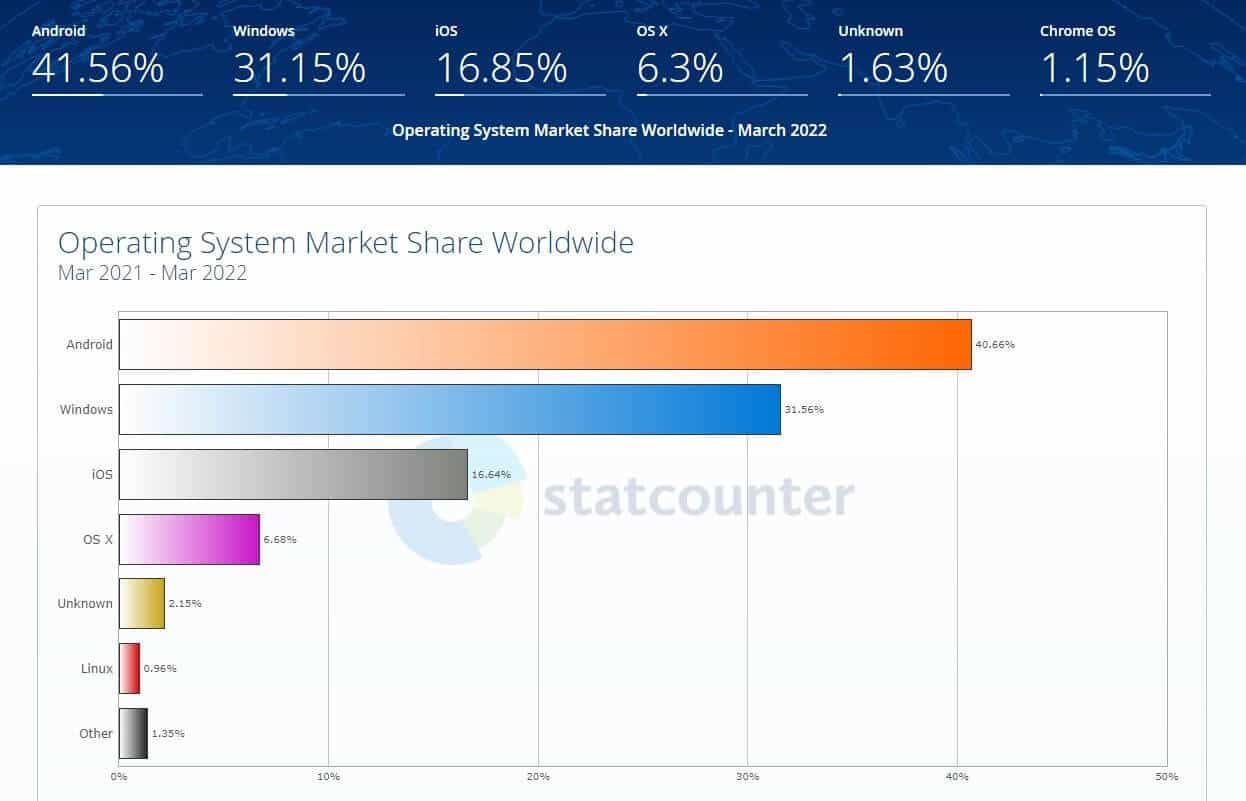
Not every user depends upon Windows or macOS 24×7. Linux is still loved by developers across the globe. According to GeeksforGeeks, Linux finds its home among 500 supercomputers termed to be the fastest. They don’t limit themselves to desktop, tablet, or mobile devices but run on space rockets and submarines. Moreover, as per Statcounter, Linux holds 0.96% of the operating system market share worldwide, which indicates that it is still being used by a considerable number of users.
There are die-hard Linux fans who would find it uneasy when their favorite Android app isn’t available on Linux. A Linux-philic app developer wouldn’t rest until they find a solution to develop an Android app on Linux. Any tester would be sipping their cup of coffee with a sigh of relief if they could test on an Android emulator online using Linux. If this is the case, an Android emulator builds the bridge between the Linux user and an Android app, fixes the missing piece of software, browser, or hardware, and wins the heart.
For an Android mobile app tester, an emulator is a boon. It doesn’t matter if your user is on Windows or Linux; all they care about is how your app performs. It’s an obvious fact that 65% of mobile users wouldn’t be wearing rose-tinted glasses in terms of mobile app performance, even if the app belongs to a fortune 500 player. It would take less than a minute for them to uninstall the app if they come across any difficulties.
Also read – Mobile App Testing Basics [With Real-Time Examples]
To avoid this, you should use the best Android emulator for linux that allows you to model a real-time environment to catch bugs faster than Captain Marvel and Thor combined. You can test the application’s performance on a different OS or browsing system on your Android device and know if the interaction would go hand-in-hand or in a zig-zag, confused manner. This reduces the developer-to-QA Analyst turnaround time. Sort out the issues, fix them and log off in time!
So, let’s roll out the details. Here are 12 of the best Android emulator for Linux that we have hand-picked for you!

12 Best Android emulator for Linux
To simplify the life of testers and make them hardy, we have listed down the best Android emulator for linux you can rely upon without second thoughts. After going through the list, you will be able to pick the right emulator for your business and save hassle and money in the long run.
1. TestMu AI
TestMu AI is a new-age, modernized testing platform that allows you to test your app on an online device farm of 3000+ devices and OS combinations. Run mobile app testing and find bugs at jet speed. Not just your public app, you have the liberty to test your locally hosted apps as well. This means that even when your app is in beta mode, you can get the testing done and locate bugs faster than ever.
Also Read: A Complete Guide On Testing Beta Apps
For Linux users, the TestMu AI tunnel feature and UnderPass for local testing is a boon. This tunnel binary is meant for proxy settings and corporate firewalls, with zero restrictions. Test any Android app under LinuxOS on TestMu AI within a few minutes, be it a small app or a larger one. You can also load .apk, .zip, or .app files into it directly, making it less archaic with faster testing mechanisms.
Through the visual regression cloud, you can get the info on screen resolution, image, and video alignment easily. TestMu AI comes with cloud support, enabling you to test your Android app on any Linux version at any time, anywhere.
Refer to the below tutorial on mobile app testing to run Android device test.
Subscribe to the TestMu AI YouTube Channel and stay updated with the latest tutorials around Selenium automation testing, Cypress testing, and Mobile app testing tutorial.
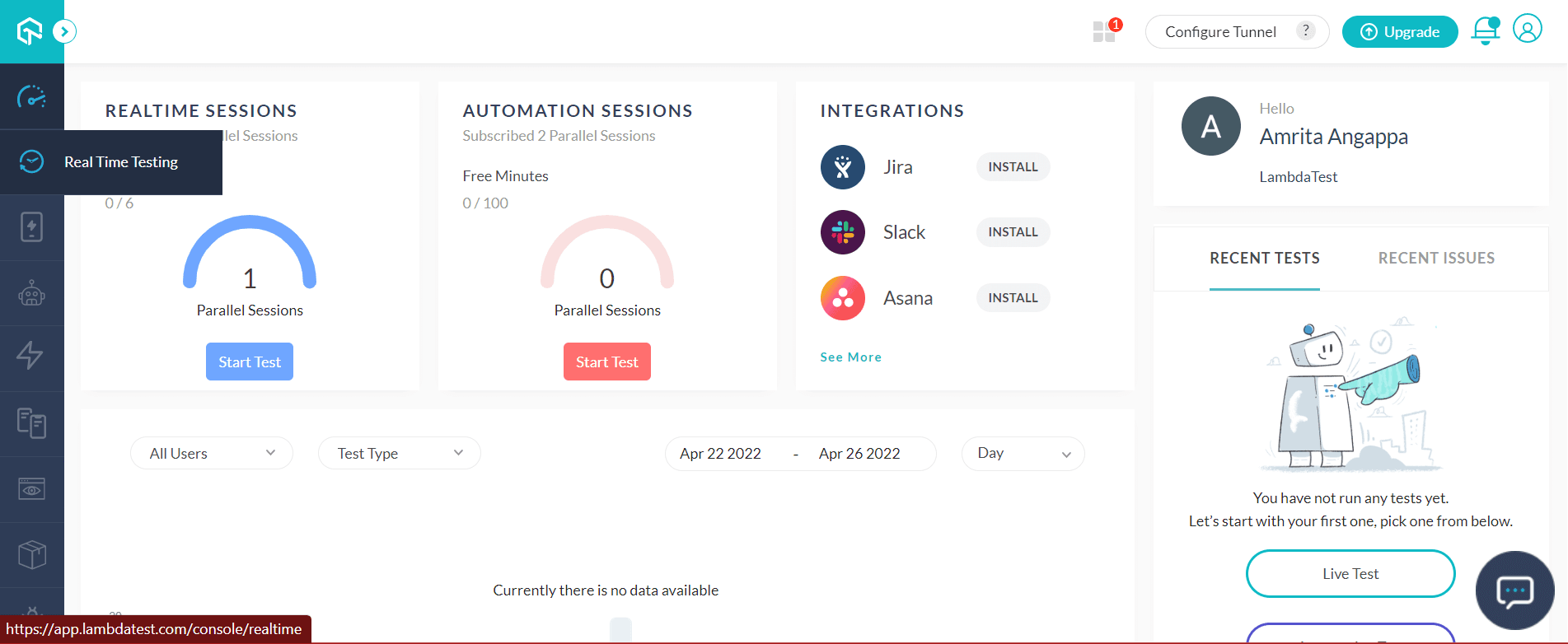
No need to download it. You can test your Android app on Linux using these simple steps:Step 1: Create a TestMu AI account and log in. Go to Real Time Testing.
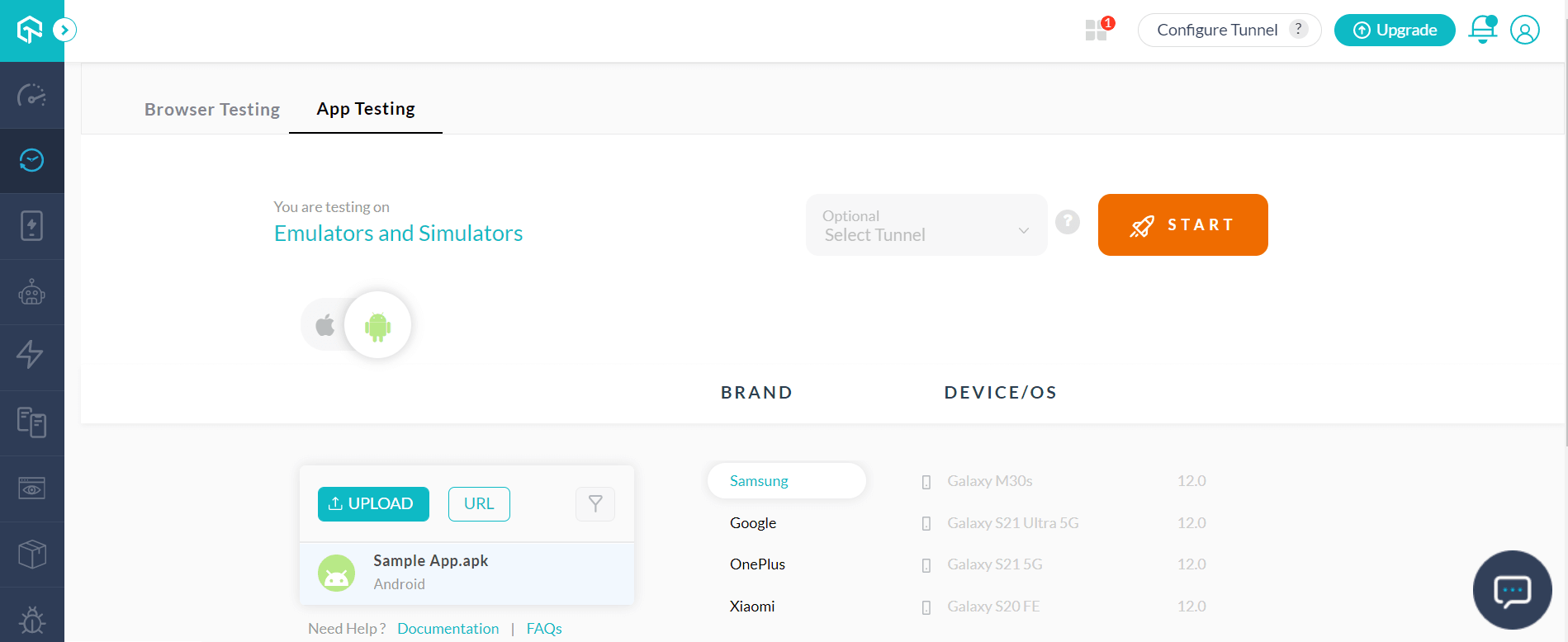
Step 2: Choose the App Testing tab. Select Android, upload your Android app, and choose the device BRAND and DEVICE/OS of your choice.
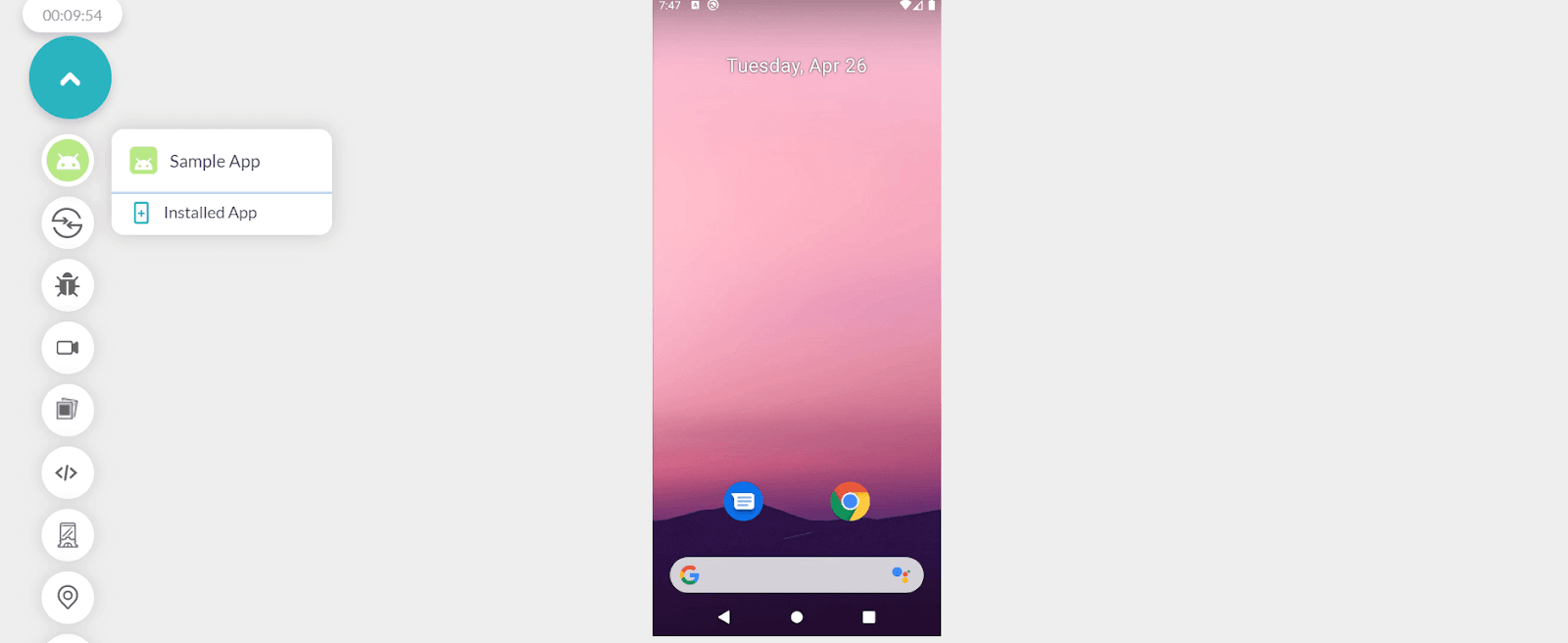
Step 3: Click START.
A cloud-based Android emulator for app testing will fire up where you can test mobile applications manually on your Linux machine.
The silver lining:
- Geolocation testing– the feature where you can witness how your app would perform in different locations.
- Mark your bugs with different project management tools like JIRA, Asana, Trello, etc,
- Easily sort out and debug native apps in real-time with the support of device and app logs.
- Whether it is a basic gaming app or a huge project management tool, TestMu AI treats every app equally. Test any Android app on Linux OS effectively, irrespective of its size and scale.
- The testing platform is decluttered for user clarity and is aesthetically appealing.
Note: Save time on app development with the TestMu AI cloud. Build, test and debug on Android emulator and real Android devices. Start for free!
2. Anbox
Anbox, a free-of-cost and open-source and one of the best Android emulator for Linux would let any kind of Android mobile app and games run smoothly on the Linux distro. This platform also allows you to run Android apps in the cloud. Anbox goes on to run Android apps in tight box containers. This feature boosts security since it prevents direct data access. Anbox permits you to run your Android app on Linux distribution as far as the modules are all available in the kernel. Moreover, you can also enable your own modules.
Ever since its introduction, Anbox has won the favor of the Linux audience for its seamless performance, flexibility, and speed in allowing you to run the best Android games and apps without any troubles put forth by the Linux system. By placing the Android operating system into a container, the Anbox emulator abstracts hardware access to enable flawless access and optimization.
The silver lining:
- It’s open-source, secure, flexible, limit-free, and competent.
- Select any Android version of your choice, and run the Android app immediately without any roadblocks.
- Now every developer can run their Android apps in Linux, with no inhibitions from different Linux distros.
- Anbox wraps up every Android OS component into a well-optimized container. This would also mix and match its core features directly into the Linux machine, offering you a seamless app experience.
- Anbox enables state-of-the-art Linux technologies such as containers (LXC) for segregating the Linux system from the emulator.
3. Genymotion
Genymotion Desktop is one of the leading Android emulators providing you with every sensor, functionality, and feature you need to communicate with the Android environment. This platform allows you to test any Android app on virtual devices meant for testing, development, and demonstration. Genymotion is one of the dominating industry players in the scope of the best Android emulators for Linux.
This emulator comes along with cloud support. Genymotion finds its compatibility with Android Studio and Android SDK tools. The free edition of Genymotion Desktop is recommended only for personal use rather than for business purposes.
The silver lining:
- This platform allows everyone to emulate more than 3000 virtual Android device configurations that include screen size, hardware resolution, image resolution, and Android versions.
- The most appealing features include Live logs, identifiers, and file uploads.
- Get gyroscope data directly from your Android device to Linux OS.
- Enable testing various Android browsers from your Linux system.
- The best part is it supports every Android app testing framework, including Espresso, Appium, Robotium, and so on.
4. Android x86
This open source project lets you take up unofficial Android mobile OS porting. Open Handset Alliance developed this porting to run efficiently on AMD and Intel x86 processors. This latest technology can work more reliably in comparison to RISC-based ARM chips. Originated in 2009 and developed by Chih-Wei Huang and Yi Sun, the last update of Android x86 (based on Android Pie 9.0.0_r54) was on March 25, 2020.
Android-x86 makes the life of a Linux user problem-free by allowing you to leverage a separate ISO for booting in the form of a standalone Android OS and skipping the installation process on a single OS. It runs hassle-free on AMD-oriented software and x86. This emulator demands a virtual machine installation for running the apps installed in the form of a standalone system.
The silver lining:
- Network connection configuration is a breeze with inbuilt Wi-Fi support.
- Memory storage issues are sorted out, all credit to the ability to transfer the Android device’s memory storage directly to the emulator.
- It supports G-sensor and Bluetooth
- A terminal emulator is already installed, which would uncomplicate the installation process for you
- It offers GRUB-EFI theme support.
- Get 100% support for Google services.
- It releases timely software updates.
5. Android Studio
Android Studio is the must-have software for every Linux user in need of an all-in-one tool to manage both app development and mobile app testing simultaneously. With an Android Virtual Device (AVD), the configuration can be done to convert Android Studio into an emulator. There are plenty of exciting things happening recently around Android Studio updates.
Since it’s the officially recognized Android operating system’s Integrated Development Environment (IDE), you can expect high-end app testing output across multiple Android devices. The in-built emulator can provide you with the key to start the app even faster than the original device. This emulator, in addition to letting you test the app across various devices, can also simulate various features of hardware such as multiple touch inputs, GPS, acceleration sensors, and motion.
The silver lining:
- It’s open-source and simple to install.
- It can support a number of devices, including televisions, smartwatches, and smartphones.
- It comes along with firebase and cloud support.
- It provides access to a number of testing methods, such as performance testing and UI testing.
6. ARChon
ARChon, which means “ruler” in Greek, does own its share of the kingdom in the Android emulators market. This platform cannot be contained inside any virtual machine since there is no installation needed from your side on the Linux system. It uses Google Chrome’s comprehensive runtime and integrates the emulation compound into it. ARChon was initially developed as a part of Google’s official package release of “App Runtime for Chrome.”
This emulator is a bundle of advanced features such as masking an Android app with a ChromeOS app. You can process the native code of the app in the Chrome browser safely. ARChon demystifies the setup of Android emulation on the Chrome browser since Google now supports the ChromeOS platform and has made the Chrome browser’s desktop version stagnant with respect to the ARC Chrome. ARchon fixes this bottleneck by modifying the package on its own.
The silver lining:
- This emulator can run on different kernel versions, allowing you to test your Android app across different Linux platforms easily.
- Every developer can easily reinvent, rebuild, modify, run and test their app directly on the Linux system.
- This open-source emulator allows you to perform tests on different apps with no virtual machines.
- Don’t worry about the latest updates on Chrome Browser. ARChon automatically updates itself as and when there is a new release.
7. BlissRoms
 This open-source OS provides a huge library of options in security features and customizations. The latest version available is Bliss OS 15 for Android (Alpha) for Android 12. However, the currently supported versions are Bliss OS 11.x and Bliss OS 14.x. It’s the best choice to test small-level Android apps.
To use BlissRoms, you need to understand the burning process of ISO images to a portable USB drive or a blank DVD, separate your hard disk and make changes in the boot device order as soon as your computer kickstarts. This product would be an evergreen favorite for novice and hobbyists who love to play around with Android emulators.
The silver lining:
- Enable secure options with the power of fDroid & microG.
- Optimize battery consumption.
- High-end User interface (UI) suitable for both Desktop and Tablet or even a hybrid version of both.
- Get plenty of customization and themes.
8. Android Virtual Device
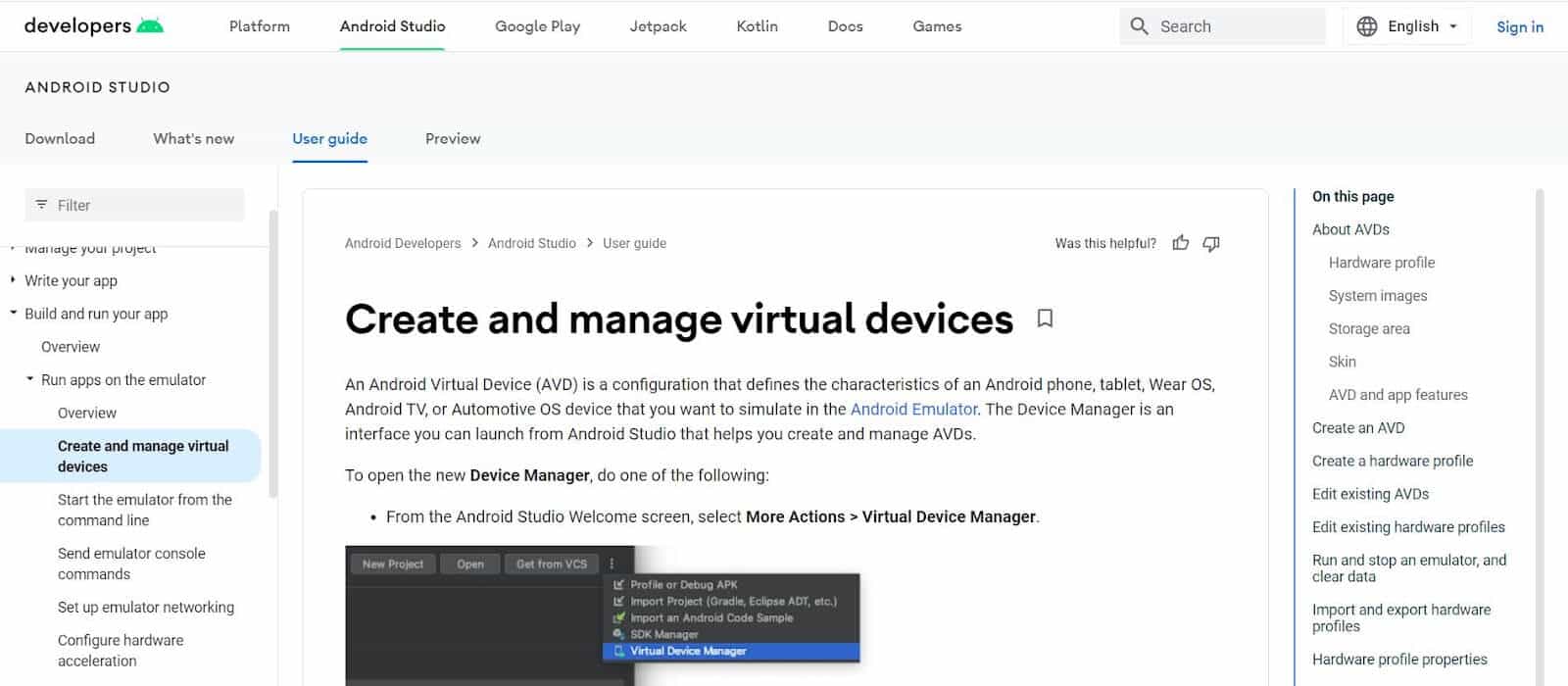
If you are a person who believes in roots more than branches, this is the right Android emulator for you. This is an extended version of Android Studio IDE where you can simulate videos, phone calls, network speeds, hardware sensors, and text messages. You can connect any sort of external device through a portable USB. Enable virtual devices via a graphical user interface (GUI) or command line meant for live testing.
How about testing your Android app on Augmented reality? This is the most promising feature of this emulator. This emulator can simulate hardware sensors and screen rotation. You can also get access to the Google Play store.
The silver lining:
- Experience the power of high-end navigational gestures.
- Record your screen and take screenshots seamlessly.
- Get ARCore and a virtual scene camera.
- Create Android emulators for Linux on various devices such as Android tablets, Automotive OS, TV devices, and wearables.

9. Andro VM
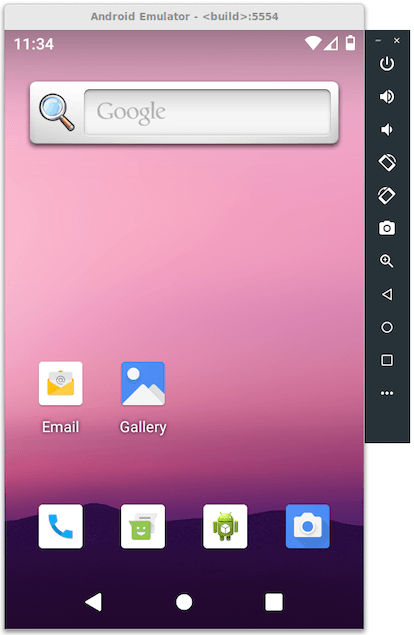
Andro VM is the brainchild of Genymotion, which leaves no stone left unturned to provide the best Android emulator for the masses. The features are quite compatible with Android SDK, sensor events, and much more. Even though it has plenty of positives to look upon, you need to install and configure a Virtual Box in your Linux system.
Similar to Genymotion, this latest Android emulator for Linux boasts a multitude of features under a single package. This is what makes it one of the best Android Emulator for Linux.
The silver lining:
- The offline feature is its differentiating point. Test any apps even when there is no internet connectivity.
- Get built-in support for OpenGL, and get the best rendering options for your Android device.
- A guest can enable Net Sharing with the host.
- Since it’s available for both 32 and 64-bit systems, its functioning would be smoother despite variations in the kernel’s instruction length.
10. Shashlik
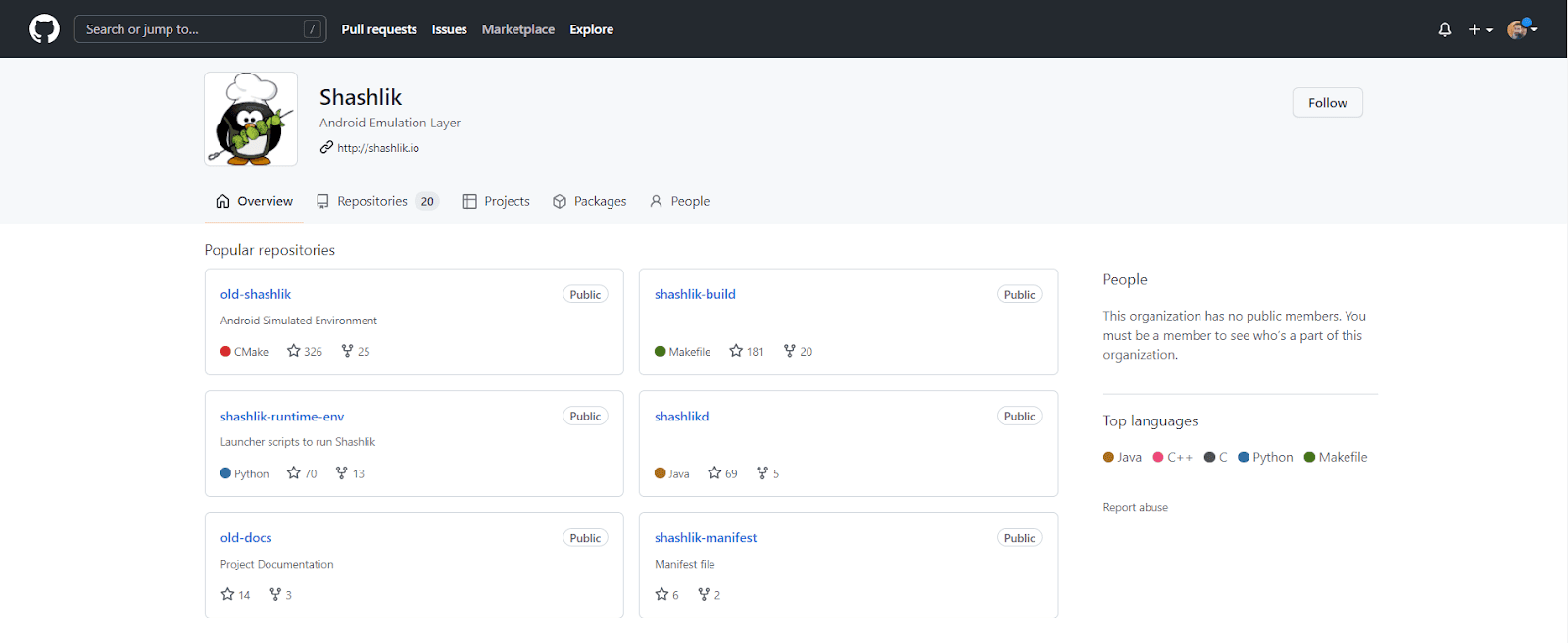
Shashlik is another QA-loved product that has caught industry bugs in recent days. Since it’s still under observation (experiment mode), it’s only available for Arch Linux and Ubuntu. Also, we cannot directly term it as an Android emulator. The performance of Shashlik depends upon the creation of Android runtime in the background. It leverages the Android emulator of the Android Software Development kit provided by Google. This lets you run Android apps directly on your Linux desktop.
This method is more effective than installing an Android Virtual Machine or relying upon Google Chrome extensions for loading different APKs. This way, it lets you run Android apps such as Instagram, WhatsApp, and so on with the same power and flexibility as a normal Linux app. In the near future, Shashlik could play the role of a container alone.
The silver lining:
- No need for browsers or VirtualBox.
- It sheds away the typical emulation technique and introduces deployment of barebone app installation through APK files.
- It supports Houdini Binary Translator for running android applications leveraging ARM binary code.
- It supports SD cards.
- You get the pre-installed version of APKpure. This lets you download any kind of open-source Android application (APK) apps, files, and games to run on different Android devices and gadgets such as computers, phones, and smartwatches.
11. Jar Of Beans
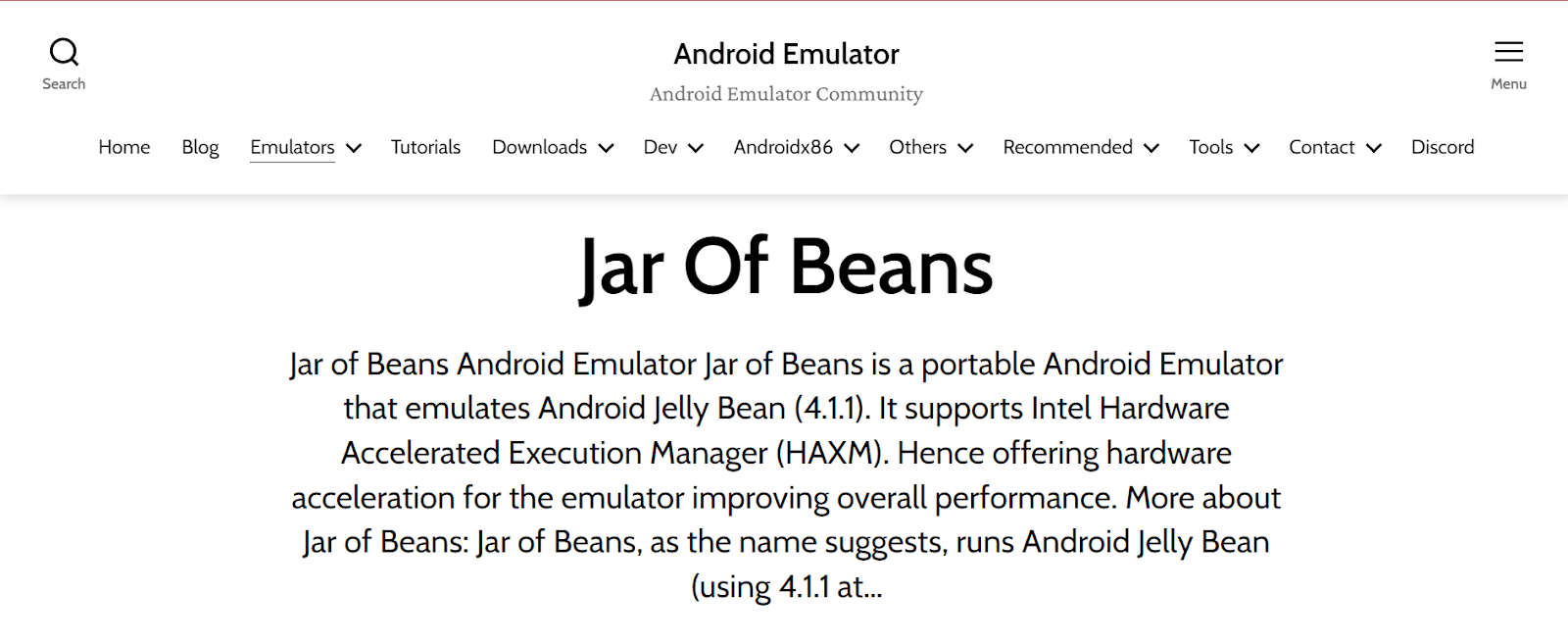
Jar of Beans is a simple-to-use, portable Android emulator which runs version 4.1.1 (Jelly Bean), the most loved Android OS formerly. This classic emulator allows you to run at a 1280×768 level of screen resolution. All you need is 1GB of RAM to run any Android app. Jar of Beans comes along with “n” number of configuration options. For example, if you choose 1280×768 screen resolution or above that, the Android interface would shift to the tablet mode of Android.
Install APK files from your computer’s internal memory storage through a button. Access many more buttons for volume control. Get an ADB interface to connect to your emulated Android system directly. It’s a portable emulator where the latest beta version lets experience more advanced features. That’s a promising sign! The entire execution process is quite simple.
The silver lining:
- This emulator allows you to open almost every APK that’s directly downloadable.
- Earn the support of Intel Hardware Accelerated Execution Manager (HAXM).
- Create a virtual SD card of the size you prefer.
- Get multi-user support for saving their own customized settings.
12. Android SDK
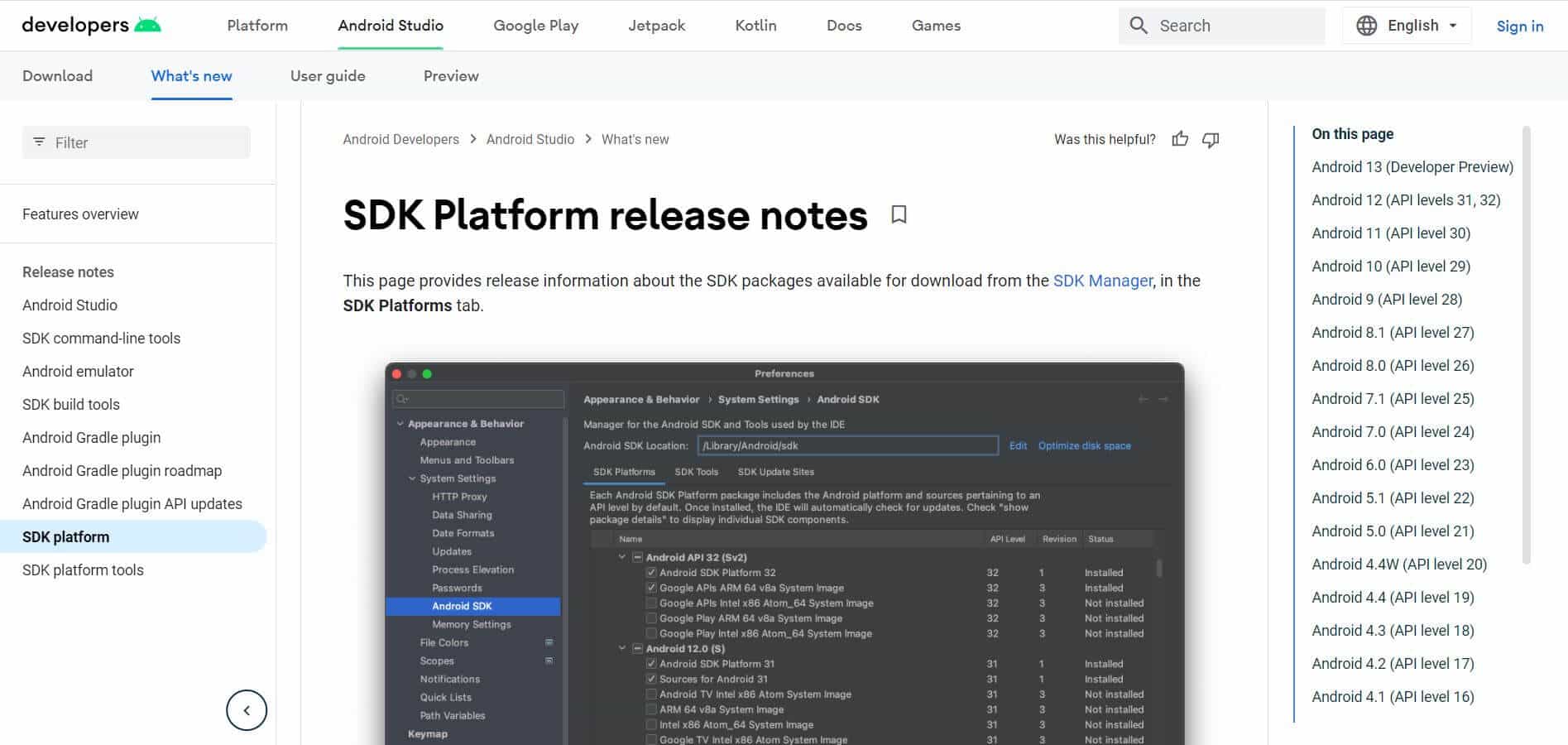
Android SDK has built a strong foundation for itself in the realms of Android emulation for Linux. The majority of the app developers who are into Android development would prefer Android SDK over any other platform for building their app from scratch.
That’s the reason why Android SDK is chosen by them, out of trust, integrity, and brand value. The positive side of the fence involves elaborate online tutorials and high-end documentation.
The silver lining:
- Android SDK offers built-in support that includes the best-of-industry features like GPS, Wi-Fi, SD Card support, Sensors, and much more.
- The emulation would be one among the fastest in town, with various applications, features, and configurations that ARCore – Google’s AR platform.
- Android SDK provides developers with an opportunity for customization.

Conclusion
The number of Android app users is growing. According to Statista, as of January 2022, Android is still leading the mobile OS market with a share of 70% in comparison to 25% of iOS users. Choosing the right Android emulator is of undeniable importance if you want to experience the best and worst of your Android app on Linux OS and debug ASAP. Android emulators are no more limited to manual processes.
With Cloud technology, the previously barren features are now fixed, making it easy for developers and testers all over the globe. Ever since the pandemic, work from home has become the norm. What’s more? Android emulator for Linux on Cloud lets you sit in the comfort of your home or coffee shop and perform your role perfectly.
DevOps integration has made the communication process a mere cakewalk. It’s time for testers to think more about productivity and free less about the bugs. We hope that the list of these 12 best Android Emulator for Linux can help out each and every development team aspiring to build globally accoladed Android apps.


Frequently asked questions
Did you find this page helpful?
More Related Hubs
TestMu AI forEnterprise
Get access to solutions built on Enterprise
grade security, privacy, & compliance
- Advanced access controls
- Advanced data retention rules
- Advanced Local Testing
- Premium Support options
- Early access to beta features
- Private Slack Channel
- Unlimited Manual Accessibility DevTools Tests