Best Applitools Alternatives in 2026
The best Applitools alternatives in 2026 are SmartUI by TestMu AI, Percy, Chromatic, Sauce Labs Visual, Happo, Argos, Playwright's built-in screenshots and BackstopJS. SmartUI is the closest like-for-like swap, with Visual AI, Figma and PDF comparison, and 2,000 lifetime screenshots free.

Trusted by 3M+ users globally at




"We have tripled our tests and are now executing tests in less than 2 hours with 78% Faster Test Execution"


"We figured out a more efficient way to monitor system health and resolve failures earlier in lower environments."





"TestMu AI has significantly boosted our testing speed, is easy to implement, and provides exceptional support."


"With 70% faster test execution, TestMu AI helped us achieve faster time-to-market and enhanced CX."



What Is Applitools Visual Testing (Eyes)?
Applitools Eyes is the visual testing SDK from Applitools. You add it to tests you already write in Playwright, Cypress, Selenium, WebdriverIO, Appium or Storybook, and its Visual AI compares each checkpoint with an approved baseline to flag visual changes. Applitools Autonomous, its no-code testing product, is compared on our Applitools Autonomous alternative page.
How Much Does Applitools Cost? (2026 Pricing)
Applitools publishes one price. Starter costs $667 a month, billed annually, with unlimited users and 100,000 component checkpoints or 1,000 page checkpoints. Professional and Enterprise have no published price and start at 150 and 350 active pages, and access to real iOS and Android devices is an Enterprise add-on. There is no free plan, only a free trial (checked November 18, 2026). SmartUI includes 2,000 lifetime screenshots free, and paid plans start at $199 a month, billed annually, for 15,000 screenshots a month.
SmartUI vs Applitools: how the two compare

Top Choice
Features

Applitools
SmartUI Plans vs Applitools Plans
Free plan
Lowest published price
What the entry plan covers
Unlimited users on paid plans

Security and Deployment by Plan
Single sign-on (SSO)
On-premises
Visual testing core
Baseline branching & merge
Automated baseline maintenance
Ignore displacement diffs
Figma design comparison
Storybook component testing
Platform & scale
Browser & OS coverage
Real device cloud
Deployment
Beyond visual testing
8 Applitools Alternatives Compared
We compared TestMu AI SmartUI with six other visual testing tools and Playwright's built-in screenshots on plans, real devices, who each suits best and one limitation, using each vendor's own pricing pages and docs.
| Alternative | Plans | Real devices | Best for | One limitation |
|---|---|---|---|---|
| 1. TestMu AI SmartUI | PlansFree plan, 2,000 lifetime screenshots; paid from $199/mo, billed annually | Real devices50,000+ real Android and iOS devices | Best forVisual, cross-browser and real-device testing on one account | One limitationSSO and on-premise deployment need an Enterprise plan |
| 2. Percy (BrowserStack) | PlansFree 5,000 screenshots a month; Desktop $199/mo for 10,000, billed annually | Real devicesReal mobile browsers on the $599/mo Desktop & Mobile plan | Best forWeb teams reusing Storybook, Playwright or Selenium tests | One limitationNative apps need App Percy, a separate product with its own plans |
| 3. Chromatic | PlansFree 5,000 snapshots a month; Starter $179/mo for 35,000 | Real devicesNone; real desktop browsers, with mobile as viewport sizes | Best forStorybook-based frontend and design-system teams | One limitationThe free plan tests on Chrome only; other browsers start at Starter |
| 4. Sauce Labs Visual | PlansIncluded from $149/mo, billed annually, with 500 snapshots; standalone is quote-only | Real devicesReal and virtual devices, including native iOS and Android via Appium | Best forTeams already testing on the Sauce Labs cloud | One limitationSelf-serve plans include only 500 visual snapshots a month |
| 5. Happo | PlansFree 5,000 snapshots a month on Chrome; Starter $149/mo for 50,000 | Real devicesNot stated; native apps by uploading your own screenshots | Best forPull request visual review with unlimited users on every plan | One limitationiOS Safari and Edge only on Pro ($749/mo) or Enterprise |
| 6. Argos | PlansFree Hobby plan, 5,000 screenshots a month; Pro $100/mo for 35,000 | Real devicesNone of its own; it uploads screenshots your tests capture | Best forOpen-source visual testing for Playwright, Storybook and Vitest | One limitationThe free Hobby plan is for one person, so no team review |
| 7. Playwright (built-in screenshots) | PlansFree and open source (Apache-2.0) | Real devicesNone; Chromium, Firefox and WebKit, with mobile emulated | Best forTeams already on Playwright Test | One limitationRendering varies by host OS and hardware, so baselines differ by platform |
| 8. BackstopJS | PlansFree and open source (MIT) | Real devicesNone; headless Chrome or Playwright browsers at set viewports | Best forComparing a web app's screenshots over time | One limitationRepo says it needs a new maintainer; last release September 2024 |
Why Teams Switch From Applitools to SmartUI
The checks Eyes users rely on carry over: branch baselines, layout-shift filtering, Figma, Storybook, pull request checks and root cause analysis. These six are what teams gain.

A Free Plan and a Published Price
Start with 2,000 lifetime screenshots free, then $199/mo billed annually for 15,000 screenshots a month. Applitools has no free plan, and its lowest published price is $667/mo.

Real Devices, Not Emulators
Run visual tests for native apps and mobile browsers on real devices. Applitools' Ultrafast Grid emulates Android and simulates iOS, and real devices are an Enterprise add-on.

Figma Against App Screens Too
Compare Figma designs with live web pages and with native app screens on real devices. Applitools' Figma comparison covers web today, with native mobile planned.

Only the Stories You Changed
The SmartUI Storybook CLI captures only the stories a change affects and can fail the CI job on visual changes. Applitools' Storybook SDK filters stories with include rules, not by what changed.

Cross-Browser Tests on the Same Account
Run Selenium, Playwright and Cypress suites on 3,000+ browser and OS combinations and 50,000+ real devices, with visual checks in the same run.

KaneAI Writes the Tests
Describe a goal in plain English and KaneAI plans, writes, runs and heals the tests, with SmartUI visual steps in the same flow.
How to Migrate From Applitools to SmartUI
Replace the Applitools Screenshot Calls
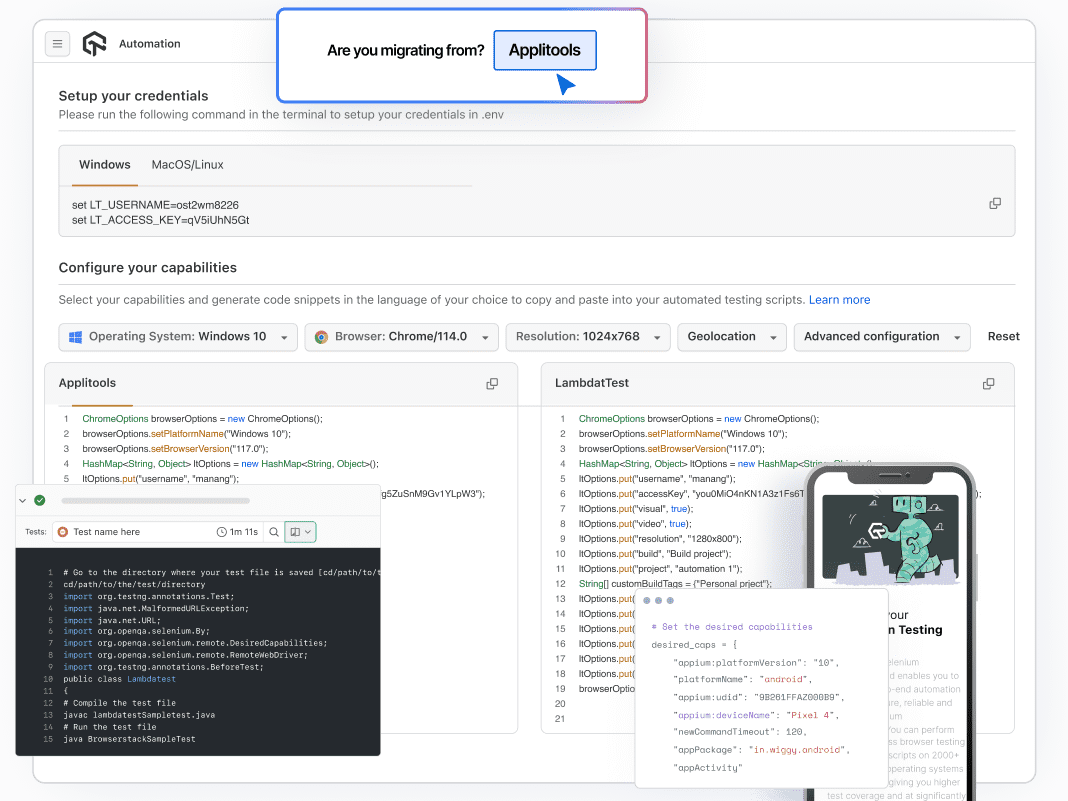
- Where a test calls eyes.check() to take a screenshot, call the SmartUI snapshot function for your language instead
- SDKs for Selenium, Playwright, Cypress, Puppeteer, WebdriverIO, TestCafe and Appium, plus a Storybook integration
- Espresso and XCUITest suites run on TestMu AI real devices with visual testing turned on
Add Your SmartUI Project Token to CI
- Set PROJECT_TOKEN in your CI and run your tests with npx smartui exec
- Guides cover GitHub Actions, GitLab CI, Azure DevOps, CircleCI and Bitbucket
Run Once to Create Your Baseline
- The first build is approved automatically and becomes the baseline
- Git-aware branch baselines keep feature branches separate from main
- Setup for each framework is in the SmartUI docs

Deliver Visually Perfect Digital Experience
TestMu AI Visual Regression Cloud ensures that the visual appearance and functionality of your web applications remain consistent and error-free, ultimately improving the digital experience and business performance.
Start Free Testing
 Ensure consistent layouts, designs and functionality of apps.
- Automated Visual Regression tests on 50,000+ different desktop & real devices.
- Perform Pixel-to-Pixel Image & DOM comparison.
- Integrate with your CI/CD pipeline and trigger visual regression tests on every deployment.

Success Stories of TestMu AI (Formerly LambdaTest)

50%
reduction in test execution time
“HyperExecute is a highly reliable test execution platform and has excellent customer support.”
Sagar Uday Kumar
Sr. Engineering Manager
Frequently asked questions
Methodology
How This Applitools Comparison Was Built
Every row above was scored against Applitools' own pricing, product and documentation pages as of August 2026, alongside hands-on SmartUI runs. Where both platforms ship a capability the row says so rather than manufacturing a gap, and a capability that is real but gated by plan is labelled with the gate. The Starter price was re-checked on November 18, 2026, and the plans of the other tools in the comparison table were read from their own pricing pages and docs on October 27, 2026. Explore what we tested on visual regression testing, real device cloud, and visual testing tool, or see live plans on our pricing page.
Last updated
November 18, 2026
What was compared
12 capabilities across pricing and access, the visual testing engine, and platform scale
Sources
Applitools pricing, docs and terms pages, plus hands-on TestMu AI evaluation
TestMu AI for Enterprise
Get access to solutions built on enterprise-grade
security, privacy, & compliance
- Advanced access controls
- Advanced data retention rules
- Advanced Local Testing
- Premium Support options
- Early access to beta features
- Private Slack Channel
- Unlimited Manual Accessibility DevTools Tests