AI Agent Hosting: Browser Cloud Hosts Your Agent's Chrome
Keep your agent on the host you chose. Browser Cloud runs the real Chrome it drives, with saved logins, a tunnel to private apps and session replays.


Trusted by 3M+ users globally at




"We have tripled our tests and are now executing tests in less than 2 hours with 78% Faster Test Execution"


"We figured out a more efficient way to monitor system health and resolve failures earlier in lower environments."





"TestMu AI has significantly boosted our testing speed, is easy to implement, and provides exceptional support."


"With 70% faster test execution, TestMu AI helped us achieve faster time-to-market and enhanced CX."



What Is AI Agent Hosting?
AI agent hosting is where an agent's code runs in production: the loop that calls the model, uses its tools and keeps its memory. Teams host agents on serverless functions, containers, persistent virtual machines or managed agent runtimes. An agent that browses the web also needs a place for its browser. We built Browser Cloud by TestMu AI to host that part as real Chrome sessions, so the agent stays on the host you picked and opens a browser only when a task needs one.
- We host
- Real Chrome sessions, one per agent task
- You host
- The agent's code, model calls and memory
- The agent connects over
- A WebSocket on port 443, or WebDriver
6 Hosting Options for an Agent and Its Browser

Serverless Functions
Short tasks that start and finish in one call. The function holds the connection while Chrome runs in our cloud.

Containers
Long-running agents and queue workers. The image ships without Chrome, and each task connects to a session.

Persistent Virtual Machines
Agents that keep files and processes between runs, with the browser kept off the VM's CPU and memory.

Managed Agent Runtimes
The provider runs the agent loop, and the agent's browser tool opens Browser Cloud sessions from inside it.

Scheduled Jobs and CI Runners
Recurring agent jobs. The testmu-browser-cli drives cloud Chrome as a build step, with keys from CI secrets.

Coding Agents on a Laptop
Claude Code and Cursor drive cloud Chrome through the testmu-browser-agent MCP server or the agent skill.
Browser Cloud vs Chrome in a Serverless Function or VM

Top Choice
Features
Browser Cloud
Chrome in a serverless function
Chrome on a VM you run
Chrome in your deploy
Longest browser run
Browsers at once
Login between runs
Private apps
Run evidence
Chrome updates
Bot defenses
Agent connection
Cleanup
Compliance
Your Agent Gets Logins, Parallel Runs, Tunnels, Replays
Each one works for an agent that runs on its own host: a serverless function, a container, a VM or a managed runtime.
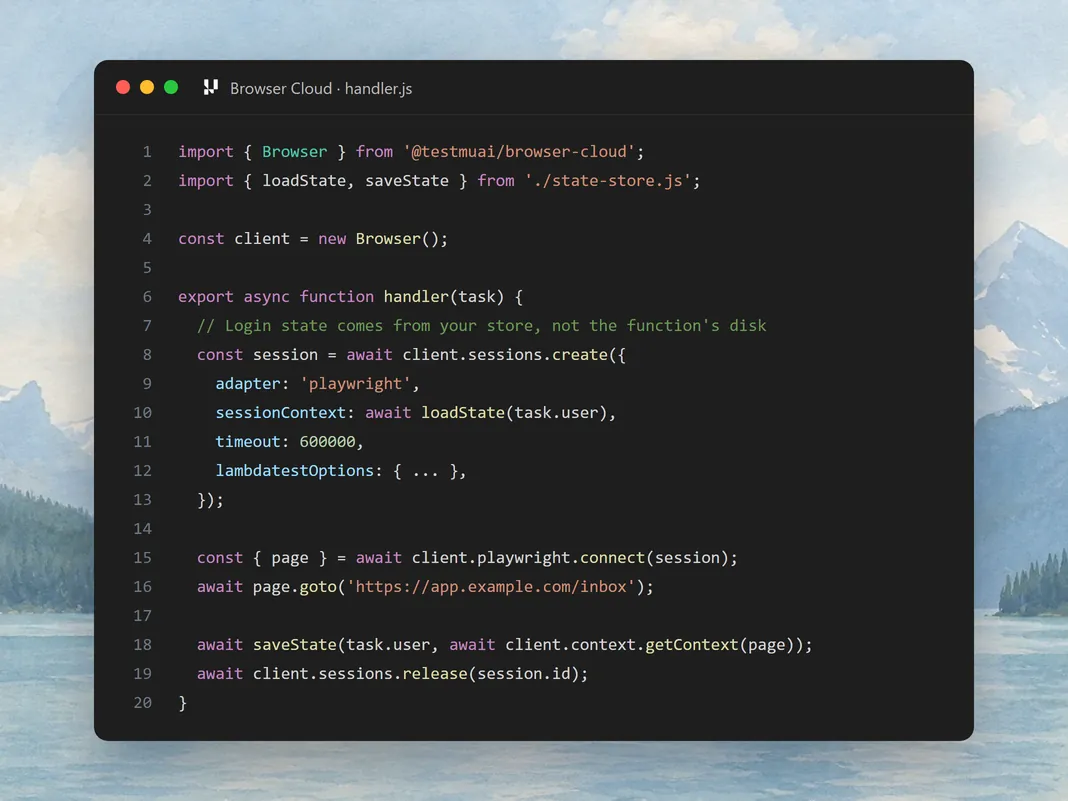
 SAVED LOGINS
Keep Saved Logins Across Stateless Agent Runs
After a run, save the session's cookies and storage to your own store. The next invocation passes them back as sessionContext and starts logged in.
Read the Context Docs
- getContext returns cookies, localStorage, sessionStorage
- sessionContext loads them as the session starts
- profileId saves to .profiles/ on a persistent host

 PARALLEL RUNS
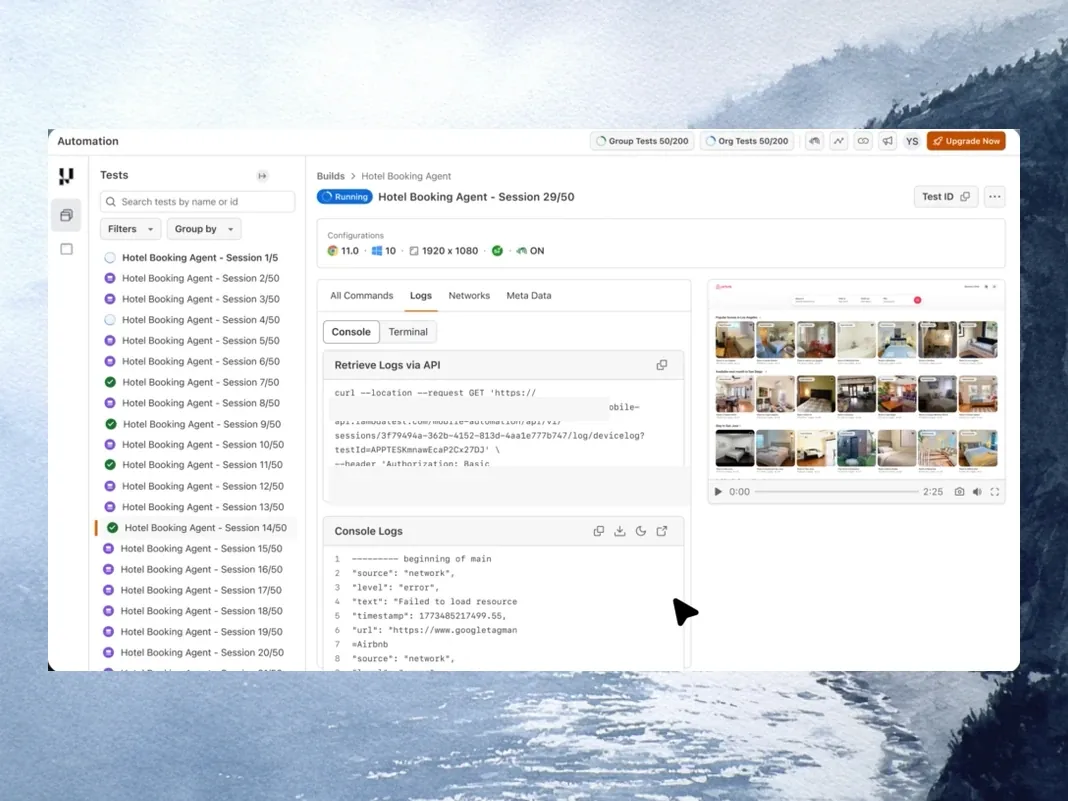
Parallel Browser Sessions Run Outside Your Agent Server
Each task opens its own Chrome session in the TestMu AI cloud, so the agent host runs the agent loop and never holds one Chrome process per task.
Start free- One isolated session per task, with its own cookies
- Playwright, Puppeteer or Selenium on each session
- Region, proxy and viewport set per session
 TUNNEL TO PRIVATE APPS
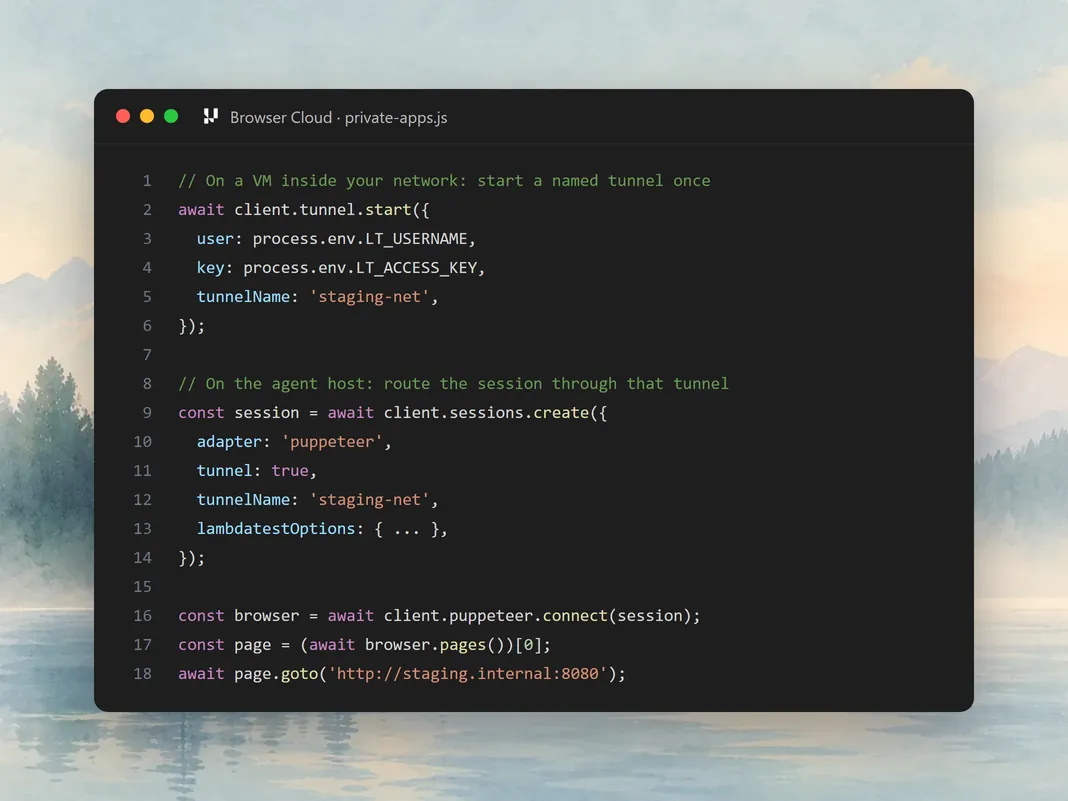
Reach Private Apps From an Agent on Any Host via a Tunnel
Start a named tunnel on a machine inside your network. The agent passes that tunnel's name when it creates a session, wherever the agent runs.
Read the Tunnel Docs- Public URLs only until a session names a tunnel
- One named tunnel serves sessions from any host
- Corporate proxy settings go in the tunnel config
 SESSION REPLAYS
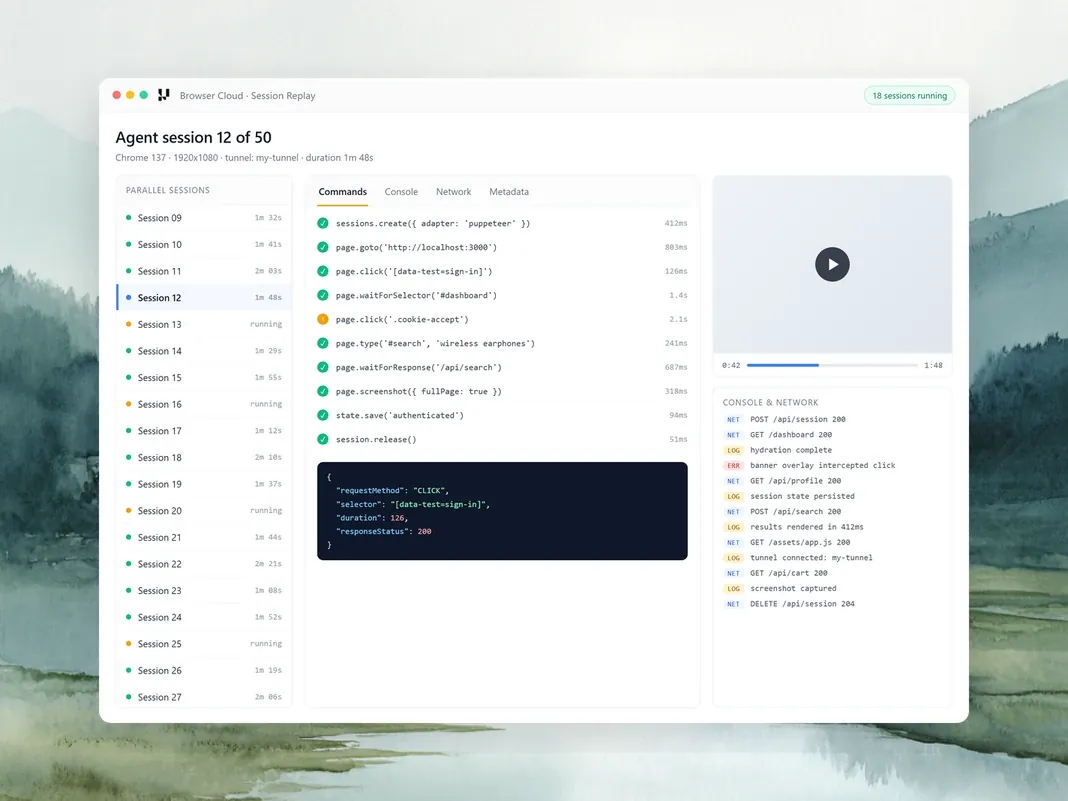
Debug Your Agent's Runs From Browser Session Replays
Every session keeps video, console and network logs and a command replay on your dashboard, after the agent's function or container has shut down.
Start free- Each session returns a debugUrl to its dashboard page
- Watch a run live from its sessionViewerUrl
- Replay each command the agent sent, in order
Move Your Agent's Chrome to Browser Cloud in 3 Steps
Add the SDK and Keys to the Agent Host
- Run
npm install @testmuai/browser-cloudin the agent's project. - Keep
LT_USERNAMEandLT_ACCESS_KEYin the host's secret store, never in the image or the code.
Replace the Chrome Launch With a Session
- Call
client.sessions.create()with an adapter and a timeout where the agent used to launch Chrome. - Connect Playwright, Puppeteer or Selenium to that session. Python agents connect over a CDP URL.
Release the Session and Remove Chrome
- Call
client.sessions.release()when each task ends. - Once every task runs on a session, delete Chrome and its system libraries from the image or the VM.

Choose The Right Plan For You
Free
$0
Includes access to:
100 Minutes of access to all browsers and OS for running Selenium, Playwright, Puppeteer based automation tests, valid for lifetime
Effortlessly test your webpages for accessibility issues
Browser Cloud
$29
/monthbilled annually
Unlimited access to all features of Live plan
Access to 3000+ different browser environments
Supports all major automation frameworks including Selenium, testcafe, TestNG, WebdriverIO etc
Puppeteer and Playwright framework
Integrate with GitHub, GitLab, CircleCI and more CI/CD tools for continuous testing
Network logs, screenshots, execution video, lighthouse reports, console logs, selenium raw logs
Screenshot API, Selenium Cypress, Playwright to take full page screenshots across different browser and device configuration
Out of the box geolocation testing across 170+ countries
Test Real World Scenarios by Network Throttling
Get Performance report of your app from LightHouse
Get insights on usage reports, test insights, flaky test trends and more
Test with your Local IP without affecting your Google Analytics data
Effortlessly test your webpages for accessibility issues
Enterprise
Dedicated account manager or custom support options
Custom platform access controls for team
Integration with all SSO platforms
Test locally hosted or privately hosted apps
Customizable data retention rules for all test execution data
Customized solutions for testing locally hosted apps
Advanced TestMu AI usage analytics
Be the first to join waitlist and enrol in beta feature rollouts
Enrol unlimited users into your TestMu AI organization
SOC 2 Type II certified
Accelerated onboarding with dedicated customer success manager
Faster error resolution and team coordination with private slack channel
Anticipate and mitigate future issues before they take root with AI-powered test intelligence insights
Effortlessly test your webpages for accessibility issues
More Reasons to Love TestMu AI
TestMu AI is a leading agentic AI quality engineering platform, trusted globally, that assures your AI deployments work as intended, safely and securely, across enterprise and real-world conditions.
Users
3M+
Tests
1.5B+
Enterprises
18K+
Countries
132
TestMu AI positioned as a Leader in the 2026 Gartner® Magic Quadrant™
Read ReportTestMu AI recognized in The Forrester Wave™: Autonomous Testing Platforms, Q4 2025
Read ReportWall of Fame
TestMu AI is the #1 choice for SMBs and enterprises across the globe.
Enterprise-Grade Security
We safeguard your data and AI systems with global security, privacy, responsible AI, and ESG standards.

Integrations
Works where you work, 120+ integrations with the tools your team relies on.



As Seen On
AI Agent Hosting FAQs
TestMu AI for Enterprise
Get access to solutions built on enterprise-grade
security, privacy, & compliance
- Advanced access controls
- Advanced data retention rules
- Advanced Local Testing
- Premium Support options
- Early access to beta features
- Private Slack Channel
- Unlimited Manual Accessibility DevTools Tests