
Website Responsive Checker For Free
Test website responsiveness on 50+ device viewports




Device 1
- 1

iPhone 12 Pro
- 1

iPad Pro

Device 2
- 2

Google Pixel
- 2

1024X768
iphone 12 pro(1170x2532)

Ipad pro(2048 x 2732)

Google Pixel (1080 x 1920)
Desktop 1024 x 768
Why my mobile website refused to connect? : Your website may not be supporting iframe but our Chromium-based LT Browser has the solution. Perform responsive testing across 50+ different device viewports to enjoy un-interrupted mobile web testing on 50+ device screens. Try LT Browser for free!

You are about to download LT Browser for Linux
×64-bit version for Debian/Ubuntu
64-bit version for Fedora/openSUSE
By downloading and using LT Browser, I agree to the Privacy Policy and Terms.
Best Responsive Checker For Free
- 50+ Device Viewports on local machine
- Responsive behaviour checker
- Side by Side viewport comparison
Test on Real Device Cloud
- Test on latest iOS and Android real devices
- IP Geolocation, GPS location and Network Throttling Testing in a single click
- Streamline mobile app testing with Intelligent UI Inspector








Check Mobile View Of Your Website
Check the responsiveness of your website across different pre-installed mobile device viewports or custom mobile resolutions. LT Browser, a responsive checker developer browser, offers a mobile view website for Android and iOS device viewports to help you ensure a seamless user experience.

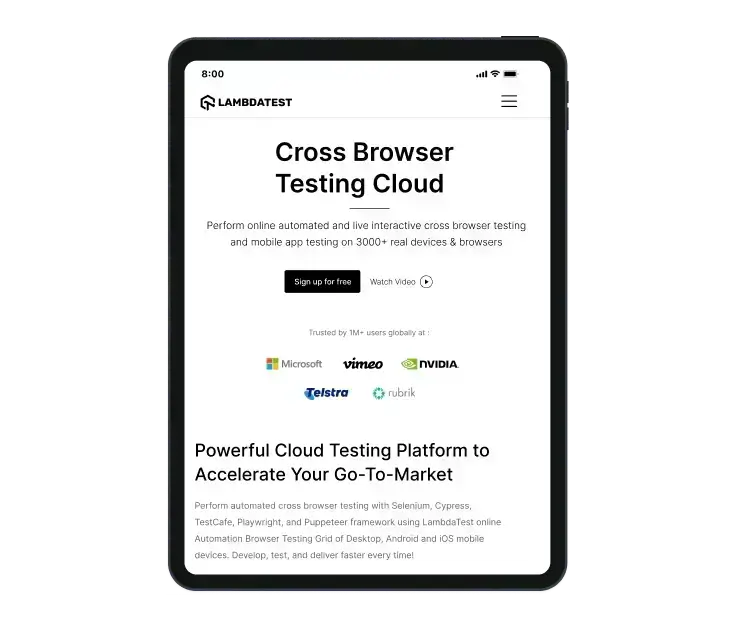
Check Responsive Design On Your Tablets
Check out LT Browser, a responsive website checker to ensure responsive web design across different pre-installed tablet viewports or custom tablet resolutions. .
Test On Different Laptop Viewports
Test your website's responsiveness on pre-installed laptop viewports or create custom laptop resolutions with this responsive website checker.

Test On Different Desktop Sizes
Test the responsiveness of your website and web apps across multiple pre-installed desktop resolutions with LT Browser. You can also create your custom desktop resolutions with this responsive checker.

100% Accuracy is Essential - Switch to Real Device
Mobile emulators and simulators offer a glimpse, but they fall short in mimicking real-world scenarios. Don't settle for emulations/simulations; choose real device.
 Natural gestures - pinch to zoom in, 2 fingure scroll etc
- Detailed device and app/crash logs
- Integrate with TestFlight, AppStore
How LT Browser Serves as Your Go-To Responsive Checker

Native Chromium Engine
Use all Chrome browser features like settings and APIs, having better OS integration, accessing latest Chrome DevTools.

Multiple Device Viewports
Choose from a wide range of devices and effortlessly interact and test responsiveness across multiple device viewports.

Dedicated Chrome DevTools
Enhance your mobile view debugging with built-in Chrome dev tools for each device viewport, enabling faster debugging.

Multiple Recording Options
LT Browser lets you record the entire screen or a specific tab in tablet or mobile view and easily share it with your team.

Google Lighthouse Report
Get access to concise lighthouse report for viewing your website's key performance metrics, including accessibility score and SEO.

Hot Reloading Feature
LT Browser's user-friendly interface, quick documentation, and hot reloading ensure seamless code updates in device viewports.

Network Throttling
Ensure seamless user experience by checking your mobile view website's responsiveness on various network profiles.

Multiple Bug Reports
Create and share responsive bug reports seamlessly across preferred project management or messaging tools.

Test History
Developers using LT Browser access their test history for informed decisions and clear site cookies via Chrome settings.





FAQs
Mobile- Iphones, Samsung Galaxy series, OnePlus phones of past 2 to 3 years.
Tablets- Ipads and Samsung Tablets launched in past 3 to 4 years
PCs- Laptops from Lenovo, Dell, Apple for past 5 years

1.2B+
Tests

2M+
Users

10000+
Enterprises

132
Countries
Elevate Your Responsive Testing Experience
Experience firsthand how our platform can empower you to reach your Responsive testing objectives and bring innovation in your testing procedures. Try TestMu AI today.
 Talk to us
You are about to download LT Browser for Linux
×64-bit version for Debian/Ubuntu
64-bit version for Fedora/openSUSE
By downloading and using LT Browser, I agree to the Privacy Policy and Terms.