

Next-Gen App & Browser Testing Cloud
Trusted by 2 Mn+ QAs & Devs to accelerate their release cycles


- Home
- /
- Blog
- /
- Nov’22 Updates: Live With Automation Testing On OTT Streaming Devices, Test On Samsung Galaxy Z Fold4, Galaxy Z Flip4, & More
Nov’22 Updates: Live With Automation Testing On OTT Streaming Devices, Test On Samsung Galaxy Z Fold4, Galaxy Z Flip4, & More
Now take automation testing to the next level with automation on OTT streaming devices, app testing on Samsung Galaxy Z Fold4 and Galaxy Z Flip4, new HyperExecute analytics, a plethora of integrations, and more. Check out what’s new at TestMu AI in November 2022.

Devansh Bhardwaj
March 7, 2026
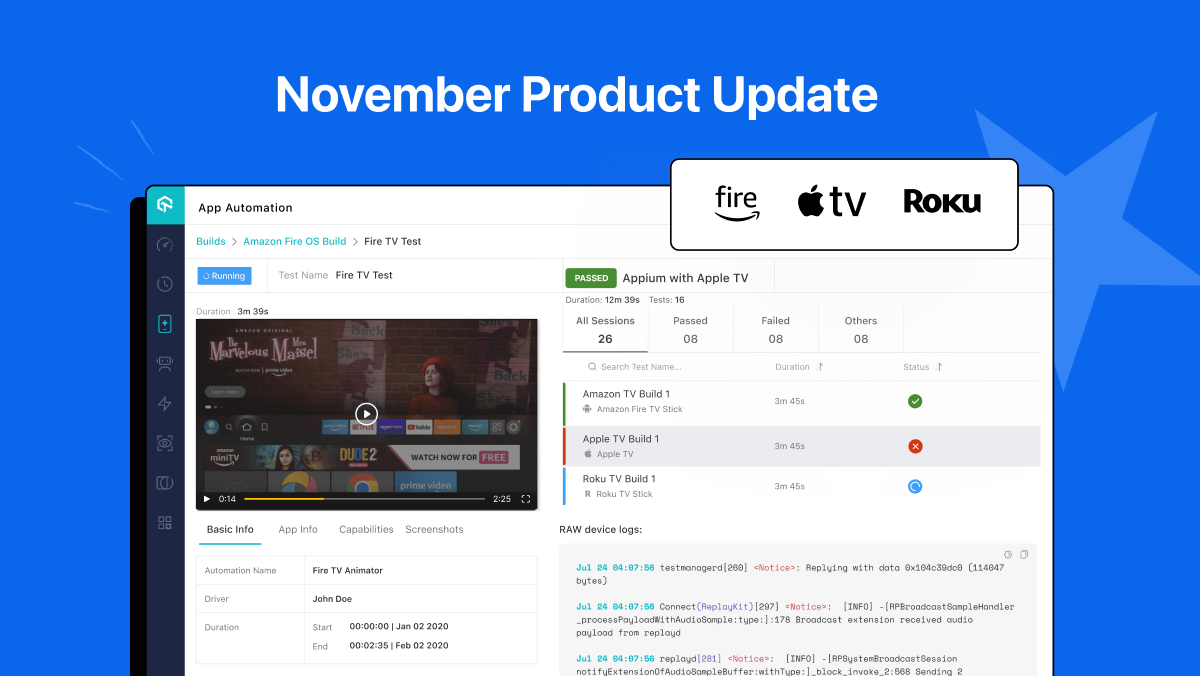
Hola Testers! Hope you all had a great Thanksgiving weekend! To make this time more memorable, we at TestMu AI have something to offer you as a token of appreciation.
Our team of highly driven and ambitious developers has been working on some fantastic features to deliver you a seamless testing experience.
Last month, we went live with automation testing for OTT streaming devices, added exclusive support for Samsung Galaxy Z Fold4 and Samsung Galaxy Z Flip4, latest integrations, new HyperExecute widgets, and more.
Let’s see what’s in the box, shall we?
Automate OTT Testing and Deliver a Seamless User Experience
Automate OTT Testing TestMu AI’s real device cloud allows you to perform native app automation of your Smart TVs. You can run your automation tests on an Apple TV, Roku TV, or Amazon Fire TV.
TestMu AI’s cloud-based Smart TV automation testing lets you test your OTT apps on a wide range of real Smart TV devices without worrying about building or maintaining an in-house testing infrastructure.
Here are the other features you can leverage with TestMu AI’s cloud.
- Native app automation on real Apple TVs, Fire TVs, and Roku TVs can be done with Appium.
- You can easily configure your automation frameworks tests on the TestMu AI Cloud grid using real device capabilities generator.
- Expedite your Smart TV automation test execution with parallel testing.
- Debug your app tests with TestMu AI Analytics and different logs like Appium, device, and network.
- Remote control simulation features a built-in ability for remote control access.
- Test your geolocation and localization features in 50+ countries.
- Integrate your testing stack with popular third-party tools for project management, codeless automation, CI/CD, and more to streamline your workflow and accelerate your release cycle.
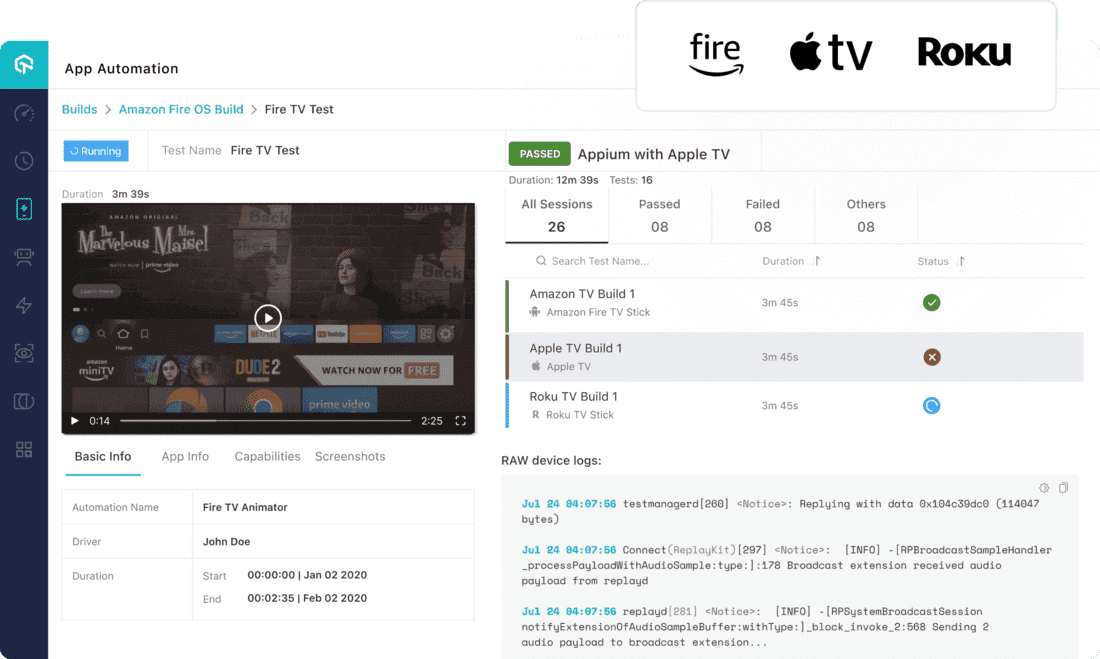
Enterprises can deliver a superior user experience by thoroughly testing their digital offerings with features like parallel testing, remote control management, Appium integration, localization testing, and more.
We have also added some other features under App automation, which are as follows:
- New parameters – custom_id and visibility for uploading the app via app URL.
- Now apply Visual and Exception filters simultaneously.
- Upload an app via cURL with sizes up to 1 GB.
- Support for lambdaMaskCommands to prevent sensitive data from appearing on the device.
- Access Crash logs for test executions to quickly identify and debug errors.
App Testing on Samsung Galaxy Z Fold4
The new Samsung Galaxy Z Fold4 and Galaxy Z Flip4 are here. Are your mobile web and native apps ready for it?
Now test your app on TestMu AI’s real device cloud running the Samsung Galaxy Z Fold4 and Galaxy Z Flip4 and ensure that your app works seamlessly on foldable devices.
The Samsung Galaxy Z Fold4 offers more than just its dual screens. Here are some of its popular features:
- All-new Taskbar: The new taskbar at the bottom of the inner screen lets you jump instantly between multiple applications by clicking on the respective application’s icon.
- Samsung Labs: Samsung Labs features on the Galaxy Z Fold4 will make multitasking easier for you. These features include alternative options for split-screen multitasking and the floating pop-up window.
- Camera: Galaxy Z Fold 4 has a camera system with many upgraded features, including a large viewfinder and the option to preview images quickly on half of the screen.
- Auto Framing: The auto-framing feature keeps you in the center of the picture by adjusting the sensor’s position.
- Mirror Cover Screen: The mirrored display feature lets you see what is outside your device without turning on its screen.
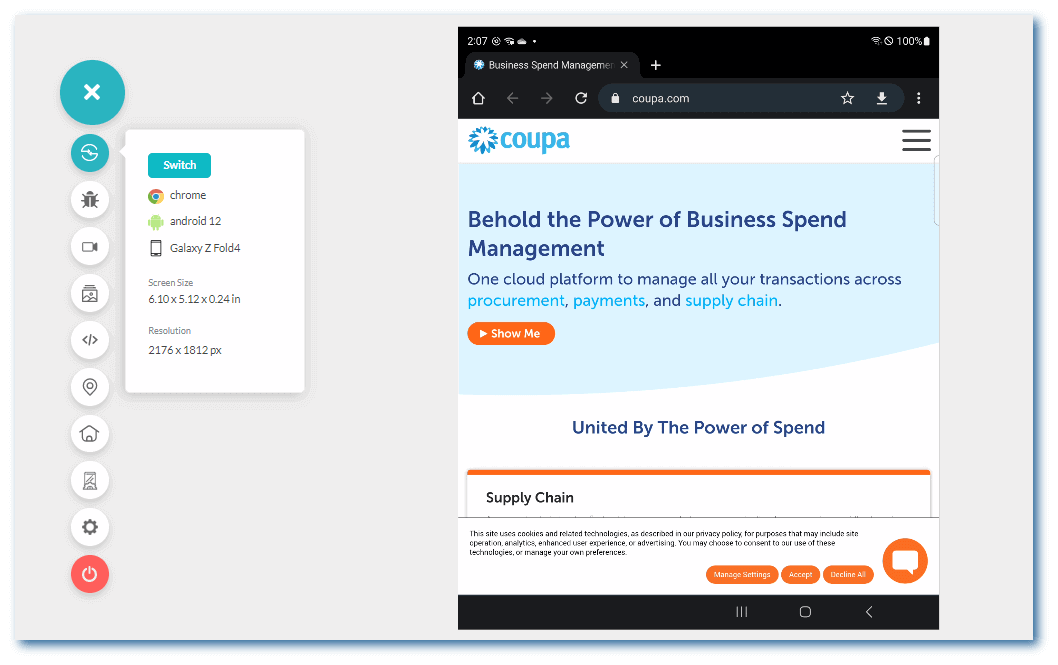
See how it functions for features like app continuity to prevent data losses while folding and unfolding the device, the app adaptability to Galaxy flex mode, and more.
Some other features that we have added to real device testing are:
- The Camera Injection feature for Android app testing.
- Added support for Idle Timeout on Android and iOS devices.
In addition to Real device testing, we’ve added features to the TestMu AI virtual testing platform. These are as follows:
- You can now run tests of your mobile web and native apps on the newly added Android Emulators — Samsung Galaxy Z Fold4, which features a folding display, and the Samsung Galaxy Z Flip4.
- Easily switch between Chrome DevTools and Safari Web Inspector while testing on iOS simulators.
TestMu AI offers a wealth of Samsung devices for testing on the cloud. Test on Samsung Galaxy Device Now!
You can now use the Samsung Galaxy S7 Simulator Online to test the Samsung Galaxy S7 Mobile Browser for cross-browser compatibility.
New Features in HyperExecute
HyperExecute is an end-to-end test orchestration cloud that enables faster developer feedback and helps enterprises achieve a shorter time to market.
Here are the latest features and improvements to the TestMu AI’s HyperExecute cloud:
- Added new browsers for Linux:
- TestMu AI has built three new widgets for HyperExecute in the Analytics Dashboard that provides all the insights you need in one place.
Firefox – 107, 106, 105, 104.Edge – 107
The three widgets are:
Job Summary
The Job Summary widget allows you to monitor the progress of your Jobs by grouping them according to their status, including Completed, Partially Completed, Failed, Aborted, Timeout, and Lambda Error.
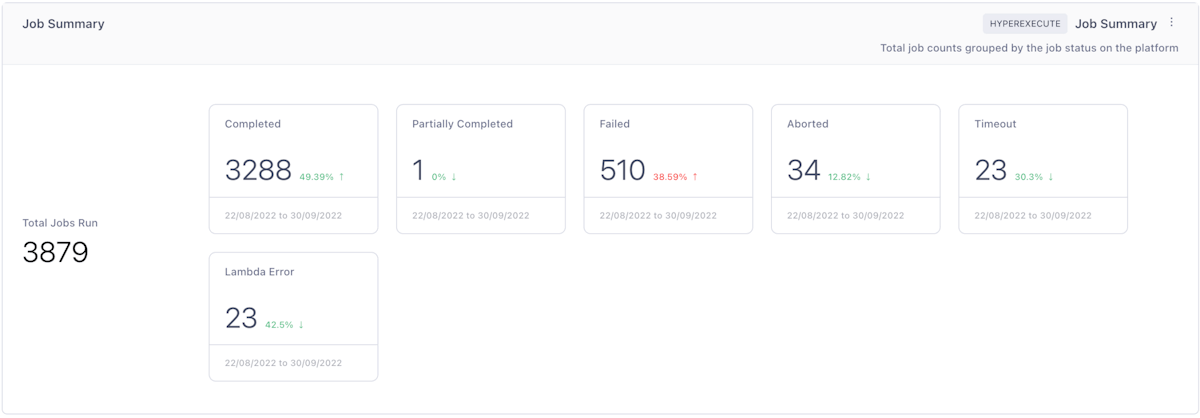
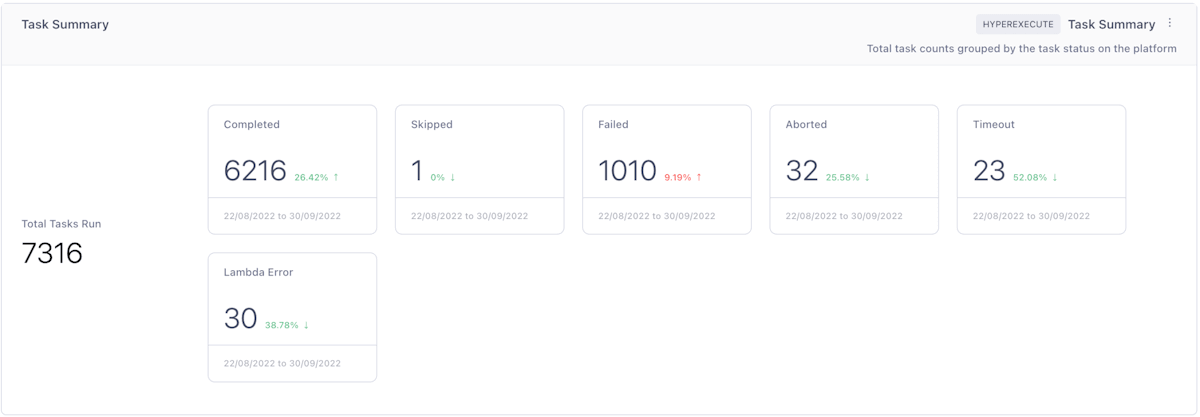
Task Summary
Using the Task Summary widget, you can track the total number of Tasks being executed in specific Jobs on HyperExecute and view the status of each Task—including Completed, Skipped, Failed, Aborted, Timeout, and Lambda Error.
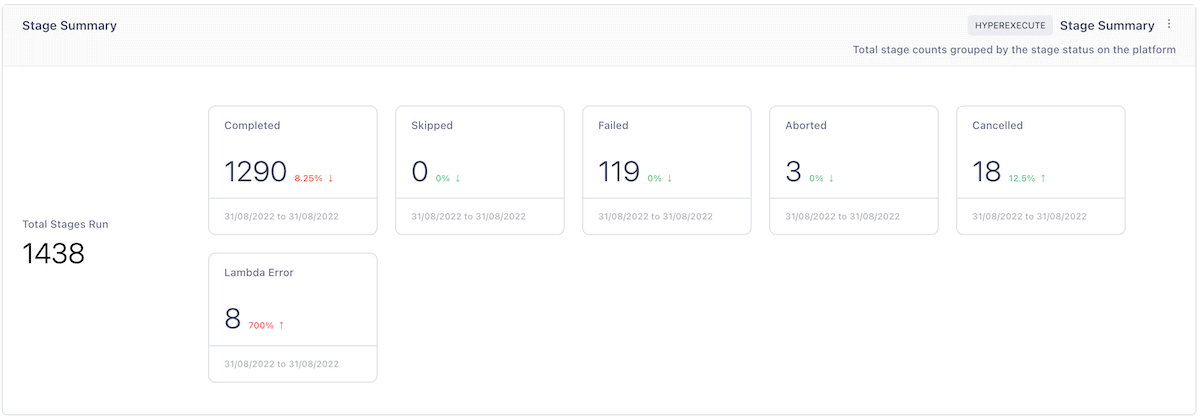
Stage Summary
The Stage Summary widget enables you to examine the status of every stage being executed within every Task on HyperExecute, such as whether it was Skipped, Failed, Aborted, Cancelled, or had a Lambda Error.
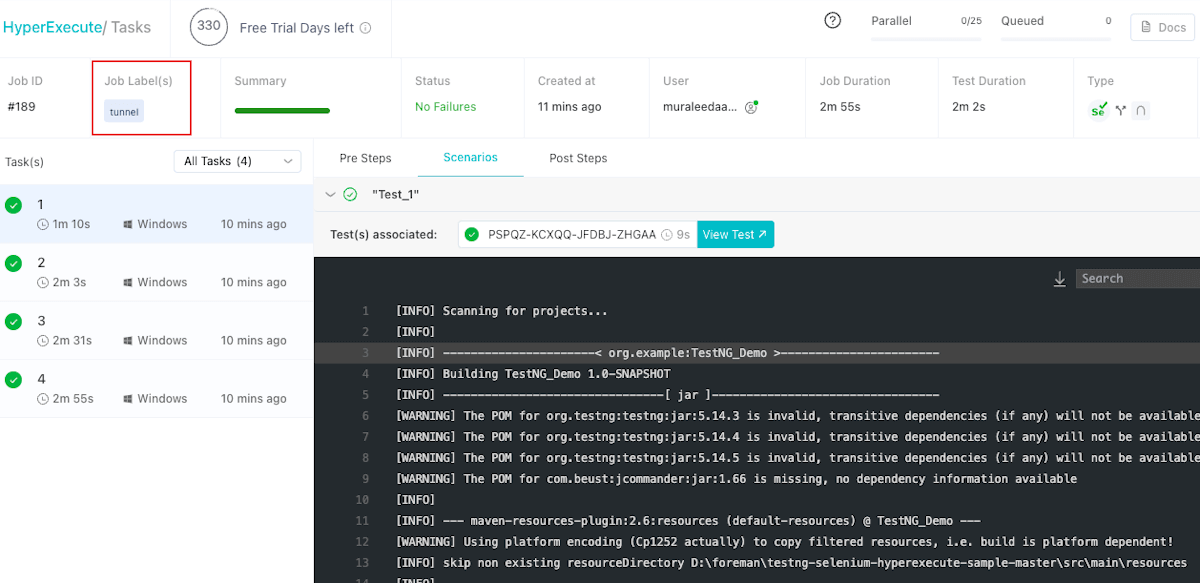
- New Summary Bar and support for Aborting Jobs.
- To streamline the process, HyperExecute will now indicate whether a tunnel was used or not to run a test suite.
Updated Test Analytics Dashboard For Test Automation
We’re excited to introduce some new features to the TestMu AI Test Analytics Dashboard that will help you get more out of your analytics experience.
Let’s check out these features:
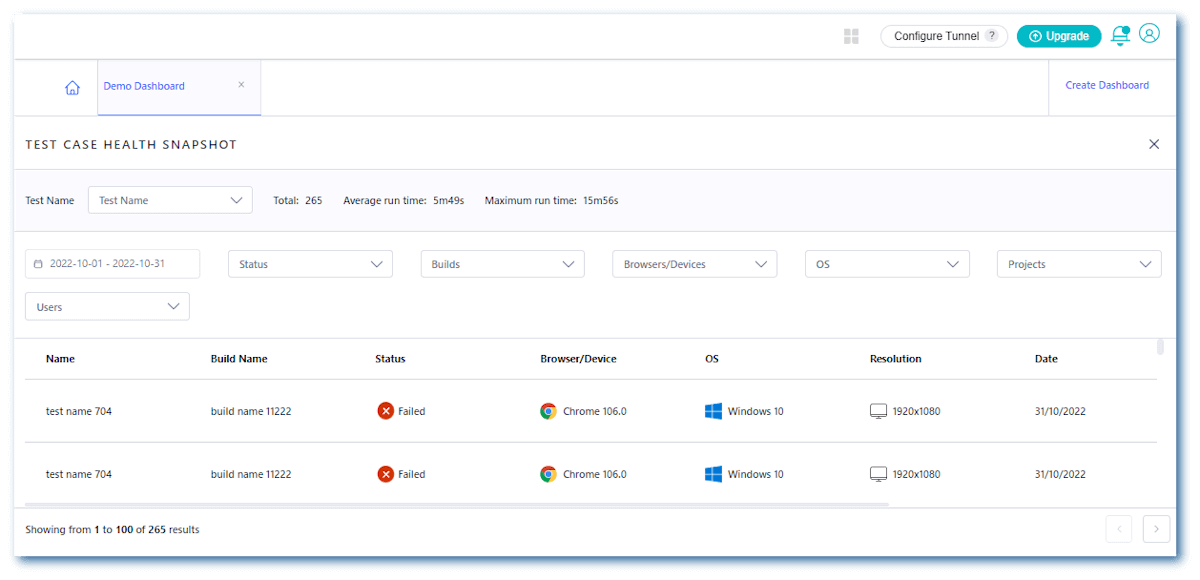
- Clicking on a card in the Test Case Health Snapshot Widget shows you a list of test names and their run history on the TestMu AI platform.
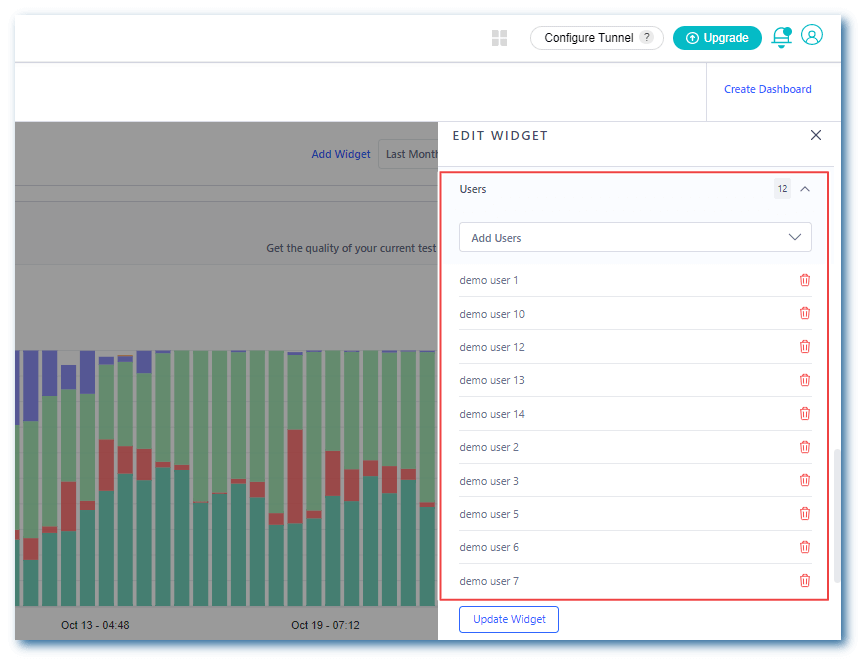
- Now, you can retrieve the users based on the number of tests they have performed in a specified period.
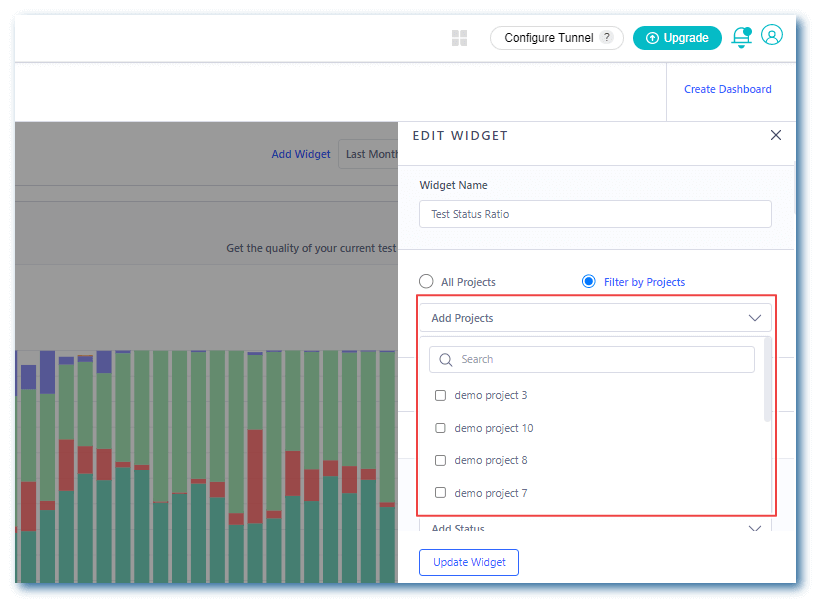
- Now, you can filter your widgets by Projects.
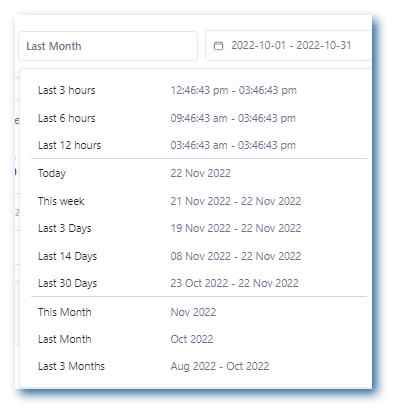
- Now filter your dashboard data with more detailed time filters like “Last 3 hours”, “Last 3 days”, etc. This makes it easier to spot trends and fluctuations in your data over time, simplifying tracking and analyzing data related to a specific time frame easier.
Now, you can filter widget information based on Test Name for Web Automation, App Automation, and HyperExecute.
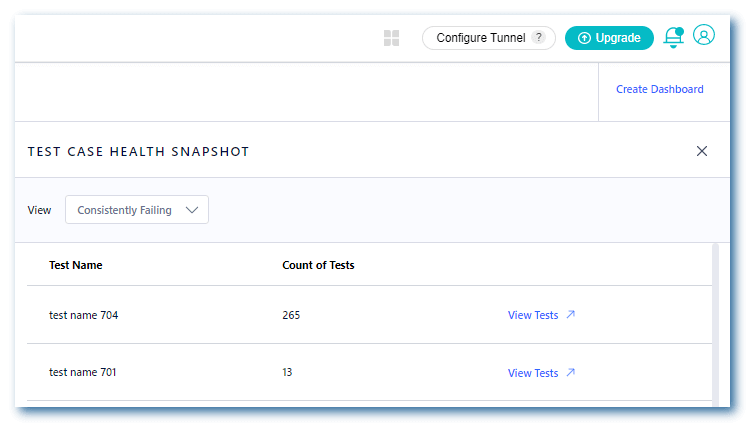
Click on the View Tests button to learn more about the Test Information.
A Plethora of New Integrations
This month, we’re collaborating with platforms like Katalon, Datadog, and DevRev. These new integrations will give you a better testing workflow, making you more productive and efficient.
For more information, check out the TestMu AI Integrations page.
Katalon Integration:
You can now write test scripts in Katalon Studio and run them on TestMu AI’s HyperExecute Selenium Grid directly from within the Katalon Studio instance. Katalon integration with TestMu AI will save you valuable time by helping you skip downloading, installing, and configuring Selenium.
Datadog Integration:
Integrating with Datadog can combine OAuth with TestMu AI’s existing data collection capabilities and Datadog’s powerful analytics. Users can now view their TestMu AI data in Datadog without switching between applications or entering sensitive data.
DevRev Integration:
TestMu AI’s new integration with DevRev enables you to log bugs from the TestMu AI platform directly to your DevRev instance. Learn how to set up the integration in our guide, DevRev integration.
Wrapping Up
That’s all, folks!
At TestMu AI, we’ve worked hard to make our collaboration tools more intuitive to streamline your collaboration and testing workflows, so you can focus on delivering great applications.
We’ve just added some new features. Give them a spin, and let us know how you like them. We’d love to hear how we can serve you better.
You can share the same on TestMu AI Community or mail us at [email protected].


Did you find this page helpful?
More Related Hubs
TestMu AI forEnterprise
Get access to solutions built on Enterprise
grade security, privacy, & compliance
- Advanced access controls
- Advanced data retention rules
- Advanced Local Testing
- Premium Support options
- Early access to beta features
- Private Slack Channel
- Unlimited Manual Accessibility DevTools Tests