
TestMu AI WordPress Screenshot Plugin
Take screenshots of your web pages and posts directly from your Wordpress platform.
Single click automated screenshot generation from Wordpress.
Download Now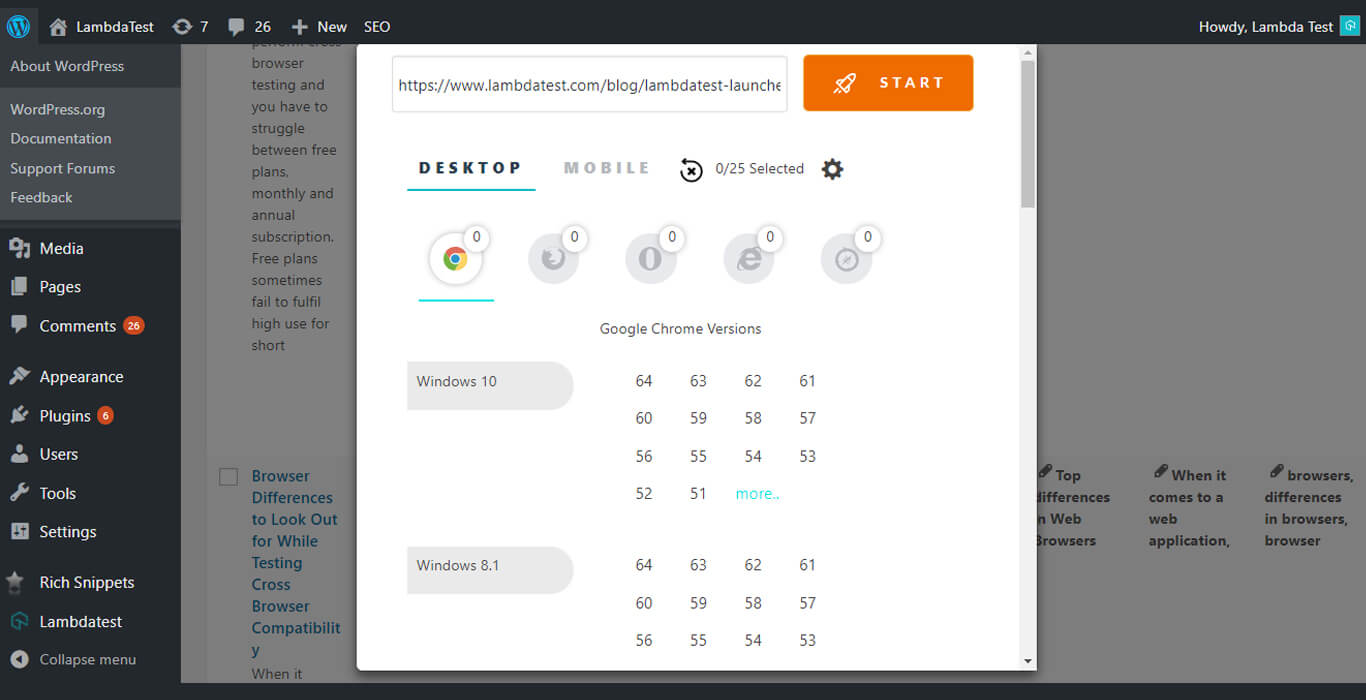
What is the TestMu AI WordPress Screenshot Plugin?
A WordPress plugin is an add-on that extends your site with new functionality without touching code. The TestMu AI plugin adds one-click, automated cross browser screenshot testing right inside your WordPress dashboard, so you can preview how your posts and pages render across 3000+ real browser and operating system combinations before you publish.
TestMu AI WordPress Plugin
TestMu AI wordpress plugin can be used to take full page screenshots of post and pages across different desktop and mobile browsers right from wordpress admin panels. These screenshots will help in fastracking cross browser compatibility testing of the web pages and websites hosted on WordPress.
Download Now
Automated Screenshot Using Wordpress Plugin
You can simply take screenshots directly from the wordpress dashboard, be it pages, posts, or while editing a post. You can take direct screenshots on upto 25 different browser and operating system configuration at a time by clicking on TestMu AI’s icon and selecting the configuration using TestMu AI.
Sign Up Now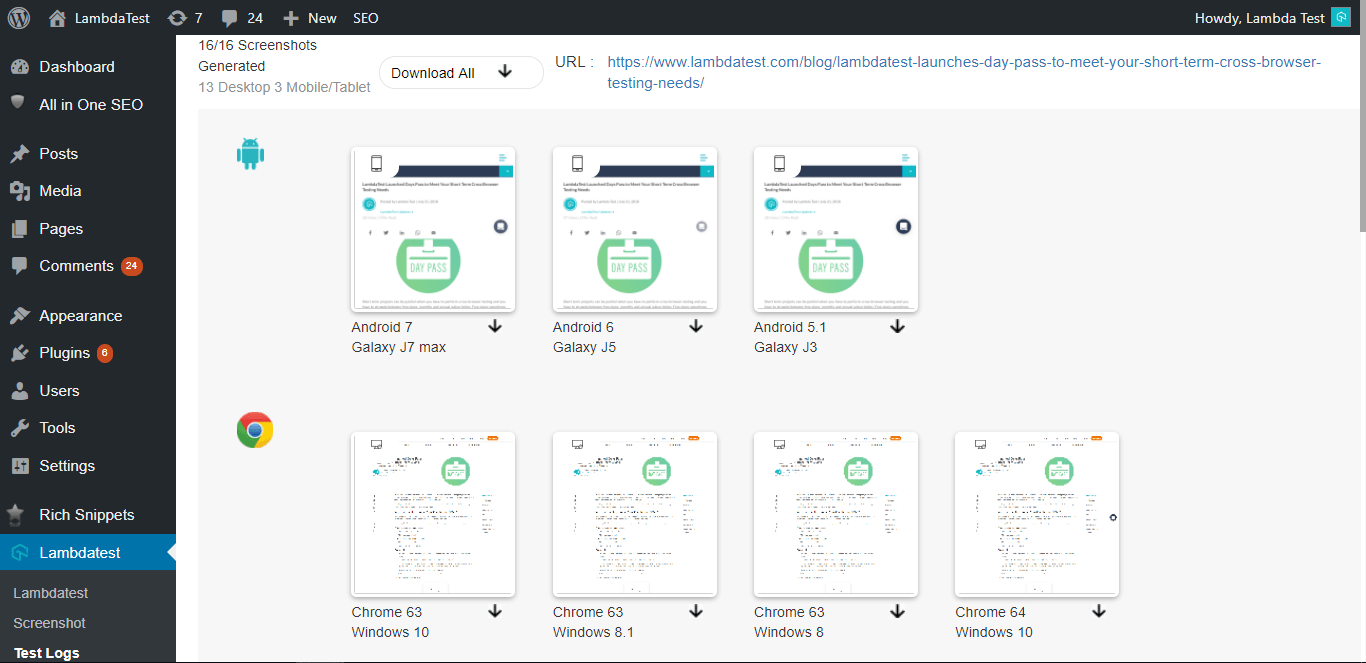
TestMu AI WordPress Plugin
Watch how to install and use.
How to Install the TestMu AI Plugin on WordPress
- Log in to your WordPress admin dashboard and go to Plugins → Add New.
- Search for “LambdaTest Screenshot”, or upload the plugin ZIP file from the WordPress plugin directory.
- Click Install Now, then Activate the plugin.
- Create a free TestMu AI account and connect it in the plugin settings.
- Open any post or page (or the editor) and click the TestMu AI icon.
- Select up to 25 browser and operating system configurations, then capture automated screenshots across 3000+ environments.
Seamless Collaboration
Integrate TestMu AI with your favorite tools and save yourself from manually managing bugs and tasks. Also fits with your CI/CD pipeline.










What Our Users Say About Us
Frequently asked questions
A WordPress plugin is an add-on that extends your site with new functionality without touching code. The TestMu AI plugin is a free plugin that captures automated, full-page screenshots of your posts and pages across 3000+ real browser and operating system combinations, directly from your WordPress dashboard, so you can catch cross browser layout issues before you publish.
- From your WordPress admin dashboard, go to Plugins → Add New.
- Search for “LambdaTest Screenshot”, or upload the plugin ZIP file from the WordPress plugin directory.
- Click Install Now, then Activate the plugin.
- Connect your TestMu AI account in the plugin settings, then start capturing screenshots from any post or page.
Yes. The plugin is free to install from the WordPress plugin directory. It runs on your TestMu AI account; paid plans start at $15/month when you need more testing minutes and higher concurrency.
You can generate screenshots across 3000+ desktop and mobile browser and operating system combinations, capturing up to 25 configurations at once with a single click from inside WordPress.
Yes. The plugin captures full-page screenshots of any post or page, including content below the fold, so you can review the entire rendered layout across browsers.