

Next-Gen App & Browser Testing Cloud
Trusted by 2 Mn+ QAs & Devs to accelerate their release cycles


Testing Modern Applications With Playwright 🎭
This blog will guide you through the capabilities and functionalities of Playwright testing.

Sparsh Kesari
March 7, 2026
Web applications continue to evolve at an unbelievable pace, and the architecture surrounding web apps get more complicated all of the time. With the growth in complexity of the web application and the development process, web application testing also needs to keep pace with the ever-changing demands.
This blog will cover how Playwright solves the problem of capability, reliability, and speed, making it the perfect end-to-end testing framework for building modern web applications. If you are preparing for an interview you can learn more through Playwright interview questions.
Let’s get started.

Evolution of web applications
There has been a dramatic evolution in web technology over the past three decades. Applications are increasingly being dispersed between data centers and the cloud.
The current web platform is more sophisticated than ever before. Web browsers have grown dramatically in recent years, and they now operate on every device we own, including our desktop computers, smartphones, and smart televisions.
A steady stream of new capabilities has also been added to these web platforms. For example, the web can now recognize your current location, connect to Bluetooth devices, and communicate with your file system. The web platform’s rate of invention has been remarkable, and these developments have fueled innovation in the application world.
Web apps today are full-fledged programs with rich and responsive interactions. While desktop apps look relatively the same as they did ten years ago, online applications look much different. Modern reactive JavaScript frameworks are used to develop single-page applications. PWAs are also being designed to replace native apps.
We have also seen changes in how teams operate. Teams are creating apps more often nowadays, forcing them to ship faster due to competitive pressures. Newer processes, such as continuous integration and deployment, are looking for automated testing solutions to release.
The web is no longer a single server and client. Today’s web applications require several servers to generate a single interaction. You can no longer monitor a few servers and check a few pages for uptime. The intricacies of today’s web applications require a dynamic solution.
In short, web applications are becoming more complex as they become more widespread. As the number of users increases, new challenges are being presented. At the same time, the tools available to build web applications have improved dramatically over the last few years, allowing for easier development and less reliance on code. However, web testing needs to evolve for modern web development too.

Austin Siewert
CEO, Vercel
Discovered @TestMu AI yesterday. Best browser testing tool I've found for my use case. Great pricing model for the limited testing I do 👏
2M+ Devs and QAs rely on TestMu AI
Deliver immersive digital experiences with Next-Generation Mobile Apps and Cross Browser Testing Cloud

Modern web development and testing
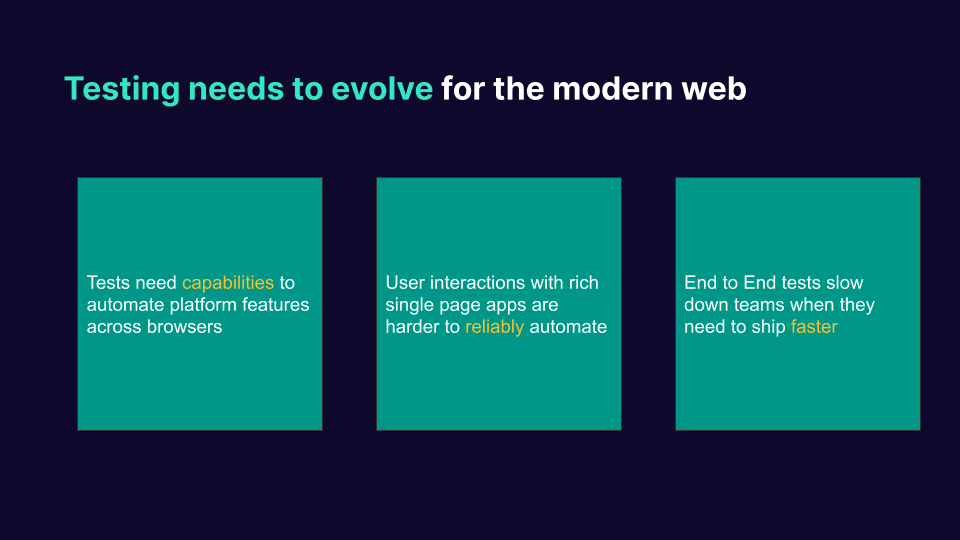
Software testing must develop and adapt to the changes occurring on the modern web. For instance, tests must handle more recent capabilities that are becoming accessible across all browsers automatically. These include the capabilities found on desktop and mobile browsers, as well as for smart TVs. Testers struggle to automate all parts of their application because their tests cannot cover all the capabilities they are using.
Today’s applications are harder to automate, and tests cannot keep up with the reactiveness of the frameworks. Projects that are built on rich single-page applications find that their end-to-end tests are flaky. They are not able to reliably automate user interactions on their applications.
End-to-end tests, which are meant to help you test and ship faster, instead lead tests to run more slowly. To handle reliability difficulties, testers often include sleep timeouts or retries. Because we can only automate some aspects of our application, tests need help with coverage issues. End-to-end testing has not been able to advance for the current web because of these three issues.
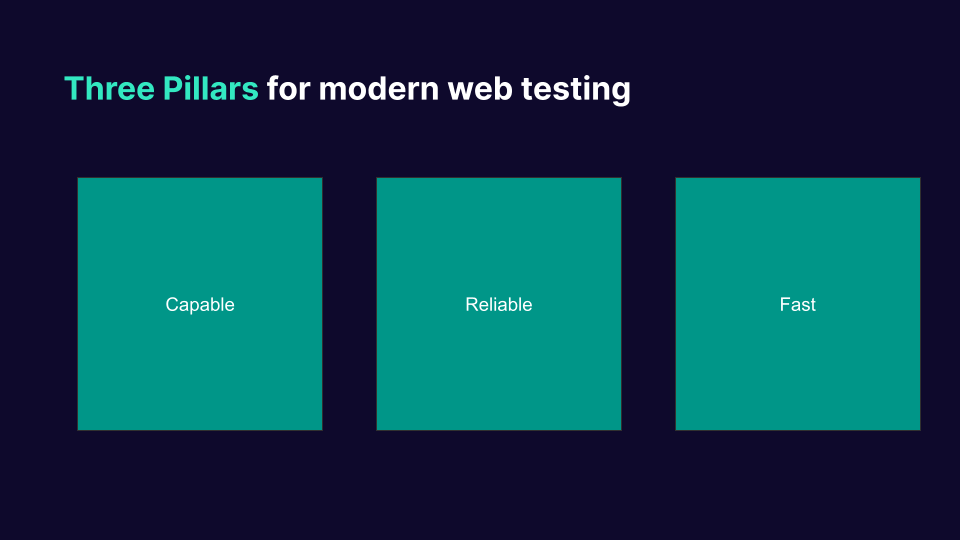
In conclusion, modern web testing is based on three main pillars:
- Modern web testing needs to be capable, which means we can automate all the capabilities of modern web browsers.
- Modern web testing must also be reliable, automating all user interactions with highly rich and responsive web applications.
- Modern web testing needs to be fast, which means it needs to speed up the testing cycle for faster shipping and release.
Introducing Playwright framework 🎭
Playwright is one of the newest and most rapidly growing headless automation libraries. Released in January 2020 by Microsoft, Playwright is a Node.js library that advertises performant, reliable, and hustle-free browser automation.
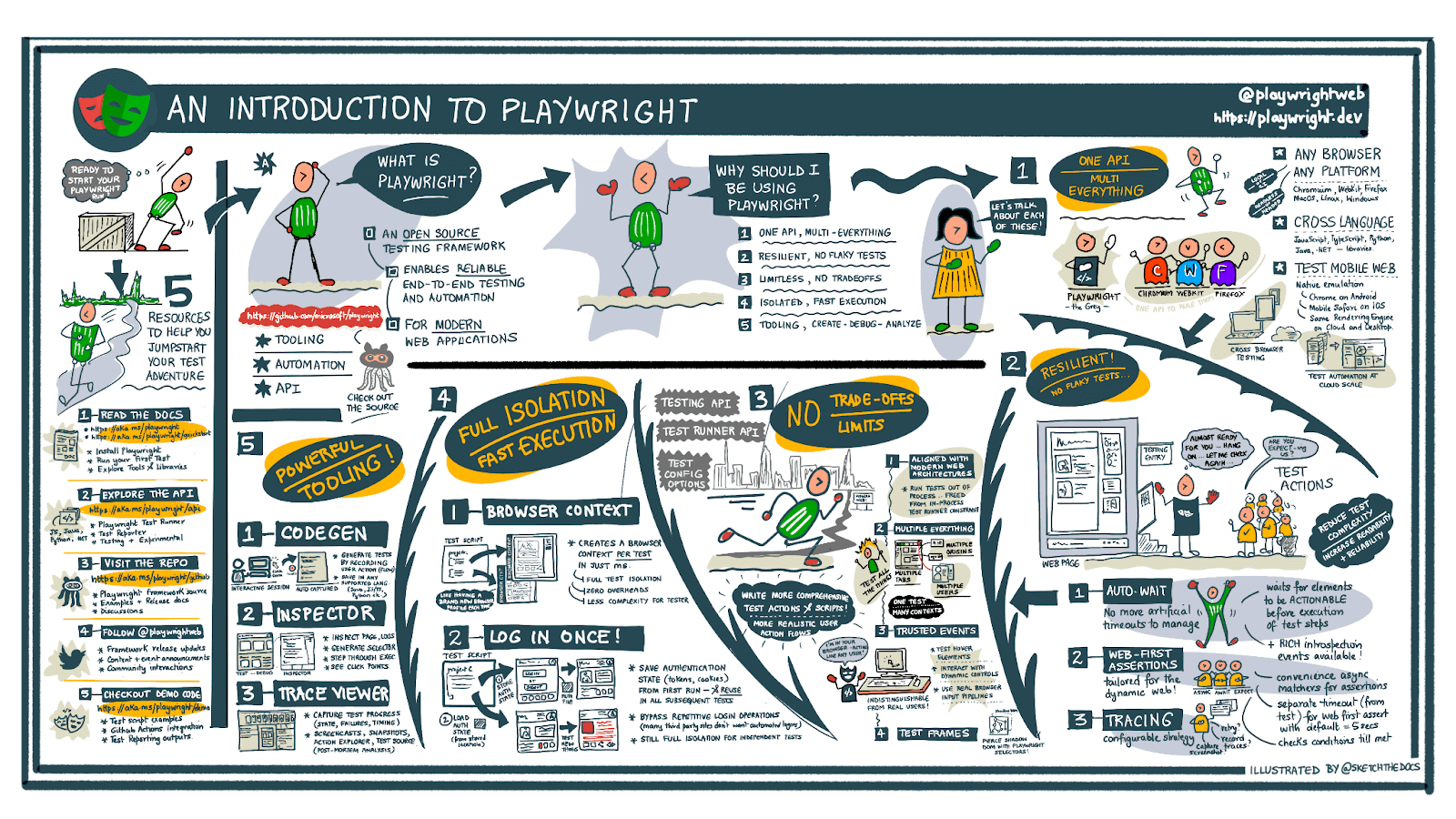
Source: https://twitter.com/playwrightweb
Some of the benefits provided by Playwright are:
- Free and Open Source.
- Single API to automate Chromium, Firefox, and WebKit.
- Support for multiple languages: the Playwright API in JavaScript, TypeScript, Python, .NET, and Java.
- Capable automation for single-page apps that rely on the modern web platform.
Moreover, Playwright has over 45.2k Star, 2.2k Fork, and 324+ contributors on GitHub, which speaks volumes about its popularity.
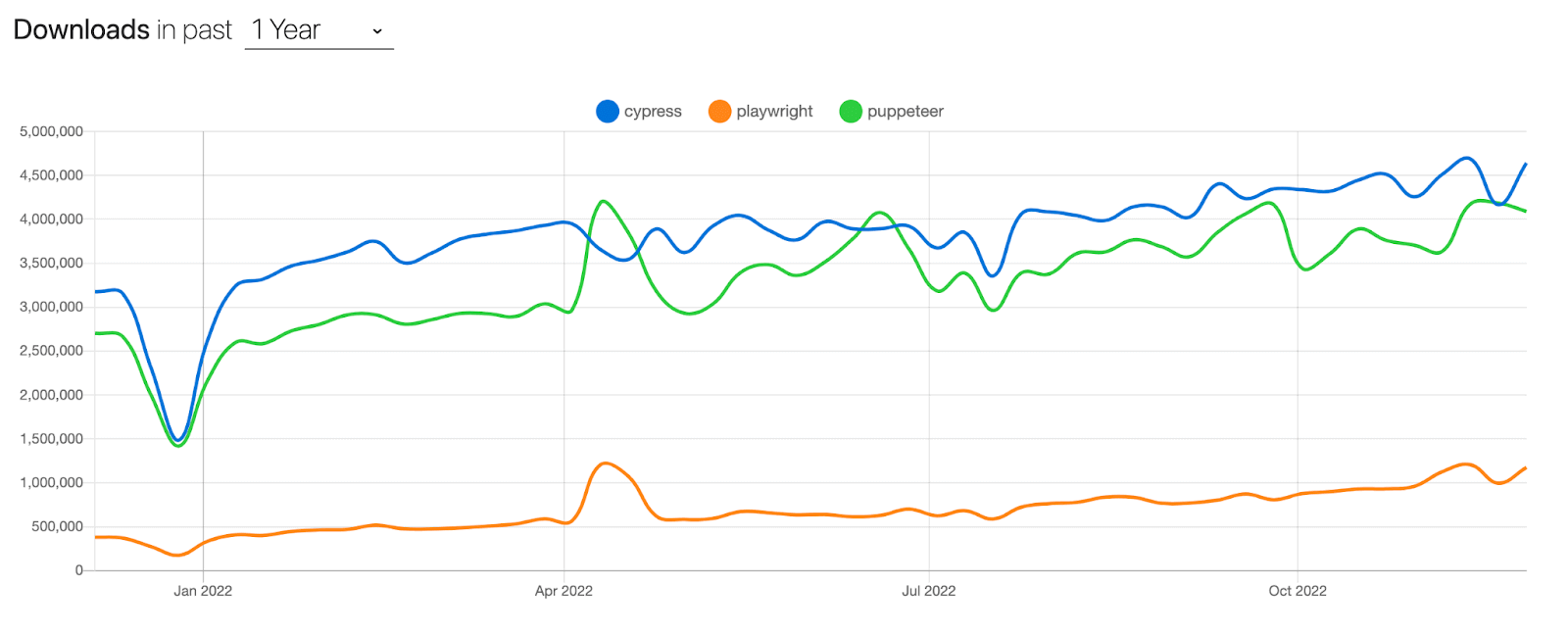
The above data was adopted from npm trends showing Cypress, Playwright, and Puppeteer download over the last year.
Watch this Playwright tutorial that covers everything you need to get you up and running with the Playwright framework with TypeScript.
You can subscribe to the TestMu AI YouTube Channel to stay updated with the latest tutorials on Playwright browser testing, Cypress testing, and more.
There are three main core ideas behind Playwright:
- Capable automation without trade-offs.
- Reliable automation without timeouts.
- Faster executions, just like unit tests.
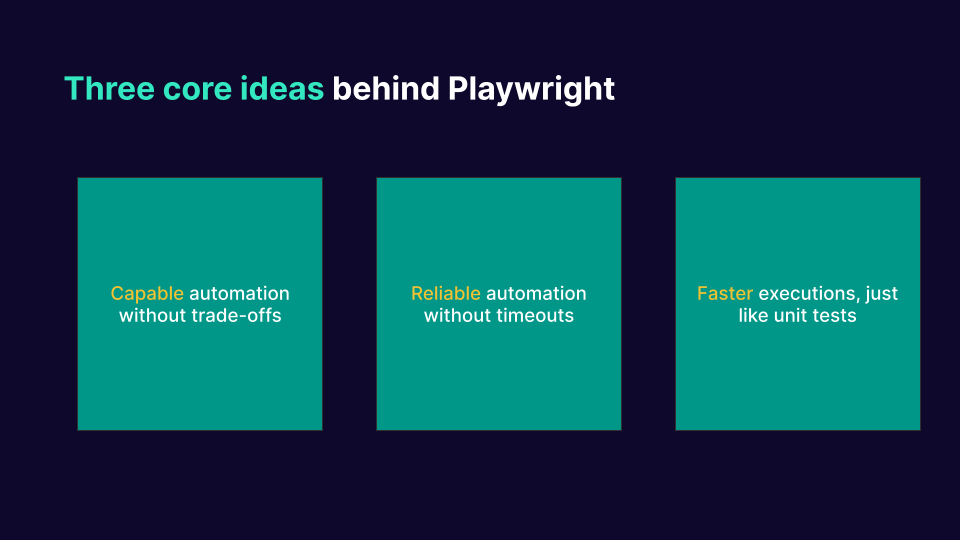
Let us zoom into these three core ideas and how these are implemented in Playwright.
Run your Playwright tests with AWS marketplace directly on the cloud.
Austin Siewert
CEO, Vercel
Discovered @TestMu AI yesterday. Best browser testing tool I've found for my use case. Great pricing model for the limited testing I do 👏
2M+ Devs and QAs rely on TestMu AI
Deliver immersive digital experiences with Next-Generation Mobile Apps and Cross Browser Testing Cloud
Capable automation without trade-offs in Playwright
Playwright provides full API coverage for all modern browsers:
- Chromium browsers – Google Chrome and Microsoft Edge
- Mozilla Firefox browser
- WebKit browser – Apple Safari
const { webkit } = require('playwright');
(async () => {
 const browser = await webkit.launch();
 const page = aa wait browser.newPage();
 await page.goto('http://lambdatest.com/');
 await browser.close();
})();
Playwright leverages the Chrome DevTools Protocol (CDP) to directly communicate with Chromium browsers (Chrome/Edge). This approach allows for more direct and quicker communication, and tests will be more powerful and less flaky.
- Test for mobile: Playwright provides device emulation to test your website responsiveness in mobile web browsers.
- Headless and headed. Playwright supports headless (without browser UI) and headed (with browser UI) modes for all browsers and all platforms. The headless approach is more suitable for CI/cloud executions and is quicker for debugging.
- Multiple domains, pages, and frames. Playwright is an out-of-process automation driver not limited by the scope of in-page JavaScript execution and can automate scenarios with multiple pages.
- Powerful network control. Playwright introduces context-wide network interception to stub and mock network requests.
const { chromium } = require('playwright');
(async () => {
   const browser = await chromium.launch();
   const page = await browser.newPage();

   await page.route('**/api/fetch_data',route => route.fulfill({
       status:200,
       body: testData
   }))

   await page.goto('http://lambdatest.com/');
   await browser.close();
 })();
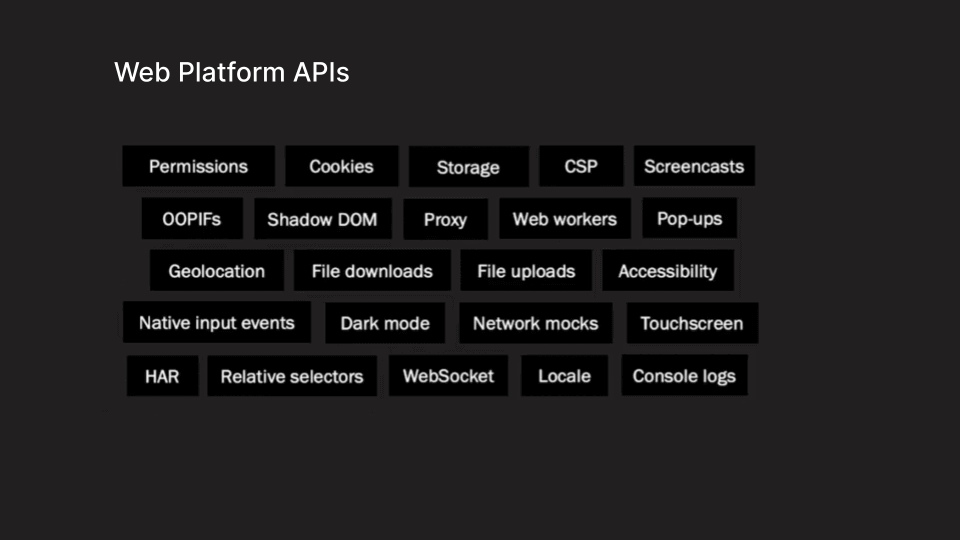
- Modern web features. Playwright supports web components through shadow-piercing selectors, geolocation, permissions, web workers, and other modern web APIs.
const {chromium } = require('playwright');
(async () => {
const browser = await chromium.launch();
const page = await browser.newPage({
       colorScheme:'dark',
       geolocation: { longitude: 48.858455, latitude: 2.294474 },
       permissions: ['geolocation','notifications']
   });
await page.goto('http://lambdatest.com/');
await browser.close();
});
- Capabilities to cover all web platform API scenarios. Playwright supports file downloads and uploads, out-of-process iframes, native input events, and even dark mode.
Reliable automation without timeouts in Playwright
Reliability is the problem of automating user interactions on your application without having your tests flake. In many cases, we have to add timeouts to make their tests sleep for some time so they can reliably automate. This creates a whole bunch of problems because timeouts lead to flakiness.
Playwright uniquely solves these problems. The key feature of Playwright is that it can listen to browser events, get events from the browser, and understand what’s happening in your application when it’s running inside the browser.
For example, in the following code snippet, we launch an instance of Firefox, create a new page, and then set up an event listener for that page. Whenever the application throws a console log, it will show in the test.
const { webkit, chromium } = require('playwright');


(async () => {
   const browser = await chromium.launch();
   const page = await browser.newPage();
   // Listen for all console logs
   page.on('console', msg => console.log(msg.text()))

   // Listen for all console events and handle errors
   page.on('console', msg => {
       if (msg.type() === 'error')
       console.log(`Error text: "${msg.text()}"`);
   });
   await page.goto('http://lambdatest.com/');
   await browser.close();
   });
This ability to listen to events allows players to wait for precise events instead of having to wait for blanket sleep time-outs. This makes your tests highly reliable; Playwright uses this functionality internally in every interaction.
const { firefox } = require('playwright');
(async () => {
   const browser = await firefox.launch();
   const page = await browser.newPage();
    await page.goto('http://lambdatest.com/');
   await page.click('text="Book a Demo"')
   await browser.close();
});
For example, in the following example, we are launching a Firefox instance, creating a new page, visiting GitHub.com, and then clicking the sign-up button.
Here, we did not require the use of sleep timeouts waiting for the browser to completely load the page URL before clicking up the signup button. This is due to page.click() in the Playwright automatically waits for the right conditions, the elements to be visible, the element to stop animating, and the element to receive click events.
The Playwright does this all internally, so all user interactions can reliably test your applications. This makes the test significantly easier to write and maintain over time because we do not have to worry about custom wait conditions or sleep timeouts.
It also provides the user APIs to write their custom wait for conditions. These conditions also use the same event logic, which means we do not have to guess for the amount of time, we have to wait, and it helps us write the precise conditions.
Faster executions, like unit tests in Playwright
Developers and testers are happier in performing unit testing, as these tests run reliably and are fast to execute. However, this is not the case with end-to-end tests because they depend on browsers and can be very slow, especially when launching and closing a browser.
It can become a costly operation if we are running hundreds of tests and can run hundreds of browsers. To solve this in Playwright, we have a whole new abstraction layer.
const { webkit } = require('playwright');
(async () => {
   const browser = await webkit.launch();
   const context = await browser.newContext();
   const page = await browser.newPage();
   await page.goto('http://lambdatest.com/');
   await browser.close();
});
For example, we launch an instance of WebKit in this code snippet, and then we create a context in that browser instance. Here, we are then interacting with the page URL inside the context.
We have created a new abstraction layer on the browser instance called browser context. This browser context can host multiple web pages inside it. It is very cheap to spin up multiple browser contexts, and you do not have to worry about the time it takes to launch and close a browser. It significantly speeds up your test.
Properties of browser contexts:
- Contexts are completely isolated from each other – we can run hundreds of tests in multiple browser contexts, and we don’t need to worry about one instance interfering with the other.
- Supports device emulation – we can run multiple tests across multiple devices.
Here are some other powerful tools that help to generate and debug tests:
- Codegen. Generate tests by recording your actions. Save them in any language.
- Playwright inspector. Inspect the page, generate selectors, step through the test execution, see click points, and explore execution logs.
- Trace Viewer. Capture all the information to investigate the test failure. Playwright trace contains test execution screencast, live DOM snapshots, action explorer, test source, and many more.
In addition to providing a detailed overview of test execution through features such as screencasts, live DOM snapshots, action explorers, and test sources, Playwright also offers powerful selectors that enhance the testing experience. Understanding how to effectively use Playwright selectors is crucial for accurately interacting with elements on modern web applications. These selectors allow for precise targeting of elements based on various attributes, ensuring your tests are both reliable and maintainable.
Playwright supports several types of selectors, including CSS, XPath, and text selectors, enabling flexibility in how you access elements. This versatility is particularly beneficial in complex applications where traditional selectors might fall short.
Conclusion
In today’s fast-moving, cloud-based world, testing is more important than ever. Modern applications continue evolving at an unbelievable pace, making them decentralized and interconnected like never before. For software testing to evolve and adapt to the changes, Playwright empowers testers to reliably automate all the capabilities and user interactions with highly rich and responsive web applications. It also helps speed up the testing cycle for faster shipping and release. We can say it is one of the best end-to-end testing tools for web applications.
In the next couple of blogs, we will discover more functionalities and capabilities of Playwright in depth.


Frequently asked questions
Did you find this page helpful?
More Related Hubs
TestMu AI forEnterprise
Get access to solutions built on Enterprise
grade security, privacy, & compliance
- Advanced access controls
- Advanced data retention rules
- Advanced Local Testing
- Premium Support options
- Early access to beta features
- Private Slack Channel
- Unlimited Manual Accessibility DevTools Tests