
Power Your Software Testing with AI Agents and Cloud
The Native AI-Agentic Cloud Platform to Supercharge Quality Engineering. Test Intelligently and Ship Faster.


- TestMu AI (Formerly LambdaTest)
- /
- Blog
- /
- How to Use Assert and Verify in Selenium
How to Use Assert and Verify in Selenium
Get the most out of assert and verify in Selenium. This blog offers key concepts for improving your test automation and ensuring accuracy.
Last Updated on:
Selenium tests use five core TestNG assertions, assertEquals, assertNotEquals, assertTrue, assertFalse, and assertNotNull, each comparing an actual result against an expected one and throwing AssertionError on a mismatch. Soft assertions from the org.testng.asserts.SoftAssert class behave differently: they collect every failure silently and only throw them together once assertAll() is called at the end of the test.
What Are Asserts and Verify in Selenium?
Assert and verify in Selenium are primarily used to validate websites. Based on the scenario under test, a cordial decision has to be taken whether further test scenario (or test suite) execution is required or not.
Here are a few benefits of assert and verify in Selenium:
- Check Expected Behavior: Assertions match actual vs. expected output to verify that the software works as it should.
- Find Bugs: Failed assertions reveal mismatches, helping to spot bugs.
- Support Regression Testing: They quickly show if changes affect other parts, giving fast feedback.
- Act as Documentation: Assertions document functionality, helping to clarify feature behavior.
Types of Assertions in Selenium
Before we go ahead with asserts and verify in Selenium, let’s look at two major types of asserts:
- Hard Asserts (or Hard Assertions): In hard asserts, the test execution is halted when the condition as part of the assert is not met. Hard assertions usually throw an AssertionError (i.e., java.lang.AssertionError), and the test scenario is marked as failed as soon as the hard assert condition fails.
Once the assert statement fails, the current test is skipped, and the test suite continues with the next @Test annotation.
- Soft Asserts ( or Verify): In scenarios where you want the test execution to continue even after the failure of a test step, you should make use of soft assert in Selenium WebDriver. Unlike hard asserts, soft asserts do not throw any exception to the failure of the assert and continue to the next step even after encountering an assert.

Hard Asserts in Selenium
In this section of the blog on asserts and verify in Selenium, we will look at hard assertions.
By default, assertions in Selenium WebDriver are hard asserts. In this blog, let’s use the TestNG framework to demonstrate assertions. You can implement assertions in TestNG with asserts that are provided in the class org.testng.Assert.
TestNG provides an advanced method of handling asserts – group tests, parameterized tests, and more. Though the basic execution structure of all asserts in Selenium remains almost the same, it takes different parameters and performs validations based on the type of assert.
To use hard asserts, the org.testng.asserts.Assertion package is imported at the start of the test code. The pom.xml file is used to download the required Maven dependencies needed to demonstrate assert in Selenium WebDriver.
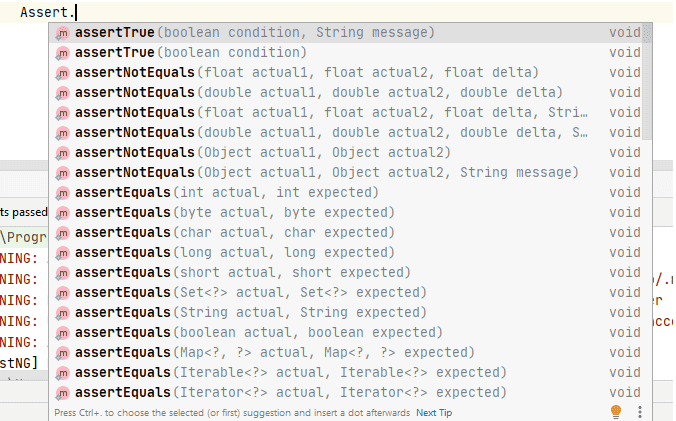
We will use the TestMu AI Selenium Playground website to demonstrate asserts and verify in Selenium. The test will be run on the cloud grid offered by TestMu AI. It is an AI-driven test execution platform that lets you perform Selenium automation with TestNG across real desktop browsers.

assertEquals()
The assertEquals() method compares the actual object (or result) with the expected object (or result). The objects to be compared could be strings, integers, bytes, characters, etc.
An AssertionError is thrown if the actual result does not match with the expected result. On the occurrence of an AssertionError, the execution of the current test case (or method) is terminated, and the execution proceeds with the next script (if any) in the test suite.
Syntax:
Assert. assertEquals(Object actual, Object expected , String message)
Here are some of the popular forms of assertEquals() method:
Assert.assertEquals(String actual, String expected)
Assert.assertEqual(String actual, String expected, String message)
Assert.assertEquals(boolean actual, boolean expected)
Assert.assertEquals(int actual, int expected)
Test Scenario:
- Navigate to the TestMu AI Selenium Playground website.
- Verify the page header Selenium Playground on the homepage of the website using the assertEquals() method.
Test Implementation:
Shown below is the code that demonstrates the usage of the assertEquals() method in Selenium WebDriver:
@Test
   public void testAssertEquals() {

       driver.get("https://www.testmuai.com/selenium-playground/");
       String pageHeader = driver.findElement(By.tagName("h1")).getText();
       Assert.assertEquals(pageHeader, "Selenium Playground", "Page header mismatch");
   }

   public ChromeOptions getChromeOptions() {
       final var browserOptions = new ChromeOptions();
       browserOptions.setPlatformName("Windows 10");
       browserOptions.setBrowserVersion("126.0");
       final HashMap<String, Object> ltOptions = new HashMap<String, Object>();
       ltOptions.put("project", "Selenium Assertions demo");
       ltOptions.put("build", "LambdaTest Selenium Playground");
       ltOptions.put("name", "Hard and Soft assertions Test");
       ltOptions.put("w3c", true);
       ltOptions.put("plugin", "java-testNG");

       browserOptions.setCapability("LT:Options", ltOptions);

       return browserOptions;

   }

   @AfterTest
   public void tearDown() {
       this.driver.quit();
   }

}

Code Walkthrough:
A new HardAssertions class has been created. We will be using the same class to demonstrate all the hard assertion methods.
The setup() method implemented under the @BeforeTest annotation sets the RemoteWebDriver instance using the browser options required for running the tests on the TestMu AI cloud grid.
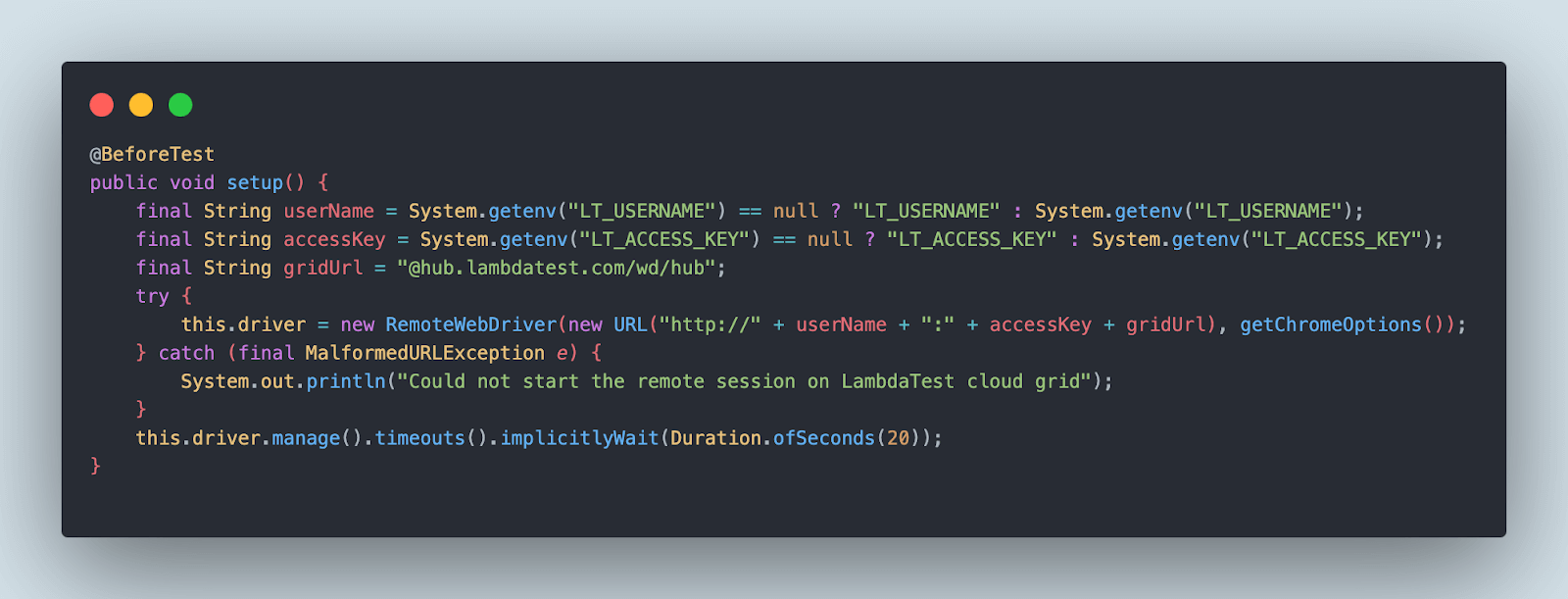
The test is executed on the Selenium Grid 4 on TestMu AI, and capabilities are generated using the TestMu AI Automation Capabilities Generator. The combination of Username and Access Key which is available in your Account Settings > Password & Security.

The test method testAssertEquals() will navigate to the TestMu AI Selenium Playground website. It will locate the page header using the tagName locator strategy in Selenium and return the value in string format.
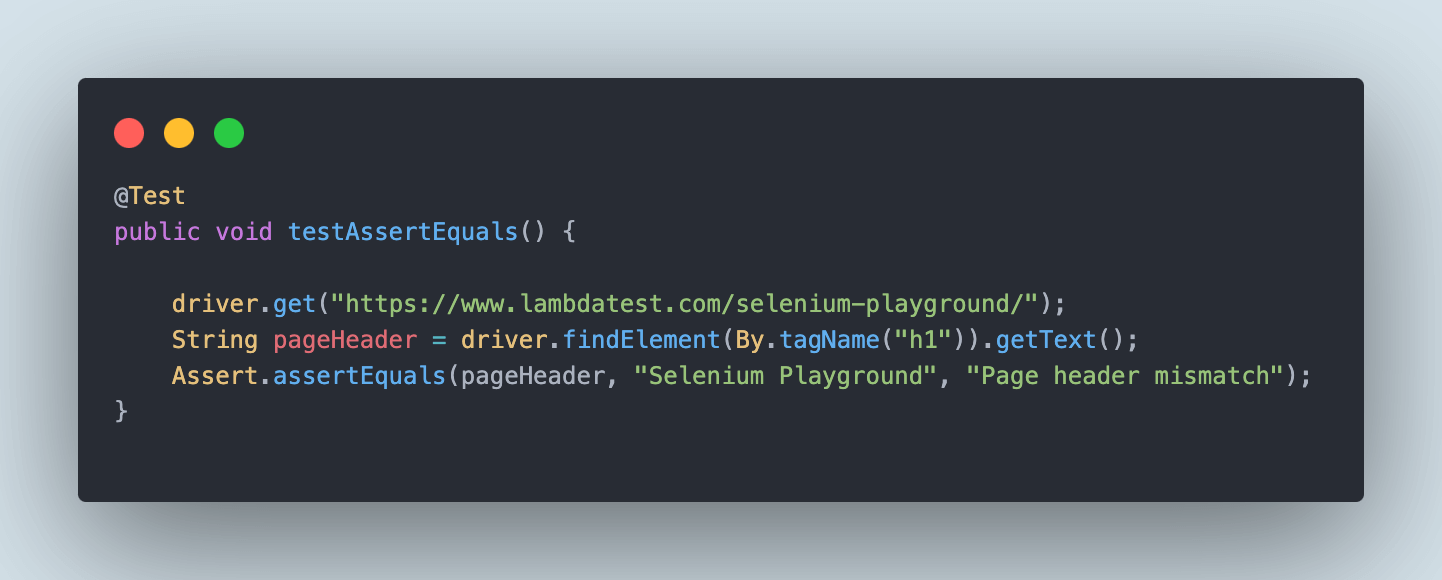
Finally, using the assertEquals() method, the page header will be asserted that it equals the test Selenium Playground.
The third parameter in the assertEquals() method is the message that will be displayed in case the assertion fails. This message (third parameter) is not displayed in the case of successful assertions.
Test Execution:
Here is the test execution on the TestMu AI platform, which indicates that the assertion passed successfully and matches the expected page header.
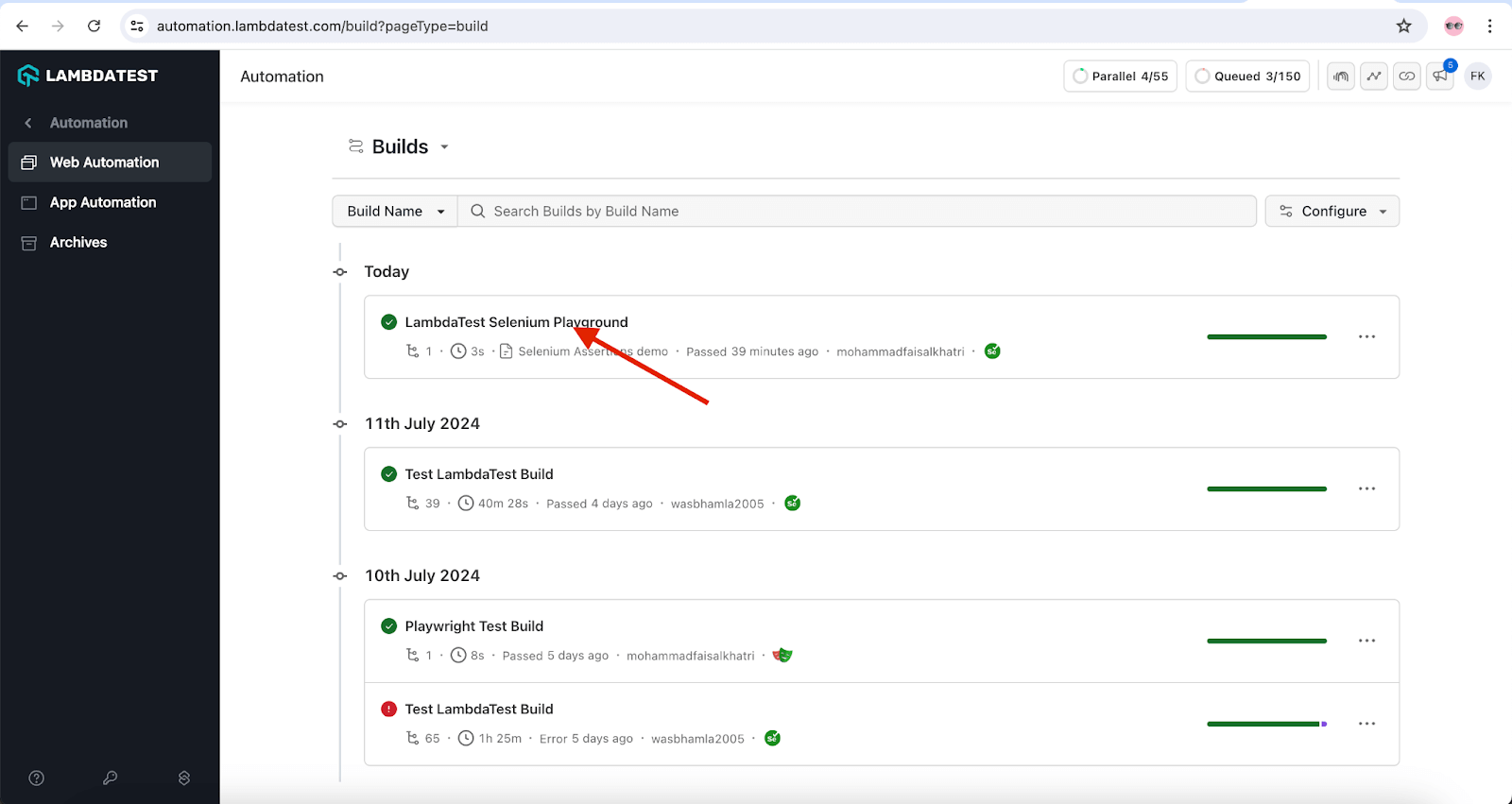
Now, let’s modify the expected text to the Selenium Test in the assertEquals() method and rerun the test to check the assertion failure.
Assert.assertEquals(pageHeader, "Selenium Test", "Page header mismatch");
When the tests are executed, we should see the test failing with an appropriate AssertionError.
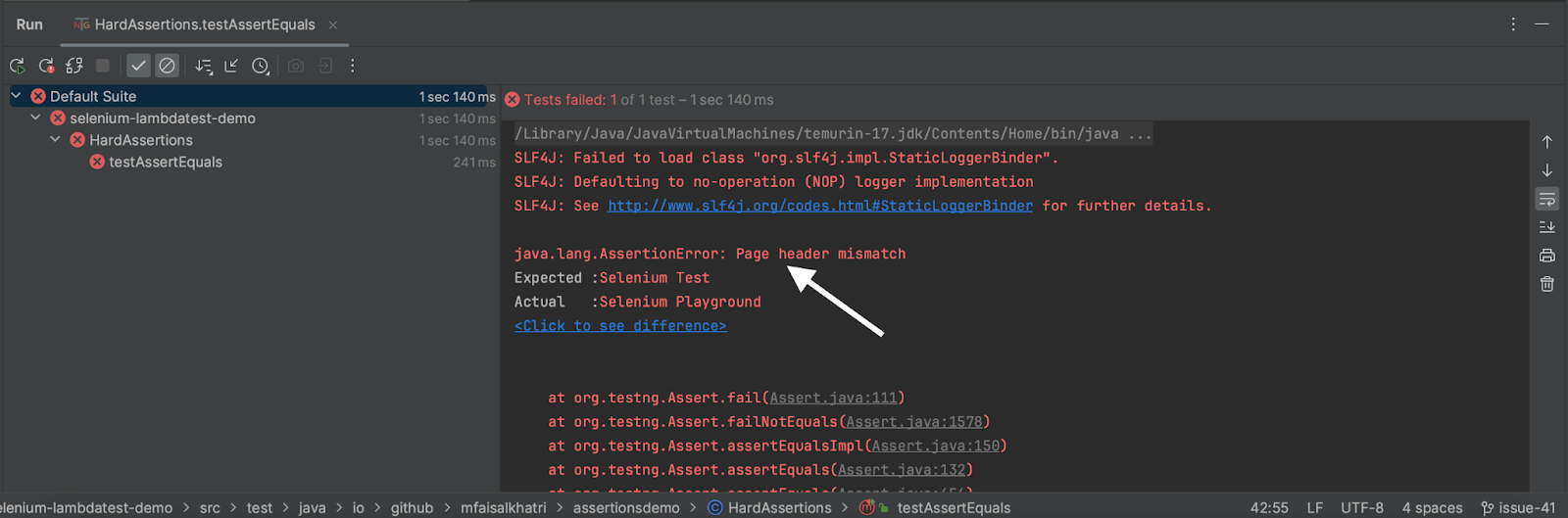
It can be seen that the assertion error Page header mismatch is printed in the console. Also, the expected and actual values are provided for better visibility.
assertNotEquals()
The assertNotEquals() method compares the actual object (or result) with the expected object (or result). The assertNotEquals() method is the opposite of assertEquals() assertion. It verifies whether the two objects being compared are equal or not. An AssertionError is thrown if the compared objects are equal.
Syntax:
Assert. assertNotEquals(actual_object, expected_object, [Message])
Here are some of the popular forms of the assertNotEquals() method:
Assert.assertNotEquals(String Actual, String Expected)
Assert.assertNotEquals(String Actual, String Expected, String message)
Test Scenario:
- Navigate to the TestMu AI Selenium Playground website.
- Locate and save the page header of the home page of Selenium Playground.
- Click on the Form Submit Demo link.
- Locate and save the page header of the Form Submit Demo page.
- Use the assertNotEquals() method to check that both the page headers are not the same.
Test Implementation:
The code below will be used to implement the test scenario and demonstrate how assertNotEquals() works in Selenium WebDriver.
A new testAssertNotEquals() method will be added to the existing class HardAssertions, as discussed above.
@Test
public void testAssertNotEquals() {

   driver.get("https://www.testmuai.com/selenium-playground/");
   String homePageHeader = driver.findElement(By.tagName("h1")).getText();
   WebElement ajaxFormSubmitLink = driver.findElement(By.linkText("Ajax Form Submit"));
   ajaxFormSubmitLink.click();
   String ajaxFormHeader = driver.findElement(By.cssSelector("div > h1")).getText();
   Assert.assertNotEquals(homePageHeader,ajaxFormHeader);
}
}
Code Walkthrough:
The test will navigate to the Selenium Playground website. It will then locate and save the header text of the homepage in the homePageHeader variable as a string. Next, using the linkText() locator strategy, the ajaxFormSubmitLink will be located, and a click action will be performed.
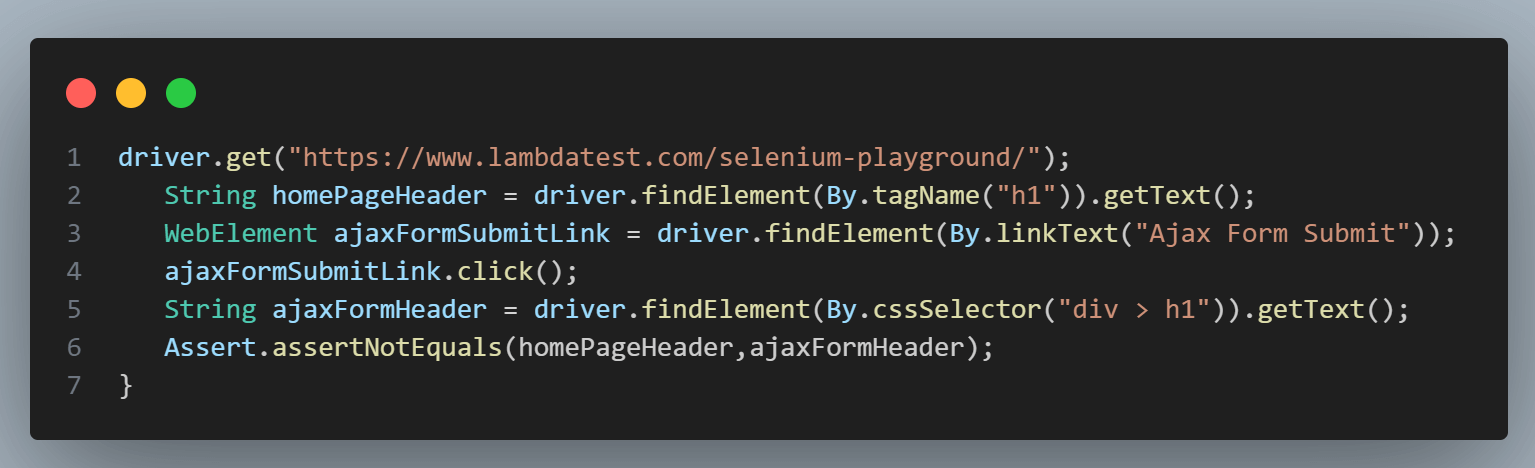
The page header of the Form Submit Demo page will be located using the CSS Selector locator strategy and will be stored in the string format in the ajabFormHeader variable.
Finally, the homePageHeader variable, which stores the page header of the home page, and the ajaxFormHeader variable, which stores the page header of the Form Submit Demo page, will be compared using the assertNotEquals() assertion.
This assertNotEquals() assertion will make sure that both of the pages have different headers.
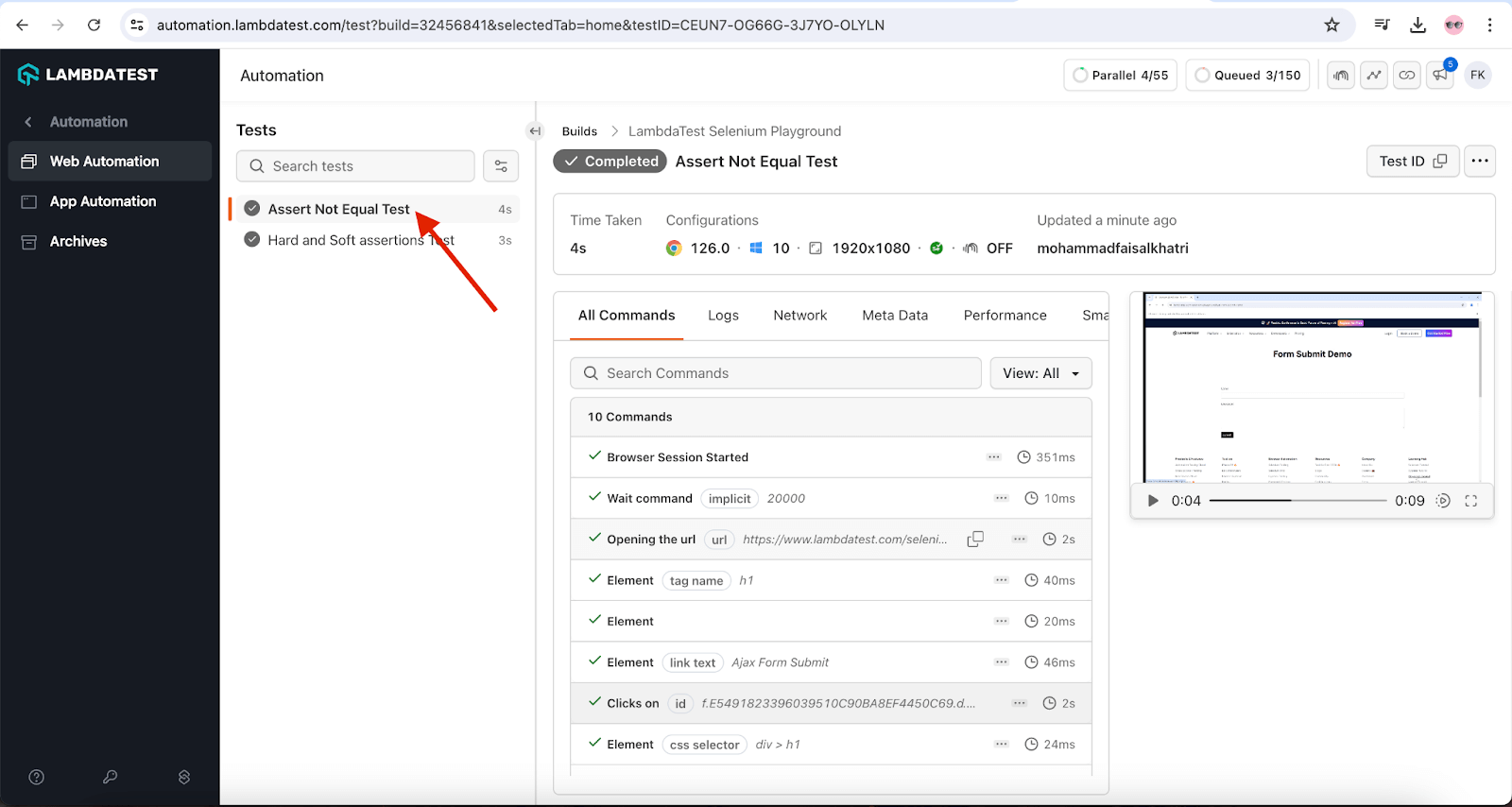
Test Execution:
This test will be executed on the Chrome browser on the TestMu AI cloud grid. As seen in the execution snapshot, no AssertionError is thrown, and the test executes successfully.
assertTrue()
The assertTrue() method should be used if you are dealing with boolean conditions.
Syntax:
Assert.assertTrue(boolean condition);
There are two ways in which you can make use of the assertTrue() method for Selenium test automation:
- By passing the condition as a boolean parameter that is used to assert with the assertTrue() method. An AssertionError is thrown if the condition given in the assert is not true.
Assert.assertTrue(boolean condition, String message);
Test Scenario:
- Navigate to the Checkbox Demo page of the TestMu AI Selenium Playground website.
- Select the checkbox with the text Click on check box.
- Using the assertTrue() method, verify that the checkbox has been selected successfully.
Test Implementation:
The following code will be used to implement the test scenario and showcase how the assertTrue() method works in Selenium WebDriver.
A new testAssertTrue() method has been added to the existing HardAssertions class.
@Test
public void testAssertTrue() {
   driver.get("https://www.testmuai.com/selenium-playground/checkbox-demo/");
   WebElement checkboxOne =  driver.findElement(By.id("isAgeSelected"));
   checkboxOne.click();
   Assert.assertTrue(checkboxOne.isSelected());
}
}
Code Walkthrough:
The test will navigate to the Checkbox Demo page on the TestMu AI Selenium Playground website using the first line in the code. The checkbox on the page will be located next using the ID locator strategy in Selenium WebDriver, and a click will be performed to select it.
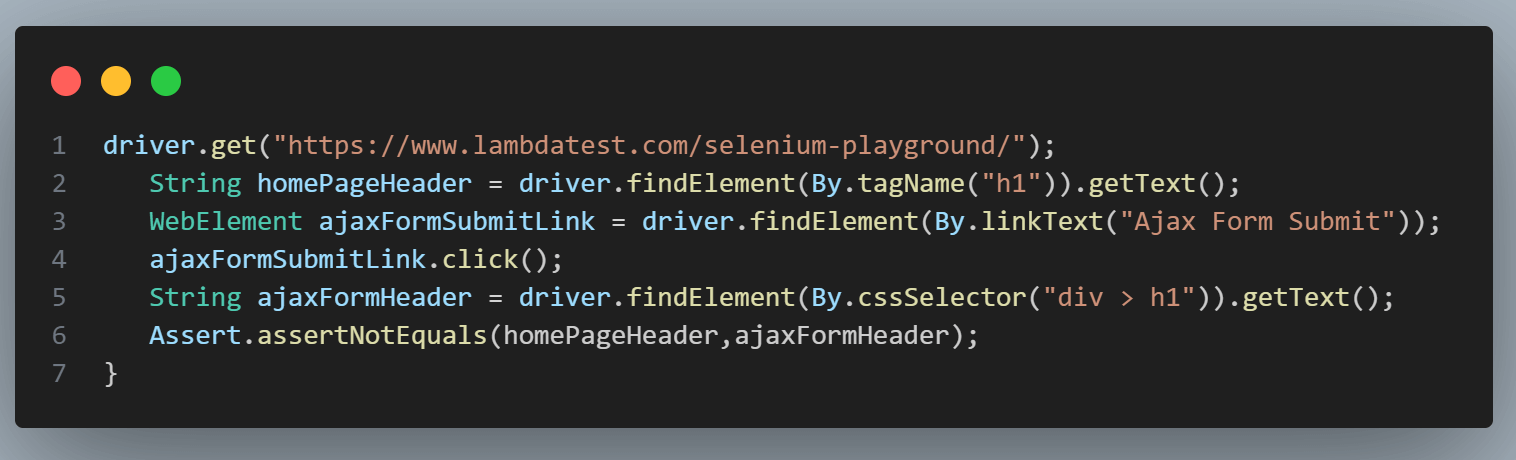
Finally, to check that the checkbox is selected successfully, the isSelected() method from Selenium WebDriver will be used. The isSelected() method returns a boolean value that is true if the WebElement is selected; otherwise, it will return false.
This boolean value will be checked in the assertTrue() assertion to check that the isSelected() method returns true value, meaning that the checkbox was selected successfully.
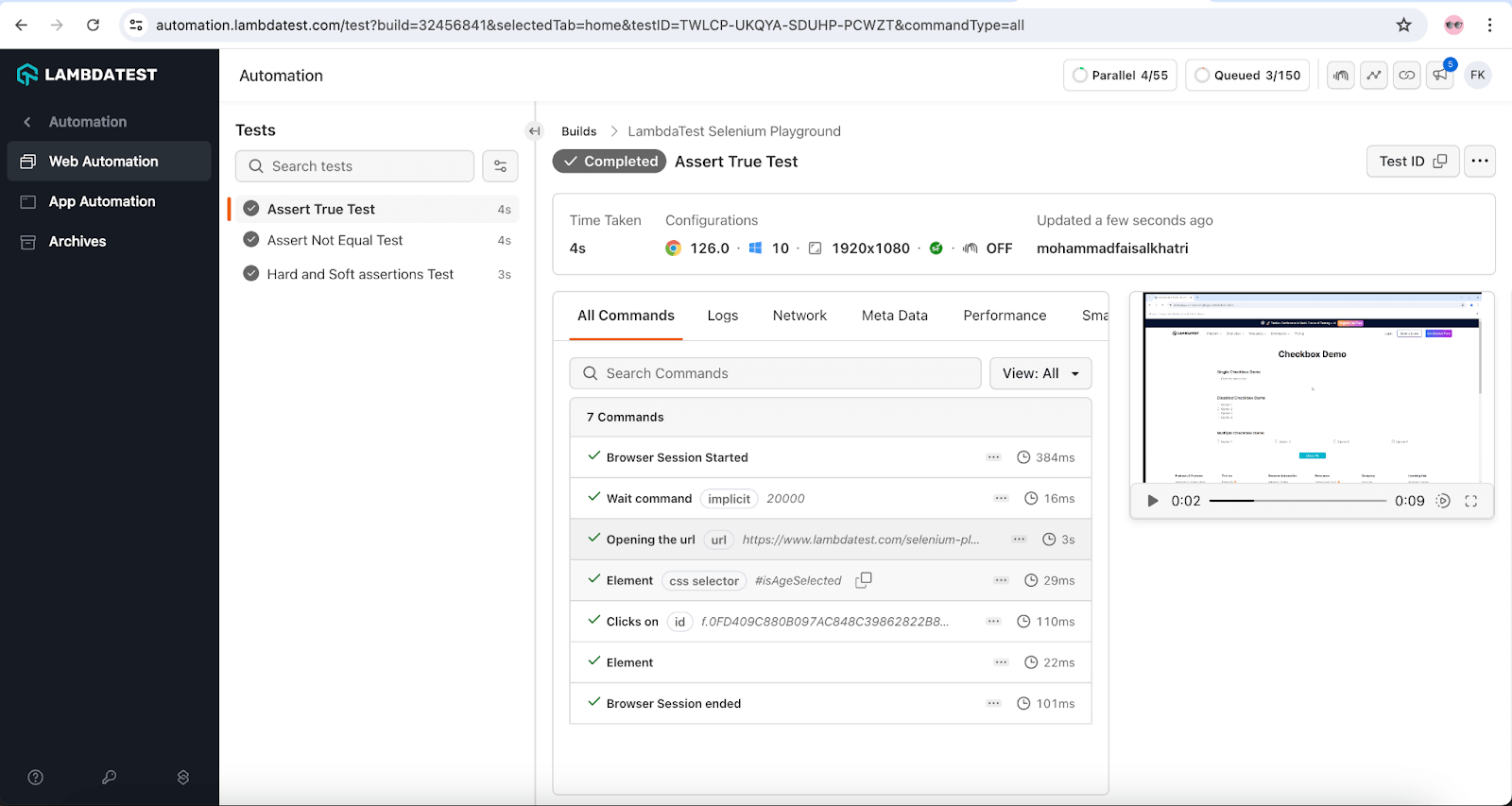
Test Execution:
Here is the execution snapshot from the TestMu AI Web Automation Dashboard, which indicates that the test was executed successfully.
assertFalse()
Like the assertTrue() method, this assert in Selenium WebDriver can be used if you are dealing with boolean conditions.
Syntax:
Assert.assertFalse(boolean condition);
There are two distinct ways in which you can make use of assertFalse in Selenium:
- By passing the condition as a boolean parameter that is used to assert with the assertFalse() method. An AssertionError is thrown if the given condition is not met.
Assert.assertFalse(boolean condition, String message);
- Here, the assertFalse() method takes two parameters – the first parameter is the condition that will be used for assertion, and the second parameter is the AssertionError message that is displayed when the error is thrown.
Test Scenario:
- Navigate to the Radio buttons Demo page on the TestMu AI Selenium Playground website.
- Select the Male radio button and check it is selected successfully
- Select the Female radio button.
- On selecting the Female radio button, the Male radio button should be deselected automatically.
- Use the assertFalse() method to check that the Male radio button has been deselected successfully.
Test Implementation:
A new testAssertFalse() method is created in the existing HardAssertions class that will implement the test scenario.
@Test
public void testAssertFalse() {
   driver.get("https://www.testmuai.com/selenium-playground/radiobutton-demo/");
   WebElement maleRadioBtn = driver.findElement(By.cssSelector("input[value='Male'][name='optradio']"));
   maleRadioBtn.click();
   Assert.assertTrue(maleRadioBtn.isSelected());

   WebElement femaleRadioBtn = driver.findElement(By.cssSelector("input[value='Female'][name='optradio']"));
   femaleRadioBtn.click();
   Assert.assertFalse(maleRadioBtn.isSelected());
}
}
Code Walkthrough:
The testAssertFalse() method will first navigate to the Radio button Demo page on the TestMu AI Selenium Playground.
The next step will be locating the Male radio button using the CSS Selector strategy. Here, two attributes will be used to locate the button: name and value.
After locating the button, a click action will be performed using the assertTrue() method to verify that the radio button was selected.
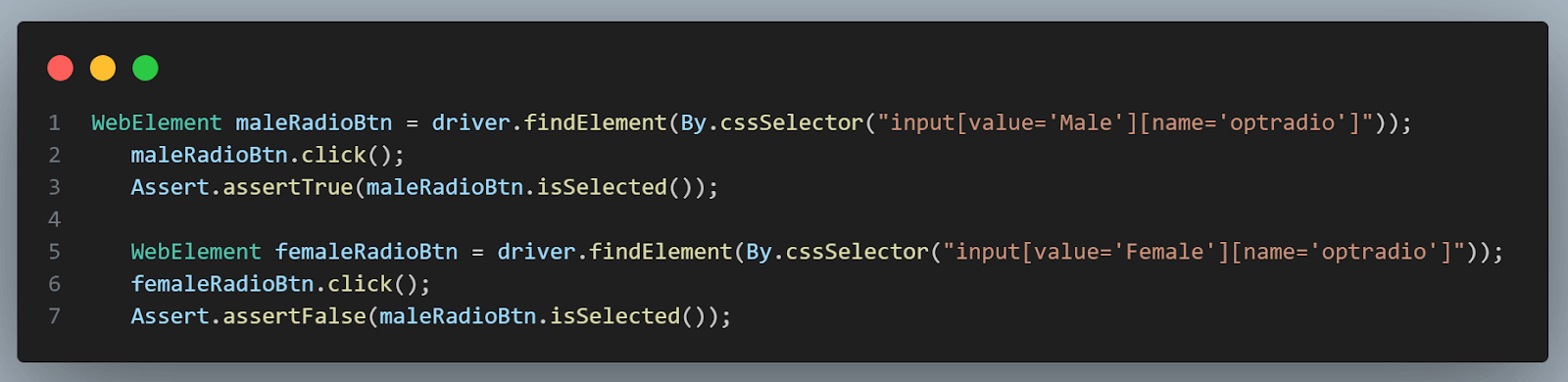
The Female radio button will be located next using the same CSS Locator strategy, and a click action will be performed. When the Female radio button is clicked, the Male radio button should be automatically deselected, and the same will be verified using the assertFalse() assertion method.
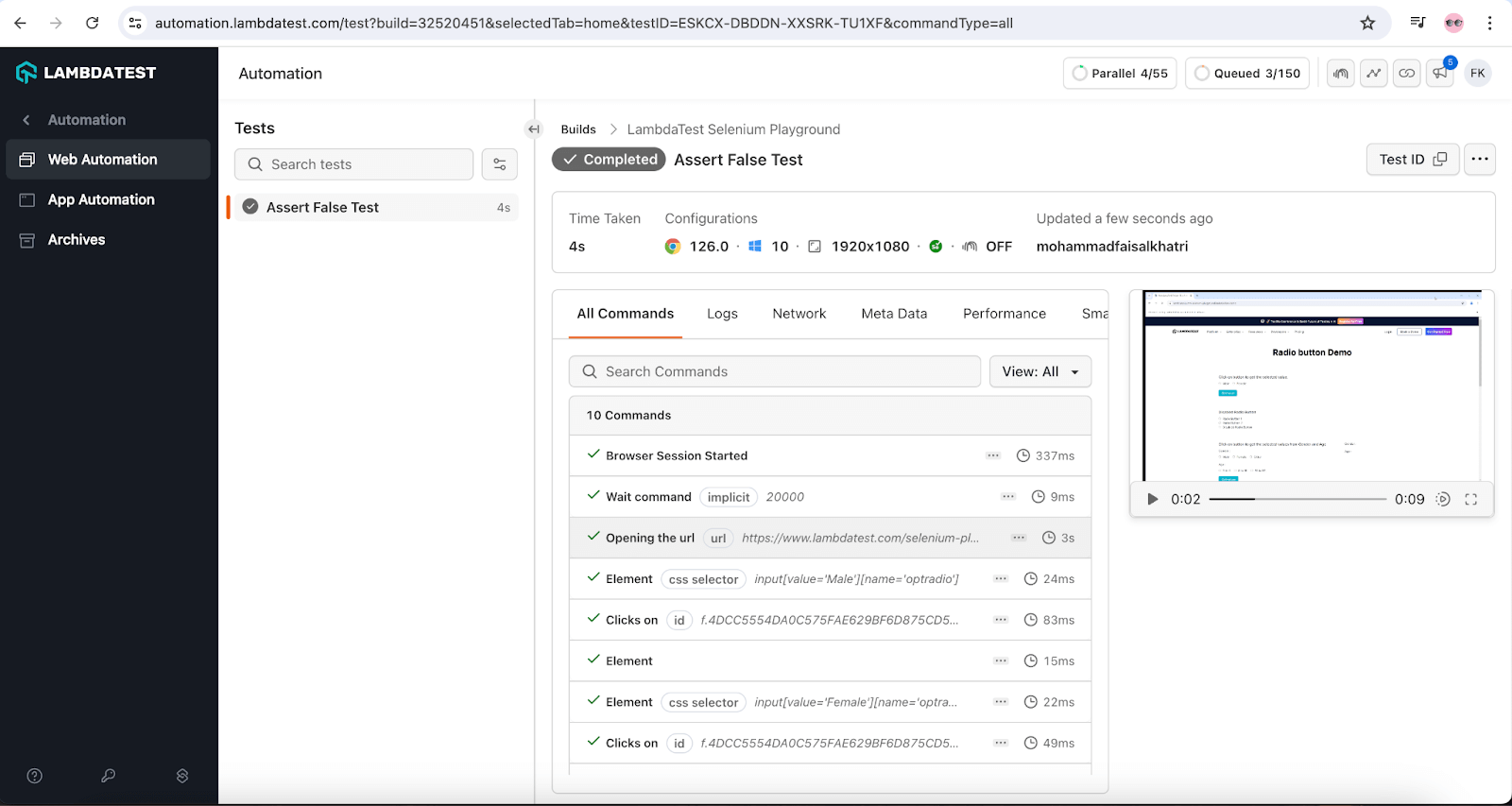
Test Execution:
Here is the test execution snapshot on the TestMu AI platform, which indicates that the assertFalse() condition was successful and the test passed.
assertNotNull()
The assertNotNull() method is used to check whether a particular object is NULL or not. This method throws an AssertionError if the object has some value (i.e., it is not NULL). In case of an assertion failure, the current test method is aborted with an exception.
Like the assertTrue() and assertFalse() methods, the assertNotNull() method also provides two options wherein you can have a custom message printed when the assert is thrown.
Syntax:
Assert.assertNotNull(Object object);


Assert.assertNotNull(Object object, String message);
Test Scenario:
- Open the TestMu AI Selenium Playground website.
- Navigate to the Simple Form Demo page.
- Fetch the current URL and check that it is not null using the assertNotNull() method.
Test Implementation:
Let’s create a new testAssertNotNull() method in the existing HardAssertions class to implement the test scenario.
@Test
public void testAssertNotNull() {
   driver.get("https://www.testmuai.com/selenium-playground/");

   WebElement simpleFormDemoLink = driver.findElement(By.linkText("Simple Form Demo"));
   simpleFormDemoLink.click();

   String currentUrl = driver.getCurrentUrl();
   Assert.assertNotNull(currentUrl);
}
}
Code Walkthrough:
The code will navigate to the TestMu AI Selenium Playground website and locate the Simple Form Demo link.
Next, a click action will be performed on the link that will navigate to the Simple Form Demo page. After navigating to the page, the current URL of the page will be captured using the getCurrentUrl() method of Selenium WebDriver.
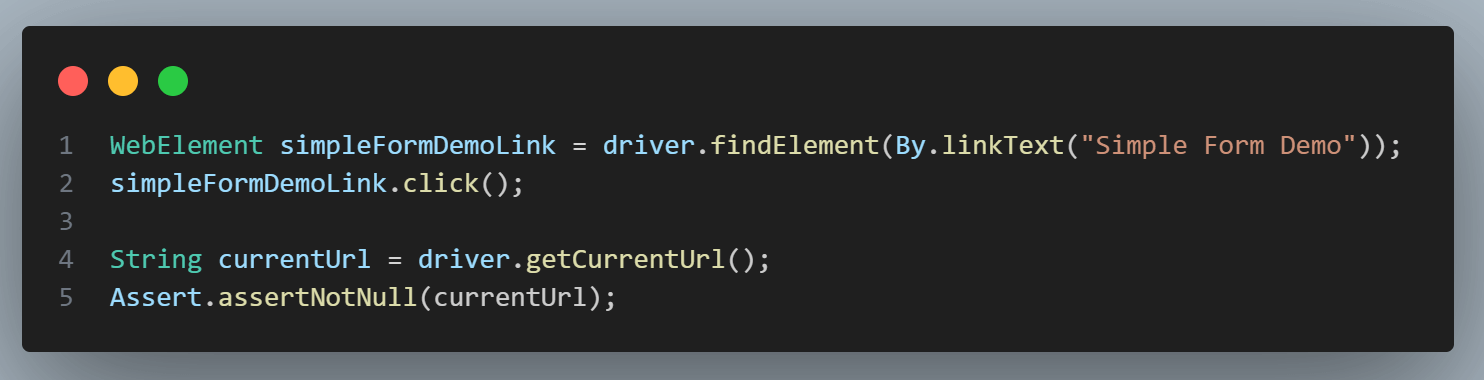
The current URL will be stored in the currentUrl String, and finally, the assertion will be performed using the assertNotNull() method to check that the current URL value is not null.
Test Execution:
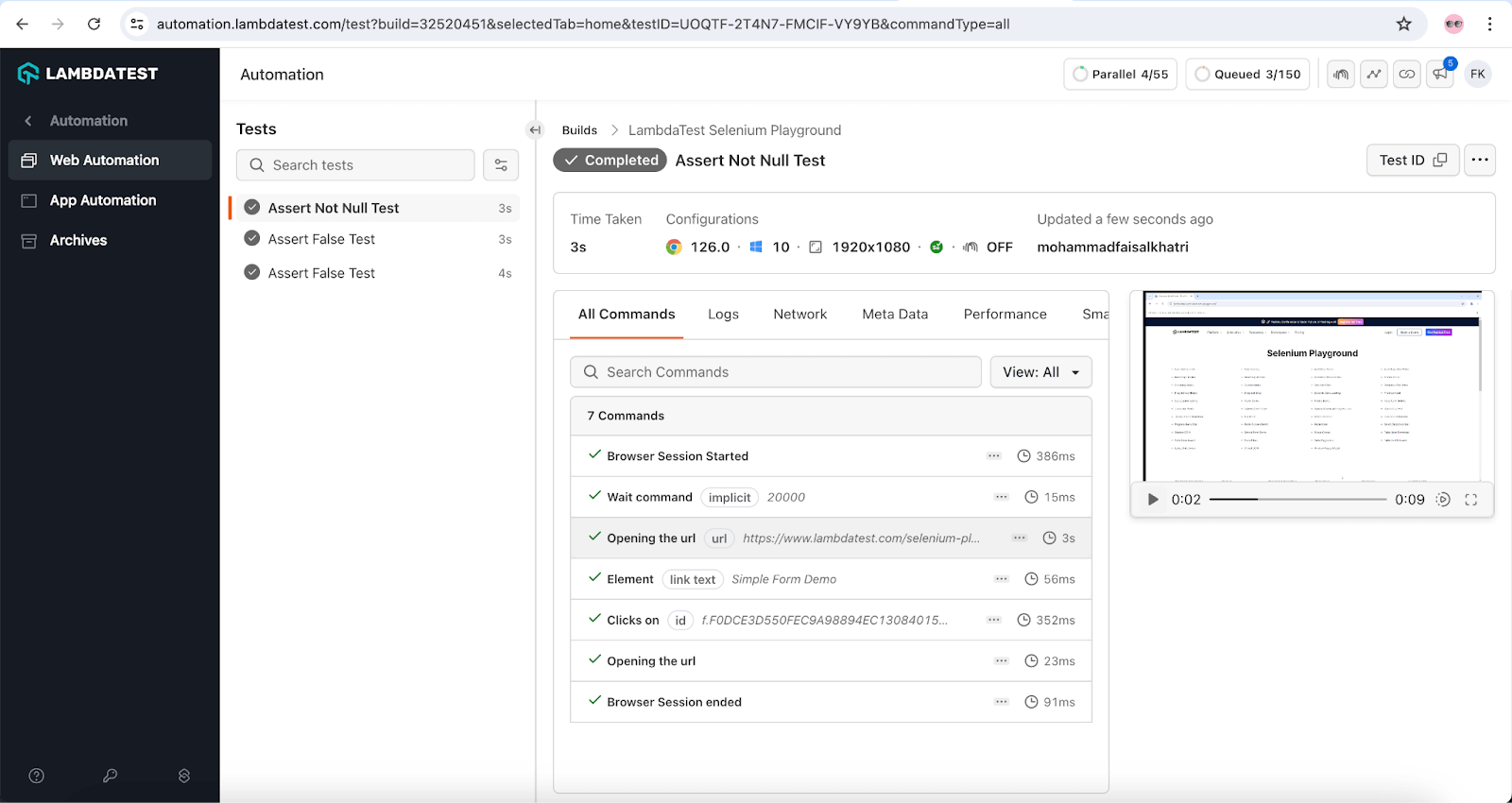
As seen in the test execution snapshot, the current page URL is not NULL. Hence, the AssertionError is not thrown, and the test passes successfully.
Watch this video to discover TestNG assertions, explore the different types available, and learn how to use them for Selenium automation testing with TestNG.

For more such tutorials, subscribe to the TestMu AI YouTube Channel.
Soft Asserts in Selenium
In this section of the blog on asserts and verify in Selenium, we will look at soft assertions or verify.
Soft assert in Selenium WebDriver does not throw an exception when the assert condition is not met. The test execution continues even after the assertion failure.
The assertAll() method has to be invoked in order to throw all the exceptions that have been caught during the execution process. Soft Asserts can be used by including the methods provided in the org.testng.asserts.SoftAssert class.
To demonstrate the use of soft asserts, we will use a simple example where certain assertion errors are thrown since the conditions in those assertions are not satisfied.
Test Scenario:
- Navigate to the Radio button Demo page on the TestMu AI Selenium Playground.
- Perform soft assertion to check the page header Radio button Demo.
- Select the Male radio button.
- Perform soft assertion to check that the Male radio button is selected
- Perform soft assertion to check that the Female radio button is deselected.
- Perform soft assertion to check that the button name is not Get value.
Test Implementation:
Let’s create a new SoftAssertions class to implement the test scenarios and demonstrate the soft assertion test scenarios.
@Test
   public void testRadioBtnPageWithSoftAssert() {
       driver.get("https://www.testmuai.com/selenium-playground/radiobutton-demo/");
       String pageHeader = driver.findElement(By.tagName("h1")).getText();
       SoftAssert softAssert = new SoftAssert();
       softAssert.assertEquals(pageHeader, "Radio button demo page");

       WebElement maleRadioBtn = driver.findElement(By.cssSelector("input[name='optradio'][value='Male']"));
       WebElement femaleRadioBtn = driver.findElement(By.cssSelector("input[name='optradio'][value='Female']"));
       maleRadioBtn.click();
       softAssert.assertFalse(maleRadioBtn.isSelected());
       softAssert.assertTrue(femaleRadioBtn.isSelected());

       String getValueButtonLabel = driver.findElement(By.id("buttoncheck")).getText();
       softAssert.assertNotEquals(getValueButtonLabel, "Get value");
       softAssert.assertAll();
   }
Code Walkthrough:
We will execute the tests on the Chrome browser on the TestMu AI cloud grid. For this, we need to write the code to set up and start the RemoteWebDriver instance using the browser options. These browser options can be set using the TestMu AI Automation Capabilities Generator.
To use soft asserts, import the org.testng.asserts.SoftAssert; package. The setup() method will run before any of the tests and will set up the instance of the RemoteWebDriver class.
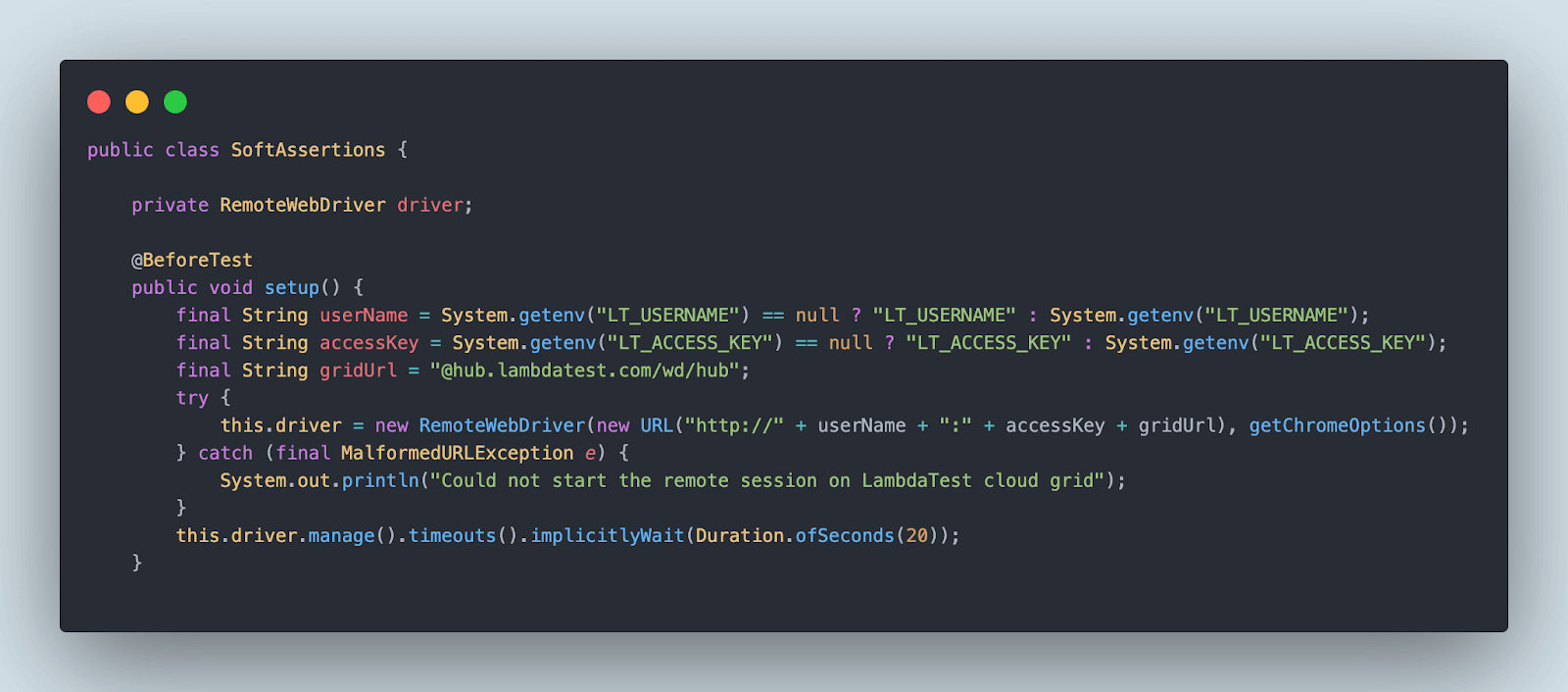
The getChromeOptions() method will provide all the capabilities required to run tests on the TestMu AI cloud grid.

After the tests are executed, the teardown() method will be called to close the RemoteWebDriver session. A new testRadioBtnPageWithSoftAssert() method is created that will implement all the steps mentioned in the test scenario.
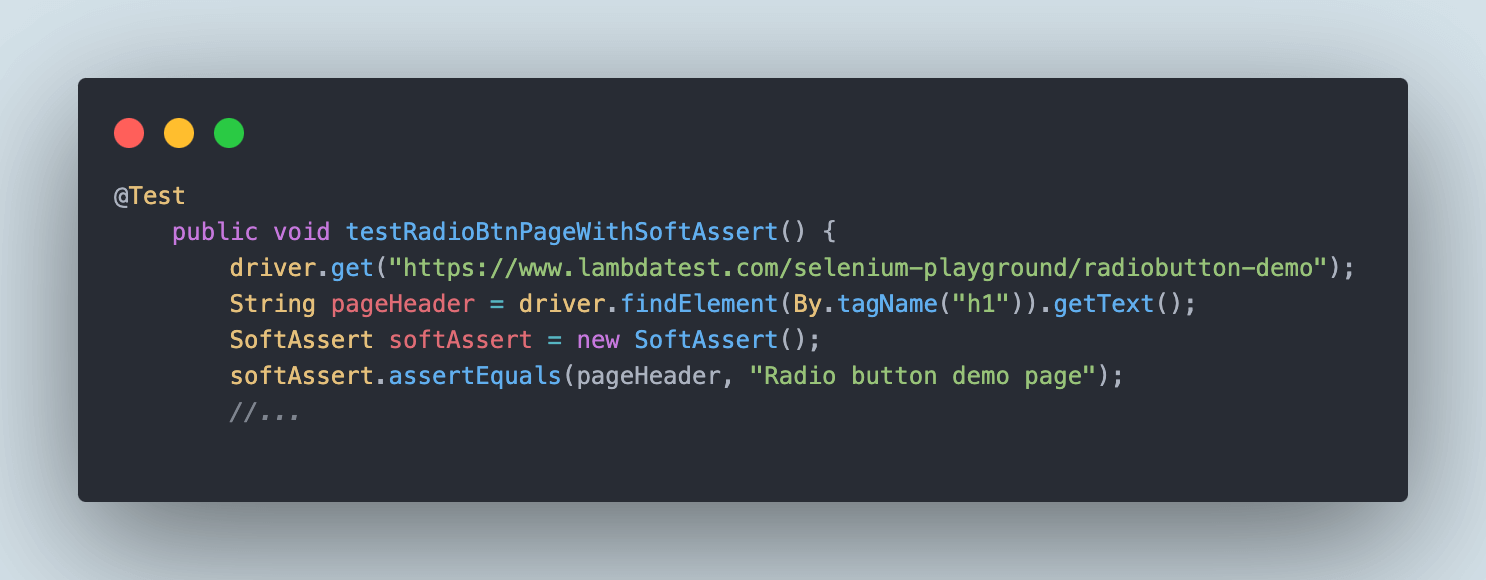
It will navigate to the Radio button Demo page and locate the page header test. The text will be stored in a variable named pageHeader.
To use soft assertions, we need to instantiate the SoftAssert class and create its object, which can be used to call the different methods from its class.
The first soft assertion we need to perform is to check that the page header of the Radio button Demo page equals the text Radio button demo page. Here, intentionally, the comparison text is updated wrong, so the assertion should fail.
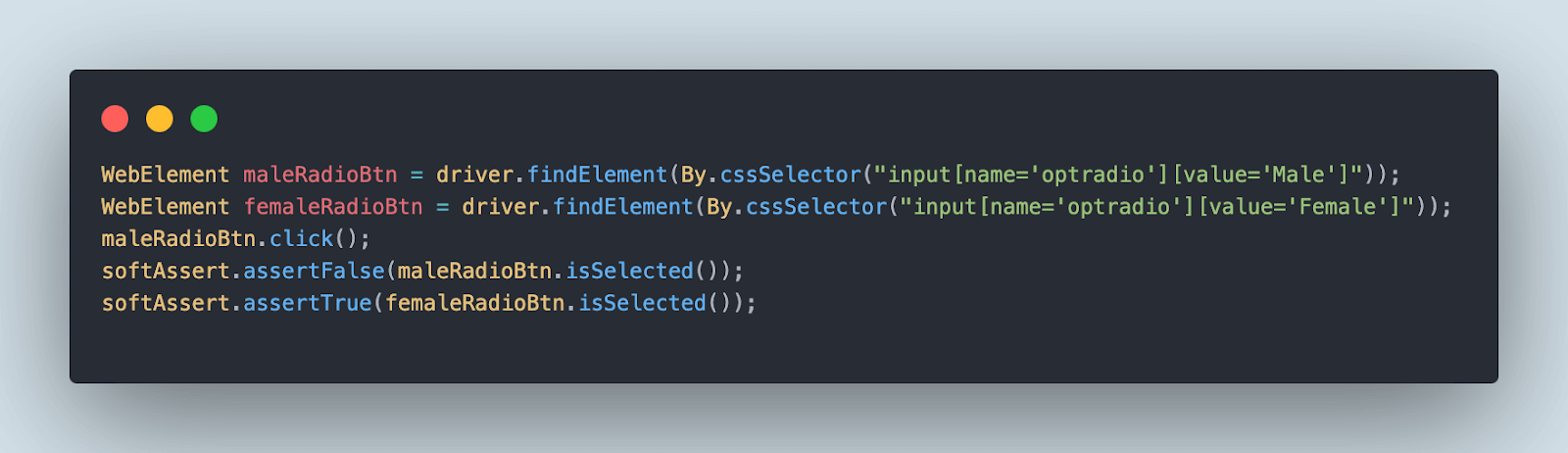
The next set of assertions showcases the workings of assertTrue() and assertFalse() methods in soft assertions. We will be doing this by locating the Male and Female radio buttons, respectively, and selecting the Male radio button.
Purposefully, we will be checking that the Male radio button is not selected using the assertFalse() method. Similarly, using the assertTrue() method, we will check that the Female radio button is selected.

The third and last assertion that we need to perform is using the assertNotEquals() method, in which we will check the label of the Get value button. Here, purposefully, the correct label text is also entered, so the soft assertion fails.
Finally, the assertAll() method needs to be called to throw all the exceptions that have been caught during the execution process.
Test Execution:
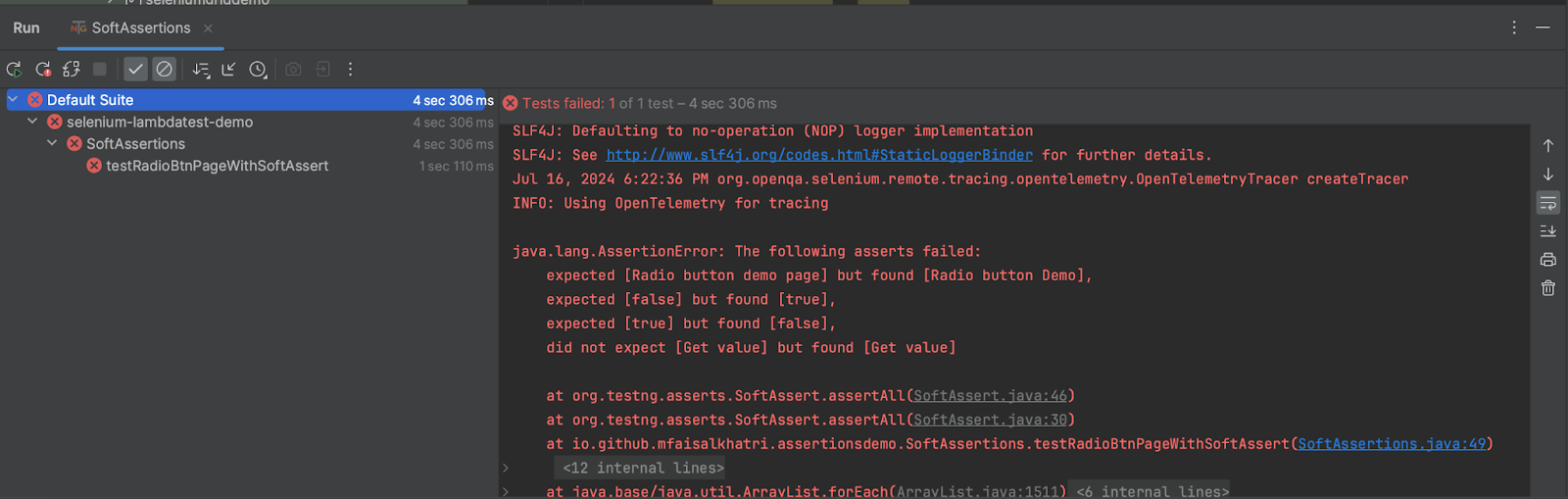
As shown below, all the assertions failed; however, the test did not fail, and execution continued. All the assertion errors were thrown at once after the test execution was completed.

Note: Run Selenium tests with TestNG across 3000+ real browsers. Try TestMu AI Now!
Differences: Asserts and Verify in Selenium
By default, asserts are hard assertions, and verify are soft assertions. Here are the key differences between asserts and verify in Selenium:
| Criteria | Asserts (Hard Asserts) | Verify (Soft Asserts) |
|---|---|---|
| Code Execution | Halts test script if the condition fails. | Continues test script even if the condition fails. |
| AssertionError | Throws AssertionError, skips subsequent steps, and moves to the next @Test. | Errors accumulate; assertAll() throws asserts at the end. |
| Default Asserts | Default in Selenium WebDriver (org.testng.Assert) | Requires import of org.testng.asserts.SoftAssert |
| Instance | Assertion hardAssert = new Assertion(); | Assertion softAssert = new SoftAssert(); |
Can AI Code Review Tools Catch Missing Soft Asserts?
AI code review tools can catch a chain of hard asserts that should be soft asserts, since the pattern is easy to spot in code. Several back-to-back Assert calls in one @Test method mean the first failure hides every check written after it.
GitHub Copilot's code review feature and agentic coding tools such as Claude Code can scan a test class for repeated org.testng.Assert calls inside a single method and suggest replacing them with the org.testng.asserts.SoftAssert class covered above, so every check still runs and every failure is reported together instead of only the first one.
- Pattern match, not judgment: the tools flag repeated hard asserts in one method, but they do not know if an early check, like confirming a page loaded, should still stop the test before later checks run.
- Agent-run refactor: Claude Code and similar agentic tools connected to a shell can open the flagged file, swap Assert for SoftAssert, add the assertAll() call, and run the suite to confirm the change works, though a person still reviews the diff before it merges.
- False positive risk: a single assertNotNull() guarding against a null pointer earlier in a test is not a soft-assert candidate, so a pattern-based scan can flag code that should stay a hard assert.
It’s a Wrap!
Asserts and verify in Selenium play an integral role when it comes to automation testing. They are used to check if the tests have passed or failed by looking into the results of the respective assert methods.
Hard assert in Selenium WebDriver is used in scenarios where you want the test case execution to halt when the condition in the assert method is not met. It raises java.lang.AssertionError when the condition in hard assert fails.
On the other hand, soft asserts are used in cases where the failure of a test step does not fail in the test scenario. When do you use hard and soft asserts, do let us know in the comments section.
Author

Faisal Khatri
Blogs: 39


Mohammad Faisal Khatri is a Software Testing Professional with 17+ years of experience in manual exploratory and automation testing. He currently works as a Senior Testing Specialist at Kafaat Business Solutions and has previously worked with Thoughtworks, HCL Technologies, and CrossAsyst Infotech. He is skilled in tools like Selenium WebDriver, Rest Assured, SuperTest, Playwright, WebDriverIO, Appium, Postman, Docker, Jenkins, GitHub Actions, TestNG, and MySQL. Faisal has led QA teams of 5+ members, managing delivery across onshore and offshore models. He holds a B.Com degree and is ISTQB Foundation Level certified. A passionate content creator, he has authored 100+ blogs on Medium, 40+ on TestMu AI, and built a community of 25K+ followers on LinkedIn. His GitHub repository “Awesome Learning” has earned 1K+ stars.


Frequently asked questions
Did you find this page helpful?
More Related Blogs

TestMu AI forEnterprise
Get access to solutions built on Enterprise
grade security, privacy, & compliance
- Advanced access controls
- Advanced data retention rules
- Advanced Local Testing
- Premium Support options
- Early access to beta features
- Private Slack Channel
- Unlimited Manual Accessibility DevTools Tests