

Next-Gen App & Browser Testing Cloud
Trusted by 2 Mn+ QAs & Devs to accelerate their release cycles


How to Enable Cookies in Safari on Mac and iPhone
On a Mac, open Safari > Settings > Privacy and make sure “Block all cookies” is unchecked. That is the whole fix. Safari has no separate “enable cookies” switch, so cookies are on by default and stay on for as long as that box is clear.
If a site still tells you cookies are disabled after that, the cause is almost always Prevent Cross-Site Tracking, which is a separate setting on the same pane. It blocks third-party cookies while leaving first-party cookies working, which is enough to break embedded logins, payment frames and some checkout flows.
Note: macOS Sonoma (14.1.2) and Safari (17.1.2) are used for the illustration. On Safari 16 and earlier the menu is Safari > Preferences rather than Safari > Settings; everything else is identical.
How to Enable Cookies in Safari on Mac
- In the Safari app on your Mac, choose Safari > Settings (Safari > Preferences on Safari 16 and earlier).
- Open the Privacy tab.
- Uncheck “Block all cookies”. Leaving this box ticked is what turns cookies off, so clearing it is what turns them back on.
- If a site still reports cookies as blocked, also uncheck Prevent cross-site tracking on the same pane, then reload the page.
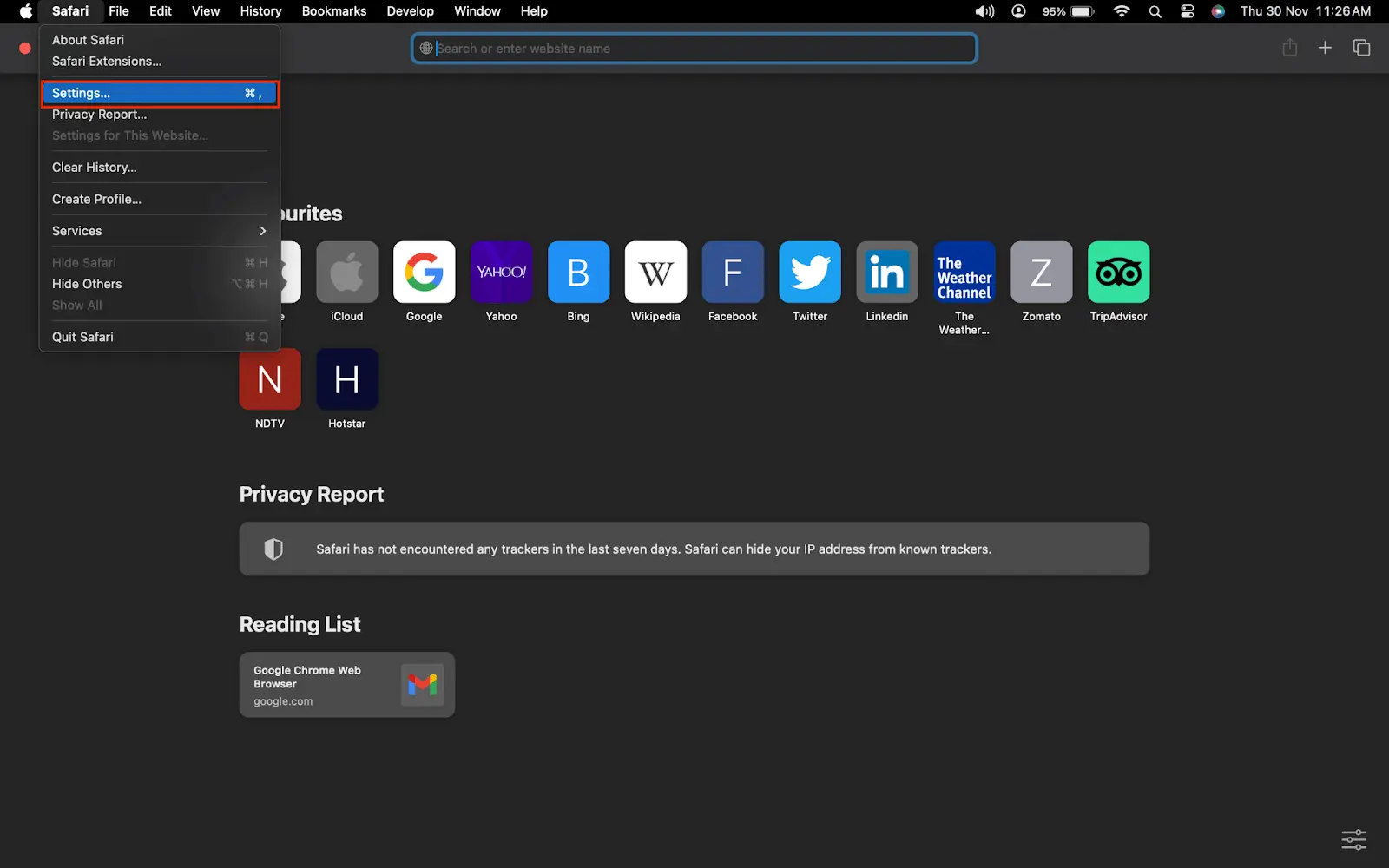
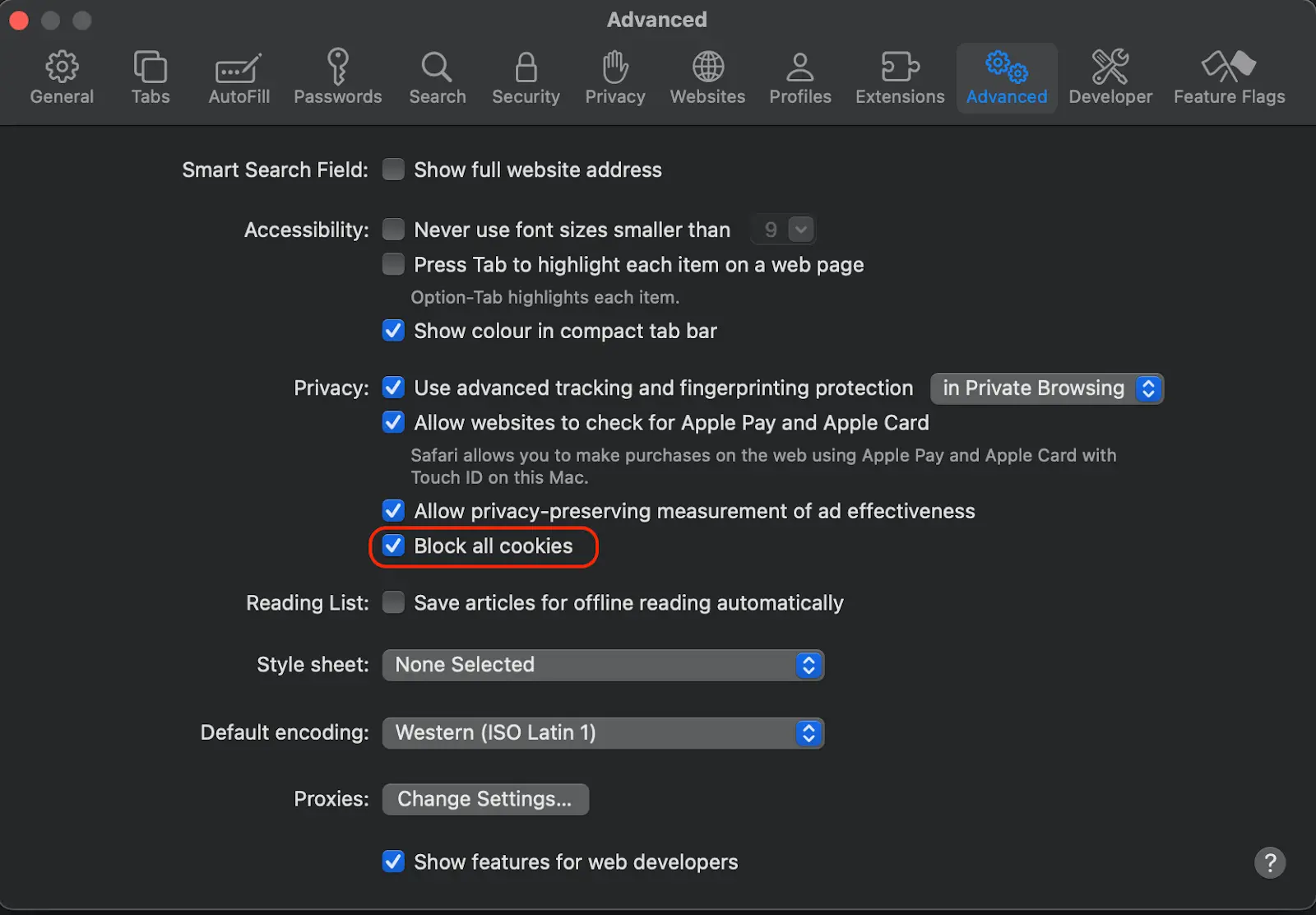
Safari applies the change immediately, but pages already open keep their old state. Reload the tab, or quit and reopen Safari, before retesting.
How to Enable Cookies in Safari on iPhone and iPad
On iOS and iPadOS the setting lives in the system Settings app, not inside Safari itself:
- Open Settings on your iPhone or iPad.
- Tap Apps > Safari on iOS 18 and later. On iOS 17 and earlier, scroll down to Safari in the main Settings list.
- Scroll to Privacy & Security and turn Block All Cookies off.
- If a login or embedded widget still fails, turn Prevent Cross-Site Tracking off as well.
Private Browsing tabs discard cookies when you close them regardless of these settings, so test in a normal tab if you are checking whether a cookie persists.
Why a Site Still Says Cookies Are Disabled
| Symptom | Setting responsible | Fix |
|---|---|---|
| Every site reports cookies off | Block all cookies | Uncheck it in Privacy settings |
| Logins work, embedded widgets and payment frames fail | Prevent Cross-Site Tracking | Turn it off, reload the page |
| Session drops as soon as the tab closes | Private Browsing | Retest in a normal window |
| Only one site misbehaves | Stale cookie for that domain | Remove it via Manage Website Data, below |
How to Clear or Delete Cookies for One Site in Safari
There are two methods to delete the cookies of a website:
Method 1:
- Open the Safari app > Preferences> Privacy > Manage Website Data.
- Choose the website and select Remove or Remove All.
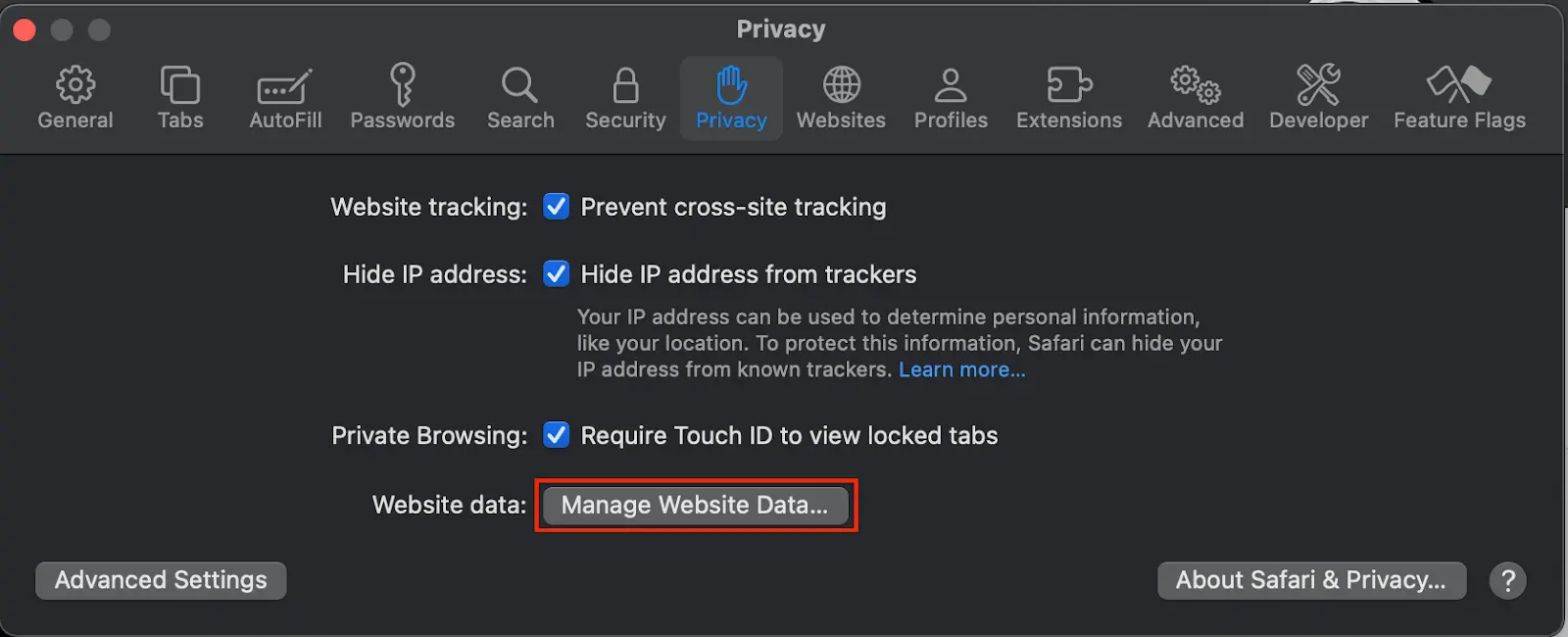
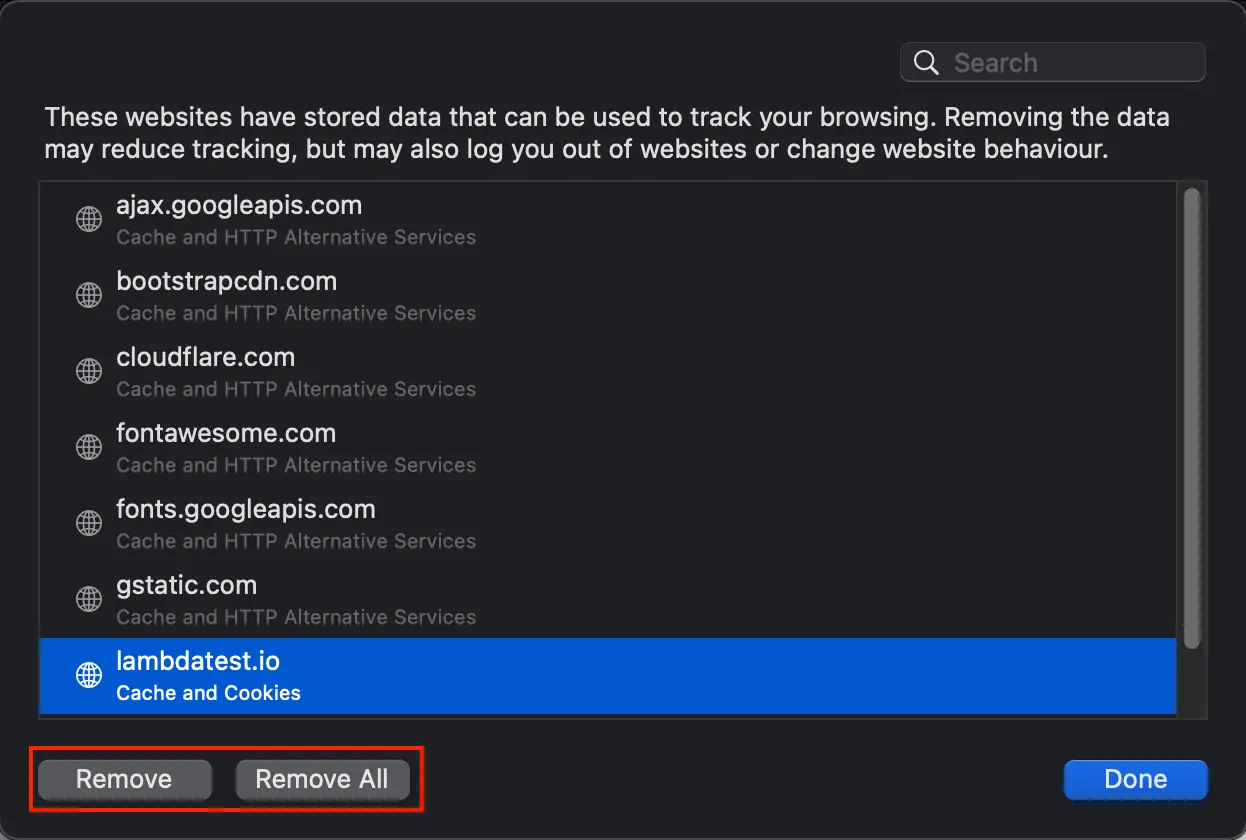
Method 2:
It requires you to understand how to use the developer tools on Safari. You may check out How To Debug Websites Using Safari Developer Tools.
- Open the website you want to delete the cookies on Safari. For this example, we use TestMu AI e-commerce.
- Right-click > Inspect Element; if you use the trackpad of MackBook, “right-click” is a single tap with two fingers! or cmd+opt+I (⌘ + ⌥ + C).
- Go to the Storage tab (highlighted in red) and press the Bin icon on the top-right of the developer tools to delete the website's cookies.


KaneAI - Testing Assistant
World’s first AI-Native E2E testing agent.

TestMu AI forEnterprise
Get access to solutions built on Enterprise
grade security, privacy, & compliance
- Advanced access controls
- Advanced data retention rules
- Advanced Local Testing
- Premium Support options
- Early access to beta features
- Private Slack Channel
- Unlimited Manual Accessibility DevTools Tests