

Next-Gen App & Browser Testing Cloud
Trusted by 2 Mn+ QAs & Devs to accelerate their release cycles


On This Page
- Getting Started with the Session
- The Challenge of Visual Regression Testing
- Implementing and Overcoming Challenges in Visual Testing
- Exploring The Limitations of Pixel-to-Pixel Comparison and Finding Alternatives
- Evolution of Web Front-End Design and Its Impact on Visual Testing
- Trying DOM-Based Visual Testing
- The Introduction of Visual AI in Visual Testing
- The Rise of Generative AI and Large Language Models
- Multimodal Large Language Models in QE
- Impact of AI Agents on Automation in QE
- Summing Up the Session
- Time for Some Q&A

- Home
- /
- Blog
- /
- Regress without Regret: Enhanced Visual Regression with Multi-Modal Generative AI [Testμ 2024]
Regress without Regret: Enhanced Visual Regression with Multi-Modal Generative AI [Testμ 2024]
Discover how multi-modal generative AI revolutionizes visual regression testing with automated, accurate, and scalable solutions.

TestMu AI
March 2, 2026
When we talk about software development, keeping UI consistent through visual regression testing is essential, but traditional methods often struggle with complexity and time constraints.
Drawing from over ten years in software testing and quality engineering, our speaker, Ahmed Khalifa, Quality Engineering Manager at Accenture, introduces an innovative approach using multi-modal generative AI. For instance, by uploading images of web pages or UI components, users can leverage this AI to extract structured data, offering a faster, more accurate, and scalable alternative to standard test automation. This AI not only simplifies data validation but also automatically updates test cases in response to design changes, ensuring they stay aligned with the latest elements.
If you couldn’t catch all the sessions live, don’t worry! You can access the recordings at your convenience by visiting the TestMu AI YouTube Channel.
Getting Started with the Session
Ahmed started this session by reflecting on his professional journey. Six years ago, Ahmed moved to Germany and joined a company dedicated to developing cutting-edge software applications. These applications were designed to create highly realistic 3D models used in virtual environments, primarily for advertising.

Whether it was the texture of materials, the vibrancy of colors, or the intricacies of different perspectives, these models, especially the car models, were astonishingly lifelike. Ahmed’s role as a Software Automation Engineer was crucial in ensuring the reliability and accuracy of the applications that generated these immersive models.
The Challenge of Visual Regression Testing
Diving deep into the session, Ahmed discussed the Test Pyramid and briefly explained unit tests, integration tests, E2E tests, and Visual tests, further diving into the complexities of testing in the software industry. He discussed the familiar concept of the testing pyramid, where unit tests, integration tests, and end-to-end tests each play a crucial role.
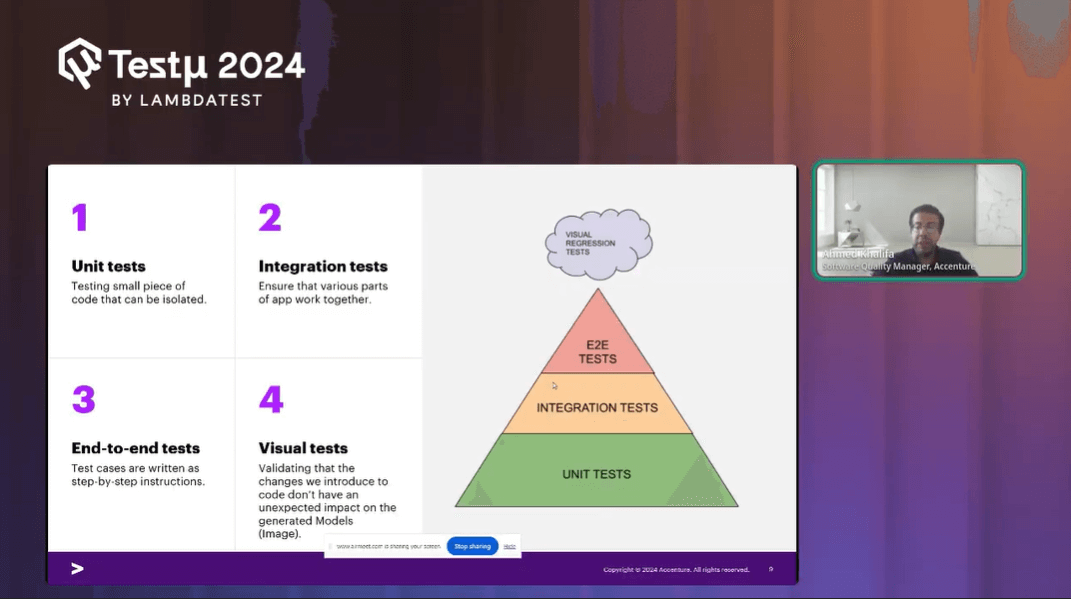
At his company, they rigorously applied all these tests to their application. However, a unique challenge arose they had to rely heavily on analyzing logs to validate functionality. When a feature was executed, the only way to confirm its success was to sift through logs, as there was no visual representation to verify the output.
This limitation marked Ahmed’s first encounter with visual regression testing. The turning point came when he realized the necessity of validating not just the functional output in logs but also the visual elements of the 3D models. For example, if a car model’s steering wheel was designed to have a leather texture, it wasn’t enough to confirm this through logs; the visual aspect had to be validated as well.
This experience introduced Ahmed to the importance of visual tests, where an image is generated and thoroughly examined to ensure that every detail, like the texture of the steering wheel, is accurately represented.
Implementing and Overcoming Challenges in Visual Testing
Ahmed and his team recognized the potential of visual testing to enhance their quality assurance processes. They devised a plan: take screenshots of the output images, such as the highly realistic car models, and use these as reference images. When the application underwent changes or updates, they would take new screenshots and compare them against the reference images. If the images were identical, it meant the application was functioning as expected. However, if there were differences, it signaled a problem that needed investigation.
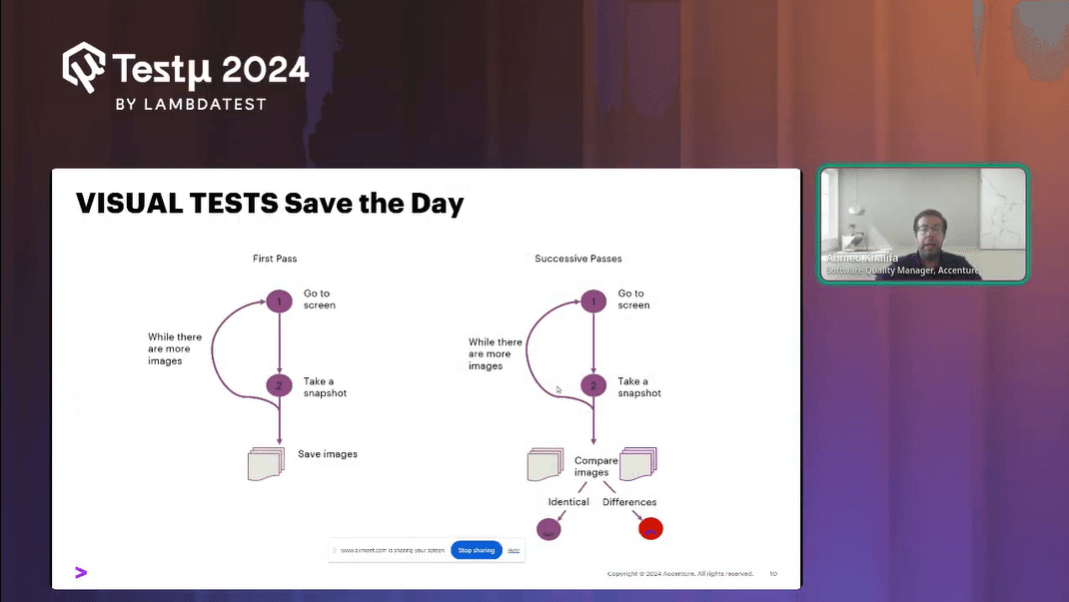
To implement this idea, the team explored for a visual testing tool. One of the tools they considered was Playwright, an open-source framework known for its simplicity and multi-browser support. With Playwright, they could easily capture screenshots and compare them using straightforward code.
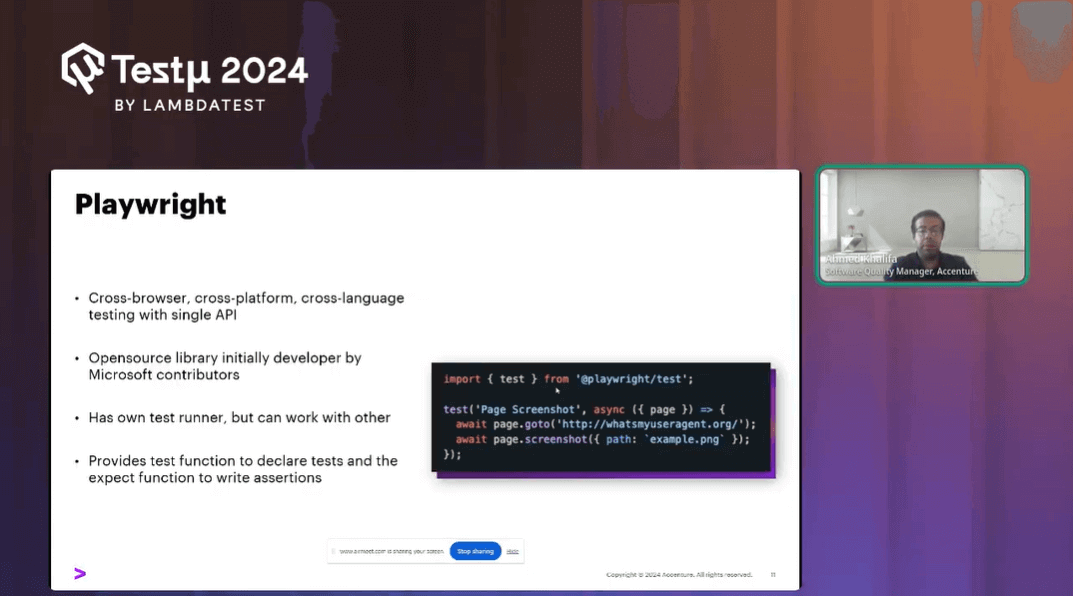
Here’s how they approached the process:
- Base Image Creation: They captured a screenshot of the current application version, establishing it as the base image.
- New Image Comparison: After updating the application, they captured a new screenshot and used a comparison tool to identify any discrepancies.
However, this seemingly straightforward approach quickly became problematic. When they ran the comparison, the results often showed significant differences, highlighted in red. The root cause was the rendering engine within their application, which varied between versions. These changes, often subtle and related to pixel variations, made it difficult to achieve consistent comparisons.
Challenges Faced during the Implementation Phase
Despite the potential of visual testing, the challenges posed by rendering inconsistencies and pixel-level variations made it impractical for their specific use case:
- Rendering Engine Variability: Differences in the rendering engine from one version to another caused pixel-level changes, leading to false positives in the comparison.
- Noise Threshold Issues: Even with tools offering noise threshold adjustments to filter out minor differences, the team still faced numerous challenges in getting accurate results.
- Time and Effort: The process became extremely time-consuming and resource-intensive, leading to frustration.
Ultimately, Ahmed’s team concluded that their initial approach to visual testing wasn’t feasible. This experience underscored the complexities of visual testing and the importance of selecting the right tools and methods for the task at hand.
Exploring The Limitations of Pixel-to-Pixel Comparison and Finding Alternatives
Ahmed shared his experience while working with Pixel-to-Pixel comparison and discussed the challenges his team faced with it in visual testing. The core concept of these tools involves comparing images at the pixel level, but this approach proved problematic. Even slight changes in the UI, such as updates to the application or differences in browser versions, led to variations in pixel rendering. These differences were often caused by the natural behavior of rendering engines, which varied from one version to another.
A simplistic, yet effective view of the nuances of Visual Testing. All the modern test automation frameworks support visual tests to keep bugs at bay! pic.twitter.com/sRcLOAqTDX— LambdaTest (@testmuai) August 21, 2024
Key Challenges with Pixel-to-Pixel Comparison
These were some of the challenges Ahmed and his team encountered with Pixel-to-Pixel Comparison:
- Rendering Engine Variability: Different rendering engines across application or browser versions caused pixel-level changes, leading to inconsistent results.
- False Positives: The team encountered numerous false positives, where minor pixel variations were flagged as significant issues, making it difficult to trust the test results.
- Difficult Test Review: Reviewing the test outcomes became challenging and time-consuming, as the pixel-level differences were often irrelevant to the actual functionality of the application.
Recognizing these limitations, Ahmed and his team had to rethink their approach. Instead of relying on automated tools for pixel-to-pixel comparison, they turned to virtual reality (VR) tools, such as the HTC Vive, to manually inspect the visual output. By immersing themselves in the VR environment, they could visually verify the elements of the 3D models, such as ensuring the steering wheel’s material was accurately represented as leather.
Moving Beyond Automation
While this method required more effort and experience, it allowed them to accurately assess the visual aspects of their application.
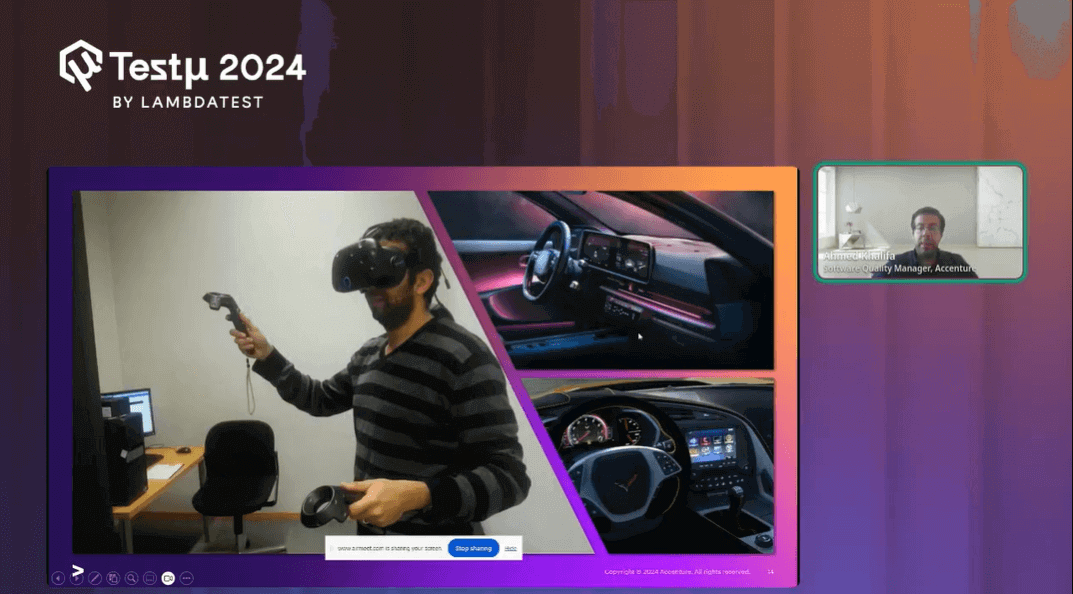
- Manual Inspection via VR: The team used VR to enter the images in a virtual environment, allowing them to directly observe and verify the visual details of the models.
- Experience-Driven Testing: This approach required significant expertise and hands-on involvement, highlighting the limitations of automated testing in certain scenarios.
Despite the initial failure of their automated visual testing efforts, this experience taught Ahmed the importance of exploring alternative methods. He realized that while automation is powerful, it’s not always the best fit for every testing scenario, especially when dealing with complex visual elements.
After recognizing the limitations of traditional automation for complex WebElements, AI-native test assistant like KaneAI by TestMu AI offers a more intuitive approach, allowing teams to create and evolve test cases using natural language. This empowers testers to address intricate scenarios with ease and flexibility.
KaneAI is a GenAI native QA Agent-as-a-Service platform featuring industry-first capabilities for test authoring, management, and debugging, designed specifically for high-speed quality engineering teams. It empowers users to create and refine complex test cases using natural language, significantly lowering the time and expertise needed to begin with test automation.

With the rise of AI in testing, its crucial to stay competitive by upskilling or polishing your skillsets. The KaneAI Certification proves your hands-on AI testing skills and positions you as a future-ready, high-value QA professional.
Evolution of Web Front-End Design and Its Impact on Visual Testing
As web front-end design evolved, with dynamic web pages and responsive layouts becoming the norm, visual testing faced new challenges.
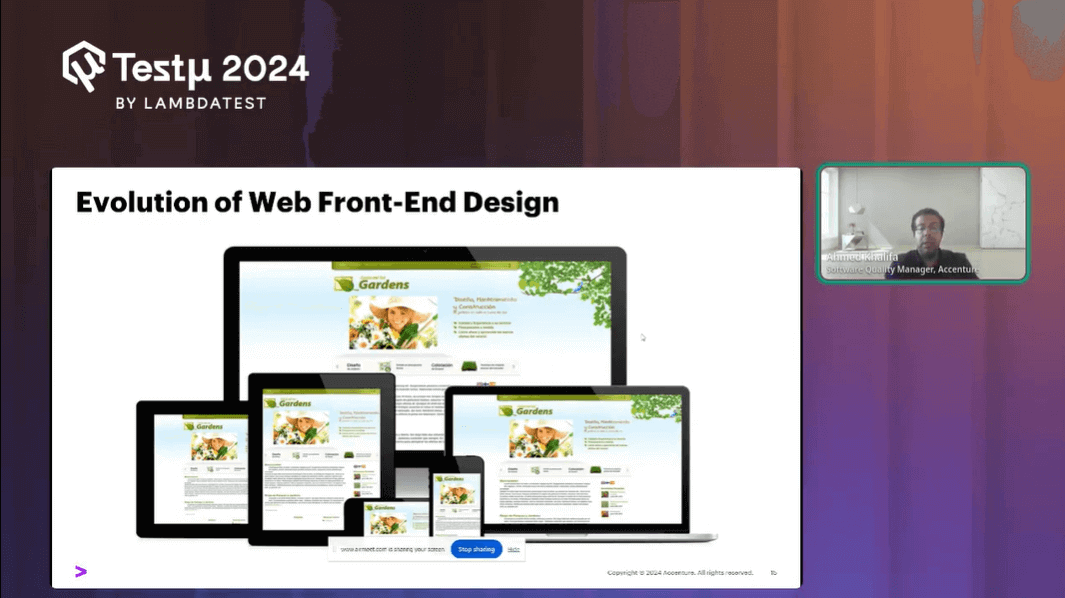
Applications were no longer static; they needed to work seamlessly across different devices—tablets, laptops, and smartphones each with its unique viewport. This shift brought about a significant increase in visual bugs, making it essential to ensure consistent UI across various platforms and browsers.
Trying DOM-Based Visual Testing
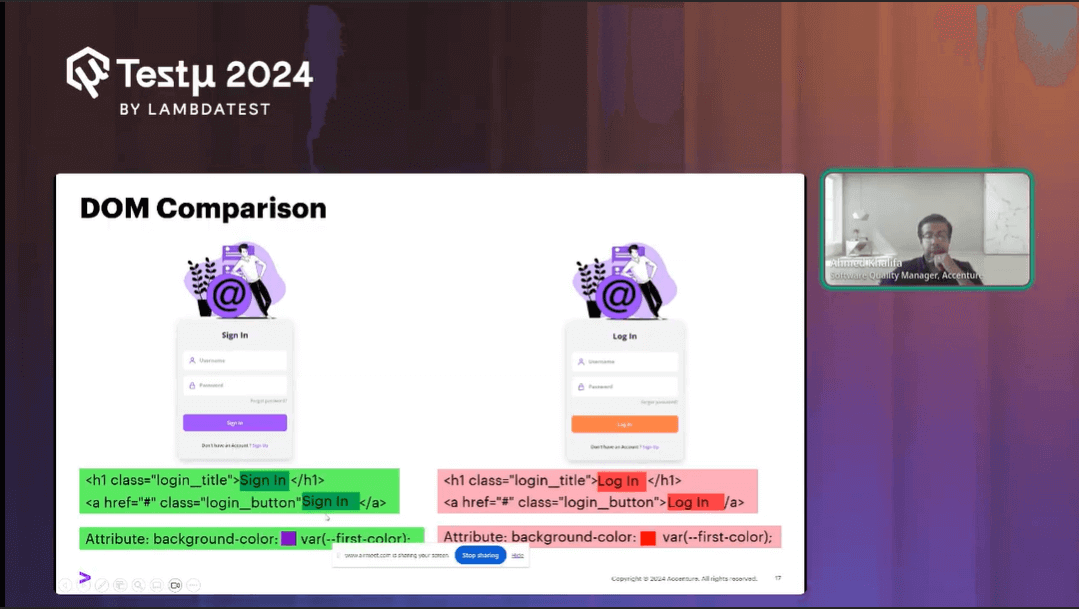
To tackle the limitations of pixel-to-pixel comparison, a new approach was proposed: DOM-based visual testing. The idea was to move away from relying on pixel-perfect matches and instead focus on comparing the Document Object Model (DOM), which represents the structure of a web page. Here’s how it works:
- DOM Comparison: By comparing the DOM structure between two versions of a webpage, testers could identify changes in elements like login buttons, titles, or background colors without being misled by minor pixel differences.
- Focus on Structure: This method allowed testers to verify if the structural components of a webpage, like forms or buttons, remained consistent across versions, theoretically reducing the occurrence of false positives.
Challenges with DOM-Based Testing
However, as Ahmed and his team discovered, DOM-based testing wasn’t without its flaws:
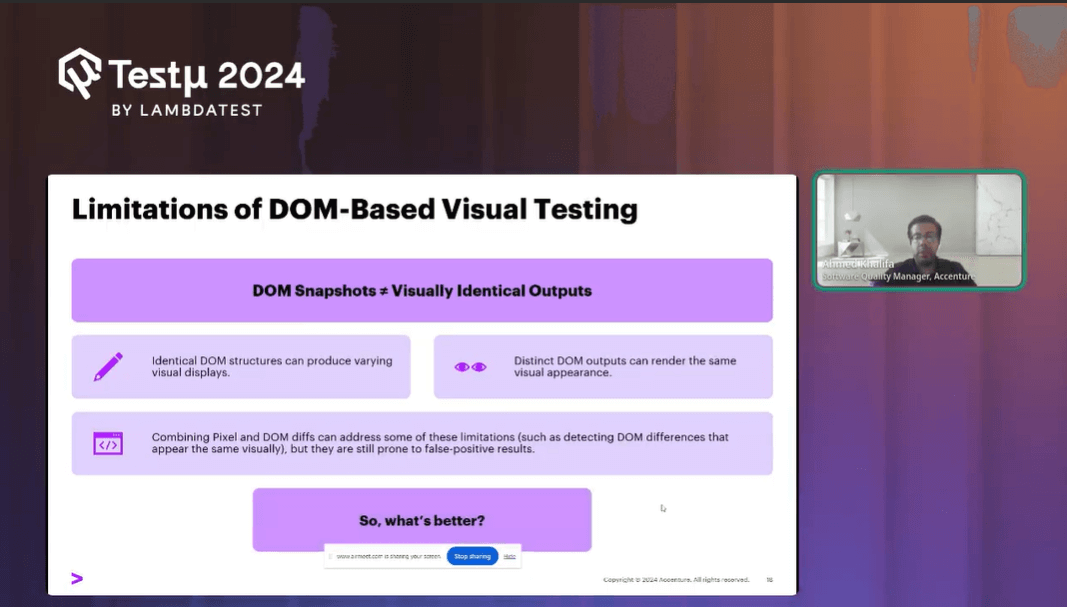
- Similar DOMs, Different Outputs: It was possible for two versions of a webpage to have identical DOMs but produce different visual outputs. For example, the image source might remain the same, but the actual image could change, leading to visual discrepancies that DOM comparison would fail to catch.
- Different DOMs, Similar Outputs: Conversely, different DOMs could result in the same visual appearance, making it challenging to identify genuine changes or issues.
Combining Pixel and DOM Comparison
To address these challenges, some engineers in Ahmed’s team suggested combining pixel-to-pixel comparison with DOM-based testing. This hybrid approach aimed to leverage the strengths of both methods. Combining these two methods improved accuracy, but it still wasn’t foolproof. The persistent issue of rendering engine changes causing pixel variations continued to lead to false positives.
The evolution from pixel-to-pixel to DOM-based visual testing marked a significant step forward, but it was clear that neither approach was perfect. The need for a more reliable and stable visual testing method continued, with the ultimate goal of reducing false positives and finding a solution that truly works in the ever-evolving landscape of web development.
The Introduction of Visual AI in Visual Testing
Ahmed further explained that with the emergence of Visual AI, the landscape of visual testing experienced a significant breakthrough.
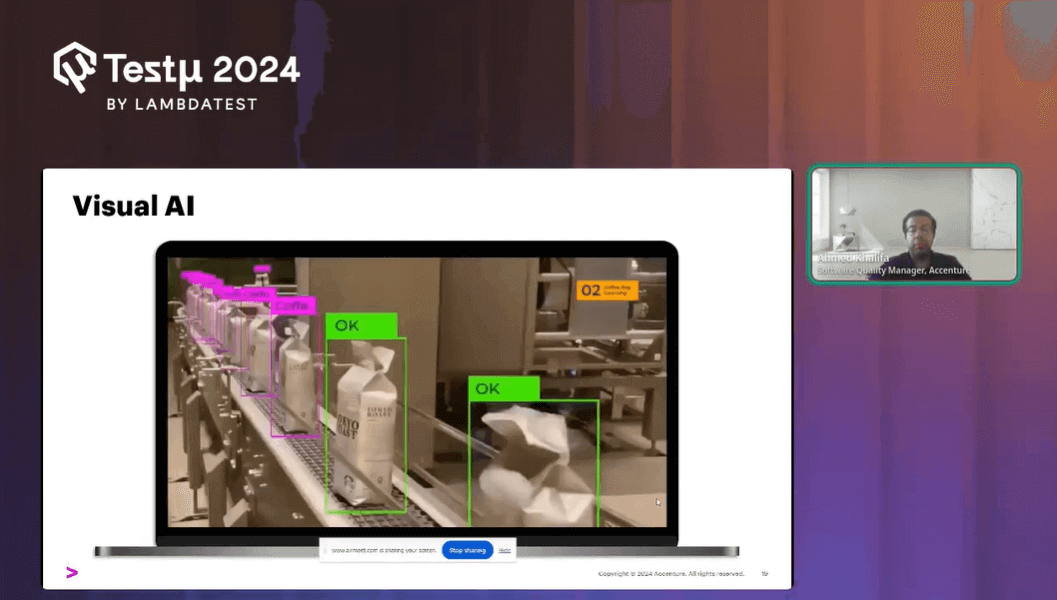
Inspired by the capabilities of AI technologies used in self-driving cars such as detecting stop signs, crosswalks, and pedestrians developers began to explore how similar AI could be applied to visual testing. The concept was simple: if AI could effectively identify and analyze visual cues in complex environments, it could also be used to detect visual differences in software interfaces.
How Visual AI Works
Visual AI represents an evolution beyond traditional methods like pixel-to-pixel and DOM-based comparisons. Here’s how it improves the process:
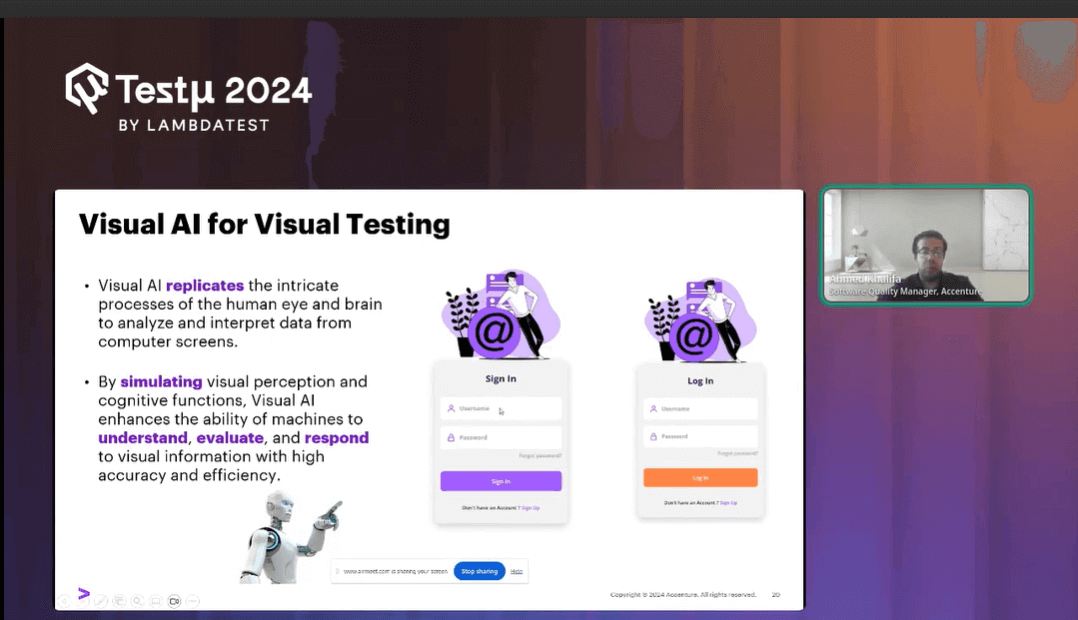
- Human-Like Analysis: Visual AI mimics the way human testers evaluate a webpage. Instead of focusing on pixel differences or DOM structure, it analyzes the page element by element considering aspects like size, content, color, and spacing.
- Element Classification: Visual AI classifies elements on a page, identifying components such as buttons, drop-down menus, lists, and images. This classification helps in comparing elements across different versions of the application without being misled by pixel-level changes.
- Dealing with Elements: Rather than treating text as pixels, Visual AI recognizes it as text. Similarly, it processes images as images, not as a collection of pixels, reducing the likelihood of false positives that plagued earlier methods.
The Impact of Visual AI on Testing
Visual AI brought several advantages to the world of visual testing:
- Reduced False Positives: By focusing on elements rather than pixels, Visual AI significantly decreases the number of false positives, making it easier for testers to identify genuine issues.
- Cross-Browser and Cross-Device Testing: Visual AI facilitates testing across multiple browsers and devices with different viewports, ensuring that the UI is consistent and functional across various platforms.
- Element-Level Precision: The ability to classify and differentiate elements precisely allows testers to catch subtle changes that might have gone unnoticed with previous methods.
Tools Leveraging Visual AI
Ahmed talked about how modern testing tools have integrated Visual AI to enhance their capabilities. Some notable examples include:
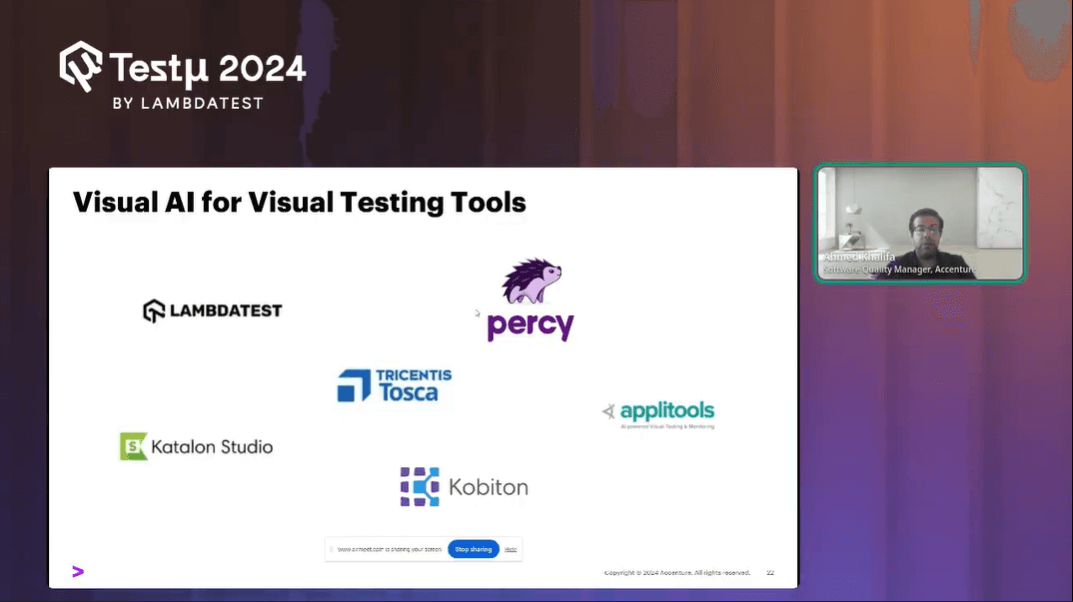
- TestMu AI SmartUI
- Tosca
- Applitools
- Percy
These tools leverage Visual AI to offer more accurate and efficient visual testing solutions, providing testers with the ability to validate interfaces across multiple environments with just a few clicks.
Visual Testing With SmartUI
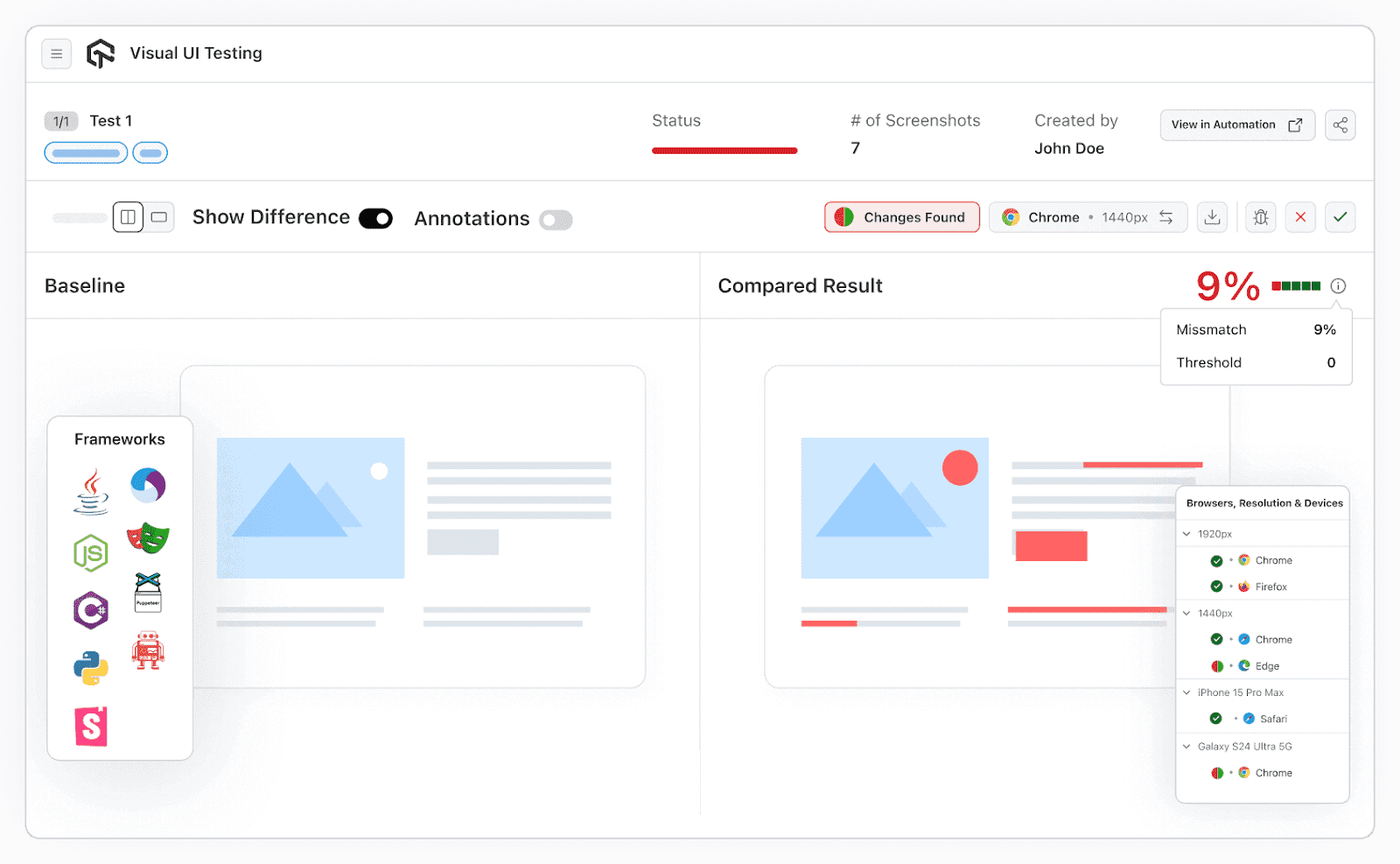
TestMu AI’s AI-native Visual Regression Testing Cloud, SmartUI, guarantees UI perfection by automating visual tests across browsers, websites, URLs, web apps, images, PDFs, and components, delivering fast and efficient results with precision. Test your website or web app for elusive visual bugs across 3000+ browser, OS, and device combinations.
Here’s how TestMu AI’s SmartUI can be a game-changer for your visual testing needs:
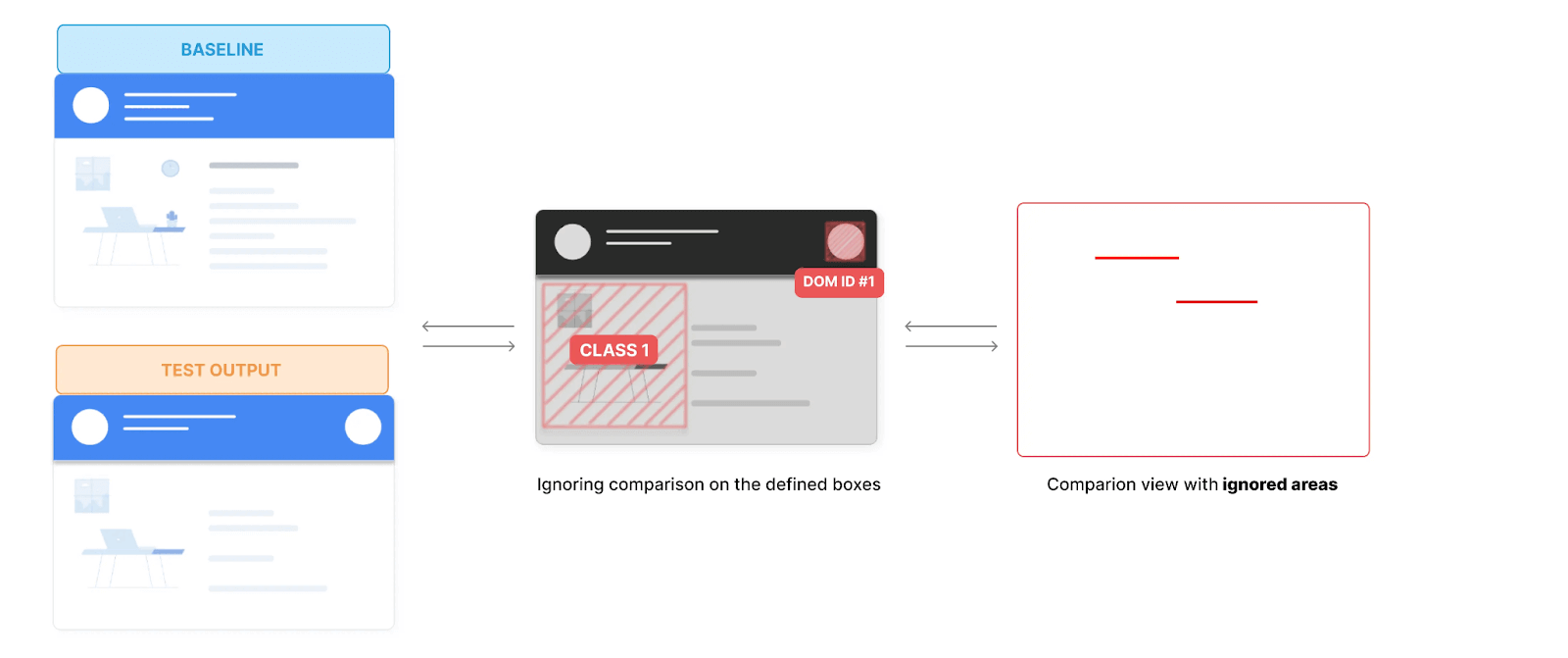
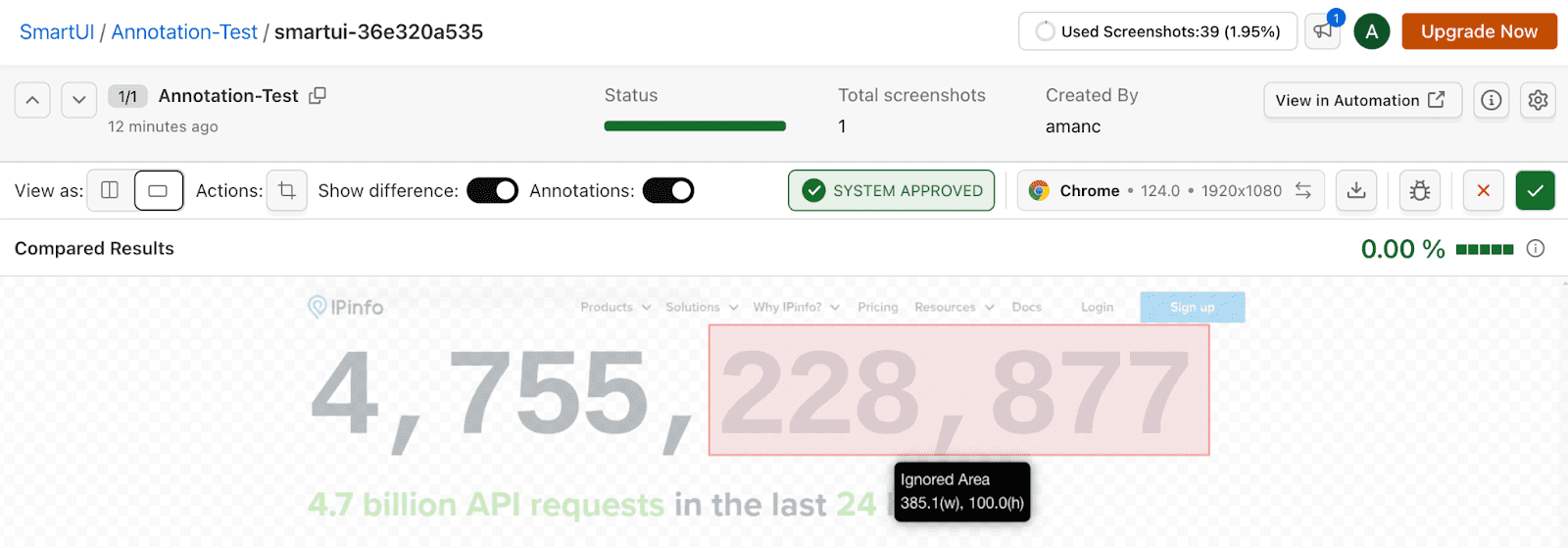
- DOM Based Responsive Testing: With SmartUI, perform regression testing in one click and efficiently organize your screenshots into different builds to match your testing suite requirements. For dynamic elements that vary in position across test runs, you can easily exclude or select specific areas to be omitted from the comparison.
- SmartIgnore: Utilize powerful AI algorithms to ignore layout shifts and displacement differences, minimizing clutter and noise. This ensures your focus remains on the critical changes that truly matter, providing a cleaner and more accurate visual analysis of your test results.
- SmartUI Annotation Tool: The SmartUI Annotation tool allows you to interact with screenshots by adding annotations, drawing, and defining regions to ignore or focus on for current and future comparisons. This helps streamline your workflow by highlighting only significant changes, saving time by avoiding irrelevant discrepancies.
- Visual Testing Storybook Components: Leverage SmartUI for visual regression testing in your Storybook projects, ensuring flawless UIs with every deployment.
- Visual Testing On Real Devices: Perform visual testing for mobile apps and browsers on real iOS and Android devices, capturing the complete user experience with ease and precision.
- CLI for Figma: SmartUI CLI for Figma lets you specify Figma components in config files and upload them directly to SmartUI for visual testing, simplifying the process without extensive coding or complex setups.
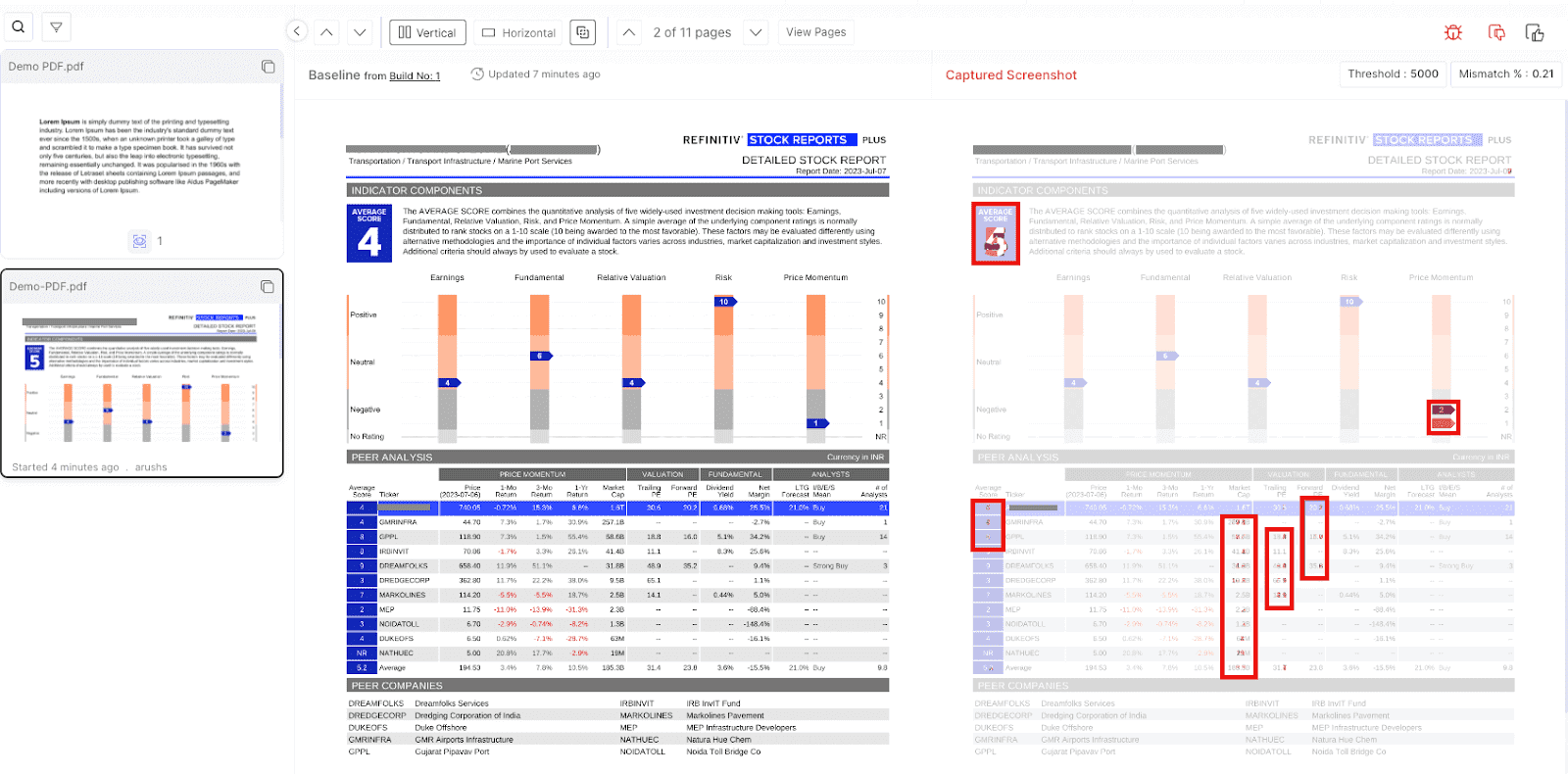
- PDF Comparison: Validate PDF documents for text, layout, graphics, and element differences, generating detailed reports for a seamless and accurate PDF testing experience.
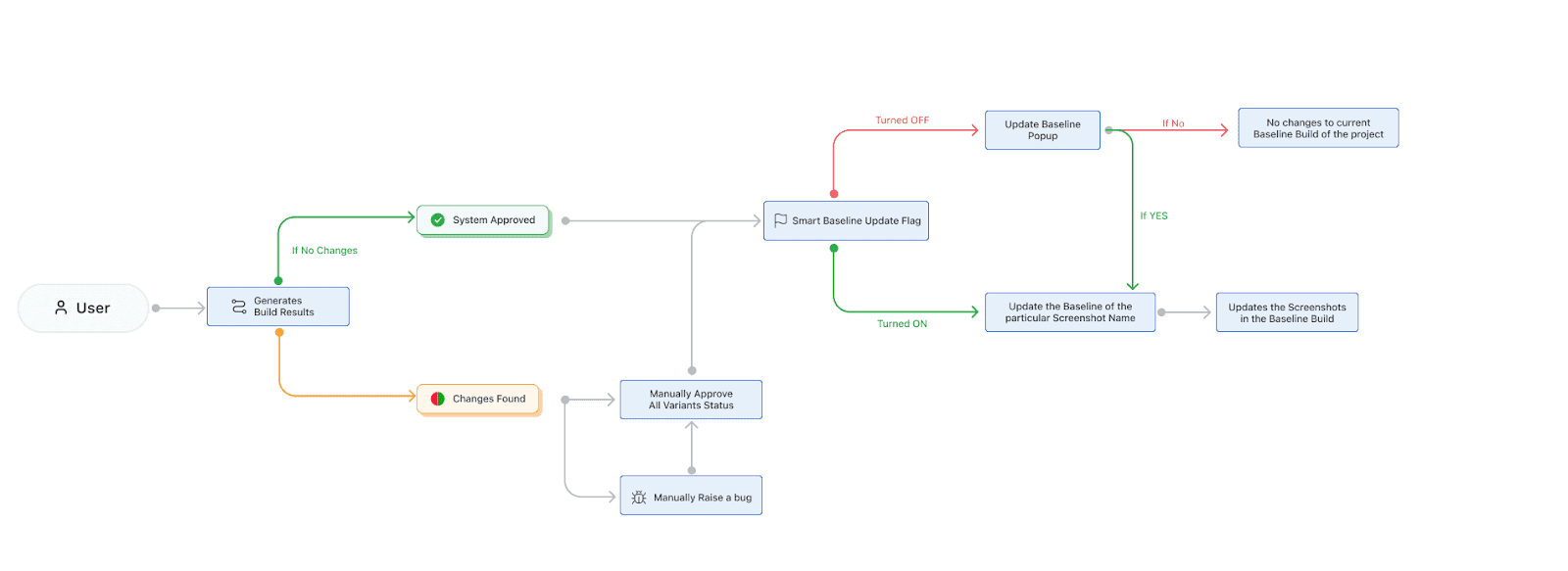
- Smart Baseline: Smart Baseline automates UI testing baseline management by automatically updating verified changes, eliminating manual effort, and enhancing workflow efficiency. It sets a new benchmark, saving users from the repetitive task of maintaining accurate baselines.
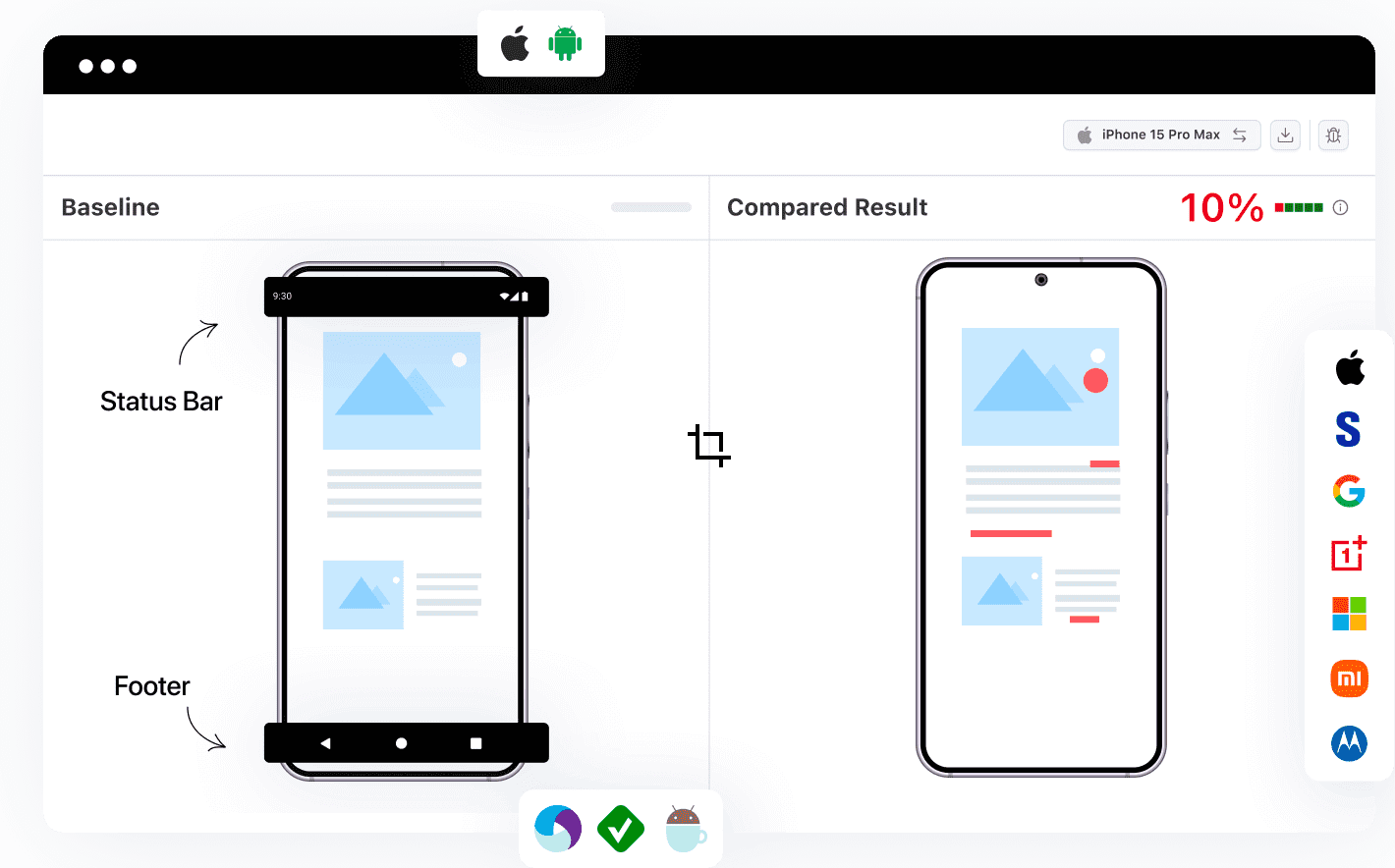
- Validate UI Without Status Bar & Footer: SmartUI’s Status Bar and Footer Ignore feature, with Appium and Espresso support, enhances visual comparisons by excluding these areas from screenshots using the visual comparison tool. This allows the focus to remain on core UI elements, minimizing false positives and improving the accuracy of visual testing.

Check out the detailed support documentation to run your first visual regression test using TestMu AI!

Note: Claim Your first 2000 screenshots/month for Visual Testing. Try Visual Testing Today!
The Rise of Generative AI and Large Language Models
In the past couple of years, Ahmed and his team witnessed the rapid rise of generative AI and large language models (LLMs), a development that’s reshaping the landscape of technology and quality engineering.
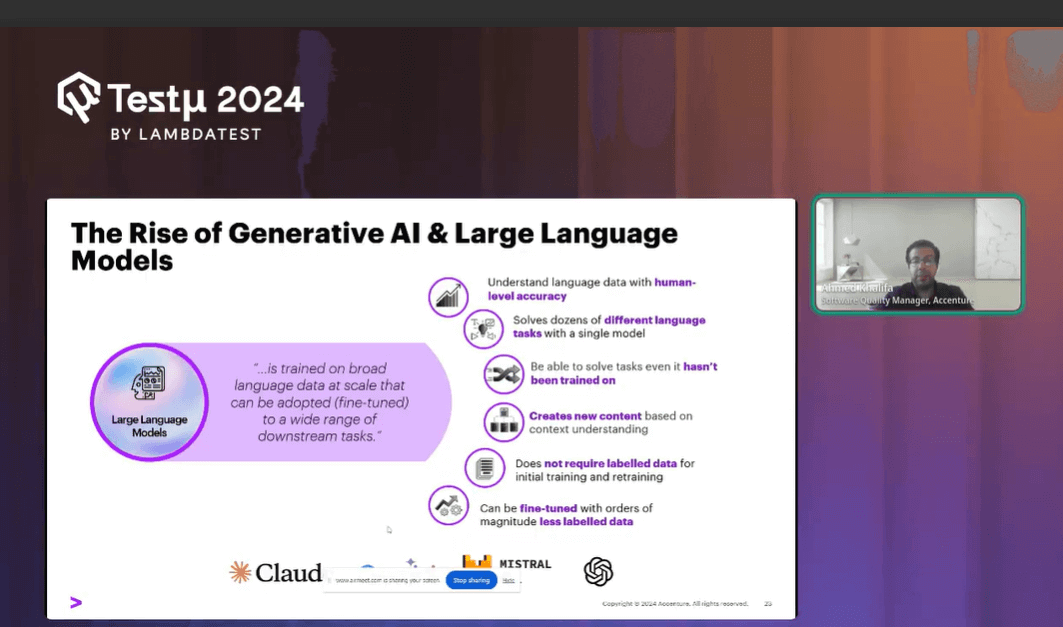
These models, such as OpenAI’s GPT-3.5 and Gemini, represent a significant leap forward in AI capabilities, particularly in their ability to understand and process natural language.
Key Features of Large Language Models
Ahmed discussed some of the key features of LLMs:
- Vast Training Data: Large language models are trained on millions of data points, allowing them to understand and generate human-like text with remarkable accuracy.
- Reasoning Abilities: These models are not just limited to text generation; they can also perform complex reasoning tasks, making them versatile tools in various domains.
- Natural Language Processing: LLMs excel at understanding and processing natural language, enabling more intuitive interactions between humans and machines.
- Pre-Trained and Fine-Tuned: One of the major advantages of LLMs is that they come pre-trained, eliminating the need for large amounts of data to get started. Moreover, they can be fine-tuned for specific tasks, enhancing their utility.
- Task Versatility: Even if a model hasn’t been explicitly trained for a particular task, it can often still solve it effectively, thanks to its deep learning capabilities.
Impact of LLMs on Quality Engineering
The rise of LLMs has opened numerous doors in the field of quality engineering:
- Enhanced Automation: With the ability to understand and generate natural language, LLMs can automate many tasks that previously required human intervention.
- Improved Testing: LLMs can assist in creating more sophisticated and accurate test cases, improving the overall quality of software.
- Adaptive Learning: These models can learn from new data and tasks, making them highly adaptable to changing requirements in quality engineering.
Transformation of LLMs from Textual Models to Advanced Applications
Ahmed continued the session by giving a brief walkthrough on how LLM has evolved in recent years. Initially, LLMs like GPT-3.5 and ChatGPT focused solely on textual inputs and outputs. However, their capabilities have continued to expand, paving the way for more advanced applications that go beyond simple text processing.
Multimodal Large Language Models in QE
In recent times, the advancements in Generative AI and Large Language Models (LLMs) have brought significant changes, particularly in quality engineering. Ahmed discusses the rise of these models and how they’ve evolved, highlighting the following key points:
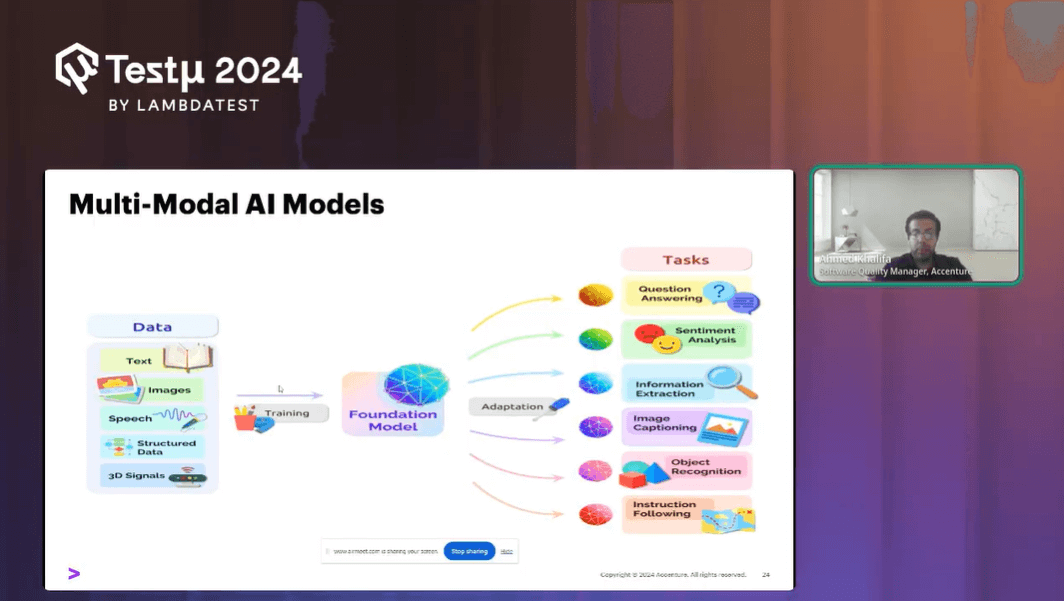
- Training of LLMs: These models, like OpenAI’s GPT-3.5 and GPT-4, are trained on vast datasets, enabling them to perform various tasks, including reasoning and understanding natural language. They can also be fine-tuned for specific tasks without needing additional data.
- Introduction of Multimodal LLMs: Unlike traditional LLMs that only process text, multimodal models can handle various inputs, such as text, images, and audio, and generate different outputs, including text, images, and videos. This opens new opportunities, especially in visual testing and quality engineering.
- Image Understanding and Comparison: Multimodal models can understand the content of images in detail, from colors to materials, and can identify differences between images with contextual understanding. This ability can enhance visual testing by comparing images and recognizing not just differences but also their significance.
- Data Extraction from Images: Multimodal models can extract data from images and present it in formats like JSON. This feature can streamline tasks like UI testing, where reference data can be automatically generated and used for future comparisons.
- Form Validation and Evolution of Models: As LLMs evolve, their ability to identify and compare differences in forms improves. For example, GPT-4 shows enhanced capabilities compared to GPT -3.5, identifying more differences and providing a better understanding of the content.
- Manual Test Case Generation: Multimodal models can quickly generate manual test cases from design wireframes, reducing the time spent on writing these cases and speeding up the testing process.
- Defect Report Generation: These models can also generate detailed defect reports by analyzing visual differences between images, including steps to reproduce, expected results, and actual outcomes, reducing the manual effort involved in result analysis.
Ahmed showcasing a small, yet super-useful experiment where he used GPT-4 for performing Visual AI tests. pic.twitter.com/sIRVSGGUet
— LambdaTest (@testmuai) August 21, 2024
Ahmed emphasizes that the evolution of LLMs, especially with multimodal capabilities, presents immense potential to revolutionize quality engineering practices by automating and enhancing various testing processes.
Impact of AI Agents on Automation in QE
As Ahmed discussed recent advancements, he stressed the concept of AI agents and how it has emerged as a significant evolution in automation and quality engineering. Building upon the foundation laid by large language models (LLMs) and multimodal models, AI agents represent a new frontier in the field. Here’s an overview of how these agents work and their impact on quality engineering:
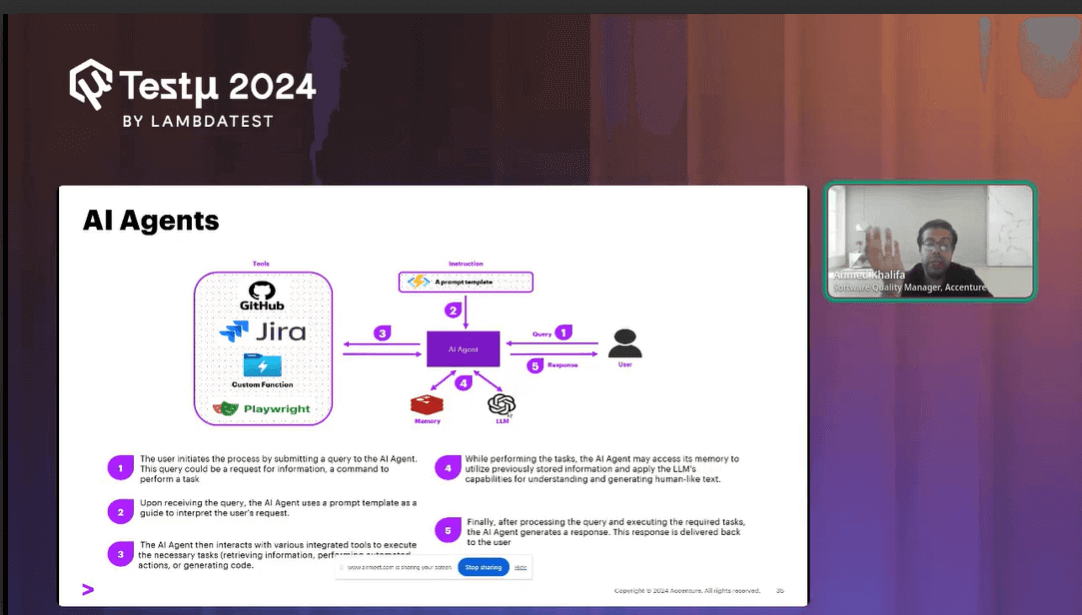
What Are AI Agents?
AI agents go beyond the capabilities of traditional LLMs, which primarily provide text-based responses. Unlike LLMs, AI agents can perform tasks by integrating reasoning with action. They leverage a framework known as Reason, Act, and React, which precisely means:
- Reason: The agent interprets the user’s query or task requirements.
- Act: Based on its reasoning, the agent selects appropriate tools and executes the task.
- React: The agent formats the output using LLM capabilities and delivers the response.
Capabilities of AI Agents
Ahmed also emphasized on the capabilities of AI agents:
- AI agents can handle a variety of tasks, including:
- Writing and executing new test cases.
- Creating and running API tests.
- Automating various processes without needing manual intervention.
Demonstrating AI Agent Capabilities: The Voyager Agent
Ahmed shared that one example of an AI agent is the Voyager agent, designed to execute actions on web browsers. Here’s a practical demonstration of its capabilities:
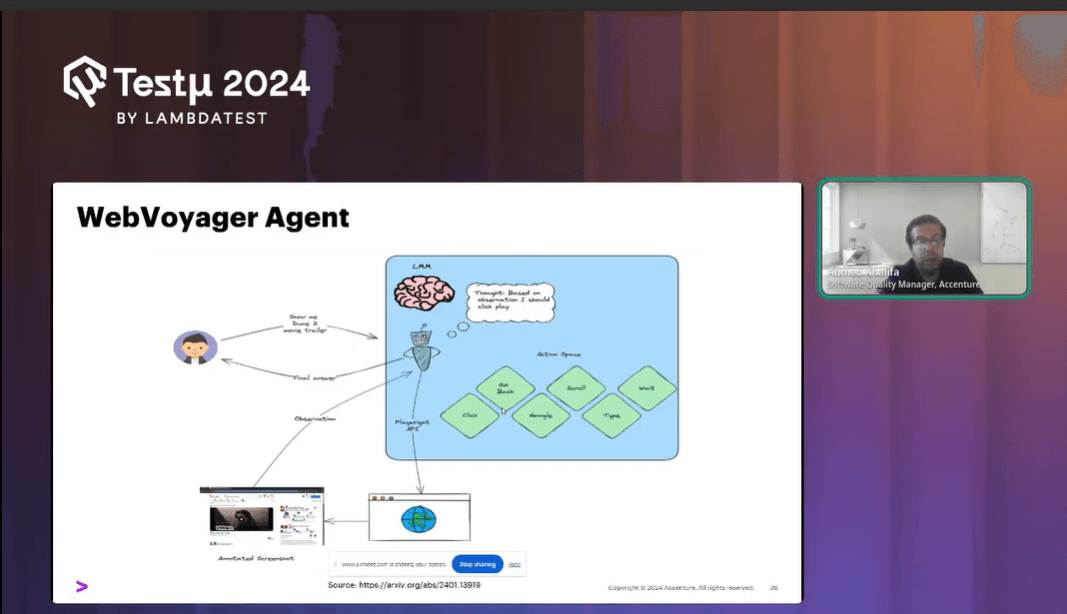
- Task Execution: The agent can perform tasks such as searching for products on e-commerce sites, selecting items, and verifying prices.
- Visual Capabilities: Voyager uses visual tagging to identify elements on a webpage. It tags elements with numbers and interacts with them based on visual cues.
Voyager in Action
Ahmed shared some of the advanced abilities of Voyager as follows:
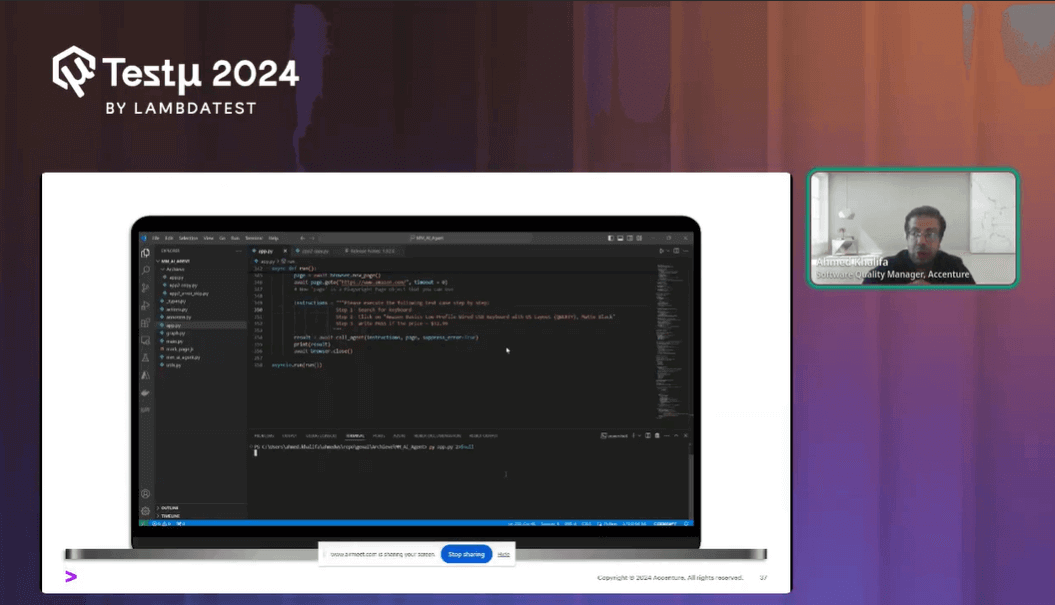
- Search and Interaction: For instance, Voyager can be programmed to search for “keyboard” on Amazon, click on specific items, and verify the price. It performs these actions by recognizing and tagging elements visually.
- Overlay Tags: The agent overlays tags on the webpage, identifying elements like search bars and product listings by their visual attributes. This allows it to interact with the webpage without predefined page object models or manual element definitions.
The Future of AI Agents in Quality Engineering
Sharing his views on the future of AI agents, Ahmed believes that agents like Voyager represent a significant advancement in automating tasks with visual capabilities. They enable more intuitive interactions with web elements, potentially eliminating the need for traditional testing tools and manual setup. As these technologies evolve, they promise to further enhance automation in quality engineering, making processes more efficient and less reliant on manual configurations.
The integration of visual AI and multimodal capabilities with AI agents is expected to transform how we approach quality engineering and automation, paving the way for more sophisticated and autonomous testing solutions.
Summing Up the Session
As Ahmed concluded the session, he summarized his insights for everyone. His discussion highlighted the progression from large language models to multimodal models and AI agents, showcasing their impact on visual testing and automation. Ahmed covered practical applications, including image comparison, data extraction, test case generation, and defect reporting.
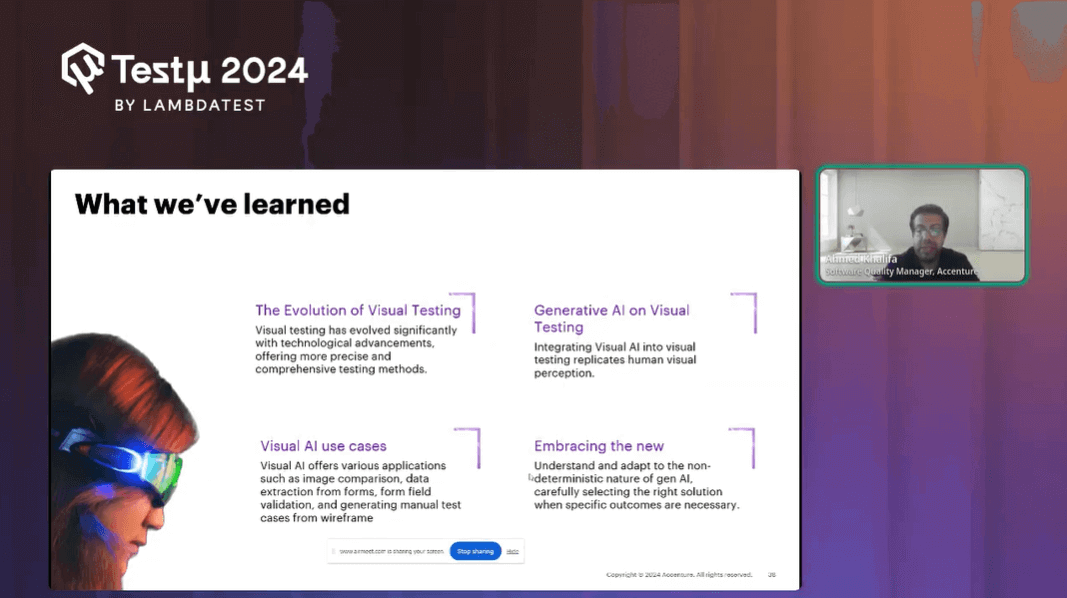
In closing, he stressed the importance of understanding and applying these technologies responsibly, ensuring that AI tools are used effectively while maintaining transparency and accountability.
Time for Some Q&A
- How can we integrate this ( Visual AI) into legacy systems?Ahmed: When working with legacy systems, it’s crucial to approach integration thoughtfully. Rather than trying to integrate everything at once, start small and choose specific areas where new technologies can be effectively applied. In my projects, for instance, we have various quality engineering capabilities, including test analysis, automation, design, and strategy. We explore how generative AI can enhance these areas, starting with small, manageable tasks to assess improvements.
- Can Visual AI handle and test dynamic elements like Video ads, Picture Ads, etc in a webpage?Ahmed: I haven’t used it for every daily task, but I did test its capabilities to showcase trends. What I found was that it effectively managed tasks such as handling pop-ups or entering codes to bypass screens. It worked well out of the box.
- How do you ensure the accuracy and reliability of test cases generated by multi-modal Generative AI?Ahmed: It’s crucial to have a human in the loop when using generative AI. While these systems can be incredibly helpful, you shouldn’t rely entirely on their outputs. It’s important to assess and verify the results yourself. Generative AI can provide a strong starting point and save you time, but ensuring reliability and accuracy still requires human oversight.
It’s also important to remember that the effectiveness of generative AI heavily depends on the quality of the input data. If the input from a legacy system is incomplete or lacks necessary information, the output may not meet expectations.
Additionally, I used it for video analysis, and it performed exceptionally. The system could slice videos into frames and accurately understand their content. Overall, it appears to be capable of handling various tasks involving video and image analysis effectively.
Got more questions? Drop them on the TestMu AI Community.


Did you find this page helpful?
More Related Hubs
TestMu AI forEnterprise
Get access to solutions built on Enterprise
grade security, privacy, & compliance
- Advanced access controls
- Advanced data retention rules
- Advanced Local Testing
- Premium Support options
- Early access to beta features
- Private Slack Channel
- Unlimited Manual Accessibility DevTools Tests