

Next-Gen App & Browser Testing Cloud
Trusted by 2 Mn+ QAs & Devs to accelerate their release cycles


Unveiling Latest Features in SmartUI for Visual Testing
Discover SmartUI's latest updates, including Slack alerts, Figma CLI support, and annotation tools.

Devansh Bhardwaj
January 10, 2026
After successfully launching the SmartUI platform, we have added more features to further improve and elevate your visual regression testing experience. This couldn’t have been possible without the consistent feedback from the developers and testers community.
That said, let’s dive in and see how these updates will change how you perform SmartUI visual testing.
SmartUI Annotation Tool
Web applications often contain dynamic elements that can create unnecessary noise in your visual testing. Consider a social media platform where the number of unread notifications might change with each test run. While these variations are expected, you don’t want them to trigger false alerts as potential regressions.
The SmartUI Annotation tool lets you directly interact with screenshots using detailed annotations. You can draw over screenshots, define regions with boxes, and choose to ignore or select these regions for current and future comparisons. By managing ignored or selected regions, you can focus your test results on significant changes, streamlining your workflow and saving time by avoiding irrelevant discrepancies.
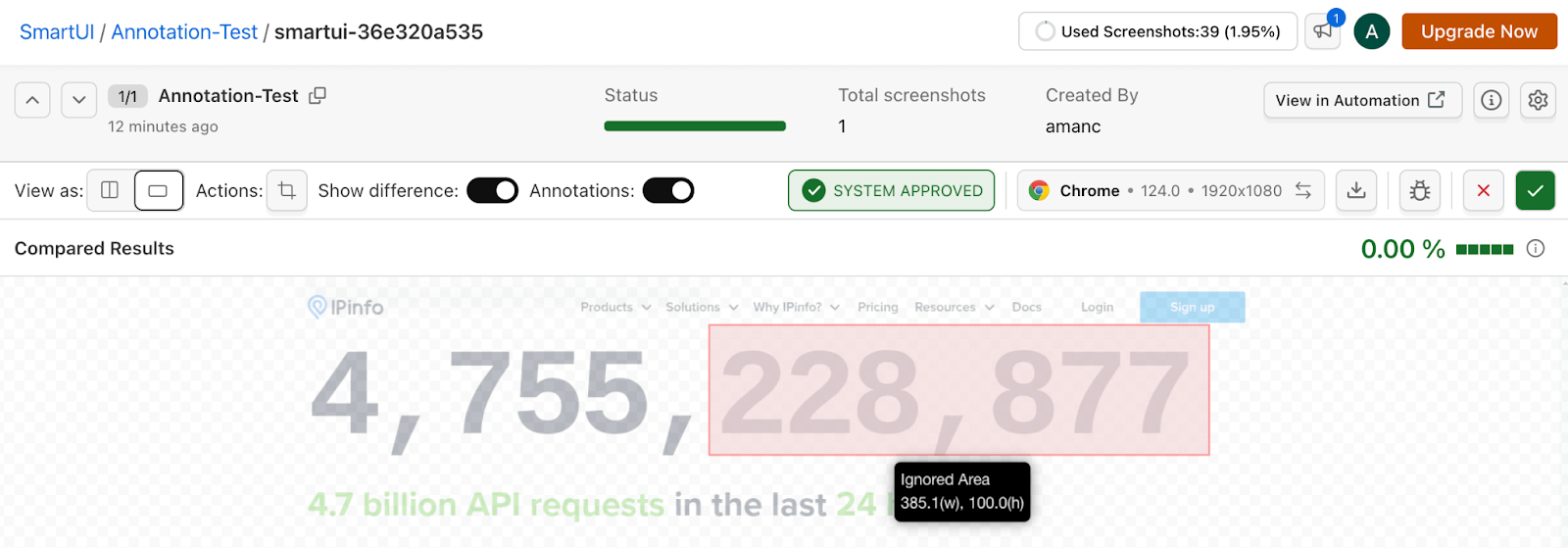
Here’s what you can do with SmartUI’s Annotation tool:
- Draw Over Screenshots: Effortlessly enhance clarity and focus by drawing on compared screenshots. This allows you to ignore or select elements that matter most to your visual testing process.
- Draw Boxes: Utilize the ‘Draw Cursor‘ option and the ‘Add Region‘ button to create and manage multiple annotation boxes. Each box displays its size, ensuring precise and informative annotations.
- Save Changes: Once you’ve made your annotations, a popup dialogue will prompt you to apply them to the current screenshot or to all browser variants, ensuring consistency across tests.
- Update Compared Screenshots: Annotating compared screenshots automatically trigger a re-run of the comparison. This guarantees that your specified regions are accurately reflected in current and future builds.
- Visibility of Annotations: Control the visibility of your annotations with a new toggle feature, which is defaulted to off. This keeps your visual field clean when annotations aren’t needed, allowing you to focus on the bigger picture.
- Tooltip Information: When the ‘Annotations‘ toggle is activated, hovering over a box displays a tooltip with detailed information, including box dimensions and its status as an ignored or selected area.
- Applicable for Every Project Type: This versatile feature is compatible with all project types, efficiently managing dynamic data where code-based ignore/select options are not supported.
Check out our detailed documentation to learn more about Annotated Regions in SmartUI.
SmartUI CLI for Figma
The recent launch of SmartUI CLI for Figma marks a major advancement in simplifying visual testing for designers. With SmartUI CLI for Figma, you can specify Figma components in configuration files and upload them directly to SmartUI for visual testing. This streamlined approach eliminates the need for extensive coding and complex configurations, making the process incredibly user-friendly.
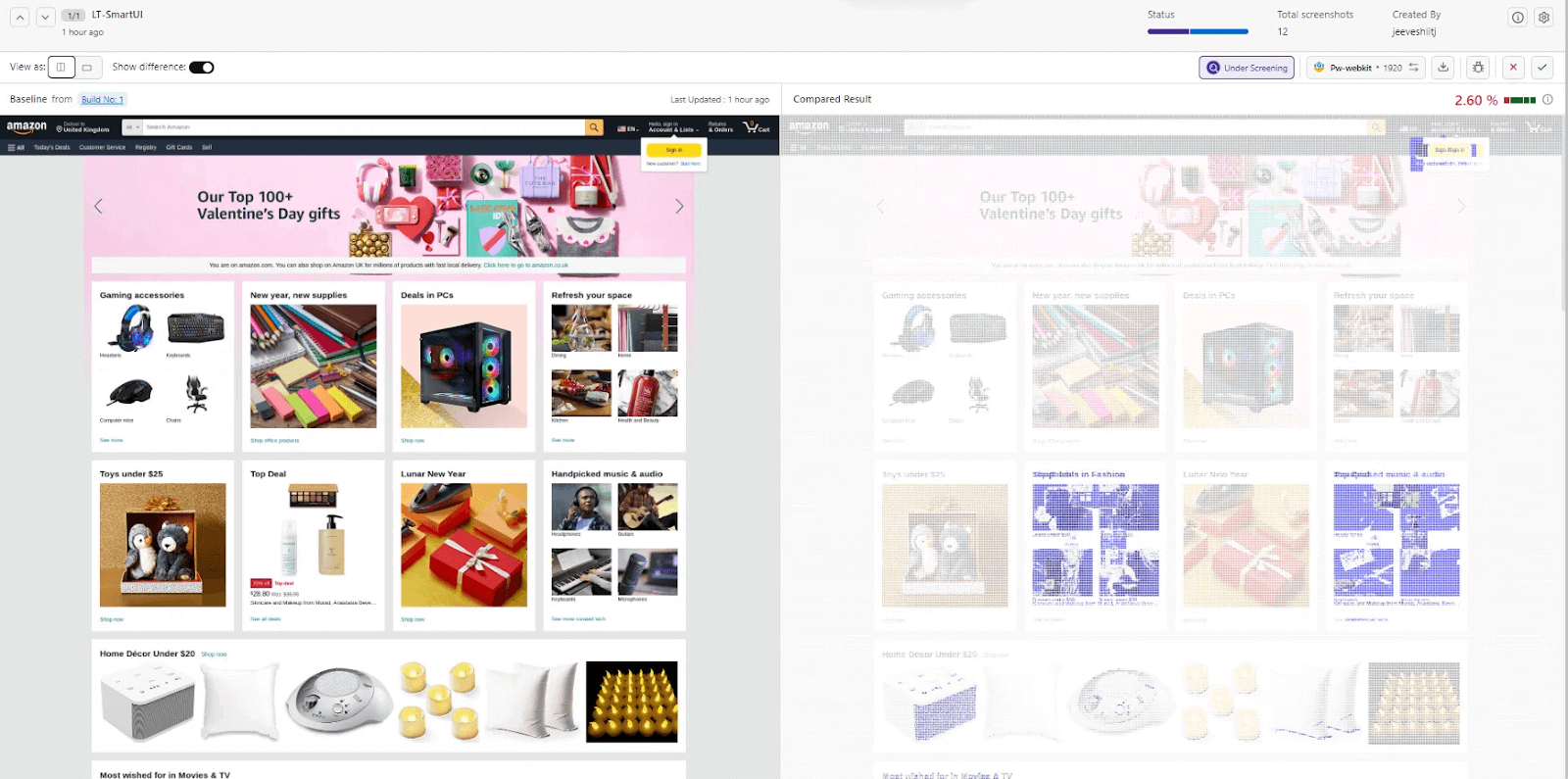
Now, you can seamlessly perform visual regression testing of your Figma designs using the command line, effortlessly identifying visual UI regression bugs. This new enhancement makes visual testing more accessible and efficient, enhancing your design workflow.
Check out our detailed documentation to know more about SmartUI Figma CLI.
Slack Alerts in SmartUI
The all-new Slack Alerts feature in SmartUI is handy for being on top of any test or baseline changes. Whenever there are changes in the test run or the baseline, the Slack Alert gets triggered, allowing you to receive real-time notifications and crucial job details directly within your Slack workspace.
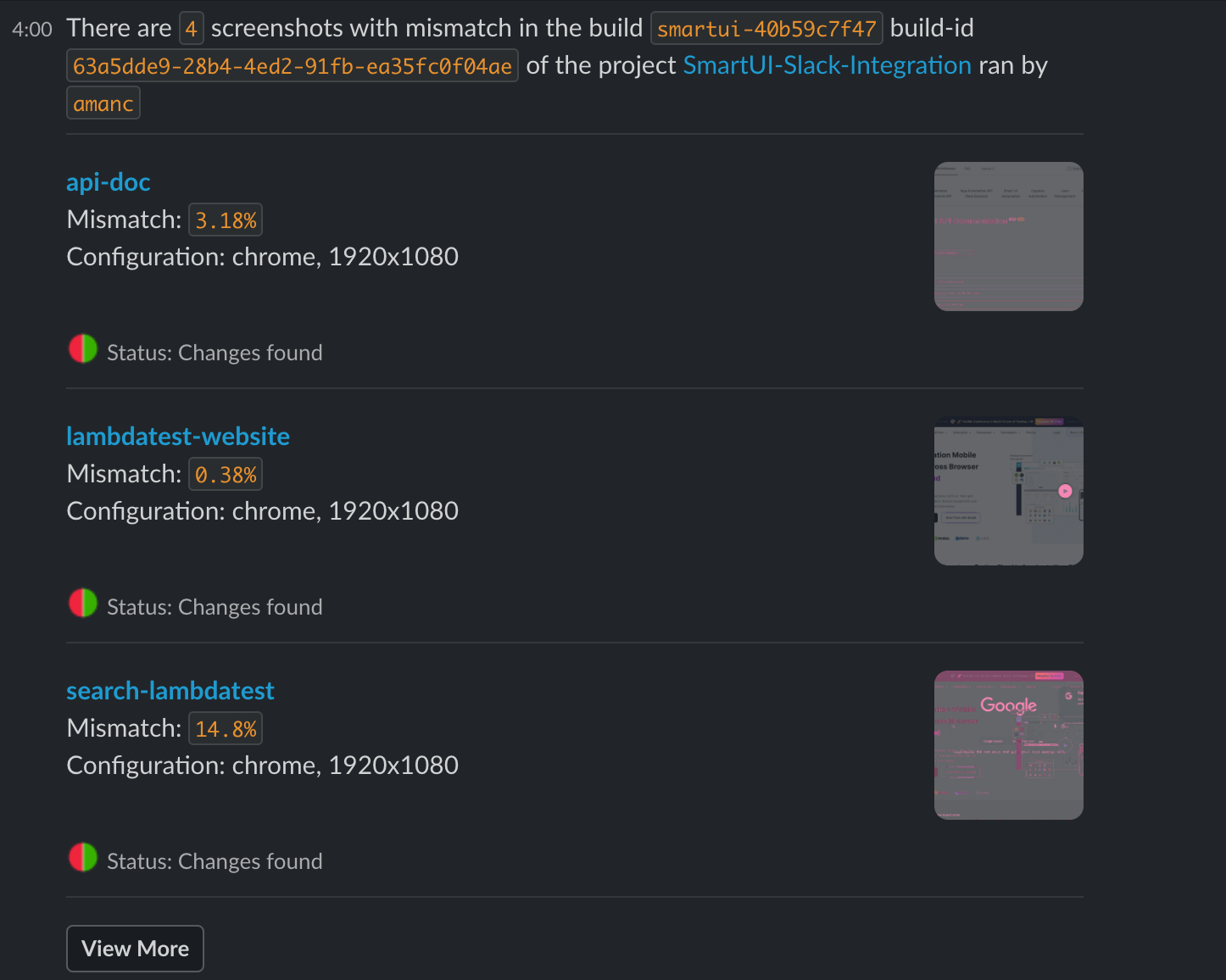
Check out our detailed documentation to know more about Slack Alerts in SmartUI.
Espresso Visual Regression Testing
To help you elevate visual testing, SmartUI now offers extended support for Espresso. Espresso is a popular testing framework for Android that simplifies writing reliable and efficient UI tests. Designed with developers in mind. QAs can now ensure that their Android app delivers a user experience that aligns with the business requirements.
Check out our detailed documentation to know more about visual testing using Espresso.
Navigation Bar Crop With SmartUI
We already had support for smartly cropping the status bar, and now we have extended the support for the navigation bar crop for both Appium and Espresso. With Smart Crop, you can remove navigation bars or footers from screenshots, allowing you to focus exclusively on core UI elements during visual comparisons.
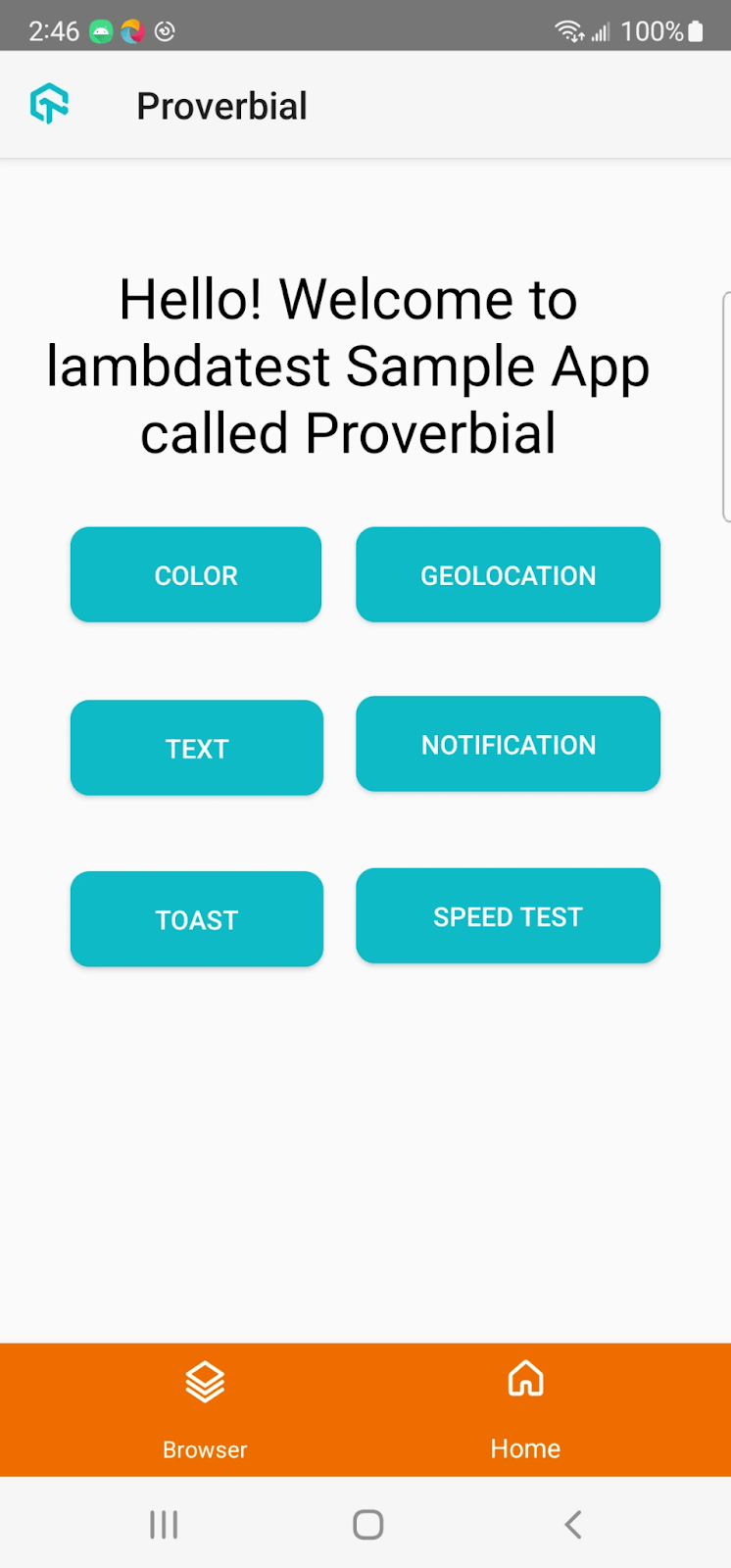
SmartUI accurately detects and crops navigation bars from screenshots using advanced machine learning algorithms. This precision ensures that your visual comparison tool can focus on the most relevant UI elements, making your visual comparisons more effective and streamlining your visual testing workflow.
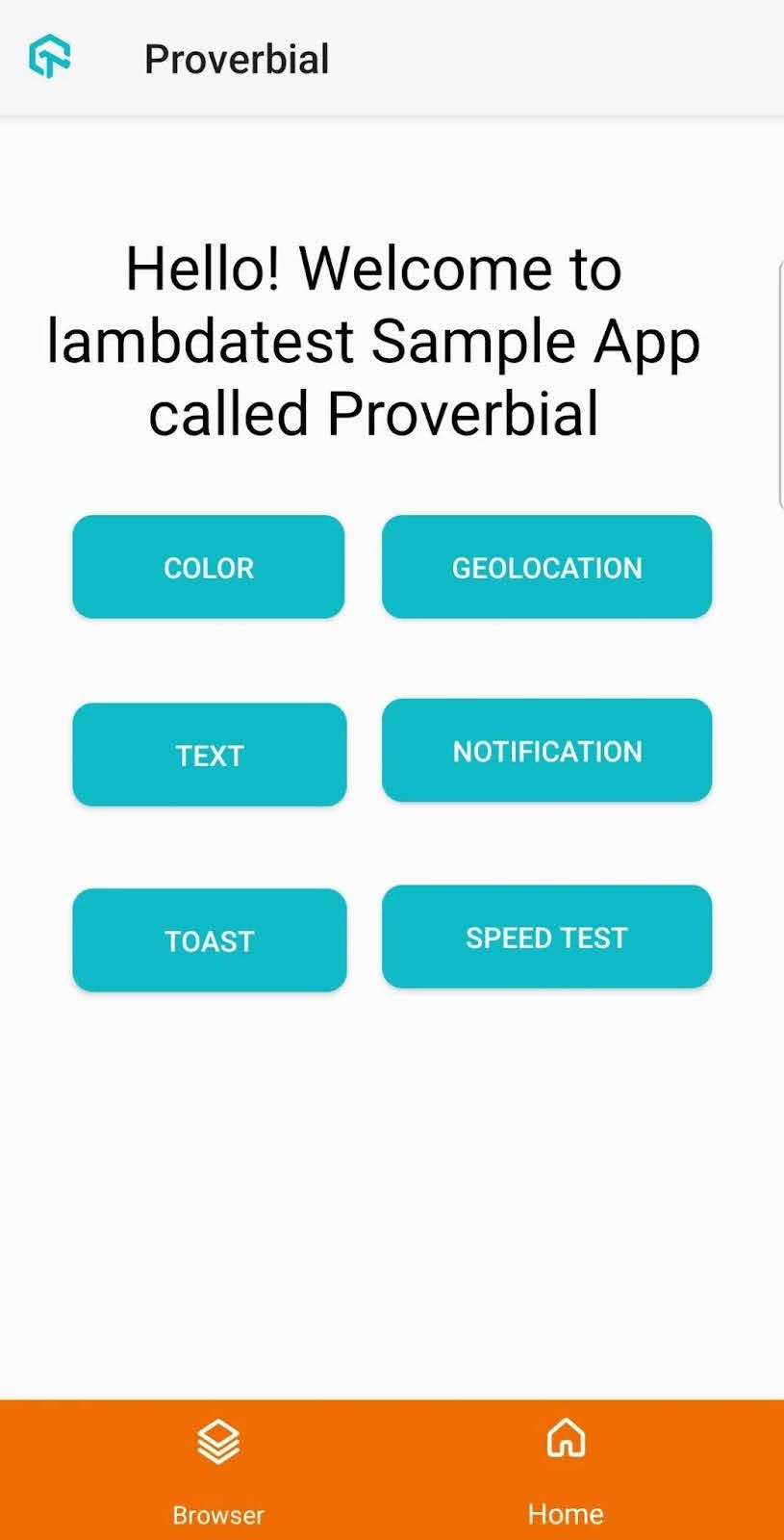
Check out our detailed documentation to know more about Smart Crop with SmartUI.
All In All!
SmartUI’s latest features revolutionize efficient and accurate visual testing. With Slack alerts, Figma CLI support, and the ability to ignore or select annotated regions, SmartUI significantly enhances your visual regression testing experience.
By opting for SmartUI, users can confidently overcome the elusive UI bugs, ensuring the delivery of pixel-perfect web apps with ease.


Did you find this page helpful?
More Related Hubs
TestMu AI forEnterprise
Get access to solutions built on Enterprise
grade security, privacy, & compliance
- Advanced access controls
- Advanced data retention rules
- Advanced Local Testing
- Premium Support options
- Early access to beta features
- Private Slack Channel
- Unlimited Manual Accessibility DevTools Tests