

Next-Gen App & Browser Testing Cloud
Trusted by 2 Mn+ QAs & Devs to accelerate their release cycles


A Beginner’s Guide To Next.js Testing
Next.js, the next-gen frontend framework is all that your React apps need. Learn more about testing Next.js applications with this Next.js testing tutorial.

Gifthiya Begum
January 21, 2026
There’s always an edge in learning new tools and technologies. As the market evolves, it’s constantly changing how we build our websites. One of the top benefits of why you should learn Next.js is how proficient we become when it comes to website development. This creates a perfect opportunity for companies that decide to trust the actual capabilities and functionalities offered by modern technologies such as Next.js.
In this blog on Next.js testing, we will learn more about Next.js, how it is being preferred as a framework for building websites and applications, and much more, including:
- Need for Next.js testing
- Key aspects to remember in Next.js testing
- Challenges involved in Next.js testing
- How to meet the challenges involved in Next.js testing
Let’s get started!
An introduction to Next.js
Next.js allows you to build simple and complex web applications much faster, making it easier to achieve faster business goals and end-user experience. This is the primary goal of the latest cutting-edge technology like Next.js.
Let us try and understand what Next.js testing is and how its growing popularity impacts many big tech giants.
Next.js is an open-source development framework based on React that allows you to build high-performance and scalable web applications. By framework, we mean that Next.js handles the tooling aspects and configurations needed for the React framework. It also provides additional features and optimizations needed to build your application.
According to Statistica, Next.js adoption has increased significantly. At present, Vercel and open-source community members maintain Next.js. Versel came up with an analysis that shows how the usage and downloads related to Next.js websites have seen immense growth over the past few years. The reason for such immense growth is that the users accept Next.js as an advanced and useful full-stack framework, and it offers great support for a variety of rendering methods.

Next.js is widely used by the most popular companies all around the world, such as Netflix, Uber, etc. It is considered one of the fastest-growing React frameworks and works perfectly for static sites.
As a result, you can build a large number of value-driven digital products and interfaces that include:
- Jamstack websites
- Web Portals
- Complex web applications
- eCommerce websites
- Responsive user interfaces
Next.js is leading the way when it comes to JavaScript frameworks. Here is why:
Here is what it allows you to:
- Build static websites that are super quick
- Improve the existing user experience
- Improve SEO for your websites
- Align development teams to deliver exceptional outcomes
Next.js has completely transformed the development ecosystem. It is an emerging technology that provides ample job opportunities for developers.
If you’re a developer or a tester and want to take your JavaScript skills to the next level, this Selenium JavaScript 101 certification from TestMu AI can help you reach that goal.

Here’s a short glimpse of the Selenium JavaScript 101 certification from TestMu AI:
More about Next.js
Next.js supports out-of-the-box solutions with three different rendering methods:
- Server-Side Rendering
- Static Site Generation
- Client-Side Rendering
In the rendering methods, the difference lies in when and where the HTML is generated for the required page.
Server-Side Rendering: The server side is a pre-rendering method where the HTML page components formation happens before the response is dispatched to the client. This applies to every request.
Static Site Generation: With the static site, the HTML is generated at build time and is reused on each request. This rendering approach is best suited for designing static websites and blogs.
Client-Side Rendering: Client-side rendering is performed on the client or user machine with no server activity involved.
You can opt for different rendering methods for multiple pages based on the requirements. This helps to improve the overall website or app performance testing, enhances the end-user experience, and introduces a plethora of customization options.
The following are some of the key advantages you get when building an application using Next.js:
- Improved page load response: Next.js websites are lightning-fast, and the visitors are pleased with the overall website performance load tests as page load happens in a really short time.
- Adaptable And Responsive: The web applications built using Next.js can work on any device and can easily adapt to any screen size or resolution.
- Delightful Developer Experience: Developers can have great experience building websites considering the wide range of capabilities and feature sets that are being offered by the framework.

Note: Test on 3000+ browsers, OS, and devices. Try TestMu AI!

Need for Next.js testing
Next.js is a prominent framework when it comes to building your sites and web applications. However, there is always a need to perform website testing of Next.js websites and enterprise applications along with its bundled components. In addition, when you are working in a software development lifecycle, the development and testing teams need to perform testing to ensure that the product requirements and associated scenarios are fully tested before being deployed on the production server.
It is a best practice in Next.js to ensure the code changes are verified on the staging server before they are pushed into the customer environment. This ensures:
- Code quality is maintained
- Key performance metrics are met
- The test cases associated with each component are validated
- All the required teams and stakeholders can provide a go-ahead if the testing requirements are met.
Key aspects to remember in the case of Next.js testing
If you are trying to perform Next.js testing of your Next.js application, there are a lot of key aspects that you should remember.
The prominent ones are:
- Cost factor: Building a Next.js application can be an expensive option, so if you can bear the additional costs related to the development framework and testing strategies, then you can surely move ahead and develop high-value applications.
- Faster Time to Market Product: Next.js provides a great opportunity when you are looking to create MVP (Minimum Viable Product). This means that you can quickly create the first version of the product and get timely feedback from your customers.
- Communication: Communication with the key stakeholders about the testing milestones is crucial. The roles and responsibilities should be communicated to the testing and development teams well in advance.
- Prioritize well: Ensure that the components or functionalities that have the maximum business impact should be given the top consideration. These components lay a solid foundation when you begin your testing.
- Deal with plugins scarcity: Many of the prominent plugins are either not supported/have some constraints when it comes to the usage aspect with Next.js. Therefore, if you want to integrate plugins into your Next.js project, consider this aspect before integrating your app/website with third-party applications.
Note: Are you planning to shift over to Next.js testing? Try TestMu AI!
Challenges involved in Next.js testing
Next.js has the potential to turn out to be your next favorite testing frontend framework. Yet, bottlenecks are unavoidable when you start working on them. Even though your code gets visualized instantly, if your focus is entirely on productivity, you might shrug off code maintainability involuntarily. Since the JavaScript variable can hold any data type value, this can cause chaos in the codebase, causing innumerable bugs and hindering productivity.
The runtime can also pose a challenge. Even a minor code change can cause your performance to drip. If you are careless about server-side rendering, your service cost might soar high.
It is important to have a working knowledge of React and Next.js before you can even think about writing your test cases. Also, you should have a sound knowledge of how you will perform testing. Writing a lot of test cases can be daunting, especially when the changes need to be deployed on the production server.
For any web application, the need for version upgrades is unavoidable, so there should be a clear strategy to ensure that the backward compatibility is maintained and the upgrade testing is carried out without any oversight.
Automation testing can be equally challenging if you do not have any prior knowledge or experience.
Companies that are matured in process and delivery aspects realize that there will be challenges encountered by everyone all along the way.
To overcome all these challenges, you need a unified platform to help you achieve your testing goals. From the rest of the sections in this article, you will understand how different automation testing platforms simplify the testing requirements for teams all around the globe.
How to meet the challenges involved in Next.js testing?
Testing your Next.js applications can be tedious at times. It is just not enough to understand the product functionalities. You should also understand the technicalities involved when you are performing tests. This is where you need a unified platform that can handle not only infrastructure requirements but also the testing teams challenges that are encountered daily. We are talking about the TestMu AI platform that has made a great impact in a real quick time.
Leading organizations rely on cloud-based platforms like TestMu AI, which offers the most powerful platform. There are more than 3000+ browser options and operating systems that are supported while you perform testing online.

Cross browser testing has become critical nowadays. This technique can work wonders when you have to check the functionality and dependencies on multiple browsers. This is a type of non-functional testing that helps you evaluate your applications’ performance. There are different pricing options available based on the requirements.
Some of the key testing options available on this platform are:
- Online Browser Testing
- Selenium Testing
- Cypress Testing
- HyperExecute
- On-Premise Selenium Grid
- Native Mobile App Testing
TestMu AI platform ensures that the user experience stays top-notch. It has a simple UI, which means that you can easily get familiar with the product functionalities quickly. When you have customers from Fortune 500 and G2000 companies, this indicates that you have some great expansion plans as part of the platform roadmap.
Organizations looking to improvise on their existing testing strategies should consider offering from TestMu AI as the best go-to option.
Join us on June 30, 2022, at 10 A.M. PST to learn about HyperExecute. This next-generation smart test orchestration platform enables businesses to run end-to-end automation tests as fast as possible.
Here are some of the free key offerings:
- You can get 60 minutes of live interactive testing and 100 minutes of free Web + Mobile Automation Testing every month free of cost.
- You can also book a free demo with the TestMu AI team so that your complex testing requirements can be fully customized.
- You can do free signup to explore different testing options available on the platform.
TestMu AI, the most commonly preferred cross browser testing platform, can let you perform live and automated browser testing for your website and web apps in the place of an online browser farm of almost 3000 browsers, OS, and devices.
Here’s a glimpse of TestMu AI cloud Selenium Grid:
You can also subscribe to the TestMu AI YouTube Channel and stay updated with the latest tutorials around Selenium testing, Cypress E2E testing, CI/CD, and more.
Why test the Next.js components?
Next.js has become one of the preferred frameworks when it comes to the development of websites and user interfaces. A new set of features and functionalities is added to every new release of the Next.js framework. This serves as a key reason to test Next.js and its associated components every time before a new version is released.
Next.js testing ensures some of the following key aspects:
- Functionalities compatible with the previous releases are working perfectly on the newer versions as well.
- The bugs that are encountered in the previous versions are now fixed.
- The non-functional aspects related to performance etc., are given due consideration.
Next.js testing components you need to know
The React model lets you deconstruct any page into a number of components. The pages reuse the majority of the components. There would be a footer and navigation bar on different pages.
Here is the code for the same:
// components/layout.js
import Navbar from './navbar'
import Footer from './footer'
export default function Layout({ children }) {
  return (
    <>
      <Navbar />
      <main>{children}</main>
      <Footer />
    </>
  )
}
Similarly, there are different components involved when you work with Next.js testing applications.
Step 1: You need to create a React project with the package named “next”, added as part of the project dependency.
Step 2: Create a folder anywhere in the system and make it your current directory.
Mkdir ProjectFolder

cd ProjectFolder
Step 3: Execute the following command to create the subdirectory named “pages”:
mkdir pages
All the pages of your website or app will be defined as a JavaScript file under the pages subdirectory.
- Index.html: This file is the entry point that contains the logic and allows the user to navigate to any other pages such as profile.html or about.html. With Next export, you can easily export the Next.js testing application directly to static HTML. You can run it in standalone mode without using the Node.js server.
- Layout: The JavaScript file that contains the overall layout details. This is applicable when you are creating a layout.
- Header: The JavaScript file that provides a standard header configuration. This is applicable when you are creating a layout.
- NavBar: The JavaScript file that provides navigation buttons functionality. This is applicable when you are creating a layout.
All the components are stored in a hierarchical structure so that you can easily refer to them when needed.
The above components are the ones that are primarily used in Next.js testing. There can be more components that can be added based on your project requirements.
How to test Next.js components?
We will discuss how you can test your Next.js applications using TestMu AI and other commonly used testing tools.
The Next.js testing is done to ensure deployed functionalities are working as per the technical requirements that are defined.
You can perform Next.js testing using:
- Cypress
- Playwright
- TestMu AI
Watch this video to learn how to write a basic script with Playwright using functions & selectors and then launch the browser to execute the test.
Testing of Next.js using Cypress
Cypress is a test runner that can help you perform End-to-End testing and Integration testing. To use the Cypress platform, you can install the Cypress package. This contains the related components and dependencies related to Cypress. Once the Cypress package is successfully installed, you need to add it to the package.json. You can also integrate your TestMu AI platform with the Cypress dashboard in case you want dual capabilities when it comes to testing.
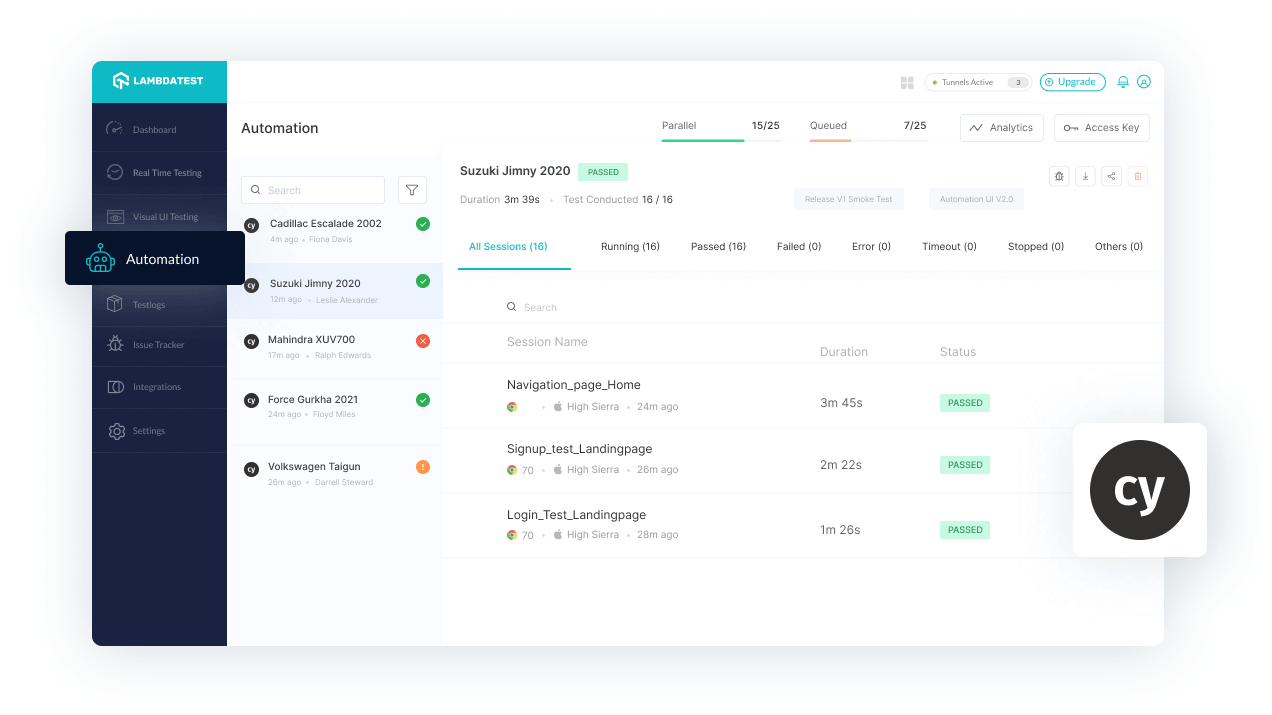
After the required configurations, use the following command to run Cypress for the very first time:
npm run cypress
You can also create your integration tests to perform Cypress testing.
Since Cypress gives you the flexibility to test your Next.js application in real-time, you need the Next.js server to be up and running before you start Cypress. It is always advisable to run tests against your production code so that you can evaluate the exact behavior of the application. Let us understand how you can run end to end tests using Cypress:
Step 1: Use the following command for generating a Next.js app:
npx create-next-app
OR
yarn create-next-app
Step 2: You can install Cypress using the following command:
npm install Cypress - -save-dev
OR
yarn add Cypress -D
Step 3: You can run Cypress for the first time using the following command:
npm run Cypress:open
OR
yarn Cypress:open
All the required files are generated automatically. The test examples appear in the root directory of the project under the Cypress folder. You can open a dedicated page in the browser to view the required changes. You can also execute the integration tests that are created. Use the Cypress or integration folder for creating new test cases for validating other sets of functionalities or features.
Testing of Next.js using Playwright
The Playwright is a testing framework that can help you write End-to-End(E2E) and Integration tests across different platforms for Playwright testing. You can automate your tests that provide significant performance improvements across multiple platforms.
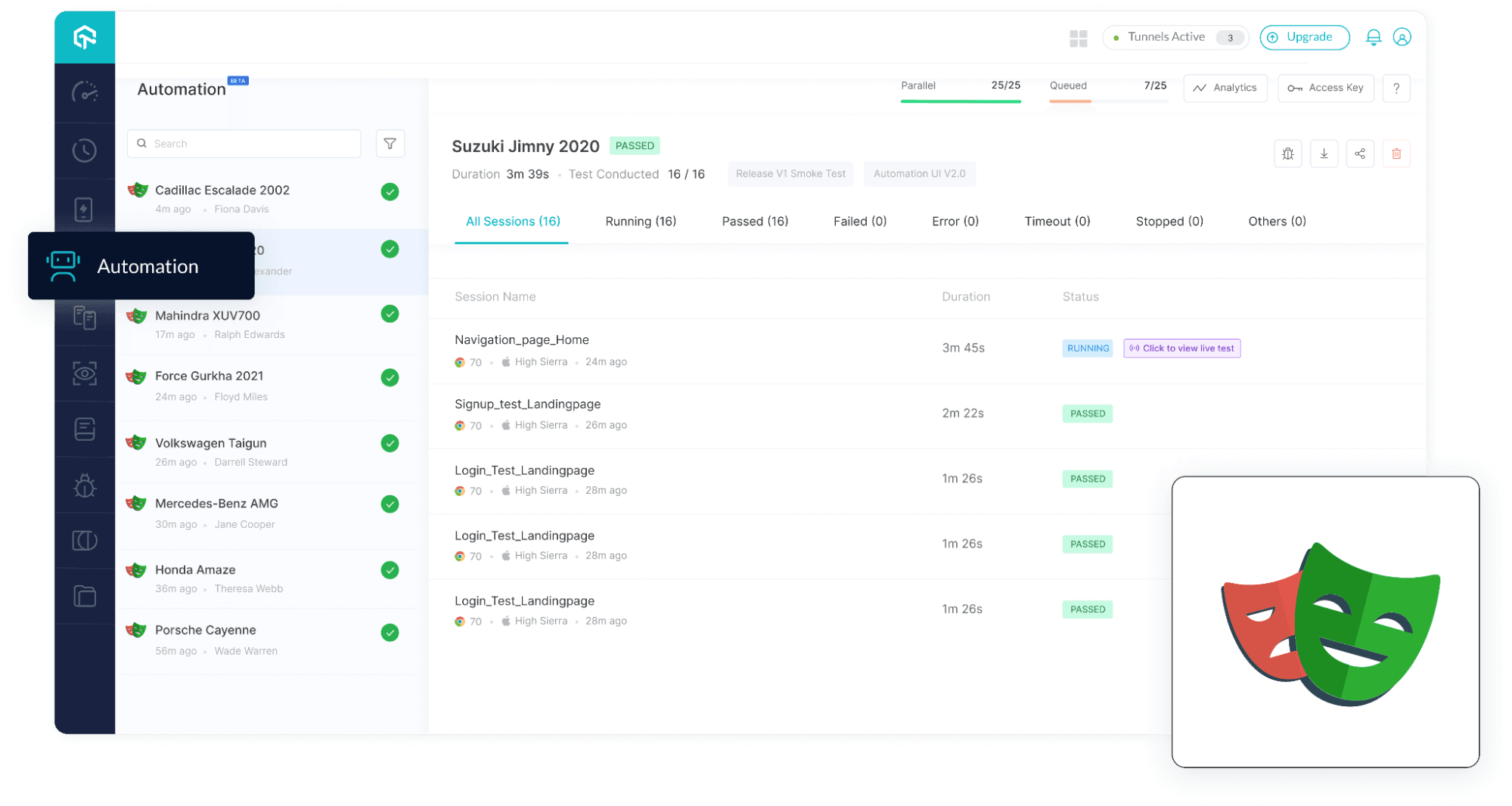
To perform the Playwright testing, you need to have the following setup:
Step 1: Use npm init playwright so that you can add Playwright to an existing project.
Step 2: Install the @playwright/test package for the project.
Step 3: Once the Playwright package is successfully installed, you need to add it to the package.json.
Step 4: Add the required tests to ensure that the expected functionality aspects of the application are working fine.
Since Playwright testing gives you the flexibility to test your Next.js application in real-time, you need the Next.js server to be up and running before you start Playwright. It is always advisable to run tests against your production code so that you can evaluate the exact behavior of the application.
Apart from Cypress and Playwright, other testing frameworks can help you to test your Next.js applications. This includes the Jest platform and React Testing Library.
You can always automate your tests so that you can get great results, but it takes less time and effort to perform the entire testing.
Note: Run Playwright scripts across 50+ browsers on cloud. Try TestMu AI!
Test Next.js using the TestMu AI platform
When you perform tests such as Regression testing, it can be extremely time-consuming. Yet you need to do it for the purpose of product stability.
How about running different parallel tests at the same time? Using automation testing, you can win a chance to test in parallel and bring down the test execution time by less than 10x. You can also automate such complicated tests.
Owing to such multiple features, test automation has been in great demand nowadays. Organizations all around the globe have realized the true value and potential of Automation testing. It is always advisable to automate your test results for improved system performance.
Given below is the screenshot of the Automation testing that can be performed on the TestMu AI platform. You can either migrate your changes from SauceLabs, BrowserStack or HeadSpin. If you do not want to import or migrate your changes, then you can choose the desired language or testing framework from the options available on the screen.
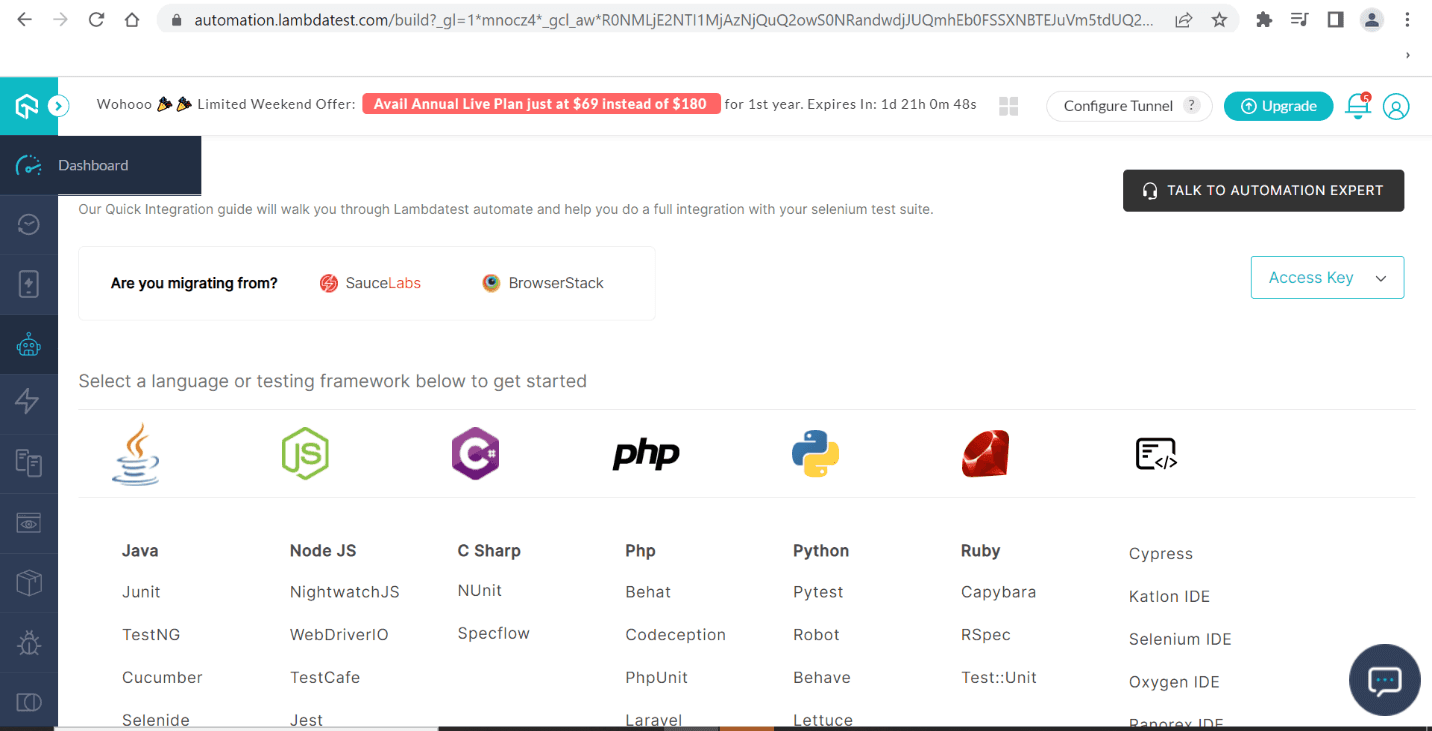
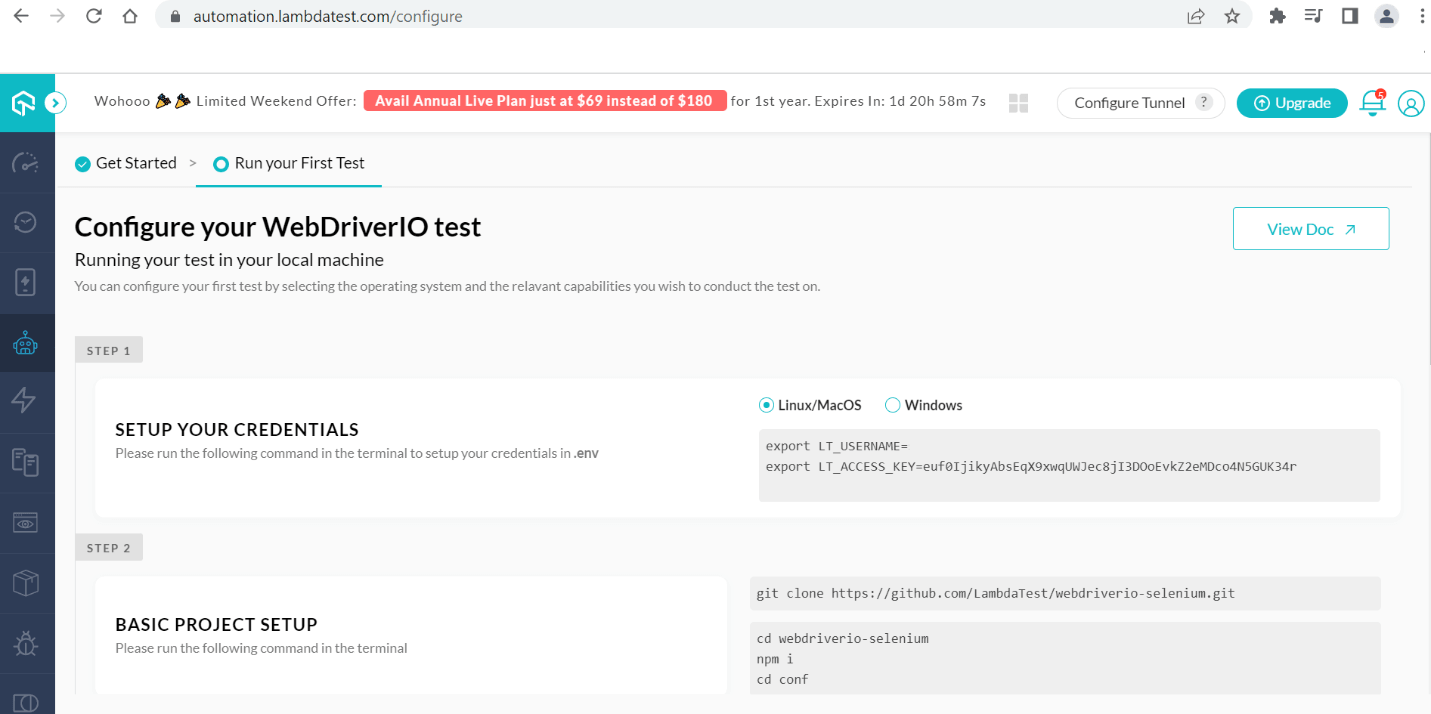
Once you make a selection for an option, you need to set up the project configurations, add OS/Browser details, copy the required code changes, and run the test cases. You can also view your test results to show the exact status in real-time.

Conclusion
If you are looking to build and test websites using the most preferred framework, then you can use Next.js along with the TestMu AI platform to achieve your desired business goals and objectives. TestMu AI Next.js integration allows you to test your website over 3000+ mobile and desktop browsers, OS, and brands across any location. If you need a next-gen testing platform, TestMu AI is the name you need to invest your trust factor.


Frequently asked questions
Did you find this page helpful?
More Related Hubs
TestMu AI forEnterprise
Get access to solutions built on Enterprise
grade security, privacy, & compliance
- Advanced access controls
- Advanced data retention rules
- Advanced Local Testing
- Premium Support options
- Early access to beta features
- Private Slack Channel
- Unlimited Manual Accessibility DevTools Tests