

Next-Gen App & Browser Testing Cloud
Trusted by 2 Mn+ QAs & Devs to accelerate their release cycles


New SmartUI Features And Improved Analytics
Check out these new SmartUI features and improved Test Analytics that can take your testing workflows to the next level.

Devansh Bhardwaj
February 10, 2026
Hola Testers!
In today’s digital world, a website or application’s first impression significantly impacts user engagement and satisfaction. To tackle this, visual regression testing has emerged as a crucial practice alongside functional testing and performance testing. It ensures seamless functionality and preserves the user experience.
At TestMu AI, we believe in continuous improvement. After listening to your valuable feedback on our visual regression testing tool, SmartUI, our talented developers decided to take your visual regression testing and test analytics experience up a notch!
We are excited to unveil the new features and upgrades of TestMu AI’s advanced UI testing platform SmartUI and Analytics. Let’s explore these exciting updates together!
Edge Browser Support For SmartUI
Now include Edge browser support in your SmartUI tests with other supported browsers such as Google Chrome, Mozilla, Firefox, and more for visual regression testing. With this update, developers and QA using Storybook can ensure seamless functionality and appearance of their product’s UI components on the Edge browser.
Capturing Full-page Screenshots With SmartUI
While performing A/B image testing with SmartUI, users needed help to take full-page screenshots to make better decisions. Along with this, capturing full-page screenshots in Storybook testing required manual configuration of the page height.
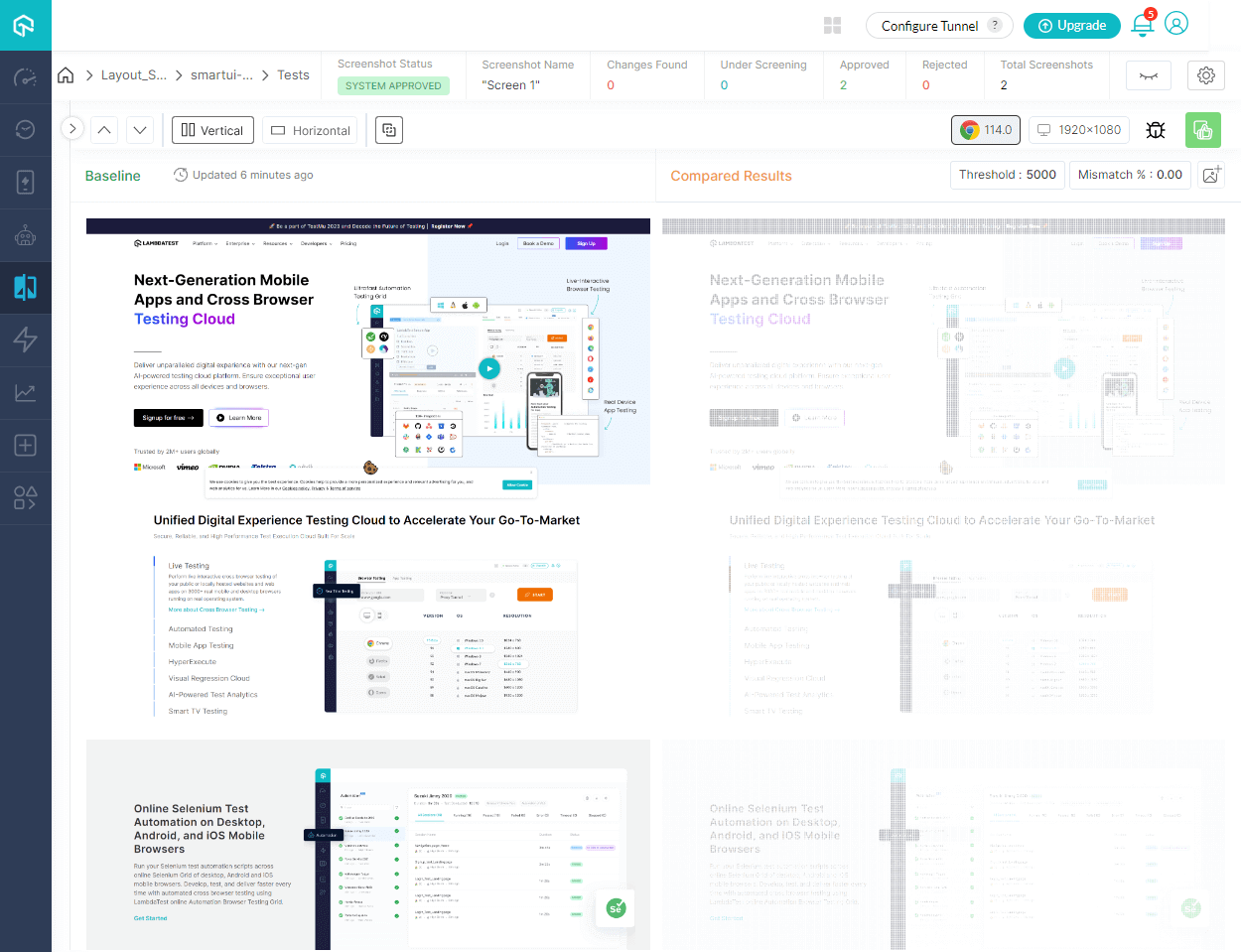
With this new update, developers and QA can capture full-page screenshots by automatically detecting and adjusting the page height with the Auto Height Detection feature. They can avoid the hassle of manually specifying the height parameter in the configuration file.
GitHub App Integration With Playwright
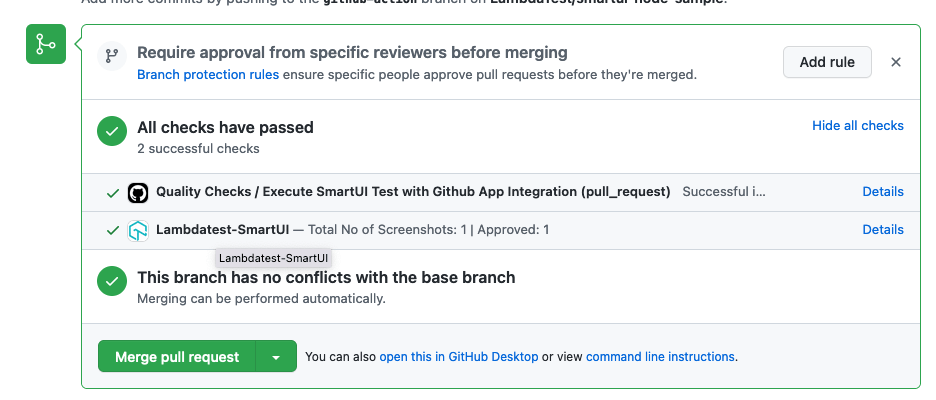
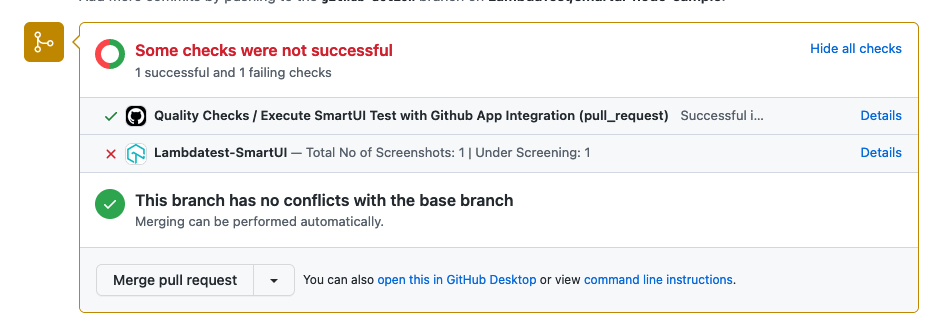
With the GitHub app integration with Playwright in SmartUI, users can now directly link their GitHub repositories to their SmartUI accounts. By connecting their GitHub repositories to SmartUI, teams can effortlessly share test scripts, review changes, and provide feedback within the GitHub environment. While using any CI tool on GitHub, users can get the status of their visual regression build along with their Pull/Push Requests.
Here is an example of a Successful feedback app state:
Here is an example of Failed feedback app state:
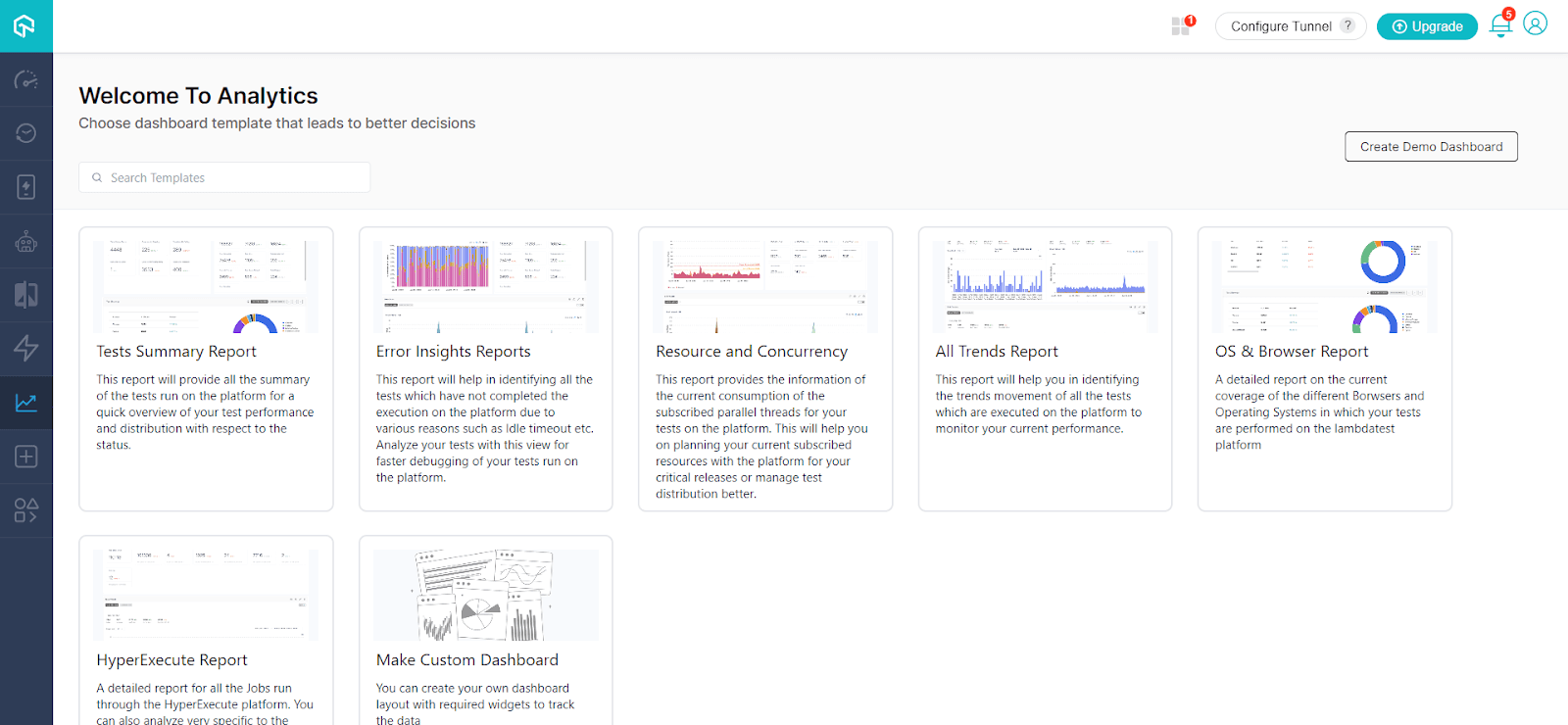
Test Analytics Templates
TestMu AI Analytics offers users the all-new Test Analytics Templates to gain access to pre-built templates that provide comprehensive insights into their test results, making it easier to analyze and interpret data. Test templates such as Test Summary Report, Error Insights Report, Resource, Concurrency, All Trends Report, and more serve as a structured framework for presenting test analytics, allowing users to customize and visualize their data in a visually appealing and meaningful manner.
By leveraging these templates, teams can save time and effort in designing and creating test reports from scratch.
All In All!
We are thrilled to present the latest enhancements to TestMu AI’s SmartUI and Analytics, designed to elevate your visual regression testing and test analytics experience. With these new features, we aim to empower developers and QA to ensure seamless functionality, improve decision-making, and enhance collaboration within their testing workflows.
Try out this latest addition and provide us with your feedback through our round-the-clock in-app Chat Support, or email us at [email protected].
Interested in exploring our previous features? Check out our Product Updates.
Happy Testing!


Did you find this page helpful?
More Related Hubs
TestMu AI forEnterprise
Get access to solutions built on Enterprise
grade security, privacy, & compliance
- Advanced access controls
- Advanced data retention rules
- Advanced Local Testing
- Premium Support options
- Early access to beta features
- Private Slack Channel
- Unlimited Manual Accessibility DevTools Tests