

Next-Gen App & Browser Testing Cloud
Trusted by 2 Mn+ QAs & Devs to accelerate their release cycles


On This Page
- Automate Geolocation testing with Playwright, Puppeteer, & Taiko
- Organize Cypress tests using the ‘project_name’ capability
- Upload apps directly from the app automation dashboard
- Run Playwright tests on HyperExecute
- New Features in Smart Visual Testing
- Pre-Loaded Extension for Chrome
- Microphone feature for Video recording, & new browsers!
- Debug your apps with the new UI Inspector!
- Copy and Paste from device to local system
- Latest integrations with Google Chat and ACCELQ

- Home
- /
- Blog
- /
- May’22 Updates: Automate Geolocation Testing With Playwright, Puppeteer, & Taiko, Pre-Loaded Chrome Extension, And Much More!
May’22 Updates: Automate Geolocation Testing With Playwright, Puppeteer, & Taiko, Pre-Loaded Chrome Extension, And Much More!
As part of the June release, we've rolled out a host of new features in automation testing, manual app testing, app test automation, HyperExecute, Smart Visual regression testing, and much more. See what's new at TestMu AI in May 2022.

Shakura Banu
January 29, 2026
To all of our loyal customers, we wish you a happy June. We have sailed half the journey, and our incredible development team is tirelessly working to make our continuous test orchestration and execution platform more scalable and dependable than ever before.
As part of the May release, we’ve rolled out a host of new features in automation testing, manual app testing, app test automation, HyperExecute, Smart Visual regression testing, and much more.
Let’s skim some exciting new product updates we have in store for you!
Automate Geolocation testing with Playwright, Puppeteer, & Taiko
Geolocation testing is a concept that evaluates how your websites and web apps perform across different geographies. And we are glad to announce that you can now perform automated geolocation testing of the websites and web apps using Playwright, Puppeteer, and Taiko.
In addition, to make debugging easier for you, we have now included the browser subversion to the video command logs in the TestMu AI Automation dashboard.
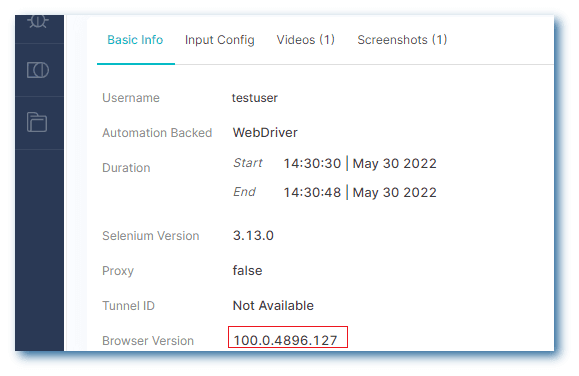
Enhancements: For better Selenium test debugging, the current parameters and answers in the command logs have been improved.

Note: Want to make your life of testing easy and fuss-free while debugging? Try LT Debug Chrome extension!
Organize Cypress tests using the ‘project_name’ capability
Now you can easily organize your Cypress builds using the new project_name capability. Looking to get started with Cypress testing, check out the below tutorial.
For more videos on Cypress UI testing, responsive testing, mobile testing, etc., please visit our TestMu AI YouTube channel.
Upload apps directly from the app automation dashboard
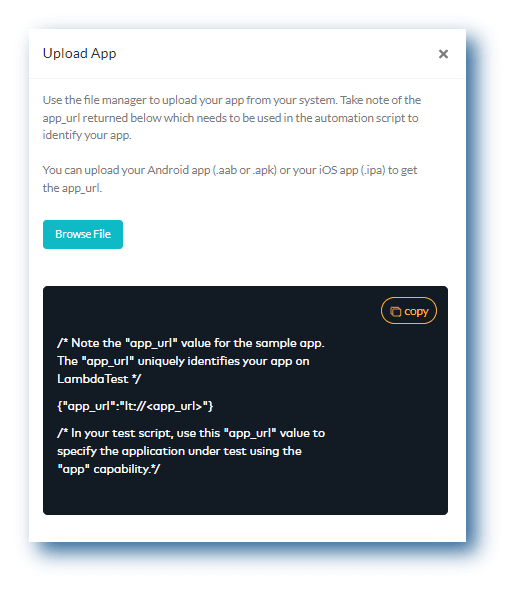
You can now upload your mobile apps – Android (.aab or.apk) or iOS (.ipa) from your local system using the TestMu AI app automation dashboard.
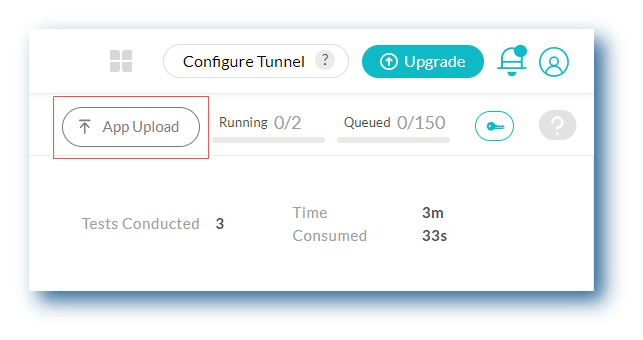
After uploading the app, you can take a note of the app_url returned to identify your app in the test script. 👇
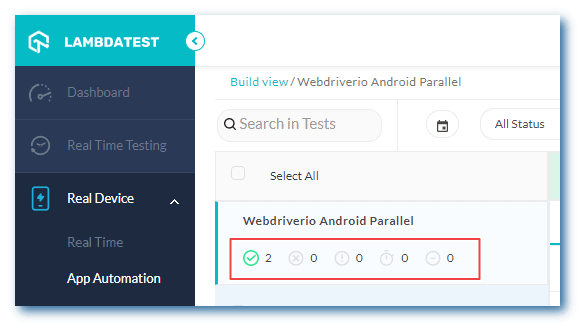
Besides, the App Automation dashboard has also received some enhancements. On the App Automation dashboard, you can now view the status of your passed and failed tests after you’ve run your automation scripts.
Note: Run app automation test across 3000+ real devices. Try TestMu AI Now!
Run Playwright tests on HyperExecute
Our blazing fast test orchestration cloud – HyperExecute supports all programming languages and popular test automation frameworks. After Selenium, we are now live with the Playwright framework for automated browser testing. Also, for an easy onboarding process, we’ve provided examples and Gitpod integration.
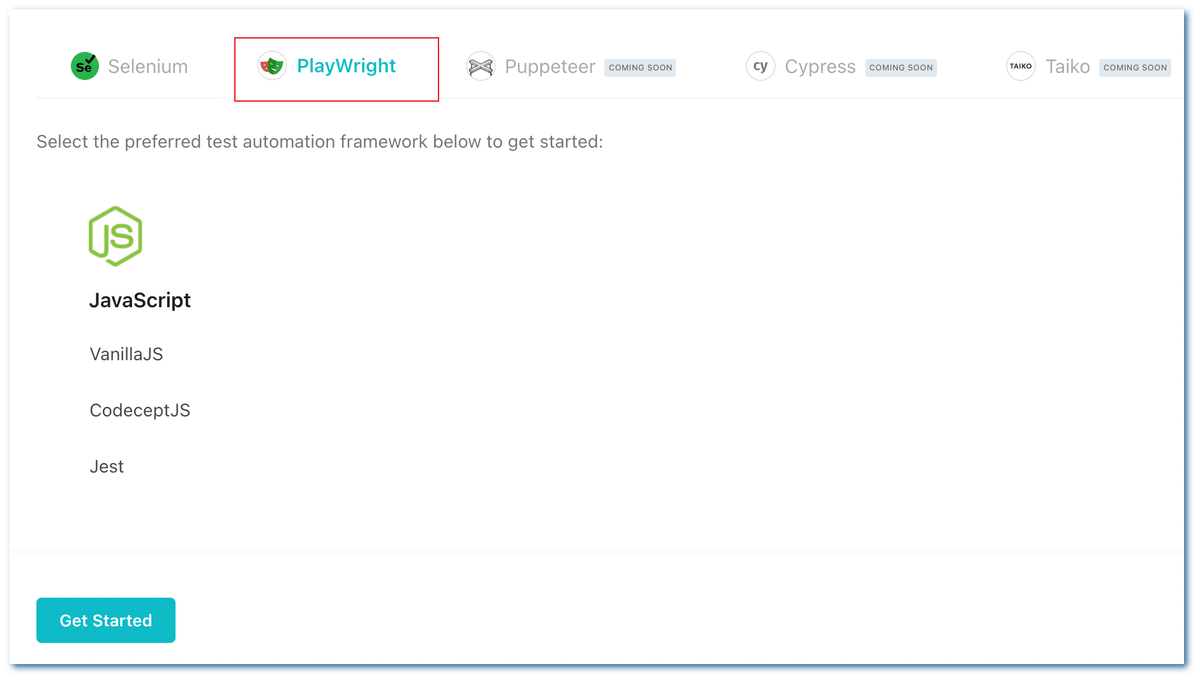
Playwright is an open-source, cross-browser automation framework that provides e2e testing without the need for any third-party tools. Learn what it is, how to install it, and how we can execute tests using Playwright.
New Features in Smart Visual Testing
Smart Visual Testing now supports email notifications to Project Approvers for Visual mismatch! Now, the Project Approver will be notified through an email for any mismatch found during Smart Visual Regression testing.
For bug tagging and annotations, the Marker feature has been introduced to the built-in image editor tools.
Pre-Loaded Extension for Chrome
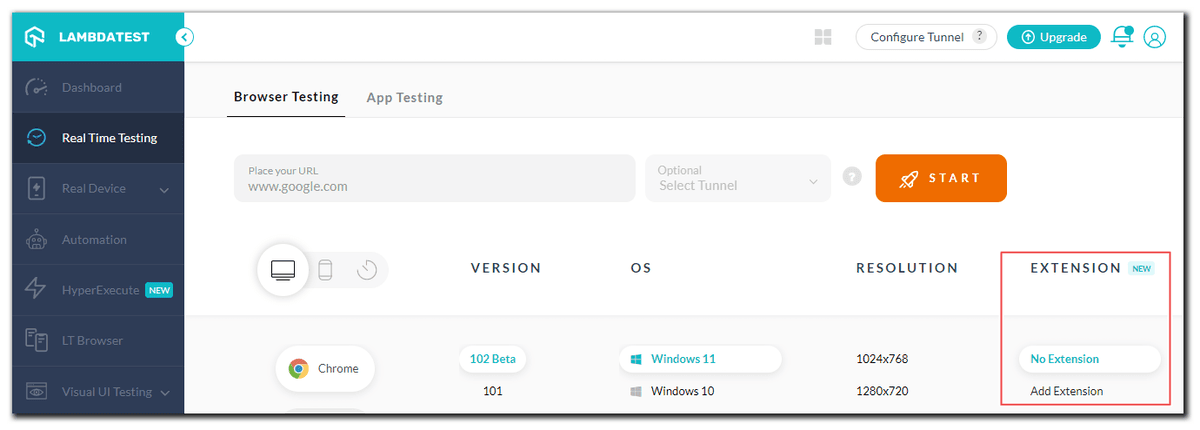
Every developer and tester should use the Google Chrome extension to increase productivity and save time on the manual cross browser testing. However, installing each Chrome extension many times while doing cross browser testing becomes tedious.
We’ve released a Pre-loaded Chrome extension to make your life easier. It allows you to add Chrome extensions before starting the test session, saving you time from having to do it frequently. Refer to our blog – introducing the new pre-loaded extension for Chrome.
You’ll have access to the same extension inside the test session. You can also use Chrome extensions while you’re in the session.
Microphone feature for Video recording, & new browsers!
You can now use a Microphone to record audio while video recording a test session on macOS Monterey and macOS Big Sur.
Latest browsers for live-interactive testing
As browsers evolve, we include them into our program to help our users in effectively completing tests. It’s critical to test your app or website in real-time on the most recent browsers to ensure that you can assess your customers’ needs and stay on top of the newest trends.
Our latest update brings you the feature to perform real-time testing on the following browsers:
- Chrome 102 Beta, 101
- Firefox 101 Beta, 100
- Edge 102 Beta, 101
- Opera 86

Here’s a short glimpse of the real time testing feature on the TestMu AI platform:
Debug your apps with the new UI Inspector!
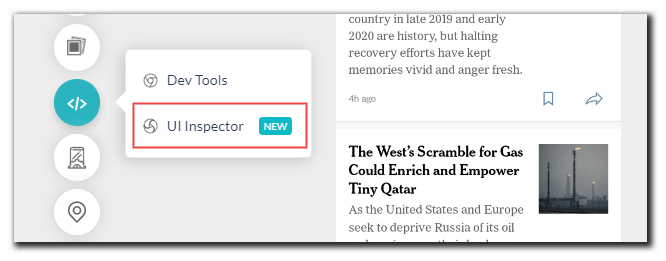
We’re excited to announce that the new UI Inspector is now available in TestMu AI’s Android Emulator App Testing. Users can inspect and download the XML logs of their mobile apps using UI Inspector.
Copy and Paste from device to local system
Nowadays, playing with remote servers is a valuable ability for all types of developers. However, there is one issue that everyone will face copying data from the distant server to your local system.
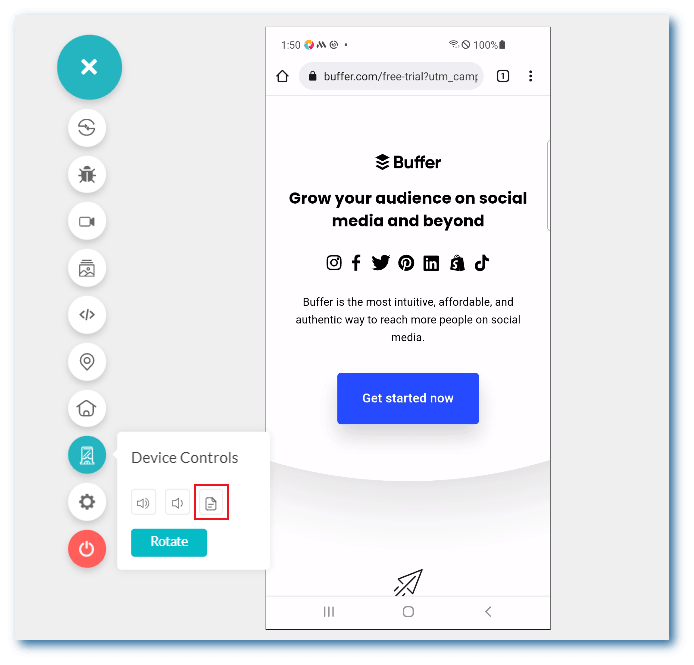
We have an exciting update for you! While performing browser and app testing, you can now copy and paste text from real devices to your local machine.

Latest integrations with Google Chat and ACCELQ
Using our integrations, we constantly try to make your testing processes easier. Last month, we launched two integrations with Google Chat and ACCELQ.
Google Chat integration: It allows you to text chat, organize collaborative chat rooms, share documents, arrange virtual seminars, and deliver presentations. Using TestMu AI and Google Chat integration, you can build test cards in Google Chats or Google Chat Rooms for logged bugs in TestMu AI.
ACCELQ integration: It is the AI-powered codeless automation cloud for achieving continuous test automation. With TestMu AI and ACCELQ integration, you can perform automated browser testing and mobile automation testing of apps across 3000+ browsers, OS, and real device combinations
Wrapping Up!
That’s all I’ve got for today! Keep an eye out for even more incredible features. We hope you like our newest additions. We’d love to hear your thoughts on the new features we’ve implemented.
We value any feedback and feature requests from our users. Please post your comments on the TestMu AI community. You can also reach out to us via our live chat portal, which is available 24/7, or via our support email, which is [email protected].
Happy Testing!


Did you find this page helpful?
More Related Hubs
TestMu AI forEnterprise
Get access to solutions built on Enterprise
grade security, privacy, & compliance
- Advanced access controls
- Advanced data retention rules
- Advanced Local Testing
- Premium Support options
- Early access to beta features
- Private Slack Channel
- Unlimited Manual Accessibility DevTools Tests