

Next-Gen App & Browser Testing Cloud
Trusted by 2 Mn+ QAs & Devs to accelerate their release cycles


On This Page
- Introducing HyperExecute For Blazing Fast Test Execution
- New Analytics Dashboard [Beta] In Automation
- Latest Browsers In Automation Testing
- TestMu AI Is Live On Datadog Marketplace
- Accessibility Testing On Windows 11 Using NVDA
- Test Mobile Apps In Offline Mode And GPS Testing
- Download Screenshot Testing Report (PDF)
- New Browsers In Real Time Testing
- Selenium Ruby 101 Certification Is Out!

- Home
- /
- Blog
- /
- Jan’22 Updates: Live With HyperExecute, New Analytics Dashboard, Datadog Integration, & More!
Jan’22 Updates: Live With HyperExecute, New Analytics Dashboard, Datadog Integration, & More!
Now capitalize the real power of automation testing with HyperExecute, view test insights with new Analytics dashboard, share Analytics, run accessibility tests on Windows 11, download screenshot testing reports, and more. Check out what’s new at TestMu AI in January 2022.

Salman Khan
January 27, 2026
Hey folks! We love to interact with you frequently to stay updated on the newest additions to our products. Keeping up with that tradition, we are back with the latest product updates, and there are plenty of them this time. We rang in the new year with a bang by introducing HyperExecute – a blazing fast next-gen Selenium testing cloud to our automation users. Then we rolled out a new Analytics dashboard in Automation, Datadog integration, accessibility testing support on Windows 11, the latest Appium versions for mobile browser automation, Selenium Ruby 101 certification, new browsers, and much more.
Isn’t it exciting? We are also thrilled to roll out these new features to make the testing workflow even more productive.
Without further ado, let’s dive into the details of last month’s updates.
Introducing HyperExecute For Blazing Fast Test Execution
We are thrilled to announce the addition of our new product – HyperExecute, to our cloud testing platform. HyperExecute delivers the speed and intelligence required to execute Selenium automated tests. Despite the fact that the tests are executed on the cloud, you can expect the speed and performance of the local Selenium Grid. Moreover, HyperExecute is up to 70% faster than standard Selenium Grid clouds.
Read More – Live With HyperExecute: Blazing Fast Next-Gen Selenium Testing Cloud
Here is a quick rundown of HyperExecute in brief.
Watch this webinar to know how HyperExecute can help businesses achieve quicker time-to-market by intelligently reducing the test execution time.
New Analytics Dashboard [Beta] In Automation
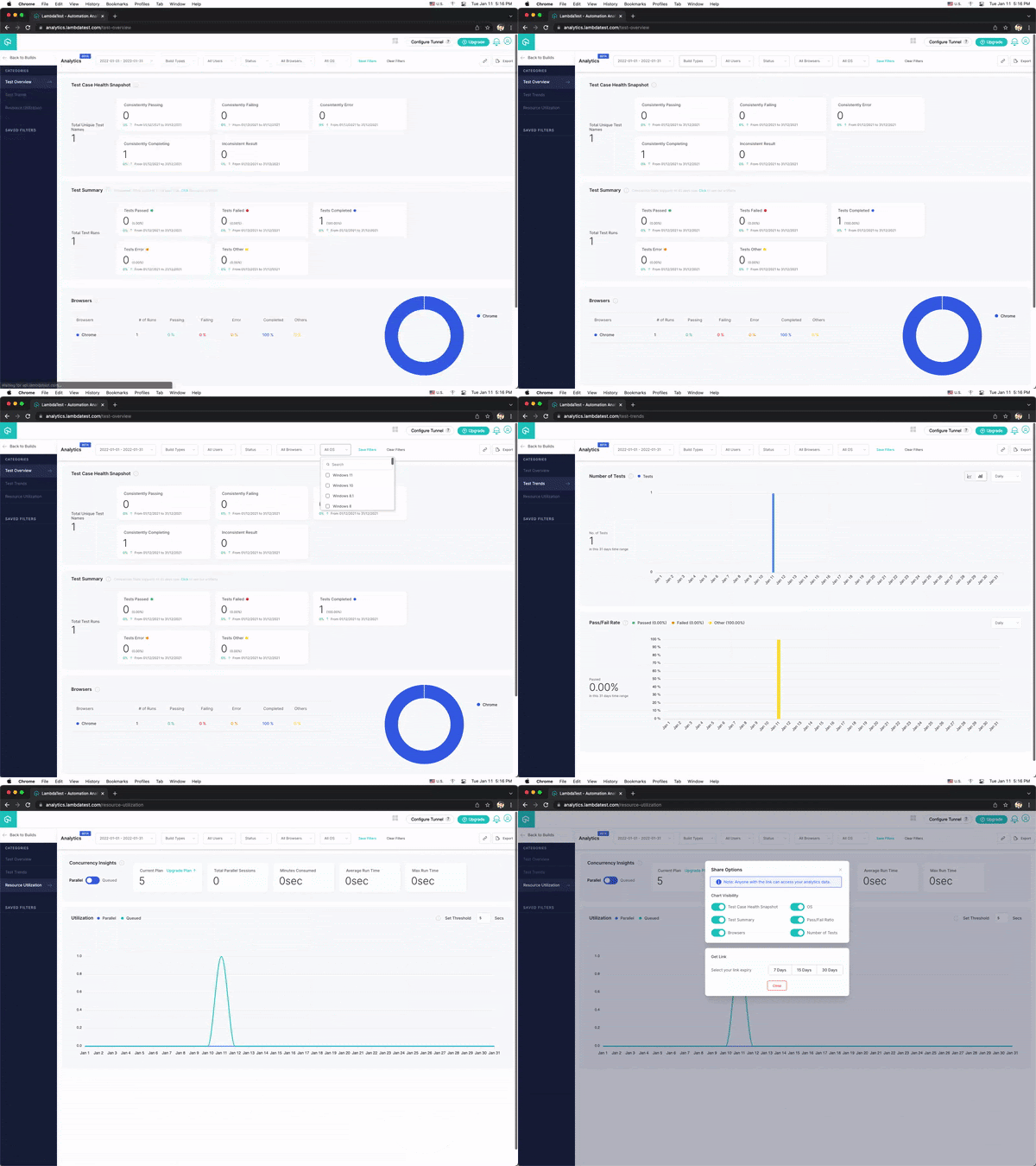
We are pleased to announce the release of an enhanced Analytics Dashboard (Beta) in Automation testing for viewing and analyzing test runs on the TestMu AI Automation platform. The new Analytics Dashboard provides a comprehensive overview and analytics for all your builds and test runs.
With the new analytics, you can conduct an in-depth analysis of:
- Test Overview – It provides a snapshot of the Test Case Health for tests that are constantly passing, consistently failing, and so on.
- Test Trends – Test trends track your total number of tests executed and pass/fail ratio on the TestMu AI platform.
- Resource Utilization – It calculates the resource usage for all tests conducted on the TestMu AI platform.
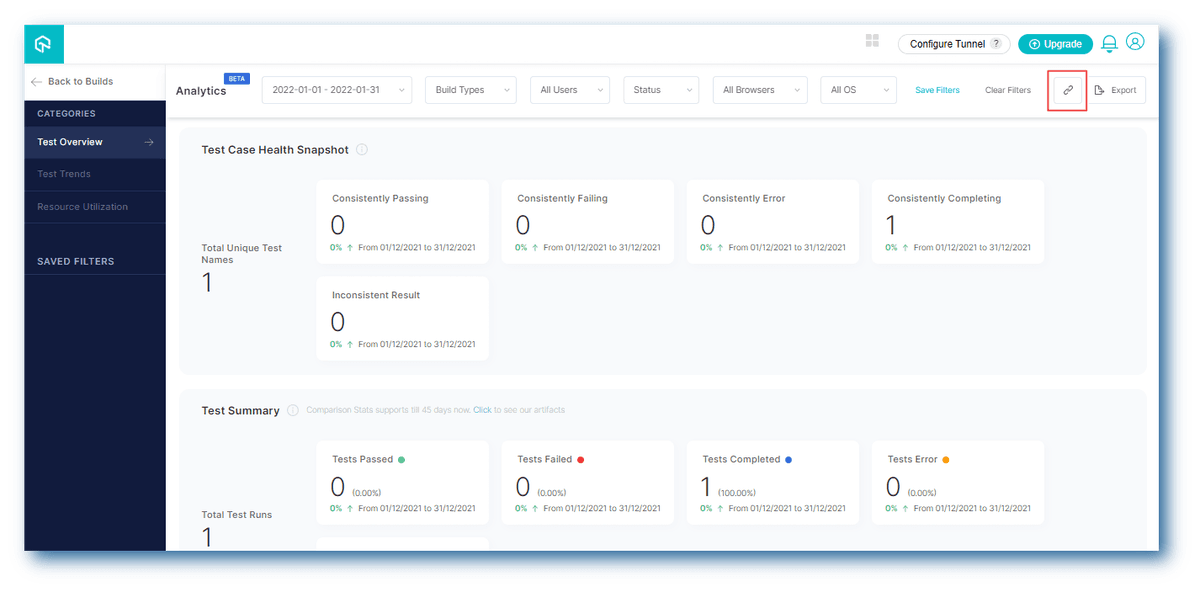
That’s not all! You can even share the Analytics dashboard with other colleagues/team members via a shareable link. To do so, select the categories you want to share, such as Test Case Health Snapshot, OS, Test Summary, etc.., set the link expiry date, and generate your link.
Bonus Addition: You can now perform Mobile browser automation on the latest Appium versions – 1.22.0 and 1.22.1. In addition, we also made some enhancements to Cypress testing like performance improvements by 30%, viewing Cypress test execution details from the terminal, and downloading artefacts using build functionality.
Latest Browsers In Automation Testing
With the latest enhancements in Automation, we have also added the new browser versions to test your websites and web apps for cross browser compatibility.
Here are the latest ones:
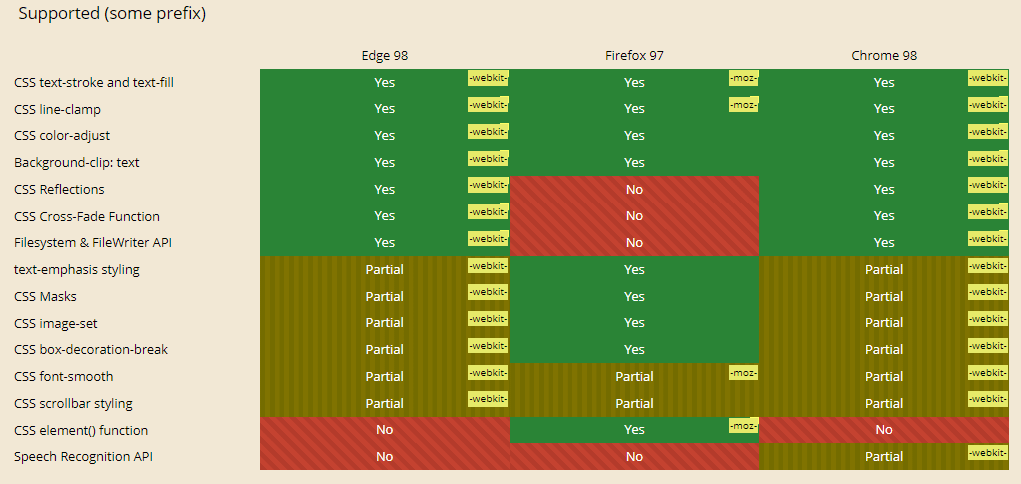
- Chrome 98 Beta, 97
- Firefox 97 Beta, 96
- Edge 98 Beta, 97
Let’s check browser compatibility between Chrome 98 Beta, Firefox 97 Beta, and Edge 98 Beta.
TestMu AI Is Live On Datadog Marketplace
We have now partnered with Datadog, a cloud monitoring and security platform. This integration is now live on Datadog Marketplace.
You can purchase a TestMu AI subscription through the Datadog Marketplace with this integration. You can go to the integration panel to start feeding data into Datadog once your TestMu AI account is set up (or if you are already a TestMu AI customer). Furthermore, you can also log issues while performing cross browser testing of websites (and web apps) from the TestMu AI platform to Datadog.
Refer to this document for TestMu AI integration with Datadog.
Accessibility Testing On Windows 11 Using NVDA
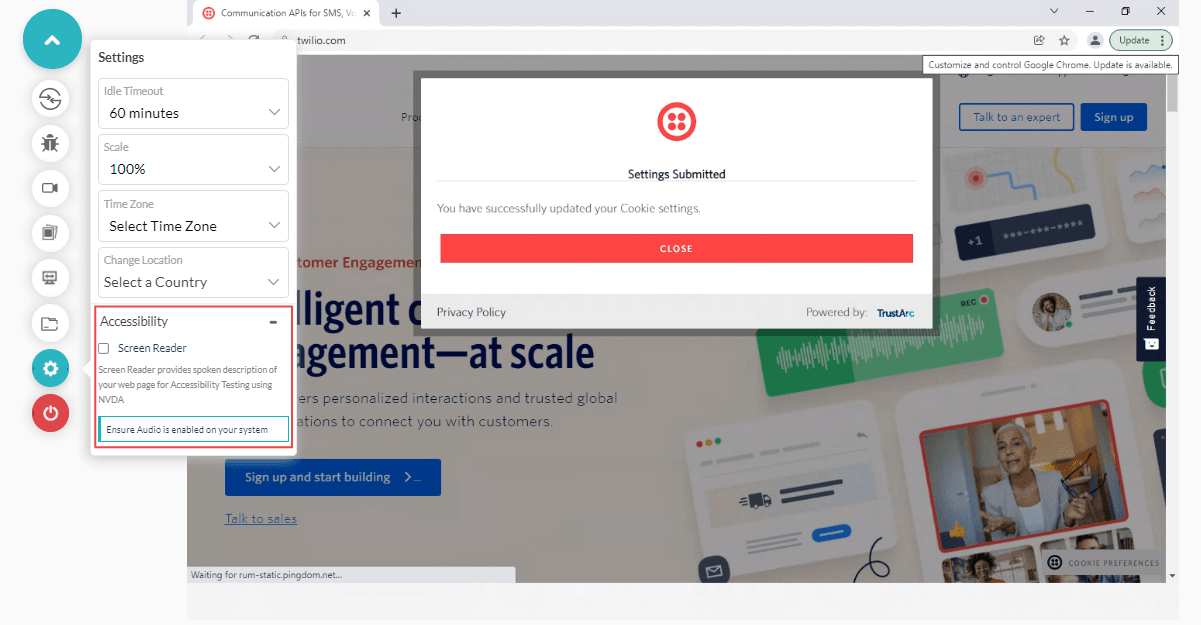
Earlier, we announced support for Accessibility testing on macOS versions and Windows 10 using NVDA. We are pleased to announce you can now run Accessibility tests on Windows 11 using NVDA on the TestMu AI cross browser testing platform.
Test Mobile Apps In Offline Mode And GPS Testing
Network throttling allows you to test apps on different network conditions like Slow 3G, Fast 3G, 4G, 5G, and offline. In addition, we have now added an offline option to test mobile apps in offline mode.
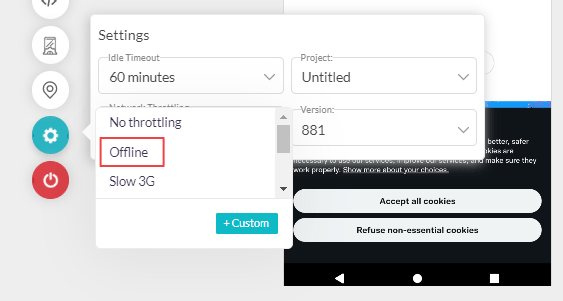
Read – How to test Mobile websites on different Network conditions?
In addition, you can now perform GPS Geolocation testing of mobile apps to replicate the device’s location to specific GPS coordinates to test location-based scenarios for your app.
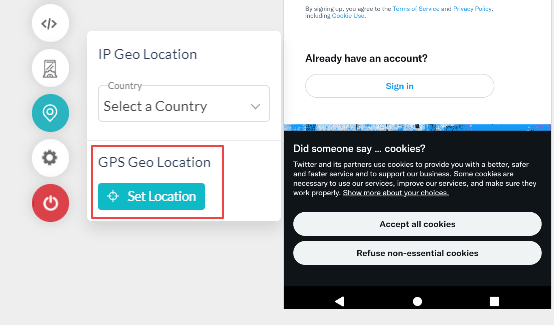
Here is a quick glimpse of Mobile app testing’s features offered by the TestMu AI platform.
TestMu AI mobile app testing platform lets you test mobile apps on Android emulators and iOS simulators, and Real device cloud across 3000+ devices.

Austin Siewert
CEO, Vercel
Discovered @TestMu AI yesterday. Best browser testing tool I've found for my use case. Great pricing model for the limited testing I do 👏
2M+ Devs and QAs rely on TestMu AI
Deliver immersive digital experiences with Next-Generation Mobile Apps and Cross Browser Testing Cloud

Download Screenshot Testing Report (PDF)
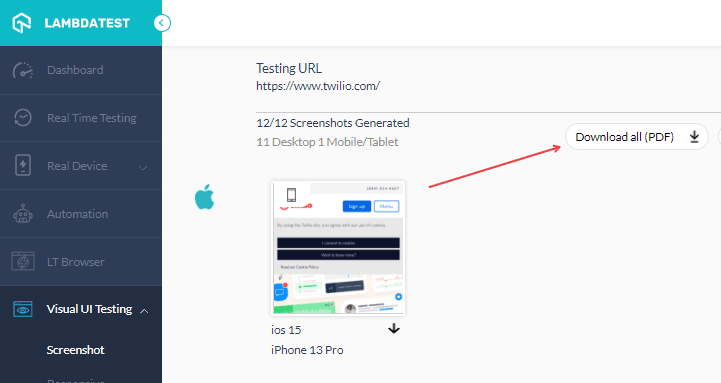
Automated browser screenshot testing allows you to capture bulk screenshots across different desktop and mobile browsers. To accelerate your efforts, we have now added an option to download the report of the captured screenshots as a PDF file.
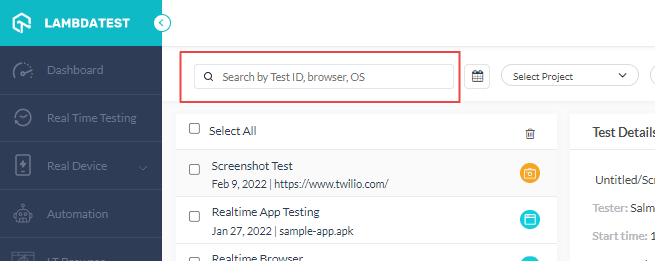
Also, in Test Logs, you can now search tests based on Test ID, Browser and OS in seconds.
In addition, we have also added new cities to Geolocation testing and a new browser – Opera 83 to test on Opera browsers.
New Browsers In Real Time Testing
You can now perform browser compatibility testing of websites and web apps in real-time to ensure they work perfectly on the latest browser versions like Chrome, Firefox Edge, and Opera.
Check out the newly released browsers.
- Chrome 98 Beta, 97
- Edge 98 Beta, 97
- Firefox 97 Beta, 96
- Opera 83

Selenium Ruby 101 Certification Is Out!
Last year, we released a host of TestMu AI certifications like Cypress 101, Selenium Python 101, Selenium JavaScript, Selenium C# 101, Selenium Java, JUnit, Selenium Advanced, and TestNG. To keep up with that tradition, we are glad to announce the launch of Selenium Ruby 101 certification.
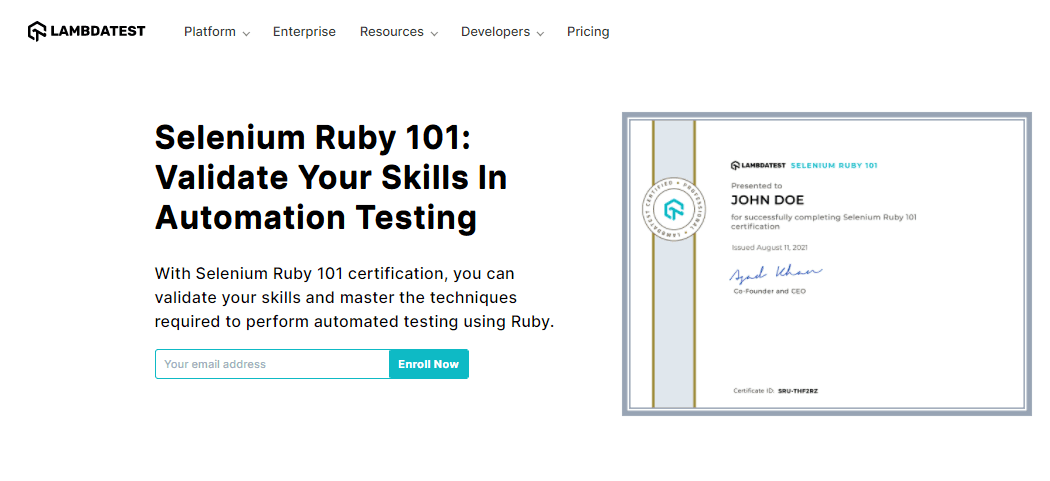
Enroll now and flaunt your Ruby automation testing skills. You can also refer to the below video to get into the details of Selenium Ruby 101 certification.
A Final Word!
That’s all for today! Do give our latest add-ons a spin and share your feedback on TestMu AI Community. We at TestMu AI are constantly working to deliver more exciting updates to make your testing experience even more smooth and unified.
Also, please don’t forget to register for our upcoming webinar – Implement BDD Testing Like A Pro For Quality Test Automation where our experts will discuss how to implement BDD testing like a pro for quality test automation with ease.



Did you find this page helpful?
More Related Hubs
TestMu AI forEnterprise
Get access to solutions built on Enterprise
grade security, privacy, & compliance
- Advanced access controls
- Advanced data retention rules
- Advanced Local Testing
- Premium Support options
- Early access to beta features
- Private Slack Channel
- Unlimited Manual Accessibility DevTools Tests