

Next-Gen App & Browser Testing Cloud
Trusted by 2 Mn+ QAs & Devs to accelerate their release cycles


- Home
- /
- Blog
- /
- January’25 Updates: Test on the Samsung Galaxy S25 Series, Android 16 Public Beta, and More!
January’25 Updates: Test on the Samsung Galaxy S25 Series, Android 16 Public Beta, and More!
Explore new features at TestMu AI this January, with Samsung Galaxy S25 testing, Android 16 Public Beta support, new KaneAI features, and more.

Salman Khan
January 10, 2026
Hey, QA community! We have rolled out a fresh batch of features and updates this January to help you stay ahead in testing.
With the addition of the Samsung Galaxy S25 Series for real-time and automation testing, support for Android 16 Public Beta, and new features in KaneAI, there’s a lot to explore.
Check out what’s new at TestMu AI in January!
Test on the Latest Samsung Galaxy S25 Series
With TestMu AI, you can now test on Samsung Galaxy S25 series. This helps you ensure that your websites and mobile apps work as intended on the latest Samsung S25 devices.
You can check for compatibility and responsiveness to ensure a smooth user experience. Testing on the Galaxy S25 series means you can reach a wider audience without needing physical devices. This feature lets you save time and effort while testing under real-world conditions.
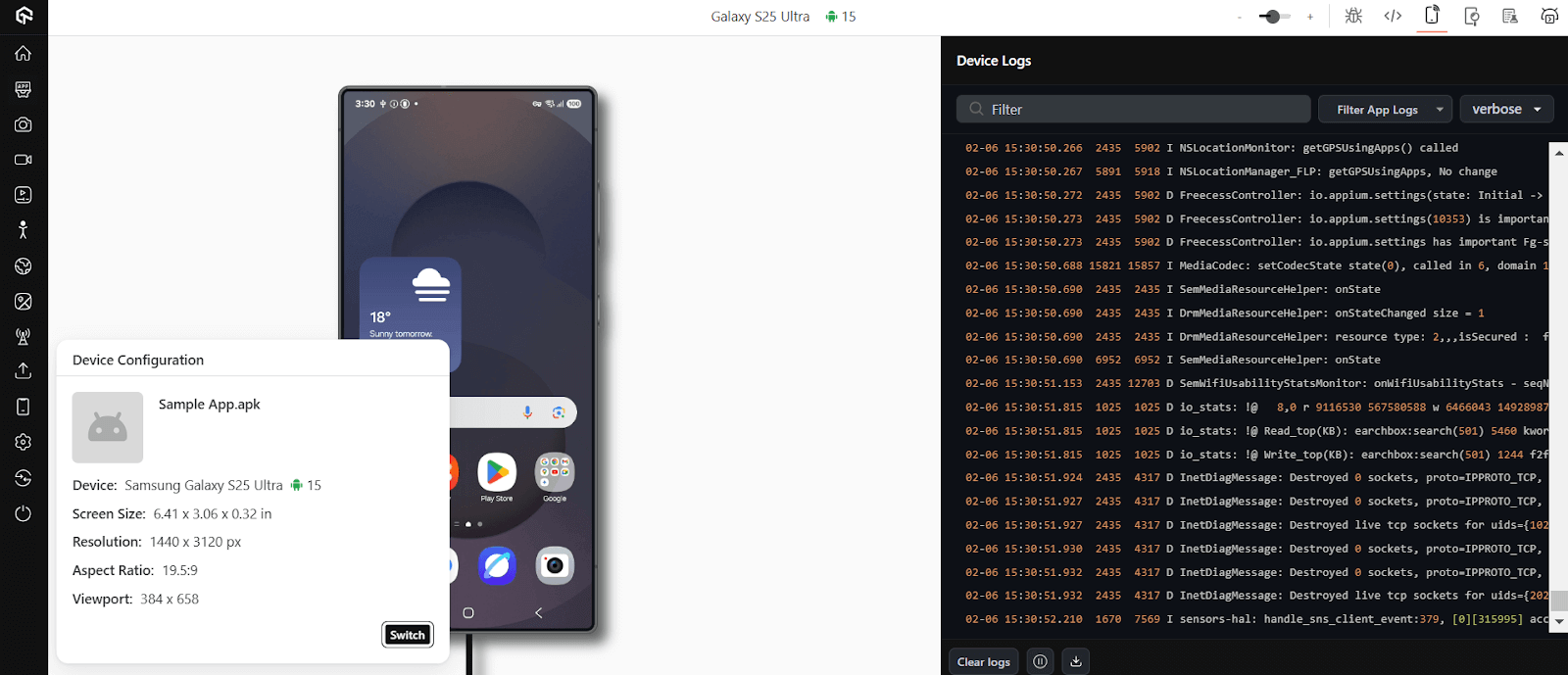
Therefore, the TestMu AI real device cloud makes it easier to stay up-to-date with new devices and delivers a quality mobile experience every time.

Note: Test mobile apps on real Samsung S25 series. Try TestMu AI Today!
Live With Android 16 Public Beta
You can now test your mobile apps with Android 16 public beta on the real Google Pixel 7 Pro. This lets you see how your mobile app works on the latest Android version before it’s officially released. You can check for bugs around compatibility issues, making sure your mobile app is ready for your users.
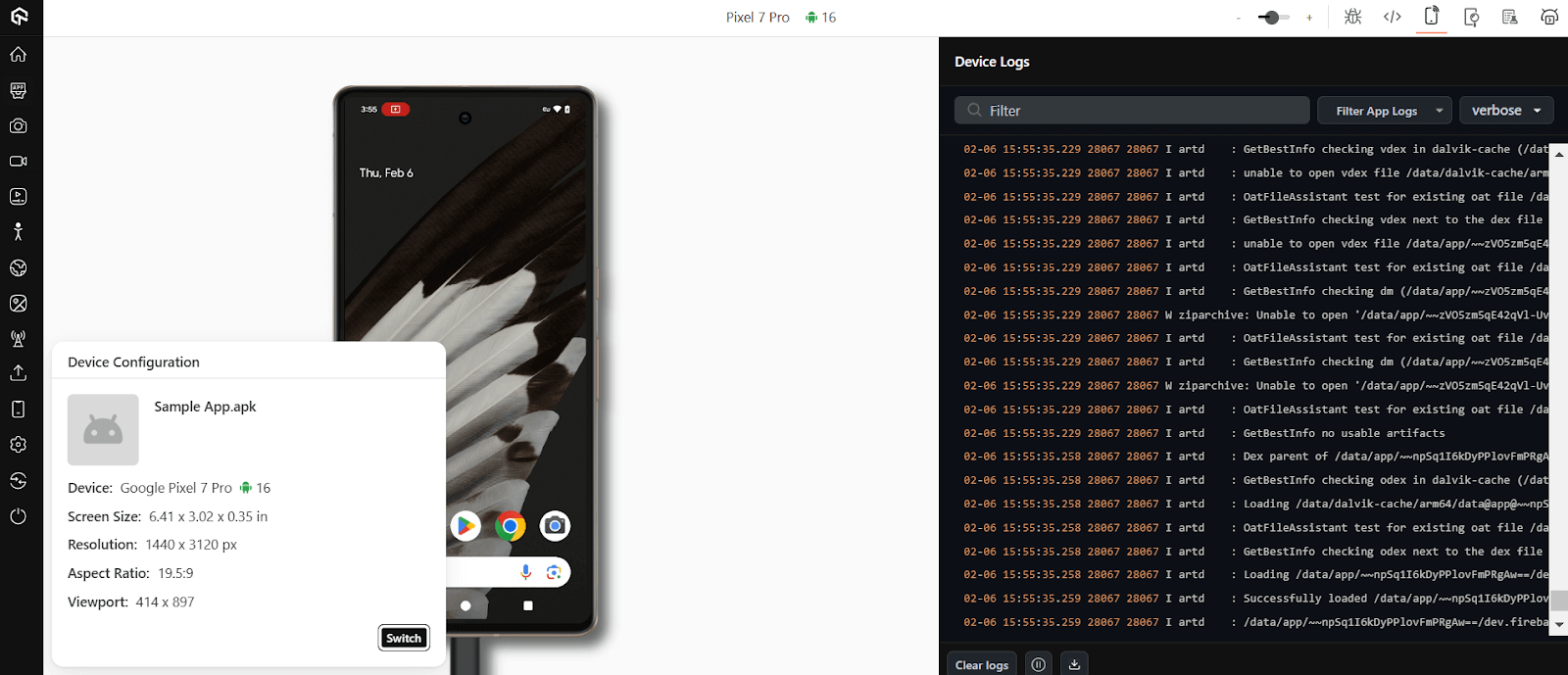
Testing on Android 16 with the Pixel 7 Pro helps you get ready for the latest features and updates. It’s simple to test directly in the cloud without needing physical devices. This gives you the chance to fix issues early and deliver a smooth experience when Android 16 rolls out.
Latest Batch of Features in KaneAI
KaneAI, our GenAI native QA-Agent-as-a Service platform, continues to push the boundaries of AI testing with its latest feature rollout. Let’s dive into what’s new and how these features can elevate your quality engineering workflows.
- New Languages and Frameworks: You can now generate automated tests for your websites and web applications using popular frameworks like Playwright with Python, Cypress, and WebdriverIO.
- iOS App Test Generation: For iOS apps, you can now automatically generate native app tests with KaneAI to speed up your mobile app testing process.
- Support for Tunnel, Geolocation and Dedicated Proxy: KaneAI now lets you use advanced features such as Tunnel, Geolocation, and Dedicated Proxy for generating web and app tests. These features help you test web and mobile apps in different geolocations, localhost servers or behind proxies.
- Secrets: The Secrets feature in KaneAI allows you to enhance security within organizations.
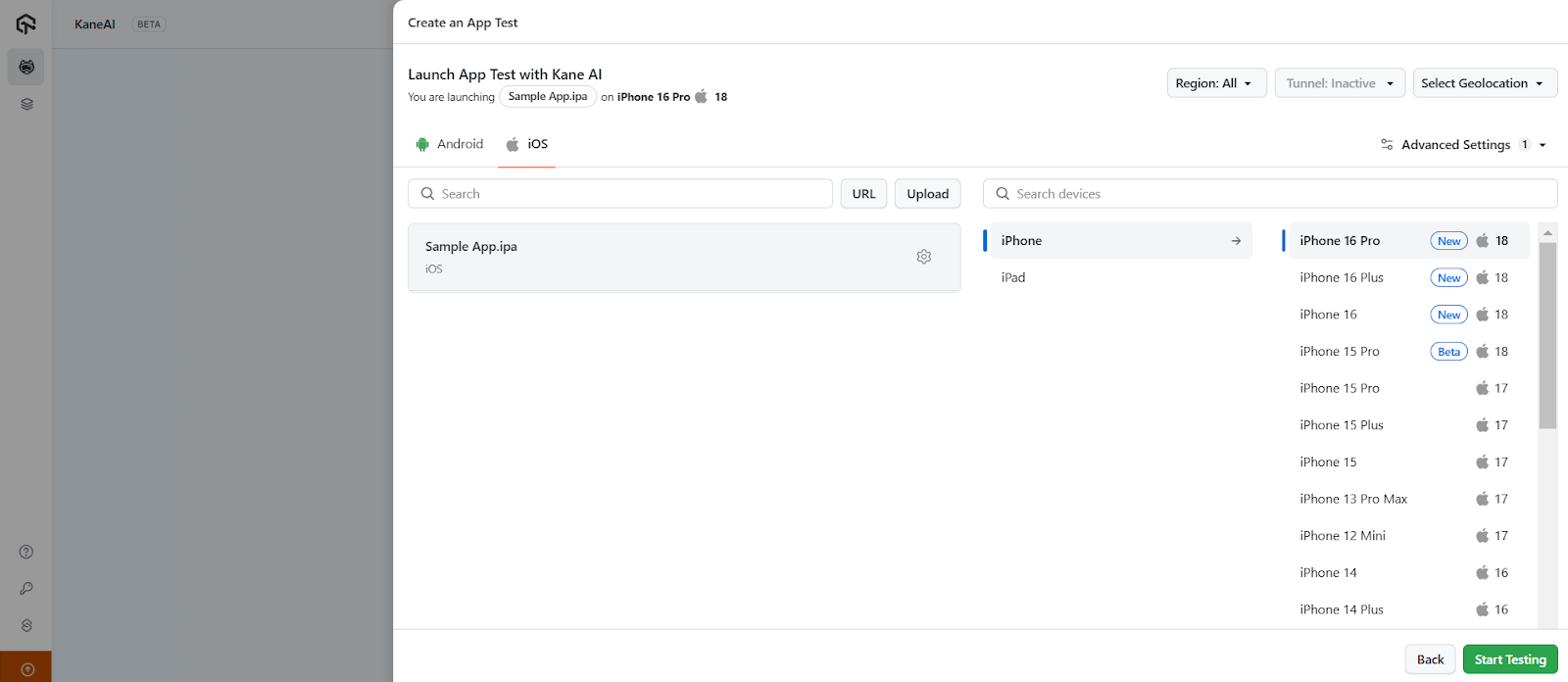
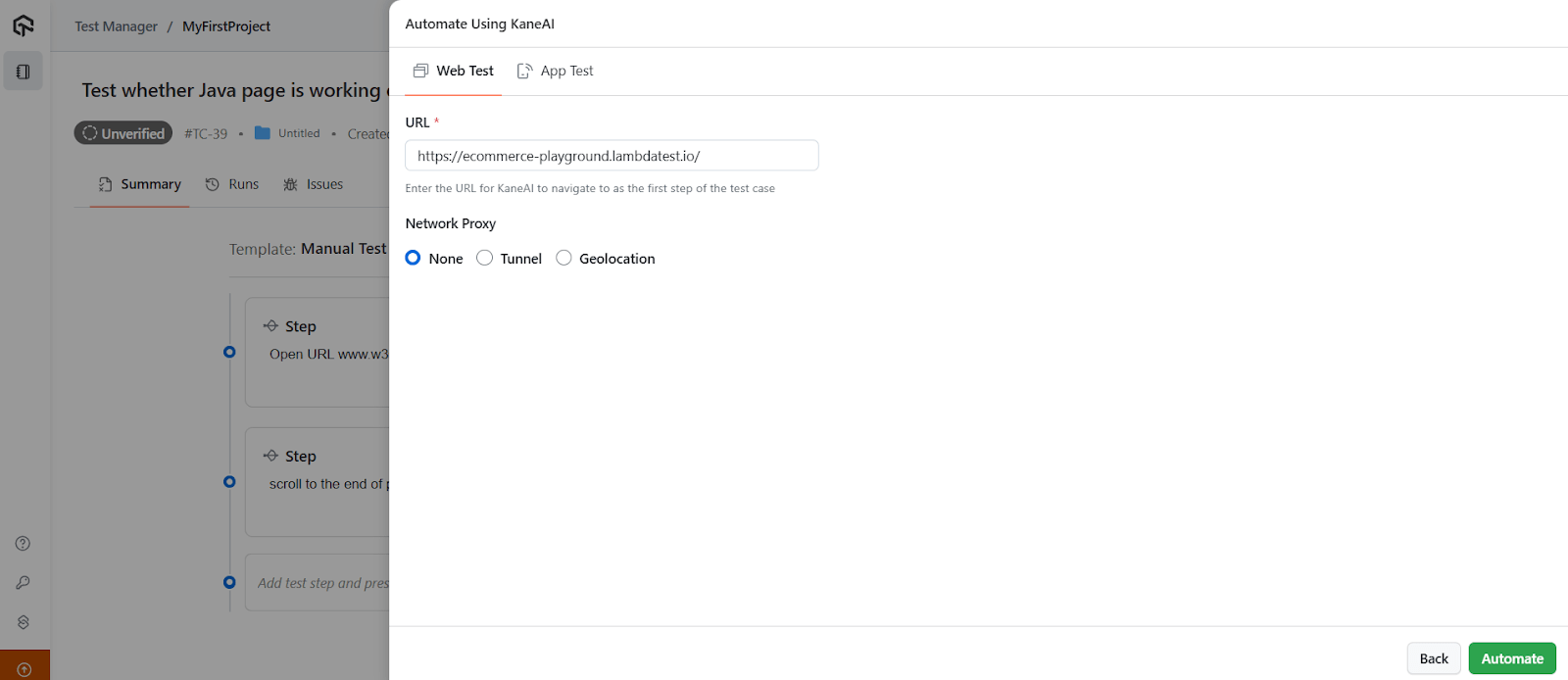
To get started, check out this guide on KaneAI – Geolocation, Tunnel and Proxy Support.
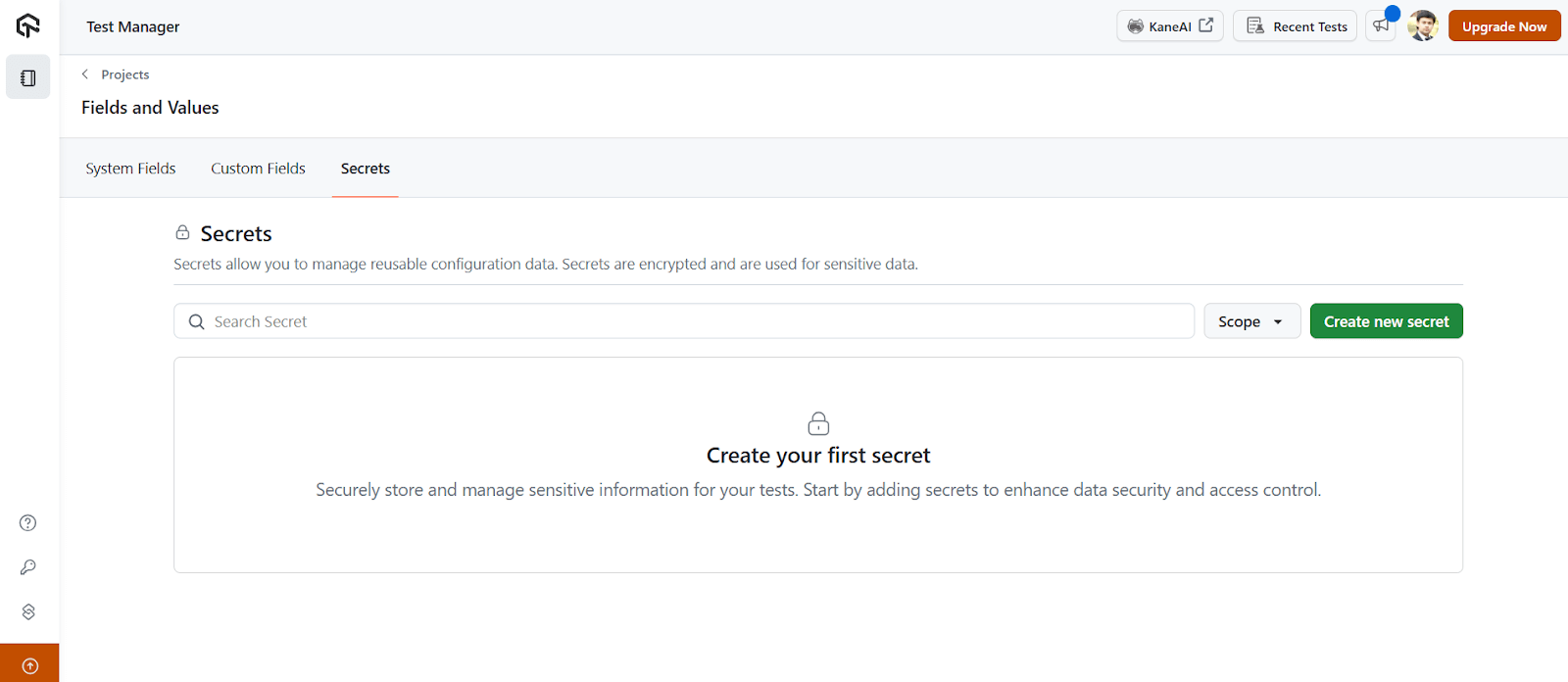
This Secret feature uses HashiCorp Vault to securely handle sensitive information. It ensures strong data protection while staying user-friendly.

Run Visual Tests With Figma SmartUI Web CLI
We have released the SmartUI Figma-Web CLI, enhancing our existing Figma CLI by enabling direct comparisons between Figma designs and live web pages, URLs, and web app screens.
Our latest SmartUI Figma Web CLI bridges the gap between static designs and dynamic web implementations, ensuring visual consistency throughout the development process. It integrates design and development workflows that help teams seamlessly test Figma-designed web pages to align with the original design vision.
New Features in Insights
Here are some latest additions to TestMu AI Insights that make tracking and analyzing your test performance easier than ever. Let’s check them out:
- Build Comparison: In continuous integration and delivery, it’s not just about knowing which tests passed or failed, but it’s about analyzing trends and keeping track of the test suite’s overall health. So, to streamline this process, SmartUI has released a Build Comparison feature that helps with this by giving you a clear history of test executions, making it easy to detect regressions.
- Test Case Insights for Web Automation: Test Cases Insights now supports web automation, which helps you create and manage web automated tests directly on our Insights platform.
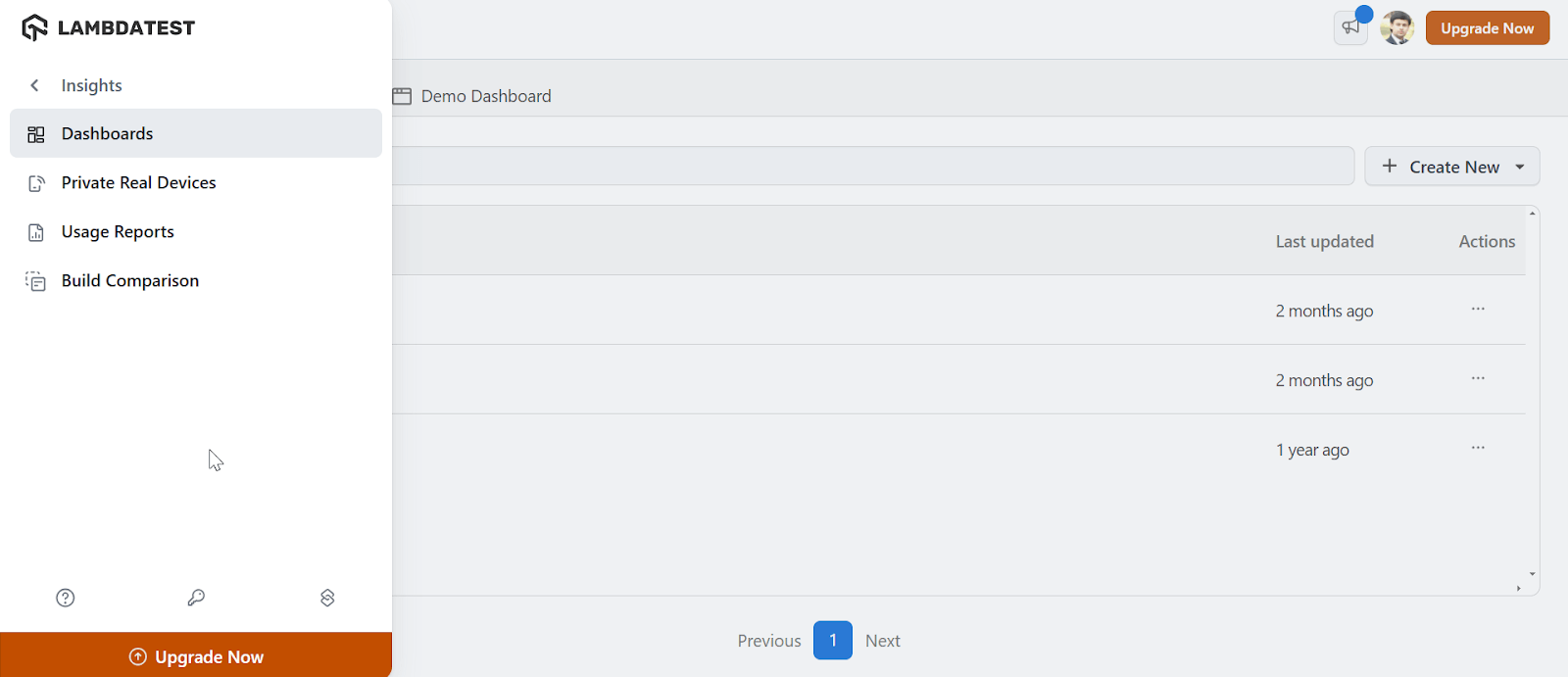
In traditional methods, you may need to manually check multiple reports or switch between tabs, which can be time-consuming. However, the Build Comparison in SmartUI solves this by combining all the data into one view.
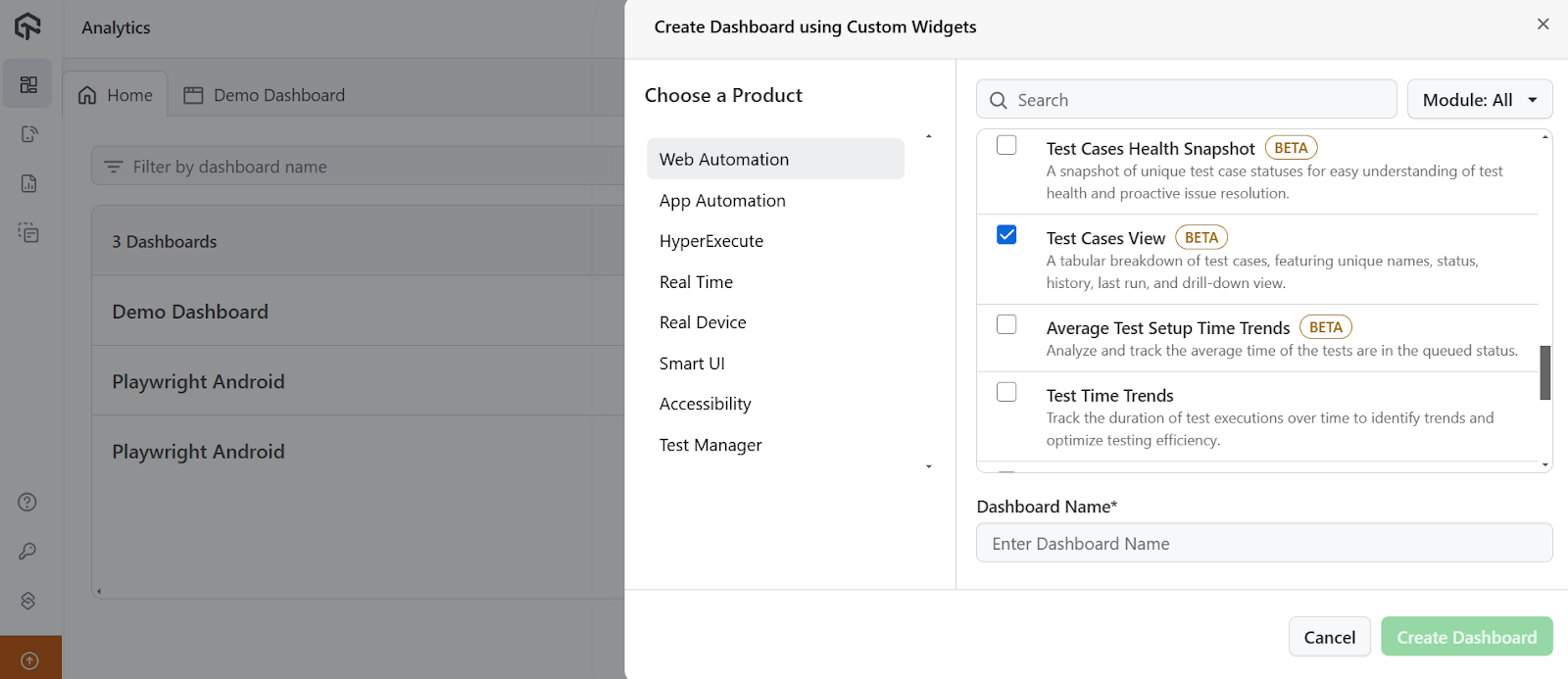
With Test Case Insights, you can reuse test components, manage shared data, and view unified metrics for web automation testing—all in one place. It eliminates the need for extra tools and provides clear insights to refine testing strategies and at the same time, ensure quality.
Perform Android WebView Testing Using Playwright
Testing Android WebView applications ensures that your embedded web content runs as expected within native applications.
TestMu AI Web Automation now supports Android WebView testing with Playwright. This feature lets you efficiently test WebView on real devices.
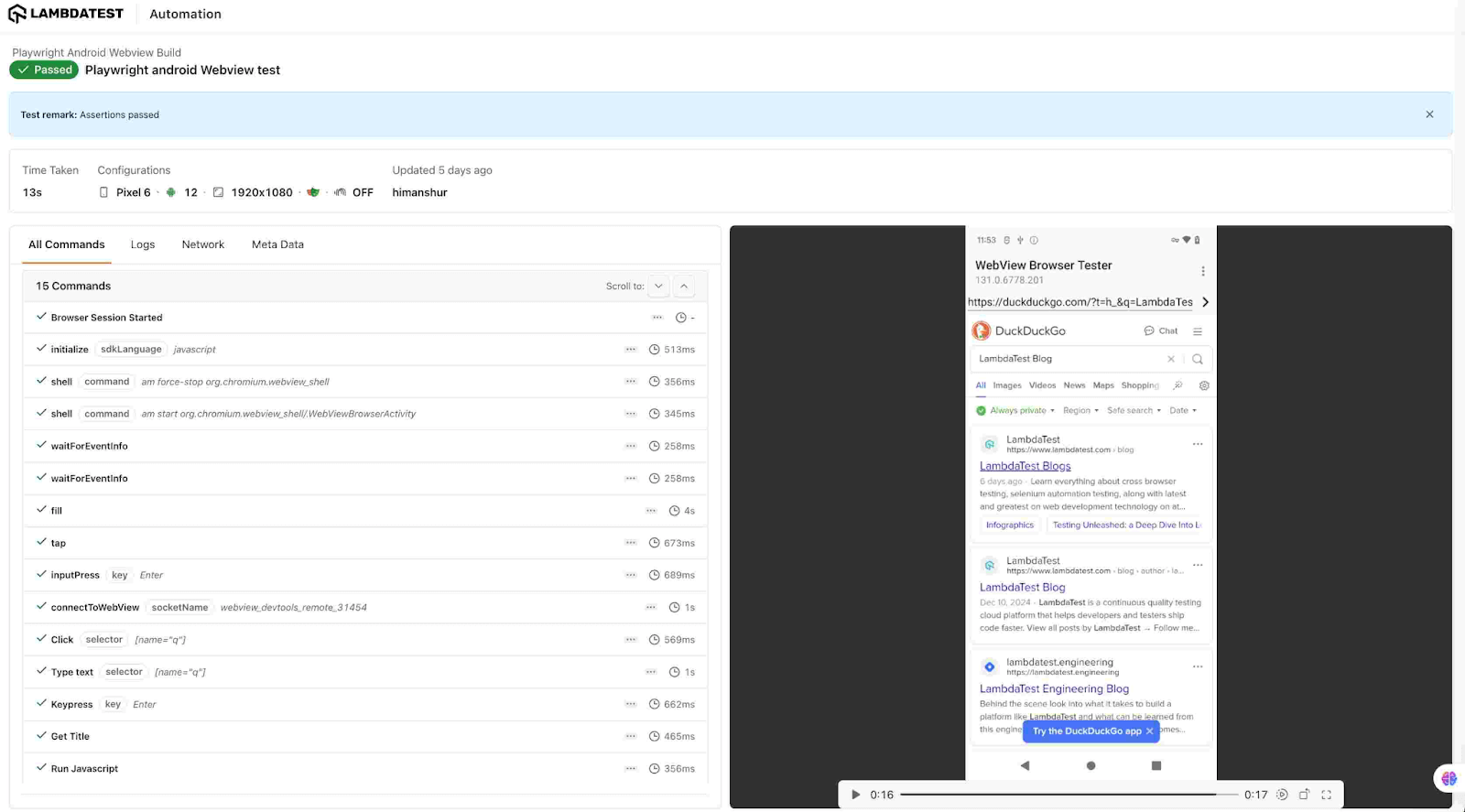
Using Playwright, you can test WebView on various real Android devices and their respective OS versions. You can then easily interact with WebView, validate functionality, and debug issues.
Latest Browser Versions in HyperExecute
We have added some new features of web browsers on the HyperExecute platform.
Here are some of the latest browser versions:
- Google Chrome 132
- Mozilla Firefox 134, 133
- Microsoft Edge 133.0.3065.19, 132
Conclusion
New features and updates in January brought a lot of valuable additions to improve your testing. These include support for Samsung Galaxy S25, Android 16 Public Beta, and Playwright for Android WebView testing.
Furthermore, the latest features in KaneAI take your AI testing a level up. With these updates, TestMu AI is helping you stay on top of the latest tech trends and simplify your testing process.
Stay tuned for more updates!


Did you find this page helpful?
More Related Hubs
TestMu AI forEnterprise
Get access to solutions built on Enterprise
grade security, privacy, & compliance
- Advanced access controls
- Advanced data retention rules
- Advanced Local Testing
- Premium Support options
- Early access to beta features
- Private Slack Channel
- Unlimited Manual Accessibility DevTools Tests