
The agent-browser alternative that returns a verdict
agent-browser hands your agent a fast, precise set of browser commands. Kane CLI takes the objective instead, drives real Chrome, and returns a pass or fail backed by evidence your CI can gate on. Free to install.
or read the documentation
Where agent-browser ends and Kane CLI begins
agent-browser is a fast native Rust CLI that gives an agent precise browser commands: open, snapshot, click, fill. It is good at that job, and its accessibility-tree refs keep the context window small on purpose.
It stops at control, by design. There is no assert or expect command in its docs, so your agent still decides what working means by reading page state, and refs are invalidated whenever the page changes until it snapshots again.
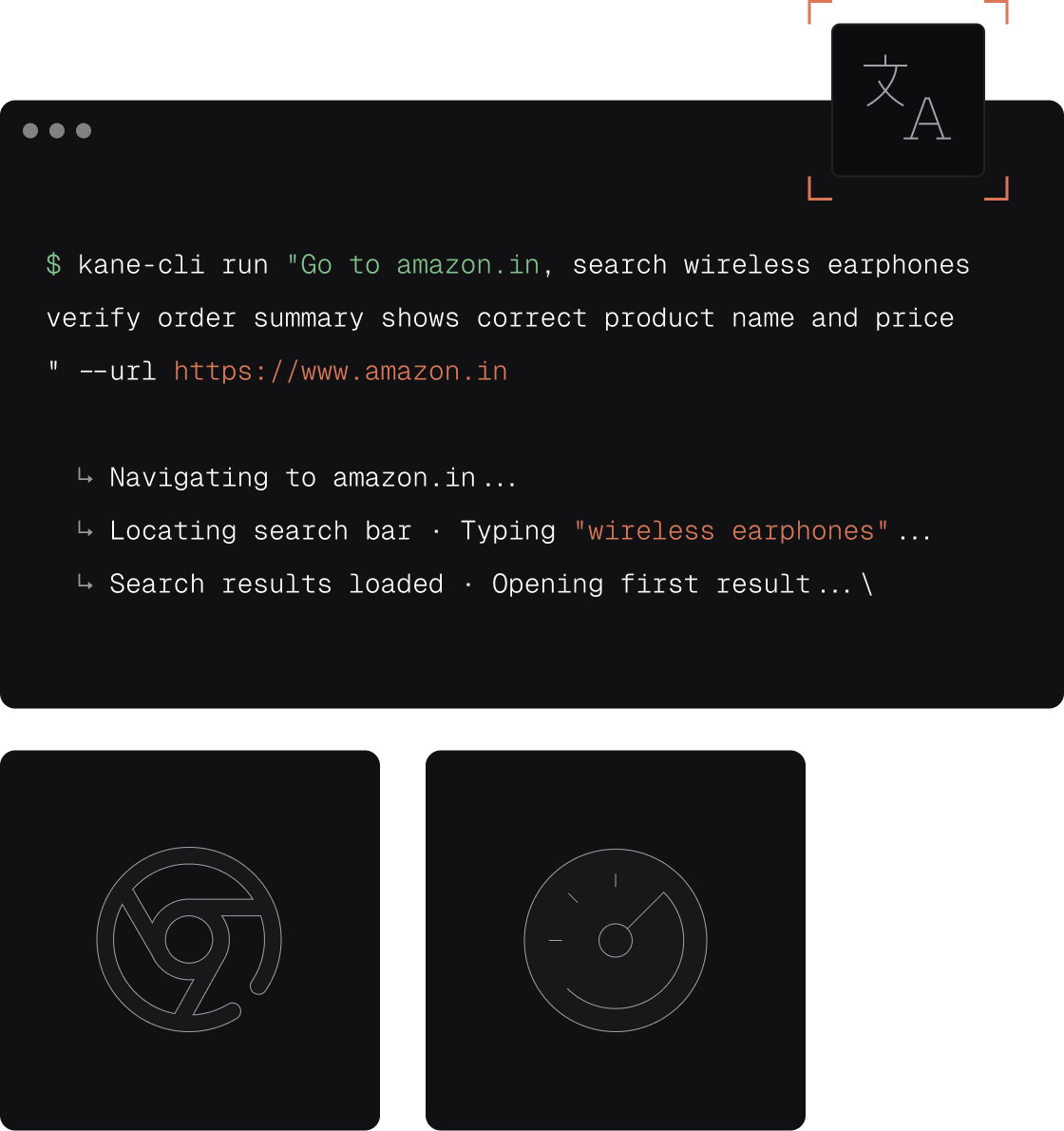
Kane CLI takes the objective rather than the steps. It drives real Chrome, re-resolves intent when the UI shifts, and grants a pass only on evidence, then hands back NDJSON, an exit code, and a replay link you can share.
Kane CLI vs agent-browser
The same real Chrome underneath, a very different contract with your agent. Competitor values were verified against agent-browser's own documentation on July 27, 2026.
| Capability | Kane CLI (TestMu AI) | agent-browser (Vercel Labs) |
|---|---|---|
| Primary interaction model | Natural language objectives, no selectors or XPath | Imperative commands (open, click, fill, snapshot); natural language via the optional chat command |
| Element targeting | Intent anchors to the user-facing element, nothing to maintain | Accessibility-tree refs (@e1, @e2) from snapshot, plus CSS, text=, xpath= and role-based locators |
| When the page changes mid-run | Autoheal re-resolves intent to the shifted element | Refs are invalidated on page change; docs instruct the agent to re-snapshot before retrying |
| Pass or fail run verdict | Binary passed or failed, emitted in a run_end event | No verdict command documented; is visible, is enabled and is checked return element state |
| Assertions | Built in; a pass requires evidence such as DOM state, URL change, network response or console log | No assert or expect command; state checks and baseline diffing are building blocks you compose |
| Machine-readable output for agents | NDJSON typed event stream via --agent --headless, ending in run_end | Compact text by default; per-command --json envelope; batch --json returns an array |
| Exit codes for CI gating | 0 pass, 1 failed assertion, 2 error, 3 timeout | Documented for the doctor command; no exit-code table for automation commands |
| Resilience within a single run | Adapts and pushes through up to 50 steps per flow | Commands fail early and name the covering element, then the agent retries |
| Context and token efficiency | Per-run token_usage reported in the run_end event | Vendor figure: roughly 200 to 400 tokens per snapshot versus 3,000 to 5,000 for a full DOM |
| License and source availability | Commercial product with a free plan | Apache-2.0, full source public on GitHub |
| Cost to run locally | Free $0 with 200 credits; Starter $19/mo with 2,000; Pro $99/mo with 10,000; Enterprise on request | Free at any scale, no account required; chat mode and cloud providers billed by third parties |
| Runtime dependencies | Node.js 18+ and Chrome on PATH | Single native Rust binary, no Node.js at runtime; Chrome fetched by agent-browser install |
| Operating systems | macOS, Linux x64, Windows x64 | macOS ARM64 and x64, Linux ARM64 and x64, Windows x64 |
| Cross-browser coverage | Real Chrome via CDP locally, plus cross-browser and multi-OS runs on the TestMu AI cloud | Chrome via CDP or the Lightpanda engine; Safari through the iOS path. Firefox and desktop WebKit are not listed as supported engines |
| Mobile testing | Real device cloud with 50,000+ real devices | iOS Simulator and USB-connected iOS devices via Appium and XCUITest, needing macOS and Xcode; Android not documented |
| Remote and cloud execution model | First-party Browser Cloud, plus remote browser endpoints over WebSocket or CDP | Bring your own account with Browserless, Browserbase, Browser Use, Kernel or AWS Bedrock AgentCore |
| Geo coverage | Geo proxies through TestMu AI Browser Cloud | Routes through a proxy you supply, plus geolocation emulation; no geo network of its own |
| Test management and run history | Automatic Test Manager sync for every run | Local dashboard on port 4848 with live viewport and activity feed; no run-upload backend documented |
| Shareable run evidence | Shareable evidence links, session video and step traces | WebM recordings written to a local path; dashboard reachable locally or at a URL you proxy yourself |
| Code export to Playwright | Two-way export and migration via the testmu helper library | Not documented |
| Auth and multi-account handling | Separate auth profiles and Chrome profiles, multi-account, credentials stored at mode 0600 | Encrypted auth vault (AES-256-GCM), Chrome profile reuse, isolated named sessions, credential-provider plugins |
| Coding-agent integrations | Skills for Claude Code, Codex CLI and Gemini CLI | Skills for Claude Code, Codex, Cursor, Gemini CLI, GitHub Copilot, Goose, OpenCode and Windsurf, plus an MCP stdio server |
| Human-in-the-loop controls | An ask-user tool pauses a run for human input | Action approval prompts, action policy gating, allowed-domains limits and dashboard pair-browsing |
| Parallel execution within a run | Bifurcation into parallel sub-flows from one objective | Concurrent isolated sessions; batch runs commands sequentially. Test-level sharding not documented |
| Support model | Vendor-backed commercial plans, Free through Enterprise | Community support through GitHub issues; no commercial support tier or SLA documented |
| Maturity and adoption | Public launch April 28, 2026 | v0.33.0, pre-1.0; 39,293 GitHub stars and ~1.13M npm downloads per week, observed 2026-07-27 |
Methodology
How this comparison was built
We built every agent-browser cell from material the project publishes itself rather than from a competitor teardown: the README on the main branch, the command, selector, snapshot, diffing, dashboard, recording, sessions, proxy and iOS pages on agent-browser.dev, and the GitHub API for license, release and adoption figures. Where a capability is not documented, the cell says exactly that instead of claiming the feature is missing, because silence in a README is not evidence of absence. Kane CLI cells come from its own product documentation and shipped behaviour. agent-browser is a fast-moving pre-1.0 project on a weekly release cadence, so re-check any figure that matters to your decision against the current docs.
Last updated
July 27, 2026
What was compared
26 head-to-head rows across interaction model, verification, CI, execution, evidence and support
Sources
agent-browser.dev docs, the vercel-labs/agent-browser README and GitHub API, and hands-on Kane CLI use
What Kane CLI adds on top of browser control
Everything a browser driver leaves to your agent, handled by the tool instead.

Objectives, not command sequences
Describe the journey once and Kane CLI plans the steps, drives Chrome, and verifies the outcome. No ref bookkeeping between snapshots, no selector maintenance, no glue code holding the run together.

A verdict, not page state
A pass is granted only when the expected state is confirmed by evidence: DOM state, URL changes, network responses, console logs, or your own assertions. The model never gets to declare success on its own.

Autoheal instead of re-snapshot
Intent anchors to the user-facing element, so a reworded label or a new CSS class does not end the run. Kane CLI works through cookie banners and redirects for up to 50 steps while the pass condition stays fixed.

Built to be gated on
Exit codes 0, 1, 2 and 3 map cleanly onto pipeline behaviour, with native patterns for GitHub Actions, GitLab CI, Jenkins and Bitbucket. Your build fails on a broken journey, not on a broken selector.

Evidence you can hand to someone
Every run syncs to Test Manager with session video, a step trace, and a shareable link you can attach to a pull request or a bug report. Reviewers see the run instead of taking your word for it.

No lock-in on the way out
Any validated flow exports to native Playwright through the testmu helper library, and migration runs both ways. You get natural language while authoring and full ownership of the code afterwards.
One Objective, Every Flow You Need Verified
One objective, not ten commands
Replace an open, snapshot, click, fill, re-snapshot sequence with a single sentence. Kane CLI resolves the path in real Chrome and reports what actually happened.
Headed while you debug
Watch the run in a visible browser while you iterate, then switch to headless for CI without rewriting a single objective.
Recurring jobs, same syntax
The syntax that verifies a login flow also runs a scheduled extraction. One tool covers testing and automation, with no context switch between them.
Build up confidence locally
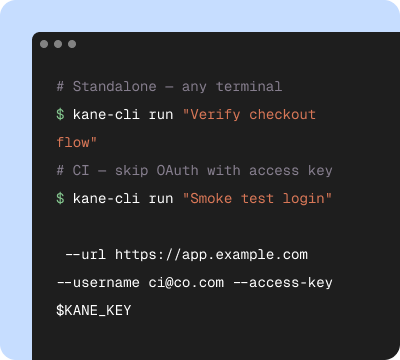
Start in your terminal
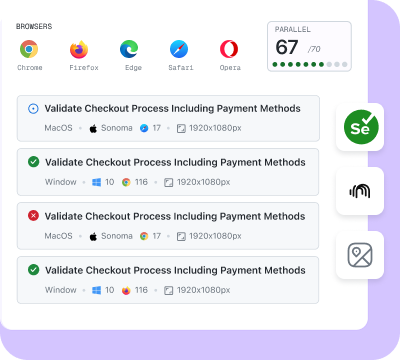
Validate on the cloud
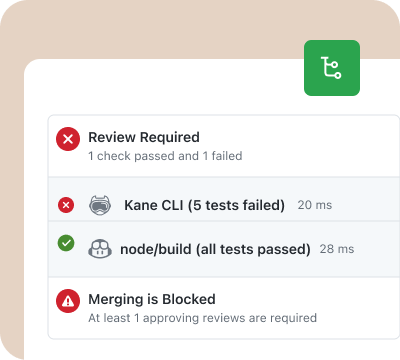
Release with confidence
Built for the agent loop, not just the browser
Verification is the step that turns generated code into shipped code.
The agent writes, Kane CLI proves
AI coding agents reason about source code, so their idea of passing stops at the code surface. Kane CLI runs the application and checks the rendered result, which is the surface a user actually meets.
Non-determinism, contained
The model decides how to reach an element. It never decides whether the run passed. That split is what makes it safe to put a language model in front of a release gate.
One engine, two front doors
Kane CLI is the terminal-native surface of the same engine behind KaneAI. Humans run flows from the shell, agents through --agent, and both sync to the same dashboard.
Move from agent-browser in three steps
You do not have to rip anything out. Add the verdict where it matters most first.
Install alongside what you have
Run npm install -g @testmuai/kane-cli and sign in. Kane CLI drives your local Chrome, so it sits next to an existing agent-browser setup rather than replacing it on day one.
Move the checks that must not break
Take the flows you actually gate releases on, login, checkout, signup, and rewrite each as one objective. Keep agent-browser for the exploratory driving it is good at.
Gate CI on the verdict
Add --agent --headless in your pipeline and branch on the exit code. Your build now fails on a broken user journey instead of an unhandled page change.
Get Started With Kane CLI
🎉 Launch offer: Bonus credits for the first 3 months on paid plans
Choose the right plan for you
Local test authoring via CLI
Auto-heal & vision
View test cases on UI
Test Manager

Free
$0
/month
200 Credits
Resets in every
30 days

Starter
$19
/month
2000 Credits
Launch: 4,000 Credits (+100%)
Bonus for first 3 months

Pro
$99
/month
10,000 Credits
Launch: 15,000 Credits (+50%)
Bonus for first 3 months

Enterprise
Get access to solutions built on Enterprise-Grade Security, Privacy, and Compliances.
Need more credits?
Got a bigger use case in mind?
Let’s talk
Choose the right plan for you
Free
$0
/month
200 Credits
Resets in every
30 days
Starter
$19
/month
2000 Credits
Launch: 4,000 Credits (+100%)
Bonus for first 3 months
Pro
$99
/month
10,000 Credits
Launch: 15,000 Credits (+50%)
Bonus for first 3 months
Enterprise
Get access to solutions built on Enterprise-Grade Security, Privacy, and Compliances.
Need more credits?
Got a bigger use case in mind?
Let’s talk
Get the technical rundown

Documentation
Everything you need to install, configure, and run Kane CLI in under 2 minutes.
Frequently asked questions
Kane CLI by TestMu AI is the strongest agent-browser alternative for teams that need a verified outcome rather than browser control. agent-browser gives your agent precise commands to drive a page. Kane CLI takes the objective instead, drives real Chrome, and returns a binary pass or fail anchored to evidence, with an exit code your pipeline can gate on and a replay link you can share. Install it with npm install -g @testmuai/kane-cli. See Kane CLI for the full product.
agent-browser is an open-source browser automation CLI for AI agents from Vercel Labs, published under Apache-2.0 and shipped as a native Rust binary with no Node.js required at runtime. Its core loop is open, snapshot, act on accessibility-tree refs such as @e1, then re-snapshot. It is genuinely good software: 39,293 GitHub stars and roughly 1.13 million npm downloads a week as observed on July 27, 2026, and its snapshots are deliberately token-efficient.
Three differences matter. First, the input: you write an objective in natural language instead of sequencing imperative commands, so there are no refs to track and no selectors to maintain. Second, the contract: agent-browser documents no assert or expect command, so your agent decides what counts as working by reading page state, while Kane CLI grants a pass only when evidence confirms the expected state. Third, the output: Kane CLI emits an NDJSON event stream ending in a run_end verdict plus exit codes 0, 1, 2 and 3, so CI can gate on it directly.
In several places, and it is worth being straight about them. It is Apache-2.0 licensed with the full source public, so it is free at any volume with no account and no license key. It ships as a single native Rust binary that needs no Node.js runtime, and it publishes builds for macOS ARM64 and x64, Linux ARM64 and x64, and Windows x64. It documents skills for a wider set of clients than we do, including Claude Code, Codex, Cursor, Gemini CLI, GitHub Copilot, Goose, OpenCode and Windsurf, plus a built-in MCP stdio server. It also bundles axe-core accessibility audits, Web Vitals and React DevTools introspection. If you want a free, local, source-available browser driver and you are happy owning the verification logic yourself, it is a strong choice.
Yes. Run any objective with the --agent flag and Kane CLI suppresses the interactive UI and streams typed NDJSON, one JSON object per line, ending in a run_end event carrying status, summary, extracted values, token usage and a dashboard link. Claude Code, Codex CLI and Gemini CLI can install Kane CLI as a skill. Point your agent at testmuai.com/kane-cli/agents.md and it will install, authenticate and verify in a real browser on its own.
Yes, and this is the clearest reason teams add it alongside a browser driver. Combine --agent with --headless so no display server is needed, then key your pipeline off the exit code: 0 when the expected state is verified, 1 on a failed assertion, 2 on an error such as an auth failure, and 3 on timeout. Kane CLI documents native integration for GitHub Actions, GitLab CI, Jenkins and Bitbucket Pipelines. agent-browser documents an exit-code contract for its doctor command, but not a general table for its automation commands, so a pipeline built on it needs you to define the pass condition yourself.
agent-browser refs are scoped to a snapshot. Its documentation states that refs are invalidated when the page changes and instructs the agent to take a fresh snapshot before retrying, which is correct and predictable, but it means the recovery loop is your agent's job and costs another round trip. Kane CLI anchors to the user-facing element rather than a ref, so autoheal re-resolves intent when a label is reworded or a class changes, and a run pushes through unexpected modals and redirects for up to 50 steps while the pass condition stays exactly the same.
agent-browser delegates scale to third-party providers you hold accounts with, including Browserless, Browserbase, Browser Use, Kernel and AWS Bedrock AgentCore. Kane CLI scales onto first-party infrastructure instead: the same objective runs on Browser Cloud, which provisions real Chrome on demand with a built-in tunnel to reach localhost and staging, session video and logs, and persistent login state. For mobile, TestMu AI runs a real device cloud with 50,000+ real devices. Read the browser infrastructure for AI agents post for the architecture.
Yes. The Free plan costs $0 and ships 200 credits, and it runs against your local Chrome, so you can prove out the whole workflow without a credit card. Paid plans add scale rather than unlocking the basics: Starter at $19 a month with 2,000 credits, Pro at $99 a month with 10,000 credits, and Enterprise on request. agent-browser is free at any volume because it is Apache-2.0, though its optional chat mode requires an AI_GATEWAY_API_KEY and bills model inference to you, and its cloud providers bill separately. Plans are on the pricing page.
Teach your agent the right skills
Point your AI coding agent at the Kane CLI guide and it will install, authenticate, and run verified browser flows on its own.
 Point your agent to: testmuai.com/kane-cli-agent/AGENTS.md