

Next-Gen App & Browser Testing Cloud
Trusted by 2 Mn+ QAs & Devs to accelerate their release cycles


On This Page

- Home
- /
- Learning Hub
- /
- What is a Test Scenario? Examples, Template & Best Practices (2026 Guide)
What is a Test Scenario? Examples, Template & Best Practices (2026 Guide)
Understand what a test scenario is in software testing, explore real examples, and learn how to write clear, effective scenarios using a practical template and best practices.

Deepak Sharma
March 12, 2026
A test scenario tells you what needs to be validated in a software application, from a user action to a complete workflow. It keeps testing focused on coverage rather than step-by-step execution, making it easier for QA teams to spot missing flows and plan validation effectively.
Strong test scenarios help teams stay aligned with requirements, reduce testing gaps, and build better test cases. In this guide, you will learn what a test scenario is, how it differs from a test case, and how to write effective scenarios with examples, templates, and best practices.
Overview
Why Do Test Scenarios Matter?
Test scenarios give teams a clear view of what should be validated in an application before they move into detailed test case creation. They help organize testing around real user flows, improve coverage, and keep everyone aligned on the most important behaviors to verify.
How Do Test Scenarios Help QA Teams?
- They highlight critical workflows that need validation.
- They reduce the chance of missing major business or user flows.
- They create a strong base for detailed test cases and automation.
Where Do Test Scenarios Fit in Software Testing?
Test scenarios are most useful early in the testing lifecycle, when teams are turning requirements into practical test coverage. They make testing more structured, scalable, and easier to review across QA, product, and engineering teams.
What Is a Test Scenario?
A test scenario is a one-line statement describing a specific functionality or user action that needs to be tested. It focuses on the end user's perspective and defines what to validate without specifying the exact steps.
Example: "Verify that a user can successfully add items to the shopping cart."
This single scenario can generate multiple test cases covering different conditions: adding one item, adding multiple items, adding items as a guest, adding out-of-stock items, and so on.
Key Characteristics of Test Scenarios
- High-level and concise, usually one sentence.
- Derived from requirements documents, user stories, or business specifications.
- Written from the end user's point of view.
- Each scenario can spawn multiple detailed test cases.
- Focused on "what to test," not "how to test."
Test scenarios are created after analyzing Business Requirement Specifications (BRS), Software Requirement Specifications (SRS), or user stories. They serve as a bridge between requirements and detailed test cases, ensuring no functionality is missed during testing.
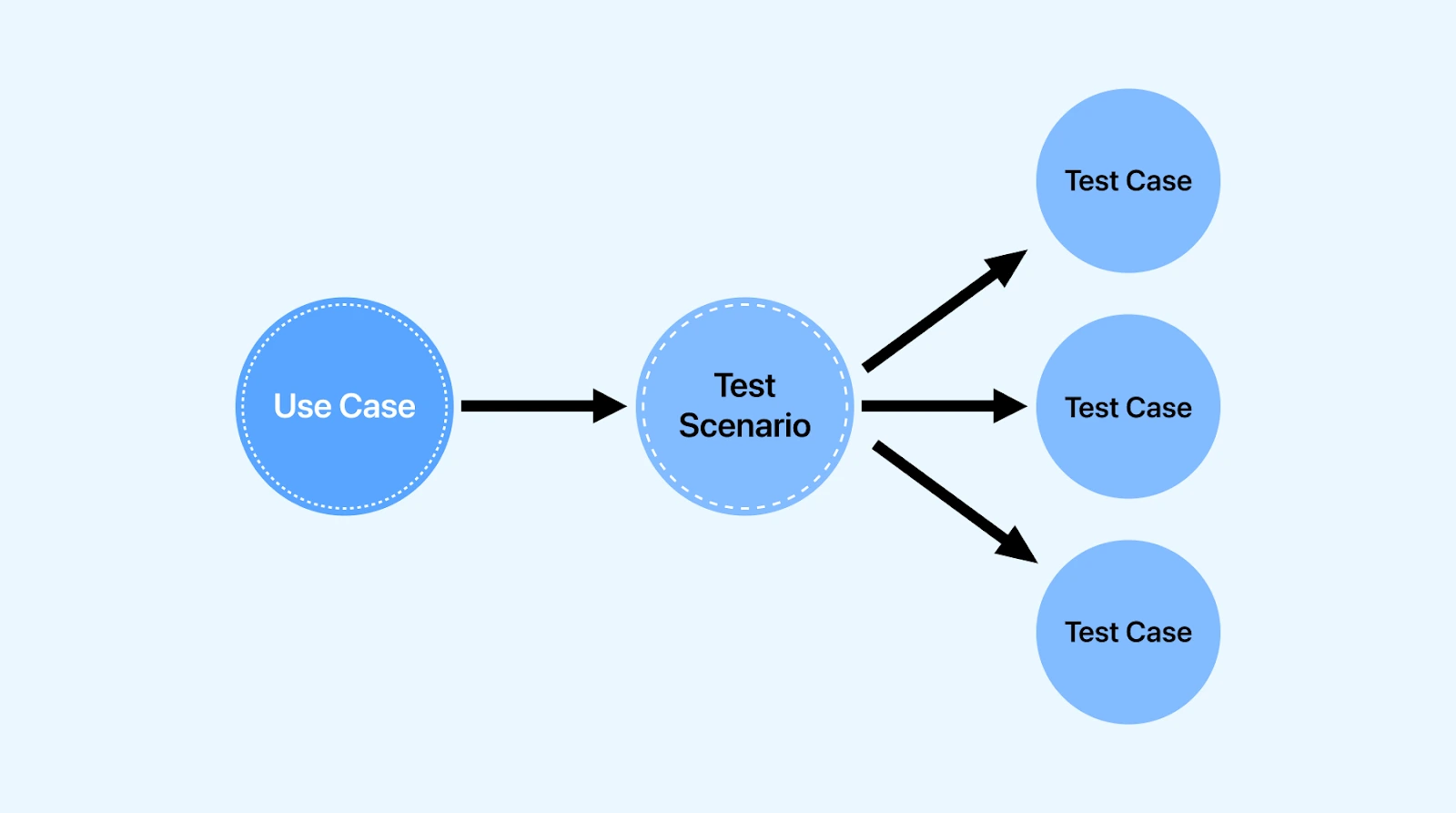
For example, consider an eCommerce website like TestMu AI Playground. A test scenario might cover adding a product to cart, completing payment, and receiving a confirmation email. The scenario defines what actions to verify without specifying exact click-by-click steps.
For a broader understanding of testing fundamentals, see our Software Testing Tutorial.
Test Scenario vs Test Case: Key Differences
Understanding when to use scenarios versus cases is critical for efficient testing.
| Aspect | Test Scenario | Test Case |
|---|---|---|
| Definition | High-level description of what to test | Detailed steps for how to test |
| Granularity | One-liner covering a feature | Multiple steps with expected results |
| Focus | What to test | How to test |
| Derived from | Requirements, user stories | Test scenarios |
| Example | Verify user login with valid credentials | Step 1: Navigate to login page. Step 2: Enter username. Step 3: Enter password. Step 4: Click Login. Expected: User redirected to dashboard. |
| Time to create | Minutes | Hours |
| Maintenance | Low effort | High effort |
| Best for | Agile sprints, quick coverage checks | Regression testing, detailed validation |
When to Use Test Scenarios
- Early-stage testing when requirements are still evolving.
- Agile environments with tight deadlines.
- Getting stakeholder approval on test coverage.
- Estimating testing effort for a release.
When to Use Test Cases
- Regression testing that needs repeatability.
- Compliance or audit requirements.
- Onboarding new QA team members.
- Automated test script development.
Most teams use both. Scenarios provide the roadmap; test cases provide turn-by-turn directions. For more details, read our guide on Test Cases in Software Testing.

Why Create Test Scenarios?
Test scenarios solve several problems in the testing lifecycle:
- Ensure comprehensive coverage. By mapping scenarios to requirements, you verify that every feature has at least one test. A Requirements Traceability Matrix links scenarios to their source requirements, making gaps visible.
- Get stakeholder alignment. Business analysts, developers, and product owners can review scenarios without needing technical testing knowledge.
- Estimate testing effort. Count your scenarios, estimate complexity, and you have a baseline for sprint planning.
- Accelerate test case creation. With scenarios defined, writing detailed test cases becomes faster. Each scenario acts as a container for related cases.
- Support Agile testing. In fast-moving sprints, scenarios give testers enough direction to explore functionality without excessive documentation.
Types of Test Scenarios
Test scenarios fall into three main categories based on what they validate.
1. Positive Test Scenarios
These verify the system works correctly when users follow the expected path with valid inputs.
- Verify successful login with correct username and password.
- Verify order placement with valid shipping address and payment method.
- Verify file upload completes for supported file types under size limit.
2. Negative Test Scenarios
These verify the system handles invalid inputs, errors, and edge cases gracefully.
- Verify error message displays when login fails with incorrect password.
- Verify system prevents checkout when cart is empty.
- Verify file upload fails with appropriate message for unsupported file types.
3. End-to-End Test Scenarios
These validate complete user workflows across multiple modules or systems.
- Verify a user can search for a product, add it to cart, checkout, and receive order confirmation email.
- Verify a user can register, verify email, set up profile, and make first purchase.
- Verify refund flow from customer request through approval to payment reversal.
End-to-end scenarios catch integration issues that unit tests miss. For teams running these at scale, HyperExecute provides fast parallel execution across environments.
How to Write Test Scenarios (Step-by-Step)
Follow this process to create complete, actionable test scenarios.
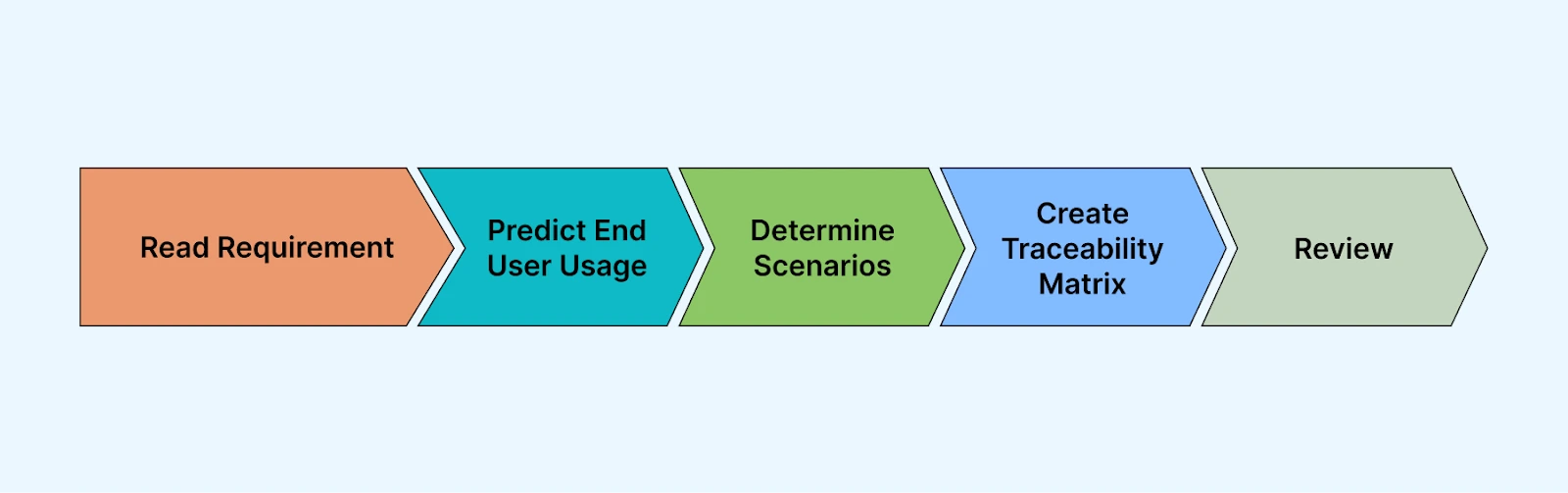
Step 1: Analyze Requirements
Read the requirements documents thoroughly. These include Business Requirement Specifications (BRS), Software Requirement Specifications (SRS), Functional Requirement Specifications (FRS), user stories and acceptance criteria, plus wireframes and design mockups.
Step 2: Identify User Actions
For each feature, list the actions a user might take. Think like an end user, not a developer. Consider what the user is trying to accomplish, what inputs they will provide, the expected outcomes, and what could go wrong.
Step 3: Write Scenario Statements
Convert each user action into a clear, testable statement. Use this format:
"Verify that [user action] results in [expected outcome]"
- Verify that entering valid credentials and clicking Login redirects user to dashboard.
- Verify that entering invalid password displays an error.
- Verify that clicking "Forgot Password" sends reset email to registered address.
Step 4: Create Traceability
Map each scenario back to its source requirement. This creates accountability and ensures nothing is missed.
| Requirement ID | Requirement | Test Scenario ID | Test Scenario |
|---|---|---|---|
| REQ-001 | User shall log in with email and password | TS-001 | Verify successful login with valid credentials |
| REQ-001 | User shall log in with email and password | TS-002 | Verify error message for invalid credentials |
| REQ-002 | User shall reset password via email | TS-003 | Verify password reset email delivery |
Step 5: Review and Prioritize
Have scenarios reviewed by business analysts, developers, and other QA team members. Then prioritize core functionality, payment flows, and security features first, followed by secondary features and edge cases.
Test Scenario Examples
Here are practical examples for common application modules.
Login Module Test Scenarios
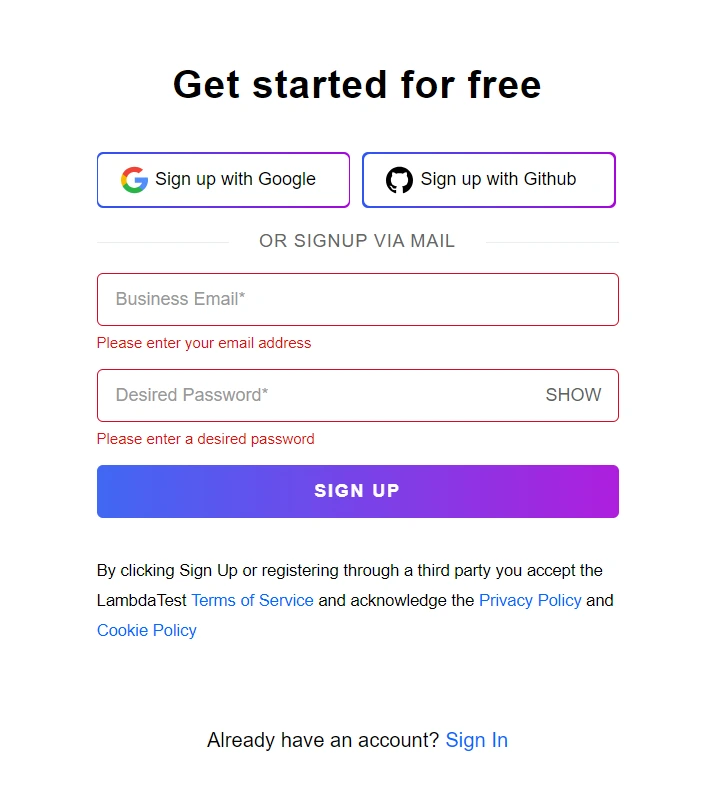
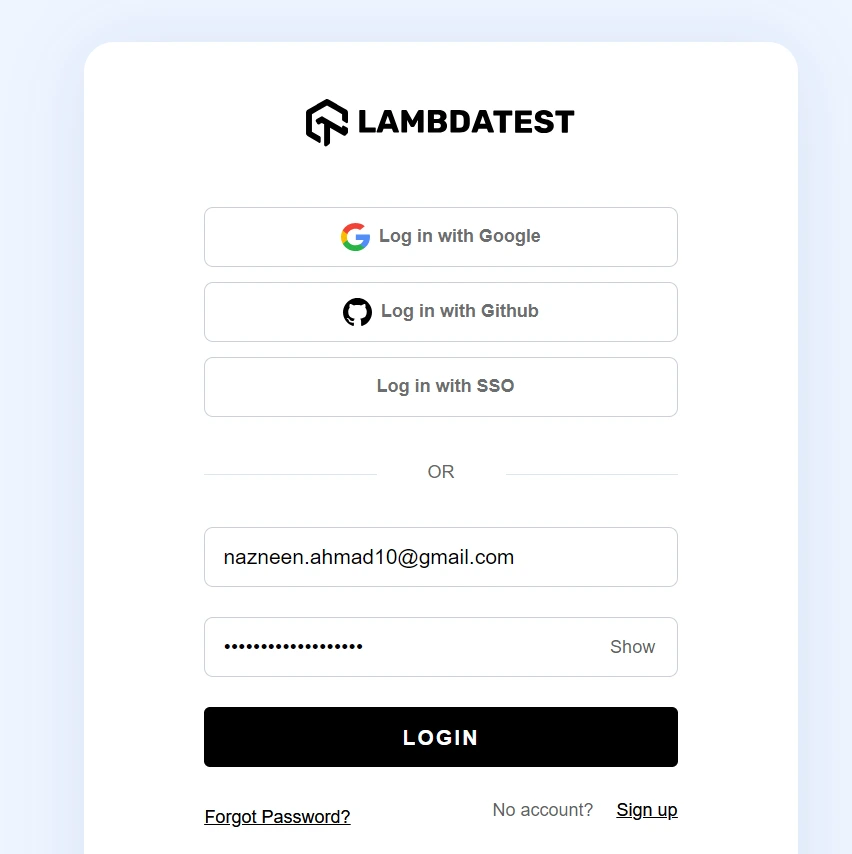
Let's look at test scenarios for the TestMu AI login page.
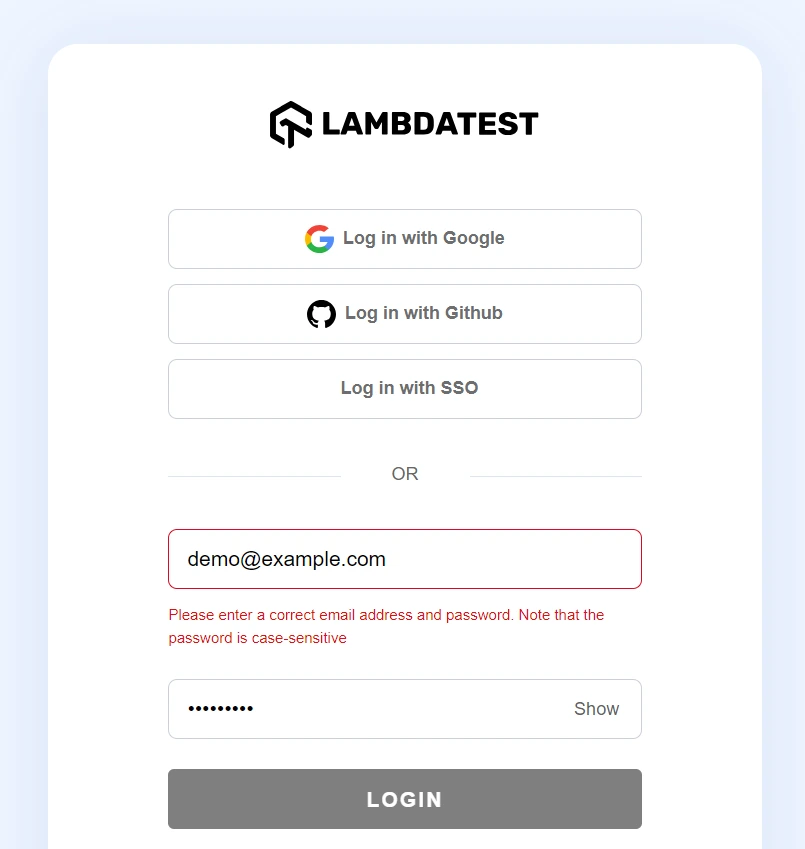
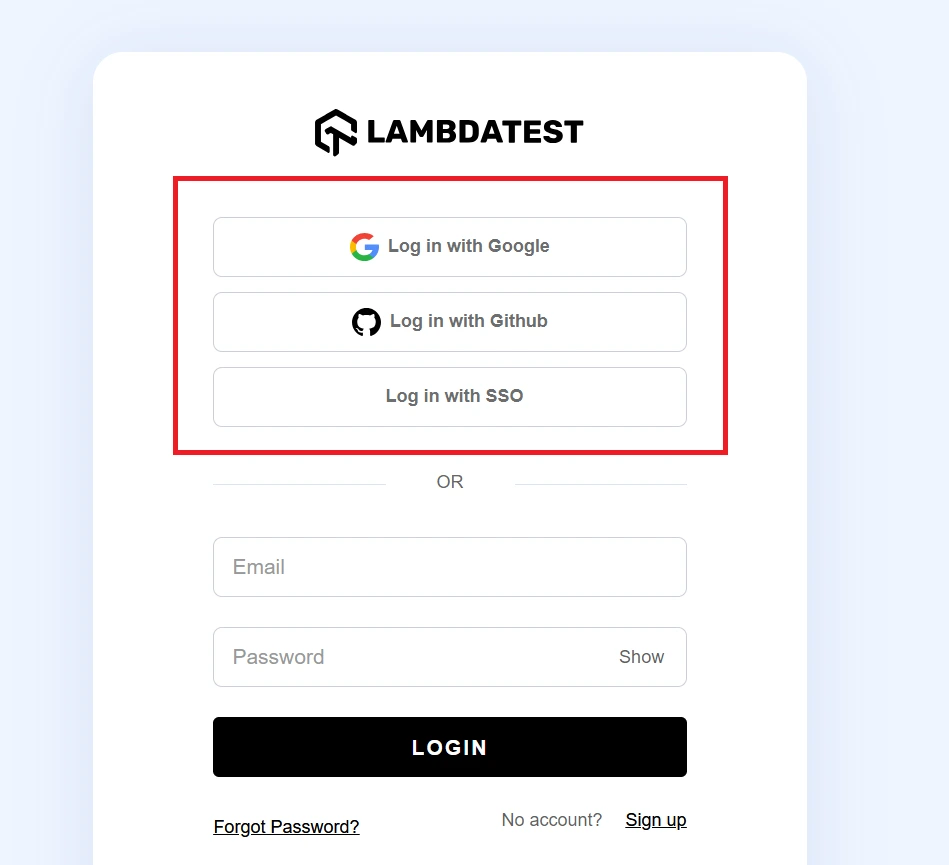
| Scenario ID | Test Scenario | Priority |
|---|---|---|
| TS-LOGIN-001 | Verify successful login with valid email and password | High |
| TS-LOGIN-002 | Verify error message displays for invalid email format | High |
| TS-LOGIN-003 | Verify error message displays for incorrect password | High |
| TS-LOGIN-004 | Verify account locks after 5 failed login attempts | High |
| TS-LOGIN-005 | Verify "Remember Me" checkbox persists session across browser close | Medium |
| TS-LOGIN-006 | Verify password reset email sends within 60 seconds | High |
| TS-LOGIN-007 | Verify social login (Google/GitHub) creates account on first use | Medium |
| TS-LOGIN-008 | Verify login page displays correctly on mobile devices | Medium |
eCommerce Checkout Test Scenarios
| Scenario ID | Test Scenario | Priority |
|---|---|---|
| TS-CART-001 | Verify user can add product to cart from product page | High |
| TS-CART-002 | Verify cart updates quantity when same product added twice | High |
| TS-CART-003 | Verify cart persists after user logs out and back in | Medium |
| TS-CART-004 | Verify out-of-stock products cannot be added to cart | High |
| TS-CHECKOUT-001 | Verify checkout completes with valid shipping and payment | High |
| TS-CHECKOUT-002 | Verify order confirmation email sends after successful checkout | High |
| TS-CHECKOUT-003 | Verify appropriate error when payment card is declined | High |
| TS-CHECKOUT-004 | Verify shipping cost updates based on delivery address | Medium |
Payment Gateway Test Scenarios
| Scenario ID | Test Scenario | Priority |
|---|---|---|
| TS-PAY-001 | Verify payment succeeds with valid credit card details | High |
| TS-PAY-002 | Verify payment fails gracefully for expired card | High |
| TS-PAY-003 | Verify payment fails for card with insufficient funds | High |
| TS-PAY-004 | Verify 3D Secure authentication flow completes successfully | High |
| TS-PAY-005 | Verify refund processes within stated timeframe | High |
| TS-PAY-006 | Verify saved payment methods display correctly for returning users | Medium |
Test Scenario Template
Use this template structure to document your scenarios consistently.
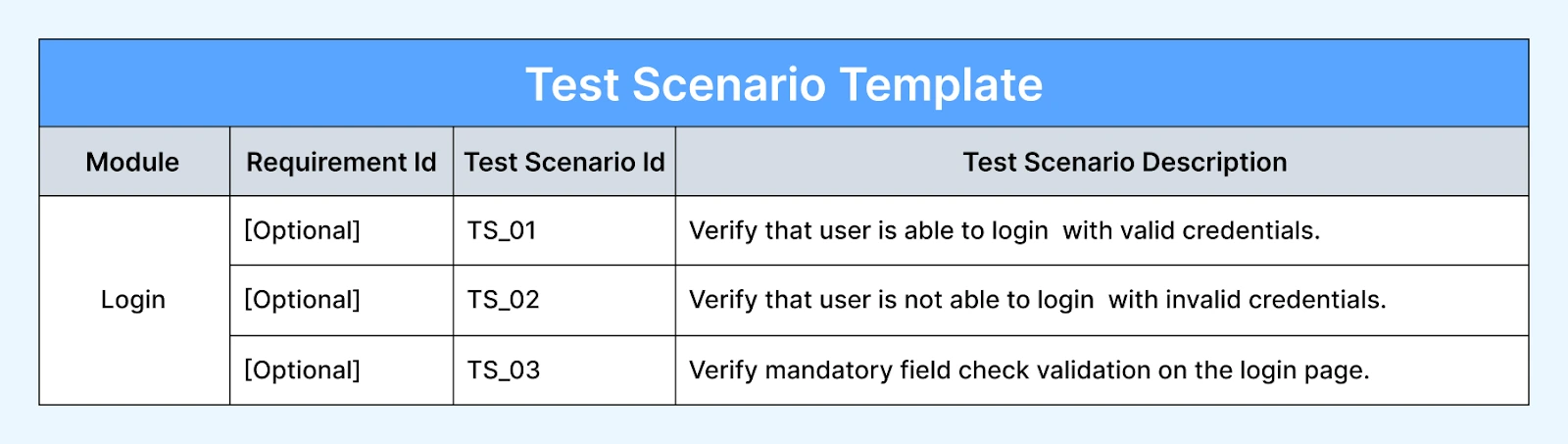
| Field | Description | Example |
|---|---|---|
| Scenario ID | Unique identifier | TS-LOGIN-001 |
| Module | Application area being tested | Login |
| Test Scenario | One-line description of what to verify | Verify successful login with valid credentials |
| Priority | High / Medium / Low | High |
| Requirement ID | Link to source requirement | REQ-AUTH-001 |
| Status | Draft / Approved / Executed | Approved |
| Notes | Additional context or dependencies | Requires test user account |
Sample template row:
| Scenario ID | Module | Test Scenario | Priority | Requirement ID | Status |
|---|---|---|---|---|---|
| TS-001 | Login | Verify successful login with valid email and password | High | REQ-001 | Draft |
| TS-002 | Login | Verify error message for invalid password | High | REQ-001 | Draft |
| TS-003 | Login | Verify password reset email delivery | Medium | REQ-002 | Draft |
You can download this as an Excel or Google Sheets template and customize columns for your project needs.

AI-Powered Test Scenario Generation
Writing test scenarios manually takes time, especially for complex applications with hundreds of features. AI tools can now generate test scenarios from requirements documents, user stories, or natural language descriptions.
How AI generates test scenarios:
- Input: Provide a requirements document, user story, or feature description.
- Analysis: AI identifies user flows, edge cases, error conditions, and boundary values.
- Output: Structured test scenarios with coverage recommendations.
KaneAI generates test scenarios from natural language. Describe what you want to test, and it produces scenarios you can execute immediately.
Example prompt: "Generate test scenarios for a user registration form with email, password, and phone number fields"
- TS-001: Verify registration succeeds with all valid inputs
- TS-002: Verify email format validation rejects invalid emails
- TS-003: Verify password strength requirements are enforced
- TS-004: Verify phone number format validation for different country codes
- TS-005: Verify duplicate email prevention with existing user
- TS-006: Verify registration fails when required fields are empty
- TS-007: Verify confirmation email sends after successful registration
AI doesn't replace human judgment, but it accelerates the initial scenario generation. QA engineers can then refine, prioritize, and expand the AI output based on domain knowledge.
For teams managing large scenario sets, Test Manager provides centralized storage, execution tracking, and reporting.
Best Practices for Writing Test Scenarios
- Keep scenarios atomic. Each scenario should test one thing.
- Write from the user's perspective. Use language that describes what the user does, not how the system implements it.
- Cover positive, negative, and edge cases. For every happy path scenario, write at least one negative scenario.
- Use consistent naming conventions. Prefix scenarios with module codes so they are easy to sort and reference.
- Link to requirements. Every scenario should trace back to a requirement.
- Prioritize ruthlessly. Focus execution time on high-priority scenarios that cover critical functionality and high-risk areas.
- Review with stakeholders. Have business analysts and developers review scenarios before test case creation.
- Update as requirements change. Scenarios are living documents.
Running Test Scenarios at Scale
Test scenarios need execution environments. For web and mobile applications, this means browsers, devices, and operating systems.
TestMu AI provides access to 3,000+ real browsers and devices for executing test scenarios at scale. Instead of maintaining an in-house device lab, teams can run scenarios across any browser/OS combination on demand.
For teams practicing Agile Testing, scenarios integrate into CI/CD pipelines. Every code push triggers scenario execution, catching regressions before they reach production.

Key Takeaways
- Definition: A test scenario is a high-level, one-line statement describing what to test from the end user's perspective.
- Scenario vs Case: Scenarios define what to test; test cases define how to test with specific steps and data.
- Three types: Positive scenarios, negative scenarios, and end-to-end scenarios.
- Writing process: Analyze requirements, identify user actions, write testable statements, create traceability, then review and prioritize.
- Best practice: Keep scenarios atomic, write from the user's perspective, cover positive and negative cases, and link every scenario to a requirement.
- AI acceleration: Tools like KaneAI can generate initial scenarios from natural language, reducing manual effort.
For more testing fundamentals, explore the Software Testing Learning Hub or see how Test Manager helps teams organize and execute test scenarios at scale.


Frequently asked questions
Did you find this page helpful?
More Related Hubs
TestMu AI forEnterprise
Get access to solutions built on Enterprise
grade security, privacy, & compliance
- Advanced access controls
- Advanced data retention rules
- Advanced Local Testing
- Premium Support options
- Early access to beta features
- Private Slack Channel
- Unlimited Manual Accessibility DevTools Tests