

Next-Gen App & Browser Testing Cloud
Trusted by 2 Mn+ QAs & Devs to accelerate their release cycles


September’24 Updates: Test on iPhone 16 Series, Smart Ignore in SmartUI, and More!
Explore the latest TestMu AI updates for September! Test on the new iPhone 16 series, leverage Smart Ignore in SmartUI, along with several other enhancements.

Salman Khan
January 10, 2026
Hey folks, this product updates bring exciting new features to enhance your testing capabilities! You can now test across the latest iPhone 16 series, ensuring your mobile applications work flawlessly.
With Smart Ignore in SmartUI, visual testing is more efficient, allowing you to focus on meaningful content changes and reduce false positives. We have also added the latest macOS Sequoia for cross browser testing, and there are even more features to streamline your testing experience.
Read on…. 🙂
Test Your Mobile Applications on iPhone 16 Series
You can now test your mobile applications on the brand-new iPhone 16 series, which comes with iOS 18, on the TestMu AI real device cloud. This lets you ensure that your applications perform as intended on real iPhone devices right from the get-go.
Additionally, when you test on iPhone 16, it helps you:
- Check how your mobile application works across different browsers on these new iPhones. Doing this helps provide a smooth experience for your users, no matter which browser they prefer.
- Test on various screen sizes in the iPhone 16 lineup. This makes sure that your application’s interface looks good and functions properly on each model.
- Evaluate how your native apps perform on these devices. By testing early, you can catch and fix performance issues, ensuring a smoother experience for your users.
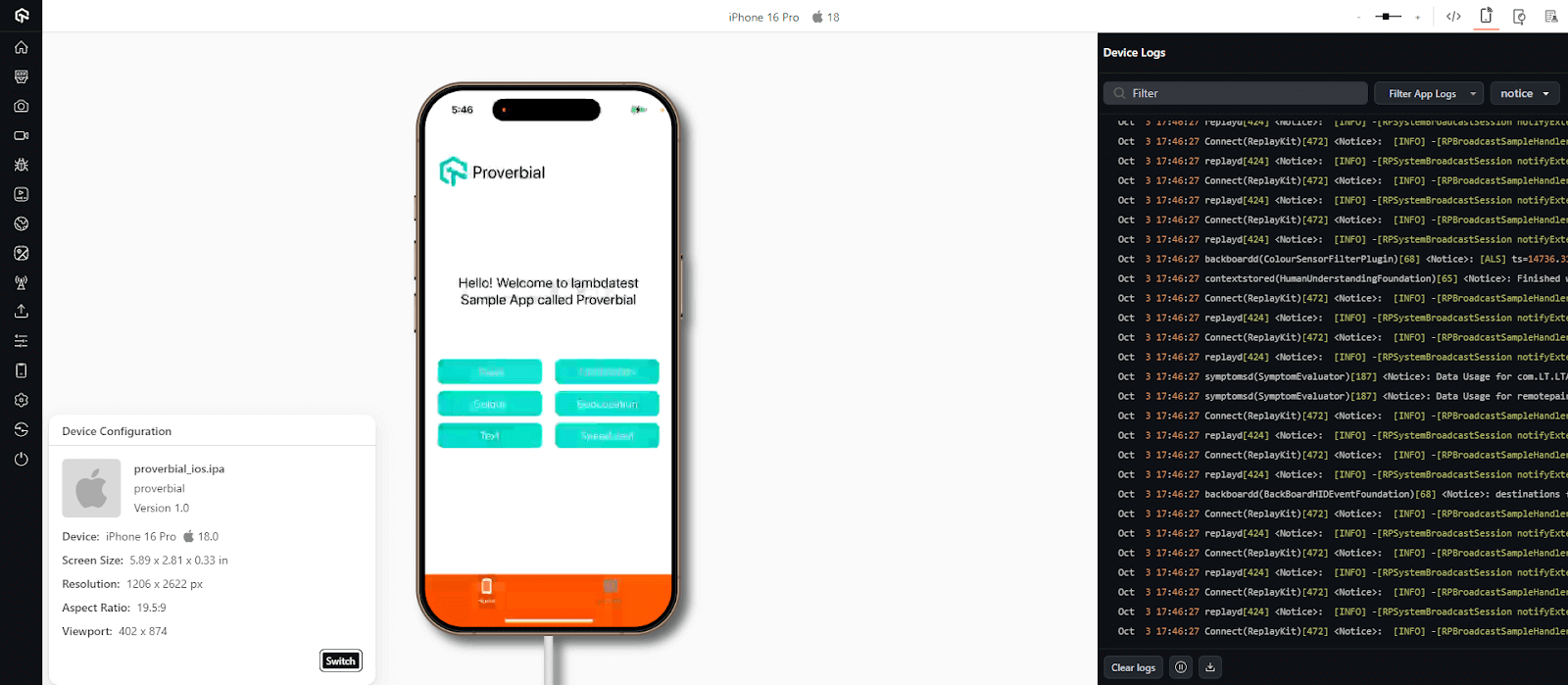
Here are the available iPhone 16 models for testing:
- iPhone 16
- iPhone 16 Plus
- iPhone 16 Pro
- iPhone 16 Pro Max

Note: Test your mobile applications on 5000+ real devices. Try TestMu AI Today!
Live With Android 15 on Google Pixel Emulators
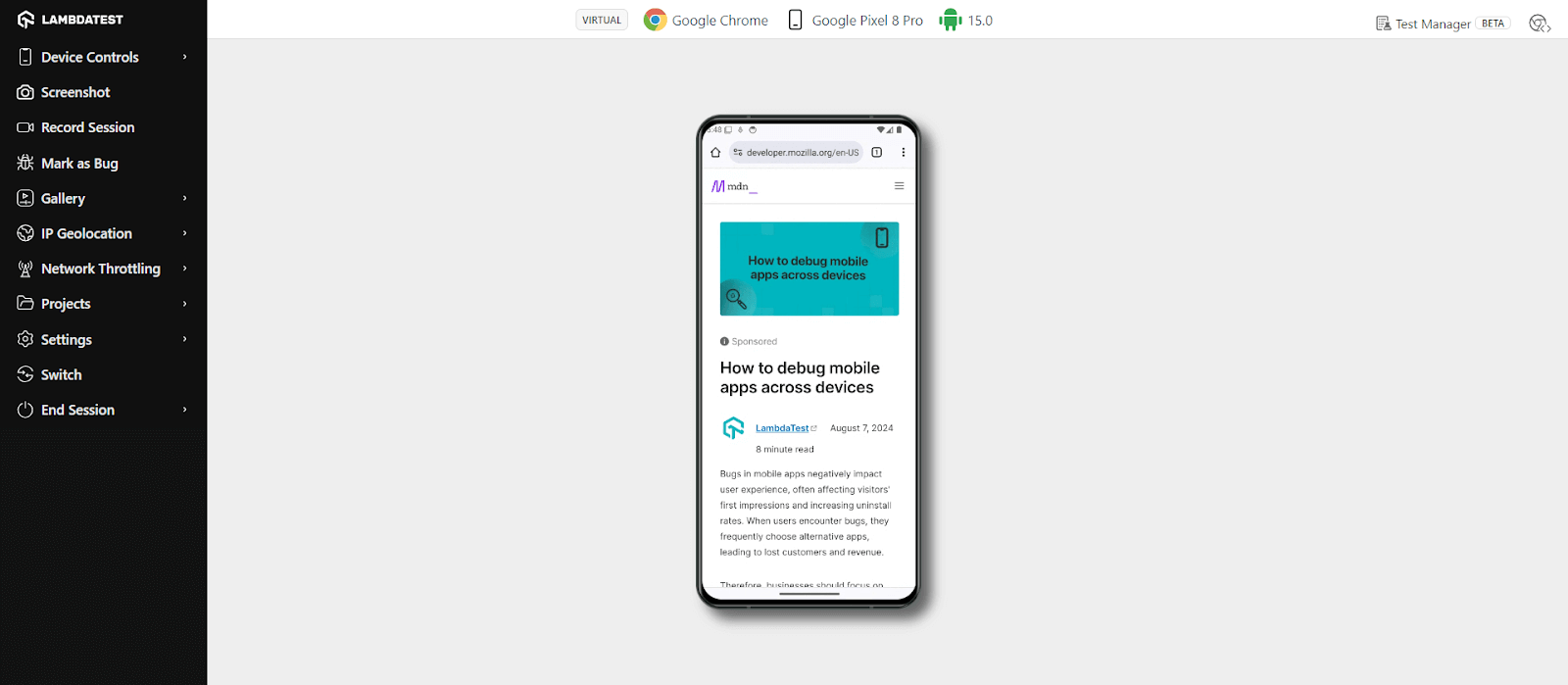
Android 15 is now available on TestMu AI on Google Pixel emulators, letting developers and testers test their mobile applications, ensuring everything is aligned with Android 15. This eliminates the need for physical devices and provides Android emulators online for an easy-to-access environment to ensure compatibility.
With Android 15 introducing changes to permissions and UI elements, it’s important to start testing your mobile applications early using the Pixel emulators, making sure they can handle any new features—whether that’s in terms of improved security protocols, enhanced user interfaces, or overall app performance.
Test Mobile Accessibility on Android Devices
TestMu AI now offers a Screen Reader feature to help you perform manual accessibility testing on real Android devices. This process mirrors the functionality of Google TalkBack, allowing you to navigate app elements with spoken descriptions of the UI, ensuring compliance with accessibility standards. Here are the supported devices for testing:
- Google Pixel 8 Pro (Android 14)
- Google Pixel 7 Pro (Android 13)
- Google Pixel 6 Pro (Android 12)
- Samsung Galaxy S23 (Android 13)
- Samsung Galaxy S22 5G (Android 12)
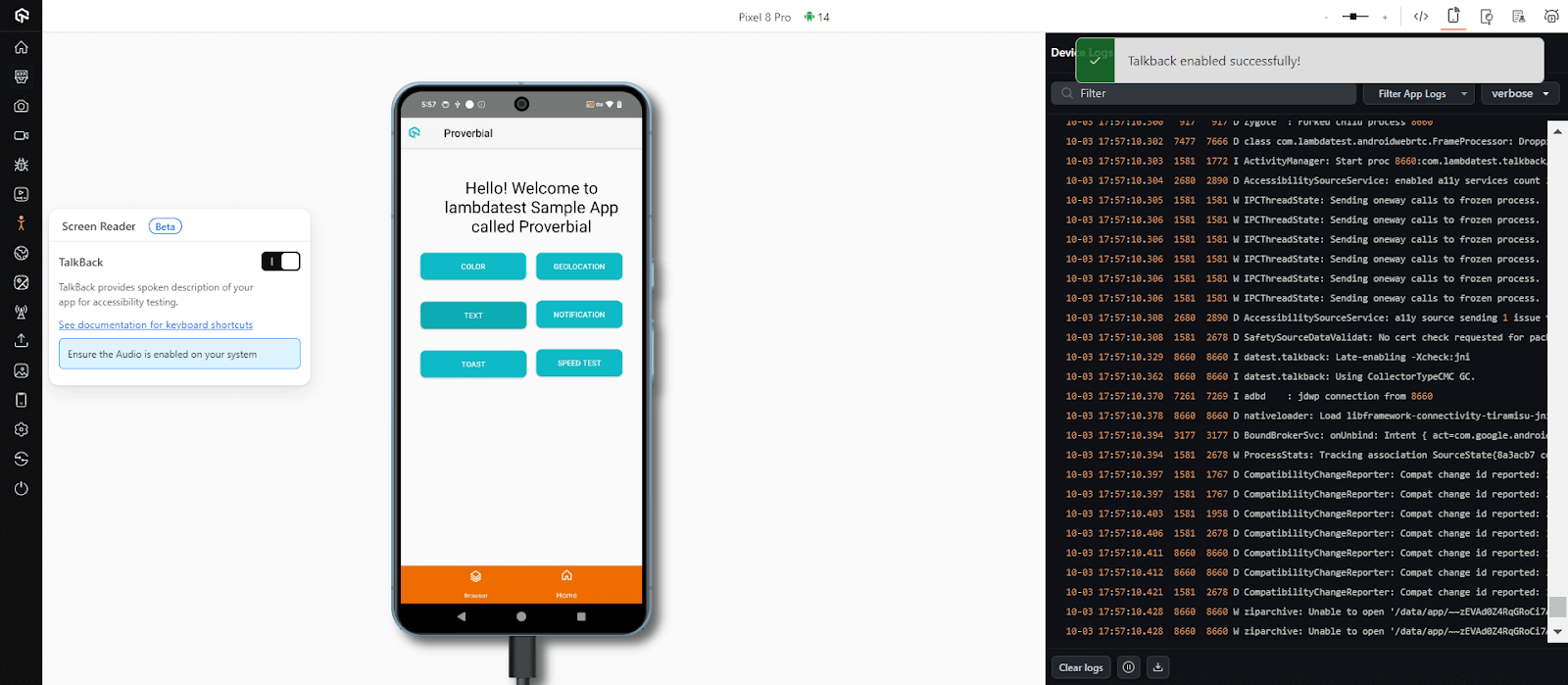
Bonus: You can now retrieve the full list of accessibility issues, along with detailed information about each issue, via our latest API. It supports both manual and automated accessibility tests. Refer to this documentation on accessibility testing APIs.
Run Cross Browser Tests on macOS Sequoia
Using TestMu AI, you can perform cross browser testing on the latest macOS Sequoia, ensuring that your websites and web applications perform consistently across various browsers and versions. It means you can test compatibility and overall functionality on real macOS Sequoia environments without the need for physical machines.
To begin testing,
- Log in to TestMu AI and navigate to Real Time > Desktop.
- Select macOS Sequoia as your operating system.
- Choose the browser (Chrome, Safari, Firefox, etc.) and its version.
- Launch the test environment, and you can interact with your website or web application on the real macOS Sequoia in real-time.
Testing on macOS Sequoia helps ensure cross-browser compatibility, catching issues early and improving the overall user experience. This helps deliver a consistent, reliable web experience across all browsers.
Smart Ignore Functionality in SmartUI
We have added Smart Ignore functionality in SmartUI to handle visual testing challenges that arise when testing dynamic, content-heavy software applications. This Smart Ignore differentiates between real content changes and simple element displacements and helps eliminate false positives often seen in pixel-by-pixel comparisons.
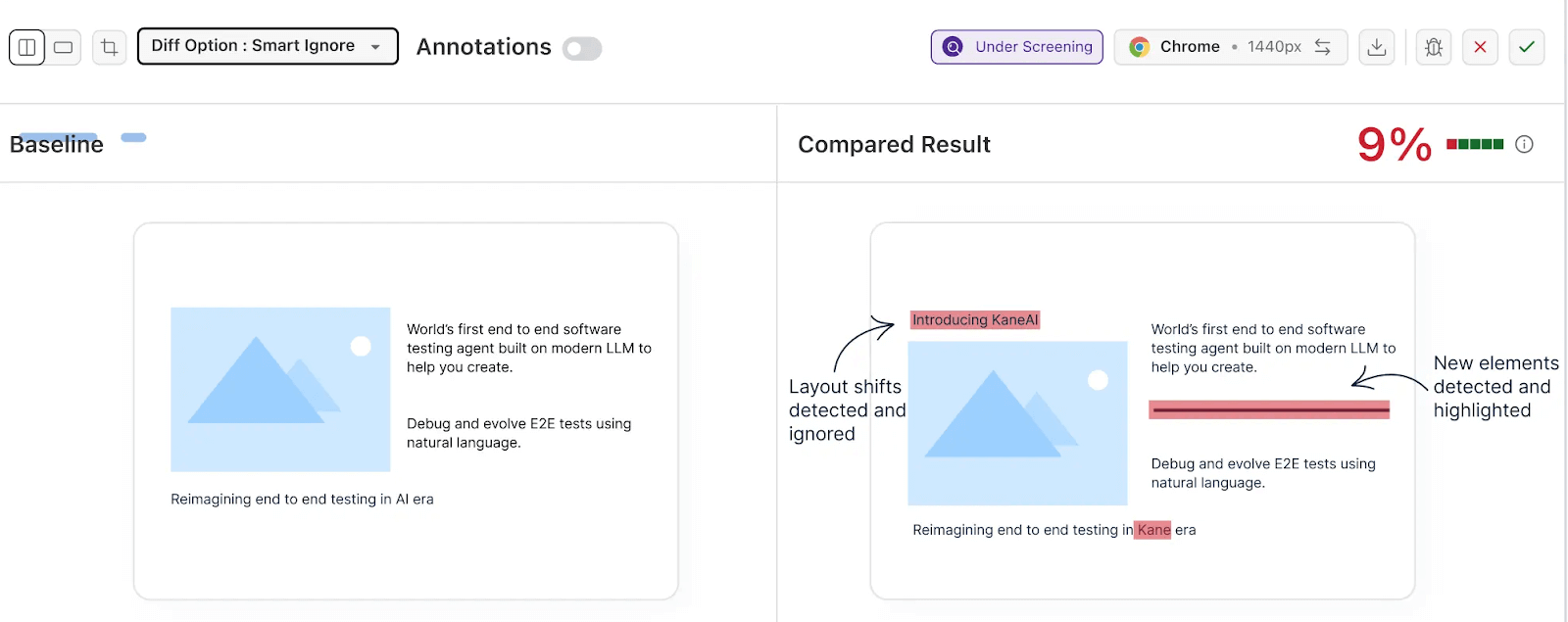
So this way, it helps minimize visual clutter, making it easier for you to focus on meaningful content changes.
Here are some of the features of Smart Ignore:
- Manages displacement differences to avoid false positives.
- Reduces visual noise by focusing on significant content changes.
- Can be applied globally through Project Settings or per screenshot using the Diff Options dropdown.
- Available in beta. You can contact Sales to enable it for free.
To get started, visit this guide on Smart Ignore in SmartUI.
New Features in Test Manager
Our AI-native Test Manager is now loaded with some new features, helping you streamline test management by automating workflows, identifying flaky tests, and offering intelligent insights to optimize your testing process.
- We’ve streamlined your test management process. You can now import and map tags and preconditions to your test cases, making your workflow more efficient and organized.
- Managing your test data is now easier with the ability to send or update data using POST and PUT APIs. These API enhancements make it simple to integrate test data updates into your CI/CD pipelines.
- Need to export your test cases for reporting or analysis? You can now export them in CSV format, giving you more flexibility in managing and sharing your test data.
- Keeping track of your BDD scenarios is important. With our latest update, you can now view and update the status of BDD scenarios in builds, ensuring you stay on top of your testing progress.
- You can now add remarks and attach files directly within manual test execution, providing greater context and clarity for each test case.
- If you use TestRail for test case management, you can import test case data directly from TestRail into TestMu AI, simplifying the migration process.
Latest Features in HyperExecute
Just like Test Manager, HyperExecute has some new features as well. Let’s take a look at:
- You can now benefit from more detailed Cypress command logs in HyperExecute, making it easier to debug your tests and get a clearer picture of what’s happening at each step.
- For teams with multiple stakeholders, managing email notifications is now more flexible. You can configure multiple email addresses within the YAML file, ensuring the right people get notified about the test results.
- We’ve upgraded the Selenium JARs to the latest versions, giving your test automation efforts a performance boost.
- HyperExecute Projects is now available for the general public. This lets you run tests across multiple projects simultaneously, helping you scale your testing efforts effortlessly.
- Keep your testing environment up to date with the latest browsers now available on TestMu AI. Test your apps on Chrome 128 and Firefox 129 to ensure compatibility with the newest browser versions.

Wrapping Up!
And that’s a wrap! We hope these new features will bring enhanced value to your testing workflow, making it more efficient and streamlined. Stay tuned for more exciting improvements coming your way!
To stay updated with our latest features and enhancements, visit the TestMu AI Changelog.


Did you find this page helpful?
More Related Hubs
TestMu AI forEnterprise
Get access to solutions built on Enterprise
grade security, privacy, & compliance
- Advanced access controls
- Advanced data retention rules
- Advanced Local Testing
- Premium Support options
- Early access to beta features
- Private Slack Channel
- Unlimited Manual Accessibility DevTools Tests