

Next-Gen App & Browser Testing Cloud
Trusted by 2 Mn+ QAs & Devs to accelerate their release cycles


On This Page
- Free HyperExecute Access for Microsoft Enterprises
- Support for Cypress testing on the Electron browser
- New enhancements in App Automation
- Test on the latest iPhone 14 series and iOS 16
- Real Time Testing on macOS Ventura, and Safari 16
- TestMu AI Extension for Visual Studio Code
- New iPhone 14 and iOS 16 for Real Device testing
- New Playwright Certifications – 101 and 102
- A Slew of New Integrations

- Home
- /
- Blog
- /
- Sep’22 Updates: Test On iPhone 14 Series, Free HyperExecute Access, New Certifications, Integrations, And More
Sep’22 Updates: Test On iPhone 14 Series, Free HyperExecute Access, New Certifications, Integrations, And More
Welcome back to the September edition of the TestMu AI monthly product update. There is a lot in the bucket this time, including support for testing on the real iPhone 14 series, free access to HyperExecute for Microsoft Enterprise, and much more.

Salman Khan
January 30, 2026
Hey everyone, September has ended, and it’s time to catch up on all we’ve been up to over the last month.
Our latest feature releases are absolutely awesome. We’ve added some amazing features to make your life as testers a tad bit easier.
TestMu AI’s virtual testing and real device cloud now support testing on iPhone 14 series and iOS 16. We also went live with the brand-new TestMu AI Extension for VS Code, offering FREE access to three parallel sessions of HyperExecute.
The other major additions include support for Appium 2.0, macOS Ventura (Beta), and Safari 16 for real-time web testing, new Playwright certifications, the latest integrations, and much more.
Let’s unveil them one by one!
Free HyperExecute Access for Microsoft Enterprises
HyperExecute – the blazing fast end-to-end test orchestration cloud aim is to enable quicker developer feedback and help all enterprises achieve a shorter time to market.
Now get the best of both worlds—the speed of a local setup and the intelligence of a cloud grid—with our latest offer of HyperExecute for Microsoft Enterprises that you can’t refuse.
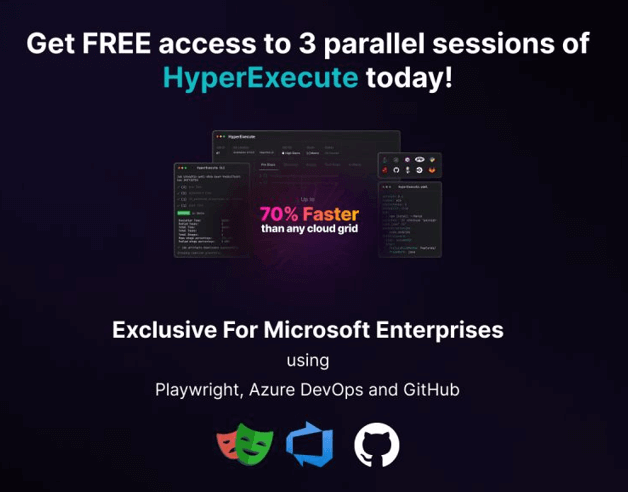
Devs and testers can now sign up and get FREE access to three parallel sessions of HyperExecute for 12 months. This limited-time offer is available to Microsoft Enterprises users using Playwright, GitHub, or Azure Pipelines.
Support for Cypress testing on the Electron browser
Cypress offers automated testing across multiple browsers. Currently, Cypress supports Chrome-flavored browsers like Electron, Microsoft Edge (Chromium-based), Firefox, and WebKit -Safari’s browser engine.
The Electron browser is a Chromium version that comes with Electron. You need not install it separately, as it is built-in with Cypress.
In addition to Chrome, Firefox, and Edge, our TestMu AI-Cypress CLI supports Cypress testing on the Electron browser. Therefore, you can execute and analyze your Cypress test scripts on the Electron browser online.
Looking to try out Cypress? Check out the Cypress on Azure Marketplace
New enhancements in App Automation
At TestMu AI, we are always looking for ways to improve our offerings. To put some zing into your app test automation, we have added some key features to provide an enhanced user experience.
Check out some new features in TestMu AI’s App Automation.
- With Appium 2.0 support for Android app automation on TestMu AI, you can now harness the real power of mobile test automation. Appium 2.0 is an upgrade to the Appium automation framework that comes with powerful features to streamline your testing experience. To use Appium 2.0 for Android app testing, pass the following capability in your test script. appiumVersion: '2.0' Looking to try out Appium? Check out the Appium on Azure Marketplace
- Added support for Android Debug Bridge (adb) commands to execute them in your app automation scripts via JavaScript Executors. Please check our ADB Commands guide to get started.
- You can now login into a Google account and test the end-to-end flows of your mobile apps.

Note: Automate your apps on a real Android device cloud. Try TestMu AI Now!
Automate your apps on a real Android device cloud. Try TestMu AI Now!
Test on the latest iPhone 14 series and iOS 16
Apple’s much-awaited OS, iOS 16, is here. The latest version comes with a major overhaul to the lock screen and several other additions and enhancements.
We’re pleased to announce that the new iOS 16 is now live on TestMu AI virtual testing cloud to perform real-time browser and app testing.
Now you can test on iPhone 14 series for your mobile web and native apps.
- iPhone 14
- iPhone 14 Plus
- iPhone 14 Pro
- iPhone 14 Pro Max
In addition, TestMu AI’s virtual testing platform now supports app testing using a Korean keyboard.
Real Time Testing on macOS Ventura, and Safari 16
After rolling out macOS Ventura and Safari 16 in TestMu AI’s Automation, we are glad to add its support for real-time testing.
Therefore, you can perform real-time live interacting testing of your website and web apps on real macOS Ventura machines running real Safari 16. You can also debug your website’s source code while testing on macOS Ventura.
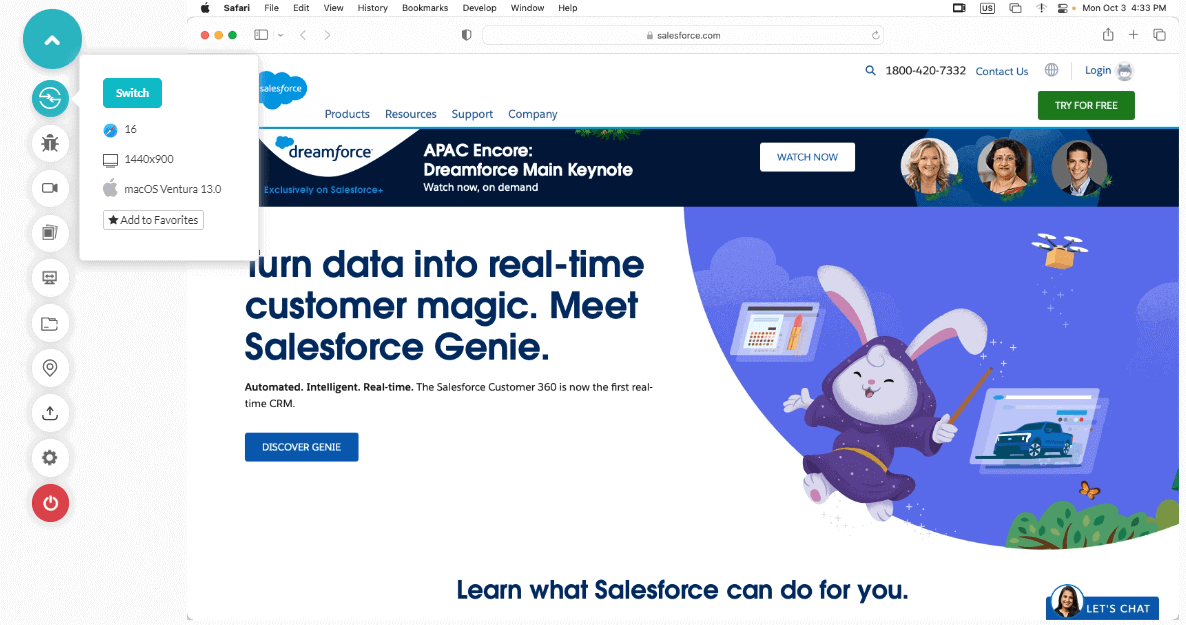
In addition to this, we also added support for the Korean keyboard and released new browsers.
- Chrome 106 Beta, 105, 104
- Firefox 105 Beta, 104, 103, 102
- Edge 105, 104
- Opera 90, 89, 88, 87

Austin Siewert
CEO, Vercel
Discovered @TestMu AI yesterday. Best browser testing tool I've found for my use case. Great pricing model for the limited testing I do 👏
2M+ Devs and QAs rely on TestMu AI
Deliver immersive digital experiences with Next-Generation Mobile Apps and Cross Browser Testing Cloud

TestMu AI Extension for Visual Studio Code
We have introduced our very own TestMu AI Extension for VS Code. With this extension, you can perform real-time cross browser testing of your public and locally hosted websites and web apps right from your VS Code Editor with a single click.
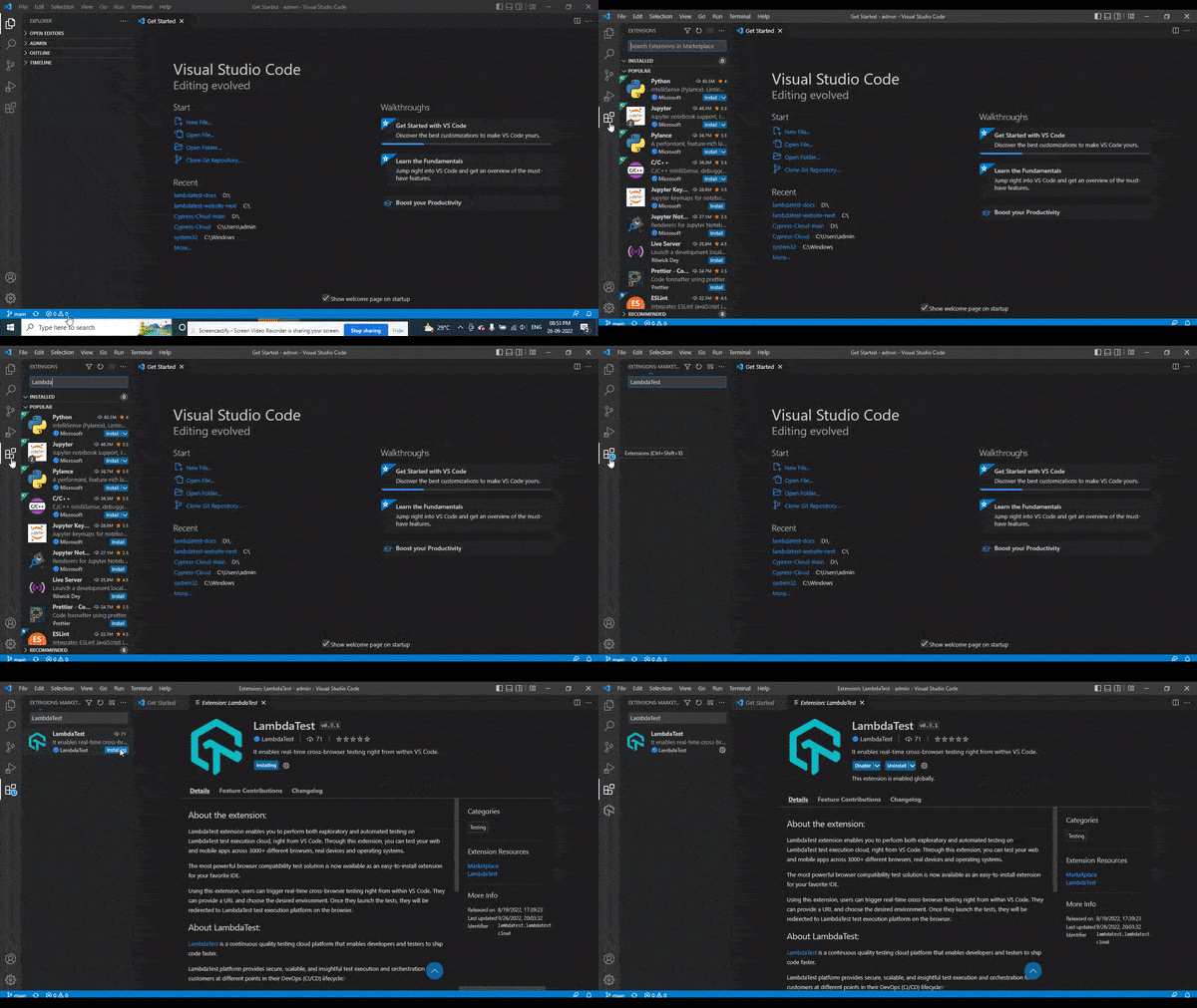
To know more about this extension, visit our article on TestMu AI VS Code Extension.
New iPhone 14 and iOS 16 for Real Device testing
We are pleased to announce the availability of iOS 16 and iPhone 14 on TestMu AI’s Real device cloud. With iOS 16 and iPhone 14, you can perform real-time and automated testing of your mobile web and native apps.
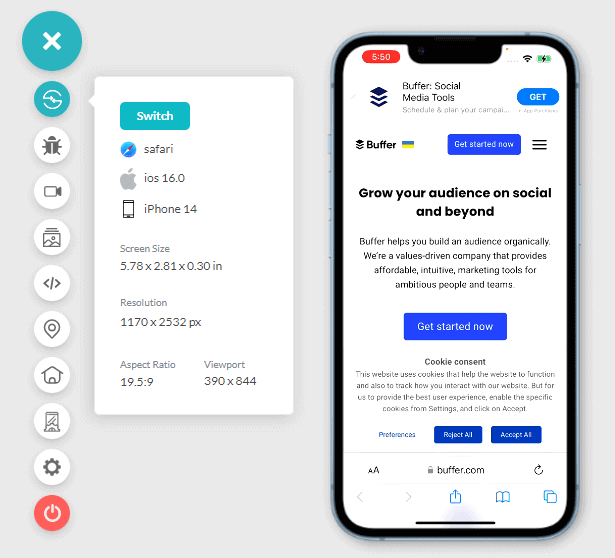
New Playwright Certifications – 101 and 102
We are excited to announce that the TestMu AI certification program has just gotten bigger! We have added a new test automation certification for the Playwright series – Playwright 101 and Playwright 102.
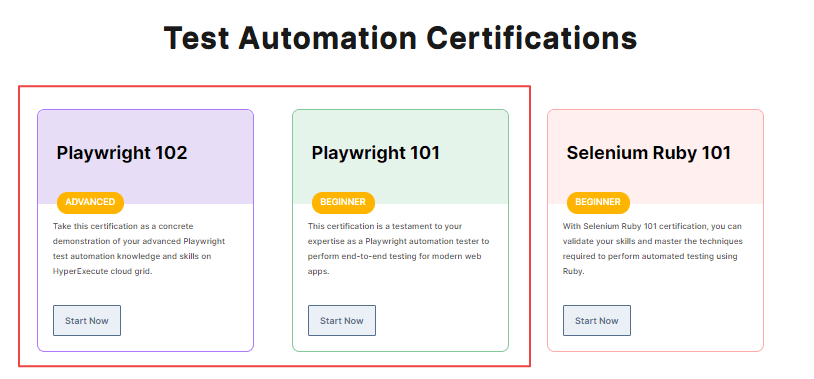
- Playwright 101: This certification will help you demonstrate your end-to-end (E2E) testing skills and stay ahead of the competition. Enroll for Playwright 101 Certification
- Playwright 102: This is advanced Playwright certification to showcase your automation skills on the HyperExecute cloud grid and take your test automation career to the next level. Enroll for Playwright 102 Certification
A Slew of New Integrations
This month, we collaborated with platforms like Sumo Logic, algoQA, Zapier, and Bugasura. These new integrations will help streamline your testing workflow and make you even more productive.
For more information, check out the TestMu AI Integrations page.
Besides this integration, we have added a new feature for monitoring user-facing bugs to the existing TestMu AI and Datadog integration. Using this feature, you can signup with TestMu AI via the Datadog Marketplace and identify and report UI bugs as Datadog incidents from the TestMu AI platform.
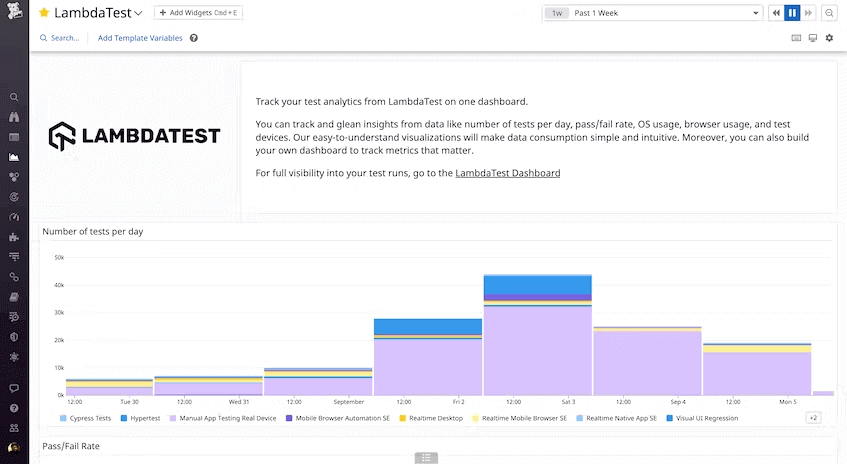
You can also harness this integration to visualize your crucial testing metrics with an intuitive Datadog dashboard.
Summing up
That’s all, folks!
At TestMu AI, we continuously work to bring more top-class features and integrations on board to streamline your collaboration and testing workflows. So that you can focus on doing what you do best: delivering quality software applications.
Give a spin to our newly added features, and let us know your feedback. We would love to hear your valuable feedback and suggestions on how we can serve you better.
You can share the same on TestMu AI Community or mail us at [email protected]. On a side note you can test on Mac Sierra and other latest MacOS on real devices as well test on iPhone Simulators on 3000+ real browsers hosted on a cloud through TestMu AI.
Happy testing!


Did you find this page helpful?
More Related Hubs
TestMu AI forEnterprise
Get access to solutions built on Enterprise
grade security, privacy, & compliance
- Advanced access controls
- Advanced data retention rules
- Advanced Local Testing
- Premium Support options
- Early access to beta features
- Private Slack Channel
- Unlimited Manual Accessibility DevTools Tests